Mailcleanup vs SignalHire: Email Verifier or Contact Finder in 2026?
Mailcleanup cleans lists you already have. SignalHire finds contacts you don't have yet. Here is how their pricing, accuracy and use cases compare, and how to tell which one your outbound stack needs.
- Mailcleanup and SignalHire don't replace each other. Mailcleanup is a pay-as-you-go email verifier that cleans lists you already have. SignalHire is a contact finder that turns up emails and phone numbers for people you don't have yet.
- They charge in opposite ways. Mailcleanup sells one-time credit packs (G2 lists them from about $5 per 1,000 checks). SignalHire runs monthly subscriptions, and its email plan is usually quoted at around $69/mo for roughly 1,000 credits.
- Pick Mailcleanup if your problem is bounces on lists you already own. Pick SignalHire if your problem is finding contact data, especially phone numbers for recruiting or sales.
- Most outbound teams need both jobs done. That means either paying for two tools or picking one platform that finds and verifies in the same workflow.
What is Mailcleanup?#
Mailcleanup is an email list verification service. You upload a CSV (or drag and drop a file). It checks each address for syntax errors, dead domains, missing MX records, disposable providers and whether the mailbox exists. Then it gives you back a cleaned list with a status label on each address.
Its main selling points are simplicity and price. Its G2 pricing listing says Mailcleanup has no subscriptions, monthly fees or auto-renewals. You buy a credit pack sized to your list, starting at about $5 for 1,000 emails and going up to around $500 for 1,000,000. The vendor claims up to 99% verification accuracy.
The listings on Capterra and GetApp show bulk verification, catch-all server detection, and a free trial or free version. What it can't do is find new contacts. If you give Mailcleanup a company name or a LinkedIn URL, it has nothing to check. It needs an email address as input.
In short, Mailcleanup is a filter. It makes the data you already have safer to send to.
What is SignalHire?#
SignalHire is a contact-finding tool that started in recruiting and moved into sales prospecting. You search by name, title, company or location, or you use its browser extension on LinkedIn and other profile pages. It returns personal and work emails, phone numbers and social profiles when it has them.
SignalHire runs on credits. On most plans you only spend a credit when a result comes back, and there's no per-seat fee. Third-party reviews in 2026 usually quote these plans:
- Free: about 5 credits, or more with the browser extension installed
- Emails: around $69/mo for roughly 1,000 email credits, lower if you pay yearly
- Phones: around the same price for a few hundred phone credits
- Emails & Phones: combined bundles, some sold as "unlimited" with a fair-use cap
A word of caution: SignalHire changed its pricing several times in 2026, and reviewers disagree on the exact caps and bundle sizes. Check the pricing page on the official SignalHire site before you set a budget. Unused credits also tend to expire each month instead of rolling over.
SignalHire does verify the emails it returns before it shows them to you. But it isn't built to clean a 50,000-row list you exported from your CRM.
How do Mailcleanup and SignalHire compare side by side?#
Comparing these two is like comparing a water filter to a well. One makes the water you already have safe to drink. The other gets you water in the first place. Here's how they compare on the points that matter to an outbound team.
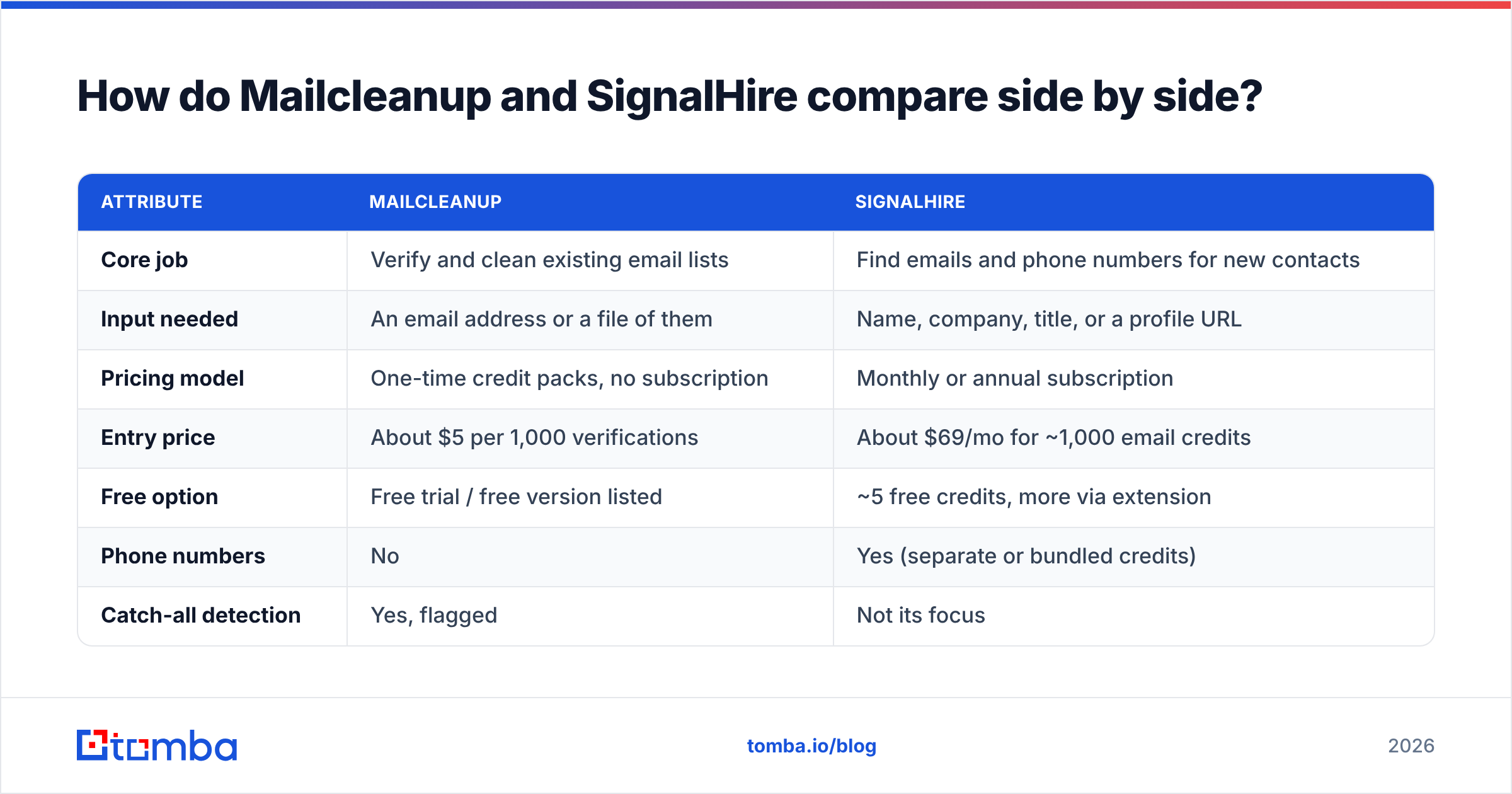
| Attribute | Mailcleanup | SignalHire |
|---|---|---|
| Core job | Verify and clean existing email lists | Find emails and phone numbers for new contacts |
| Input needed | An email address or a file of them | Name, company, title, or a profile URL |
| Pricing model | One-time credit packs, no subscription | Monthly or annual subscription |
| Entry price | About $5 per 1,000 verifications | About $69/mo for ~1,000 email credits |
| Free option | Free trial / free version listed | ~5 free credits, more via extension |
| Phone numbers | No | Yes (separate or bundled credits) |
| Catch-all detection | Yes, flagged | Not its focus |
| Browser extension | Not a core feature | Yes, works on LinkedIn and profile pages |
| Credit expiry | Pay-as-you-go packs | Credits typically reset monthly |
| Best for | Marketers and SDRs fixing bounce rates | Recruiters and SDRs building net-new lists |
The table makes the main point clear: these aren't two versions of the same product. You're deciding which problem to solve first.

Which tool gives you better data accuracy?#
Accuracy means something different for each tool, so you have to measure each one differently.
For Mailcleanup, accuracy is about labeling. When it marks an address "valid," does that address actually accept mail? When it says "invalid," is the address really dead? The vendor claims up to 99%, which is about what most dedicated verifiers advertise. The weak spot for every verifier is catch-all domains. On these, the mail server accepts every address during the SMTP check and only bounces the message later. Mailcleanup flags these addresses, but a flag isn't an answer. You still have to decide whether to send to them.
For SignalHire, accuracy means two things: whether it finds an email for the person at all, and whether that email is the current one. Reviews generally rate SignalHire well for personal emails and phone numbers, which is why recruiters like it. For work emails at mid-market and enterprise companies, results vary more by region and industry. Any finder built on a database also has a freshness problem. People change jobs, so an email that was correct in 2024 can hard-bounce in 2026.
What this means for you: if you use SignalHire to find contacts, run the results through a verifier before a large send. If you only use Mailcleanup, you still need a source of contacts worth verifying.
How much does each tool really cost per usable contact?#
The listed prices are misleading here because the two tools charge for different things. A more useful number is the cost per contact you can actually email.
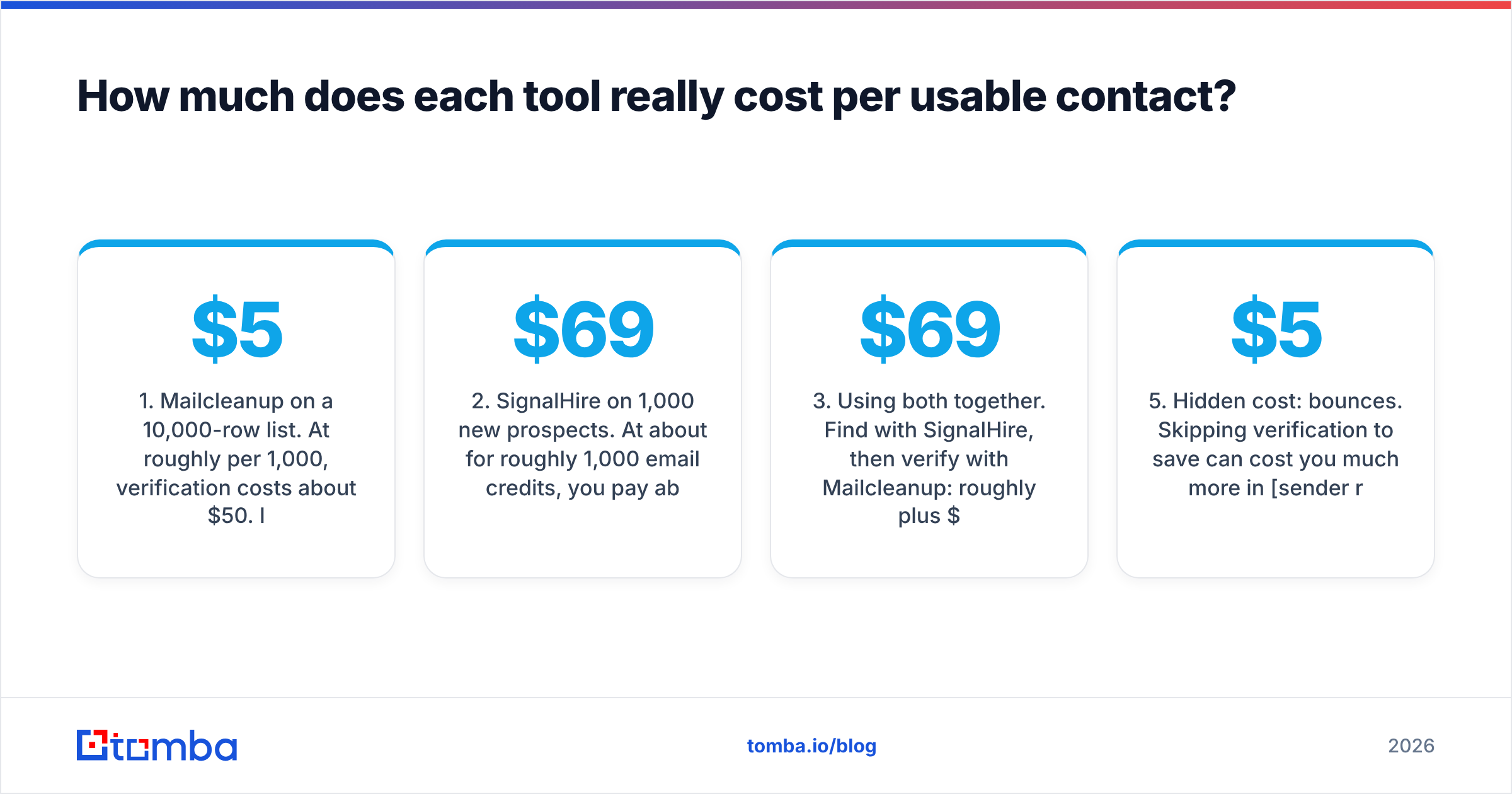
- Mailcleanup on a 10,000-row list. At roughly $5 per 1,000, verification costs about $50. If 20% of the list is invalid or risky, you keep about 8,000 sendable addresses at well under a cent each. That's cheap, but only if you already have those 10,000 addresses.
- SignalHire on 1,000 new prospects. At about $69/mo for roughly 1,000 email credits, you pay about $0.07 per email found, as long as you use every credit before it expires. Add phone numbers and the cost per contact climbs fast.
- Using both together. Find with SignalHire, then verify with Mailcleanup: roughly $69 plus $5 for 1,000 contacts. That's not expensive, but you now manage two vendors and two exports, and you move a CSV back and forth every time.
- Hidden cost: wasted credits. SignalHire credits that reset every month cost you if your usage is uneven. Mailcleanup's packs avoid this, which is a real advantage for teams that run campaigns in bursts.
- Hidden cost: bounces. Skipping verification to save $5 can cost you much more in sender reputation. Mailbox providers start penalizing senders once bounce rates pass about 2-3%.
When should you choose Mailcleanup?#
Choose Mailcleanup when you already have the data and the problem is quality:
- You have an old CRM export, webinar list or event-badge scan and need to know which addresses still work.
- You send newsletters or nurture campaigns and want a cheap check before each send without another monthly bill.
- Your volume is irregular. A one-time credit pack suits a quarterly cleanup better than a subscription does.
- You don't need phone numbers or new contacts at all.
Mailcleanup is a lean tool that does one thing. If that one thing is all you need, there's little reason to pay for a bigger platform.
When should you choose SignalHire?#
Choose SignalHire when you don't have the data yet and the problem is finding it:
- You recruit and need personal emails or mobile numbers for candidates who aren't answering InMail.
- Your SDRs prospect from LinkedIn profiles and want an extension that pulls contact details in one click.
- Phone outreach is part of your process, so email-only tools leave a gap.
- Your volume is steady enough each month that you'll actually use your credits before they reset.
If you mostly email work addresses at companies you can name, check whether a tool that searches by company domain gets you better coverage for less. SignalHire's pricing makes the most sense when you need its phone and personal-email data.
Do you need both, or one tool that does both jobs?#
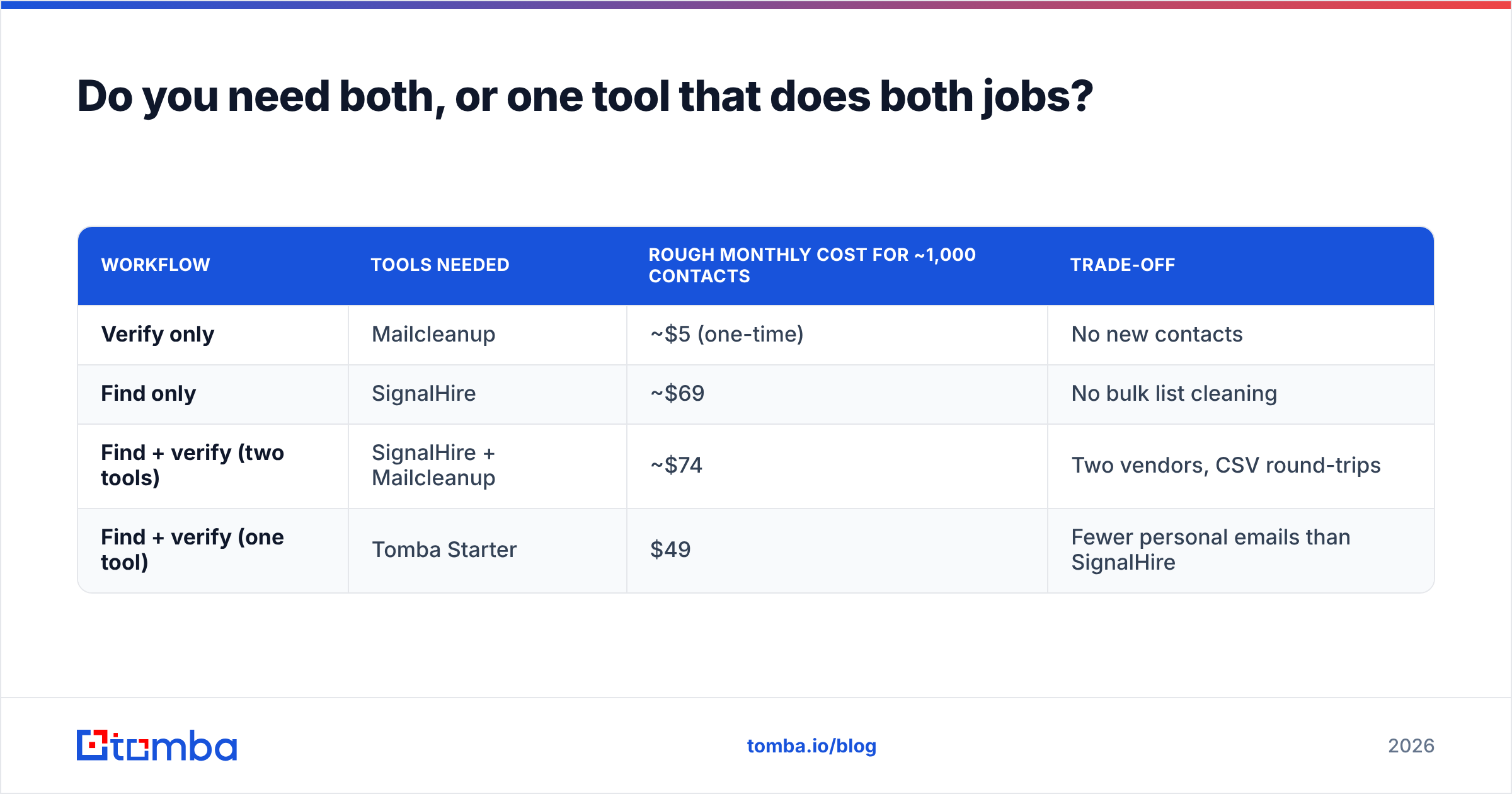
If you're weighing these two tools, the catch is that most outbound teams need both jobs done. You need to find contacts, and you need to verify them before you send. Buying SignalHire and Mailcleanup separately works, but it adds an extra step right where reps tend to cut corners.

The alternative is a platform that both finds and verifies contacts. Tomba is one option. Its email finder looks up work addresses by name and company domain, and its built-in email verifier checks them in the same step. A separate catch-all verifier handles the risky domains that most verifiers can only flag. Tomba also offers phone finding and data enrichment.
| Workflow | Tools needed | Rough monthly cost for ~1,000 contacts | Trade-off |
|---|---|---|---|
| Verify only | Mailcleanup | ~$5 (one-time) | No new contacts |
| Find only | SignalHire | ~$69 | No bulk list cleaning |
| Find + verify (two tools) | SignalHire + Mailcleanup | ~$74 | Two vendors, CSV round-trips |
| Find + verify (one tool) | Tomba Starter | $49 | Fewer personal emails than SignalHire |
To be fair to both tools: if you need personal emails and mobile numbers for recruiting, SignalHire's data is the reason to buy it, and a platform built around work emails won't fully replace it. And if you only ever clean lists, Mailcleanup's pay-as-you-go packs are hard to beat on price. A single combined tool makes the most sense when cold email to work addresses is your main channel. You can compare plans on the Tomba pricing page. There's a free tier with 25 searches a month, then Starter at $49/mo, Growth at $99/mo and Pro at $249/mo.
What's the verdict on Mailcleanup vs SignalHire?#
Neither tool wins outright, because they solve different problems.
- Mailcleanup wins on price and simplicity for verifying lists you already own. There's no subscription and no expiring credits, and catch-all flagging is included.
- SignalHire wins at finding contacts, especially phone numbers and personal emails. Its browser extension also suits prospecting that runs mostly through LinkedIn.
- Neither one covers all of outbound on its own. If you buy SignalHire, plan to verify before big sends. If you buy Mailcleanup, plan where your contacts will come from.
Start with your biggest problem. If a list you already have keeps bouncing, choose Mailcleanup. If you don't have enough contacts to reach, choose SignalHire. If you need both every week, look at a combined platform.
Ready to find and verify in one place?#
If you want verified work emails in your sequences without managing two vendors, try the Tomba Email Finder. Enter a name and a company domain, and you get the work address with its verification status attached. You can then send it to your CRM or export it as a CSV. The free tier gives you 25 searches a month, so you can test it on your own target accounts before you spend anything.
Related guides#
// start free
See who Tomba finds at any company
Type a company's domain to see its people, their roles and verified work emails, each with the pages it was found on. Free account, no card.
Free plan · No credit card required · GDPR & CCPA
// about the author