MailCleanup vs Zintlr: List Cleaner or Contact Database?
MailCleanup and Zintlr show up on the same shortlists, but they do different jobs. One cleans the list you already have. The other builds a new one. Here's which one your outbound stack actually needs.
TL;DR
- MailCleanup is an email list cleaner. It checks addresses you already have. Pricing is pay-as-you-go, starting at $5 for 1,000 verifications with no subscription.
- Zintlr is a B2B contact database and prospecting tool. It helps you find new decision-makers and their emails and phone numbers. Third-party listings put its Lite plan at about $49/month, and there's a 14-day trial.
- They're not true substitutes. If you're asking "MailCleanup vs Zintlr," you're probably choosing between a list problem (bounces) and a pipeline problem (not enough contacts).
- Many teams end up paying for both. That's a database for discovery plus a separate cleaner for hygiene. A platform that finds and verifies in one credit pool can remove that second subscription.
- Our pick: Choose MailCleanup for cheap, occasional list cleaning. Choose Zintlr if you need net-new contacts with phone data. If you want both jobs in one tool, look at a combined finder and verifier.
What is MailCleanup?#
MailCleanup is a bulk email verification service. You upload a CSV of addresses and it checks each one: syntax, domain and MX records, and whether the mailbox responds. You get back a list split into valid, invalid, risky and unknown addresses. That's the whole product, and the narrow focus is the point.
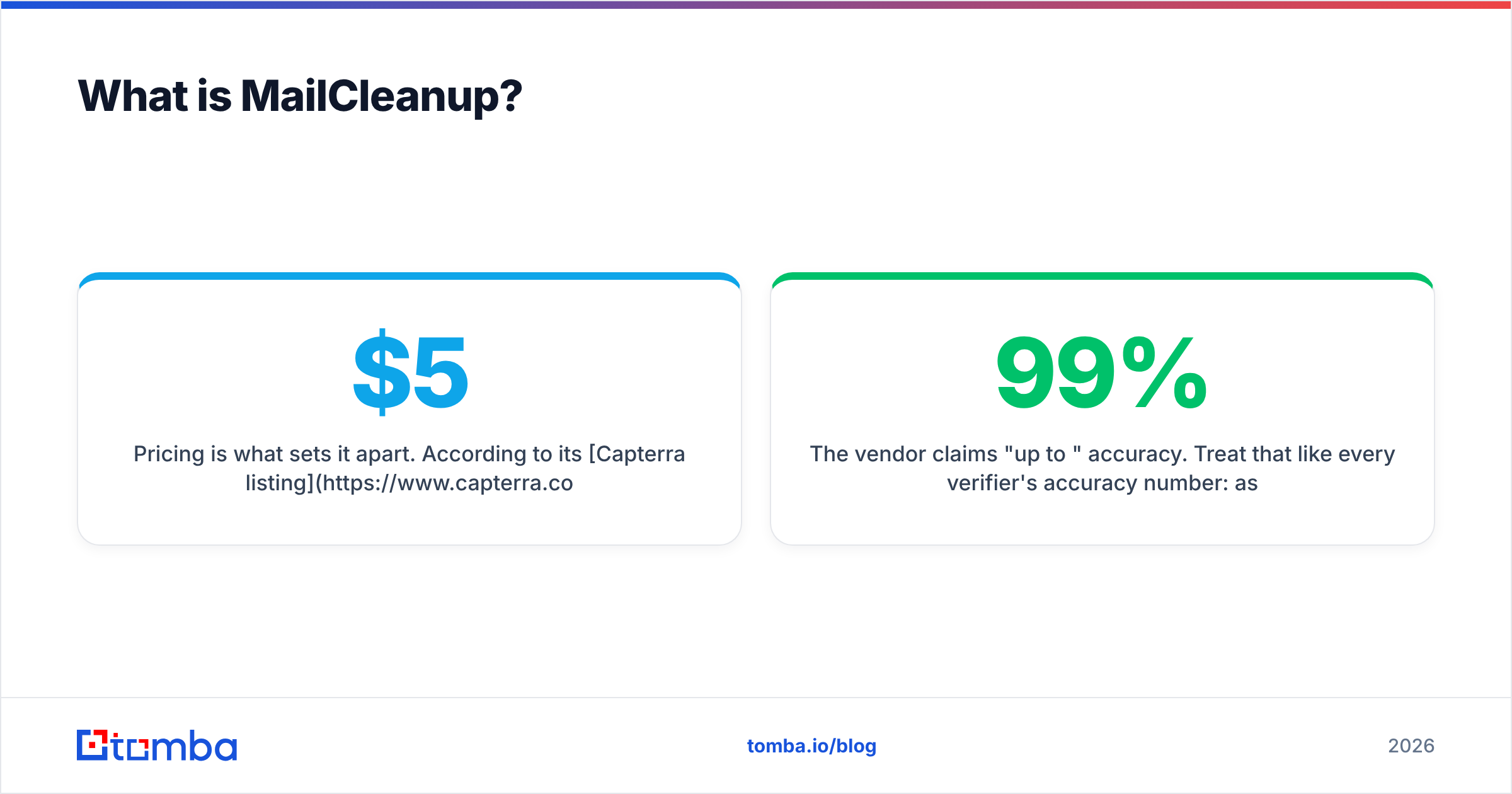
Pricing is what sets it apart. According to its Capterra listing, MailCleanup charges per credit, with no monthly fee and no auto-renewal. Credits run from $5 for 1,000 emails up to $500 for 1,000,000. At the high end that's $0.0005 per check, which is among the lowest prices in the category. Reviewers on G2 often bring up price first. One calls it one of the cheapest list cleaning services they've used.
The vendor claims "up to 99%" accuracy. Treat that like every verifier's accuracy number: as a self-reported ceiling. Real results depend on how many catch-all domains are in your list, how old the data is, and how aggressively target mail servers rate-limit verification probes.
What MailCleanup does not do: it won't find you a single new contact. If you give it a company domain, you get nothing back. It only works on addresses you already have.
What is Zintlr?#
Zintlr is a B2B prospecting platform built on a contact database. Third-party listings cite 400M to 500M+ contacts and 70M to 75M+ companies. You search by role, company, industry or location. You can also use its Chrome extension on LinkedIn profiles to pull emails and phone numbers. Zintlr also sells "personality insights," which are behavioral profiles meant to help reps tailor their opening message to the buyer.
Plan structure, based on Capterra and GetApp listings:
- Trial: 14 days, no credit card required
- Lite: about $49/month, flat rate. Includes database access, LinkedIn email finder and Chrome extension
- Plus: for heavier users, priced above Lite
- Enterprise: custom pricing
One caveat: third-party pricing for Zintlr isn't consistent. At least one marketplace lists it at $89 per user per month. Check the current price on Zintlr's own site before you budget for it.
What Zintlr does not do as a primary job: bulk-clean a list you bring from somewhere else. It verifies the contacts it gives you. It isn't built as a CSV hygiene tool for your old CRM exports, webinar lists or event scans.
Is MailCleanup vs Zintlr even a fair comparison?#
Only partly, and that's the most useful thing this article can tell you. Think of a car wash and a car dealership. Both deal with cars, but you'd never ask which one is "better." You'd ask what you need today: a clean car or a new one.
Most people searching "MailCleanup vs Zintlr" are in one of three situations:
- You have a list and it's bouncing. You need a verifier, which is MailCleanup's job.
- You don't have enough of the right people to email. You need a contact source, which is Zintlr's job.
- You have both problems. This is the most common situation, and the answer is rarely "pick one of these two."
The table below lays out the gap.
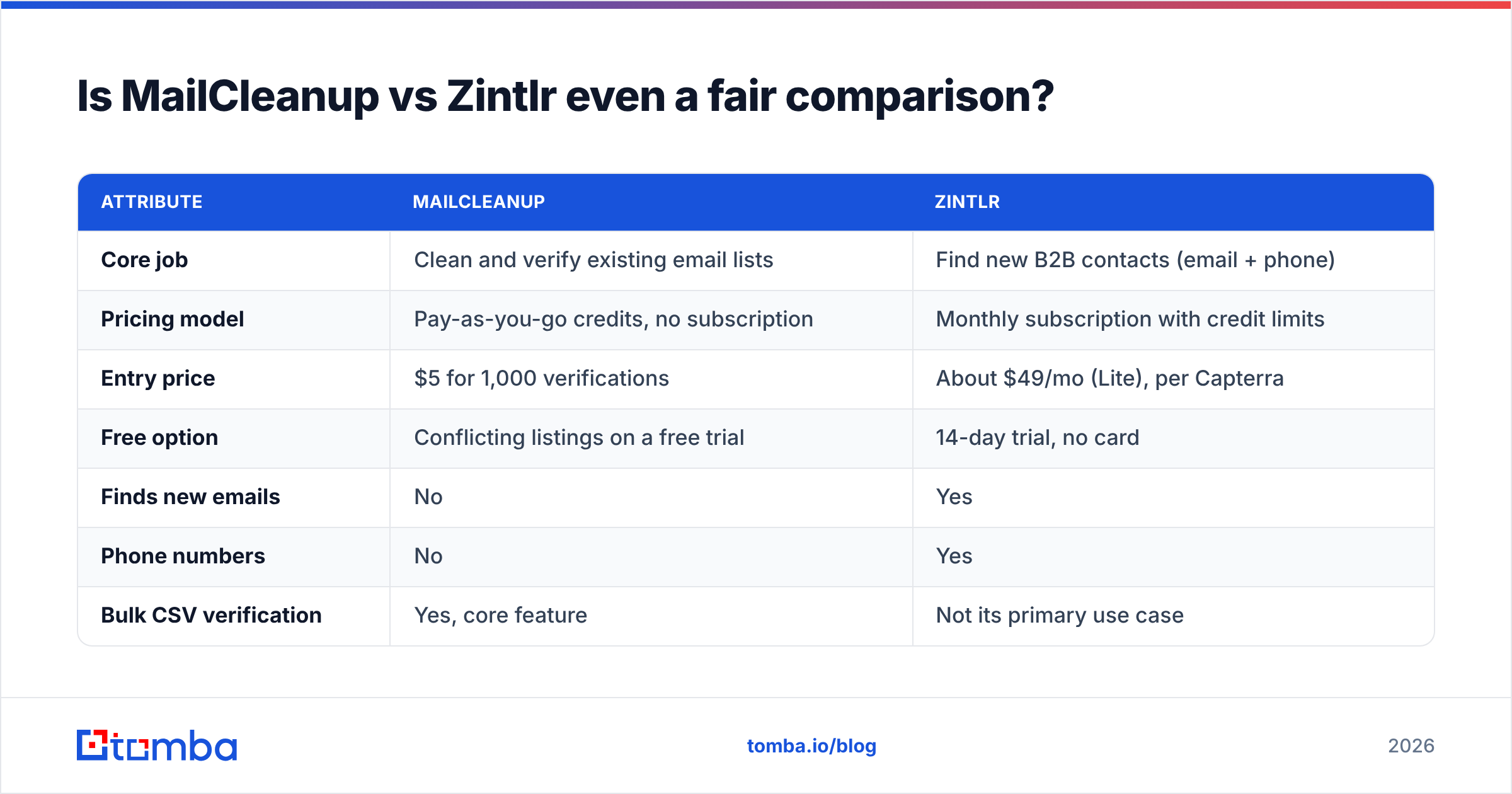
| Attribute | MailCleanup | Zintlr |
|---|---|---|
| Core job | Clean and verify existing email lists | Find new B2B contacts (email + phone) |
| Pricing model | Pay-as-you-go credits, no subscription | Monthly subscription with credit limits |
| Entry price | $5 for 1,000 verifications | About $49/mo (Lite), per Capterra |
| Free option | Conflicting listings on a free trial | 14-day trial, no card |
| Finds new emails | No | Yes |
| Phone numbers | No | Yes |
| Bulk CSV verification | Yes, core feature | Not its primary use case |
| LinkedIn / Chrome extension | No | Yes |
| Buyer insight layer | No | Personality insights |
| Best for | Marketers and ops teams cleaning old lists | SDRs building net-new pipeline |
How do MailCleanup and Zintlr compare on accuracy?#
You can't compare them directly here, because they measure different things.
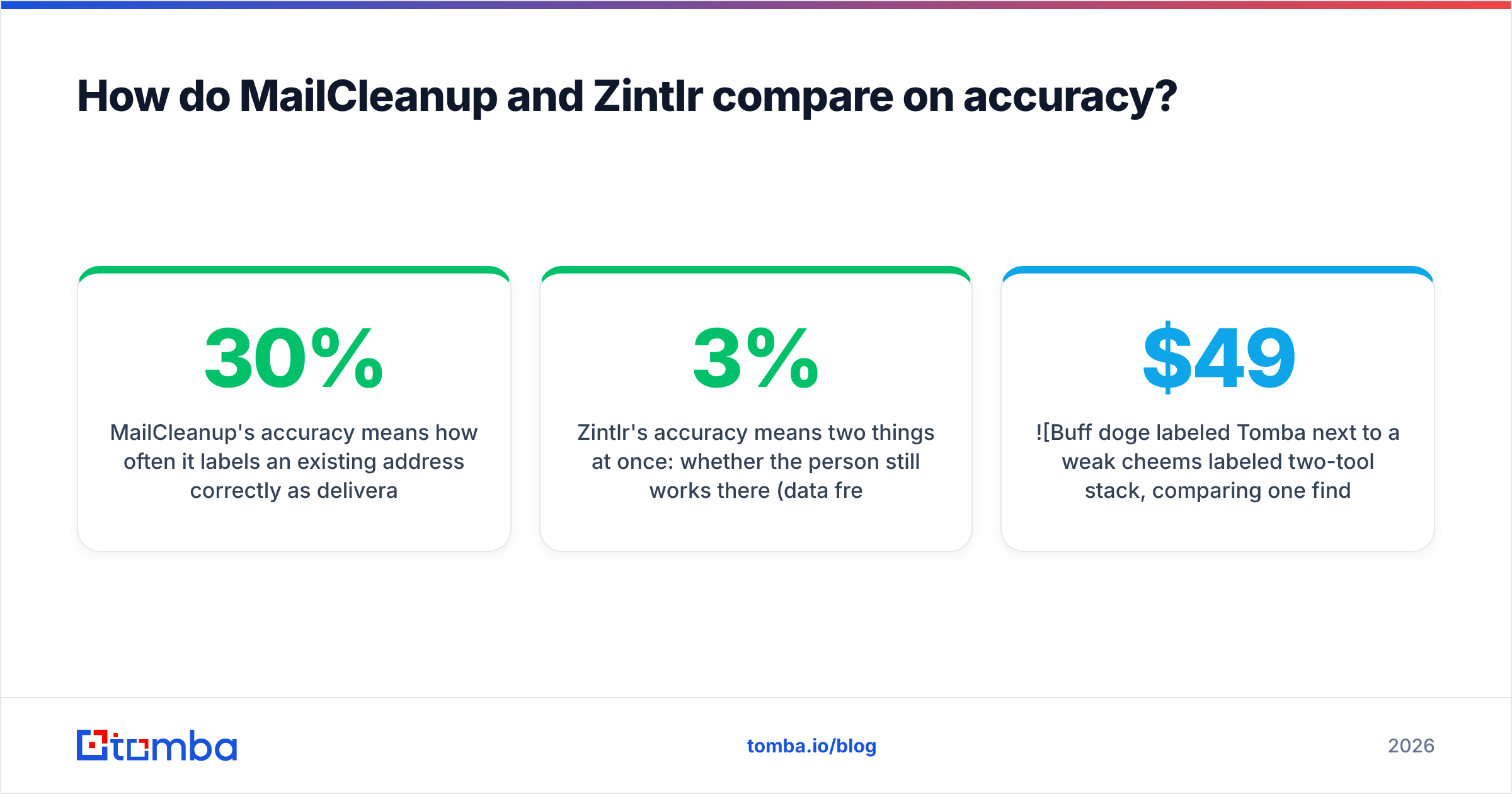
MailCleanup's accuracy means how often it labels an existing address correctly as deliverable or undeliverable. The hard part for every verifier is catch-all domains. These are mail servers that accept every address, so a mailbox check can't tell jane@company.com apart from xyz123@company.com. A cheap verifier usually returns "unknown" or "risky" on these. On enterprise-heavy lists, that can be 20 to 30% of your file. Before you buy a big credit pack, run a 1,000-address sample and count the unknowns.
Zintlr's accuracy means two things at once: whether the person still works there (data freshness), and whether the email it returns is deliverable. Database providers re-verify on a schedule, but job changes happen all the time. B2B contact data decays roughly 2 to 3% a month, which works out to about a quarter of a database per year. Even a well-maintained database will hand you some stale records.
The practical takeaway: any list you export from a database should be verified again just before you send. This applies to Zintlr and to every other database. That's why teams with Zintlr often end up adding MailCleanup, or something like it, anyway.

Which is cheaper: MailCleanup or Zintlr?#
The cheaper tool depends entirely on how often you use it.
MailCleanup cost scenarios:
- Cleaning a 10,000-address list once a quarter costs about $50 a year at the entry rate, and less on bigger packs.
- Cleaning 100,000 addresses a month costs well under $100 a month at volume pricing.
- You never pay for months you don't use it.
Zintlr cost scenarios:
- One SDR on Lite costs about $588 a year at the listed $49/month.
- A team of five starts at about $2,940 a year on Lite, and more on Plus or with per-seat pricing.
- You pay every month whether you prospect or not.
Comparing those totals directly is misleading, though. MailCleanup gets you zero new contacts, and Zintlr gets you a pipeline. The real cost question is this: how much do you spend in total to get one verified, net-new contact into a sequence? If that means a database subscription plus a verifier plus the time spent exporting and re-uploading CSVs between them, your real cost per contact is higher than either price tag suggests.
When should you choose MailCleanup?#
Choose MailCleanup if most of these apply to you:
- You already own the data. CRM exports, newsletter subscribers, event leads or customer lists that have gone stale.
- You clean in bursts. Quarterly or before a campaign, not every day. Pay-as-you-go suits this better than a subscription.
- Cost per check is your main metric. At $0.0005 to $0.005 per email, it's hard to beat.
- You don't need enrichment. You only want valid/invalid labels, not job titles, phone numbers or company data.
- Your list is mostly SMB or consumer domains. These have fewer catch-alls, so a basic verifier returns cleaner answers.
Watch out for catch-all handling and for whether you need an API or integration. If your workflow needs verification to happen automatically inside your CRM or sequencer, check MailCleanup's integration options against your stack before you commit.
When should you choose Zintlr?#
Choose Zintlr if most of these apply:
- Your problem is volume, not hygiene. You don't have enough of the right people to reach.
- You prospect from LinkedIn. The Chrome extension pulls contact data while you browse profiles.
- You call as well as email. Phone numbers are part of the product, not a paid add-on.
- Your reps want help with the opening message. The personality insights layer is a real differentiator if your team uses it. If reps ignore it, you're paying for a feature nobody opens.
- You sell into markets where Zintlr's coverage is strong. Test with the 14-day trial on your actual ICP before you sign up. Database coverage varies a lot by region and industry.
The main thing to watch is credit consumption. Database tools usually charge separately for emails, phone reveals and exports. Model your monthly usage against the plan's credit limit before you upgrade.
What happens if you skip verification on a database export?#
You get the outcome everyone sees coming except the person who hit send.
Take a typical setup: export 2,000 contacts from a database, load them straight into a sequencer, and launch. If even 8 to 10% bounce, mailbox providers notice. Bounce rates above about 2% put your sender reputation at risk. A burst of hard bounces on a new domain can push your entire domain into spam folders for weeks.

That's the strongest argument against this either/or framing. Discovery without verification wrecks your deliverability, and verification without discovery leaves your pipeline empty. You need both steps in the workflow, so the real question is how many tools, logins and CSV handoffs it takes to run them.
Is there an option that does both jobs?#
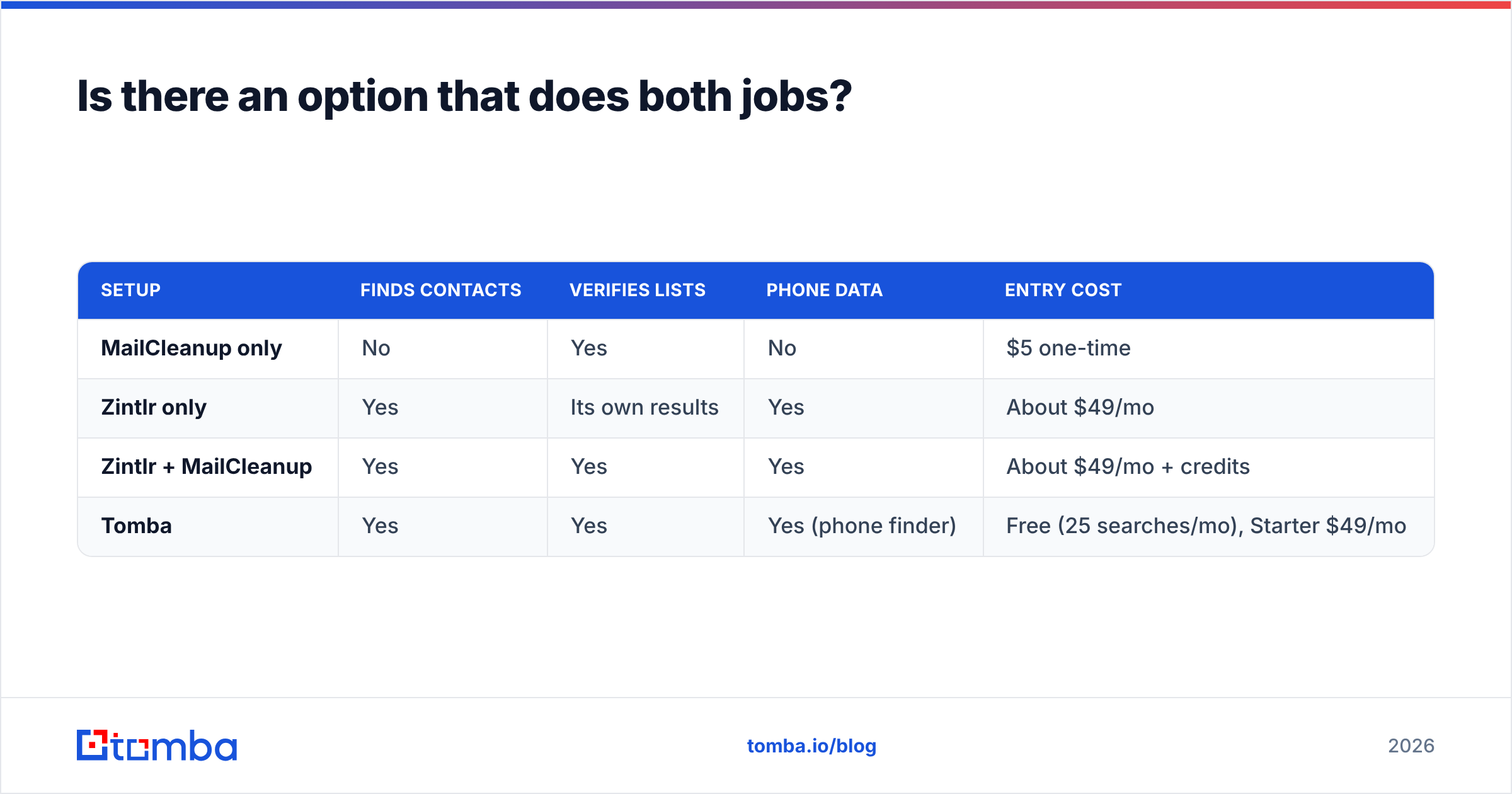
Yes. Several platforms combine finding and verifying, and this is where Tomba fits. The Tomba Email Finder returns professional addresses by domain, name or company, and the email verifier runs on the same account and credits. Bulk jobs go through the bulk email finder, so you can upload a list of names and domains and get back verified addresses in a single pass.
Here's how the three approaches compare:
| Setup | Finds contacts | Verifies lists | Phone data | Entry cost |
|---|---|---|---|---|
| MailCleanup only | No | Yes | No | $5 one-time |
| Zintlr only | Yes | Its own results | Yes | About $49/mo |
| Zintlr + MailCleanup | Yes | Yes | Yes | About $49/mo + credits |
| Tomba | Yes | Yes | Yes (phone finder) | Free (25 searches/mo), Starter $49/mo |
To be fair: if you're cleaning a million legacy addresses once and never prospecting, MailCleanup's per-check price will beat any combined platform. And if personality-driven messaging is central to how your reps sell, Tomba doesn't replicate that feature from Zintlr. For the more common case, an SDR or small outbound team that needs new contacts and clean sends every week, one tool usually costs less overall than two. See Tomba pricing for the full tier breakdown: Growth is $99/mo, Pro is $249/mo, and Enterprise is custom.
How should you decide in 5 minutes?#
Answer these four questions in order:
- Do you need new contacts this month? If no, go with MailCleanup and stop here.
- Do you also have an existing list to clean? If no, Zintlr's trial is a reasonable starting point.
- Will you run both jobs every week? If yes, compare a two-tool stack against a single finder-plus-verifier on total monthly cost and on the time your team spends moving CSVs between tools.
- Have you tested on your own ICP? Every vendor accuracy claim, whether 95%, 99% or otherwise, is a best case. Run 200 of your real target accounts through each trial and compare valid-email yield, not marketing numbers.
Verdict: MailCleanup or Zintlr?#
MailCleanup wins on price for one job: cleaning lists you already have, with no commitment. It's one of the cheapest verifiers available, and pay-as-you-go makes sense for anyone who cleans data occasionally.
Zintlr wins on discovery: finding new decision-makers with emails, phone numbers and a buyer-insight layer, all inside LinkedIn. It's the better fit for SDRs whose main problem is pipeline volume.
Neither one is a complete outbound data stack by itself. If you'd rather not run a database and a separate verifier side by side, try the Tomba Email Finder. It finds professional email addresses by domain, name or company, verifies them in the same workflow, and starts free with 25 searches a month, then $49/mo on Starter. Run your own target list through it next to whichever option you're considering, and compare the verified yield.
Related guides#
// start free
See who Tomba finds at any company
Type a company's domain to see its people, their roles and verified work emails, each with the pages it was found on. Free account, no card.
Free plan · No credit card required · GDPR & CCPA
// about the author