Mailead vs Saleshandy: Cold Email Tool Comparison for 2026
Mailead costs less, and Saleshandy does more. We compare pricing, sending limits, warmup, lead data and support risk so you can choose the cold email tool your pipeline can rely on.
TL;DR
- Mailead is a low-cost cold email sender. Its listed entry price is about $19/mo for 2,000 emails, and it includes unlimited mailboxes and warmup. It works best for freelancers and very small agencies sending modest volume.
- Saleshandy is a more complete outreach suite. Outreach Starter costs $36/mo, or $25/mo billed annually, and the tiers scale to 240,000 emails a month. It adds a built-in Lead Finder, sender rotation and CRM integrations on Pro and above.
- Our pick: Saleshandy for any team that sends every week and needs dependable support. Mailead only if budget is the deciding factor and you can accept the support risk.
- Neither tool fixes bad data. Bounce rate depends on the list you upload, so verify every contact before you send, whichever sender you choose.
What are Mailead and Saleshandy, in one paragraph each?#
Mailead is a cold email platform aimed at freelancers, marketers and small agencies. It sells unlimited connected mailboxes, unlimited warmup, inbox rotation, a unified inbox and a light CRM. Plans are priced by monthly email volume instead of by seat. It gained much of its early user base through an AppSumo lifetime deal, and that still shapes who uses it: cost-sensitive operators who want lots of mailboxes for little money. You can see the current offer on mailead.io.
Saleshandy is a more established cold outreach platform. It covers multi-step sequences, unlimited email accounts, sender rotation, an integrated warmup tool, a unified inbox, and a B2B Lead Finder that can be bundled into its newer Platform plans. Paid tiers are priced by active prospects and monthly emails. Pro and above add native integrations with Salesforce, HubSpot, Pipedrive and Zoho. Current tiers are listed on the official Saleshandy pricing page.
Both tools send cold email. They're built for different buyers.
How do Mailead and Saleshandy compare feature by feature?#
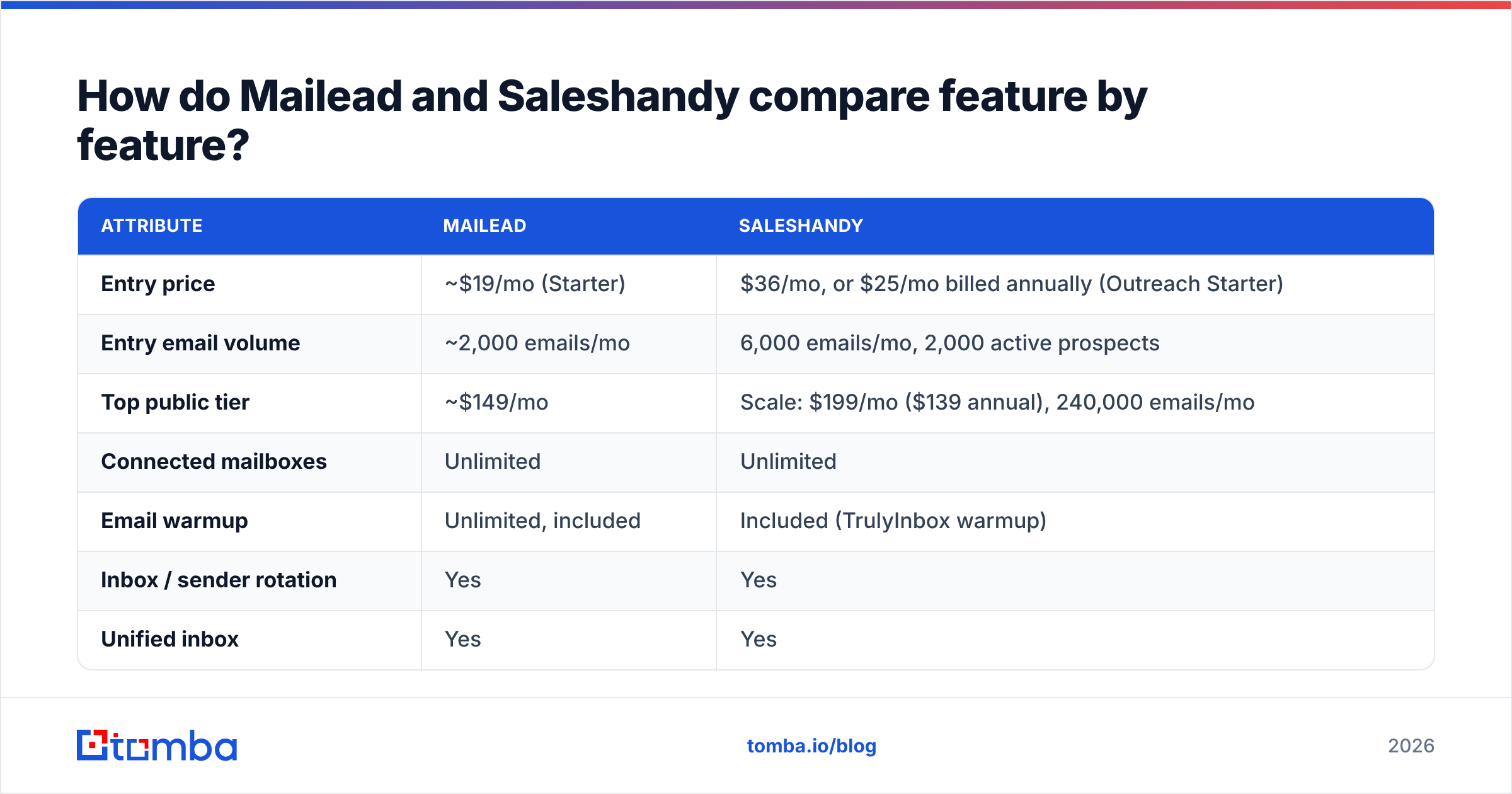
Here's the side-by-side. Prices reflect each vendor's public listing at the time of writing. Mailead's tiers in particular have changed several times, so confirm on the vendor page before you buy.
| Attribute | Mailead | Saleshandy |
|---|---|---|
| Entry price | ~$19/mo (Starter) | $36/mo, or $25/mo billed annually (Outreach Starter) |
| Entry email volume | ~2,000 emails/mo | 6,000 emails/mo, 2,000 active prospects |
| Top public tier | ~$149/mo | Scale: $199/mo ($139 annual), 240,000 emails/mo |
| Connected mailboxes | Unlimited | Unlimited |
| Email warmup | Unlimited, included | Included (TrulyInbox warmup) |
| Inbox / sender rotation | Yes | Yes |
| Unified inbox | Yes | Yes |
| Built-in B2B lead database | No | Yes (Lead Finder, credit-based) |
| Native CRM integrations | Basic CRM plus Zapier-style connectors | Salesforce, HubSpot, Pipedrive, Zoho on Pro+ |
| Lifetime deal history | Yes (AppSumo) | No |
| Best fit | Solo senders, micro-agencies | SDR teams, agencies at volume |
Here's how to read the table. Mailead wins on the entry price. Saleshandy wins on everything above the entry tier: volume headroom, data, integrations and maturity.
Which tool is cheaper at real-world volume?#
On paper Mailead is cheaper. In practice, it depends on how many emails you send each month.
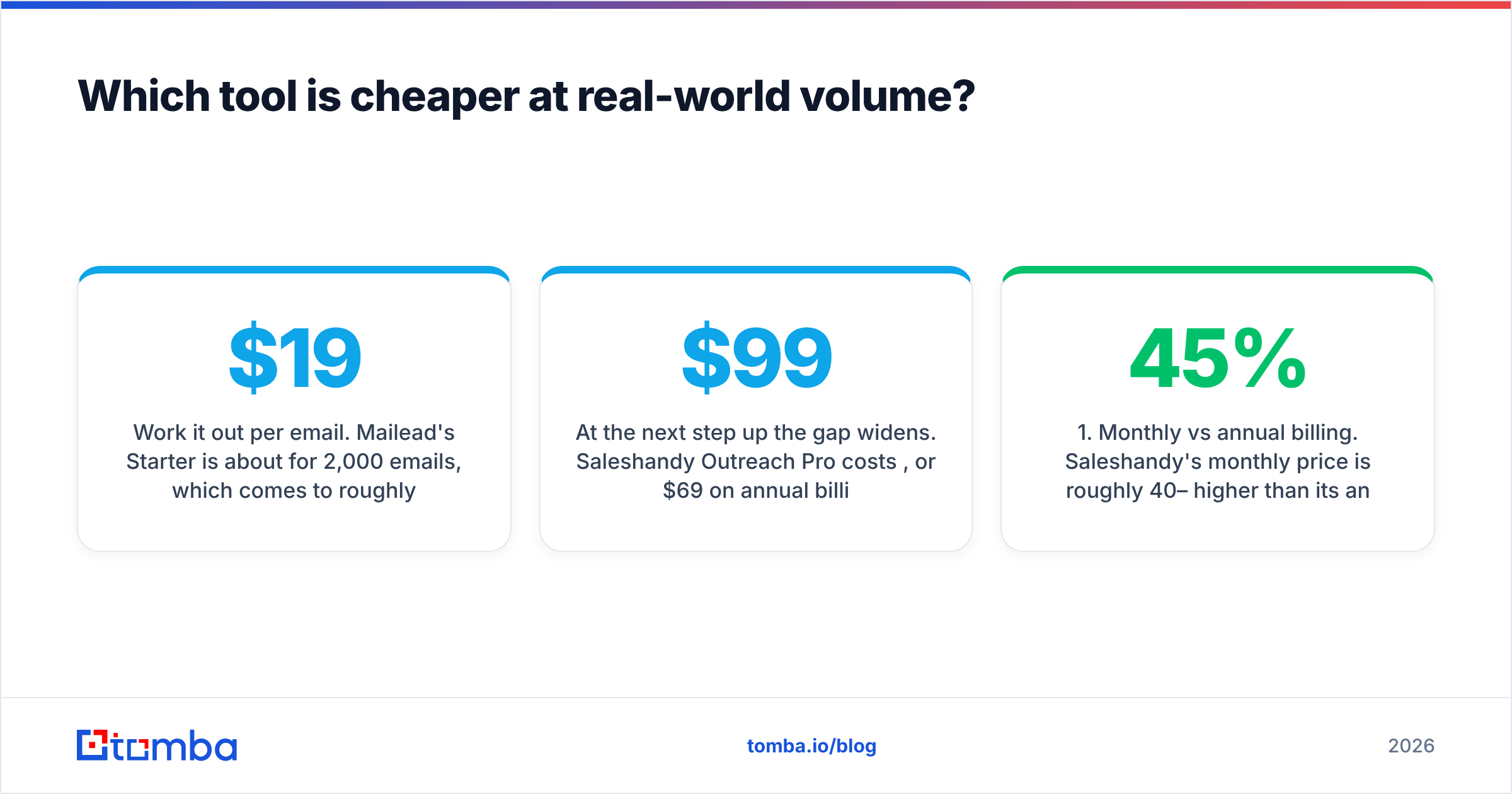
Work it out per email. Mailead's Starter is about $19 for 2,000 emails, which comes to roughly $0.0095 per send. Saleshandy's Outreach Starter on annual billing is $25 for 6,000 emails, which comes to roughly $0.004 per send. If you send more than about 2,000 emails a month, Saleshandy's annual Starter is already the better unit price, even though its sticker price is higher.
At the next step up the gap widens. Saleshandy Outreach Pro costs $99/mo, or $69/mo on annual billing, for 30,000 active prospects and up to 150,000 emails. Mailead's upper tiers, which third-party listings place between about $52 and $149, don't publicly offer anywhere near that volume ceiling.
There are hidden costs on both sides:
- Monthly vs annual billing. Saleshandy's monthly price is roughly 40–45% higher than its annual price. If you can't commit for a year, budget from the monthly figure.
- Data credits. Saleshandy's Lead Finder runs on credits. Heavy prospecting can push your real cost above the plan price.
- Verification. Neither tool includes unlimited email verification with every plan. You'll pay somewhere to clean lists, either through an add-on or a separate email verifier.
- Mailboxes and domains. "Unlimited mailboxes" doesn't mean free mailboxes. You still pay Google Workspace or Microsoft 365 for every inbox you connect, plus the secondary domains you send from.

How do deliverability and warmup compare?#
Both tools include the standard deliverability stack: warmup, inbox rotation and per-mailbox sending limits. The difference is maturity, not the feature list.
Mailead offers unlimited warmup on paid plans and rotates sends across connected inboxes. User reviews on AppSumo praise the warmup feature in general, but several reviewers report slower warmup ramps and minor bugs. If you're spinning up 20 fresh inboxes for a new client, a slower ramp means more days before you can send at full volume.
Saleshandy bundles warmup through its TrulyInbox product. It adds sender rotation across sequences, per-mailbox daily caps, and spintax and personalization variables that cut down on duplicate-content fingerprints. Its larger user base means more mature handling of edge cases, such as Microsoft 365 throttling or Gmail tab placement, and more documentation when something breaks.
What decides whether you land in the inbox has less to do with the tool and more to do with three inputs:
- Bounce rate. Keep it under 2%. Most bounces come from stale or guessed addresses, not from your sending platform.
- Authentication. SPF, DKIM and DMARC must be correct on every sending domain. Google's sender guidelines spell out the requirements for bulk senders.
- Volume per mailbox. Stay at a conservative daily cap per inbox (30–50 cold sends is a common ceiling) and scale by adding inboxes rather than pushing volume through the ones you have.
A warmup tool can't make up for a list with 8% hard bounces. That's why the data you upload matters more than whether you pick Mailead or Saleshandy.
Does either tool help you find leads?#
This is the clearest functional difference between the two.
Mailead has no native B2B contact database. You bring your own list, usually a CSV, then upload and send. If prospecting already happens elsewhere, that's fine. If you need a single tool that does everything, it's a gap.
Saleshandy includes Lead Finder. You can filter prospects by title, industry, company size and location, reveal contact details with credits, and push them straight into a sequence. For a small team, keeping prospecting and sending in one tool saves real time.
Built-in databases have trade-offs, though. Coverage varies by region and industry. Credit costs add up at volume. And contacts from any database go stale: people change jobs, and companies change domains or move to catch-all mail servers. Many teams pair their sender with a dedicated email finder and verifier regardless of which outreach tool they use. That's why Saleshandy competitors and Saleshandy alternatives often get evaluated for their data layer as much as their sequencing.
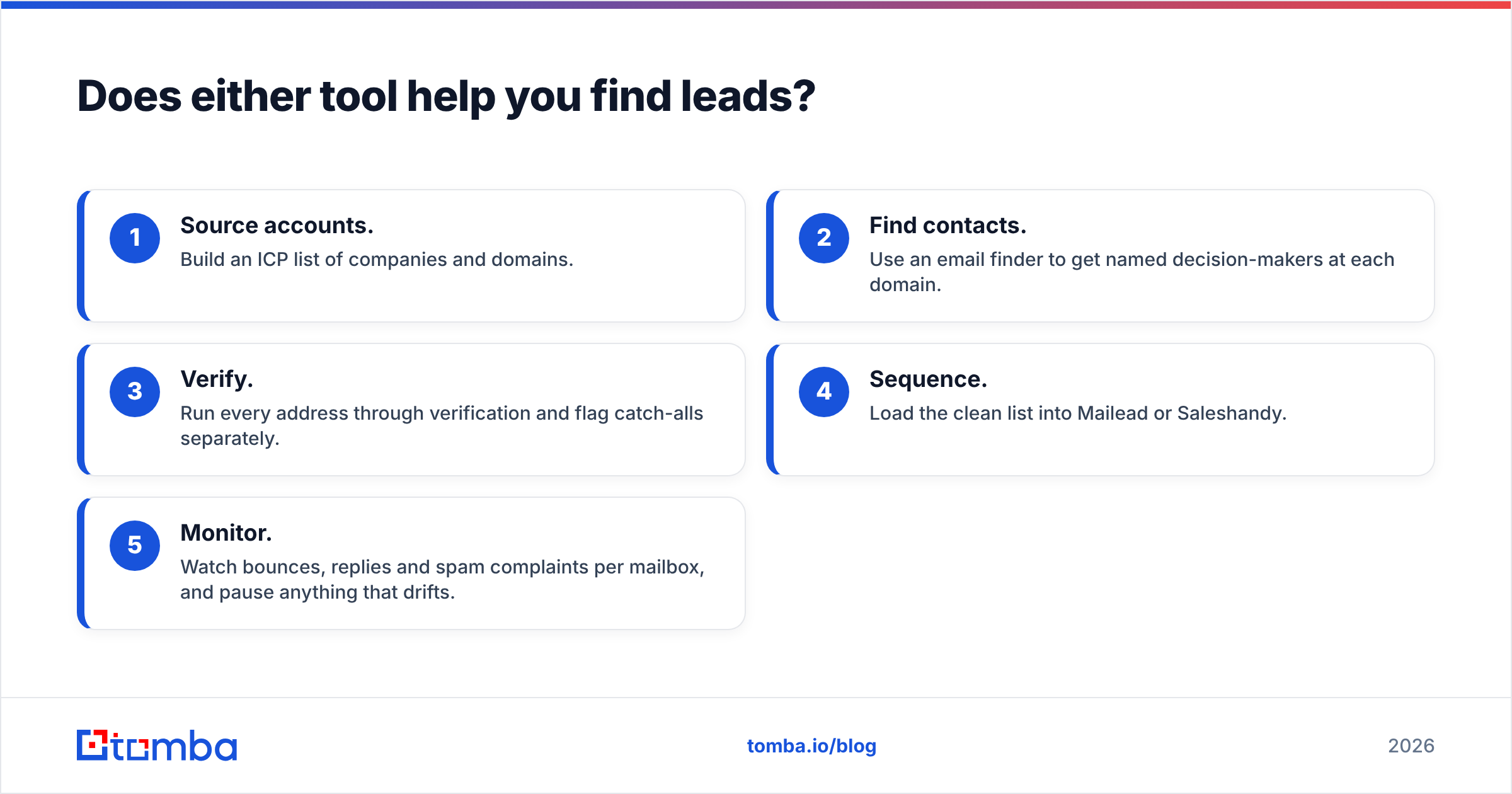
A typical stack that holds up looks like this:
- Source accounts. Build an ICP list of companies and domains.
- Find contacts. Use an email finder to get named decision-makers at each domain.
- Verify. Run every address through verification and flag catch-alls separately.
- Sequence. Load the clean list into Mailead or Saleshandy.
- Monitor. Watch bounces, replies and spam complaints per mailbox, and pause anything that drifts.
How do integrations and team features stack up?#
Saleshandy is the stronger choice for teams. Native two-way sync with Salesforce, HubSpot, Pipedrive and Zoho on Pro and above means replies and meetings land in your CRM without a Zapier layer in between. It also supports team members, client workspaces for agencies, and role-based access on higher tiers. If your RevOps lead needs activity data inside HubSpot, this settles it.
Mailead takes a lighter approach. It includes a simple built-in CRM, unlimited forms, and connections to a broad catalogue of apps through automation platforms. Reviewers have also mentioned integrations with tools like TaskMagic. That's enough for a freelancer tracking a few hundred conversations. It starts to strain once several SDRs share a pipeline and a manager needs reporting across all of them.
What do real users say about Mailead and Saleshandy?#
Review platforms are the best check against vendor marketing. Saleshandy has a large and generally positive review base on G2. Users mostly praise ease of setup, value for money and sequence flexibility. Common complaints are about reporting depth and occasional UI clutter as the product has added features.
Mailead's reviews are thinner and more mixed. On AppSumo it holds about 3.5 out of 5 across roughly 70 reviews. The positive reviews focus on value and warmup. The negative ones mention bugs, slow support, and at least one recent reviewer who felt the product had been neglected. One review doesn't prove anything, but for a tool that will be sending from your domains, support responsiveness is a real buying criterion. If your sends stall the day before a client campaign, you need someone to answer.
Before you commit to either tool:
- Check the vendor changelog or product updates page for recent activity.
- Open a pre-sales support ticket and time the response.
- Run a two-week pilot on one sending domain before you migrate everything.

Is Mailead better than Saleshandy for agencies?#
It depends on your agency's size and your clients.
Mailead can suit a micro-agency (one to three people) running a handful of clients at low volume. Unlimited mailboxes at a low monthly price, or a lifetime deal if you bought one, keep margins high. The risk is concentration: if the product stalls, every client campaign stalls with it.
Saleshandy suits a growing agency that needs client workspaces, CRM handoff, higher volume ceilings and a vendor with an active roadmap. The higher price per seat is usually covered by the hours you don't spend firefighting.
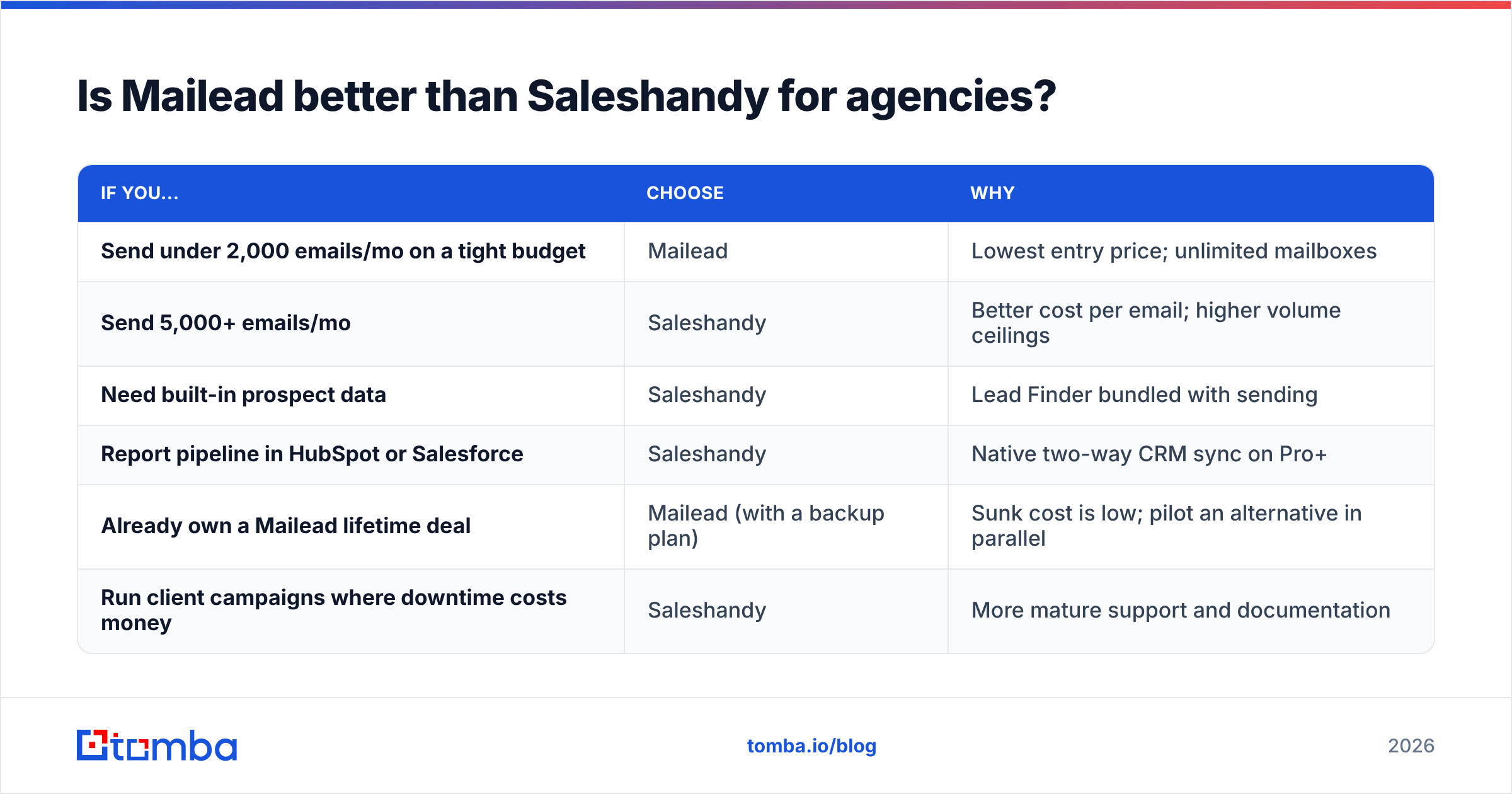
Here's a decision guide:
| If you... | Choose | Why |
|---|---|---|
| Send under 2,000 emails/mo on a tight budget | Mailead | Lowest entry price; unlimited mailboxes |
| Send 5,000+ emails/mo | Saleshandy | Better cost per email; higher volume ceilings |
| Need built-in prospect data | Saleshandy | Lead Finder bundled with sending |
| Report pipeline in HubSpot or Salesforce | Saleshandy | Native two-way CRM sync on Pro+ |
| Already own a Mailead lifetime deal | Mailead (with a backup plan) | Sunk cost is low; pilot an alternative in parallel |
| Run client campaigns where downtime costs money | Saleshandy | More mature support and documentation |
Mailead vs Saleshandy: which should you choose in 2026?#
Choose Saleshandy if cold email is a core revenue channel. That means weekly sends, more than one SDR, a CRM you report from, or agency clients you can't afford to let down. It costs more at the entry tier, less per email at volume, and it's the safer long-term bet.
Choose Mailead if you're a solo operator or tiny agency sending a few thousand emails a month, you value unlimited mailboxes over everything else, and you can accept thinner support. Test it on a non-critical domain first.
Whichever you pick, sending is only half the work. Reply rates depend on reaching the right person at a working address, and that comes from your data, not from the sending tool's dashboard. Teams that clean their lists before every campaign see lower bounces, healthier sender reputation and more replies, whether they use Mailead or Saleshandy. Compare Tomba plans if you need a dedicated data layer to put underneath your outreach tool.
Make whichever sender you pick work harder#
Mailead and Saleshandy can only send the contacts you give them. Tomba Email Finder finds professional email addresses by domain, name or company, with verification built in, so the list you load into your sequencer is accurate before the first send. Start on the free tier with 25 searches a month, or move to Starter at $49/mo when you're ready to scale. Then send through whichever tool fits your team.
Related guides#
// start free
See who Tomba finds at any company
Type a company's domain to see its people, their roles and verified work emails, each with the pages it was found on. Free account, no card.
Free plan · No credit card required · GDPR & CCPA
// about the author