MailerCheck vs SalesQL (2026): Verifier or Finder? Our Pick
MailerCheck cleans lists and tests inbox placement. SalesQL pulls emails and phone numbers off LinkedIn. They solve different problems, so the right pick depends on which part of your outbound pipeline is broken.
- They do different jobs. MailerCheck (built by the MailerLite team) verifies lists you already have and tests deliverability. SalesQL finds new emails and phone numbers, mostly from LinkedIn profiles.
- Pricing models differ. MailerCheck sells pay-as-you-go credits starting around $0.01 per verification, and the credits don't expire. SalesQL runs monthly plans, with Basic listed at about $39/mo for 2,000 credits.
- Pick MailerCheck if your bounce rate is the problem: aging CRM data, purchased lists, newsletter hygiene, or inbox placement tests before a campaign.
- Pick SalesQL if your list is the problem: you have LinkedIn searches full of good prospects and no contact details for them.
- If you need both finding and verifying, a single platform that does both usually costs less than two subscriptions and means one fewer CSV handoff.
What is the real difference between MailerCheck and SalesQL?#
Most "X vs Y" posts compare two tools that compete for the same budget line. MailerCheck vs SalesQL isn't that kind of matchup. They sit at opposite ends of the same outbound workflow.
Think of a sales list as a water supply. SalesQL is the well: it brings new contacts in. MailerCheck is the filter: it takes water you already have and removes what will make you sick. In this case that means hard bounces, spam traps, disposable domains, and role accounts that hurt your sender reputation.
People still search for this comparison because both tools show up in the same buying moment. A team plans an outbound push, looks at its tooling, and wonders whether it needs a finder, a verifier, or both. That's the question this post answers.
MailerCheck is an email verification and deliverability suite. Its core features:
- Email list verification: upload a CSV or connect an ESP, and each address comes back as valid, invalid, catch-all, risky, or unknown.
- Inbox placement testing: send a test campaign to seed addresses and see whether it lands in the inbox, the promotions tab, or spam at major providers.
- Email Insights: a pre-send review of content, links, and authentication.
- Blocklist and DMARC monitoring: ongoing checks on your domain and IP health.
- ESP integrations: direct connections to MailerLite, Mailchimp, HubSpot, and other senders, so you can clean a list where it lives.
SalesQL is a B2B contact finder that mainly runs as a Chrome extension on LinkedIn and Sales Navigator. Its core features:
- LinkedIn email and phone extraction: open a profile or a search results page and reveal work emails, personal emails, and direct dials.
- Contact database search: filter prospects by title, company, industry, and location without leaving SalesQL.
- CSV enrichment: upload a list of LinkedIn URLs or names and get contact data back.
- Built-in email verifier credits: a lighter-weight verification step bundled into the plan.
- CRM export: push contacts to HubSpot, Salesforce, Pipedrive, and others.
How do MailerCheck and SalesQL compare feature by feature?#
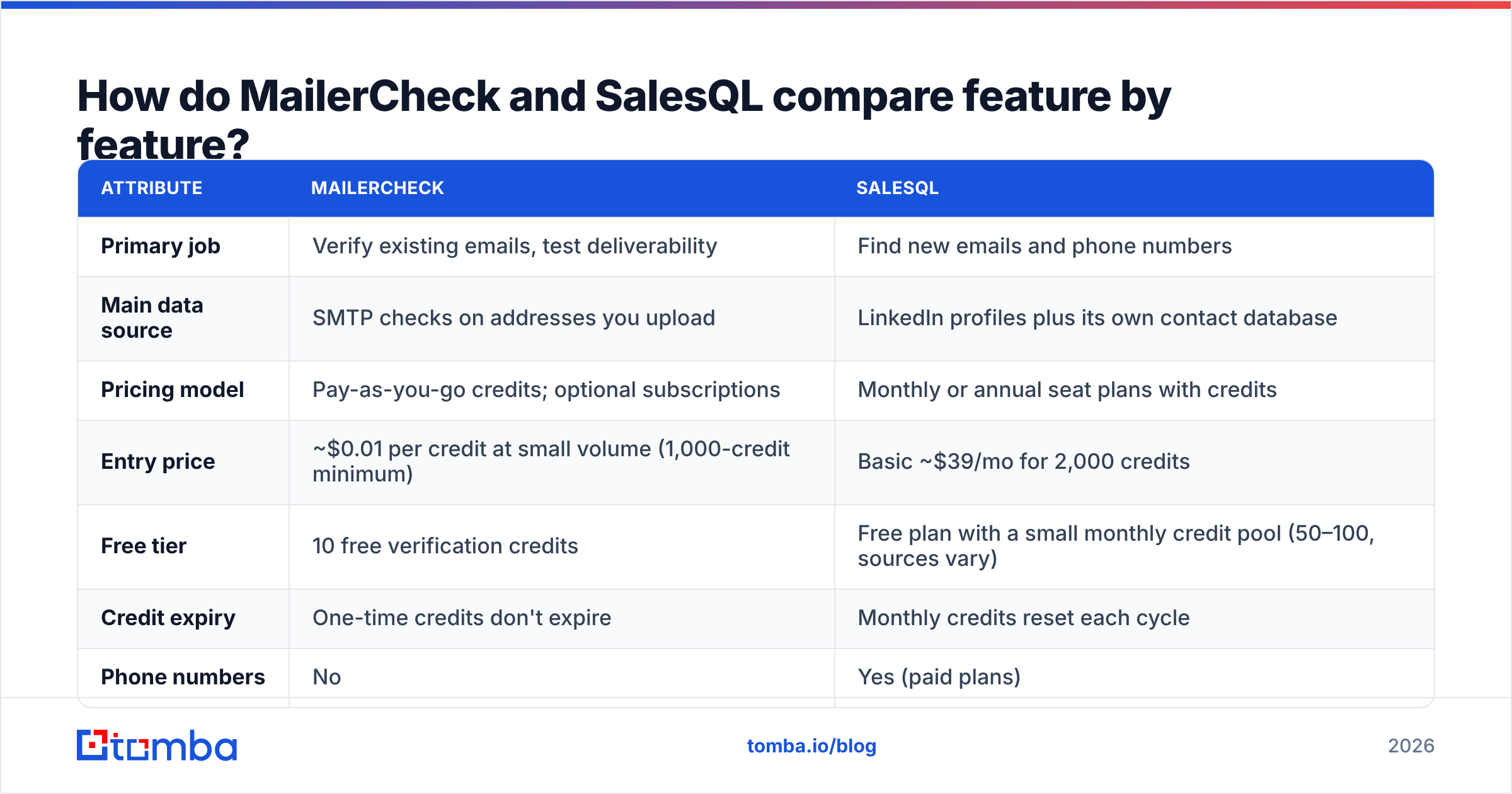
Here's how they line up on the attributes that matter when you're building or cleaning an outbound list. Prices come from vendor pages and review aggregators at the time of writing. Check MailerCheck's pricing page and SalesQL's site before you buy, because both change credit allocations from time to time.
| Attribute | MailerCheck | SalesQL |
|---|---|---|
| Primary job | Verify existing emails, test deliverability | Find new emails and phone numbers |
| Main data source | SMTP checks on addresses you upload | LinkedIn profiles plus its own contact database |
| Pricing model | Pay-as-you-go credits; optional subscriptions | Monthly or annual seat plans with credits |
| Entry price | ~$0.01 per credit at small volume (1,000-credit minimum) | Basic ~$39/mo for 2,000 credits |
| Free tier | 10 free verification credits | Free plan with a small monthly credit pool (50–100, sources vary) |
| Credit expiry | One-time credits don't expire | Monthly credits reset each cycle |
| Phone numbers | No | Yes (paid plans) |
| Inbox placement tests | Yes | No |
| Blocklist / DMARC monitoring | Yes | No |
| Chrome extension on LinkedIn | No | Yes, core product |
| Catch-all handling | Flags catch-all as its own status | Limited; built-in verifier is secondary |
| API | Yes | Yes (higher tiers) |
| Best fit | Marketers, RevOps, anyone sending at volume | SDRs and recruiters prospecting on LinkedIn |
Read the table this way: almost no row has a head-to-head winner, because each tool simply leaves the other's job undone. MailerCheck won't give you a single new contact. SalesQL won't tell you whether your Q3 campaign is landing in Gmail's spam folder.
Is MailerCheck better than SalesQL for email accuracy?#
For pure verification accuracy, yes. Verification is MailerCheck's whole product, while SalesQL's verifier is an add-on.
MailerCheck runs syntax checks, MX lookups, SMTP handshakes, and checks for disposable domains and role accounts. It returns a granular status for every address. Two of those statuses matter most:
- Catch-all. The domain accepts mail for any address, so a "valid" SMTP response proves nothing. MailerCheck labels these separately instead of passing them as safe.
- Risky / unknown. The server timed out or returned an ambiguous code. You decide whether to send, suppress, or re-test.
SalesQL's accuracy question is different. The question isn't "is this address deliverable right now?" It's "did the tool find the right person's current work email at all?" Coverage depends on the region and the seniority of your prospect. Mid-market tech roles in North America and Western Europe tend to resolve well. Niche industries and smaller countries resolve less well. SalesQL does verify emails before showing them, but it doesn't give you the deliverability reporting MailerCheck does.
The practical takeaway: finder accuracy and verifier accuracy are different metrics. A finder can hit 90% coverage and still hand you addresses that bounce six months later after people change jobs. A verifier can be 99% accurate and still have nothing to verify if your list is empty. If you send more than a few hundred cold emails a week, run every found address through a dedicated verification pass before it enters a sequence. Your email deliverability depends on it more than on almost anything else.
How much do MailerCheck and SalesQL cost in 2026?#
The pricing structures say a lot about who each tool is built for.
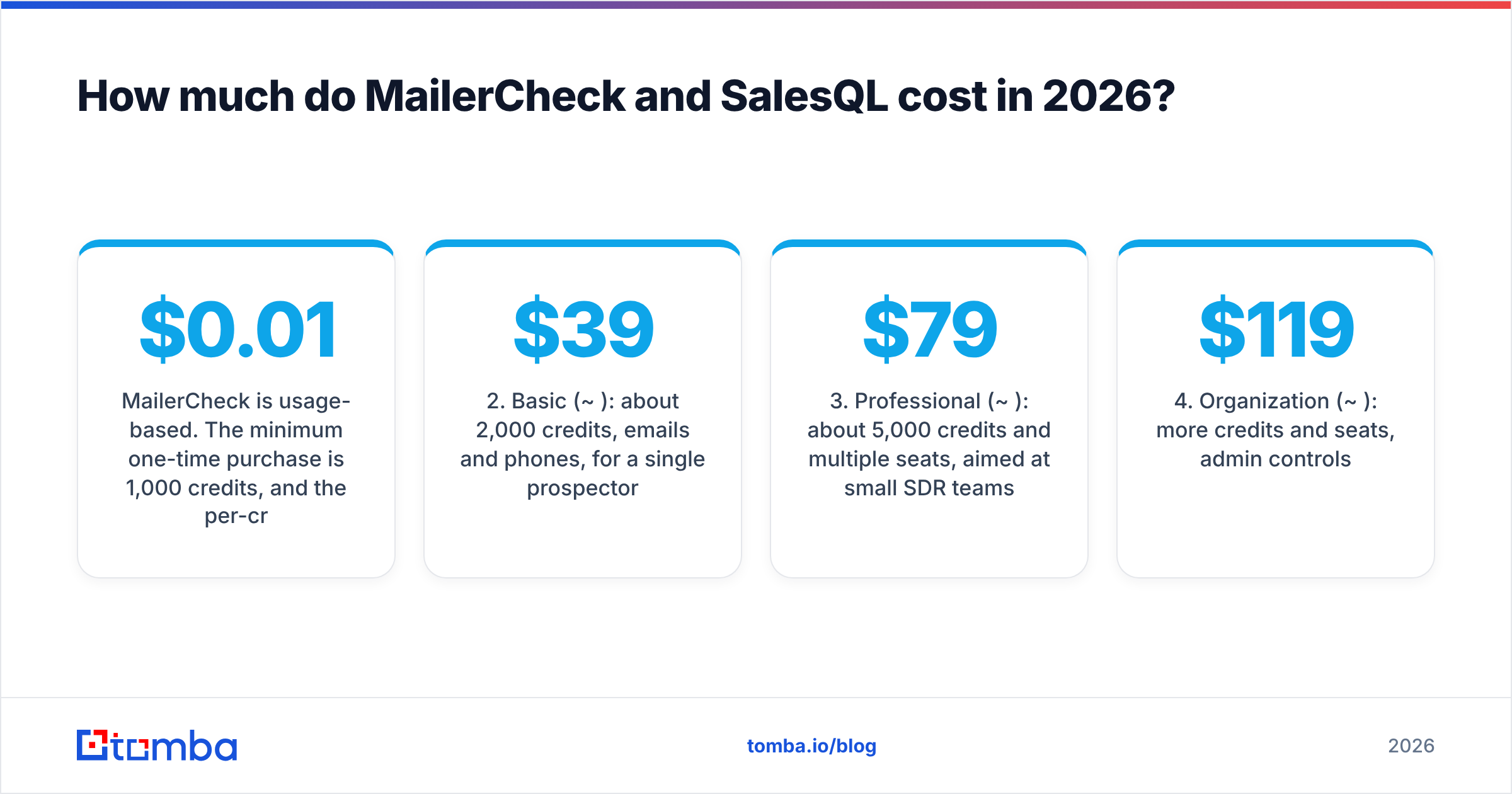
MailerCheck is usage-based. The minimum one-time purchase is 1,000 credits, and the per-credit price falls as volume rises. MailerCheck says it ranges from about $0.01 down to $0.001 per credit for very large single purchases. Third-party listings such as G2's MailerCheck pricing page also show subscription bundles, starting around $20/mo for 2,500 credits. One-time credits don't expire, which suits teams that clean lists in bursts, like a quarterly CRM purge or a pre-launch newsletter cleanup. Inbox placement and Email Insights tests use credits too, so budget for them if you plan to test every campaign.
SalesQL is seat-and-subscription based. The plan levels reported across review sites:
- Free: a small monthly credit pool, a single seat, no phone numbers, no CSV enrichment, no API.
- Basic (~$39/mo): about 2,000 credits, emails and phones, for a single prospector.
- Professional (~$79/mo): about 5,000 credits and multiple seats, aimed at small SDR teams.
- Organization (~$119/mo): more credits and seats, admin controls.
- Annual billing: discounts of about 25%, with credits issued up front.
Monthly credits reset, so SalesQL makes the most sense when you prospect every week, not in bursts.
What the stack really costs. Most teams that compare these two tools end up wanting both a finder and a verifier. Put SalesQL Professional next to a MailerCheck subscription and you're paying roughly $100+/mo for two products. You also get two logins, two credit pools, and a CSV export-import step between them. That handoff is where data gets lost and where reps skip verification "just this once."
Which tool should you choose for your use case?#
Match the tool to the bottleneck, not the brand. These scenarios cover most buying decisions:
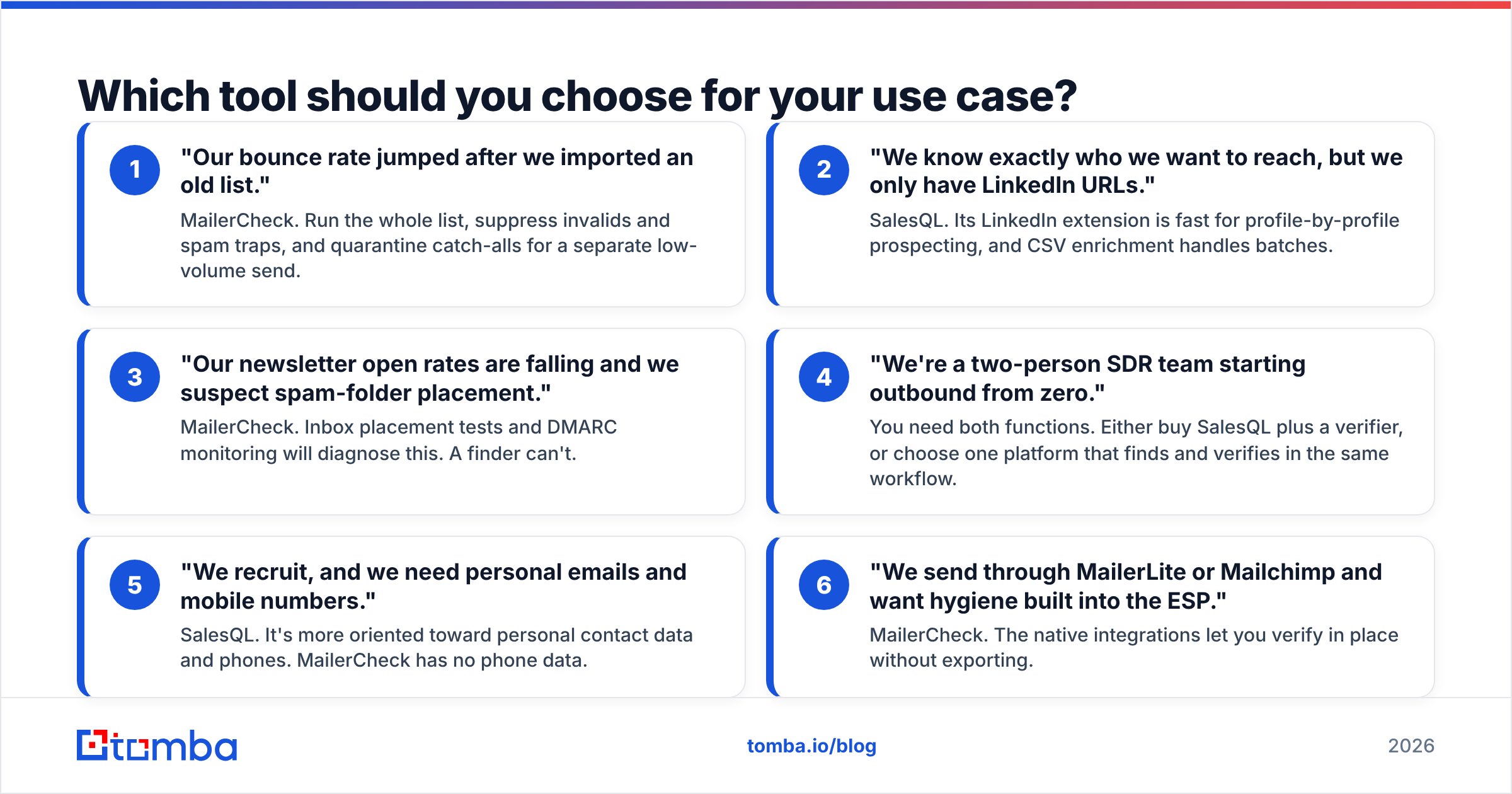
- "Our bounce rate jumped after we imported an old list." MailerCheck. Run the whole list, suppress invalids and spam traps, and quarantine catch-alls for a separate low-volume send.
- "We know exactly who we want to reach, but we only have LinkedIn URLs." SalesQL. Its LinkedIn extension is fast for profile-by-profile prospecting, and CSV enrichment handles batches.
- "Our newsletter open rates are falling and we suspect spam-folder placement." MailerCheck. Inbox placement tests and DMARC monitoring will diagnose this. A finder can't.
- "We're a two-person SDR team starting outbound from zero." You need both functions. Either buy SalesQL plus a verifier, or choose one platform that finds and verifies in the same workflow.
- "We recruit, and we need personal emails and mobile numbers." SalesQL. It's more oriented toward personal contact data and phones. MailerCheck has no phone data.
- "We send through MailerLite or Mailchimp and want hygiene built into the ESP." MailerCheck. The native integrations let you verify in place without exporting.
What are the pros and cons of each tool?#
MailerCheck pros
- Accurate, granular verification statuses, including a separate catch-all status
- Deliverability tooling (inbox placement, blocklist and DMARC monitoring) that most verifiers don't offer
- Non-expiring pay-as-you-go credits, which suit bursty usage
- Clean UI and strong ESP integrations, backed by the MailerLite team
MailerCheck cons
- Doesn't find new contacts
- No phone validation or enrichment
- Placement tests use paid credits on top of verification
SalesQL pros
- Fast LinkedIn and Sales Navigator workflow from the browser
- Emails and direct dials on one credit
- An affordable entry plan for solo prospectors
- CRM exports for common sales tools
SalesQL cons
- Coverage depends heavily on LinkedIn, so it's weaker for prospects with thin profiles
- The built-in verifier is basic next to a dedicated tool
- Monthly credits expire, which penalizes irregular usage
- No deliverability diagnostics
Is there a tool that does both finding and verification?#
Yes. This is where the MailerCheck vs SalesQL question often goes away. Several B2B data platforms bundle finding and verification so every contact is checked before it reaches your sequencer. Tomba is one of them. It runs an email finder (by name and domain, by company, or from LinkedIn) and an email verifier side by side, plus a dedicated catch-all verifier, phone finder, and enrichment. You can export a list where every address already has a verification status. You can also use domain search to see every public address at a target company before you pick who to contact.
The tradeoff is worth stating plainly. If deliverability diagnostics like seed-list inbox placement tests and DMARC monitoring are central to your program, a specialist like MailerCheck still earns its place. All-in-one platforms concentrate on finding and verifying contacts, not on monitoring how your sending domain performs. Likewise, if your entire workflow lives inside LinkedIn Sales Navigator and you mostly need phones, SalesQL's extension is built around exactly that.
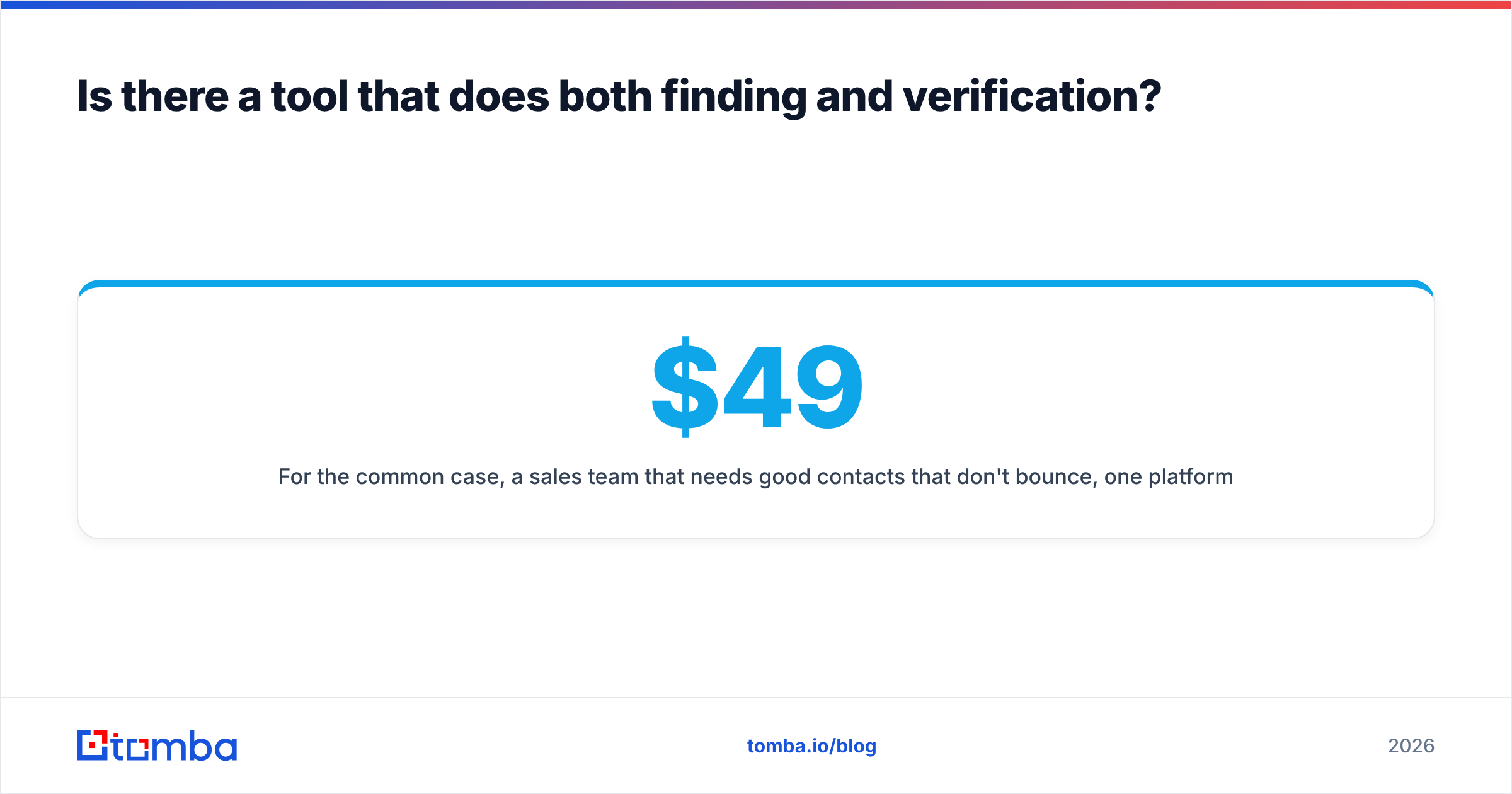
For the common case, a sales team that needs good contacts that don't bounce, one platform usually wins on cost and on process. Fewer handoffs means fewer unverified addresses slipping into a sequence. Tomba's plans start with a free tier of 25 searches a month, then Starter at $49/mo, Growth at $99/mo, and Pro at $249/mo. Tomba pricing has the full credit breakdown.
How should you set up a finder-plus-verifier workflow?#
Whichever tools you pick, the order of operations matters more than the brand:
- Find: pull contacts from LinkedIn, domain search, or a database.
- Verify immediately: before contacts reach the CRM, not when a sequence launches weeks later.
- Split catch-alls out: send to them in smaller batches, or verify them with a dedicated catch-all check.
- Re-verify on a schedule: B2B data decays fast as people change jobs. Re-check any segment older than about 90 days.
- Monitor sending health: watch bounce rate, spam complaints, and placement. This is where a deliverability suite like MailerCheck adds value on top.
Teams that skip step 2 are the ones searching "why is our domain blocklisted" a month later.
Which should you choose: MailerCheck or SalesQL?#
Choose MailerCheck if you already have contacts and need to keep them clean and land in the inbox. It's the stronger verifier and the only one of the two with real deliverability tooling. Choose SalesQL if your prospects live on LinkedIn and you need their emails and phone numbers quickly. Neither tool replaces the other. If you'd otherwise buy both, look at a platform that covers finding and verifying in one place.
If that's your situation, try Tomba Email Finder. Search by name and company domain, pull emails from LinkedIn with the browser extension, or run a whole list in bulk. Every result comes back with a verification status, so you aren't paying for and managing a second tool. Start on the free plan's 25 monthly searches, check the results against your own target accounts, and upgrade only once the data holds up.
Related guides#
// start free
See who Tomba finds at any company
Type a company's domain to see its people, their roles and verified work emails, each with the pages it was found on. Free account, no card.
Free plan · No credit card required · GDPR & CCPA
// about the author