Mailfloss vs SignalHire: Email Verifier or Contact Finder in 2026?
Mailfloss cleans the email lists you already have. SignalHire finds contacts you don't have yet. Here's how they compare on pricing, accuracy, workflow fit, and when you'd want both, or neither.
TL;DR
- Mailfloss and SignalHire aren't really competitors. Mailfloss verifies and cleans email lists you already own. SignalHire finds emails and phone numbers for people you haven't reached yet.
- Mailfloss suits email marketers. It connects to your ESP (Mailchimp, HubSpot, Klaviyo and others) and removes bad addresses automatically every day. Paid plans start around $29/mo for 10,000 verifications.
- SignalHire suits recruiters and outbound reps. It works from a Chrome extension on LinkedIn and other profile sites, returning both emails and phone numbers. The entry paid tiers sit around $69/mo, and pricing has changed several times in 2026.
- If your problem is "my list bounces," choose Mailfloss. If it's "I don't have contact details," choose SignalHire.
- If you need both finding and verifying in one place, a combined tool like Tomba, which has a finder and a verifier on the same credits, usually costs less than paying for two subscriptions.
What is the difference between Mailfloss and SignalHire?#
The "Mailfloss vs SignalHire" question usually comes from someone who knows they have an email data problem but hasn't yet worked out which kind. These two tools sit at opposite ends of the contact-data lifecycle.
A useful way to think about it: SignalHire is the tool that fills the bucket, and Mailfloss is the filter that stops the bucket leaking. One brings new contacts in. The other makes sure the contacts you already have still work.
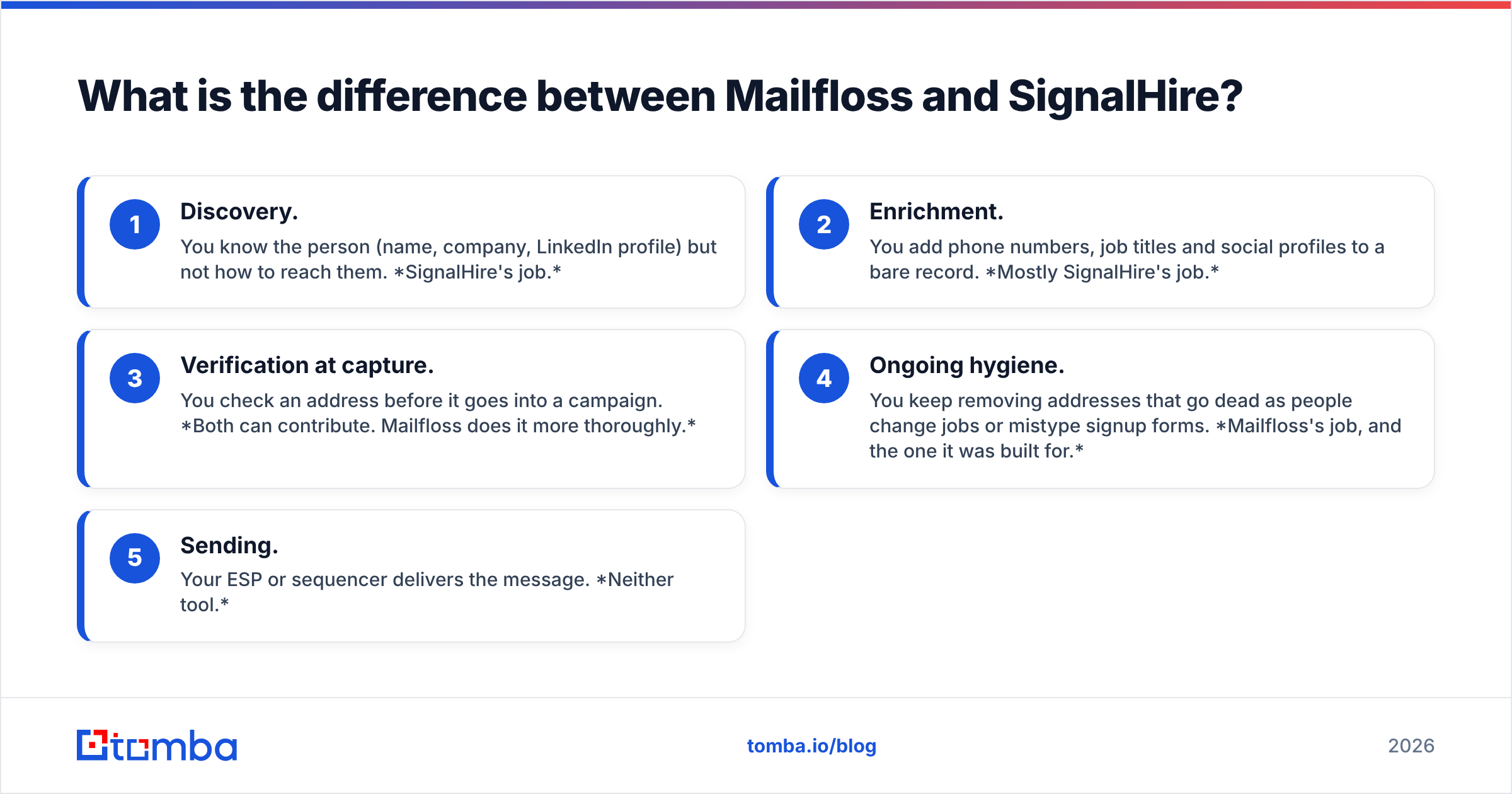
Here's a simple model of where each one fits:
- Discovery. You know the person (name, company, LinkedIn profile) but not how to reach them. SignalHire's job.
- Enrichment. You add phone numbers, job titles and social profiles to a bare record. Mostly SignalHire's job.
- Verification at capture. You check an address before it goes into a campaign. Both can contribute. Mailfloss does it more thoroughly.
- Ongoing hygiene. You keep removing addresses that go dead as people change jobs or mistype signup forms. Mailfloss's job, and the one it was built for.
- Sending. Your ESP or sequencer delivers the message. Neither tool.
Once you see the stages laid out, the decision is mostly about which stage is costing you money right now.
What does Mailfloss actually do?#
Mailfloss is an email verification and list-hygiene service aimed mostly at marketers and ecommerce teams. You don't upload a CSV once and forget about it. You connect Mailfloss directly to your email service provider, and it scans your list every day.
Its main capabilities:
- Automatic daily cleaning. New subscribers are checked as they arrive, and existing contacts are re-checked on a schedule.
- Typo correction. Common domain mistakes like
gmial.comoryaho.comget fixed instead of thrown away. This is something many pure verifiers don't do. - Native ESP integrations. Mailchimp, HubSpot, Klaviyo, ActiveCampaign, Constant Contact, AWeber and a long list of others. Bad addresses can be unsubscribed, deleted or tagged inside the ESP.
- Manual uploads and API. These are available if your list lives somewhere without a native connector.
What Mailfloss does not do is find new contacts. It has no prospect database, no LinkedIn extension and no phone numbers. If an address isn't already in your list, Mailfloss can't help you get it.
The case for Mailfloss is email deliverability. Bounces hurt your sender reputation with Gmail and Microsoft, and a list that's never cleaned slowly degrades. Industry estimates commonly put B2B data decay above 20% a year. Mailfloss turns that clean-up into a background process you never have to remember.
What does SignalHire actually do?#
SignalHire is a contact-finding platform that started in recruiting and has spread into sales prospecting. Its core promise: open a profile on LinkedIn (or GitHub, X, or other supported sites), click the extension, and get back personal and work emails plus phone numbers.
Its main capabilities:
- Chrome extension. It reveals contact details directly on LinkedIn profiles and search results.
- Bulk search and enrichment. You upload a list of names or profile URLs and get contact data back in batches.
- Phone numbers. This is a real differentiator against email-only finders, and the main reason recruiters pay for it.
- API access. You can plug lookups into an ATS, CRM or internal tool.
- Pay-on-success credits. A credit is consumed only when SignalHire actually returns a result.
What SignalHire does not do is maintain your list once you have it. It runs a validation check when it returns an email, but it won't watch your Mailchimp audience and tell you which of last year's addresses have gone dead.

How do Mailfloss and SignalHire compare feature by feature?#
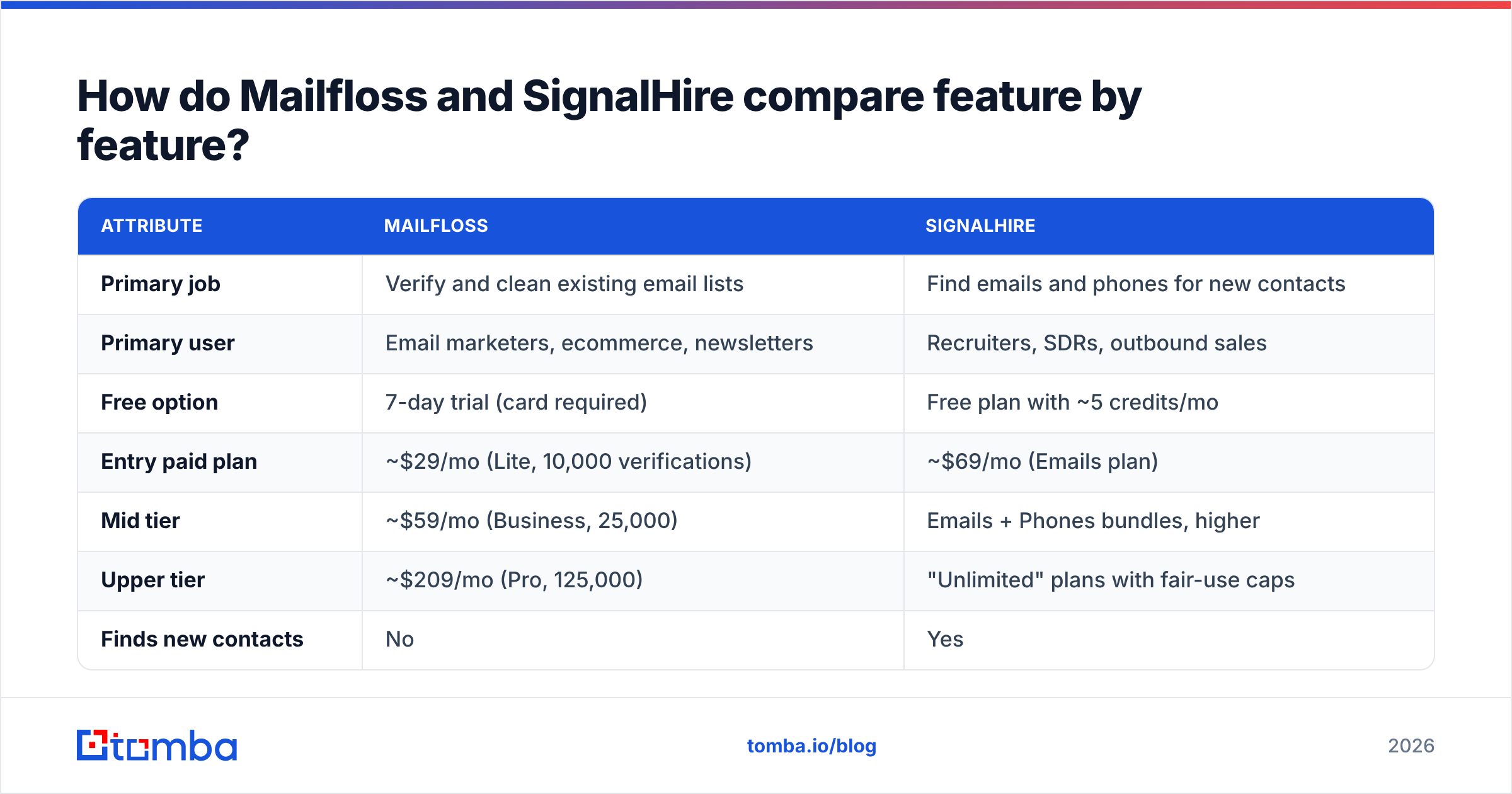
This is the side-by-side most people searching "mailfloss vs signalhire" actually want. Prices reflect publicly reported list pricing as of autumn 2026. Both vendors have changed plans this year, so check the live pricing pages before you buy.
| Attribute | Mailfloss | SignalHire |
|---|---|---|
| Primary job | Verify and clean existing email lists | Find emails and phones for new contacts |
| Primary user | Email marketers, ecommerce, newsletters | Recruiters, SDRs, outbound sales |
| Free option | 7-day trial (card required) | Free plan with ~5 credits/mo |
| Entry paid plan | ~$29/mo (Lite, 10,000 verifications) | ~$69/mo (Emails plan) |
| Mid tier | ~$59/mo (Business, 25,000) | Emails + Phones bundles, higher |
| Upper tier | ~$209/mo (Pro, 125,000) | "Unlimited" plans with fair-use caps |
| Finds new contacts | No | Yes |
| Phone numbers | No | Yes |
| Ongoing list hygiene | Yes, automated daily | No |
| Typo auto-fix | Yes | No |
| ESP integrations | Deep (Mailchimp, Klaviyo, HubSpot, etc.) | Limited; CRM/ATS via API and exports |
| LinkedIn extension | No | Yes |
| Billing model | Monthly volume of verifications | Credits per successful reveal |
Two notes on the table.
First, the cost-per-record maths is completely different. A Mailfloss verification costs a fraction of a cent. A SignalHire reveal costs several cents to tens of cents, depending on plan and whether you need phones. That's not because one is overpriced. Finding data is a much harder and more expensive problem than checking it.
Second, "unlimited" deserves scrutiny. Third-party reviewers report that SignalHire's unlimited plans carry fair-usage caps (figures between 2,000 and 5,000 credits a month are cited), and the prices for those plans moved more than once during 2026. If volume matters to you, read the current terms rather than the headline.
Which tool is more accurate?#
Accuracy means different things for each product, so a direct number-for-number comparison would be misleading.
For Mailfloss, accuracy means: when it says an address is bad, is it really bad, and when it says it's good, will it really deliver? Like every SMTP-based verifier, it has blind spots on catch-all domains. Those are company mail servers that accept every address, so the server never confirms whether a specific mailbox exists. Mailfloss lets you choose how strictly to treat those addresses. Being conservative there protects reputation but removes some real contacts. For that specific problem, a dedicated catch-all verifier does a deeper check than standard SMTP pinging.
For SignalHire, accuracy means: when it returns an email or phone, does it belong to the right person, and is it still live? User reviews on G2 are generally positive on coverage, especially for personal emails and international profiles. The recurring complaints are about outdated phone numbers and credits spent on contacts that later bounce. That's typical for the category, not unique to SignalHire.
A practical approach many teams use: find with one tool, verify with another before sending. If you pull 500 contacts from SignalHire and push them straight into a cold sequence, you're trusting a single validation pass done at reveal time. Running them through a verifier first costs very little and catches the addresses that have decayed since.
How do the pricing models play out in real workflows?#
Here are three common scenarios with rough monthly costs.
Scenario 1: A newsletter with 20,000 subscribers. You don't need new contacts. You need the list to stay clean as people sign up with typos and old work addresses die. Mailfloss Business (~$59/mo) covers it with headroom, and the ESP integration means nobody has to remember to run anything. SignalHire adds nothing here.
Scenario 2: A recruiter sourcing 300 engineers a month from LinkedIn. You need personal emails and mobile numbers for people who aren't in any list yet. A SignalHire Emails + Phones plan is the natural fit. Mailfloss can't help, because there's no list to clean yet.
Scenario 3: An SDR team building 2,000 B2B prospects a month for cold email. You need both. You need discovery (work emails by name + company), then verification before sending, then hygiene on the CRM over time. You could stack SignalHire and Mailfloss, but SignalHire's strength is personal contacts and phones, and Mailfloss's strength is ESP-connected marketing lists. Neither is optimised for a B2B work-email cold outbound pipeline. That's the gap where combined finder-plus-verifier tools tend to win.
Is there a single tool that covers both jobs?#
For most B2B outbound teams, yes. Paying for one finder and a separate verifier means two subscriptions, two credit pools, and an export-import step in the middle where data gets lost.
Tomba is one example. Its email finder finds work addresses by name and company or by domain. The email verifier runs on the same account, so a contact you find can be checked in the same pass before it goes into a sequence. Plans start with a free tier of 25 searches a month, then Starter at $49/mo, Growth at $99/mo and Pro at $249/mo (full Tomba pricing).
To be fair about the trade-offs:
- Against Mailfloss, Tomba doesn't run automated daily cleaning inside Klaviyo or Mailchimp. If you're an ecommerce marketer whose only problem is list hygiene in an ESP, Mailfloss is the more specialised and cheaper choice.
- Against SignalHire, Tomba focuses on professional work emails. If your workflow depends on personal mobile numbers for candidate outreach, SignalHire's phone coverage is the reason to pick it.
But if you're doing B2B prospecting, where you need a work email, need to know it won't bounce, and need it to land in your CRM, one combined tool covers the whole flow with less friction.

What are the pros and cons of each?#
Mailfloss pros
- Set-and-forget hygiene that actually runs daily
- Typo correction rescues real subscribers instead of deleting them
- Deep, native ESP integrations
- Low cost per verification
Mailfloss cons
- Can't find a single new contact
- Trial requires a credit card
- Catch-all handling is conservative by necessity
- Less useful if your contacts live in a CRM rather than an ESP
SignalHire pros
- Emails and phone numbers from one lookup
- Strong LinkedIn extension workflow
- Pay only on successful reveals
- Good international and personal-email coverage, per user reviews
SignalHire cons
- Pricing and plan structure changed repeatedly in 2026
- "Unlimited" plans have fair-use caps
- No ongoing list maintenance
- Per-contact cost adds up fast for high-volume outbound
So, Mailfloss vs SignalHire: which should you choose?#
Go by the problem you actually have:
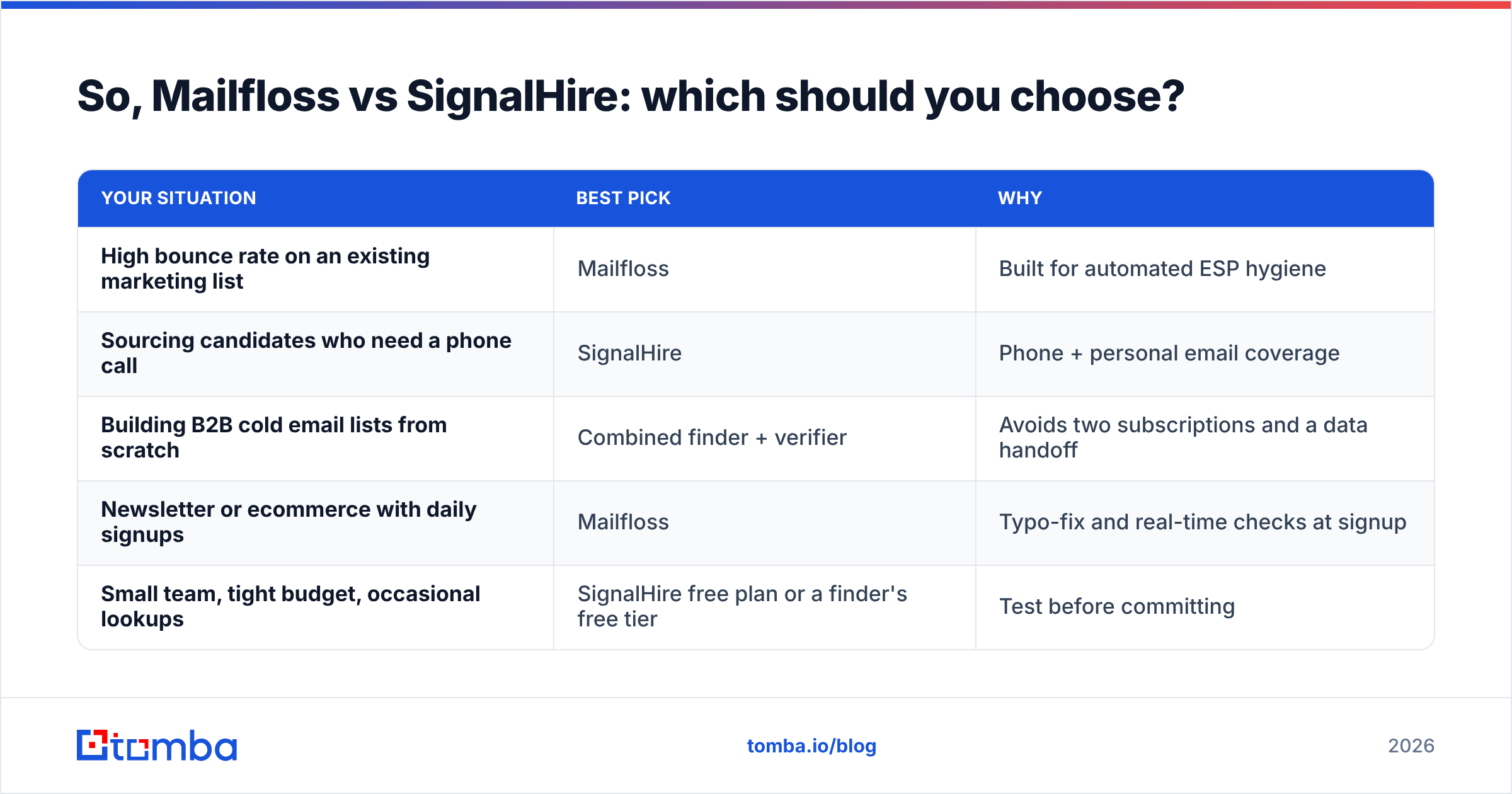
| Your situation | Best pick | Why |
|---|---|---|
| High bounce rate on an existing marketing list | Mailfloss | Built for automated ESP hygiene |
| Sourcing candidates who need a phone call | SignalHire | Phone + personal email coverage |
| Building B2B cold email lists from scratch | Combined finder + verifier | Avoids two subscriptions and a data handoff |
| Newsletter or ecommerce with daily signups | Mailfloss | Typo-fix and real-time checks at signup |
| Small team, tight budget, occasional lookups | SignalHire free plan or a finder's free tier | Test before committing |
If you're still unsure, ask yourself one question: do I already have the email addresses? If yes, you need a verifier like Mailfloss. If no, you need a finder like SignalHire. If the honest answer is "some of them, and I need more, and I'm worried about bounces," you need both jobs done, ideally in one place.
Frequently asked questions#
Can Mailfloss find email addresses? No. Mailfloss only verifies and cleans addresses that are already in your list or ESP. It has no contact database.
Does SignalHire verify emails? It runs a validation check when it returns a contact, but it doesn't offer ongoing list hygiene or bulk verification of lists you bring yourself in the way a dedicated verifier does.
Is SignalHire good for B2B sales? It works, especially if phone numbers matter. Its roots are in recruiting, though, so its strength is personal contacts. Teams focused on work emails for cold outbound often prefer a dedicated B2B email finder.
Which is cheaper, Mailfloss or SignalHire? Per record, Mailfloss is far cheaper, because verifying an existing address costs much less than discovering a new one. You can't really substitute one for the other, so "cheaper" depends on which job you need done.
Ready to find and verify in one step?#
If you're building B2B prospect lists and are tired of paying one tool to find contacts and another to check them, try Tomba Email Finder. Search by name and company or by domain, verify every result on the same account, and push clean contacts straight into your CRM or sequencer. The free tier gives you 25 searches a month to test it on your own target accounts before you spend anything.
Related guides#
// start free
See who Tomba finds at any company
Type a company's domain to see its people, their roles and verified work emails, each with the pages it was found on. Free account, no card.
Free plan · No credit card required · GDPR & CCPA
// about the author