Mailgun vs UpLead (2026): Email Sending API or B2B Lead Database?
Mailgun sends email. UpLead finds who to email. Before you compare them on price, here is what each tool actually does, where they overlap, and which one your team needs first.
TL;DR: Mailgun vs UpLead at a glance
- Mailgun and UpLead are not direct rivals. Mailgun is an email sending API for developers. UpLead is a B2B contact database that sales teams use to find leads.
- Pick Mailgun if you need to send email at scale to people who expect it. Think password resets, receipts, product alerts, or newsletters.
- Pick UpLead if you need checked work emails and phone numbers for people you haven't contacted yet.
- Don't run cold outreach through Mailgun. Its rules ban bought and third-party lists. Cold email needs its own sending setup with warmup.
- Most teams that search "Mailgun vs UpLead" need both a data tool and a sending tool. The real choice is which data source to pair with which sender.
People type "Mailgun vs UpLead" for one of two reasons. Some are building an outbound stack and see both names in "email tools" lists. Others already pay for Mailgun and wonder if it can find leads too. Either way, a head-to-head price check misses the point. The two tools sit at opposite ends of the email pipeline.
This Mailgun vs UpLead guide covers what each tool does, how pricing works, where people misuse them, and which one to buy first.
What is Mailgun?#
Mailgun is an email delivery platform owned by Sinch. Developers send email through its REST API or SMTP relay. Mailgun runs the plumbing behind it: sending IPs, DKIM and SPF signing, bounce handling, suppression lists, webhooks, and stats.
Typical Mailgun jobs:
- Transactional email: signup confirmations, password resets, invoices, shipping updates
- Product notifications: alerts, digests, activity summaries
- Opted-in bulk email: newsletters and lifecycle emails to people who subscribed
- Inbound routing: reading incoming mail and passing it to your app via webhooks
Mailgun also sells add-ons. Mailgun Validate checks addresses before you send. Mailgun Optimize (once called InboxReady) covers inbox placement tests, blocklist alerts, and DMARC reports.
Mailgun does not find new contacts. It has no people database and no prospect search. It assumes you already have the addresses and the right to email them.
What is UpLead?#
UpLead is a B2B prospecting database. You filter by industry, company size, location, job title, tech used, and more. Then you export contacts with emails and direct dials. Each email is checked in real time when you reveal it. UpLead claims a 95% data accuracy guarantee.
Typical UpLead jobs:
- Building prospect lists for SDRs and founders who run outbound
- Filling gaps in CRM records with missing emails, phones, and company data
- Targeting by tech stack, such as "companies using Shopify with 50–200 staff"
- Chrome extension lookups on LinkedIn profiles and company websites
UpLead does not send email at scale. You export the leads to a sequencer, a CRM, or a cold email tool and send from there.
Mailgun vs UpLead: is one better?#
Neither one is better, because they do different jobs. Think of a restaurant. UpLead is the supplier that brings the food. Mailgun is the kitchen that cooks and serves it. You can't swap one for the other.
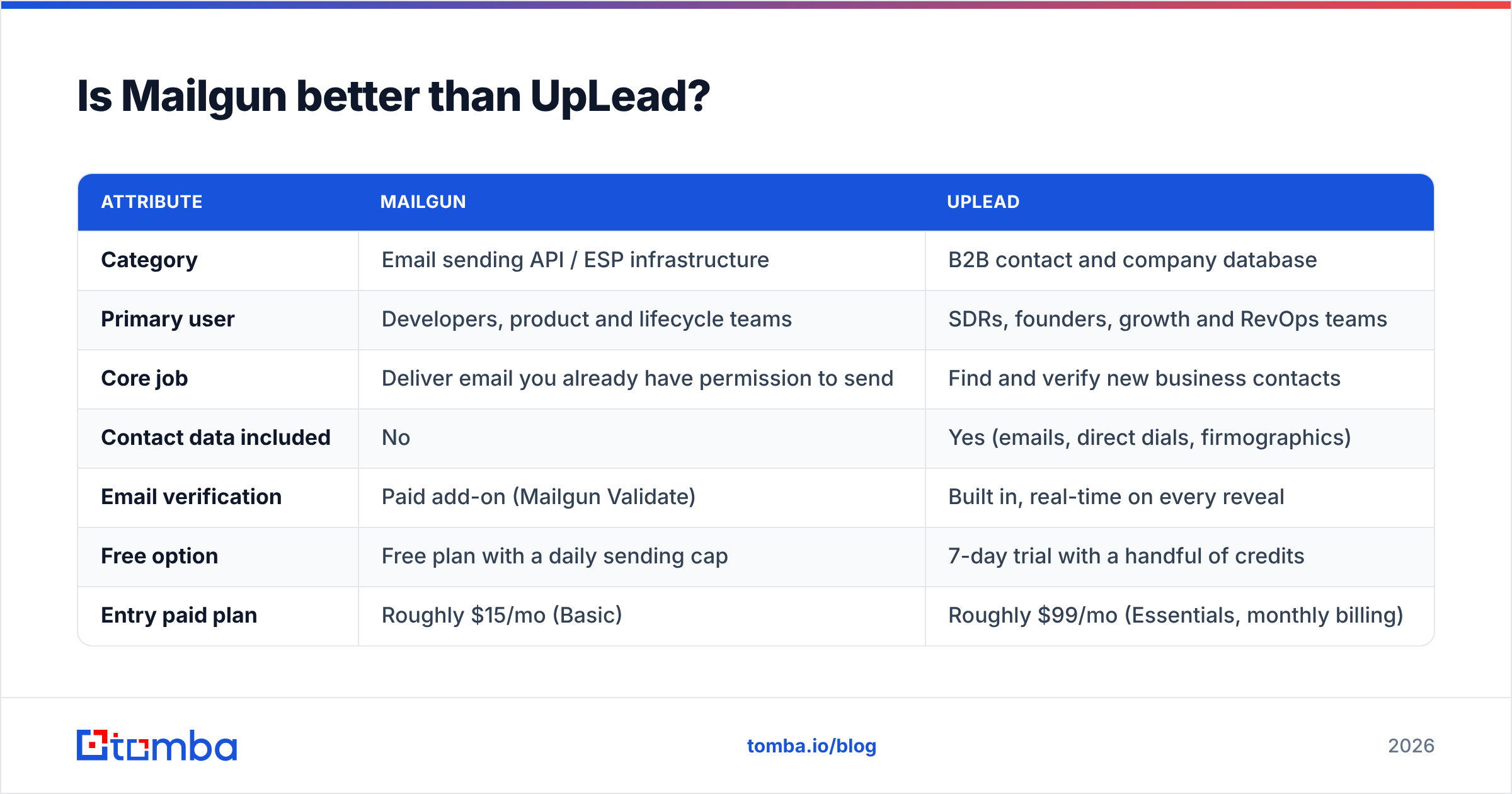
Here is how Mailgun vs UpLead lines up:
| Attribute | Mailgun | UpLead |
|---|---|---|
| Category | Email sending API / ESP infrastructure | B2B contact and company database |
| Primary user | Developers, product and lifecycle teams | SDRs, founders, growth and RevOps teams |
| Core job | Deliver email you already have permission to send | Find and verify new business contacts |
| Contact data included | No | Yes (emails, direct dials, firmographics) |
| Email verification | Paid add-on (Mailgun Validate) | Built in, real-time on every reveal |
| Free option | Free plan with a daily sending cap | 7-day trial with a handful of credits |
| Entry paid plan | Roughly $15/mo (Basic) | Roughly $99/mo (Essentials, monthly billing) |
| Pricing unit | Emails sent per month | Credits (1 credit ≈ 1 contact reveal) |
| Cold outbound fit | Poor; AUP restricts purchased/third-party lists | Strong as the data source; you need a separate sender |
| Integrations | SDKs for most languages, webhooks, SMTP | Salesforce, HubSpot, Zapier, Chrome extension |
Prices are public list prices at the time of writing. They change often, so check each vendor's pricing page before you buy.

How does Mailgun vs UpLead pricing compare?#
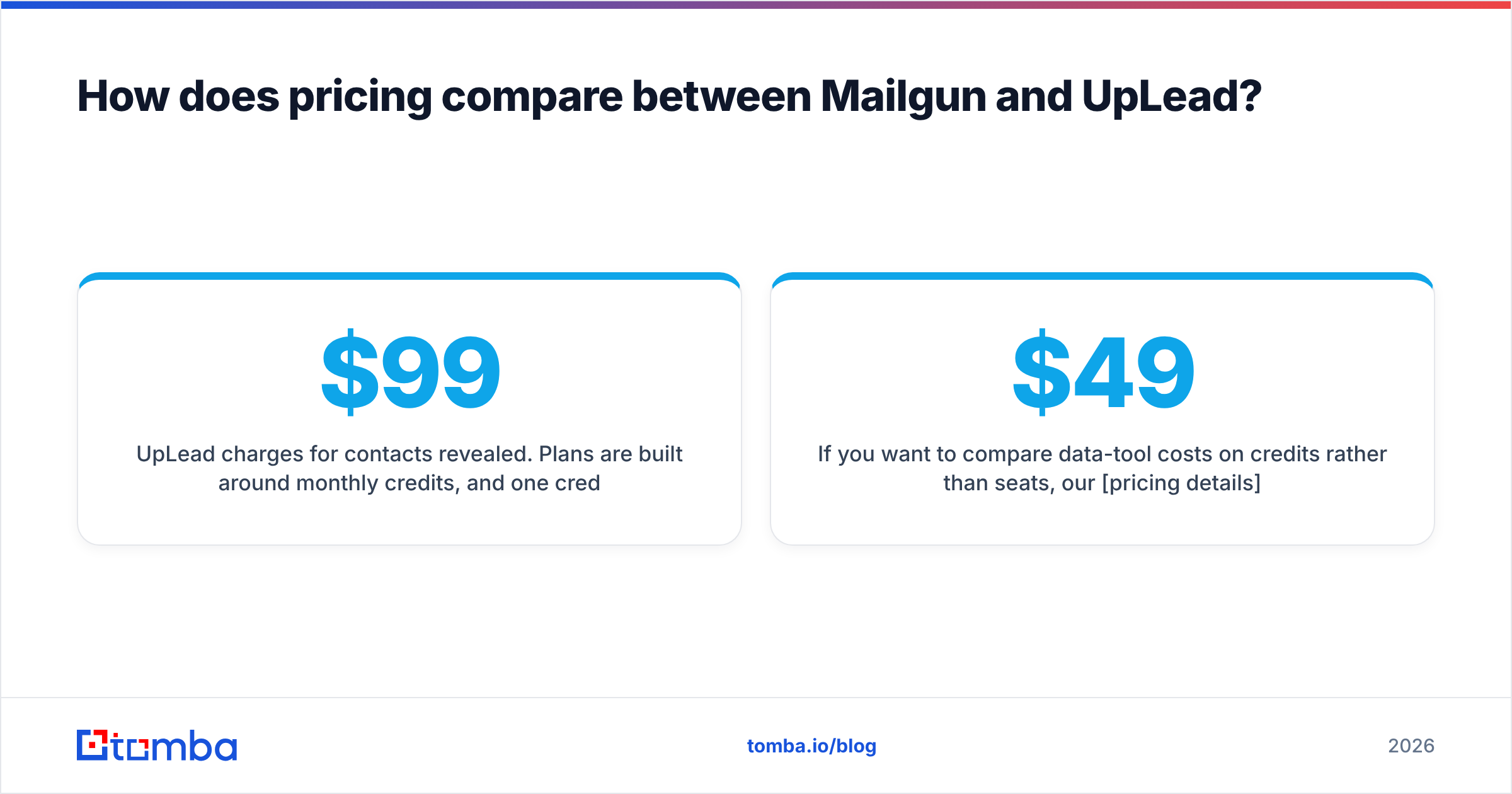
The two tools price on different units. So the headline numbers don't compare.
Mailgun charges for email sent. Its tiers are Free, Basic, Foundation, Scale, and custom Enterprise. They scale with how much you send each month. Higher tiers add dedicated IPs, longer log storage, and more validations. At volume, Mailgun is cheap per message, often well under a cent each.
UpLead charges for contacts revealed. Plans come with monthly credits, and one credit usually unlocks one contact. Essentials sits near $99/mo on monthly billing, with a discount if you pay yearly. Plus gives you more credits and adds tech stack and intent data. Professional has custom pricing. Each contact costs far more than each email. You're paying for research and checks, not delivery.
What this means for your budget:
- Estimate your sending volume for Mailgun. If you send 50,000 transactional emails a month, you're in a mid-tier plan.
- Estimate how many new contacts you need for UpLead. One SDR working 300–500 new contacts a month needs a mid-tier plan. A team of five needs more.
- Watch unused credits. Check whether a data tool rolls credits over. Unused credits are the most common hidden cost in this space.
Want to compare data tools on credits rather than seats? Our pricing details page shows how Tomba's tiers work. There's a free tier with 25 searches a month, Starter at $49/mo, Growth at $99/mo, and Pro at $249/mo.
Can you use Mailgun for cold email outreach?#
Technically yes. In practice, you shouldn't, and Mailgun doesn't want you to.
Mailgun's acceptable use policy bans sending to bought, rented, or third-party lists. That covers most cold lists, including lists from UpLead or any other database. Accounts that send this way risk suspension. Mailgun's shared IP pools also react badly to traffic with lots of bounces and spam complaints.
There's a technical mismatch too. Transactional tools are built for high volumes of email that people expect. Cold outreach works better with:
- Several warmed-up inboxes on secondary domains, each sending a small number of emails per day
- Human-like sending, with random gaps and threaded follow-ups
- Reply detection that stops a sequence when the prospect answers
Gmail and Yahoo now enforce rules for bulk senders. You need email authentication, one-click unsubscribe, and low spam complaint rates. That makes the split even more important. Read Google's email sender guidelines before you send to anyone at scale.
The safe setup is simple. Use a database like UpLead (or an email finder) for the data. Use a cold email tool for outreach. Use Mailgun for the transactional and opted-in email your product sends.
Where do Mailgun and UpLead actually overlap?#
The only real overlap in Mailgun vs UpLead is email validation. Even that serves different moments.
- Mailgun Validate checks addresses when you collect them, such as on signup forms and at checkout. You can also check a whole list before a campaign. The goal is to protect your Mailgun sender reputation.
- UpLead's built-in check runs when you reveal a contact, so your export is already checked. The goal is to give sales a list that won't bounce.
If you already have a list from somewhere else, a standalone email verifier often costs less than either option. It also flags catch-all domains more clearly. A catch-all domain accepts every address at the server level. So a "valid" result can mislead you if your tool doesn't flag it.
Which teams should choose Mailgun?#
Choose Mailgun if:
- You're shipping a product that must send receipts, resets, and alerts reliably
- You have engineers, since Mailgun is API-first and most of its value comes from wiring it into your app
- Your recipients opted in, as users or newsletter subscribers
- You want detailed logs and webhooks for deliveries, opens, clicks, bounces, and complaints
- Volume matters: you send tens or hundreds of thousands of emails and want a low cost per email
Common options in the same category are SendGrid, Postmark, Amazon SES, and Resend. G2's transactional email category is handy for side-by-side reviews.
Which teams should choose UpLead?#
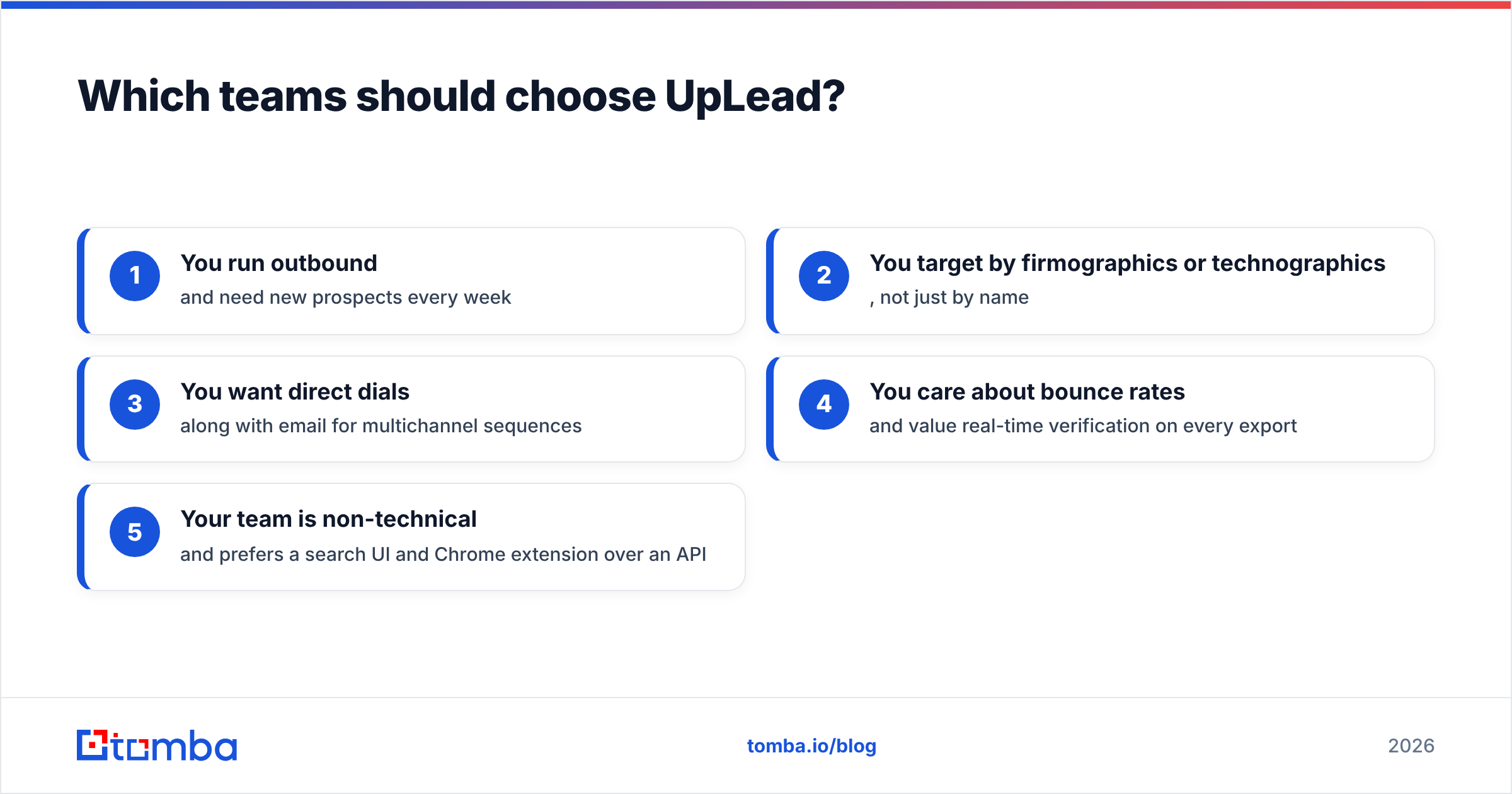
Choose UpLead if:
- You run outbound and need new prospects every week
- You target by company traits or tech stack, not just by name
- You want direct dials as well as email for multichannel outreach
- You care about bounce rates and want a real-time check on every export
- Your team is non-technical and prefers a search screen and Chrome extension over an API
UpLead's credit pricing works best when your targeting is tight. If your ideal customer profile is broad and you burn through thousands of contacts a month, compare the cost per verified contact across a few data providers first.
Is there a better way to combine data and sending?#
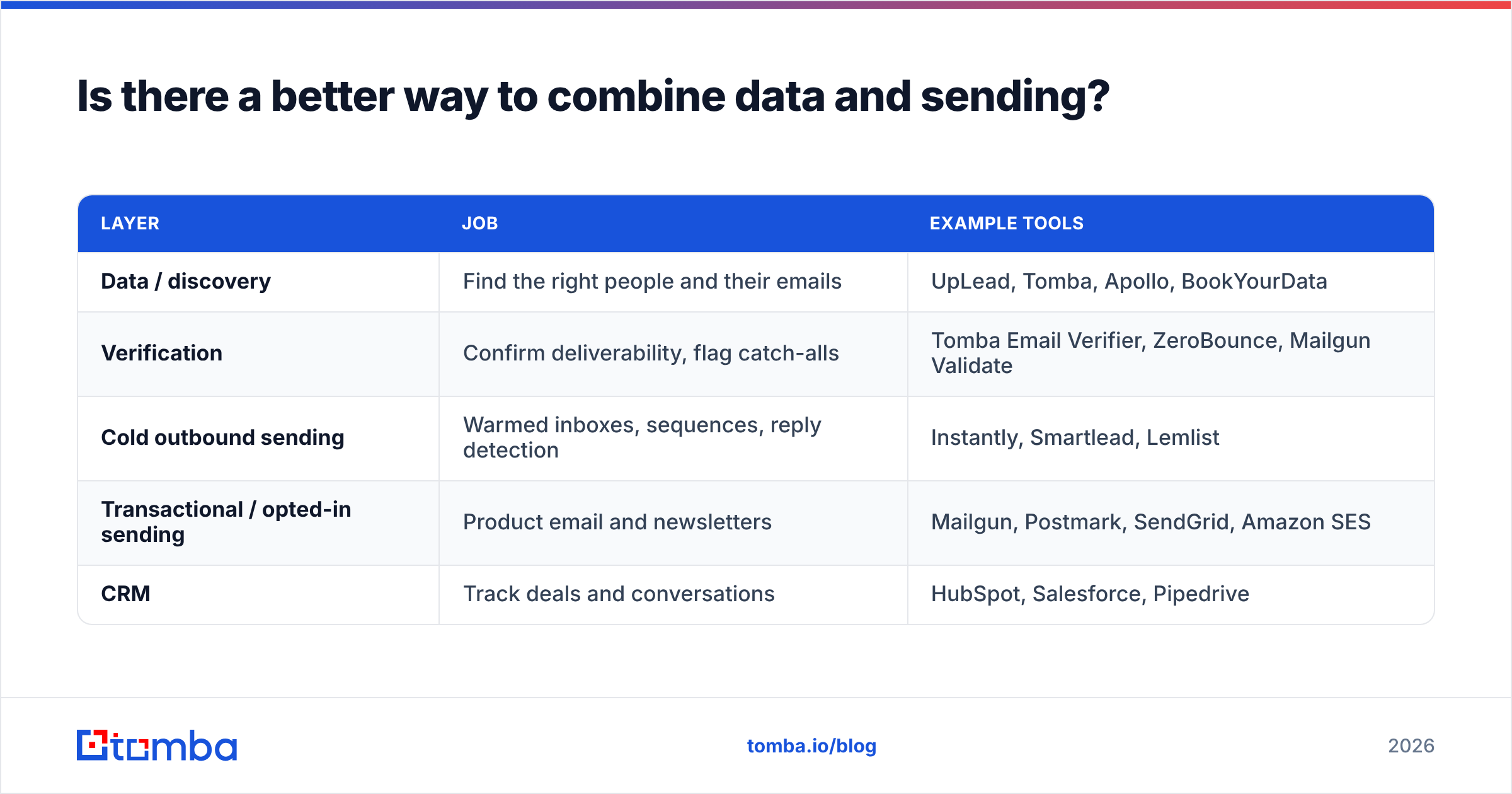
Most growing B2B teams end up with a stack like this:
| Layer | Job | Example tools |
|---|---|---|
| Data / discovery | Find the right people and their emails | UpLead, Tomba, Apollo, BookYourData |
| Verification | Confirm deliverability, flag catch-alls | Tomba Email Verifier, ZeroBounce, Mailgun Validate |
| Cold outbound sending | Warmed inboxes, sequences, reply detection | Instantly, Smartlead, Lemlist |
| Transactional / opted-in sending | Product email and newsletters | Mailgun, Postmark, SendGrid, Amazon SES |
| CRM | Track deals and conversations | HubSpot, Salesforce, Pipedrive |
Seen this way, the Mailgun vs UpLead question goes away. They sit in different rows. The useful questions are simpler. Which data source fits your buyers and budget? Does your sending setup match how you email people?
For the data layer, start from how your team already works:
- Do you start from a filtered market (industry, headcount, tech stack)? A database like UpLead fits that workflow.
- Do you start from a known list of accounts or company domains (target accounts, event guests, inbound sign-ups)? Then an email finder that searches by name and domain is often cheaper and more precise. You only pay for the people you already chose.
- Do you need it inside your tools? Check for API access, a Chrome extension, Google Sheets add-ons, and CRM links before you sign.
What mistakes do teams make when comparing these tools?#
Mistake 1: Buying Mailgun to "do cold email." It isn't built for that, and its policy bans it. A suspended account can also take your product email down with it. Keep product email and cold outreach on separate systems and separate domains.
Mistake 2: Treating a database export as ready to send. Even with real-time checks, contacts go stale. People change jobs every few years, so a list from three months ago has already decayed. Re-check anything older than about 30 days before a campaign.
Mistake 3: Ignoring catch-all domains. Many mid-size and large company domains are catch-all. Your verifier might say "valid" when it really means "unknown." Put these contacts in their own segment and send to them at lower volume.
Mistake 4: Comparing sticker prices across categories. $15/mo for Mailgun and $99/mo for UpLead aren't comparable numbers. Compare Mailgun with other email senders on cost per thousand emails. Compare UpLead with other data providers on cost per verified contact.
Mistake 5: Skipping authentication. Whatever sends your email needs SPF, DKIM, and DMARC set up correctly. Our glossary entry on email deliverability covers the basics if you're setting up a new domain.
Mailgun vs UpLead: what's the final verdict?#
- If you need to send email from your app or to subscribers: pick Mailgun. It's mature, cheap at volume, and well documented. UpLead can't do this.
- If you need to find new B2B contacts: pick UpLead or a similar data provider. Mailgun can't do this.
- If you're building outbound from scratch: you need both kinds of tool, plus a cold email sender. Get your data and checks right first. Clean data protects your domain more than any sending feature.
So the Mailgun vs UpLead choice comes down to one thing. Pick the tool that solves the problem you have this quarter. Most outbound teams have a data problem before they have a sending problem.
If your problem is getting accurate emails for specific people and companies, try the Tomba Email Finder. Search by name and domain, by company, or in bulk. Every result shows its verification status, so you know what's safe to send before it hits your sequencer. The free plan includes 25 searches a month. That's enough to test accuracy on your own target accounts before you sign any data contract.
Related guides#
// start free
See who Tomba finds at any company
Type a company's domain to see its people, their roles and verified work emails, each with the pages it was found on. Free account, no card.
Free plan · No credit card required · GDPR & CCPA
// about the author