Cloze vs Nimble (2026): Which Relationship CRM Wins?
Cloze and Nimble both promise a relationship CRM that runs itself. This 2026 breakdown compares pricing, automation, data quality, and fit so you pick the right one.
TL;DR
- Cloze wins on automation depth. It silently logs every email, call, and meeting, then nudges you before relationships go cold — great for solo operators, agents, and small advisory teams.
- Nimble wins on social and team workflow. Its browser widget enriches contacts from LinkedIn and the web, and it plugs into Microsoft 365 and Google Workspace cleanly for small sales teams.
- Pricing is close but structured differently. Cloze starts around $17/user/mo (annual) and climbs fast for AI features; Nimble is a flat ~$29.90/user/mo with everything included.
- Neither is a prospecting tool. Both organize contacts you already have — you still need a source of fresh, verified emails to fill the top of the funnel.
- Our pick depends on you: Cloze for relationship-heavy solo/SMB work, Nimble for social-selling teams in the Microsoft/Google ecosystem.
What are Cloze and Nimble, and why compare them?#
Both Cloze and Nimble belong to a category most people underestimate: the relationship CRM. Instead of forcing you to type every interaction into a pipeline (the Salesforce model), they watch your inbox and calendar and assemble a contact history automatically. Think of it like a personal assistant who quietly keeps notes after every meeting so you never walk into a call cold.
That shared premise is exactly why buyers put them head-to-head. They look similar on the surface — automatic logging, contact enrichment, follow-up reminders — but they optimize for different users. Cloze leans toward the individual who lives and dies by relationships (real estate agents, consultants, wealth advisors). Nimble leans toward small teams that sell socially and live inside Microsoft 365 or Google Workspace.
Below is the fast structural comparison before we go deep.
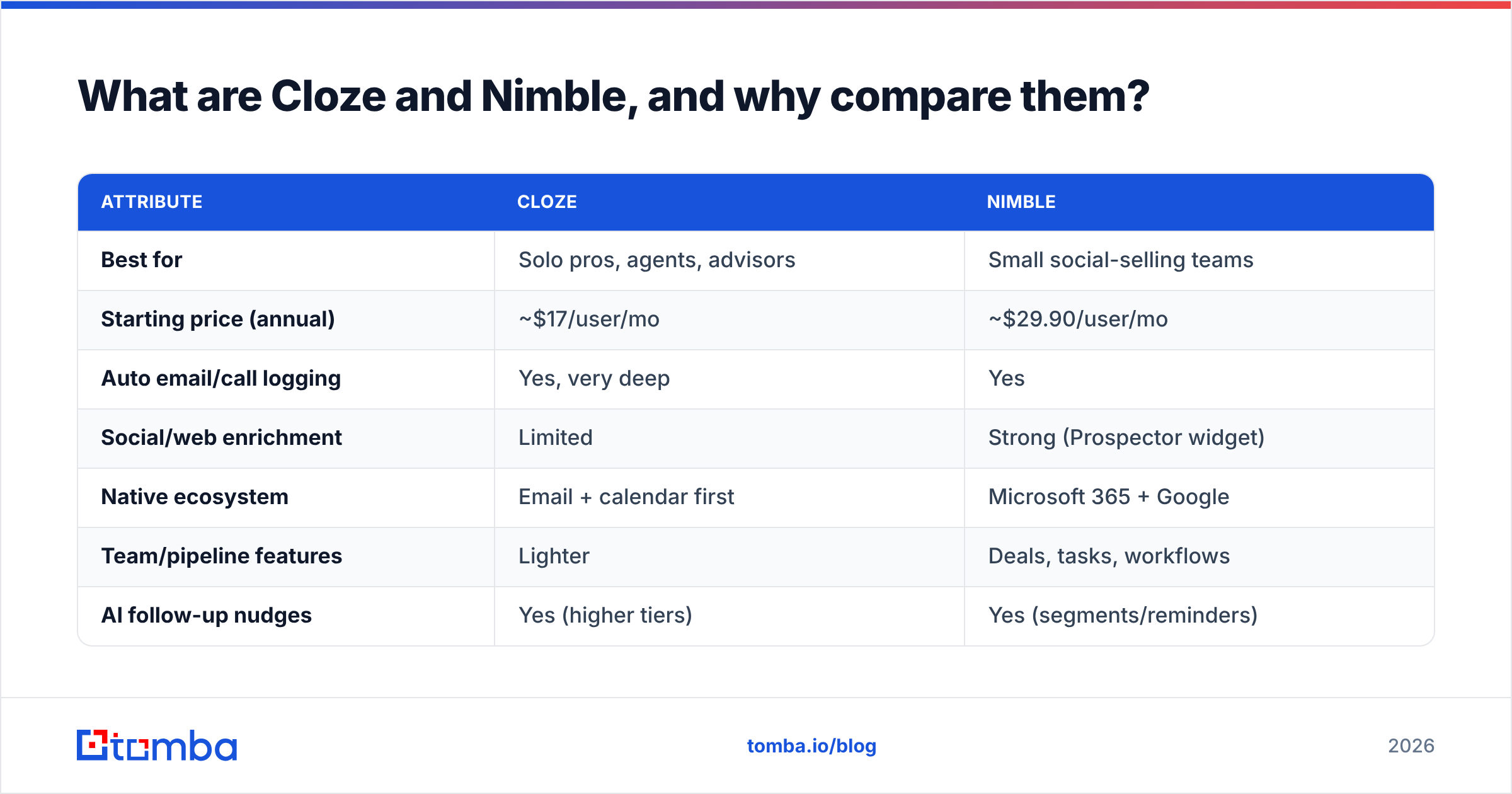
| Attribute | Cloze | Nimble |
|---|---|---|
| Best for | Solo pros, agents, advisors | Small social-selling teams |
| Starting price (annual) | ~$17/user/mo | ~$29.90/user/mo |
| Auto email/call logging | Yes, very deep | Yes |
| Social/web enrichment | Limited | Strong (Prospector widget) |
| Native ecosystem | Email + calendar first | Microsoft 365 + Google |
| Team/pipeline features | Lighter | Deals, tasks, workflows |
| AI follow-up nudges | Yes (higher tiers) | Yes (segments/reminders) |
| Contact records included | Unlimited-ish per tier | 25,000 (Business tier) |

How does Cloze work day to day?#
Cloze's superpower is silent capture. Connect your email, calendar, phone, and social accounts, and it builds a unified timeline for every person and company you touch. You don't tag, you don't log — it just accrues context. When you open a contact, you see the last email, the next meeting, shared files, and how long it's been since you talked.
The standout feature is the "reach out" prompt. Cloze scores relationships and reminds you when someone important is slipping. For a real estate agent juggling 400 past clients, that nudge is the entire value proposition — it turns a neglected database into repeat referrals.
Where Cloze gets pricier is AI. The automatic follow-up drafting, smarter agenda prep, and advanced project views sit on higher tiers. So the "$17" entry price is real, but the version most people demo is closer to the mid tier.
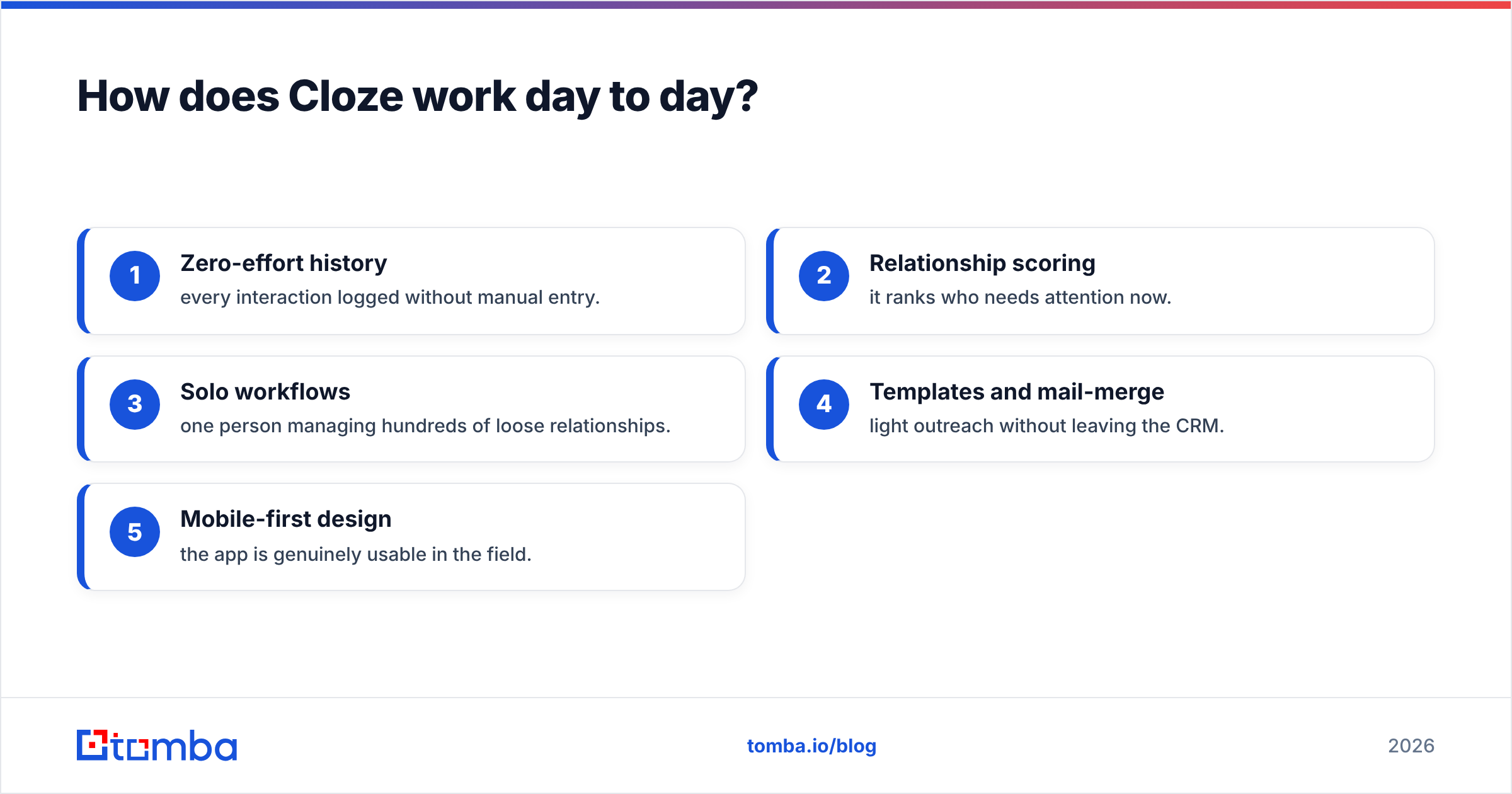
What Cloze is great at:
- Zero-effort history — every interaction logged without manual entry.
- Relationship scoring — it ranks who needs attention now.
- Solo workflows — one person managing hundreds of loose relationships.
- Templates and mail-merge — light outreach without leaving the CRM.
- Mobile-first design — the app is genuinely usable in the field.
How does Nimble work day to day?#
Nimble's identity is social + simple. Its signature is the Prospector browser widget: land on a LinkedIn profile or company website, click the Nimble icon, and it pulls business contact details and social profiles into a record. For teams that build lists by browsing, that workflow is faster than tabbing back and forth into a database.
On top of that, Nimble runs a genuine (if lightweight) team CRM: deal pipelines, task assignment, group messaging with tracking, and saved segments for outreach. It syncs two ways with Microsoft 365 and Google Workspace, so it feels native if your company already lives there. You can read verified user impressions on G2 to sanity-check the experience against your stack.
The catch is the flat structure. Nimble is essentially one plan (~$29.90/user/mo annual) with a cap of 25,000 contact records and set message-send limits. Simple to reason about, but you can outgrow the caps, and heavy senders will hit the message ceiling.
Cloze vs Nimble: which is better on pricing?#
Neither is expensive by CRM standards, but they bill on different philosophies. Cloze uses tiered pricing where automation and AI unlock as you climb. Nimble uses one inclusive plan so there's no upgrade math — you get the features, you hit the caps.
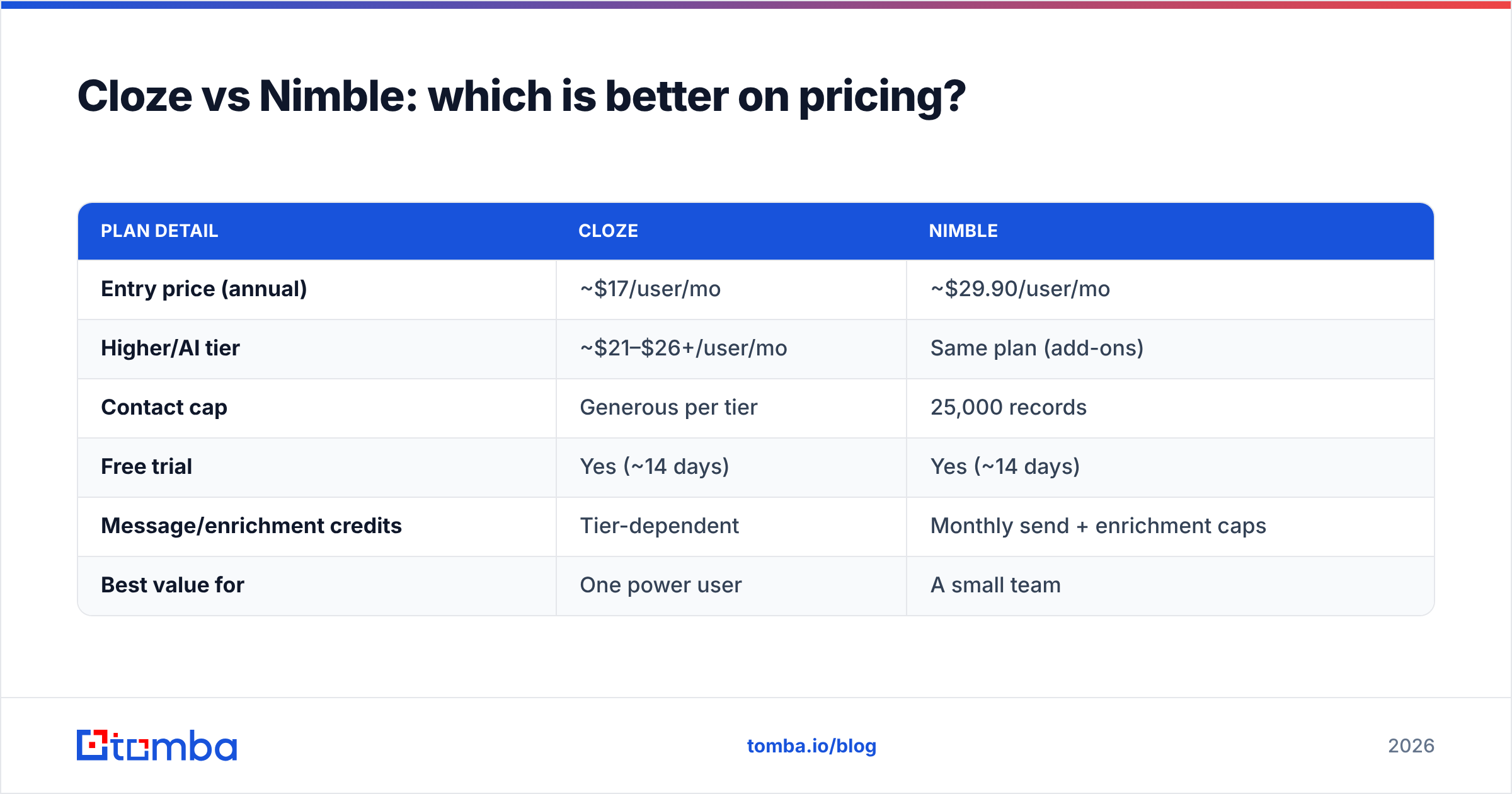
| Plan detail | Cloze | Nimble |
|---|---|---|
| Entry price (annual) | ~$17/user/mo | ~$29.90/user/mo |
| Higher/AI tier | ~$21–$26+/user/mo | Same plan (add-ons) |
| Contact cap | Generous per tier | 25,000 records |
| Free trial | Yes (~14 days) | Yes (~14 days) |
| Message/enrichment credits | Tier-dependent | Monthly send + enrichment caps |
| Best value for | One power user | A small team |
The honest read: if you're a single relationship-driven operator, Cloze's low entry tier is the better deal. If you're a team of 3–10 that wants everyone on the same predictable bill, Nimble's flat price removes friction. Per-user pricing on either can surprise you as you add seats, though — that's the part buyers forget.

What neither Cloze nor Nimble actually does well#
Here's the gap both tools share: they don't find new people for you. A relationship CRM is a magnificent memory system for contacts already in your orbit — inbox threads, past clients, LinkedIn connections. But if your growth depends on reaching net-new accounts, both tools go quiet. Nimble's Prospector helps enrich a profile you're already looking at; it isn't a bulk source of verified addresses at the top of the funnel.
That's why most teams pair a relationship CRM with a dedicated prospecting layer. You source and verify contacts first, then push clean records into Cloze or Nimble so the automation has something to work with. Feeding either CRM garbage emails poisons the whole thing — bounced sends hurt your sender reputation and quietly wreck deliverability.
A practical stack looks like this:
- Find the contact: use an email finder to get the professional address by name and company domain.
- Verify before import: run an email verifier pass so you only load valid, deliverable records.
- Enrich the record: add title, company, and social data with contact enrichment.
- Then let the CRM run: Cloze or Nimble handles logging, scoring, and follow-up from there.
If you're specifically shopping for a lighter, data-first alternative to Nimble, it's worth reviewing a Nimble alternative built around contact data quality rather than social feeds.
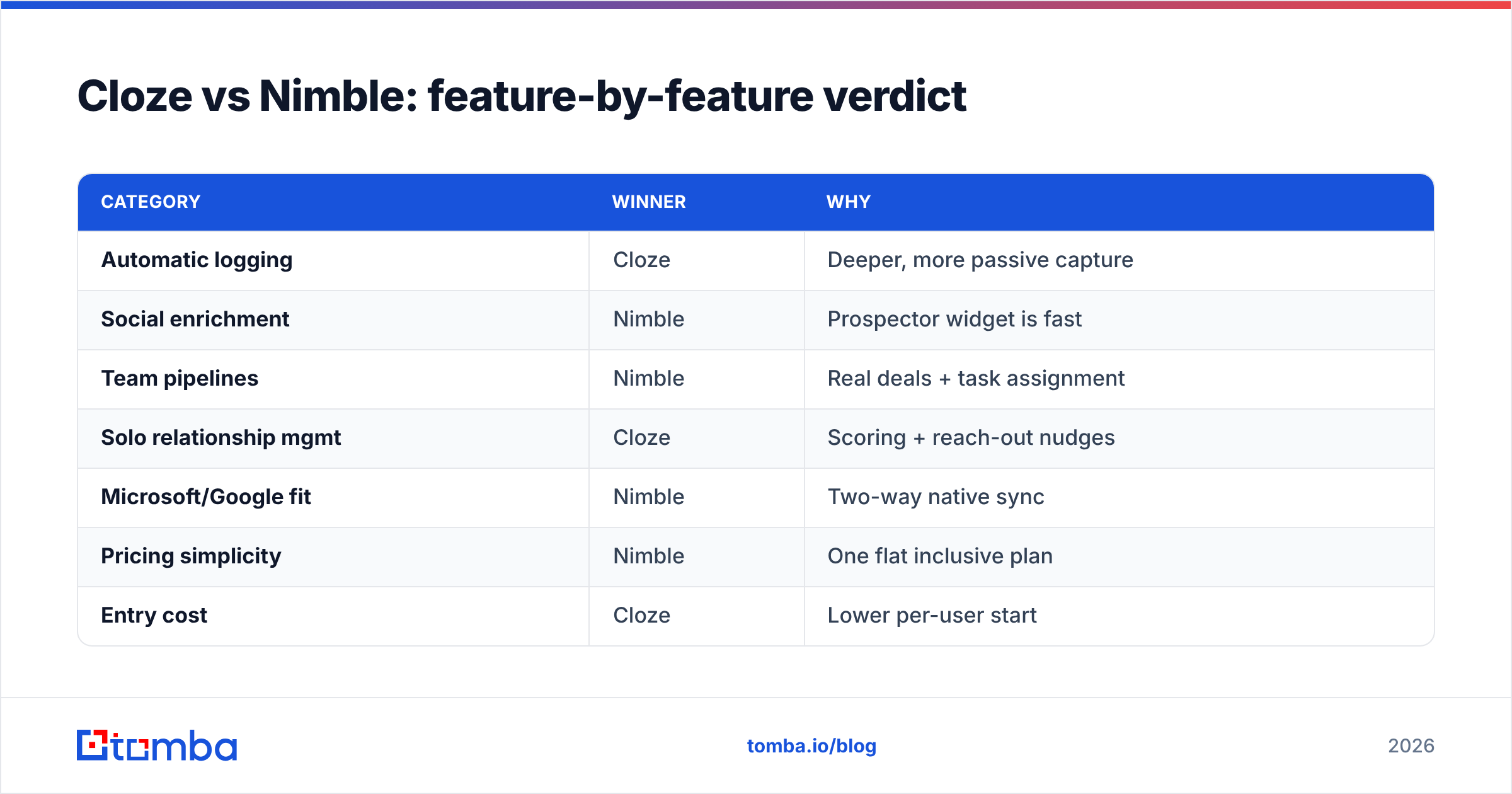
Cloze vs Nimble: feature-by-feature verdict#
| Category | Winner | Why |
|---|---|---|
| Automatic logging | Cloze | Deeper, more passive capture |
| Social enrichment | Nimble | Prospector widget is fast |
| Team pipelines | Nimble | Real deals + task assignment |
| Solo relationship mgmt | Cloze | Scoring + reach-out nudges |
| Microsoft/Google fit | Nimble | Two-way native sync |
| Pricing simplicity | Nimble | One flat inclusive plan |
| Entry cost | Cloze | Lower per-user start |
| Mobile experience | Cloze | Strong field-ready app |
Choose Cloze if you're an agent, advisor, or consultant who wins on staying close to people. The automatic history plus "who's going cold" scoring is the single best solo-relationship engine in this pair, and the entry tier is cheap.
Choose Nimble if you're a small team that prospects socially, lives in Microsoft 365 or Google Workspace, and wants one predictable bill with pipelines built in. The browser widget and team features earn the higher starting price.
Choose neither as your whole stack. Both assume you already have the contacts. Growth still requires a separate way to find and verify new ones.
Frequently asked questions#
Is Cloze or Nimble easier to set up? Cloze is faster for one person — connect your accounts and it self-populates. Nimble takes slightly longer because you're configuring team pipelines and the browser widget, but it's still a same-day setup.
Can I migrate from one to the other? Yes. Both import CSVs and sync from Google/Microsoft contacts. The friction is field mapping and re-teaching the automation, not the data move itself. Clean your list before migrating so you don't carry dead records across.
Do either replace a full sales CRM like HubSpot or Salesforce? For small teams, often yes. For complex, multi-stage B2B pipelines with heavy reporting, no — you'd outgrow both. Many teams run Nimble alongside a heavier CRM via the HubSpot integration pattern.
Which has better contact data? Nimble surfaces more social/web data live; Cloze relies on what flows through your communications. Neither is a substitute for a purpose-built data source when accuracy matters at scale.
The bottom line#
Cloze and Nimble aren't really competing for the same buyer. Cloze is the relationship memory for one power user; Nimble is the social CRM for a small team. Pick by who you are, not by the feature checklist — both are good at their actual job.
But remember what neither does: fill your funnel. Before a single contact reaches Cloze or Nimble, you need to find the right person and confirm the email is real. Start there with the Tomba Email Finder — find professional addresses by domain, name, or company, verify them, and push only clean records into your CRM. Compare Tomba pricing against your current stack and let your relationship CRM do what it does best: remember, score, and remind — on top of data that's actually deliverable.
Related guides#
Ready to find emails that actually work?
Join 150,000+ professionals who stopped guessing and started sending. Free credits on signup — no credit card required.
Get the Tomba newsletter
Practical outbound tactics and product updates — once every two weeks.
About the author