Cold Email Automation in 2026: The Practical Playbook
Cold email automation done wrong burns your domain. Done right, it books meetings on autopilot. Here's the 2026 stack, workflow, and metrics that actually work.
TL;DR
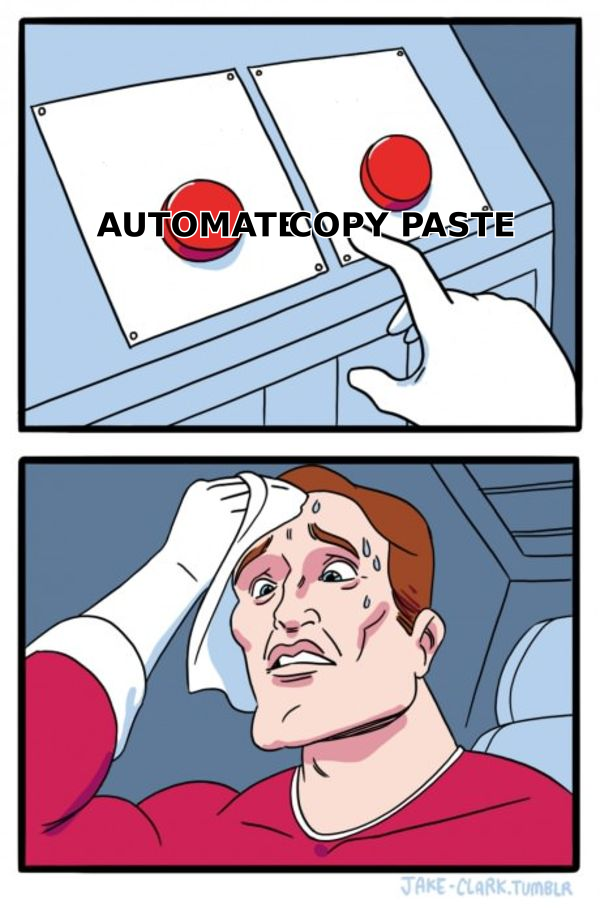
- Cold email automation is the system that finds contacts, verifies them, personalizes at scale, sends on a schedule, and follows up — so your reps stop copy-pasting and start closing.
- The wins come from process, not just software: clean data, warmed domains, tight segmentation, and human-sounding copy. Tools amplify whatever you feed them.
- A modern stack has four layers: data/enrichment, deliverability/warmup, sending/sequencing, and reporting. Skip the data layer and everything downstream underperforms.
- Bounce rate above 3% and spam complaints above 0.1% are the two numbers that kill campaigns. Verify before you send.
- Start small: one segment, one offer, 20-30 sends a day per inbox, then scale what replies.
Cold email automation is deceptively simple to start and brutally easy to get wrong. Fire 5,000 unverified emails from a cold domain on day one and you won't get replies — you'll get blacklisted. This guide walks the full workflow the way a RevOps team actually runs it in 2026: what to automate, what to keep human, and the guardrails that keep your sender reputation intact.
What is cold email automation?#
Cold email automation is the practice of using software to run outbound email outreach — sourcing prospects, verifying addresses, personalizing messages, sending in sequences, and triggering follow-ups — with minimal manual work per contact. Think of it like an assembly line for a sales conversation: instead of one rep hand-building each message, the line handles the repetitive stamping so humans focus on strategy and the replies that matter.
It is not mass email blasting. A newsletter tool sends one identical message to a list that opted in. Cold email automation sends near-1:1 messages to people who have never heard of you, from real mailboxes, spaced to look human. The distinction matters because the second approach lives or dies on email deliverability and sender reputation — two things a blast tool ignores.
Here's what a single automated sequence typically contains:
- Trigger — a new lead enters a list (imported, enriched, or scraped from a defined ICP).
- Verification — the address is checked for validity and catch-all status before anything sends.
- Personalization — first name, company, a custom line, and a relevant hook get merged in.
- Send window — the email goes out during business hours in the prospect's timezone, throttled per inbox.
- Follow-ups — 2 to 4 spaced messages fire automatically until the prospect replies or the sequence ends.
- Reply handling — a human takes over the moment there's a response; automation pauses.
Why automate cold outreach at all?#
The short answer: reps spend up to 70% of their week on non-selling tasks, and manual outreach is one of the biggest offenders. Automation converts that lost time into pipeline.
The concrete gains:
- Volume without headcount. One SDR can maintain 300-500 active sequences instead of 30.
- Consistency. Follow-ups actually happen. Most deals need 4-6 touches, but reps manually stop after one or two.
- Speed to lead. A trigger-based sequence can reach a new prospect in minutes, not days.
- Measurable iteration. You A/B test subject lines and opening lines across thousands of sends instead of guessing.
But automation is a multiplier, not a magic wand. If your list is 20% invalid and your copy sounds like a robot, automation just scales the failure faster. The teams that win treat the data and copy layers as seriously as the sending tool. That's the part vendors gloss over.
What does a cold email automation stack look like in 2026?#
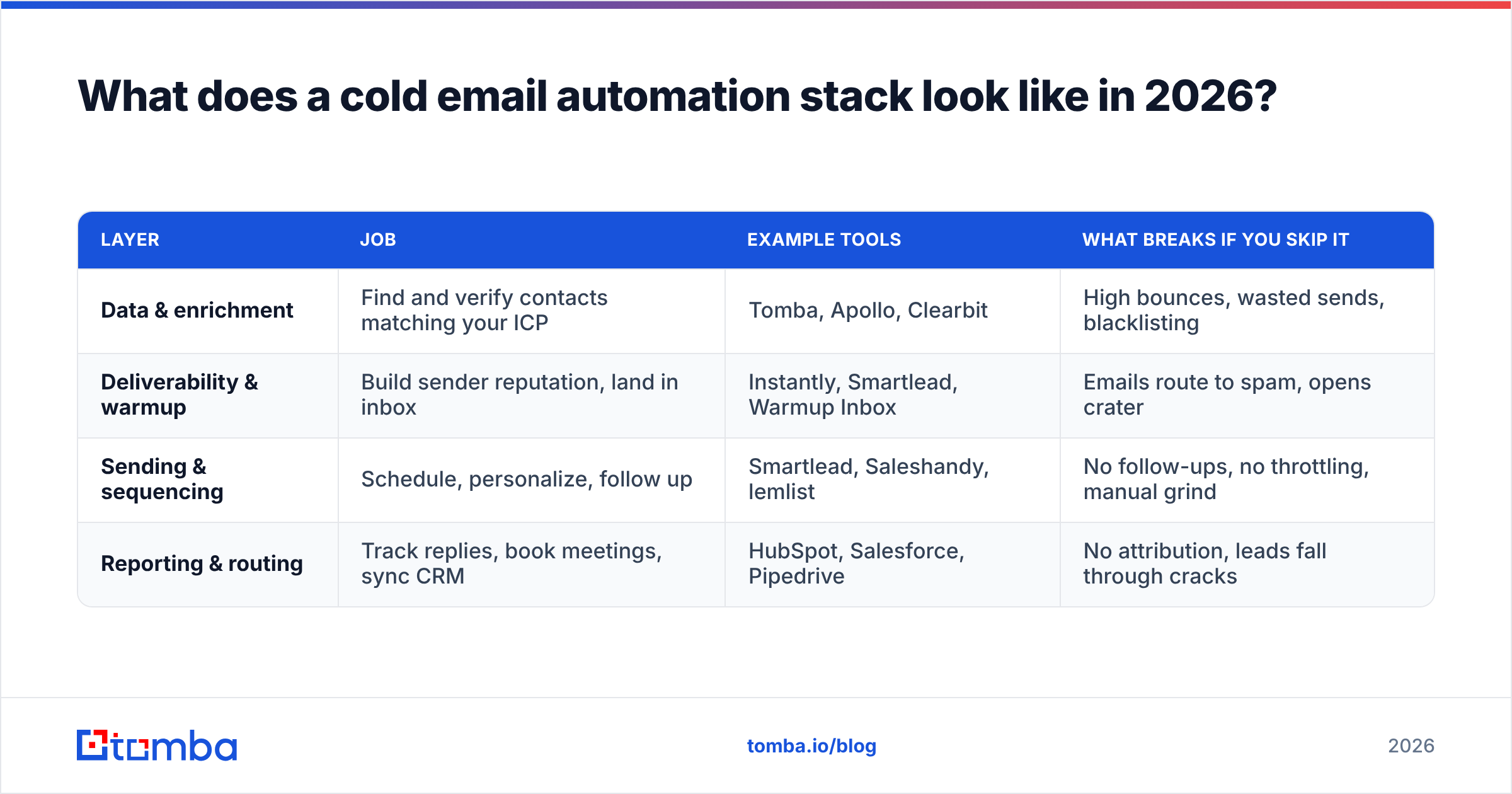
A complete stack has four layers, and most failed campaigns are missing one. Below is how the pieces fit and where common tools slot in.
| Layer | Job | Example tools | What breaks if you skip it |
|---|---|---|---|
| Data & enrichment | Find and verify contacts matching your ICP | Tomba, Apollo, Clearbit | High bounces, wasted sends, blacklisting |
| Deliverability & warmup | Build sender reputation, land in inbox | Instantly, Smartlead, Warmup Inbox | Emails route to spam, opens crater |
| Sending & sequencing | Schedule, personalize, follow up | Smartlead, Saleshandy, lemlist | No follow-ups, no throttling, manual grind |
| Reporting & routing | Track replies, book meetings, sync CRM | HubSpot, Salesforce, Pipedrive | No attribution, leads fall through cracks |
The data layer is the foundation because every downstream number depends on it. You can have perfect copy and a warmed domain, but if 15% of your addresses bounce, mailbox providers flag you within a day. This is where a dedicated email finder and email verifier earn their cost — they keep your bounce rate under the 3% line that keeps you out of the spam folder. For account-based plays, domain search pulls every reachable contact at a target company in one pass.
For teams that also want ready-built lists, a compliant B2B database or a partner like BookYourData can seed your first segments, but always run those imports back through verification — no static list stays accurate forever.
How do you actually build the workflow?#
Start narrow and prove it before you scale. Here's the sequence most successful teams follow.
Step 1 — Define one tight segment. Not "SaaS companies." Something like "Series A fintech startups, 50-200 employees, with a VP of Sales hired in the last 6 months." Narrow segments let you write a hook that lands.
Step 2 — Build and verify the list. Use an email finder to source contacts, then verify every address. Route ambiguous catch-all domains through a catch-all verifier so you know which are safe to send. For hundreds of contacts at once, a bulk email finder does the sourcing and verification in a single job.
Step 3 — Warm the sending domain. Never send cold from your primary domain. Register a secondary domain, set up SPF, DKIM, and DMARC, and warm it for 2-3 weeks before real sends. Check your SPF record and monitor reputation as volume ramps.
Step 4 — Write the sequence. One clear value proposition, one call to action, 3-4 short messages. Personalize the first line with something specific — a funding round, a job change, a product launch.
Step 5 — Throttle and schedule. Cap each inbox at 20-40 sends per day. Spread across multiple inboxes if you need volume. Send in the prospect's business hours.
Step 6 — Route replies to humans. The instant someone replies, automation stops and a rep takes over. Sync everything to your CRM so nothing gets lost.

Manual vs automated: which wins, and when?#
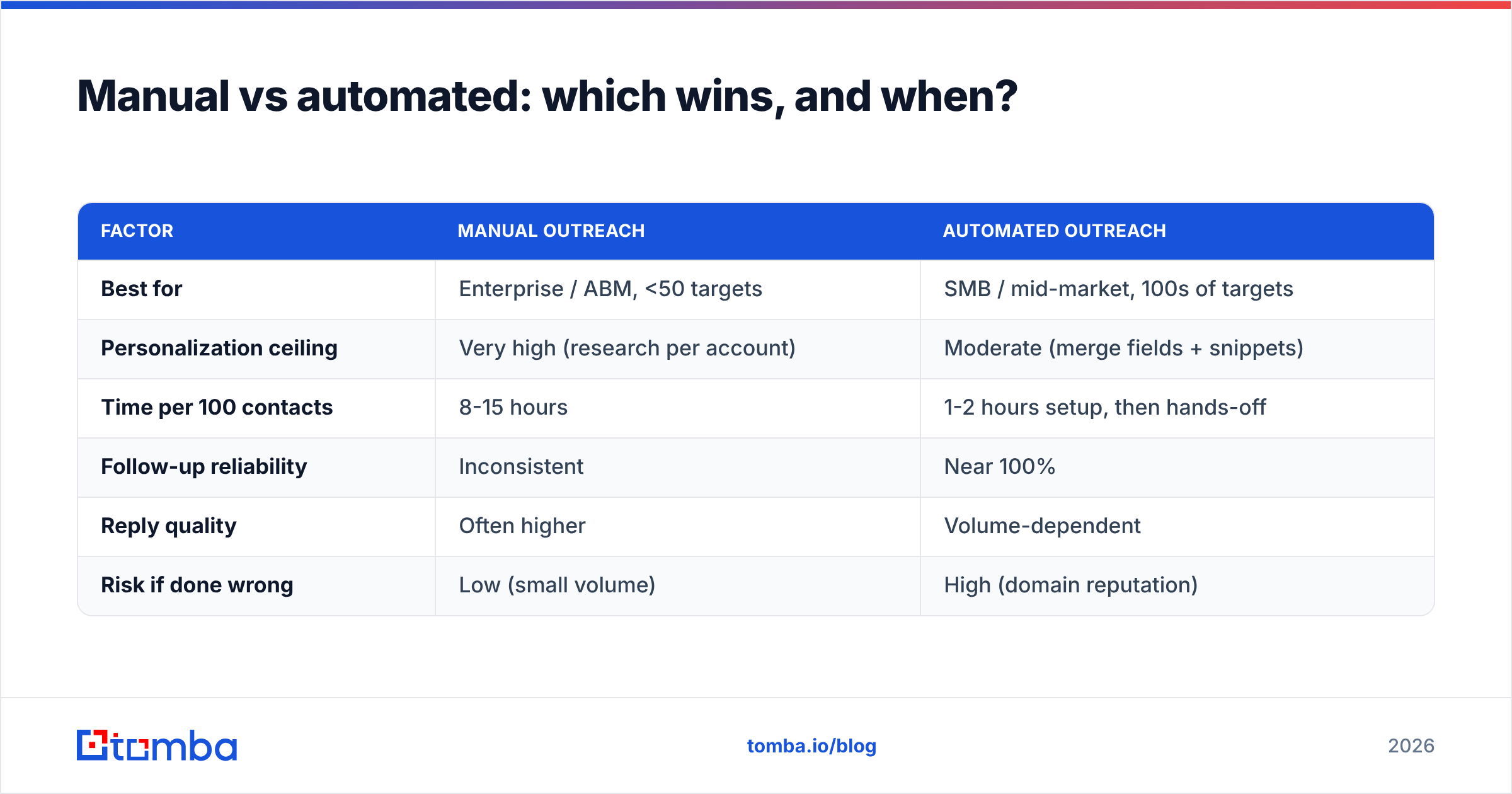
Automation wins on scale and consistency. Manual wins on complexity and relationship depth. Most teams should run both — automate top-of-funnel, go manual on high-value accounts.
| Factor | Manual outreach | Automated outreach |
|---|---|---|
| Best for | Enterprise / ABM, <50 targets | SMB / mid-market, 100s of targets |
| Personalization ceiling | Very high (research per account) | Moderate (merge fields + snippets) |
| Time per 100 contacts | 8-15 hours | 1-2 hours setup, then hands-off |
| Follow-up reliability | Inconsistent | Near 100% |
| Reply quality | Often higher | Volume-dependent |
| Risk if done wrong | Low (small volume) | High (domain reputation) |
The honest read: automation gives you leverage, but the leverage cuts both ways. A sloppy manual campaign wastes a few hours. A sloppy automated campaign burns a domain you paid to warm for a month. That asymmetry is why the guardrails below aren't optional.
What metrics tell you it's working?#
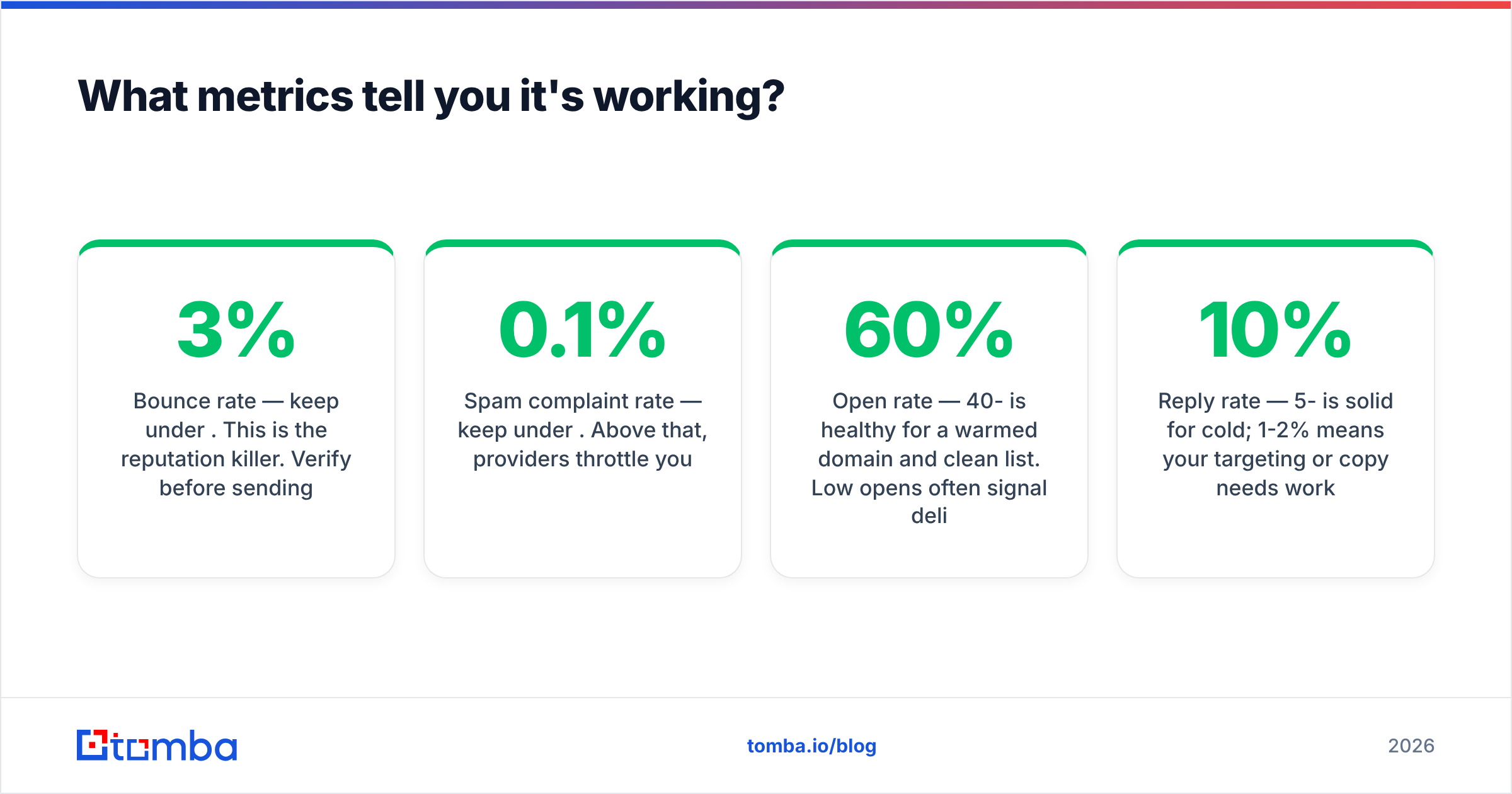
Watch these numbers from day one. Two of them are health checks — cross the line and your campaign is already dying.
- Bounce rate — keep under 3%. This is the reputation killer. Verify before sending.
- Spam complaint rate — keep under 0.1%. Above that, providers throttle you.
- Open rate — 40-60% is healthy for a warmed domain and clean list. Low opens often signal deliverability, not bad subject lines.
- Reply rate — 5-10% is solid for cold; 1-2% means your targeting or copy needs work.
- Positive reply rate — the number that actually maps to pipeline. Track it separately from total replies.
- Meetings booked — the only metric your revenue team cares about.
If opens are fine but replies are flat, fix copy and targeting. If opens are low, suspect deliverability first — check blacklists and warmup status before touching the message. Providers like Google Postmaster Tools give you direct visibility into how Gmail sees your domain.
How do you avoid the spam folder?#
Deliverability is 80% reputation and 20% content. Do these and you'll land in the inbox far more often than you won't:
- Verify every address. The single highest-leverage move. Run lists through an email verifier before every campaign, not just once.
- Authenticate your domain. SPF, DKIM, and DMARC are non-negotiable in 2026 — Google and Yahoo require them for bulk senders.
- Warm gradually. Ramp volume over weeks, not days. Sudden spikes look like spam.
- Keep it plain. Skip images, heavy HTML, and link-stuffing. A plain-text email from a person outperforms a designed template for cold outreach.
- Match send volume to reputation. New domain, low volume. Established domain, scale carefully.
- Prune non-responders. Repeatedly emailing dead addresses tanks your reputation.
Content still matters at the margins — one spammy phrase won't sink a strong sender, but "FREE!!!" in the subject of a cold email from a fresh domain absolutely will. Tools like a spam checker catch the obvious flags before you send. For the deeper rules, HubSpot's deliverability guide is a solid reference.
Common mistakes that kill cold email automation#
- Sending from the primary domain. One bad campaign and your team's real email lands in spam too. Always use a secondary domain.
- Skipping verification to "save time." You'll lose far more time — and reputation — cleaning up a blacklisting.
- Over-automating the reply. The moment a human responds, a human should answer. Bots replying to interested prospects is the fastest way to lose a warm lead.
- One message, no segments. Generic copy to a broad list gets generic (low) results. Narrow the segment, sharpen the hook.
- Scaling before proving. Ten thousand sends of a message that doesn't convert is ten thousand wasted touches and a damaged domain. Prove one segment first.
Frequently asked questions#
Is cold email automation legal? Yes, when done compliantly. In the US, CAN-SPAM requires accurate headers, a real physical address, and an opt-out. In the EU, GDPR requires a lawful basis and easy opt-out. Automation doesn't change the rules — it just makes compliance easier to enforce at scale.
How many emails per day is safe? For a warmed domain, 20-40 per inbox per day is a safe working range. Use multiple inboxes to scale total volume rather than pushing any single mailbox higher.
Do I need a separate warmup tool? Many sending platforms now bundle warmup. A standalone tool helps if you're running many domains, but the bundled option is fine for most teams starting out. A warmup calculator helps you plan the ramp.
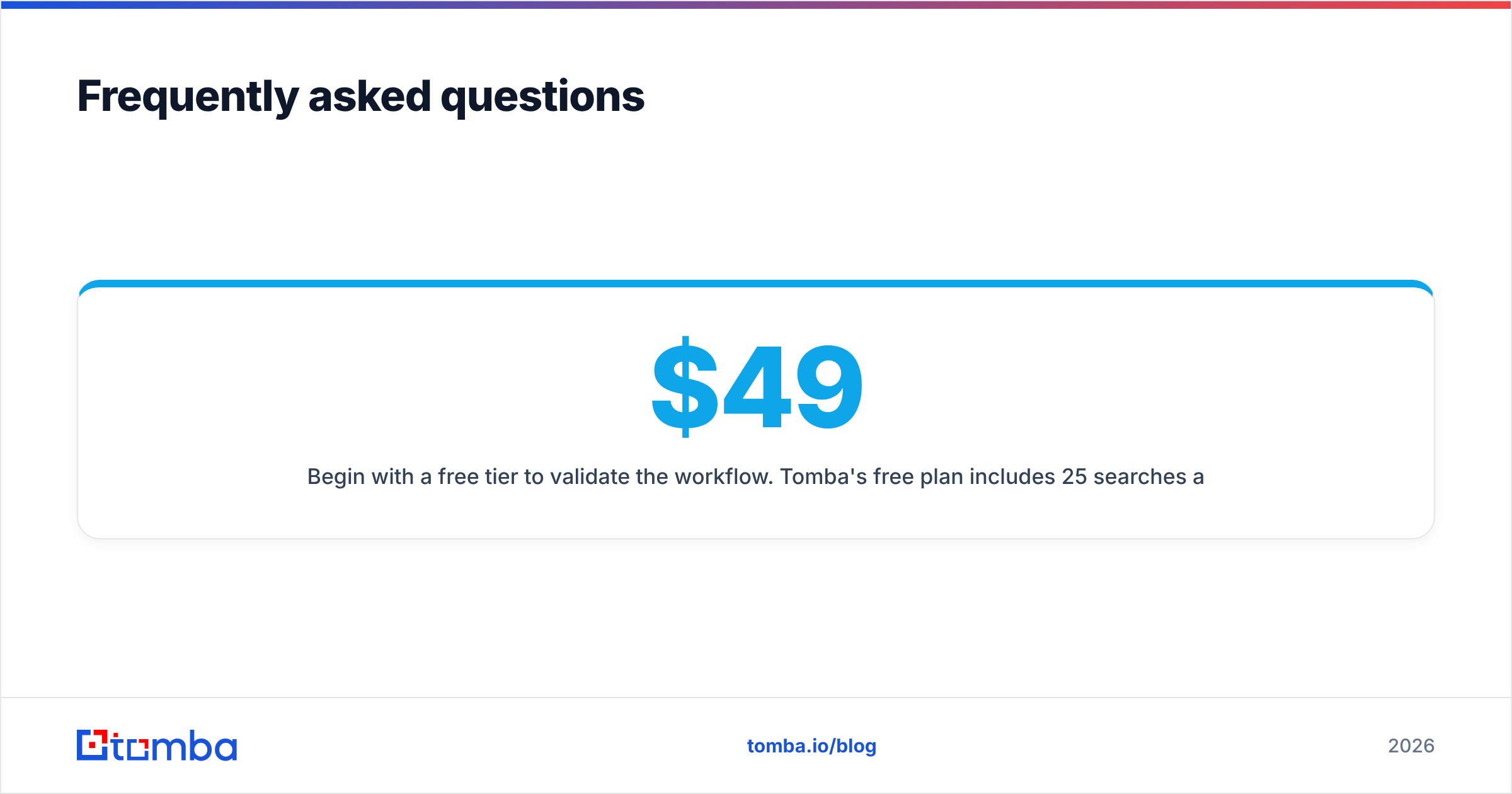
What's the cheapest way to start? Begin with a free tier to validate the workflow. Tomba's free plan includes 25 searches a month, and paid plans start at $49/mo (Starter), $99/mo (Growth), and $249/mo (Pro) as you scale volume.
Where to start#
The fastest way to see results is to fix the data layer first — because every open, reply, and booked meeting downstream depends on reaching a real person. Source your first tight segment with the Tomba Email Finder, verify every address before it enters a sequence, and only then turn on the sending automation. Get the foundation right and automation becomes the leverage it's supposed to be, not the liability it becomes for teams that skip it. Start with the free tier, prove one segment, and scale what replies.
Related guides#
// get started
Find, verify and enrich your first contacts today
Start on the free plan with 25 searches a month, then scale when your team is ready.
Free plan · No credit card required · GDPR & CCPA
// about the author