Cold Email Deliverability: The 2026 Guide to the Inbox
Great copy means nothing if it lands in spam. Here is the 2026 playbook for cold email deliverability — authentication, warmup, list hygiene, and the metrics that actually move the needle.
Your subject line can be perfect, your offer irresistible, and your timing flawless — and none of it matters if the email never reaches the inbox. Cold email deliverability is the difference between a campaign that books meetings and one that quietly rots in a spam folder no one opens.
This guide breaks down exactly what controls whether your cold emails land, the technical setup you cannot skip, and the day-to-day habits that keep your sender reputation healthy in 2026.
TL;DR#
- Cold email deliverability is the rate at which your emails reach the primary inbox instead of spam, promotions, or a hard bounce.
- Three pillars decide it: authentication (SPF, DKIM, DMARC), sender reputation, and list quality.
- Verify every address before you send — bounces above ~2–3% signal spammy behavior and tank your reputation fast.
- Warm up new domains and inboxes for 2–4 weeks before scaling, and keep daily volume conservative.
- Deliverability is a maintenance job, not a one-time setup. Monitor bounce rate, spam complaints, and reply rate weekly.
What is cold email deliverability?#
Cold email deliverability is the percentage of your sent emails that actually land in a recipient's primary inbox — not the spam folder, not Gmail's Promotions tab, and not a bounce report.
Think of it like getting past a nightclub bouncer. Your email (the guest) can be dressed perfectly, but the mailbox provider (the bouncer) checks your ID, your reputation, and whether you're on any blacklists before deciding if you get in. Authentication is your ID. Sender reputation is your name on the list. List hygiene is showing up sober and behaving.
Technically, providers like Google and Microsoft score every sending domain and IP on hundreds of signals, then route mail accordingly. A message that "sends successfully" from your tool can still be filtered to spam — email deliverability measures placement, not just delivery.
Why do cold emails land in spam?#
Most deliverability problems trace back to a handful of causes. Here are the ones that account for the vast majority of spam placement:
- Missing or broken authentication. No SPF, DKIM, or DMARC records means providers can't confirm you are who you claim to be — an instant trust penalty.
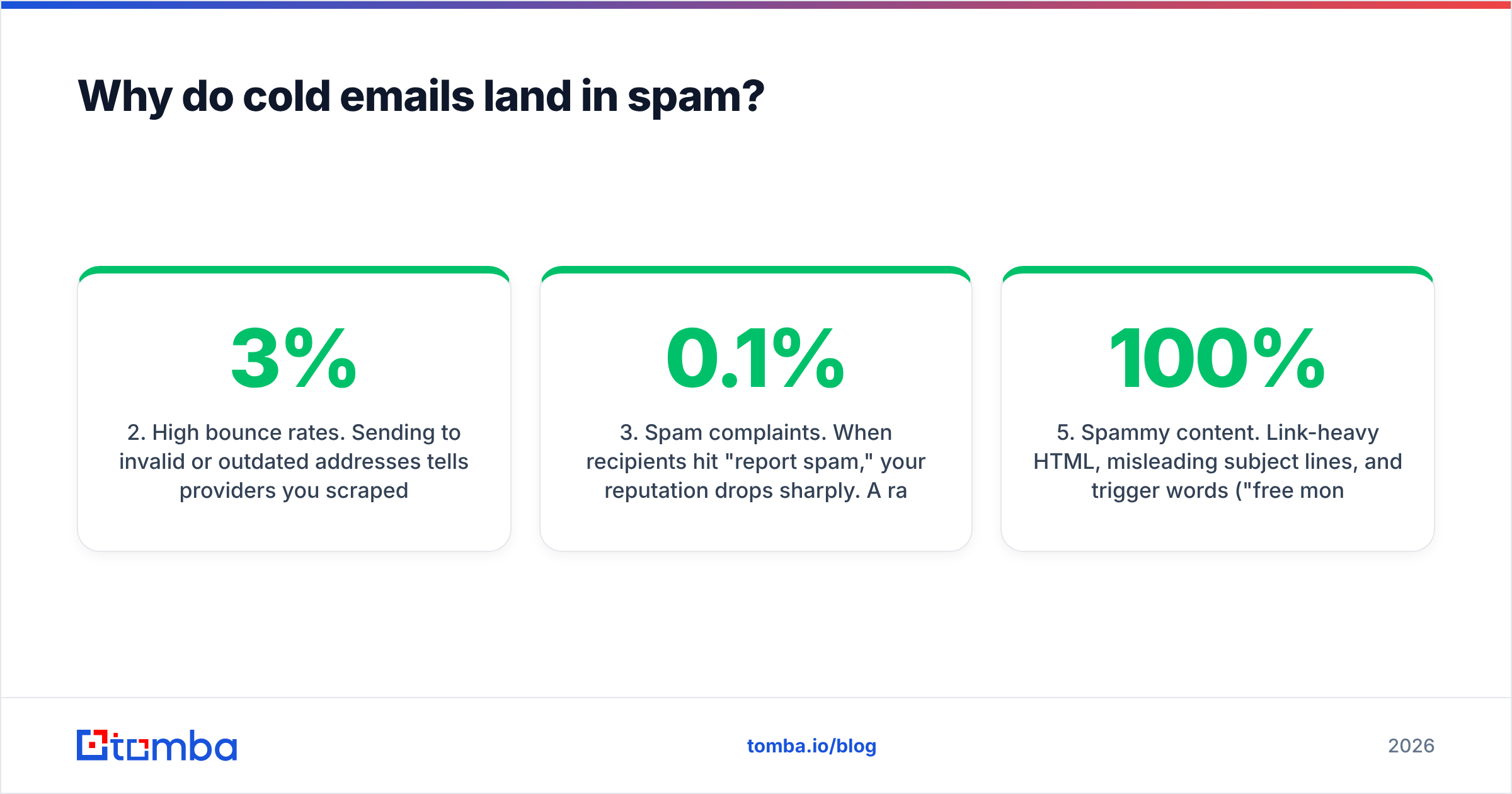
- High bounce rates. Sending to invalid or outdated addresses tells providers you scraped a list instead of earning it. Keep bounces under 2–3%.
- Spam complaints. When recipients hit "report spam," your reputation drops sharply. A rate above 0.1% (one in 1,000) is dangerous.
- Cold domain, hot volume. Blasting 500 emails from a brand-new domain on day one is the fastest way to get flagged.
- Spammy content. Link-heavy HTML, misleading subject lines, and trigger words ("free money," "act now," "100% guaranteed") still hurt.
- Poor list quality. Buying lists, sending to role addresses (info@, sales@), and never removing unengaged contacts all erode placement.
What technical setup do I need for good deliverability?#
Authentication is non-negotiable. As of 2024, both Google and Yahoo require SPF, DKIM, and DMARC for bulk senders, and Microsoft has followed with similar rules. Skipping any of these in 2026 means your mail is filtered before a human ever sees it.
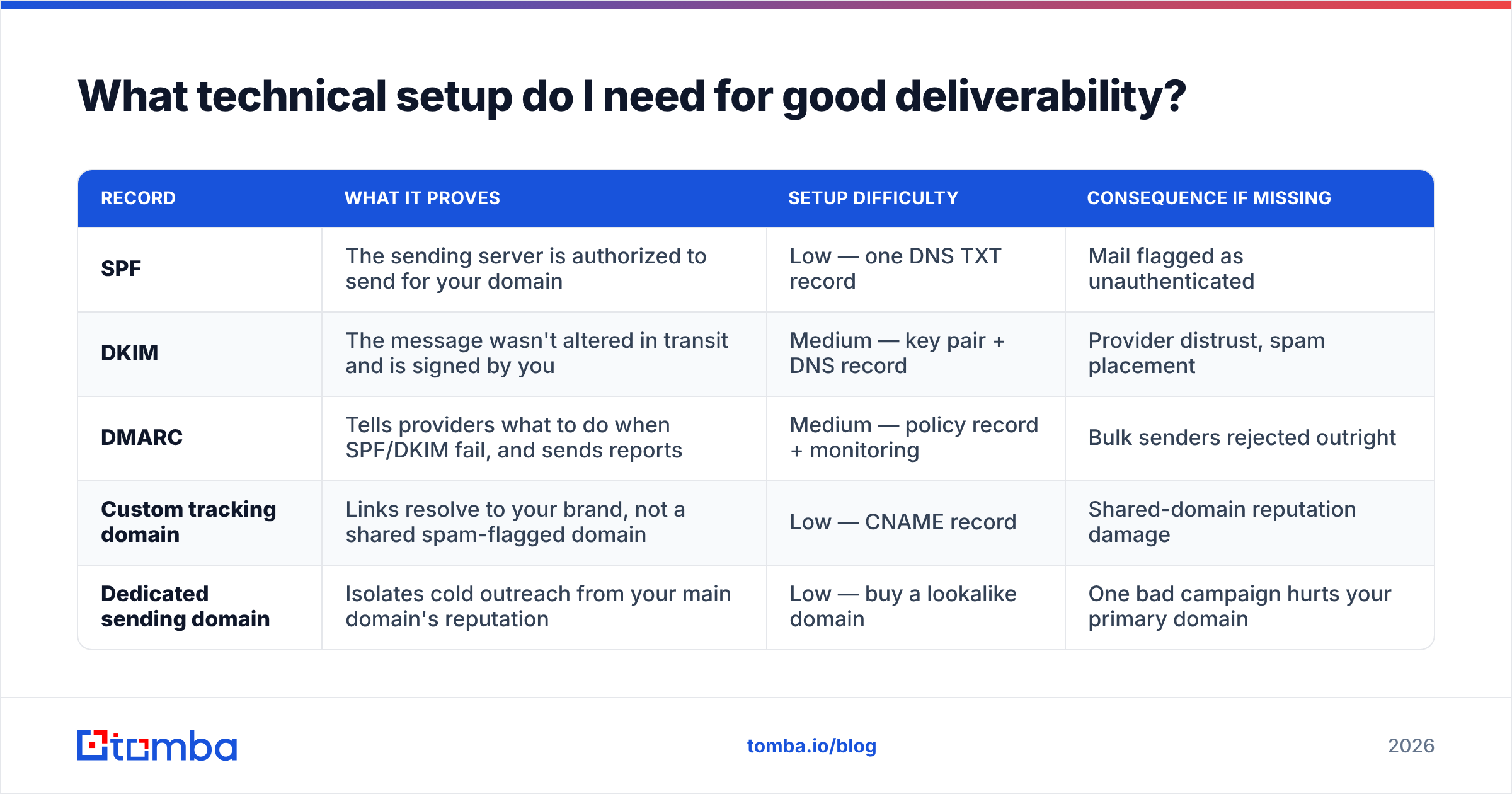
Here is what each record does and why it matters:
| Record | What it proves | Setup difficulty | Consequence if missing |
|---|---|---|---|
| SPF | The sending server is authorized to send for your domain | Low — one DNS TXT record | Mail flagged as unauthenticated |
| DKIM | The message wasn't altered in transit and is signed by you | Medium — key pair + DNS record | Provider distrust, spam placement |
| DMARC | Tells providers what to do when SPF/DKIM fail, and sends reports | Medium — policy record + monitoring | Bulk senders rejected outright |
| Custom tracking domain | Links resolve to your brand, not a shared spam-flagged domain | Low — CNAME record | Shared-domain reputation damage |
| Dedicated sending domain | Isolates cold outreach from your main domain's reputation | Low — buy a lookalike domain | One bad campaign hurts your primary domain |
A few practical rules that go beyond the records themselves:
- Never send cold email from your primary domain. Use a separate domain (for example,
getyourcompany.cominstead ofyourcompany.com) so a reputation hit never touches your corporate mail. - Set your DMARC policy to
p=nonefirst, monitor the reports for a couple of weeks, then tighten toquarantineorrejectonce you confirm legitimate mail passes. You can validate your setup with a free SPF checker before you launch. - Add a custom tracking domain in your sending tool so open-tracking links don't route through a shared, often-blacklisted domain.
For a deeper reference on how these standards work under the hood, the Wikipedia entry on DMARC is a solid, vendor-neutral explainer.
How do I warm up a new domain and inbox?#
Warmup is the process of gradually increasing sending volume from a new domain and mailbox so providers build a positive reputation for you over time. Skipping it is the single most common mistake new senders make.
The logic is simple: a brand-new domain that suddenly sends hundreds of cold emails looks exactly like a spammer who just registered a throwaway domain. A domain that starts with a handful of emails and ramps slowly while getting replies looks like a real person.
A conservative 2026 warmup schedule looks like this:
- Week 1: 5–15 emails/day per inbox, ideally to engaged contacts or a warmup network.
- Week 2: 15–30 emails/day.
- Week 3: 30–50 emails/day.
- Week 4+: Scale toward your target, capping most inboxes around 40–50 cold emails/day.
To send more, add more inboxes and domains rather than pushing one mailbox harder. Many teams run several dedicated domains with 2–3 inboxes each. You can estimate your ramp timeline with a warmup calculator to avoid guesswork.
Automated warmup tools (Instantly, Warmbox, Mailreach, and others) simulate real conversations — sending, opening, and replying to seed inboxes — to build engagement signals. They help, but they don't fix a bad list or missing authentication.
How does list quality affect deliverability?#
List quality is the foundation everything else sits on. You can have flawless authentication and a perfectly warmed domain, and still get torched by sending to a list full of dead addresses.
Every email you send to an invalid address produces a hard bounce. Providers watch bounce rates closely because scraped and purchased lists — the hallmark of spammers — are full of them. Cross the 2–3% bounce threshold and your reputation drops immediately.
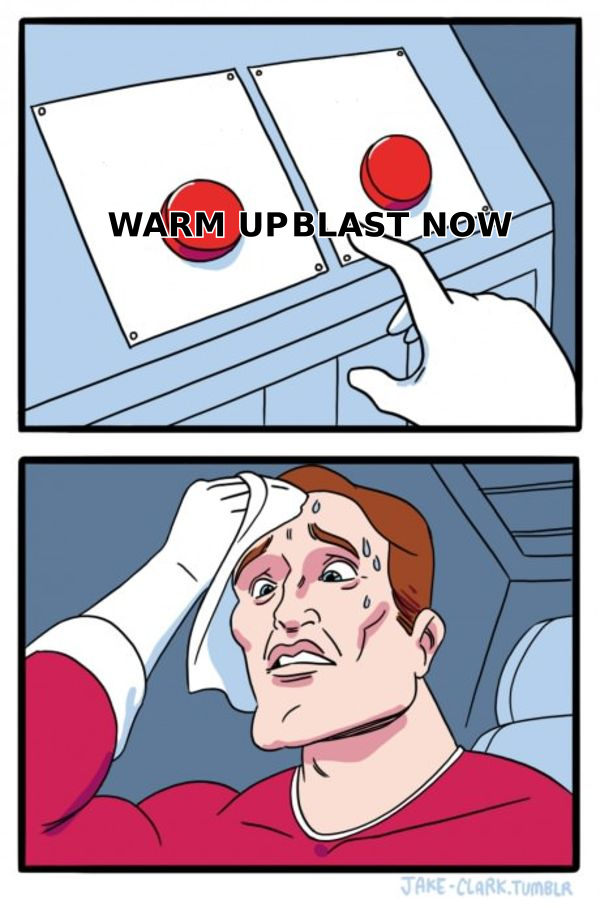
The fix is straightforward: verify before you send. Run your list through an email verifier to catch invalid, disposable, and role-based addresses, and use a catch-all verifier to handle domains that accept everything. This alone can cut bounce rates from double digits to under 1%.
Beyond verification, keep these habits:
- Suppress role addresses (info@, support@, admin@) — they rarely convert and often trigger complaints.
- Remove unengaged contacts after a few no-opens; dead weight drags reputation down.
- Segment by engagement so your best-performing sends build reputation for the rest.
- Never buy lists. Build them with a real email finder or domain search so every contact is fresh and permission-adjacent.
Warmup tools vs. list verification: where should you invest first?#
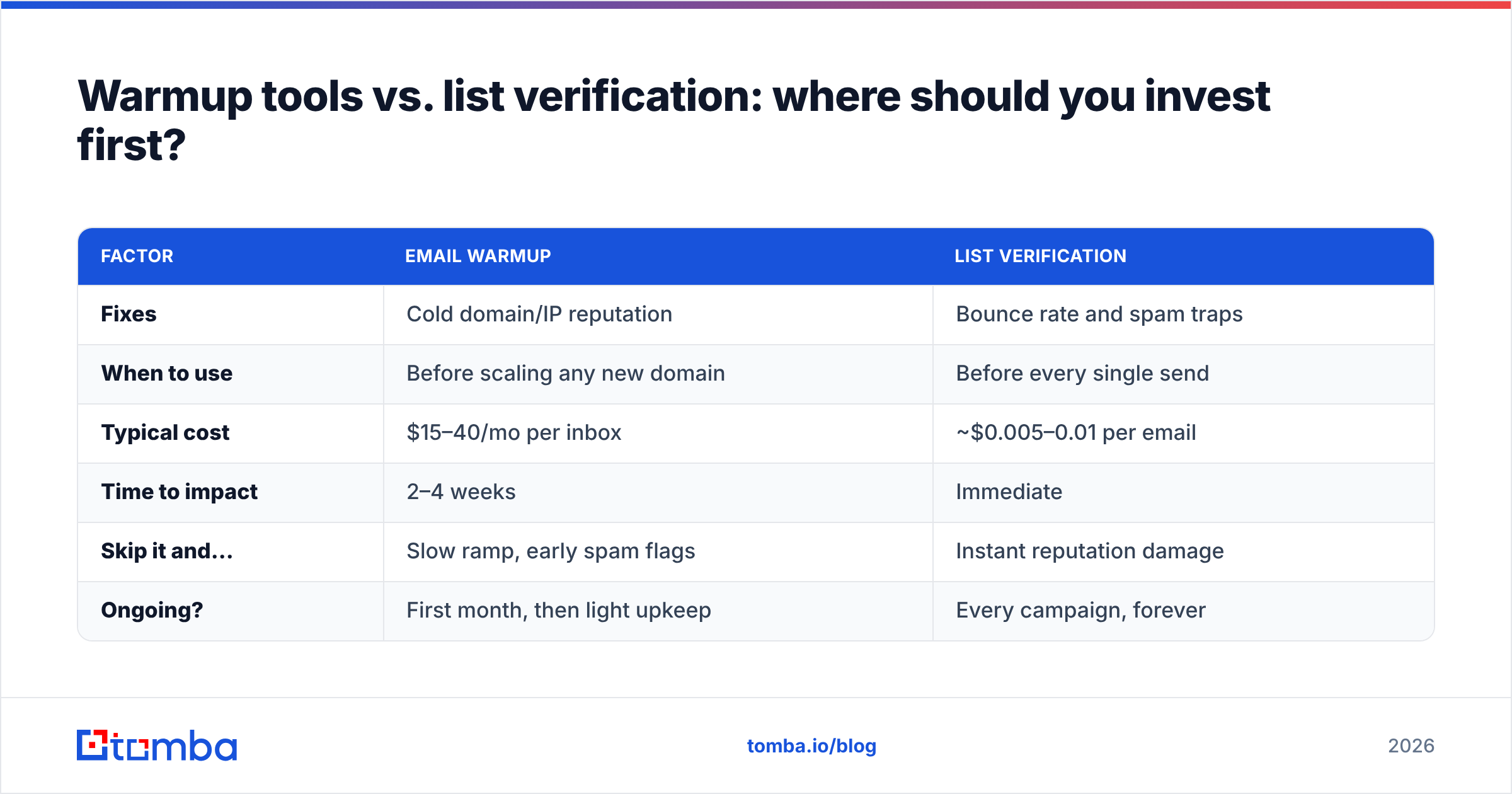
Both matter, but they solve different problems. Here's how they compare so you can prioritize:
| Factor | Email warmup | List verification |
|---|---|---|
| Fixes | Cold domain/IP reputation | Bounce rate and spam traps |
| When to use | Before scaling any new domain | Before every single send |
| Typical cost | $15–40/mo per inbox | ~$0.005–0.01 per email |
| Time to impact | 2–4 weeks | Immediate |
| Skip it and... | Slow ramp, early spam flags | Instant reputation damage |
| Ongoing? | First month, then light upkeep | Every campaign, forever |
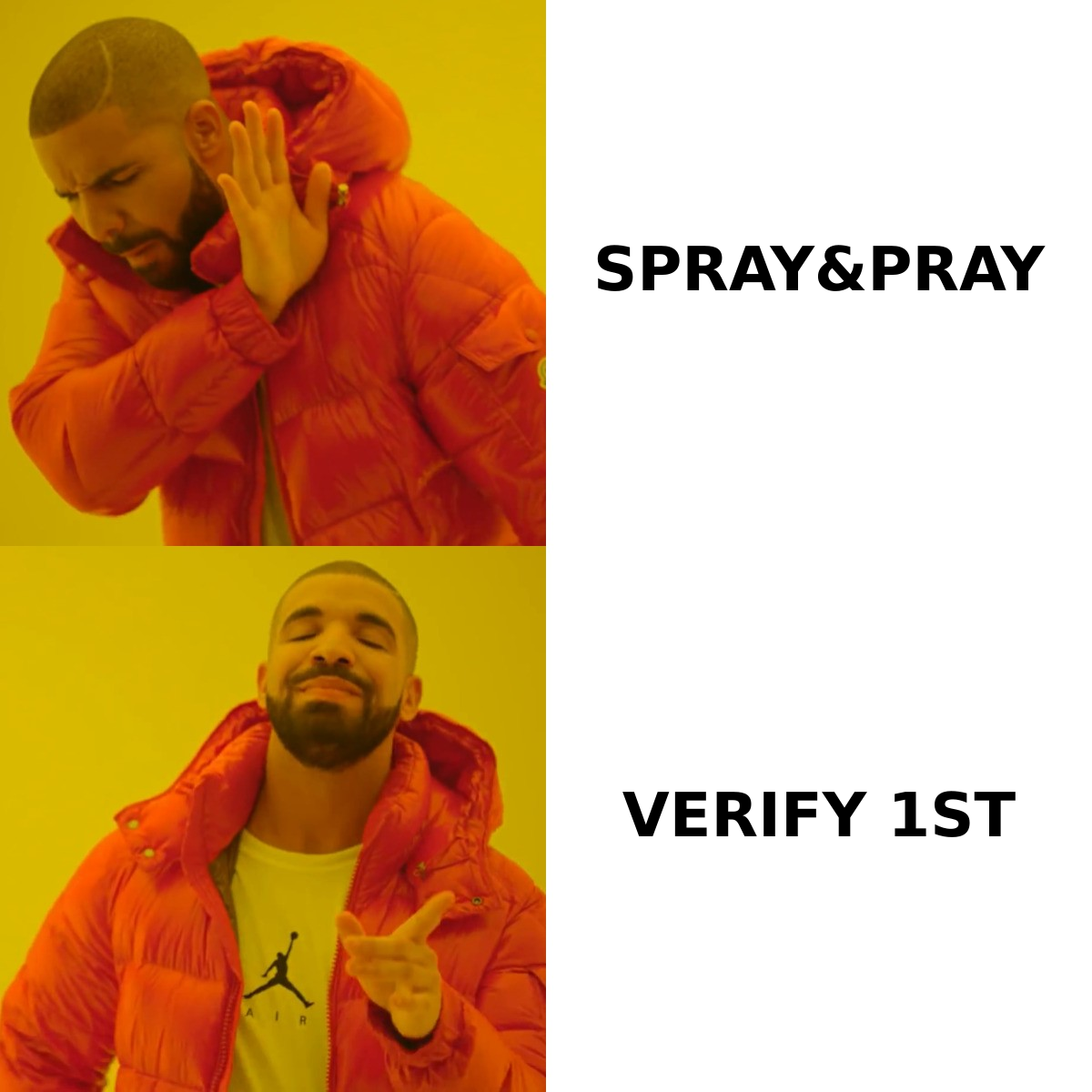
The verdict: verify first, warm up in parallel. Verification protects you from the fastest way to destroy a sender reputation (a bounce spike), while warmup is a slower-burn reputation builder. If you only have budget for one this week, clean the list.
What deliverability metrics should I monitor?#
Deliverability is a maintenance job, not a set-it-and-forget-it configuration. Watch these numbers every week:
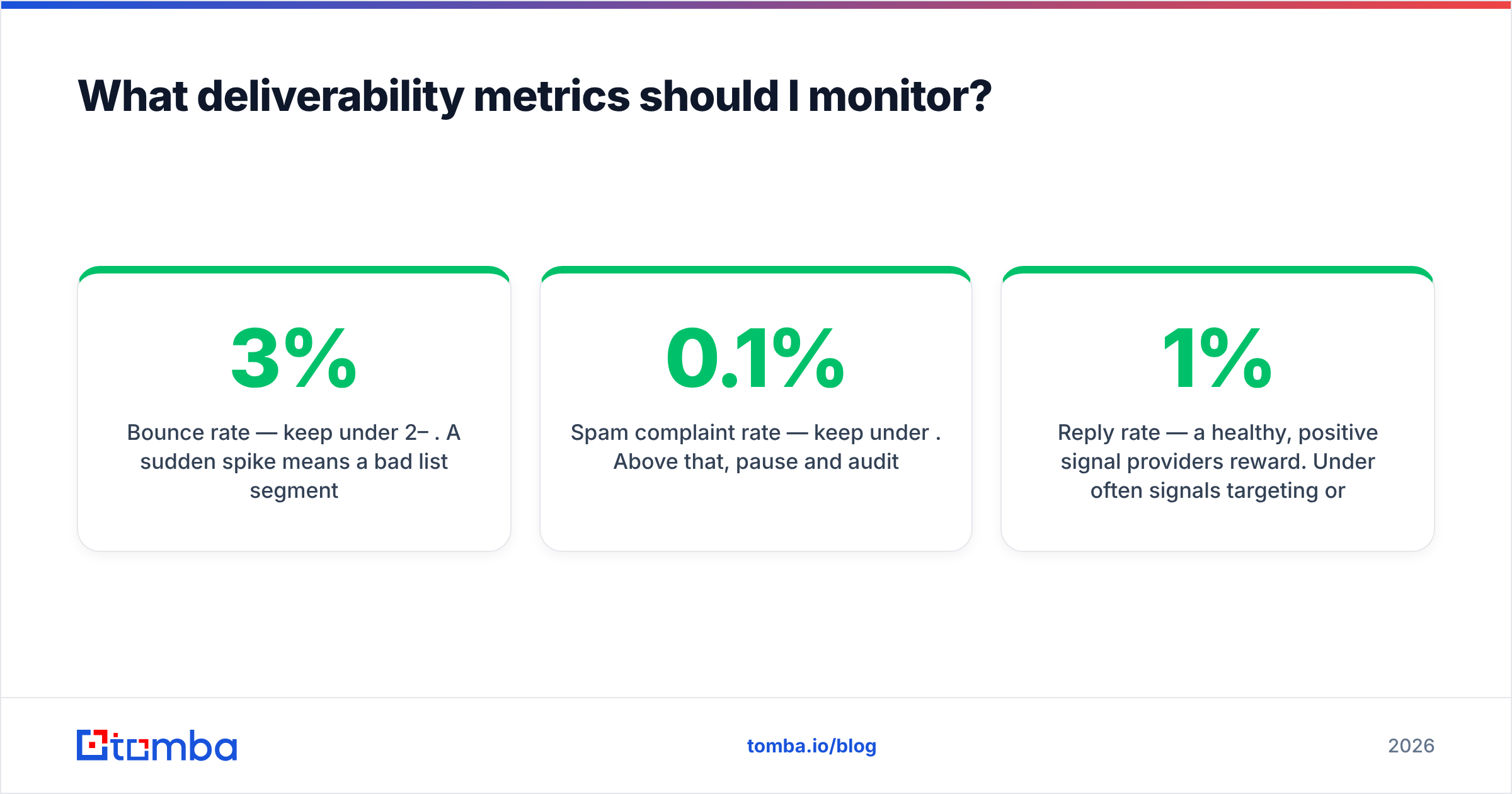
- Bounce rate — keep under 2–3%. A sudden spike means a bad list segment.
- Spam complaint rate — keep under 0.1%. Above that, pause and audit.
- Reply rate — a healthy, positive signal providers reward. Under 1% often signals targeting or placement problems.
- Open rate — imperfect (Apple Mail Privacy Protection inflates it), but a sudden drop can indicate spam placement.
- Inbox placement — use seed-list tests to see whether you're hitting Primary, Promotions, or Spam across providers.
The most authoritative free monitor is Google Postmaster Tools, which shows your domain reputation, spam rate, and authentication pass rates directly from Gmail. Set it up before your first real campaign. It's also worth periodically checking your sender reputation against public blacklists.
For teams running high volume, HubSpot's email deliverability guidance and similar vendor resources are useful for benchmarking against industry norms — but your own Postmaster data is the ground truth.
A simple 2026 deliverability checklist#
Run through this before every new cold email program:
- Buy a dedicated sending domain separate from your primary.
- Configure SPF, DKIM, and DMARC and confirm they pass.
- Add a custom tracking domain.
- Warm up each inbox for 2–4 weeks.
- Verify your entire list and remove invalids, disposables, and role addresses.
- Cap volume at ~40–50 emails/day per inbox.
- Write plain, personal emails — minimal links, no spam triggers, a clear one-line ask.
- Monitor bounces, complaints, and Postmaster reputation weekly.
- Prune unengaged contacts on a rolling basis.
Miss any one of these and the others can't fully compensate. Deliverability is a chain — it's only as strong as the weakest link.
Frequently asked questions#
How long does it take to fix bad deliverability? If the damage is from a bad list, cleaning it and pausing helps within days. Reputation damage from spam complaints or blacklisting can take 2–4 weeks of careful, low-volume sending to recover — and sometimes it's faster to start fresh with a new domain.
Can I send cold email from my main company domain? You can, but you shouldn't. A single bad campaign can damage the domain your invoices and customer emails rely on. Always isolate cold outreach on a dedicated domain.
Does personalization actually improve deliverability? Yes, indirectly. Personalized, relevant emails get more replies and fewer complaints, and both are signals providers use to route your mail to the inbox.
How many emails can I safely send per day? After a full warmup, keep most inboxes at 40–50 cold emails/day. To scale, add inboxes and domains rather than overloading a single mailbox.
Put deliverability on solid ground#
Deliverability starts long before you hit send — it starts with a clean, accurate list. The Tomba Email Finder helps you build lists from verified professional addresses by name, company, or domain, so you're not warming up a great domain only to burn it on bounces. Pair it with Tomba's email verifier, and you protect the sender reputation that every reply depends on. Start free with 25 searches a month, and check the full Tomba pricing when you're ready to scale.
Related guides#
Ready to find emails that actually work?
Join 150,000+ professionals who stopped guessing and started sending. Free credits on signup — no credit card required.
Get the Tomba newsletter
Practical outbound tactics and product updates — once every two weeks.
About the author