Cold Email Marketing in 2026: The Complete No-Fluff Guide
Cold email still works in 2026 — but the failure point moved. It's rarely the copy. It's the data, the sending infrastructure, and the volume math. Here's the whole system, end to end.
TL;DR
- Cold email marketing in 2026 is a data problem wearing a copywriting costume. Bad addresses kill campaigns before a subject line matters.
- Google and Microsoft now enforce authentication (SPF, DKIM, DMARC) and a spam-complaint ceiling of 0.3%. Miss either and you never reach the inbox.
- A realistic benchmark for a well-run campaign: 40-60% open, 4-8% reply, 1-3% meeting-booked. Anyone promising 30% reply rates is selling something.
- Verify every address before send. A 2% bounce rate is the practical ceiling; 5% gets your domain throttled.
- Volume scales with domains and mailboxes, not with sending harder from one inbox. 30-50 sends per mailbox per day is the safe band.
What is cold email marketing, exactly?#
Cold email marketing is sending a commercial message to someone who never asked to hear from you, with the goal of starting a conversation — not closing a deal in one shot.
Think of it like knocking on doors in a neighborhood where you've done your homework. You know who lives there, you know what problem their house has, and you knock at a reasonable hour. The alternative — blasting 50,000 scraped addresses with a merge tag — is closer to throwing flyers at windows. Both are technically "outreach." Only one gets invited in.
The distinction matters legally too. Cold email is not spam by definition. Under the CAN-SPAM Act, unsolicited commercial email is legal in the US provided you identify yourself, use accurate headers and subject lines, disclose that it's an ad, include a physical address, and honor opt-outs within 10 business days. GDPR in the EU is stricter — you need a legitimate-interest basis and must be able to defend it — but B2B cold email to a business role address remains lawful in most member states when the offer is relevant to the recipient's job.
What separates cold email marketing from cold emailing is systematisation: a repeatable data pipeline, sending infrastructure that scales, message variants you actually test, and reply handling that doesn't collapse when it works.
Why do most cold email campaigns fail before the first send?#
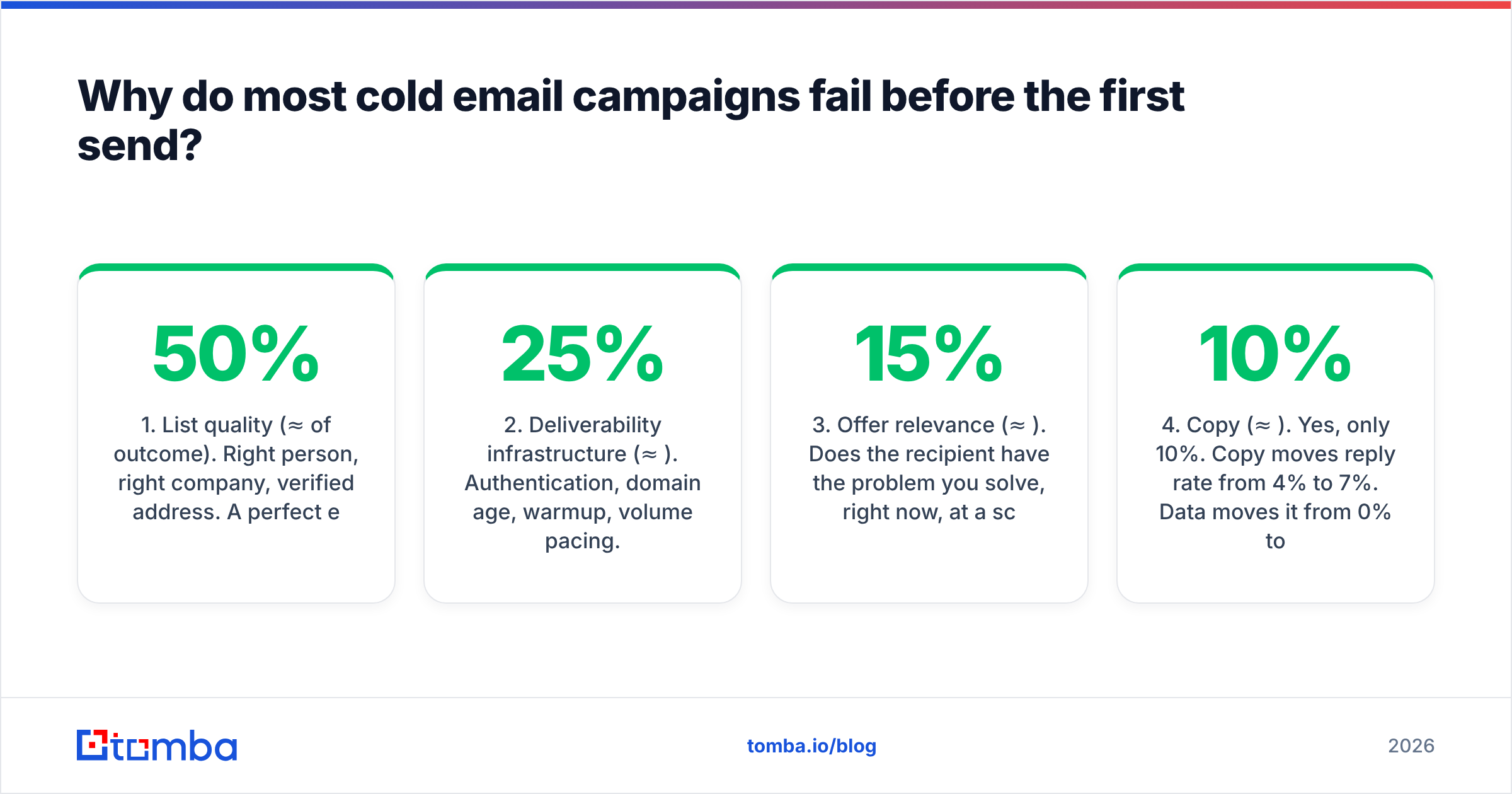
Because teams optimise the wrong layer. Here's the honest ordering of impact, from a few hundred campaigns' worth of pattern:
- List quality (≈50% of outcome). Right person, right company, verified address. A perfect email to the wrong VP outperforms nothing. A perfect email to a dead address outperforms nothing and damages your domain.
- Deliverability infrastructure (≈25%). Authentication, domain age, warmup, volume pacing. This is the plumbing. It's invisible until it's broken, and then nothing else matters.
- Offer relevance (≈15%). Does the recipient have the problem you solve, right now, at a scale that justifies a call?
- Copy (≈10%). Yes, only 10%. Copy moves reply rate from 4% to 7%. Data moves it from 0% to 4%.
Most teams invert this list. They A/B test subject lines on a list where 22% of the addresses don't exist.
The second failure mode is sequence math. If you send 50 emails, get two replies, and conclude "cold email doesn't work," you've drawn a conclusion from noise. At a 5% reply rate, 50 sends produces between 0 and 6 replies purely by chance. You need 500-1,000 sends per variant before a difference means anything.
How do you build a cold email list that doesn't bounce?#
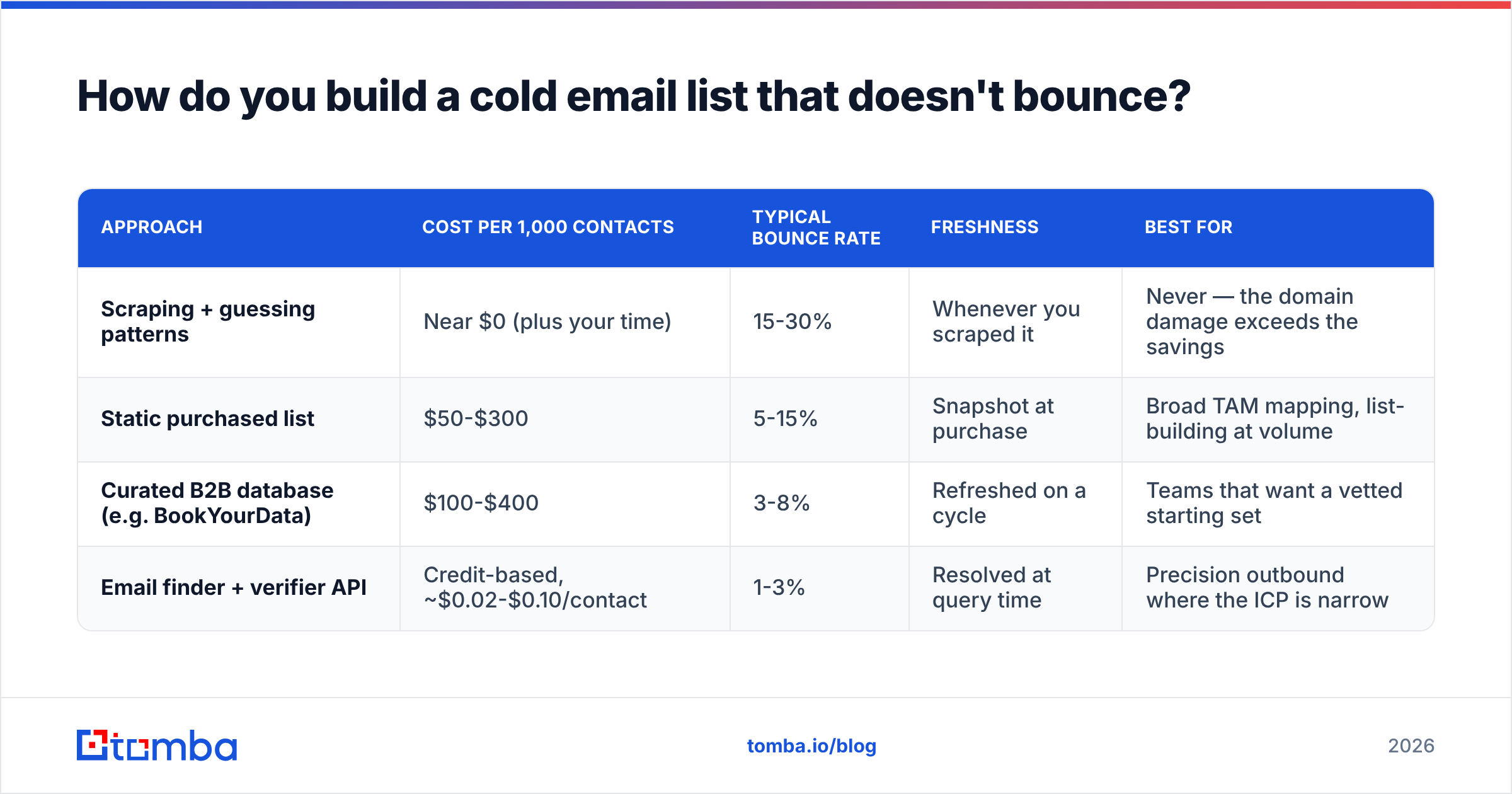
Three sourcing paths exist, and they trade off differently.
| Approach | Cost per 1,000 contacts | Typical bounce rate | Freshness | Best for |
|---|---|---|---|---|
| Scraping + guessing patterns | Near $0 (plus your time) | 15-30% | Whenever you scraped it | Never — the domain damage exceeds the savings |
| Static purchased list | $50-$300 | 5-15% | Snapshot at purchase | Broad TAM mapping, list-building at volume |
| Curated B2B database (e.g. BookYourData) | $100-$400 | 3-8% | Refreshed on a cycle | Teams that want a vetted starting set |
| Email finder + verifier API | Credit-based, ~$0.02-$0.10/contact | 1-3% | Resolved at query time | Precision outbound where the ICP is narrow |
The key variable is when the address was validated. A list purchased in January and sent in June is a June list built on January truth. Roughly 2-3% of B2B contacts change roles every month; by month six you've lost ~15% of the list to attrition alone.
That's why resolve-at-send-time beats buy-once. Tools like the Tomba Email Finder query the address when you need it, rather than handing you a snapshot. Pair it with an email verifier pass immediately before the campaign launches, and you compress bounce rate into the 1-3% band where mailbox providers leave you alone.
A practical sourcing workflow:
- Define the ICP tightly. "Series A-B SaaS, 20-200 employees, US/UK, has a sales team." Not "B2B companies."
- Build the account list first. 200-500 companies, not contacts. Company-level targeting is cheaper to get right.
- Find the personas per account. Use domain search to pull every discoverable address at a company, then filter by title. This surfaces the person you didn't know to look for.
- Verify everything. Every address, every time, before send. Non-negotiable.
- Handle catch-all domains separately. Roughly 15-20% of B2B domains accept all mail, so standard SMTP verification returns "unknown." A catch-all verifier resolves a portion of these; the rest go into a lower-volume, higher-caution segment or get dropped.
- Enrich for personalisation hooks. Funding, headcount change, tech stack, recent hire. One real hook beats five merge tags.
What deliverability setup do you need in 2026?#
Since the Google bulk sender requirements took effect, the floor moved. These are now table stakes, not optimisations:
- SPF record published on the sending domain, authorising your sending service.
- DKIM signing enabled and passing.
- DMARC policy published — start at
p=none, monitor reports, move top=quarantine. - One-click unsubscribe (
List-Unsubscribeheader withOne-Click), not just a footer link. - Spam complaint rate below 0.3%. Above that, Gmail throttles. Above 0.5%, it filters aggressively.
- Forward and reverse DNS matching on your sending IP.
Beyond compliance, the operational rules:
Never send cold email from your primary domain. Buy lookalike domains — getacme.com, acme-hq.com — and send from those. If a domain gets burned, your company's actual mail keeps flowing. Redirect the cold domains to your main site.
Warm up every mailbox for 3-4 weeks before real volume. Warmup services simulate organic engagement — sends, opens, replies, moves-out-of-spam — building a positive reputation signal. Ramp from ~5 sends/day to your target over the warmup window. A warmup calculator will tell you how long your ramp needs to be for a given target volume.
Cap at 30-50 cold sends per mailbox per day. Not 200. This is the single most common self-inflicted wound. Need 1,000 sends/day? That's 3-4 domains × 6-8 mailboxes each, not one heroic inbox.
Keep sending patterns human. Randomised intervals, business hours in the recipient's timezone, no weekend blasts, plain text or near-plain HTML, and zero tracking pixels if you can live without open rates. Apple Mail Privacy Protection already made open rate a soft metric; pixel-free sending measurably improves inbox placement.
Monitor reputation weekly. Google Postmaster Tools for Gmail-side signals, a blacklist checker for RBL listings, and a spam checker run on your actual template before launch. If your sender reputation dips, pause, don't push.
Does cold email copy actually matter?#
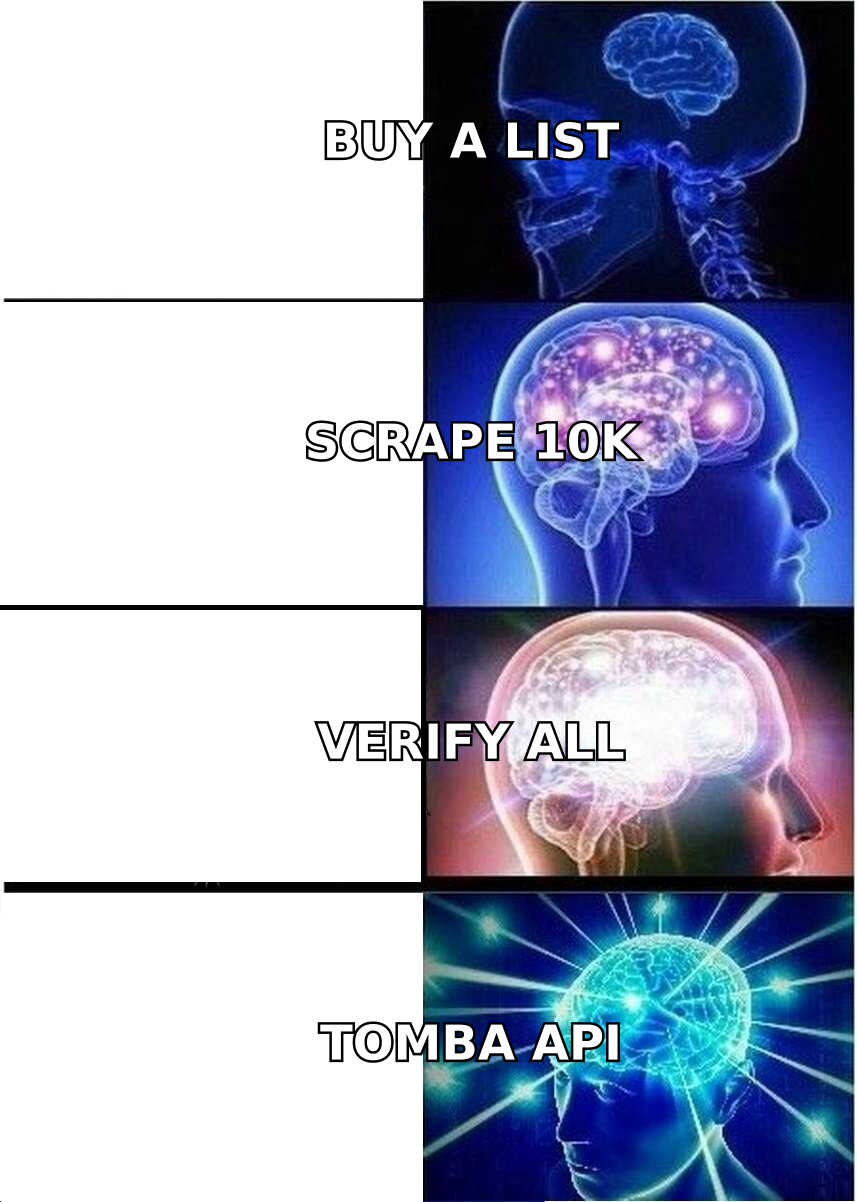
It matters — it's just the last 10%, not the first 90%. And the rules are boring:
Length. 50-125 words. Anything longer gets skimmed to death on mobile.
Subject line. 2-5 words, lowercase, no punctuation gimmicks. "quick question about hiring" outperforms "🚀 Transform Your Hiring Process Today!" by a wide margin, because the first looks like a colleague and the second looks like a campaign. Run candidates through a subject line tester before committing.
Opening line. Never "I hope this email finds you well." Never "My name is X and I'm the founder of Y." Open with them: an observation, a trigger event, a specific detail only someone who looked would know.
Body. One problem, one proof point, one ask. The proof point should be a number attached to a company your reader recognises as a peer, not a logo wall.
CTA. Ask for interest, not for time. "Worth a look?" converts better than "Do you have 15 minutes Tuesday at 2pm ET?" because the first costs the reader nothing to answer.
Follow-ups. 3-4 total touches, spaced 3-4-7 days. Roughly 40-50% of replies arrive on touch two or later. Each follow-up must add something — a case study, a different angle, a resource — not "just bumping this up."
Here's the uncomfortable truth about personalisation: heavy manual personalisation on a bad list produces worse ROI than light personalisation on a great list. Personalisation is a multiplier on relevance, and if relevance is zero, the multiplier does nothing. Spend the hour on the list.
How do the tool categories compare?#
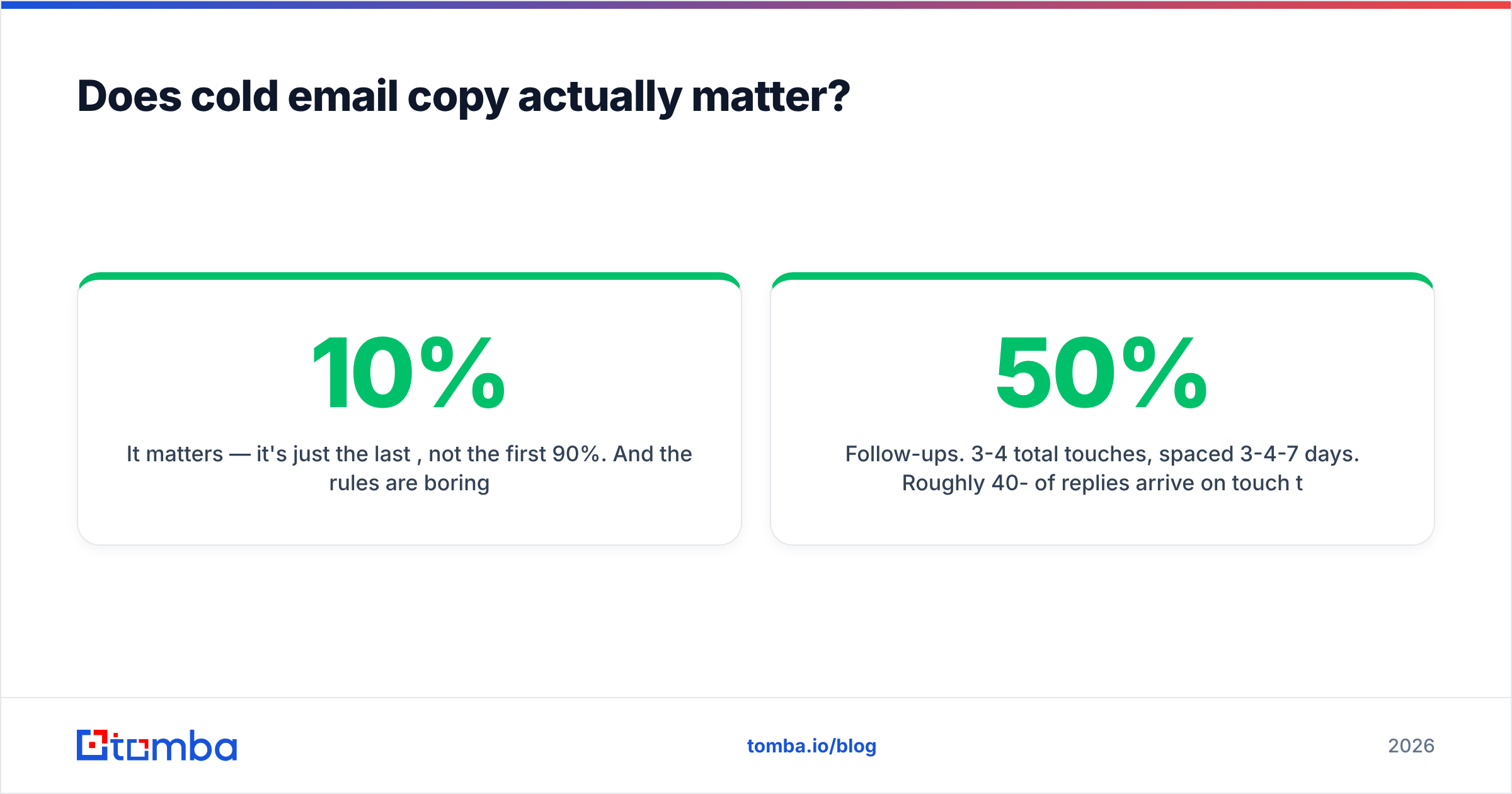
Cold email marketing spans four distinct tool categories. Buying one thinking it does another is the most common procurement mistake.
| Category | What it does | Representative pricing | What it does NOT do |
|---|---|---|---|
| Email finder / enrichment | Resolves and verifies contact data | Tomba: free 25/mo, Starter $49/mo, Growth $99/mo, Pro $249/mo | Send email, manage sequences |
| Sending / sequencing platform | Schedules, rotates mailboxes, tracks replies | $30-$100 per user/mo typical | Find or verify addresses reliably |
| Warmup service | Builds mailbox reputation pre-send | $15-$40 per mailbox/mo | Fix a bad list |
| CRM | Stores the pipeline after a reply | $0-$150 per user/mo | Generate the pipeline |
Most all-in-one platforms bundle a thin version of the finder layer, and that's usually where the accuracy loss hides — you get an address, you don't get confidence in the address. Running a dedicated finder and verifier upstream of your sequencer costs a few cents per contact and buys back two to four percentage points of bounce rate, which is the difference between a healthy domain and a throttled one.
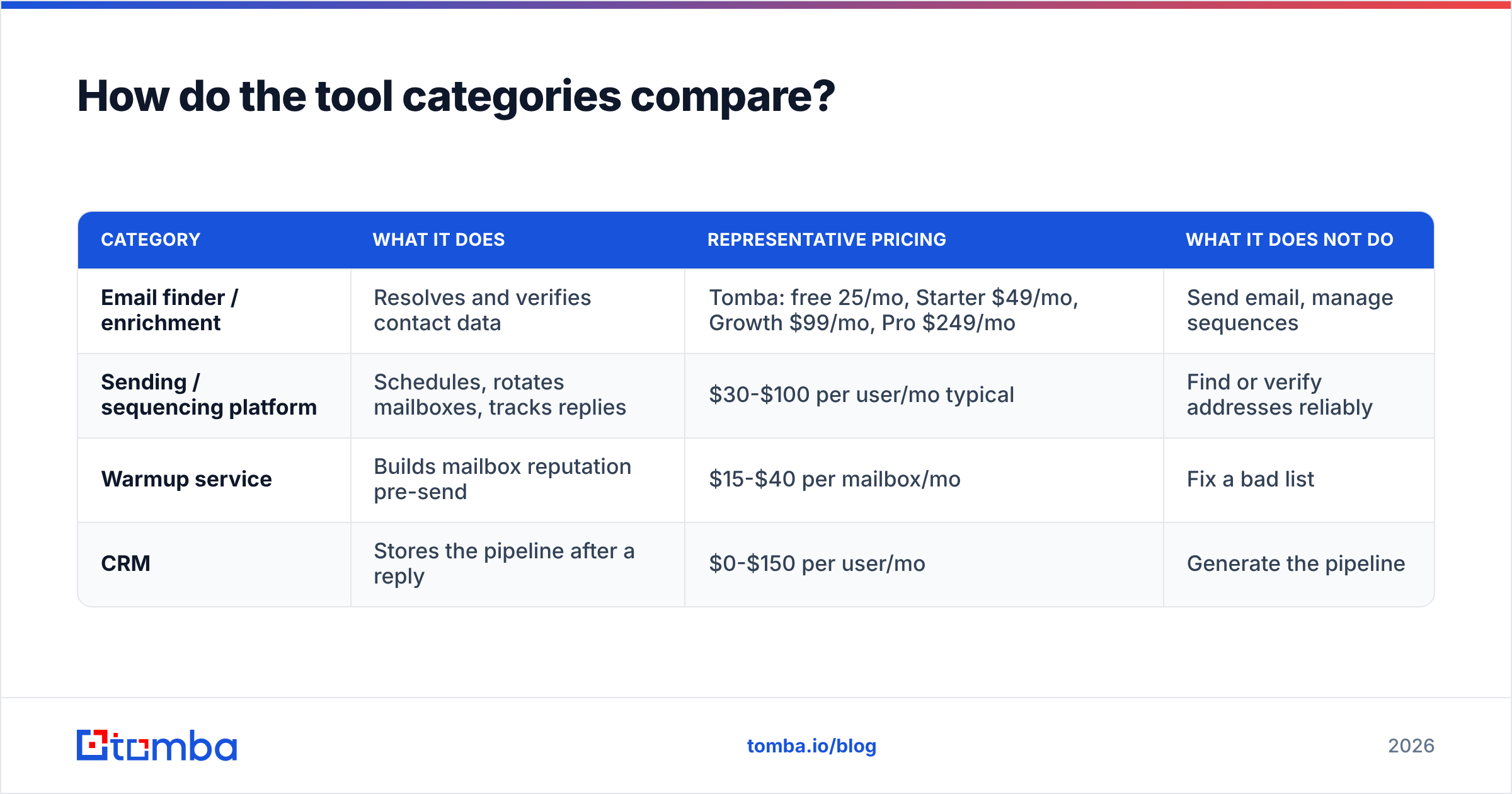
For teams operating at volume, the bulk email finder path (upload a CSV of names + domains, get back verified addresses) or the Tomba API inside your enrichment job is the sane architecture. Data resolution belongs in the pipeline, not in a spreadsheet someone maintains by hand.
What should you actually measure?#
Open rate is nearly dead as a metric — privacy proxies inflate it and pixel-free sending removes it entirely. Track these instead:
- Bounce rate. Target under 2%. Above 5%, stop the campaign immediately and re-verify.
- Reply rate. Total replies ÷ delivered. Healthy: 4-8%. Under 2% means the list, offer, or targeting is off.
- Positive reply rate. Replies expressing interest ÷ delivered. Healthy: 1-3%. This is the number that predicts pipeline.
- Meetings booked per 1,000 sends. The only metric a CFO cares about. 10-25 is a well-run campaign.
- Spam complaint rate. Must stay under 0.3%. Check Postmaster Tools weekly.
- Unsubscribe rate. 0.5-2% is normal and healthy. Zero unsubscribes means nobody's reading.
Run the arithmetic backwards from your goal. Need 10 meetings a month at a 1.5% positive reply rate and a 2% bounce rate? That's roughly 700 delivered emails, ~715 sends, ~180 per week — comfortably inside two warmed mailboxes. Suddenly "we need 50,000 contacts" evaporates. Most teams need a smaller, cleaner list and more patience, not more volume. HubSpot's outbound benchmarks and peer data on G2 both land in the same ranges; treat anything wildly above them as a marketing claim rather than a target.
What does a working cold email system look like end to end?#
- Account list — 300 companies matching a tight ICP.
- Contact resolution — 2-3 personas per account via domain search, ~750 contacts.
- Verification — bulk verify, drop invalids and risky catch-alls, ~700 survive.
- Infrastructure — 3 secondary domains, 6 mailboxes, 4 weeks of warmup running in parallel with steps 1-3.
- Sequence — 4 touches over 14 days, two subject-line variants, one offer.
- Send — 40/mailbox/day, ramping. 700 contacts clears in ~4 days.
- Measure — bounce, reply, positive reply, complaints. Iterate on the list first, copy second.
- Route replies — into the CRM within an hour. Speed-to-lead on a cold reply is a real edge; most competitors take a day.
That's the whole thing. It is not glamorous, and there is no growth hack embedded in it. The teams that win at cold email marketing in 2026 are the ones who treated the data layer as engineering and the copy layer as craft, in that order.
Start with the layer that decides the outcome. Before you write a single subject line, make sure every address on your list is real and current. Tomba Email Finder resolves professional emails by domain, name, or company, verifies them at query time, and plugs into your existing sequencer via API, CSV, or browser extension. The free tier gives you 25 searches a month to test the accuracy against a list you already have — run it against contacts you know are valid and see what comes back. Paid plans start at $49/mo; see Tomba pricing for the full breakdown.
Related guides#
// get started
Find, verify and enrich your first contacts today
Start on the free plan with 25 searches a month, then scale when your team is ready.
Free plan · No credit card required · GDPR & CCPA
// about the author