Cold Email Outreach Software: The No-Fluff 2026 Buyer's Guide
Every cold email outreach platform promises inboxing, personalization, and scale. Here's what actually differs under the hood — sending infrastructure, data quality, pricing traps — and how to pick without wasting a quarter.
TL;DR
- Cold email outreach software is a sending and sequencing layer. It does not find your contacts, clean your list, or fix a bad offer — those are separate jobs, and the tool you buy assumes you've already done them.
- The real differentiators in 2026 are inbox rotation limits, native warmup, per-inbox pricing versus per-contact pricing, and how badly the platform degrades when you scale past ~20 mailboxes.
- Deliverability is 70% list hygiene and domain setup, 30% software. A $99/mo tool with a verified list beats a $500/mo tool with a scraped one, every time.
- Watch for two pricing traps: "unlimited emails" plans that meter mailboxes instead, and bundled data credits that expire monthly.
- Pair whatever sending tool you choose with a dedicated finder and verifier. Bundled data inside sending platforms is convenient and usually the weakest part of the stack.
What is cold email outreach software, exactly?#
Cold email outreach software sends sequenced, personalized emails from your own mailboxes to people who never asked to hear from you, and it tracks what happens next.
Think of it like a mailroom rather than a copywriter. It routes envelopes, staggers the postage so the post office doesn't get suspicious, and logs which ones came back. It does not decide who to write to, and it does not write anything good on its own.
That distinction matters because the category has quietly absorbed adjacent jobs. Modern platforms now bundle contact databases, LinkedIn automation, AI copy generation, warmup pools, and a lightweight CRM. Every one of those bundled modules is a version-one product competing against a specialist. Sometimes that's fine. Sometimes it's why your bounce rate is 14%.
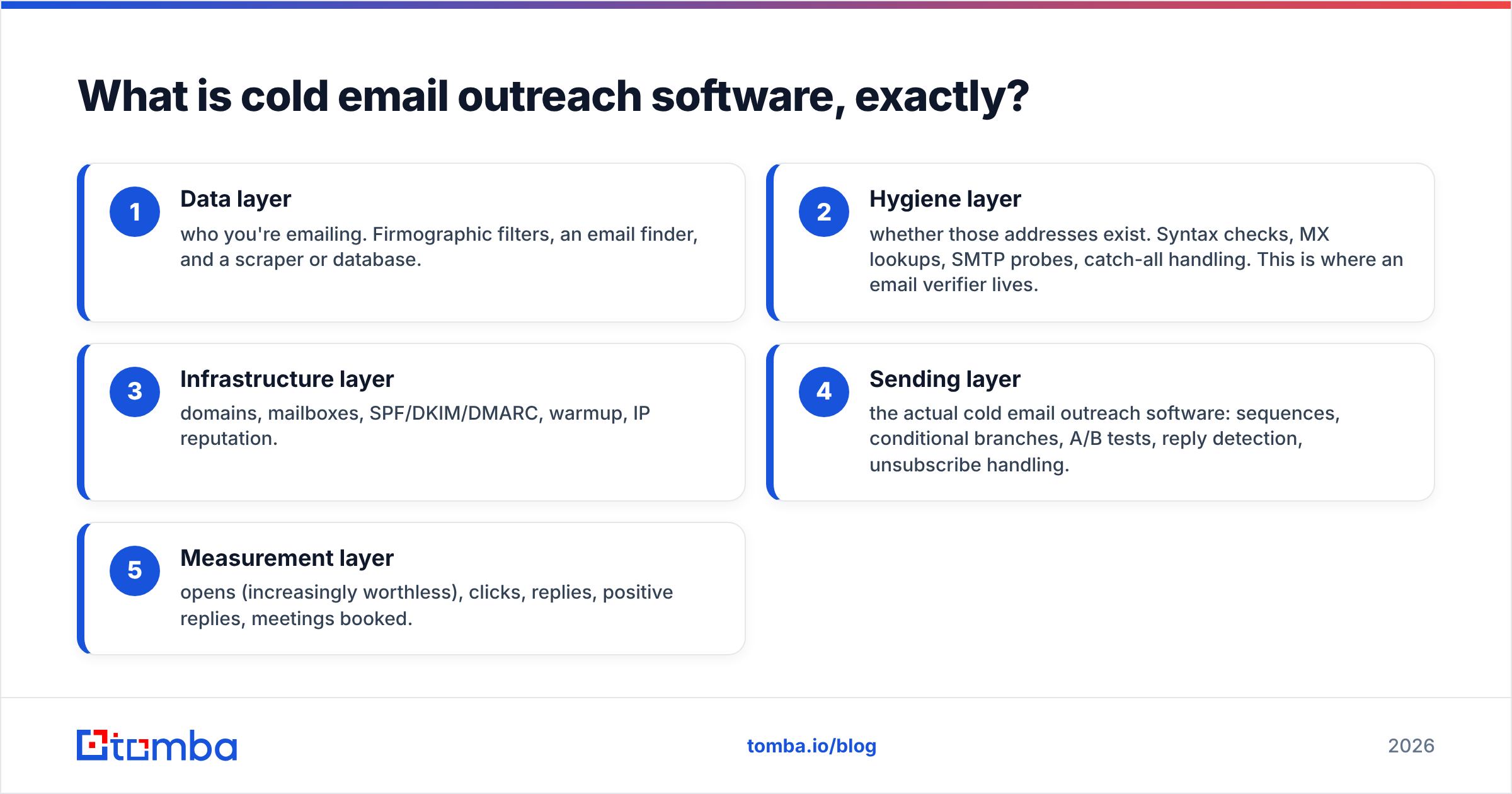
A serviceable mental model of the stack:
- Data layer — who you're emailing. Firmographic filters, an email finder, and a scraper or database.
- Hygiene layer — whether those addresses exist. Syntax checks, MX lookups, SMTP probes, catch-all handling. This is where an email verifier lives.
- Infrastructure layer — domains, mailboxes, SPF/DKIM/DMARC, warmup, IP reputation.
- Sending layer — the actual cold email outreach software: sequences, conditional branches, A/B tests, reply detection, unsubscribe handling.
- Measurement layer — opens (increasingly worthless), clicks, replies, positive replies, meetings booked.
Cold email outreach software owns layer 4 and increasingly claims layers 1, 2, and 3. Whether you let it is the actual buying decision.
Why does deliverability come down to your list, not your tool?#
Because mailbox providers score the sender, not the sequencer.
Google and Microsoft don't know or care that you clicked "send" inside Instantly, Smartlead, or Apollo. They see: a domain, an IP, a message, and a recipient. Their filters weigh bounce rate, spam complaint rate, engagement, and authentication. Two of those four — bounces and complaints — are set almost entirely by your list quality before the software ever touches it.
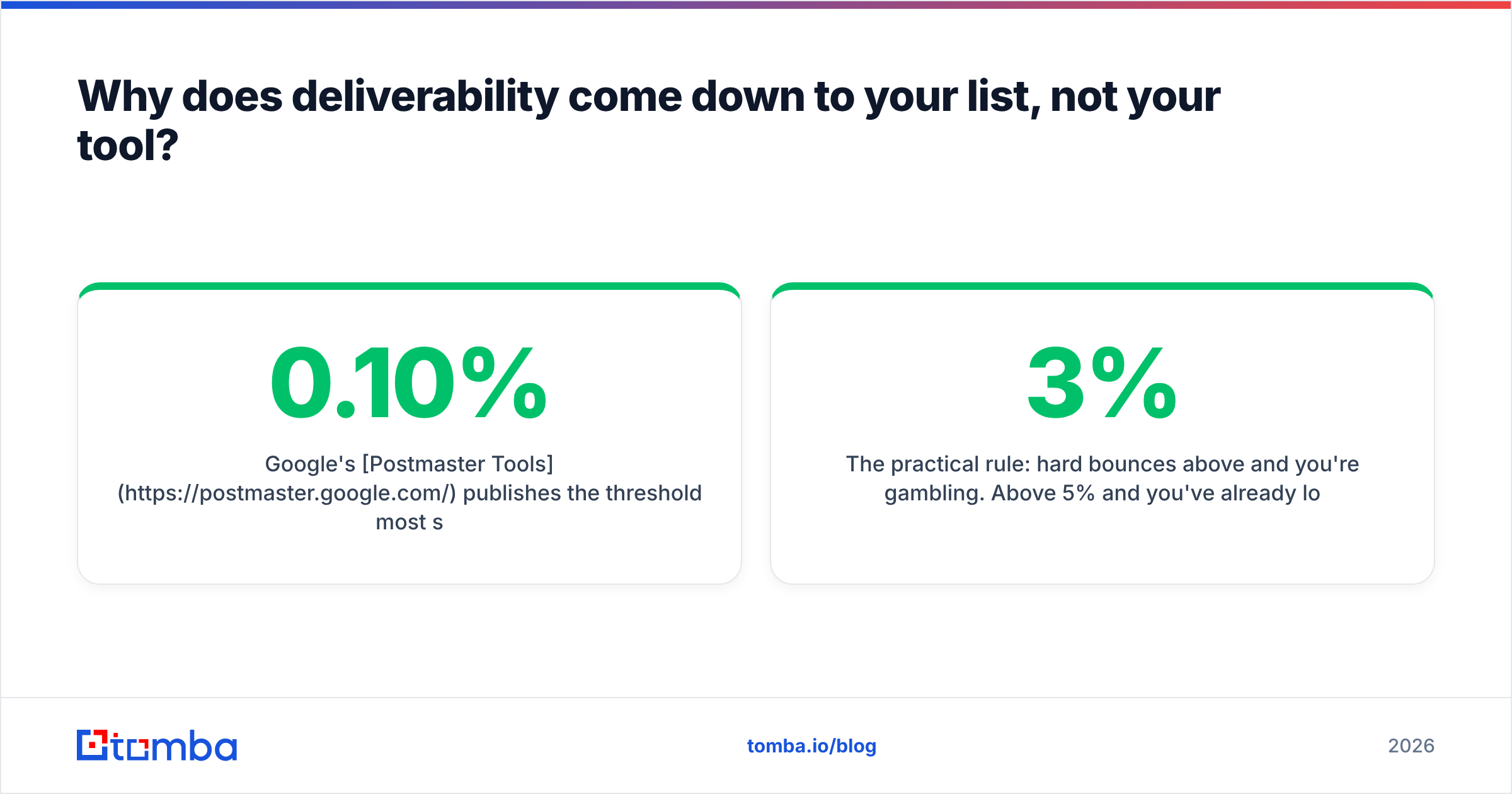
Google's Postmaster Tools publishes the threshold most senders learn the hard way: keep spam complaints under 0.10% or expect throttling, and under 0.30% or expect the spam folder. A single bad list can blow through that in an afternoon.

Placeholder: Gmail Postmaster Tools reputation graph showing a domain dropping from "High" to "Bad" over a two-week send window.
The practical rule: hard bounces above 3% and you're gambling. Above 5% and you've already lost the domain — you just haven't been told yet. Every hour spent on email verification buys back more inbox placement than any feature on any sending platform's roadmap.
Warmup helps, but it's oversold. Warmup pools inflate engagement signals between accounts that are all, themselves, cold outreach accounts. Providers have gotten good at spotting the pattern. Use warmup as a floor — a few weeks before you send, then a low background volume — not as a shield. If you're modeling ramp schedules, a warmup calculator gets you a saner curve than "add 5 per day forever."
Domain setup is non-negotiable and free. SPF, DKIM, DMARC on every sending domain. Separate sending domains from your primary. Never send cold from yourcompany.com — send from get-yourcompany.com or similar, so a reputation hit doesn't take invoices and support tickets down with it.
How do the major cold email outreach platforms actually compare?#
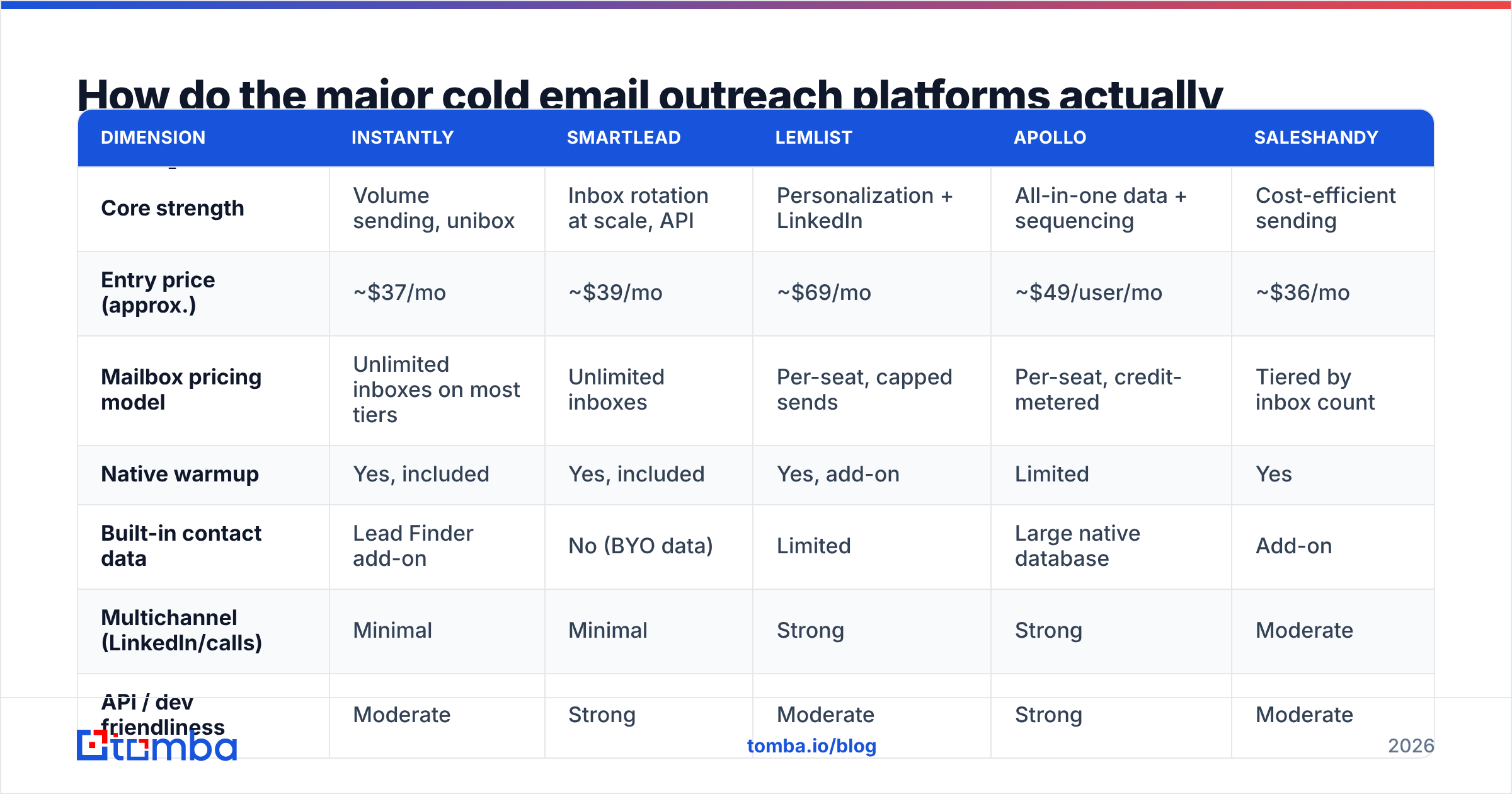
Pricing below reflects publicly listed entry tiers as of early 2026. Vendors reprice often — check the source before you sign anything. What's more stable, and more useful, is the shape of each tool: what it optimizes for, and what it quietly makes hard.
| Dimension | Instantly | Smartlead | Lemlist | Apollo | Saleshandy |
|---|---|---|---|---|---|
| Core strength | Volume sending, unibox | Inbox rotation at scale, API | Personalization + LinkedIn | All-in-one data + sequencing | Cost-efficient sending |
| Entry price (approx.) | ~$37/mo | ~$39/mo | ~$69/mo | ~$49/user/mo | ~$36/mo |
| Mailbox pricing model | Unlimited inboxes on most tiers | Unlimited inboxes | Per-seat, capped sends | Per-seat, credit-metered | Tiered by inbox count |
| Native warmup | Yes, included | Yes, included | Yes, add-on | Limited | Yes |
| Built-in contact data | Lead Finder add-on | No (BYO data) | Limited | Large native database | Add-on |
| Multichannel (LinkedIn/calls) | Minimal | Minimal | Strong | Strong | Moderate |
| API / dev friendliness | Moderate | Strong | Moderate | Strong | Moderate |
| Best fit | Agencies running volume | Technical teams, high mailbox counts | Founder-led, high-touch | Teams wanting one vendor | Budget-conscious SMB |
Read that table as a set of trade-offs, not a leaderboard.
If you send from 40+ mailboxes, per-seat pricing (Lemlist, Apollo) becomes punishing, and unlimited-inbox pricing (Instantly, Smartlead) wins on pure math. If you send 200 hyper-researched emails a month to enterprise buyers, unlimited inboxes are irrelevant and Lemlist's personalization tooling earns its premium. If you want one invoice, Apollo is genuinely convincing — until you audit the data quality on niche verticals and discover you're paying for coverage you can't use.
There's a third path worth naming: buy sending from a cheap specialist, buy data from a data specialist, and keep them decoupled. Vendors like BookYourData sell verified, pay-as-you-go B2B contacts without a subscription, which pairs cleanly with a low-cost sender. Decoupling also means when a platform tanks — and platforms tank — you swap one component instead of migrating your whole motion.
What features actually move reply rate?#
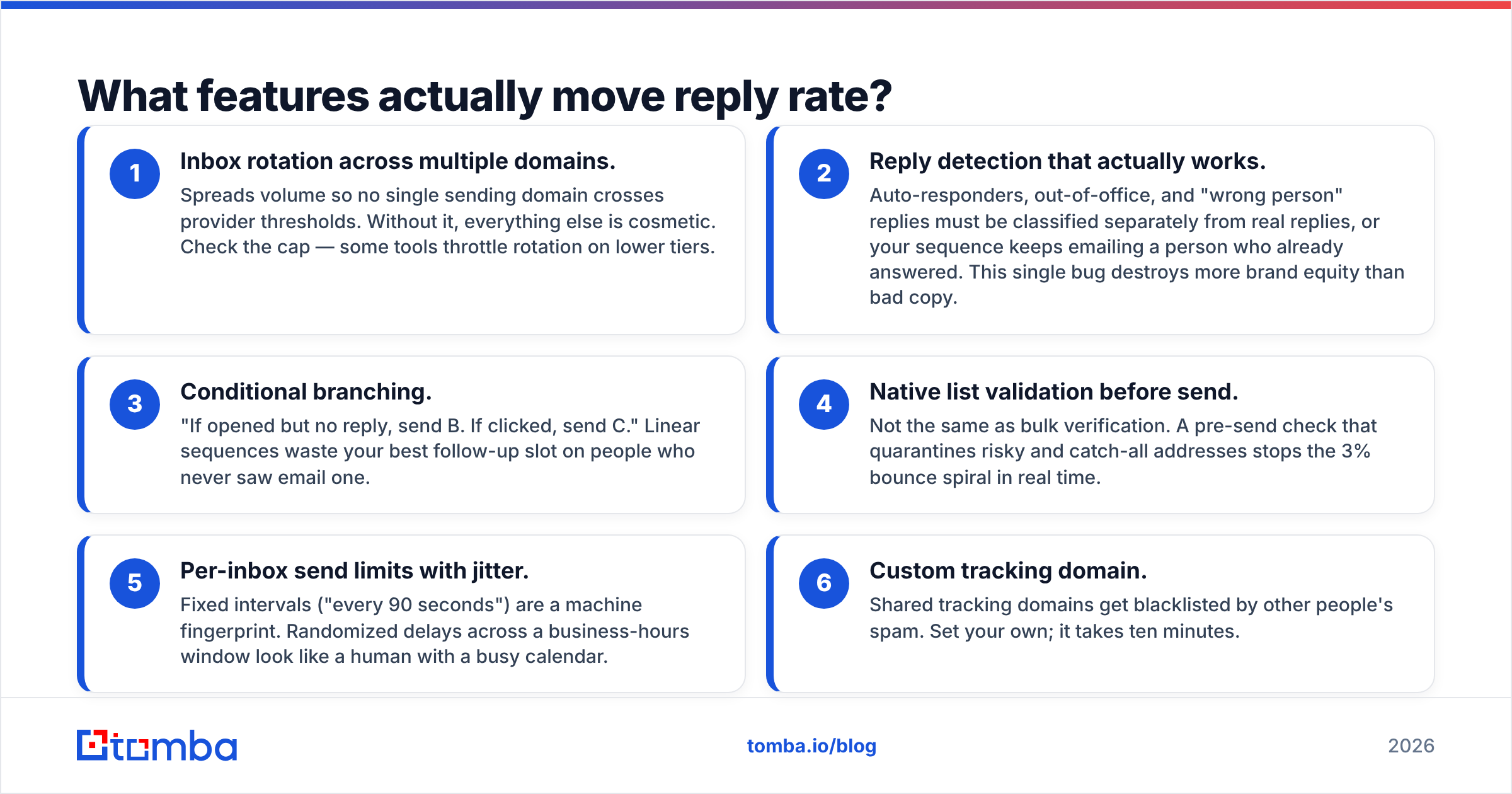
Most feature lists are noise. Here are the ones with a defensible causal link to replies, in rough order of impact:
- Inbox rotation across multiple domains. Spreads volume so no single sending domain crosses provider thresholds. Without it, everything else is cosmetic. Check the cap — some tools throttle rotation on lower tiers.
- Reply detection that actually works. Auto-responders, out-of-office, and "wrong person" replies must be classified separately from real replies, or your sequence keeps emailing a person who already answered. This single bug destroys more brand equity than bad copy.
- Conditional branching. "If opened but no reply, send B. If clicked, send C." Linear sequences waste your best follow-up slot on people who never saw email one.
- Native list validation before send. Not the same as bulk verification. A pre-send check that quarantines risky and catch-all addresses stops the 3% bounce spiral in real time.
- Per-inbox send limits with jitter. Fixed intervals ("every 90 seconds") are a machine fingerprint. Randomized delays across a business-hours window look like a human with a busy calendar.
- Custom tracking domain. Shared tracking domains get blacklisted by other people's spam. Set your own; it takes ten minutes.
Notice what's absent: AI copy generation, open tracking, and template libraries. AI copy raises volume, not quality — and it produces exactly the register that experienced buyers now pattern-match to spam. Open tracking has been unreliable since Apple Mail Privacy Protection began preloading images in 2021; treat open rates as a directional signal at best and never as a branch condition you'd bet money on.
Placeholder: Instantly campaign dashboard showing inbox rotation across 12 mailboxes with per-mailbox daily caps.
Is bundled contact data inside a sending tool good enough?#
Usually not, and the reason is structural.
A sending platform's data product is a cost center subsidizing the sequencing product. It's refreshed on whatever cadence the roadmap allows. A dedicated data provider's entire business dies if accuracy drops, so accuracy gets the engineering budget.
The symptom pattern is predictable. Bundled databases skew heavily toward US tech companies with 50–500 employees, because that's where the training data and scraping surface are richest. Ask for a European manufacturing controller or an APAC logistics director and coverage collapses — but the tool doesn't say "we don't have this." It returns a guessed permutation, marks it "verified," and you find out at bounce time.
Three questions that expose it fast:
- Does the provider distinguish "verified," "catch-all," and "guessed"? If everything comes back "valid," the confidence model is decorative. A real catch-all verifier will tell you it can't confirm an address and let you decide.
- What's the stated bounce guarantee, and does it survive contact? Guarantees with a credit-refund clause are meaningful. Guarantees in a marketing headline are not.
- Where does the data come from? Vendors that publish their data sources are making a falsifiable claim. Vendors that say "proprietary AI" are not.

The pragmatic setup for most teams: use a specialist finder and verifier upstream, export a clean CSV or push via API, and let the sending platform do the one thing it's built for. Tomba pricing starts free at 25 searches a month, with the Starter plan at $49/mo and Growth at $99/mo — which means the data layer typically costs less than the sending layer, not more. That ratio is a good sanity check on any stack: if your sender costs 3× your data, you're probably about to send a lot of email to nobody.
What does a working cold email stack look like in 2026?#
Here's the assembly most consistently-performing outbound teams converge on, regardless of which brand names they use:
- Domains: 2–4 lookalike sending domains, never the primary. SPF, DKIM, and DMARC set to
p=noneinitially, tightened toquarantineonce clean. - Mailboxes: 2–3 per domain. Google Workspace or Microsoft 365, not a bulk SMTP relay. Cold outreach through transactional relays gets flagged fast.
- Warmup: 3–4 weeks before first send, then persistent low-volume background activity.
- Volume: 20–30 emails per mailbox per day, hard ceiling. Ten mailboxes gives you ~250/day, which is plenty for any list worth sending to.
- Data: Finder + verifier upstream, run within 30 days of send. Contact data decays at roughly 2–3% per month as people change jobs — a six-month-old list is already a quarter wrong.
- Sending: One platform, chosen on inbox-rotation ceiling and reply-detection quality.
- Measurement: Positive reply rate and meetings booked. Nothing else on the dashboard.
Placeholder: DNS record editor showing SPF, DKIM, and DMARC entries configured on a dedicated cold-email sending domain.
If your positive reply rate on a clean, well-targeted list is under 1%, the software is not your problem. Your targeting or your offer is. No platform on the market has a setting for that, and any vendor implying otherwise is selling you a story.
Independent buyer reviews on G2 are useful for spotting support quality and billing complaints — the two things vendor sites never disclose and the two things that determine whether year two hurts.
How should you actually choose?#
Answer four questions in order, and the shortlist writes itself.
How many mailboxes will you run in twelve months? Under ten, per-seat pricing is fine and personalization tooling matters more. Over thirty, unlimited-inbox pricing is the only sane structure, and rotation quality becomes the whole decision.
Do you have a data source you trust? If yes, buy a lean sender and keep the layers separate. If no, an all-in-one buys you time — but treat the bundled data as a starting point you'll replace, not a permanent solution.
Is your motion multichannel? If LinkedIn touches are load-bearing, the sending-only tools force a second subscription and a brittle sync. Price the pair, not the piece.
Who fixes it at 2 a.m. when the domain gets flagged? Support responsiveness is the least-marketed and most-consequential attribute in this category. Test it during the trial by opening a real ticket.
Run a 30-day pilot with one clean list of 500 verified contacts through two shortlisted platforms, split evenly, same copy, same schedule. Measure bounce rate, spam placement (seed test), and positive replies. The result will be unambiguous and will cost you less than one month of the wrong annual contract.
Where should you start?#
Fix the data first. It's the cheapest lever and the one every other lever depends on.
Before you migrate platforms, add mailboxes, or rewrite a sequence, run your existing list through a real verification pass and look at what comes back. Most teams discover 15–25% of their list is undeliverable, role-based, or a catch-all they've been treating as valid. That single number explains more about your last campaign than any feature comparison will.
The Tomba Email Finder finds professional addresses by domain, name, or company, with per-result confidence scoring and source attribution — so you know what you're sending to before you send it. It starts free at 25 searches a month, works standalone or through the API, and sits in front of whichever cold email outreach software you end up choosing. Get the list right, and the rest of the stack finally has something to work with.
Related guides#
Ready to find emails that actually work?
Join 150,000+ professionals who stopped guessing and started sending. Free credits on signup — no credit card required.
Get the Tomba newsletter
Practical outbound tactics and product updates — once every two weeks.
About the author