Cold Email Volume Best Practices: Safe Sending Limits 2026
Most teams get throttled not because they sent bad emails, but because they sent too many, too fast, from too few inboxes. Here are the volume rules that actually protect your domain in 2026.
TL;DR
- Volume is not a growth lever you turn up — it is a budget you spend against your domain reputation. Overspend once and recovery takes weeks.
- In 2026, a healthy ceiling is roughly 30–50 cold emails per inbox per day on Google Workspace and Microsoft 365, after a 3–4 week warmup. Scale with more inboxes, not more sends per inbox.
- Bounce rate is the fastest way to torch a domain. Keep it under 2% — which means verifying every address before it enters a sequence, not after.
- Total volume should be derived from your reply capacity, not your list size. If you can only handle 20 conversations a week, sending 5,000 emails a month is theater.
- Ramp changes gradually: no more than a 20–30% week-over-week volume increase per inbox, and never during a domain reputation dip.
What does "cold email volume" actually mean?#
Volume is usually reported as one number — "we send 10,000 emails a month" — and that number tells you almost nothing useful. Mailbox providers do not evaluate your monthly total. They evaluate per-sending-identity behavior over rolling windows: this inbox, this domain, this IP, in the last 24 hours, the last 7 days, the last 30.
Think of it like a gym. Your monthly total is how much weight you moved. What matters for injury is how much you loaded onto the bar in a single set, and whether you'd built up to it. Someone who deadlifts 200kg after eight months of progressive loading is fine. Someone who walks in cold and attempts the same lift ends up on the floor.
So there are four volume numbers to track separately:
- Per-inbox daily sends — the single most enforced ceiling. Google and Microsoft both throttle at the mailbox level.
- Per-domain daily sends — the sum of all inboxes on
yourdomain.comor a sending subdomain. Reputation aggregates here. - Per-IP daily sends — matters if you run your own SMTP or a dedicated IP. Shared-pool sending inherits neighbors' reputation.
- Ramp velocity — the rate of change. A stable 40/day is safer than an erratic 10 → 90 → 15 pattern with the same average.
Most teams monitor only #1 and get surprised when #4 gets them throttled.
What are the safe cold email volume best practices per inbox in 2026?#
Here is the working consensus among senders who monitor their own reputation data rather than repeating 2019 blog posts.
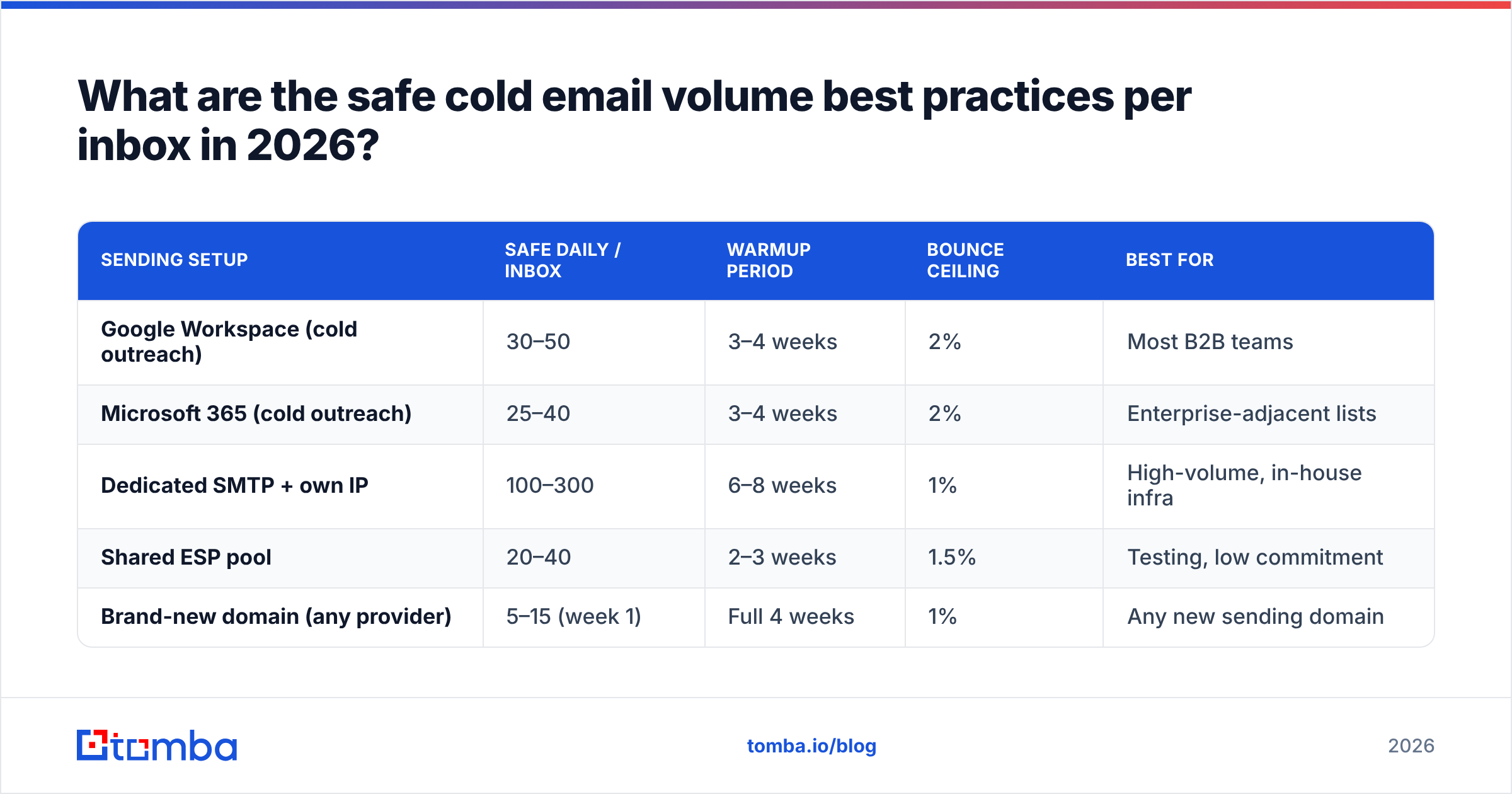
| Sending setup | Safe daily / inbox | Warmup period | Bounce ceiling | Best for |
|---|---|---|---|---|
| Google Workspace (cold outreach) | 30–50 | 3–4 weeks | 2% | Most B2B teams |
| Microsoft 365 (cold outreach) | 25–40 | 3–4 weeks | 2% | Enterprise-adjacent lists |
| Dedicated SMTP + own IP | 100–300 | 6–8 weeks | 1% | High-volume, in-house infra |
| Shared ESP pool | 20–40 | 2–3 weeks | 1.5% | Testing, low commitment |
| Brand-new domain (any provider) | 5–15 (week 1) | Full 4 weeks | 1% | Any new sending domain |
Two things people get wrong reading a table like this.
First, the "safe daily" number assumes cold traffic — recipients with no prior relationship, low open rates, near-zero reply rates on day one. Your transactional or newsletter volume operates under totally different physics and should never share a domain with cold outreach. Use a separate sending subdomain (mail.yourdomain.com or an entirely different domain like yourdomain-hq.com) so a bad cold campaign cannot poison invoices and password resets.
Second, these ceilings assume clean data. A 50/day inbox sending to a list with 8% invalid addresses is objectively more dangerous than a 120/day inbox sending to a list with 0.3% invalid. Google's own Postmaster Tools documentation makes the point plainly: spam rate and authentication are what determine whether your mail lands, and volume is the multiplier on whatever signal you're already producing. Volume amplifies quality. It does not create it.
How do you calculate your real sending ceiling?#
Work backwards from three constraints and take the lowest.
1. The reputation constraint. Multiply your safe per-inbox daily rate by your number of warmed inboxes, then by working days. Ten warmed Google Workspace inboxes at 40/day across 22 working days = 8,800 sends per month, absolute maximum. Not a target. A ceiling.
2. The data constraint. Your list has a finite number of verified, relevant contacts. If you have 3,000 genuinely qualified prospects and you send 8,800 emails in a month, you are either emailing unqualified people or emailing the same people too often. Both destroy reply rate, and reply rate is a deliverability signal.
3. The capacity constraint. At a realistic 3–6% reply rate, 8,800 sends produce 260–530 replies. Can your team actually respond to 300 conversations in a month with useful, personalized answers? If not, your sending ceiling is whatever volume produces the replies you can honestly handle. Every ignored reply is a wasted acquisition and a small brand cost.
The lowest of those three is your real number. In practice it is almost always the capacity constraint — which is why "scale volume" is usually the wrong answer to "we need more pipeline."
Why does bounce rate matter more than volume?#
Because bounce rate is the single input mailbox providers weigh most heavily against you, and it compounds with volume.
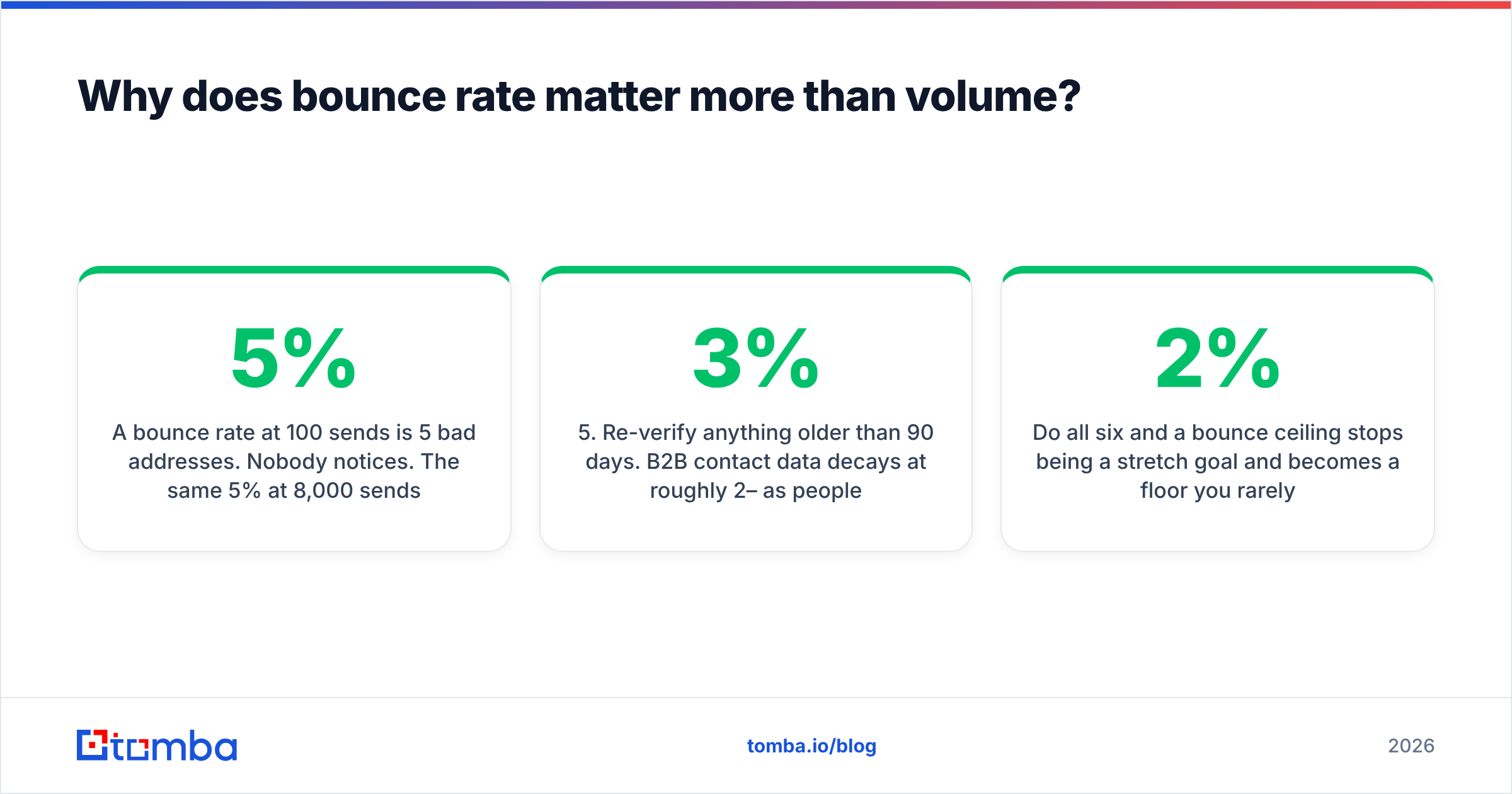
A 5% bounce rate at 100 sends per month is 5 bad addresses. Nobody notices. The same 5% at 8,000 sends is 400 hard bounces — a screaming signal that you bought a list, scraped without validation, or are running a directory attack. Providers respond by throttling, then filtering, then blocking. And unlike an open-rate dip, reputation damage from bounces is sticky. You will spend three to six weeks digging out.
The fix is procedural, not heroic. Verify before send, every time:
- Source addresses from a real discovery layer, not a scrape. Use an email finder that returns a confidence score with each result, so you know what you're holding before it enters a sequence.
- Run every list through verification. An email verifier removes syntax failures, dead mailboxes, role accounts, and known spam traps. This is a five-minute step that prevents a five-week recovery.
- Handle catch-all domains explicitly. A catch-all accepts everything at SMTP and tells you nothing. Segment them, send to them at lower volume, and use a catch-all verifier to separate the likely-real from the likely-fictional instead of guessing.
- Suppress aggressively. Anyone who bounced, unsubscribed, replied negatively, or hasn't been touched in 90 days goes into a permanent suppression list that every tool reads from.
- Re-verify anything older than 90 days. B2B contact data decays at roughly 2–3% per month as people change jobs. A list verified in January is measurably worse in July.
- Cap sends per domain. Never send to 40 people at the same company in a week. Their mail admin will notice before their VP of Sales does.
Do all six and a 2% bounce ceiling stops being a stretch goal and becomes a floor you rarely approach.
Should you scale volume or scale inboxes?#
Scale inboxes. This is not a close call.
Adding sends to an existing inbox increases the risk on the identity that already carries your reputation. Adding a new warmed inbox spreads the same total volume across more identities, each of which stays comfortably inside provider thresholds.
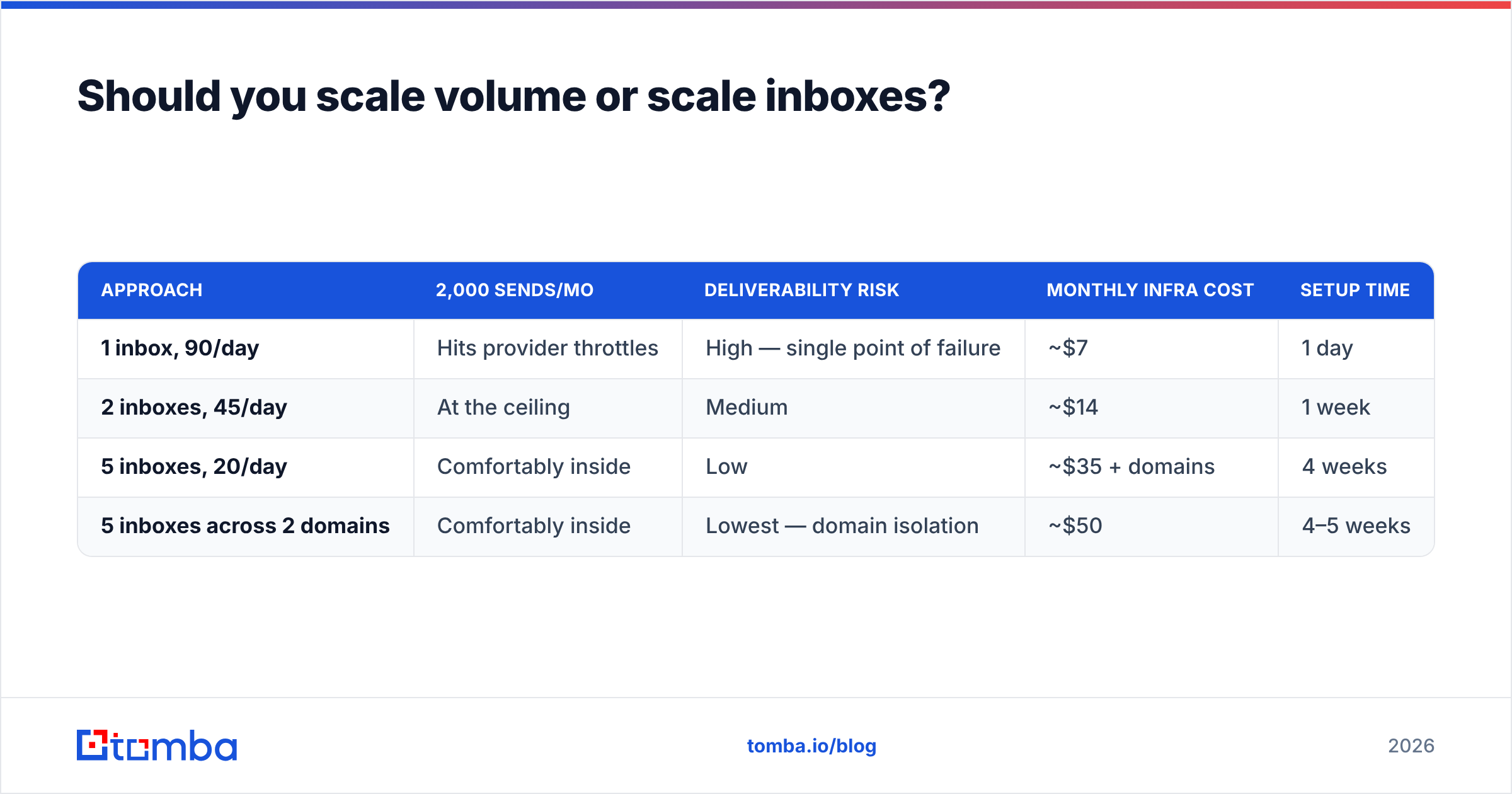
The trade-off table looks like this:
| Approach | 2,000 sends/mo | Deliverability risk | Monthly infra cost | Setup time |
|---|---|---|---|---|
| 1 inbox, 90/day | Hits provider throttles | High — single point of failure | ~$7 | 1 day |
| 2 inboxes, 45/day | At the ceiling | Medium | ~$14 | 1 week |
| 5 inboxes, 20/day | Comfortably inside | Low | ~$35 + domains | 4 weeks |
| 5 inboxes across 2 domains | Comfortably inside | Lowest — domain isolation | ~$50 | 4–5 weeks |
The last row is what mature outbound teams run. Multiple sending domains, several warmed inboxes each, none of them the primary corporate domain. If one domain gets flagged, the others keep working and you rotate the damaged one out for 60 days.
The cost of this architecture is time, not money. You cannot buy your way past a four-week warmup. Which means volume planning has to start a month before the quarter you need the pipeline in.
What does a proper warmup schedule look like?#
Warmup is the process of teaching mailbox providers that this identity sends mail humans want. It works because engagement signals — opens, replies, moving mail out of spam — accumulate against the sending identity over time.
A defensible ramp for a new Google Workspace inbox:
- Week 1: 5–10 sends/day. Mostly warmup-network traffic and internal mail. Zero cold sends.
- Week 2: 15–20 sends/day. Introduce 5 cold sends/day to your highest-confidence, best-verified contacts.
- Week 3: 25–35 sends/day. Up to 15 cold sends/day. Watch bounce and spam-complaint rate daily.
- Week 4: 40–50 sends/day. Up to 30 cold. If Postmaster Tools shows domain reputation at "High," proceed. If "Medium," hold the line another week. If "Low," stop and audit your list.
- Ongoing: increase no faster than 20–30% week over week, and only when reputation reads High.
Two rules that are non-negotiable during this window. First, authentication must be perfect before day one — SPF, DKIM, and DMARC all publishing and aligned. Run an SPF checker before you send anything; a misconfigured record turns your warmup into a month of teaching providers to distrust you. Google and Yahoo's bulk sender requirements have made DMARC effectively mandatory for anyone sending meaningful volume, and Microsoft's own sender guidelines point the same direction.
Second, do not send from a domain you also use for anything you cannot afford to lose. If your cold outreach domain is your billing domain, you have coupled your revenue collection to the riskiest email you send.
How do you know when your volume is too high?#
Watch four signals, in this order of urgency.
Bounce rate crossing 2%. Stop immediately. Do not "keep an eye on it." Pull the campaign, re-verify the remaining list, resume at half volume. This is the only metric that warrants a same-day halt.
Domain reputation dropping in Postmaster Tools. A move from High to Medium is an early warning; Medium to Low means you are already being filtered on a meaningful share of sends. Reduce per-inbox volume by 50% and hold there for two weeks. Do not add new inboxes to compensate — that just spreads the problem.
Reply rate falling while send volume rises. This is the sneaky one, because your absolute reply count may still be growing. If you went from 500 sends at 5% replies to 1,500 sends at 1.8% replies, you added 2 conversations and burned 1,000 prospects. You are now sending to people who were never going to answer, and providers are watching that indifference accumulate.
Spam complaint rate above 0.1%. One complaint per thousand sends. Above 0.3% you are in genuine trouble. Complaints are weighted far more heavily than non-opens because they are an explicit human judgment.
Track these weekly, per inbox and per domain, in a sheet you actually look at. Not in your sequencer's default dashboard, which averages across everything and hides the one inbox that is dragging the domain down. Aggregate metrics conceal exactly the failures you need to catch.
What about volume when you're using AI personalization?#
The 2026 wrinkle: AI-generated personalization has made it trivially cheap to produce 10,000 "custom" emails, which has made 10,000-send campaigns feel reasonable. They are not.
Providers adapted. Content similarity, sending patterns, and engagement distribution across a domain are all inputs to filtering decisions. An LLM that rewrites your opener 10,000 different ways still produces a recognizable statistical fingerprint — same length, same structure, same CTA, same send velocity. It does not fool a classifier trained on billions of messages.
More importantly, personalization does not change the arithmetic of the capacity constraint. If AI helps you write 10,000 good emails and you get 400 replies you cannot service, you have automated the production of disappointment. The correct use of AI personalization is to make your existing, capacity-appropriate volume convert better — not to justify a volume increase.
The teams doing this well in 2026 look almost boring: 200–400 sends per week, deeply researched, high verification standards, a real reply-handling process, and volume growth that tracks headcount rather than tooling budget. Their reply rates sit at 8–12% while blast senders scrape 1%. HubSpot's own sales benchmarking data has been pointing at this convergence for several years: relevance beats reach, and the gap widens as inbox filtering improves.
What should you do this week?#
Concretely, in order:
- Audit your current per-inbox daily average. Not monthly total. Divide by working days and by inbox count. If any single inbox exceeds 50/day, cut it now.
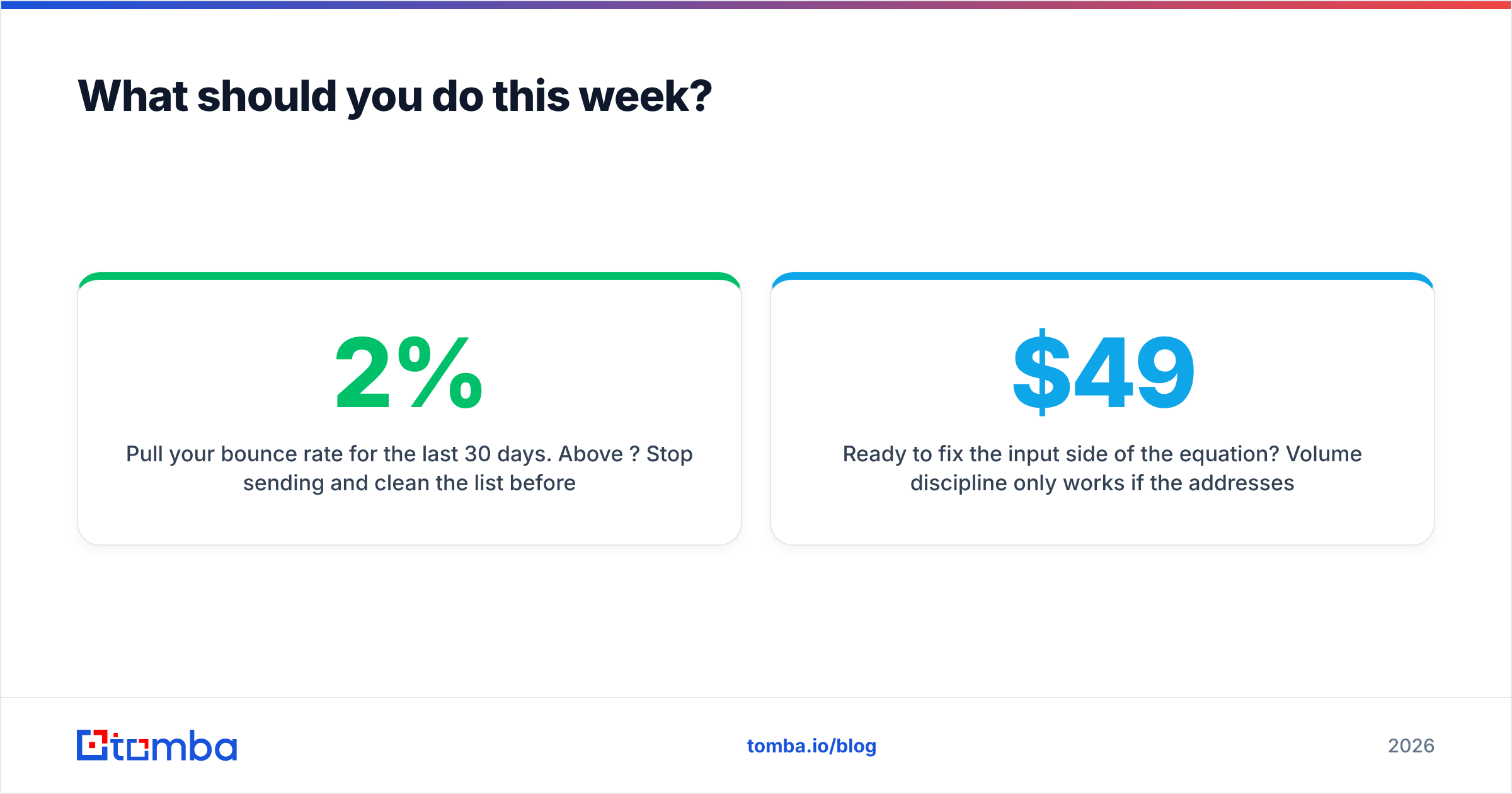
- Pull your bounce rate for the last 30 days. Above 2%? Stop sending and clean the list before you do anything else. Below 1%? You have room to ramp carefully.
- Verify your active list. Run everything currently sitting in a sequence through verification. Suppress everything that comes back invalid, risky, or catch-all-unknown.
- Check that SPF, DKIM, and DMARC are aligned on every sending domain, including the ones you forgot you set up.
- Set your ceiling from capacity, not from list size. Write down how many replies your team can handle per week, divide by your true reply rate, and make that number your weekly send target.
Volume is the easiest variable to change and the most expensive one to get wrong. The senders who win in 2026 are not the ones with the biggest lists — they're the ones whose lists are clean enough that they never have to think about their bounce rate.
Ready to fix the input side of the equation? Volume discipline only works if the addresses you're sending to are real. Tomba Email Finder returns verified professional email addresses with a confidence score attached, so you know what's entering your sequence before it costs you a domain. Start free with 25 searches a month, or move to Starter at $49/mo when you're ramping — see Tomba pricing for the full breakdown. Clean data first, volume second. In that order, every time.
Related guides#
Ready to find emails that actually work?
Join 150,000+ professionals who stopped guessing and started sending. Free credits on signup — no credit card required.
Get the Tomba newsletter
Practical outbound tactics and product updates — once every two weeks.
About the author