Cold Outreach Tool in 2026: The Complete Buyer's Guide
A cold outreach tool can 10x your pipeline or torch your domain. Here's how to pick one in 2026 — the real categories, honest tradeoffs, and a no-fluff comparison.
Picking a cold outreach tool in 2026 is less about finding "the best app" and more about assembling a stack that finds real people, protects your domain, and gets replies. Buy the wrong one and you either burn your sending reputation in a week or pay enterprise prices for features you never touch. This guide cuts through the noise.
TL;DR#
- A "cold outreach tool" isn't one product — it's four jobs: find contacts, verify them, send sequences, and track replies. Most tools are strong at one or two, weak at the rest.
- Deliverability is the whole game. A cheaper tool that keeps you out of spam beats a feature-rich one that lands in Promotions.
- Data quality dwarfs everything. Bad emails cause bounces, bounces kill reputation, and no sequence engine fixes a dirty list.
- For most teams, the winning move is a best-of-breed stack (finder + verifier + sender) rather than one bloated all-in-one.
- Budget realistically: expect $50–$300/mo per seat once you add data credits. Free tiers are for testing, not scaling.
What is a cold outreach tool?#
A cold outreach tool is any software that helps you contact prospects who have never heard of you — at scale, without doing it by hand. Think of it like a restaurant kitchen: the finder is your supplier bringing ingredients (contacts), the verifier is the health inspector rejecting anything spoiled (bad emails), the sequencer is the line cook plating dishes on time (automated sends), and the inbox/CRM is the pass where everything gets tracked. One weak station ruins the meal.
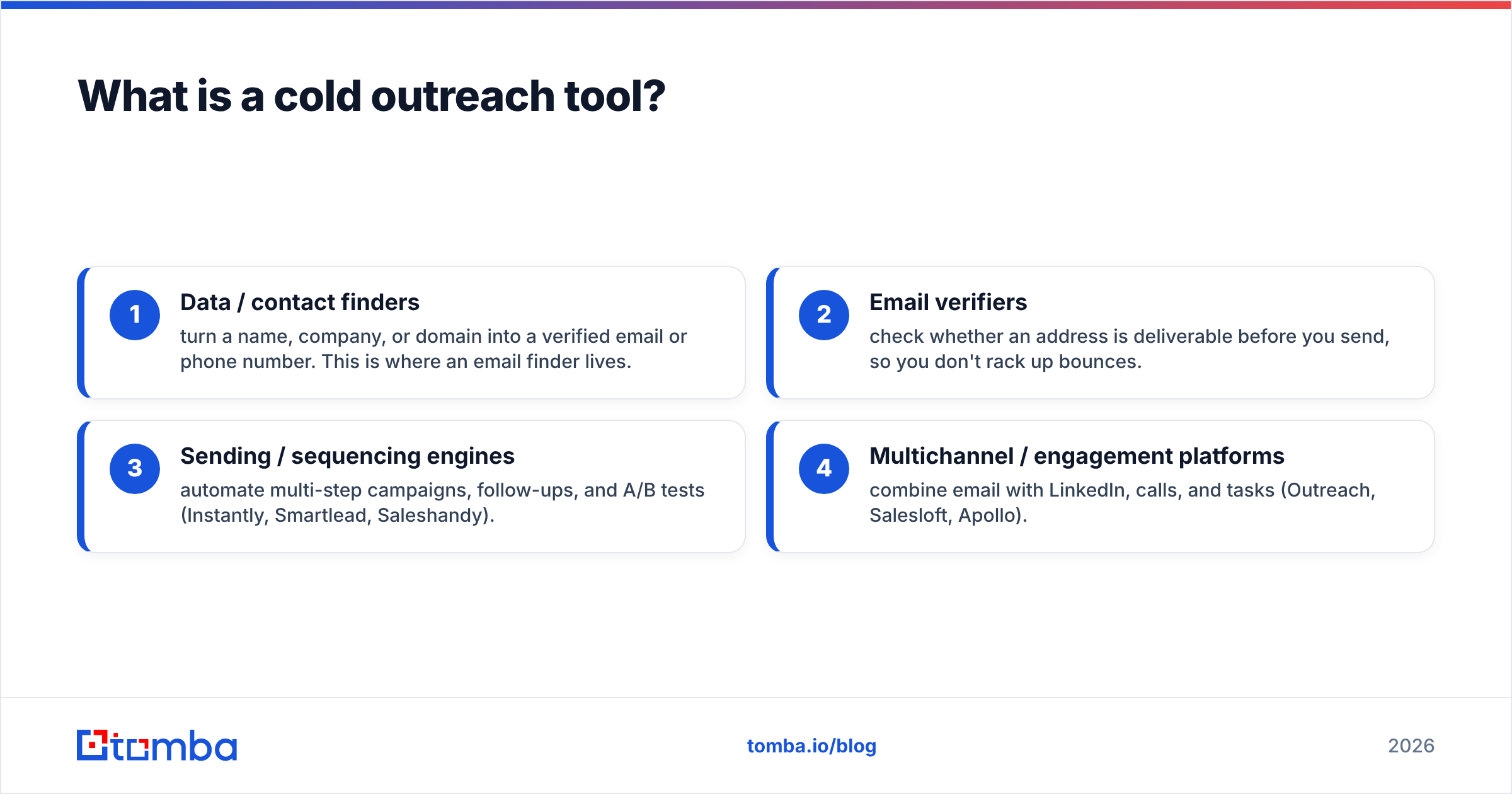
In practice, the term covers four distinct categories:
- Data / contact finders — turn a name, company, or domain into a verified email or phone number. This is where an email finder lives.
- Email verifiers — check whether an address is deliverable before you send, so you don't rack up bounces.
- Sending / sequencing engines — automate multi-step campaigns, follow-ups, and A/B tests (Instantly, Smartlead, Saleshandy).
- Multichannel / engagement platforms — combine email with LinkedIn, calls, and tasks (Outreach, Salesloft, Apollo).
Most buyers say "I need a cold outreach tool" when they actually need two or three of these working together.
Why does the tool category matter more than the brand?#
Because the biggest failure in cold outreach isn't a missing feature — it's landing in spam or emailing addresses that bounce. Both trace back to categories 1 and 2, not the shiny sequencer everyone shops for first.
Here's the chain reaction: you upload a list scraped from somewhere cheap, 15% of it is invalid, your sending tool blasts it, mailbox providers see the bounces, and your sender reputation tanks. Now even your good emails go to spam. According to Google's Postmaster guidelines, keeping your spam complaint rate under 0.3% is non-negotiable — one dirty campaign can undo months of warmup.
That's why the smartest spend order is: data first, deliverability second, sequencing third, bells-and-whistles last.
What are the main types of cold outreach tools?#
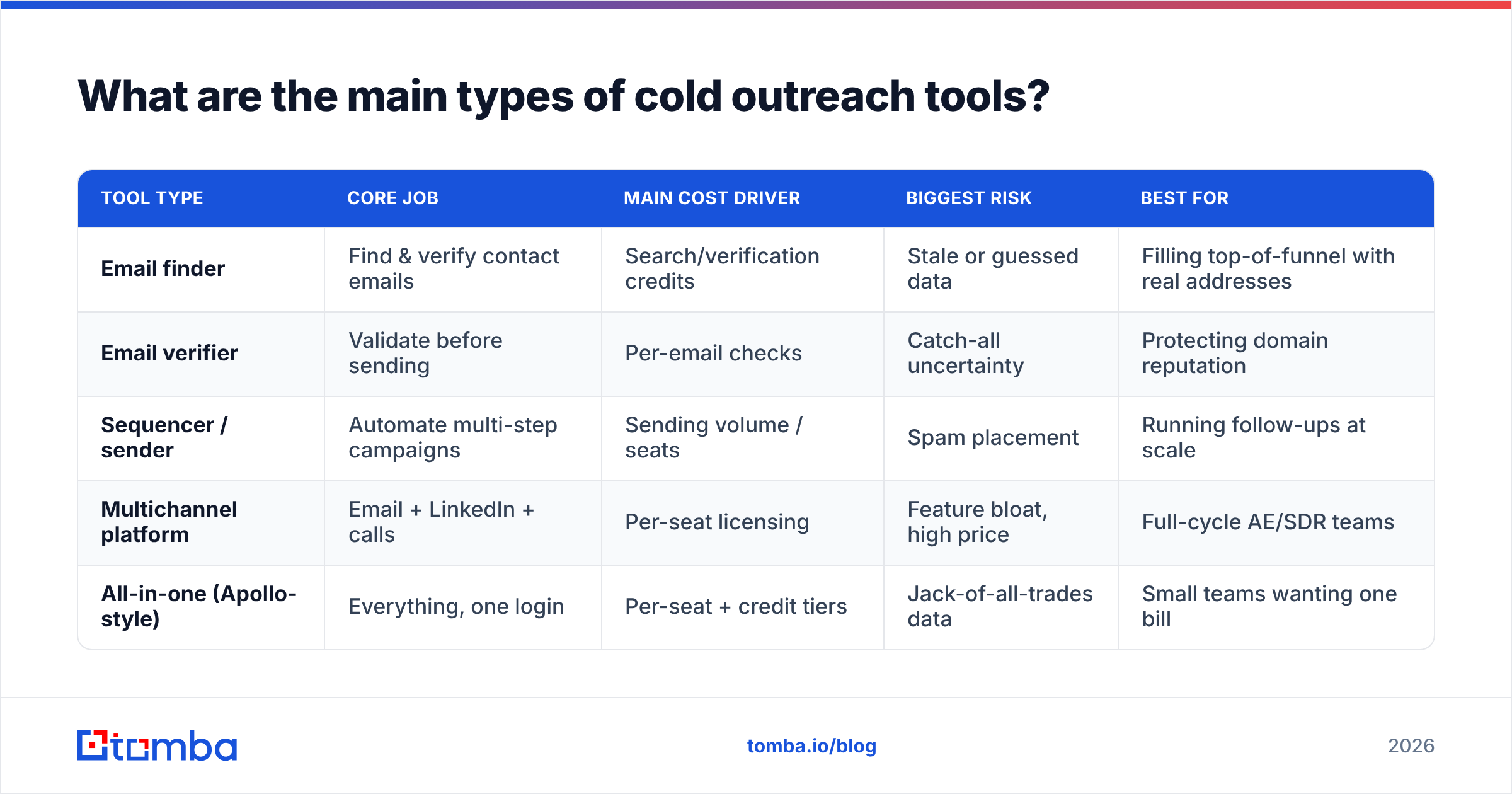
Below is how the categories actually differ on the things that matter — cost driver, primary risk, and who each one is for.
| Tool type | Core job | Main cost driver | Biggest risk | Best for |
|---|---|---|---|---|
| Email finder | Find & verify contact emails | Search/verification credits | Stale or guessed data | Filling top-of-funnel with real addresses |
| Email verifier | Validate before sending | Per-email checks | Catch-all uncertainty | Protecting domain reputation |
| Sequencer / sender | Automate multi-step campaigns | Sending volume / seats | Spam placement | Running follow-ups at scale |
| Multichannel platform | Email + LinkedIn + calls | Per-seat licensing | Feature bloat, high price | Full-cycle AE/SDR teams |
| All-in-one (Apollo-style) | Everything, one login | Per-seat + credit tiers | Jack-of-all-trades data | Small teams wanting one bill |
Notice that no single row does everything well. All-in-one platforms are convenient, but their contact data is often thinner than a dedicated finder, and their sending reputation is shared across thousands of accounts. That tradeoff — convenience vs. control — is the real decision.
How do you evaluate a cold outreach tool?#
Score every tool against six criteria. Weight the first two the heaviest.
- Data accuracy — What's the verified email match rate on your target market? Run a 50-contact test before you trust any vendor's marketing number. Check where the vendor sources data; transparency (see Tomba's data sources) is a good sign.
- Deliverability controls — Does it support inbox rotation, warmup, sending limits, and custom tracking domains? Without these, volume kills you.
- Verification built-in — Can you verify emails inside the workflow, including catch-all handling, or do you need a separate step?
- Personalization at scale — Variables, spintax, AI snippets, and conditional logic that don't read like a mail merge.
- Integrations — Native sync with your CRM (HubSpot, Salesforce, Pipedrive) so reps aren't copy-pasting.
- Transparent pricing — Credit rollovers, overage costs, and seat minimums. The sticker price is rarely the real price.
A quick sanity check: if a demo rep can't tell you the match rate for your industry or won't let you test the data, that's your answer.
Is an all-in-one tool better than a best-of-breed stack?#
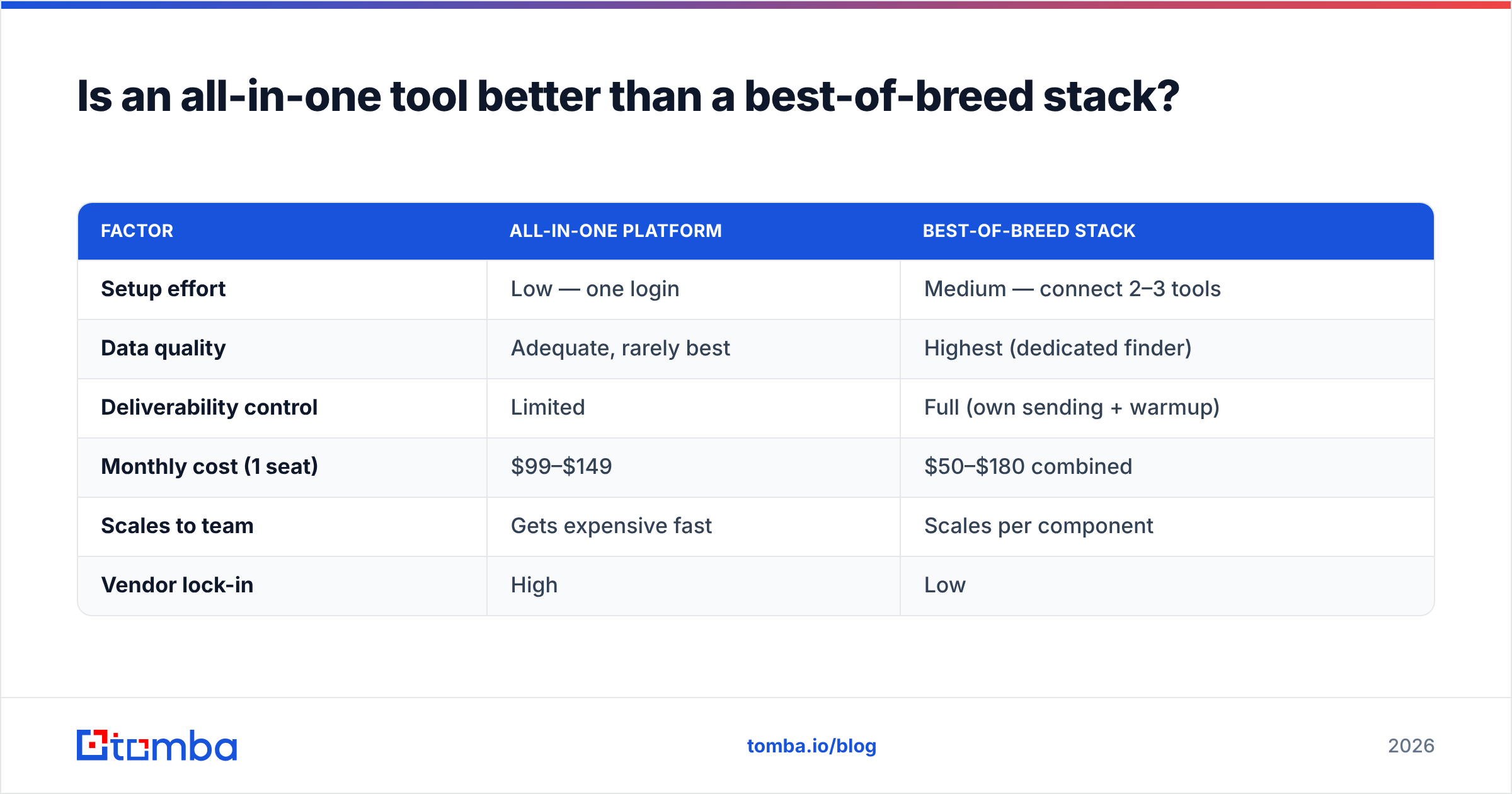
For most teams, a focused stack wins — but it depends on your volume and headcount. All-in-one tools shine when you're a two-person team that values one login over peak performance. Once you're sending real volume, the cracks show: shared IP pools, generic data, and pricing that balloons per seat.
Compare the two approaches honestly:
| Factor | All-in-one platform | Best-of-breed stack |
|---|---|---|
| Setup effort | Low — one login | Medium — connect 2–3 tools |
| Data quality | Adequate, rarely best | Highest (dedicated finder) |
| Deliverability control | Limited | Full (own sending + warmup) |
| Monthly cost (1 seat) | $99–$149 | $50–$180 combined |
| Scales to team | Gets expensive fast | Scales per component |
| Vendor lock-in | High | Low |
The stack most high-performing outbound teams run in 2026 looks like this: a dedicated finder + verifier for data (this is where Tomba fits), a sending engine like Instantly or Smartlead for sequences and inbox rotation, and your CRM as the source of truth. Each piece is swappable, so one vendor's price hike doesn't hold your whole motion hostage.
How much should a cold outreach tool cost?#
Budget by outcome, not by sticker price. The real cost is (subscription + data credits + sending infrastructure), and the cheap-looking tool with pricey overage credits often costs more at scale.
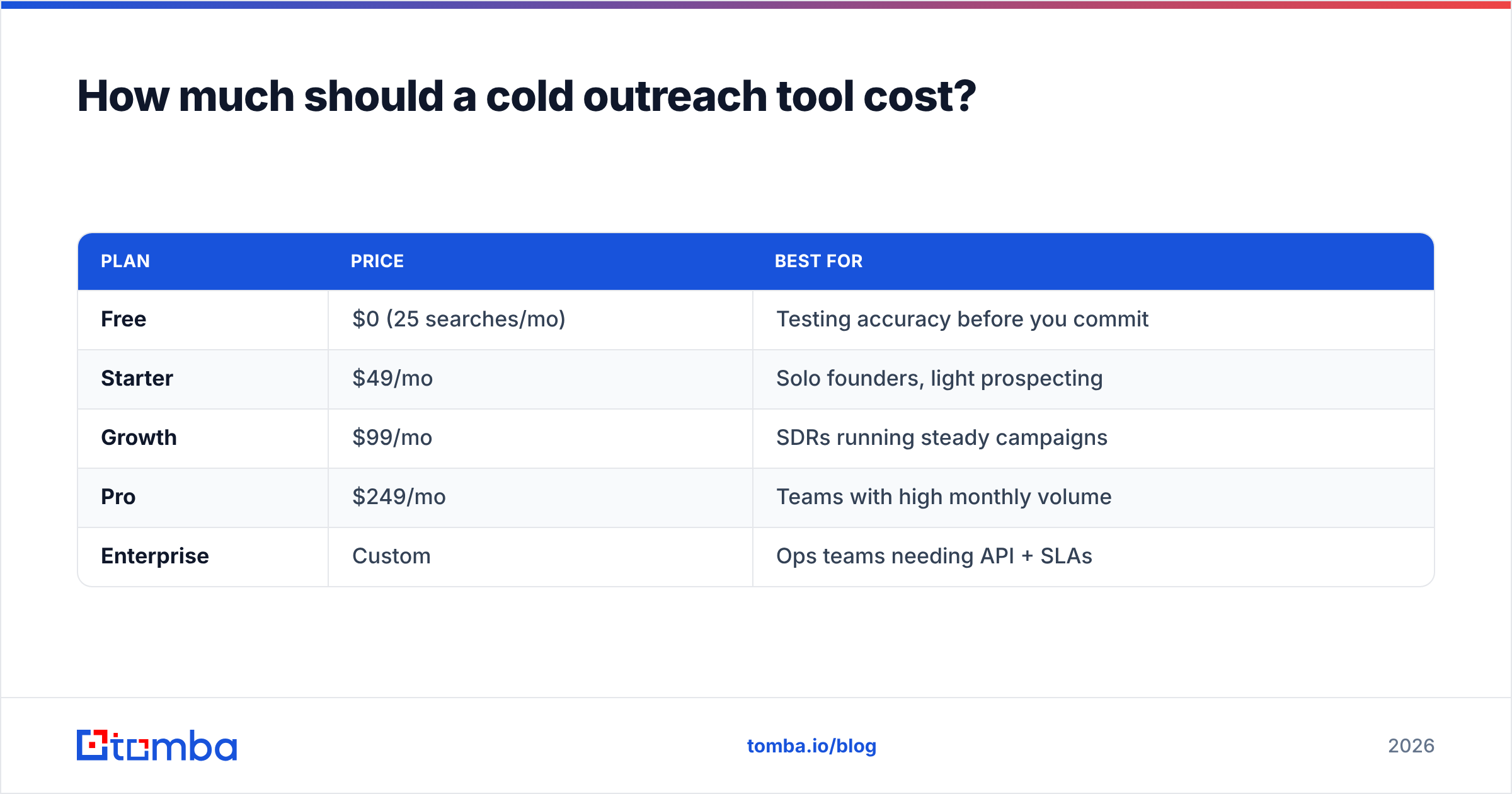
Here's a realistic 2026 range for the data layer, using Tomba's pricing as a concrete reference point:
| Plan | Price | Best for |
|---|---|---|
| Free | $0 (25 searches/mo) | Testing accuracy before you commit |
| Starter | $49/mo | Solo founders, light prospecting |
| Growth | $99/mo | SDRs running steady campaigns |
| Pro | $249/mo | Teams with high monthly volume |
| Enterprise | Custom | Ops teams needing API + SLAs |
On top of the data layer, a sending tool typically adds $30–$97/mo per inbox-heavy setup. So a lean, effective stack for one rep lands around $80–$150/mo all in — far less than a $149/seat all-in-one that still makes you buy extra credits.
The mistake to avoid: chasing the biggest credit bundle. Unused credits are wasted spend, and dirty bulk data is worse than no data. Start with a plan matched to your actual weekly send volume and upgrade when you're bottlenecked, not before.
What features actually move reply rates?#
After data and deliverability, these are the features that measurably lift replies — everything else is nice-to-have:
- Inbox rotation — spreads volume across multiple sending accounts so no single mailbox trips spam filters.
- Built-in warmup — gradually builds sending reputation on new domains; skip it and your first campaign flops.
- Catch-all detection — a good catch-all verifier tells you which "accept-all" domains are safe to email, cutting silent bounces.
- Reply detection & auto-pause — stops sequencing the moment a prospect responds, so you never send "just following up" to someone who already said yes.
- CRM enrichment — pushes verified data straight into your pipeline; pair it with data enrichment to fill gaps automatically.
Tools like G2's sales engagement category list dozens of platforms with these features — the differentiator is rarely the checkbox, it's how reliably each one works at volume.
What mistakes make cold outreach tools fail?#
Most "the tool doesn't work" complaints are process problems, not software problems:
- Skipping verification. Sending to unverified lists is the fastest way to a blacklist. Always verify, even data from a premium finder.
- Buying volume before validating fit. Test 50 contacts, measure the real match rate, then buy credits.
- One domain, all your volume. Split sending across secondary domains and warm each one.
- Robotic personalization. A first-name token isn't personalization. Reference something specific or don't bother.
- Ignoring the follow-up. The majority of replies come from steps 2–4, yet most reps quit after one email. Let the sequencer do its job.
Fix these and a mid-priced tool outperforms an expensive one run carelessly.
Which cold outreach tool should you choose?#
Choose by your primary bottleneck. If you can't find enough good contacts, start with the data layer. If your emails land but nobody replies, invest in sequencing and copy. If you're bouncing and getting flagged, fix verification and warmup first.
For nearly every team, the foundation is the same: accurate, verified contact data. No sequencer, AI writer, or multichannel dashboard rescues a list full of guesses and dead addresses. Get the data right and every downstream tool works better.
That's exactly where Tomba's Email Finder earns its place in the stack. It finds professional email addresses by name, company, or domain search, verifies them before they ever hit your sequencer, and plugs into your CRM and outreach tools through the Tomba API. Start on the free tier — 25 searches a month, no card — run the 50-contact accuracy test on your own market, and see the match rate for yourself. Build your outreach on clean data, and the rest of the stack finally does what the demos promised.
Related guides#
Ready to find emails that actually work?
Join 150,000+ professionals who stopped guessing and started sending. Free credits on signup — no credit card required.
Get the Tomba newsletter
Practical outbound tactics and product updates — once every two weeks.
About the author