Coldlytics vs Kaspr (2026): Which B2B Lead Data Tool Wins?
Coldlytics builds done-for-you lists; Kaspr pulls contacts off LinkedIn. Here's how they really compare on price, data quality, and speed — and when a third option beats both.
Choosing between Coldlytics and Kaspr comes down to one question: do you want a human team to build your list for you, or a self-serve tool that pulls contacts the moment you land on a LinkedIn profile? They solve the same problem — filling your pipeline with reachable prospects — from opposite ends of the workflow.
This comparison breaks down pricing, data accuracy, speed, and fit so you can pick the right one without burning a month of trial credits finding out the hard way.
TL;DR: Coldlytics vs Kaspr in 30 seconds#
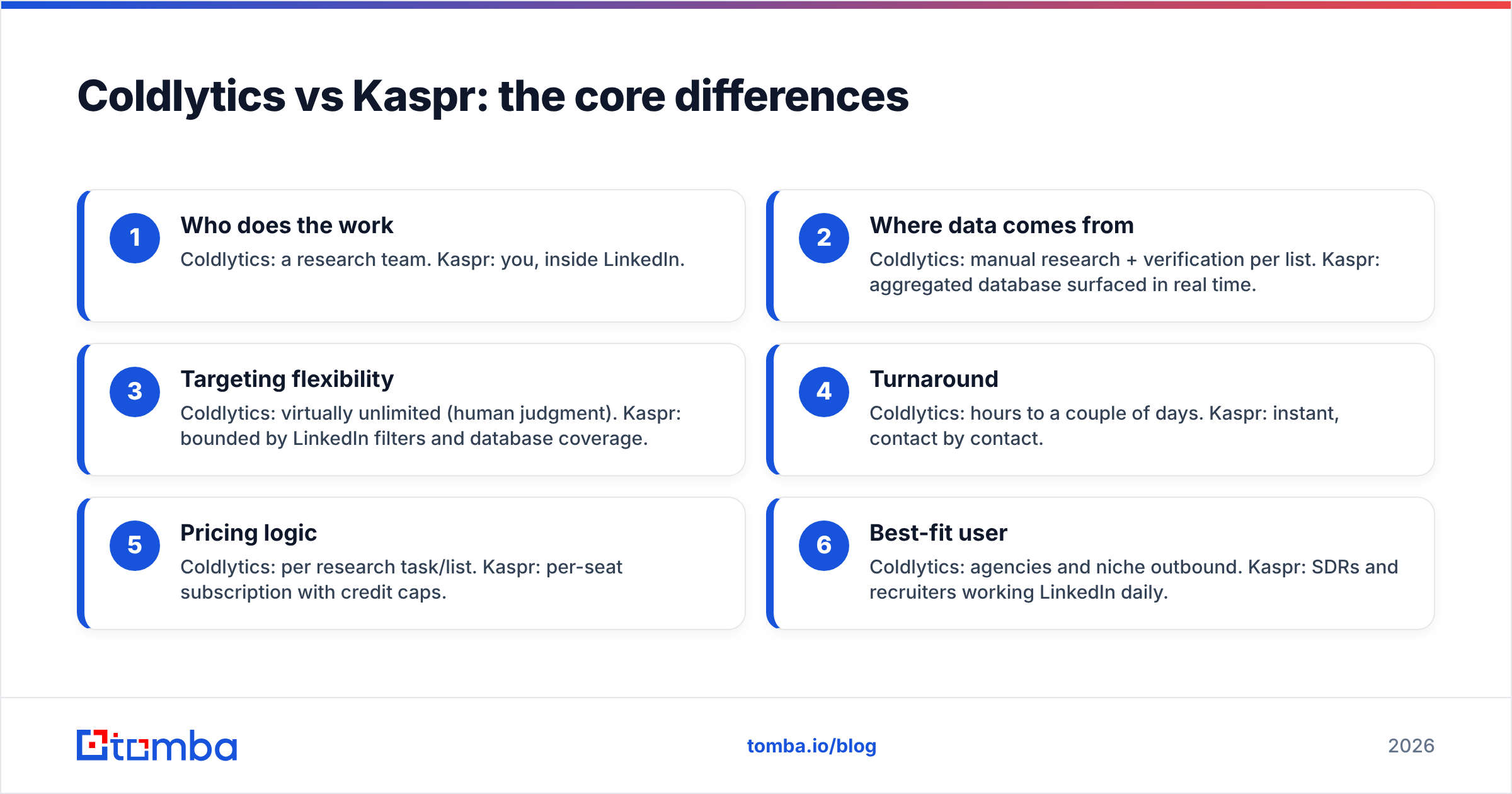
- Coldlytics is a done-for-you list-building service. You submit a brief, a research team builds a custom, manually-verified prospect list, and you get it back in a day or two. Best when you need niche, hard-to-scrape targeting and don't want to touch the tooling.
- Kaspr is a self-serve LinkedIn contact finder. Install the Chrome extension, open a profile or a Sales Navigator search, and it surfaces emails and phone numbers on demand. Best for reps who live inside LinkedIn and want contacts instantly.
- Price shape differs completely: Coldlytics charges per list/research task; Kaspr charges per seat with monthly credit tiers (including a limited free plan).
- Accuracy: Coldlytics leans on human verification for precision; Kaspr leans on a large aggregated database that's fast but more variable on catch-all domains.
- If you mainly need verified work emails at scale via API or bulk upload, a dedicated email-finder like Tomba is often cheaper per contact than either — more on that below.
What is Coldlytics?#
Coldlytics is a research-as-a-service platform. Instead of giving you a database to query, it gives you a team. You describe your ideal customer — industry, title, geography, tech stack, even oddly specific signals like "gyms that just opened a second location" — and researchers assemble a bespoke list, verify the contact data, and hand it back.
That model is the whole point. Scraper-based tools fail on targeting that isn't in a neat filter dropdown. A human researcher can read a company's About page, check a job posting, or cross-reference a directory that no API covers. For agencies and outbound teams chasing narrow niches, that's the value.
The trade-off is throughput and cost per record. You're paying for labor, so lists take time to produce and cost more per contact than self-serve credits. You can read the full service breakdown on the Coldlytics site.
What is Kaspr?#
Kaspr is a contact-data tool built around LinkedIn. Its Chrome extension overlays LinkedIn, Sales Navigator, and Recruiter, revealing phone numbers and emails for the profiles you view. It also supports bulk enrichment from LinkedIn lists and pushes data into your CRM or sequencer.
Kaspr's strength is immediacy and phone coverage — it's known for surfacing mobile numbers, which matters if cold calling is part of your motion. It's owned by Cognism, which gives it access to a large European-heavy contact database. You can see plan details on Kaspr's site and user reviews on G2.
The trade-off: you're tied to LinkedIn as the entry point, and self-serve databases vary in accuracy — especially on catch-all domains where an address can't be SMTP-verified without extra tooling.
Coldlytics vs Kaspr: the core differences#
The fastest way to see the split is workflow, not features. One is a service; the other is a tool.
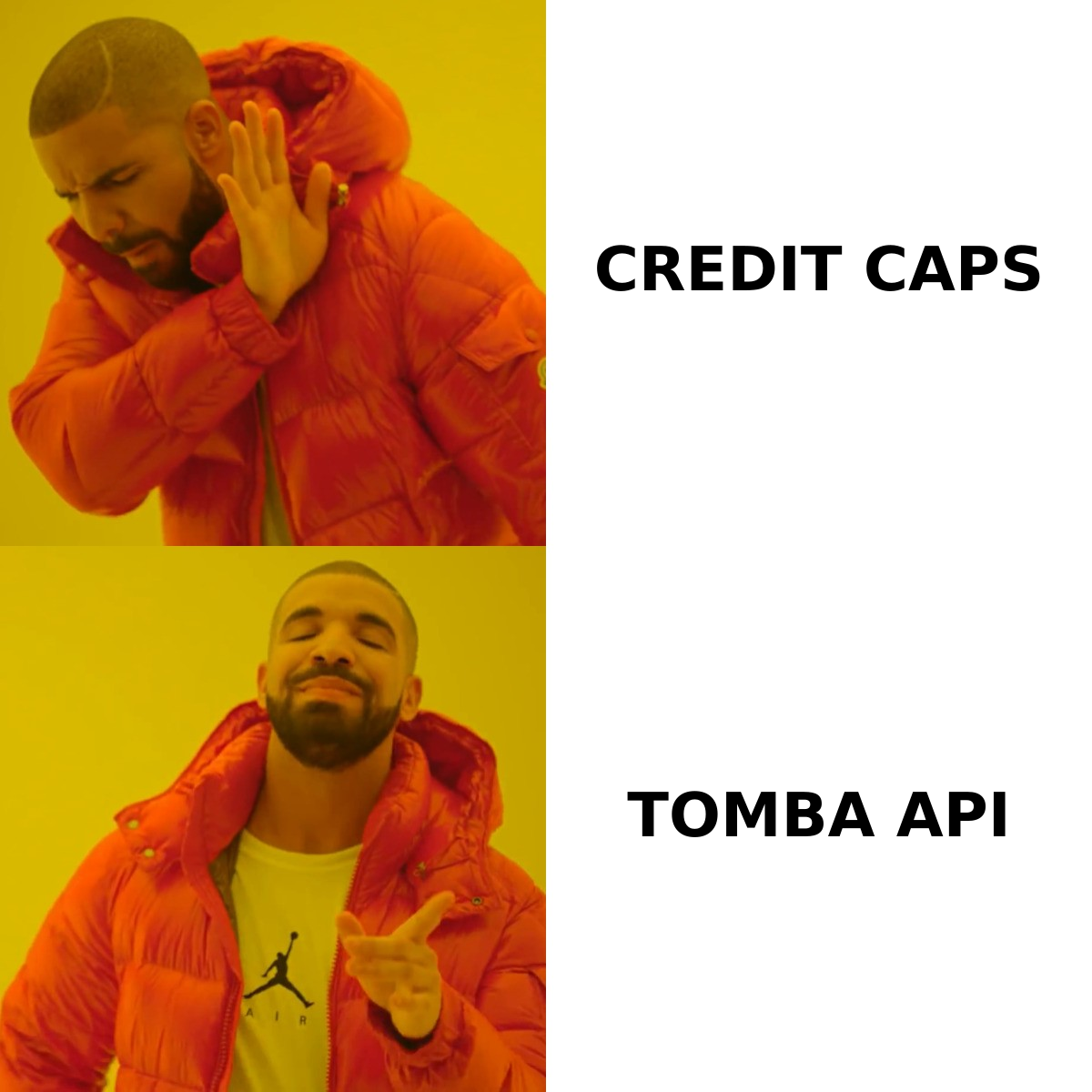
- Who does the work — Coldlytics: a research team. Kaspr: you, inside LinkedIn.
- Where data comes from — Coldlytics: manual research + verification per list. Kaspr: aggregated database surfaced in real time.
- Targeting flexibility — Coldlytics: virtually unlimited (human judgment). Kaspr: bounded by LinkedIn filters and database coverage.
- Turnaround — Coldlytics: hours to a couple of days. Kaspr: instant, contact by contact.
- Pricing logic — Coldlytics: per research task/list. Kaspr: per-seat subscription with credit caps.
- Best-fit user — Coldlytics: agencies and niche outbound. Kaspr: SDRs and recruiters working LinkedIn daily.
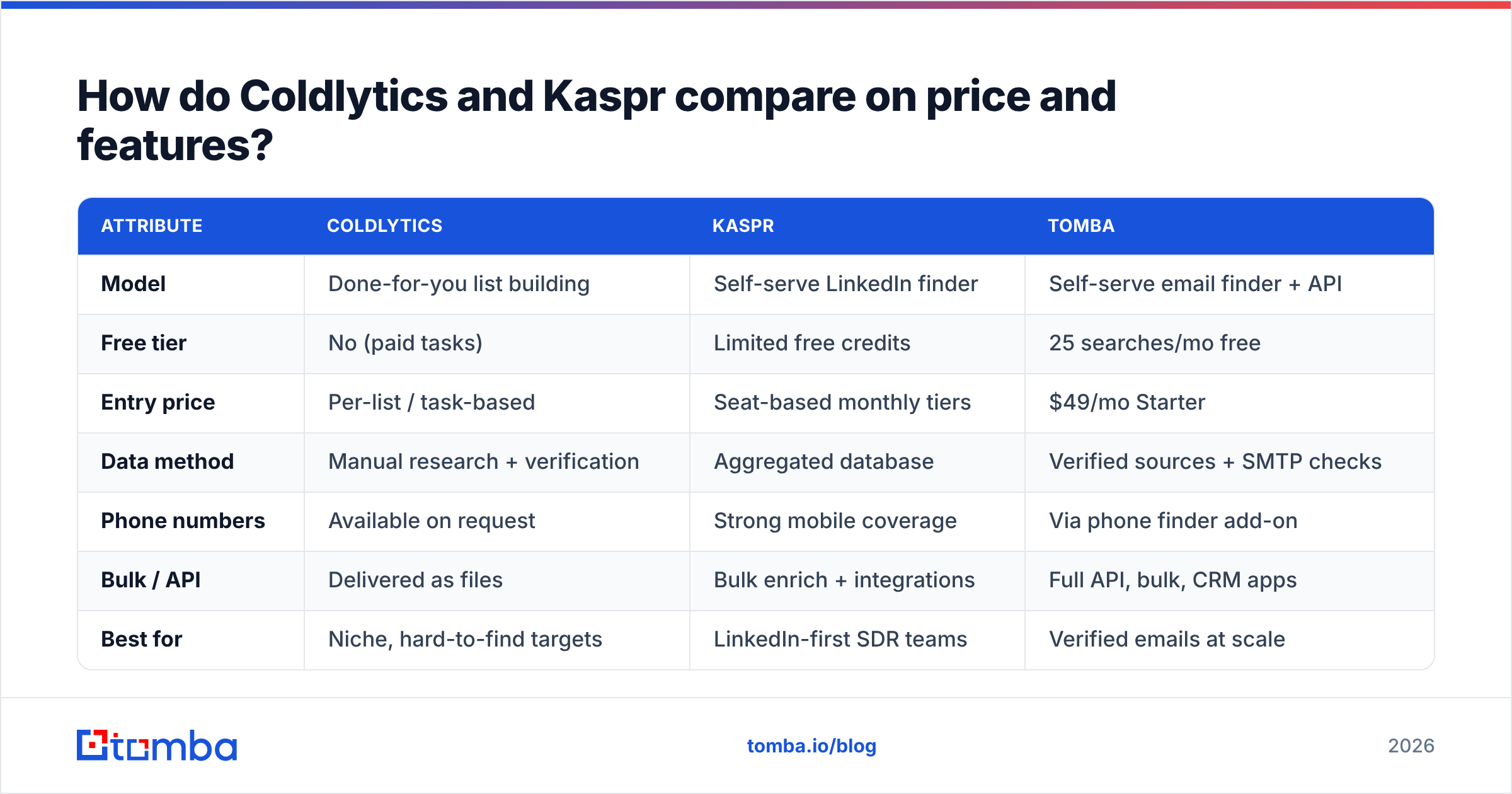
How do Coldlytics and Kaspr compare on price and features?#
| Attribute | Coldlytics | Kaspr | Tomba |
|---|---|---|---|
| Model | Done-for-you list building | Self-serve LinkedIn finder | Self-serve email finder + API |
| Free tier | No (paid tasks) | Limited free credits | 25 searches/mo free |
| Entry price | Per-list / task-based | Seat-based monthly tiers | $49/mo Starter |
| Data method | Manual research + verification | Aggregated database | Verified sources + SMTP checks |
| Phone numbers | Available on request | Strong mobile coverage | Via phone finder add-on |
| Bulk / API | Delivered as files | Bulk enrich + integrations | Full API, bulk, CRM apps |
| Best for | Niche, hard-to-find targets | LinkedIn-first SDR teams | Verified emails at scale |
| Turnaround | Hours–days | Instant | Instant |
Read the numbers by job-to-be-done, not just the sticker. Coldlytics wins when the targeting is the hard part and you'd rather pay a team than build filters. Kaspr wins when speed and phone coverage inside LinkedIn matter most. If the hard part is simply getting a high volume of verified work emails cheaply, a purpose-built email finder usually beats both on cost per accurate contact — you can compare Tomba pricing against a Kaspr seat and see the gap quickly.
Which one has better data accuracy?#
Accuracy depends on what you're measuring. Coldlytics verifies at the point of research, so a delivered list tends to be clean because a human checked it. The catch is that quality is per-project — you're trusting the researcher and the verification step on each order.
Kaspr's database is large and fast, which means broad coverage but more variance. Aggregated data ages, and any self-serve tool struggles with catch-all domains, where the mail server accepts everything and refuses to confirm a specific mailbox. That's where a lot of "valid" emails quietly bounce.
The durable fix for accuracy isn't the source — it's the verification layer you run before you send. Whichever tool you use, pass the output through an email verifier and a catch-all verifier so you're not paying for bounces with your sender reputation. A list is only as good as the day you actually send it, and data decays every month.

When should you pick Coldlytics?#
Choose Coldlytics if:
- Your ICP is genuinely hard to build with filters — think local businesses, specific franchise types, or signal-based targeting no dropdown captures.
- You're an agency running outbound for clients and want to hand off list-building entirely.
- You value a human verification pass and don't mind a short turnaround for it.
- Volume is moderate and precision matters more than cost per record.
Skip it if you need thousands of contacts today, want to query on demand, or your targeting is standard enough that a database already covers it.
When should you pick Kaspr?#
Choose Kaspr if:
- Your reps already prospect inside LinkedIn and Sales Navigator every day.
- Mobile phone numbers are central to your motion (cold calling, not just email).
- You want instant, contact-by-contact enrichment with a light CRM push.
- You have European-heavy targets, where its Cognism-backed data tends to be strong.
Skip it if you dislike being anchored to LinkedIn as the entry point, or if you need large verified email exports where per-seat credit caps get expensive fast.
Is there a better-value alternative to both?#
For many teams, yes — if the real goal is verified work emails at scale rather than a research service or a LinkedIn overlay.
Coldlytics and Kaspr are both legitimate, and each is the right answer for its use case. But their pricing models punish high-volume email sourcing: you either pay per human-built list or per seat with monthly credit ceilings. If you mostly need accurate emails by domain, name, or company — plus an API to wire it into your stack — a dedicated finder is a cleaner fit.
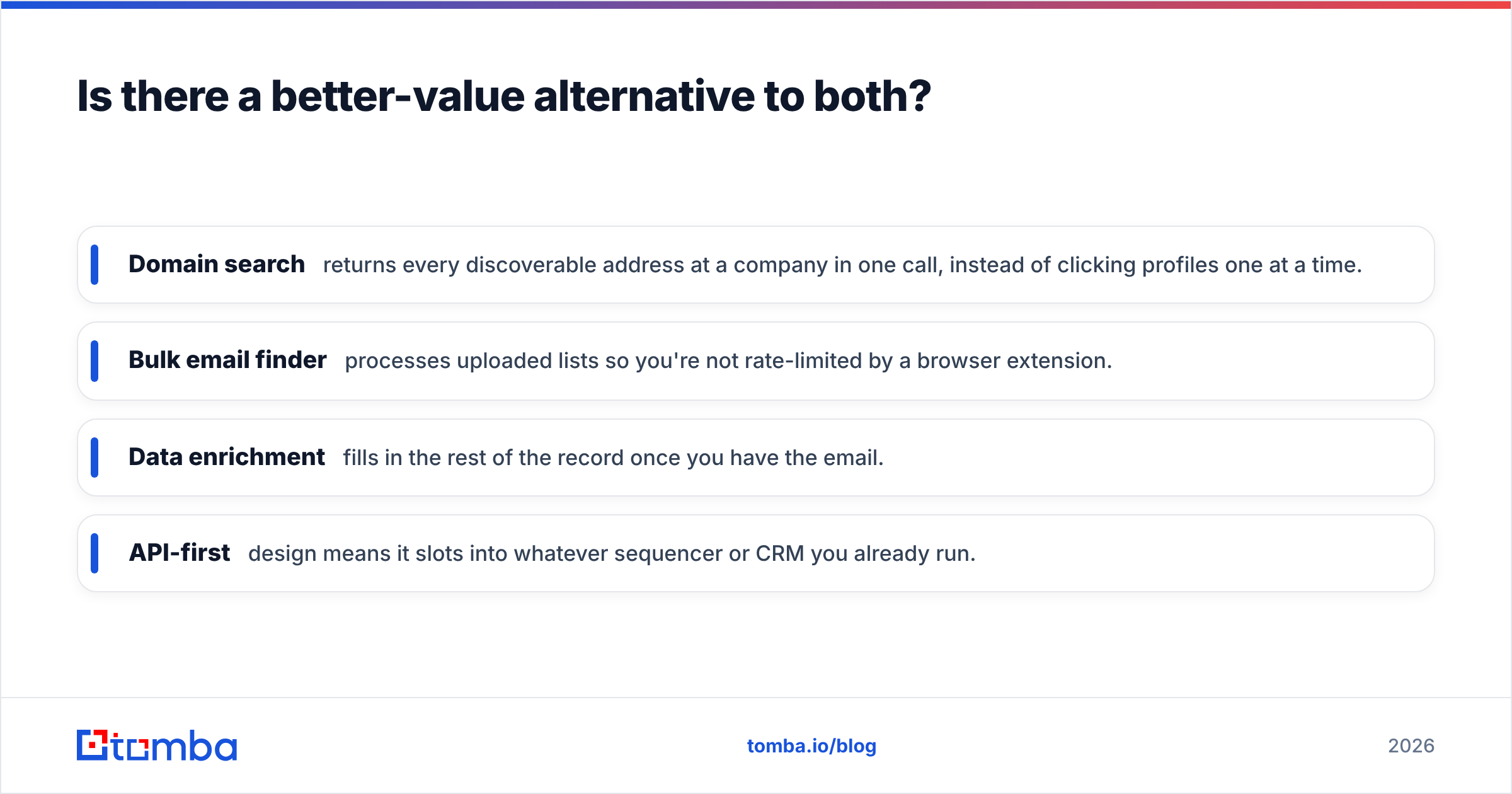
That's where Tomba lands. A few ways it changes the math:
- Domain search returns every discoverable address at a company in one call, instead of clicking profiles one at a time.
- Bulk email finder processes uploaded lists so you're not rate-limited by a browser extension.
- Data enrichment fills in the rest of the record once you have the email.
- API-first design means it slots into whatever sequencer or CRM you already run.
None of that makes Coldlytics or Kaspr wrong. It makes them specialized: one for research-heavy niches, one for LinkedIn-native calling teams. If your bottleneck is verified email volume at a predictable price, a finder-plus-verifier stack is usually the cheaper, more scalable core — and you can still layer a service like Coldlytics on top for the truly hard-to-find accounts.
Coldlytics vs Kaspr: the verdict#
There's no single winner — there's a winner for your workflow:
- Pick Coldlytics for niche, signal-based targeting you'd rather outsource to a research team.
- Pick Kaspr for instant LinkedIn contact and phone data inside an SDR's daily flow.
- Pick a dedicated finder like Tomba when verified emails at scale — via API, bulk, or domain search — are the actual job, and you want the lowest cost per accurate contact.
Match the tool to your bottleneck. If it's targeting, go human. If it's LinkedIn speed, go Kaspr. If it's email volume and accuracy, go finder-first.
Start finding verified emails today#
If your outbound stalls because you can't get accurate work emails fast enough, start with the tool built for exactly that. The Tomba Email Finder turns a name and domain into a verified professional email in seconds — with a free tier of 25 searches a month, then $49/mo when you scale, plus an API and bulk tools that neither a per-list service nor a per-seat LinkedIn extension can match on cost per contact. Build your list, verify it, and hit send with confidence.
Related guides#
Ready to find emails that actually work?
Join 150,000+ professionals who stopped guessing and started sending. Free credits on signup — no credit card required.
Get the Tomba newsletter
Practical outbound tactics and product updates — once every two weeks.
About the author