Coldlytics vs Lusha: B2B Prospecting Data Compared for 2026
Coldlytics builds custom prospect lists by hand; Lusha serves instant contacts from a self-serve database. Here's which model actually wins for your outbound in 2026 — and where a cheaper hybrid beats both.
Choosing between Coldlytics and Lusha comes down to one question: do you want someone to build your prospect list, or do you want to pull contacts yourself on demand? They solve the same problem — getting accurate B2B contact data into your outbound — from opposite ends of the spectrum. This comparison breaks down how each works, what they cost, where the data holds up, and which one fits the way your team actually prospects.
TL;DR: Coldlytics vs Lusha in 30 seconds#
- Coldlytics is a done-for-you prospecting service. You submit a research brief, human researchers plus tooling build a targeted list, and it lands in your inbox in roughly 24–48 hours.
- Lusha is a self-serve contact database with a Chrome extension. You look up people and companies instantly, reveal emails and phone numbers, and export on the spot.
- Pick Coldlytics when your ICP is niche, hard to filter, or needs human judgment (think "operations managers at family-owned HVAC firms in Texas").
- Pick Lusha when speed and volume matter and your targets sit in mainstream databases (SaaS, tech, mid-market sales).
- The hybrid most teams land on: use a self-serve email finder and enrichment API like Tomba Email Finder for scale, and reserve a research service only for the accounts a database genuinely can't reach.

What is Coldlytics and how does it work?#
Coldlytics is a research-as-a-service platform. Instead of giving you a search bar, it gives you a request form. You describe your ideal customer — titles, industries, geography, company size, and any qualifier a filter can't capture — and a team combines manual research with data tooling to hand-build a list that matches.
The workflow looks like this:
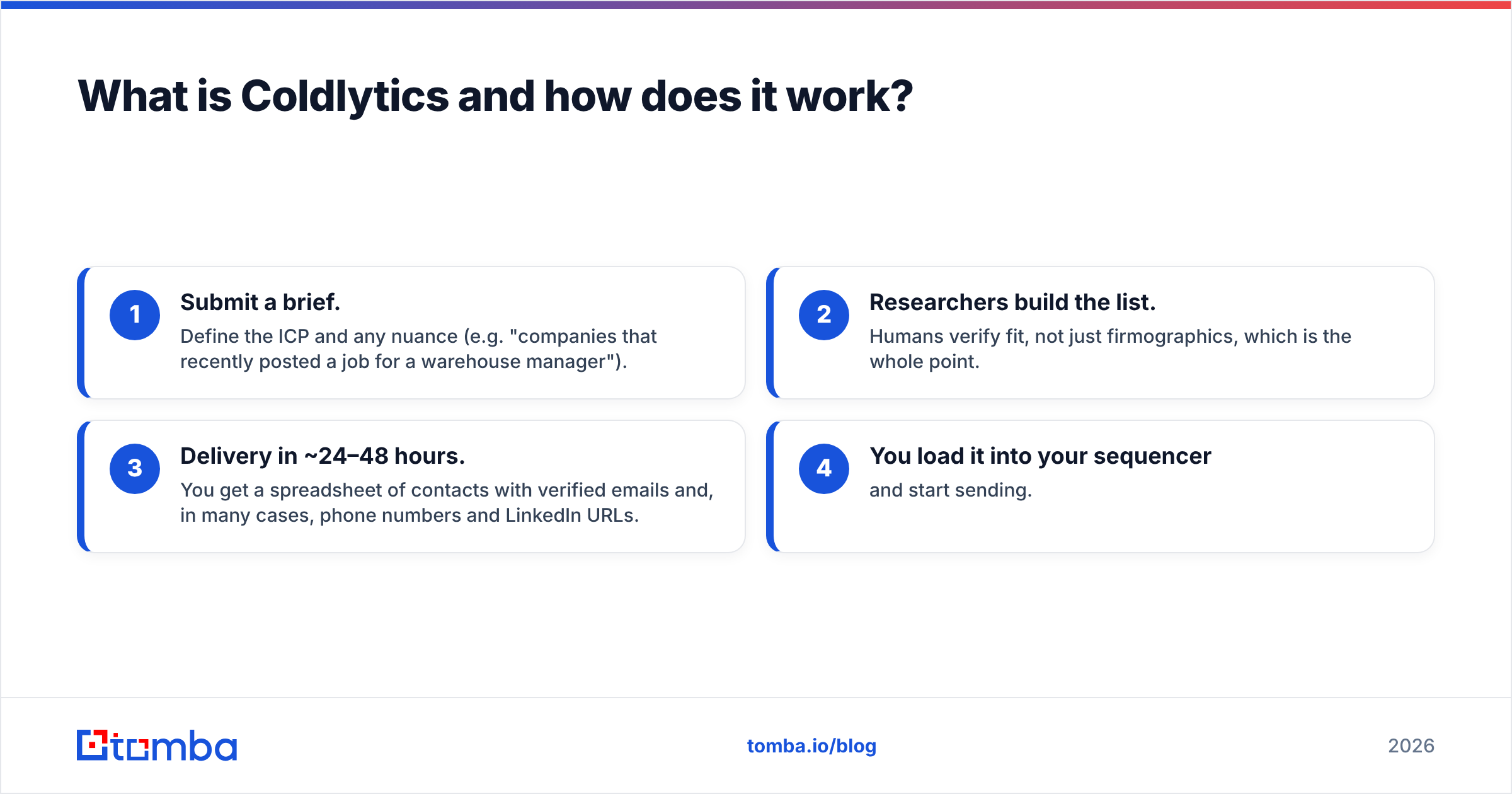
- Submit a brief. Define the ICP and any nuance (e.g. "companies that recently posted a job for a warehouse manager").
- Researchers build the list. Humans verify fit, not just firmographics, which is the whole point.
- Delivery in ~24–48 hours. You get a spreadsheet of contacts with verified emails and, in many cases, phone numbers and LinkedIn URLs.
- You load it into your sequencer and start sending.
The value is precision on hard-to-reach segments. A database can tell you someone is a "Director of Operations." It usually can't tell you their company just opened a second location or switched to a competitor's software last quarter. That contextual filtering is where a research service earns its price. The tradeoff is obvious: you wait, and you pay for labor rather than instant self-serve access. You can read more about why data freshness matters in Tomba's notes on where the data comes from.
What is Lusha and how does it work?#
Lusha is a self-serve B2B contact database built around a browser extension and a web app. Land on a LinkedIn profile or a company website, click the extension, and Lusha reveals the person's work email and direct-dial phone number from its database. You can also prospect inside its platform with filters for title, seniority, industry, and location, then export contacts in bulk.
Lusha's reputation is strongest for phone numbers — direct dials are a core selling point — and it integrates natively with CRMs like Salesforce and HubSpot so reps can enrich records without leaving the pipeline. It runs on a credit model: each revealed contact consumes credits, and your plan determines how many you get per month.
The strength is speed. There's no brief, no waiting, no minimum turnaround. If your prospect is in the database, you have them in seconds. The weakness is the flip side of any database: coverage is uneven outside mainstream tech and mid-market segments, and you're relieving credits whether the contact converts or not.
Coldlytics vs Lusha: side-by-side comparison#
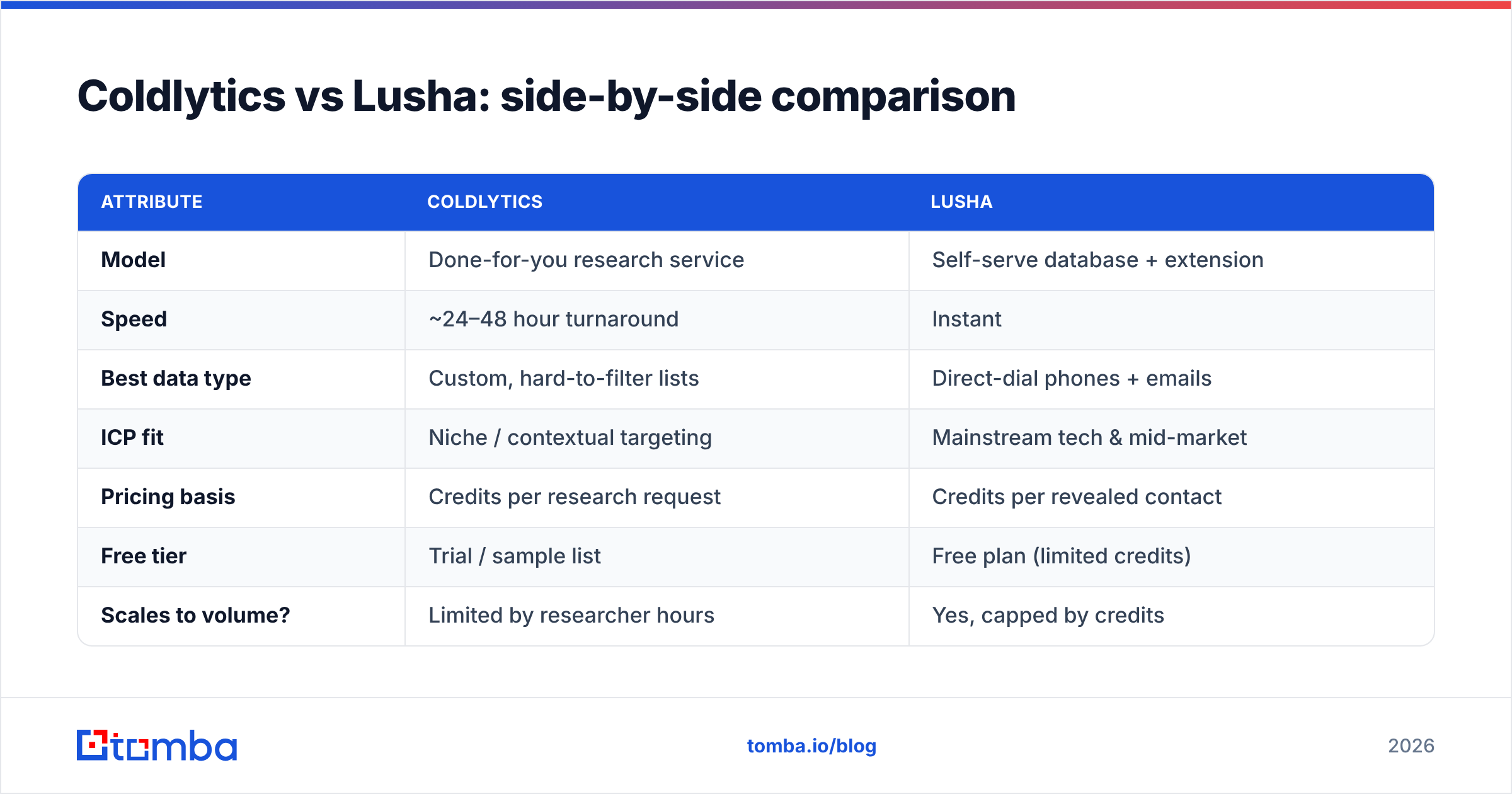
| Attribute | Coldlytics | Lusha |
|---|---|---|
| Model | Done-for-you research service | Self-serve database + extension |
| Speed | ~24–48 hour turnaround | Instant |
| Best data type | Custom, hard-to-filter lists | Direct-dial phones + emails |
| ICP fit | Niche / contextual targeting | Mainstream tech & mid-market |
| Pricing basis | Credits per research request | Credits per revealed contact |
| Free tier | Trial / sample list | Free plan (limited credits) |
| Scales to volume? | Limited by researcher hours | Yes, capped by credits |
| CRM integrations | Delivered as file / import | Native (Salesforce, HubSpot, etc.) |
| Human QA on fit | Yes | No |
The table makes the core tension clear: Coldlytics optimizes for fit and accuracy on difficult segments, Lusha optimizes for speed and self-serve volume. Neither is "better" in the abstract — they're tuned for different jobs.
Which has better data accuracy?#
It depends on how mainstream your targets are. For common roles at tech and mid-market companies, a database like Lusha is often accurate enough and far faster. For obscure industries, non-LinkedIn-active buyers, or context-dependent qualifiers, a human research service like Coldlytics tends to win because a person is checking each record against your actual criteria.
Two accuracy realities to keep in mind:
- Databases decay. Roughly 20–30% of B2B contact data goes stale every year as people change jobs. Any static database — Lusha included — needs constant refresh, and coverage varies wildly by region and industry.
- Human research doesn't scale. Coldlytics can nail a 300-contact niche list, but you won't get 50,000 rows next week. Labor is the ceiling.
This is exactly why many teams verify before they send, regardless of source. Running any list through an email verifier catches invalid and risky addresses that would otherwise tank your sender reputation. Accuracy at the point of collection matters, but accuracy at the point of send is what protects your email deliverability.
How do Coldlytics and Lusha pricing compare?#
Both charge on credits, but the unit is different — and that difference matters more than the headline number.
- Coldlytics prices per research request / list, so your cost is tied to the volume and difficulty of the lists you commission. It's predictable when you have a steady cadence of well-defined campaigns, and it bundles the labor of building the list.
- Lusha prices per revealed contact, with tiered monthly plans (a limited free tier, then paid tiers that scale credits and seats). It's predictable when your volume is steady, but per-contact credit models get expensive fast at scale, and unused credits often don't roll over.
Always confirm current numbers on the vendors' own pages (lusha.com and coldlytics.com), since both adjust plans regularly. The strategic point: a per-contact credit model punishes high-volume outbound, while a research-request model punishes high-frequency, low-value list needs. Map the pricing to how you prospect, not just the sticker.
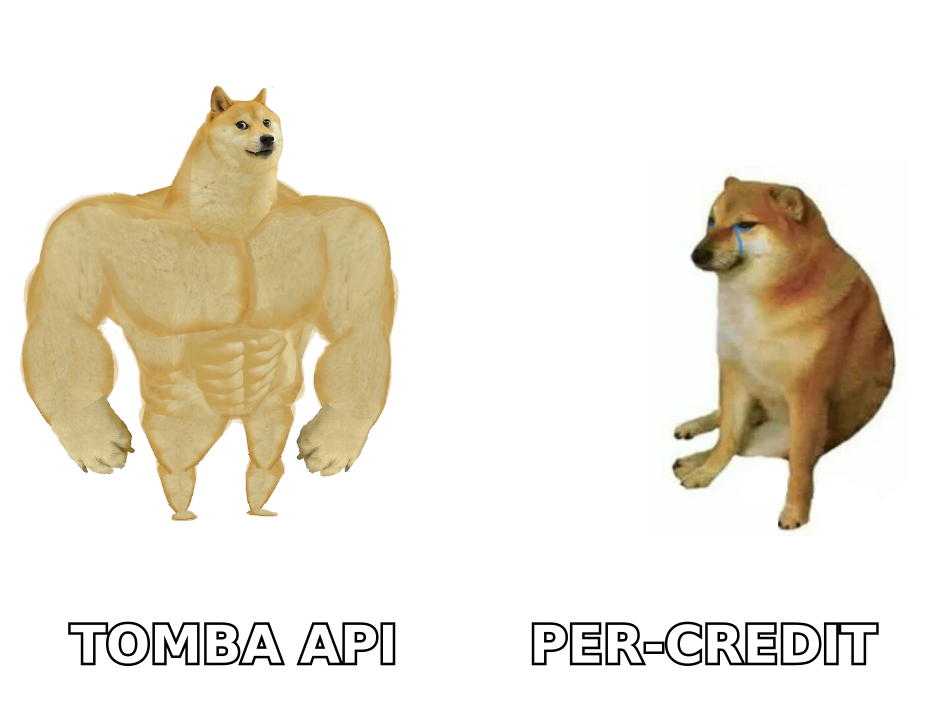
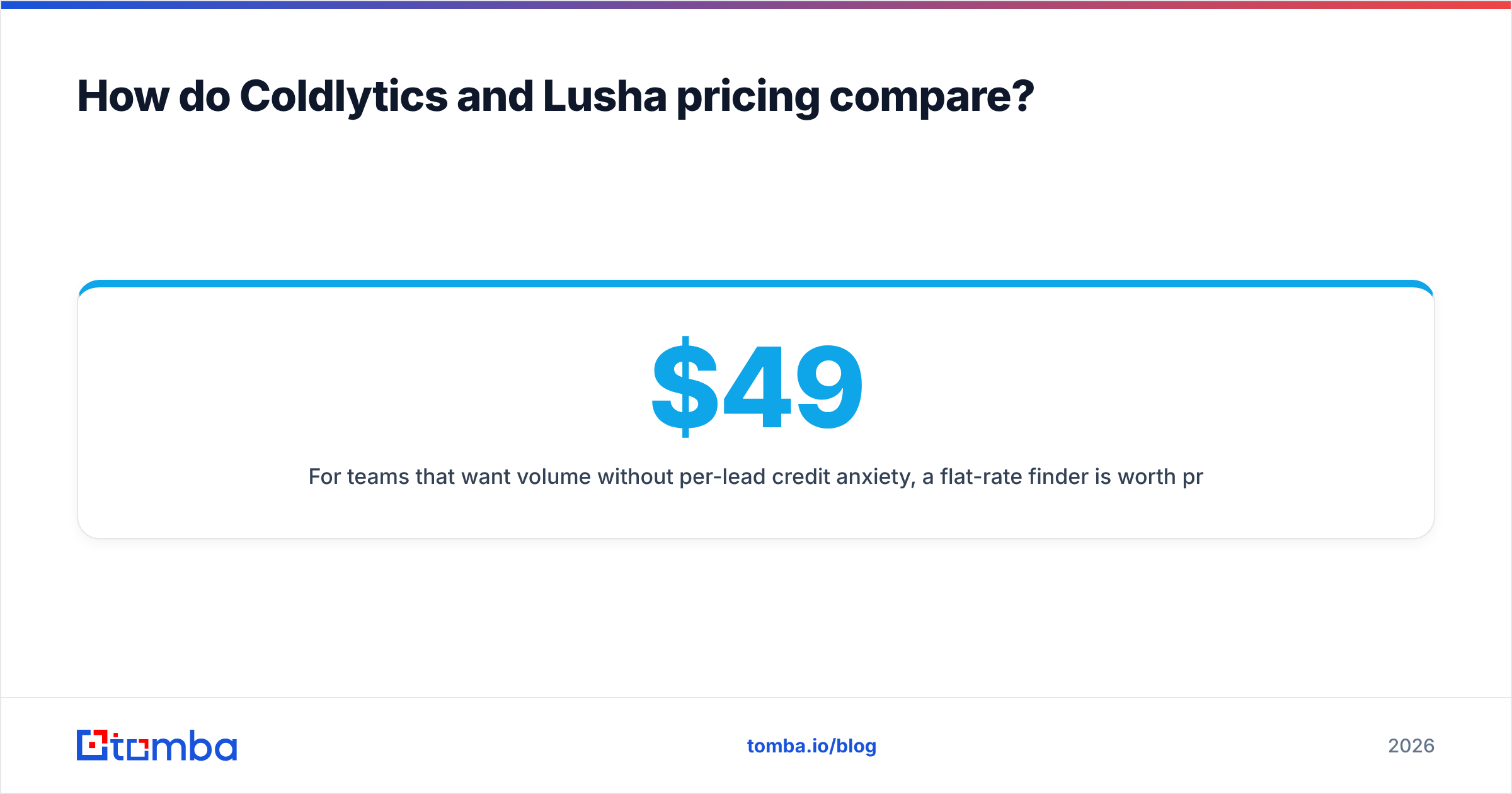
For teams that want volume without per-lead credit anxiety, a flat-rate finder is worth pricing out. Tomba's plans start with a free tier of 25 searches per month, then Starter at $49/mo, Growth at $99/mo, and Pro at $249/mo — with a bulk email finder for large lists and an email finder API when you'd rather build enrichment into your own stack.
When should you choose Coldlytics over Lusha?#
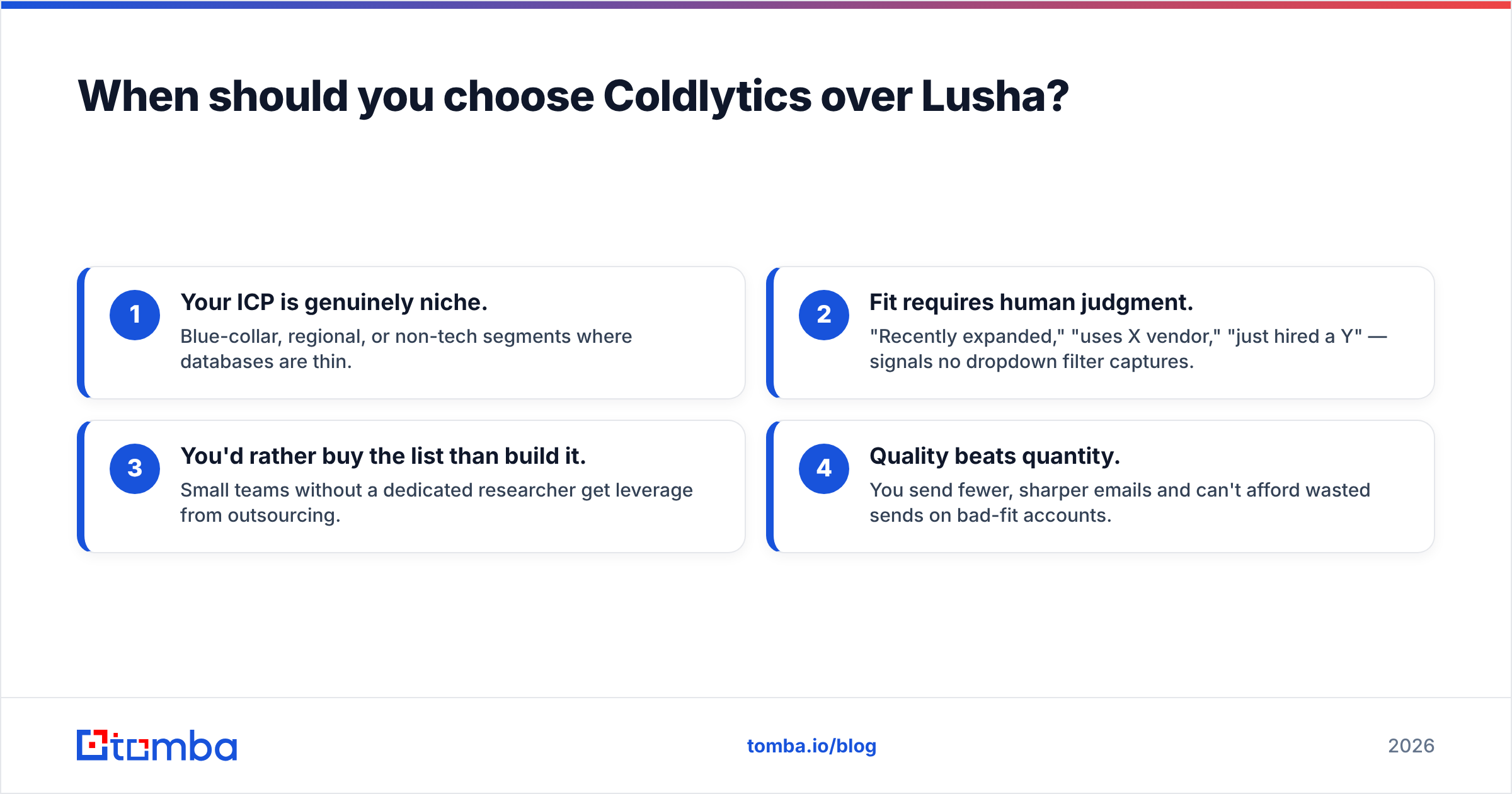
Choose Coldlytics when any of these describe your outbound:
- Your ICP is genuinely niche. Blue-collar, regional, or non-tech segments where databases are thin.
- Fit requires human judgment. "Recently expanded," "uses X vendor," "just hired a Y" — signals no dropdown filter captures.
- You'd rather buy the list than build it. Small teams without a dedicated researcher get leverage from outsourcing.
- Quality beats quantity. You send fewer, sharper emails and can't afford wasted sends on bad-fit accounts.
The cost is speed and scale. If you need lists next month on a repeating brief, that's a fine trade. If you need 10,000 contacts by Friday, it isn't.
When should you choose Lusha over Coldlytics?#
Choose Lusha when:
- You need phone numbers. Direct dials are Lusha's calling card, and it's strong for cold calling motions.
- Speed is non-negotiable. Reps prospect live, inside LinkedIn and the CRM, with no turnaround wait.
- Your targets are mainstream. SaaS, tech, and mid-market roles where database coverage is deep.
- You want native CRM enrichment. Data flows straight into Salesforce or HubSpot without a manual import step.
The cost is coverage gaps outside its sweet spot and a credit model that gets pricey at volume.
Is there a better alternative to both?#
For most email-led outbound, a self-serve finder plus verification plus enrichment covers 80% of the job at a lower cost — and you only bring in a research service for the accounts it genuinely can't reach. That's the hybrid the majority of efficient teams converge on.
Here's the practical stack:
- Find at scale. Use domain search to pull every reachable contact at a target company, or the email finder API to enrich records programmatically.
- Verify before you send. Push every address through verification so bounces never touch your domain reputation.
- Enrich for context. Layer in data enrichment to add firmographics and social profiles the finder didn't return.
- Escalate the hard 20%. Reserve a human research service (like Coldlytics) only for the niche accounts a database can't surface — that's where it's worth the wait and the labor.
This approach fixes the core weakness of each tool: you get Lusha-style speed for the mainstream majority and Coldlytics-style precision for the edge cases, without paying full price for either across your whole list. Check reviews on G2 to sanity-check coverage claims for your specific industry before committing budget.
The bottom line#
Coldlytics wins on niche precision; Lusha wins on speed and phone data — but neither is the cheapest path to a full pipeline on its own. If your targets are hard to filter and fit matters more than volume, Coldlytics earns its turnaround time. If you live in the CRM and need direct dials fast in mainstream segments, Lusha delivers. And if most of your outbound is email at volume, a self-serve finder with built-in verification will cover the bulk of it for far less — with a research service kept in reserve for the genuinely unreachable accounts.
Start by mapping your ICP against database coverage. The more mainstream and email-led your motion, the more a scalable finder does the heavy lifting.
Ready to stop paying per lead? Tomba Email Finder finds professional email addresses by name, domain, or company — with verification built in and a free tier to test the accuracy on your own list before you spend a cent. Pull a company's full contact map in seconds, verify it, and load it straight into your sequencer.
Related guides#
Ready to find emails that actually work?
Join 150,000+ professionals who stopped guessing and started sending. Free credits on signup — no credit card required.
Get the Tomba newsletter
Practical outbound tactics and product updates — once every two weeks.
About the author