Company Data Sources in 2026: Where B2B Data Comes From
Not all company data sources are equal. Learn where B2B data actually comes from, how to judge freshness and accuracy, and how to build a stack that doesn't decay.
Your CRM is only as good as the pipes feeding it. Every bounced email, every "this person left two years ago" reply, and every duplicate account traces back to one thing: the company data sources behind your records. Yet most teams buy data without ever asking where it came from, how old it is, or how it was verified.
This guide breaks down the real origins of B2B company and contact data, how to judge each source, and how to assemble a stack that stays accurate instead of rotting in a spreadsheet.
TL;DR#
- Company data comes from four buckets: public/official records, web crawling, user-contributed and community data, and real-time verification. Every vendor blends these — the mix determines quality.
- Freshness beats volume. B2B data decays 20–30% per year. A 5M-record list sourced two years ago is worth less than a 50K list verified last week.
- "Accuracy" claims are marketing until proven. Ask for the verification method, the last-refreshed date, and a sample you can test yourself.
- Build layered, not single-source. Use a broad database for discovery, a live finder for the record you're about to email, and a verifier before you hit send.
- Compliance is a data-source question, not a legal afterthought — know the lawful basis before you import.
What are company data sources, exactly?#
Company data sources are the origins of the firmographic and contact information you use to find, qualify, and reach businesses. Think of them like the supply chain behind a bottle of orange juice: the label says "fresh," but the juice could be from oranges picked this morning or from concentrate that's been in a warehouse for a year. Same product category, wildly different quality.
In B2B, the "juice" is fields like company name, domain, headcount, industry, revenue, tech stack, and — most valuable and most perishable — the names, emails, and phone numbers of the people who work there. The source and the sourcing date decide whether that data helps you or embarrasses you.
Here are the four foundational source types every provider draws from:
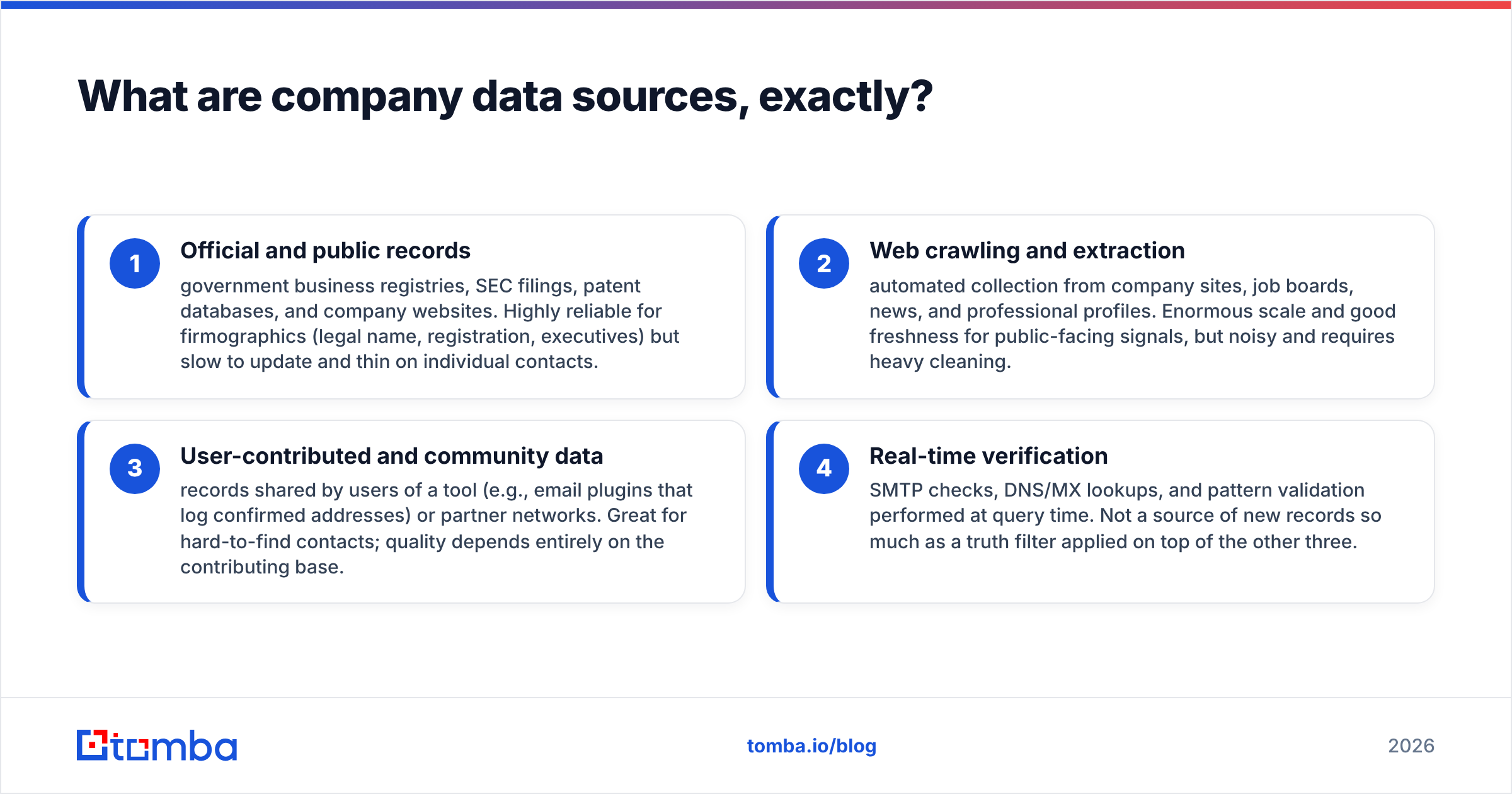
- Official and public records — government business registries, SEC filings, patent databases, and company websites. Highly reliable for firmographics (legal name, registration, executives) but slow to update and thin on individual contacts.
- Web crawling and extraction — automated collection from company sites, job boards, news, and professional profiles. Enormous scale and good freshness for public-facing signals, but noisy and requires heavy cleaning.
- User-contributed and community data — records shared by users of a tool (e.g., email plugins that log confirmed addresses) or partner networks. Great for hard-to-find contacts; quality depends entirely on the contributing base.
- Real-time verification — SMTP checks, DNS/MX lookups, and pattern validation performed at query time. Not a source of new records so much as a truth filter applied on top of the other three.
Most reputable vendors, including Tomba, combine all four: crawl and public data for coverage, community signals for depth, and verification to keep it honest. You can read more about where Tomba gets data if you want the specifics of one blended approach.

How do the main company data sources compare?#
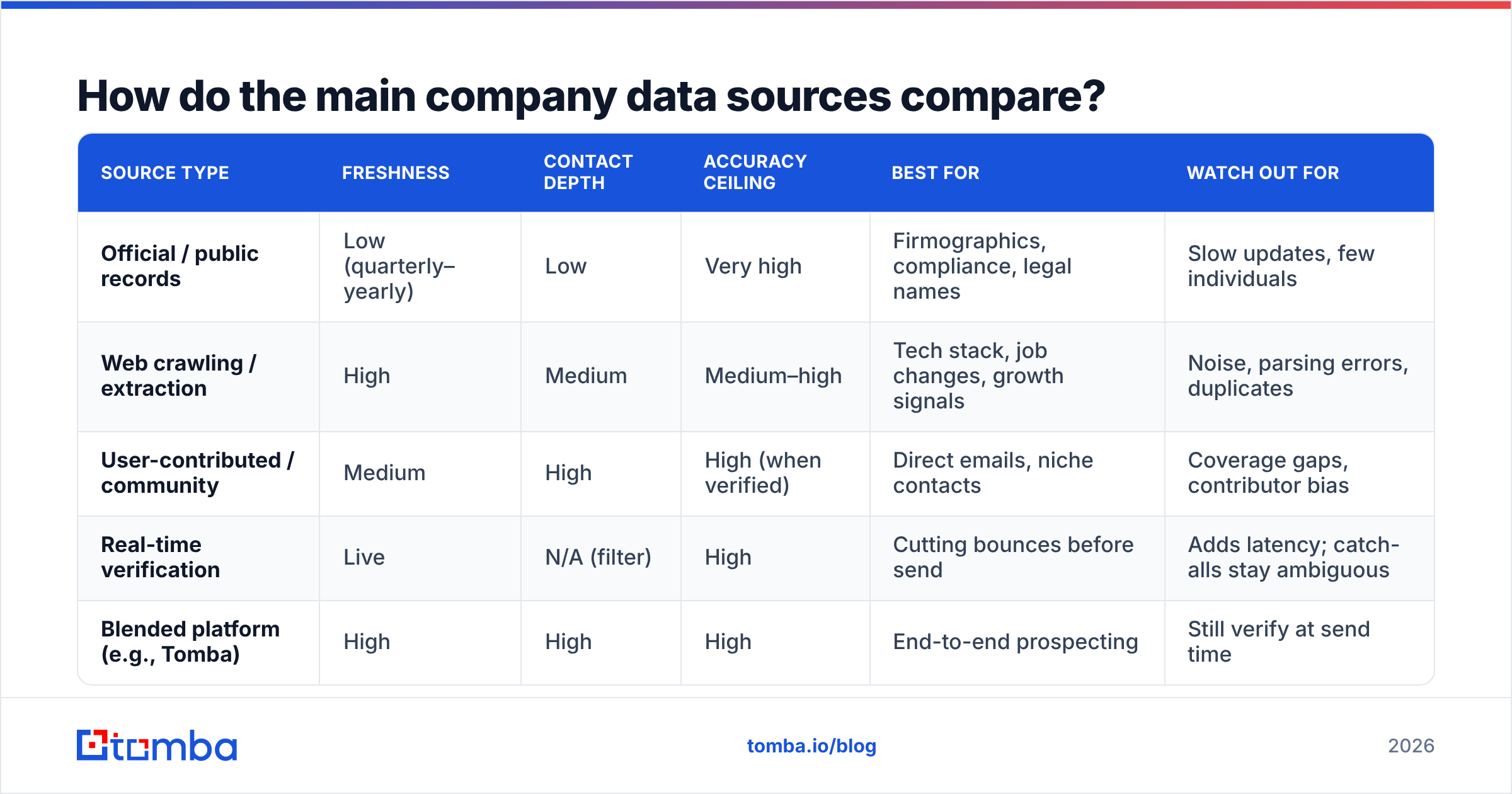
Not every source is good at the same job. A registry is fantastic for confirming a company exists and terrible for finding the VP of Marketing's email. A crawler is the reverse. Here's how the categories stack up on the attributes that actually affect your outcomes.
| Source type | Freshness | Contact depth | Accuracy ceiling | Best for | Watch out for |
|---|---|---|---|---|---|
| Official / public records | Low (quarterly–yearly) | Low | Very high | Firmographics, compliance, legal names | Slow updates, few individuals |
| Web crawling / extraction | High | Medium | Medium–high | Tech stack, job changes, growth signals | Noise, parsing errors, duplicates |
| User-contributed / community | Medium | High | High (when verified) | Direct emails, niche contacts | Coverage gaps, contributor bias |
| Real-time verification | Live | N/A (filter) | High | Cutting bounces before send | Adds latency; catch-alls stay ambiguous |
| Blended platform (e.g., Tomba) | High | High | High | End-to-end prospecting | Still verify at send time |
The takeaway: single-source data always has a blind spot. A registry-only provider will have clean firmographics and no reachable contacts. A crawler-only tool will have millions of records and a bounce rate that gets your domain flagged. The blended approach wins because each source covers another's weakness — provided the vendor actually runs email verification on top rather than shipping raw crawl output.
Why does data freshness matter more than database size?#
Because dead data doesn't just fail to help — it actively hurts you. Every message sent to a stale address is a small tax on your sender reputation, and enough of them will land you in spam folders for the contacts who are still reachable.
B2B contact data decays fast. Industry consensus, echoed by firms like Gartner and reflected in most CRM audits, puts annual decay somewhere between 20% and 30%. People change jobs, companies rebrand, domains migrate, and role titles shuffle. A database advertised as "50 million contacts" tells you nothing if you don't know when those 50 million were last confirmed.
Think of a data vendor like a grocery store. The one bragging about having ten thousand items on the shelf isn't better than the smaller shop if half those items are past their expiration date. What you want to know is the restock rate — how often records are re-verified — not the shelf count.
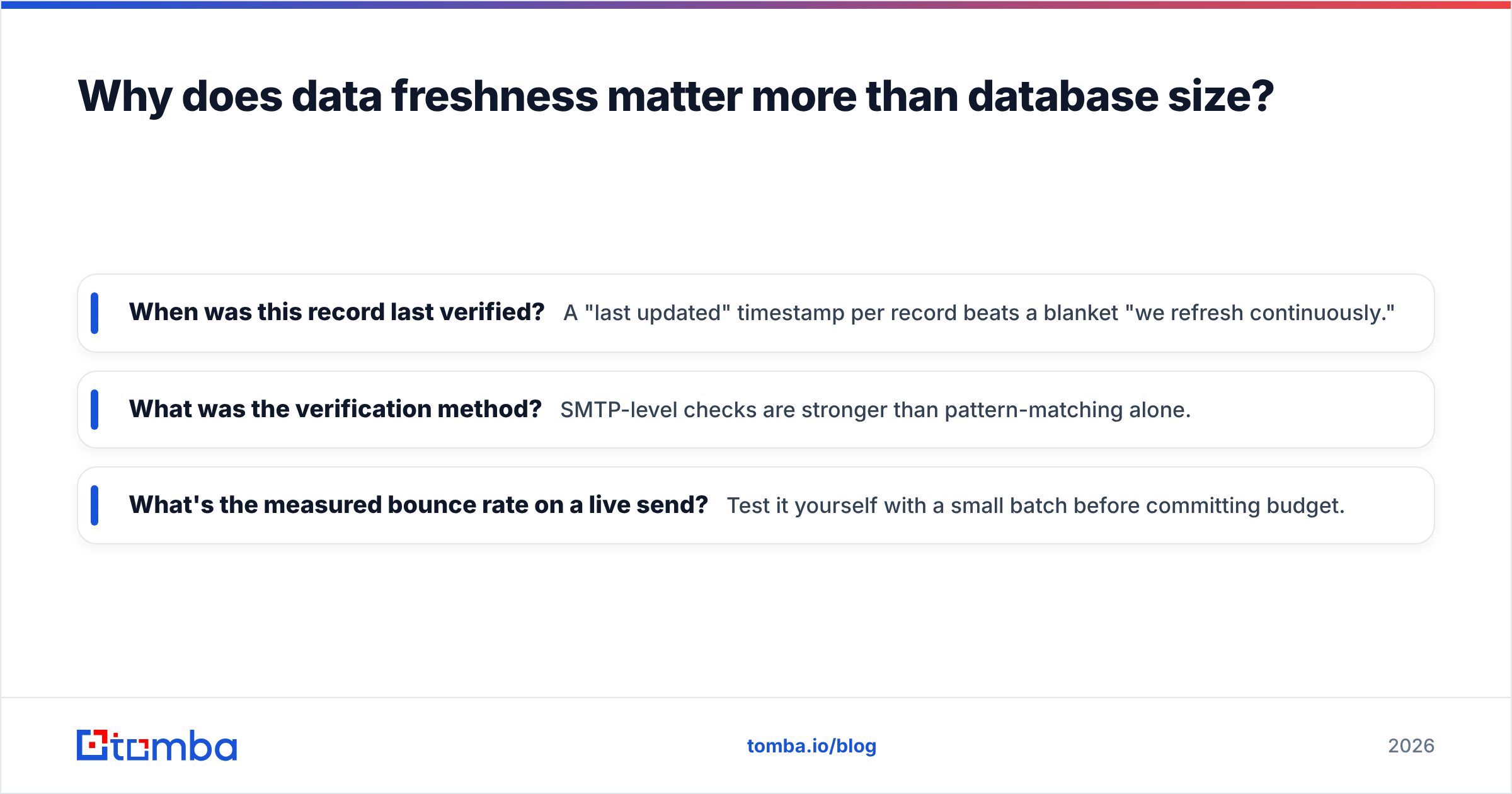
When you evaluate any of your company data sources, ask three questions:
- When was this record last verified? A "last updated" timestamp per record beats a blanket "we refresh continuously."
- What was the verification method? SMTP-level checks are stronger than pattern-matching alone.
- What's the measured bounce rate on a live send? Test it yourself with a small batch before committing budget.
How do email finders source and verify contact data?#
Email finders sit at the sharp end of the data supply chain — they turn a name and a domain into a reachable, verified address at the moment you need it. This is where blended sourcing and real-time verification combine.
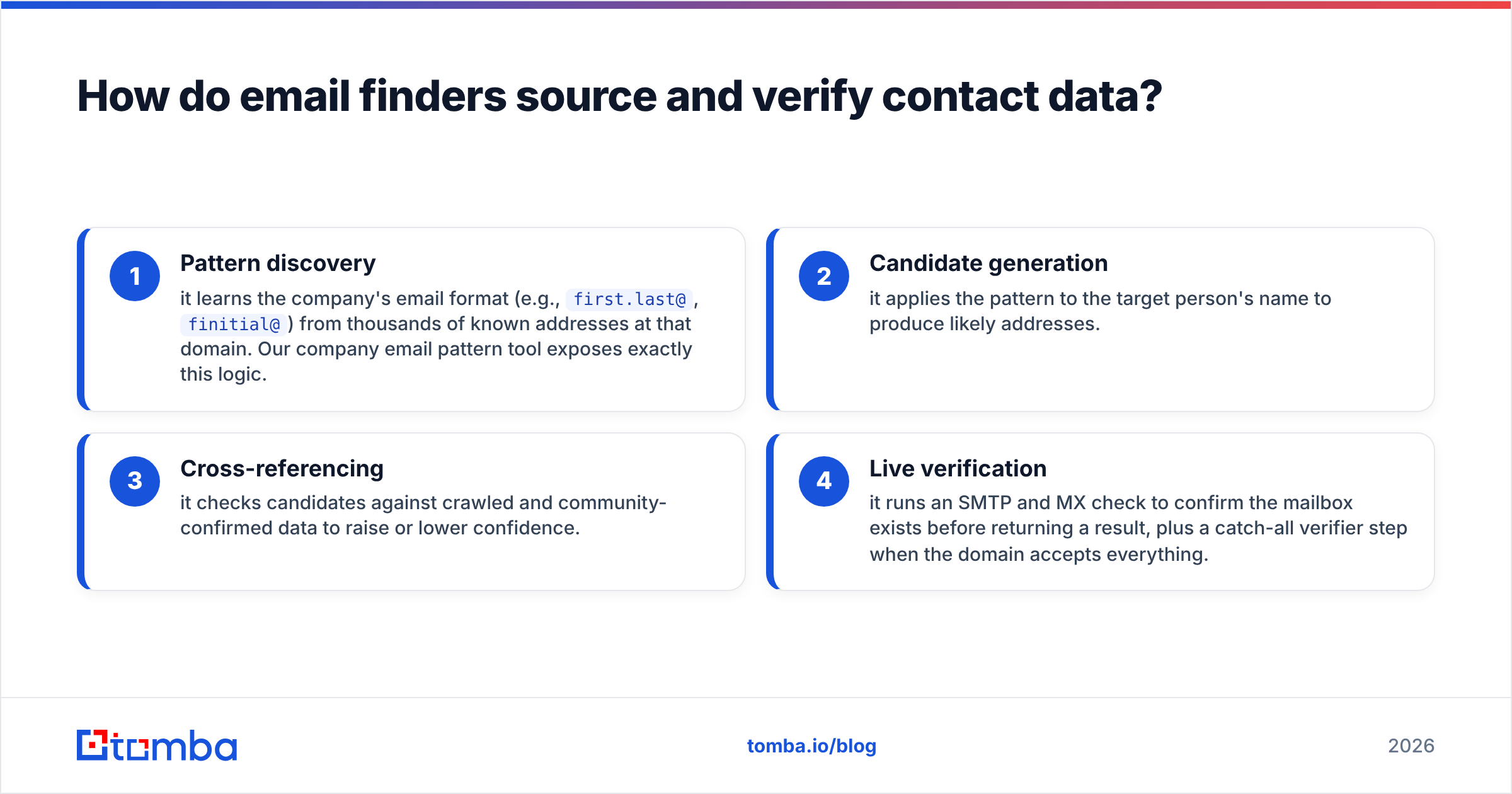
A modern finder like the Tomba Email Finder typically works in layers:
- Pattern discovery — it learns the company's email format (e.g.,
first.last@,finitial@) from thousands of known addresses at that domain. Our company email pattern tool exposes exactly this logic. - Candidate generation — it applies the pattern to the target person's name to produce likely addresses.
- Cross-referencing — it checks candidates against crawled and community-confirmed data to raise or lower confidence.
- Live verification — it runs an SMTP and MX check to confirm the mailbox exists before returning a result, plus a catch-all verifier step when the domain accepts everything.
That last step is what separates a guess from a deliverable address. A domain search can hand you every public address at a company, but without verification you're still gambling. The best workflow pairs discovery with a verification pass, either inline or as a bulk verify job before a campaign.
What should you look for when choosing company data sources?#
Buy the sourcing method, not the headline number. Below is a practical checklist you can run against any vendor — a data broker, an enrichment API, or a B2B database — before you trust it with your pipeline.
- Transparency of origin. Can the vendor tell you which of the four source types feed a given field? Opacity usually hides recycled, stale data.
- Verification you can audit. Look for per-record confidence scores and a documented method, not just a marketing "99% accurate" badge.
- Coverage where you sell. A US-heavy source is useless for EMEA outbound. Test your actual target segment, not the total count.
- Refresh cadence. Continuous re-verification beats an annual dump. Ask how often a record is re-checked.
- Compliance basis. GDPR, CCPA, and similar frameworks make lawful basis a sourcing question. Reputable providers document consent and legitimate-interest handling; review your obligations against resources like the ICO's guidance before importing.
- Integration fit. Data that can't flow into your stack won't get used. Native integrations with your CRM, plus API and enrichment endpoints, decide whether the data reaches a rep.
If a vendor can answer all six clearly, you're looking at a real source. If they deflect to the size of the database, you're looking at a warehouse of expired inventory.
How should you combine sources into a stack that doesn't decay?#
Layer them by job, and verify at the last possible moment. No single source should be your only source — the goal is a pipeline where each stage catches what the previous one missed.
A durable stack usually looks like this:
- Discovery layer — a broad database or reverse email lookup to find accounts and people that match your ICP. Optimize for coverage here.
- Enrichment layer — fill in firmographics and technographics from crawled and public sources so reps have context. Optimize for completeness.
- Resolution layer — an email finder that produces the specific, current address for the specific person you're contacting. Optimize for freshness.
- Verification layer — a final email verification pass immediately before send. Optimize for deliverability.
The order matters because it front-loads cheap, broad operations and reserves expensive, precise ones for the records you'll actually use. You don't verify five million records; you verify the two hundred you're emailing on Tuesday.
For pricing, this layered model is also more economical than it sounds. You can start on Tomba's free tier (25 searches/month) to test source quality against your own list, then scale to Starter at $49/mo or Growth at $99/mo as volume grows — full Tomba pricing breaks down the credit math per tier.
Which company data sources are right for your team?#
Match the source mix to your motion, not to a competitor's stack. A few common profiles:
- Founder-led / early outbound: a free or Starter-tier blended finder plus manual verification. Coverage matters less than not burning your one domain.
- SMB sales team: a mid-tier database for discovery plus a finder-and-verifier combo, wired into your CRM via a HubSpot or Salesforce integration so data lands where reps work.
- RevOps / data teams: API-first sourcing with programmatic enrichment and scheduled re-verification. This is where the Tomba API and bulk jobs earn their keep.
- Recruiting / partnerships: community-heavy sources for hard-to-find individuals, paired with a phone finder for multi-channel reach.
The common thread is that every profile still ends with verification. Whatever your sources, the last thing that touches a record before outreach should confirm it's real.
The bottom line on company data sources#
Data quality is a supply-chain problem, and the fix is knowing your suppliers. Public records give you truth but not reach. Crawlers give you reach but not certainty. Community data gives you depth but has gaps. Verification ties it together. The vendors worth paying — Tomba among them — blend all four and stay transparent about how.
Stop buying databases by the pound. Start asking when the data was last verified, how, and whether you can test it. Your bounce rate, your sender reputation, and your reps' trust in the CRM all depend on the answer.
Ready to test a source instead of taking one on faith? Try the Tomba Email Finder free — run 25 searches against your own target list, verify the results, and see the freshness for yourself before you commit a cent.
Related guides#
Ready to find emails that actually work?
Join 150,000+ professionals who stopped guessing and started sending. Free credits on signup — no credit card required.
Get the Tomba newsletter
Practical outbound tactics and product updates — once every two weeks.
About the author