Company Name to Domain API: How to Match Firms to URLs
Turning a messy list of company names into clean, verified web domains sounds trivial until you try it at scale. Here's how a company name to domain API actually works, where it breaks, and how to pick one in 2026.
You have a spreadsheet with 4,000 company names and no domains. Sales wants it enriched by Friday. You start pasting names into Google, copying URLs, and by row 60 you already have two wrong matches — "Apple" the record label instead of Apple Inc., and a dead domain that redirects to a parked page. This is the exact problem a company name to domain API solves: you send a company name, it returns the canonical website domain, ideally verified and scored for confidence.
Below is a practical, vendor-neutral guide to how these APIs work, why "just match the name" is harder than it looks, and how to evaluate one before you wire it into your pipeline.
TL;DR#
- A company name to domain API takes a raw company name (often plus a country or a fuzzy variant) and returns the primary web domain, usually with a confidence score.
- The hard part is not lookup — it's disambiguation: legal suffixes, rebrands, subsidiaries, common-word names, and non-English spellings all break naive matching.
- Good APIs combine a curated company database, fuzzy matching, and live domain validation (DNS + HTTP), not just a static CSV.
- Judge vendors on match rate, precision (wrong-match rate), coverage outside the US, latency, and bulk throughput — not on the marketing "accuracy %" alone.
- For most B2B teams, pairing a name-to-domain step with data enrichment and email discovery in one workflow beats stitching three tools together.
What is a company name to domain API?#
A company name to domain API is an HTTP endpoint that maps a human-entered organization name to its official internet domain. Think of it like a phone book that runs in reverse: you know the business name, you want the "address" that everything else (email, website, socials) hangs off of.
A typical request/response looks like this:
GET /company?name=Stripe
{
  "name": "Stripe, Inc.",
  "domain": "stripe.com",
  "confidence": 0.98,
  "country": "US",
  "verified": true
}
The domain is the keystone of B2B data. Once you have it, everything downstream gets easier: you can run a domain search to find people, build email patterns, pull firmographics, or match the record to your CRM. Get the domain wrong and every enrichment step after it is wrong too — garbage in, garbage out, at scale.
Why not just guess? Because companyname.com is right maybe 40–60% of the time. Companies use .io, .ai, .co, country TLDs, hyphens, abbreviations, and acquired-brand domains. "Meta" is meta.com, not meta.io. "X" is x.com. A guessing heuristic that works for your first 20 test names quietly collapses on the long tail.
Why is name-to-domain matching so hard?#
The lookup is easy. The disambiguation is the entire job. Here are the failure modes that separate a toy script from a production API.
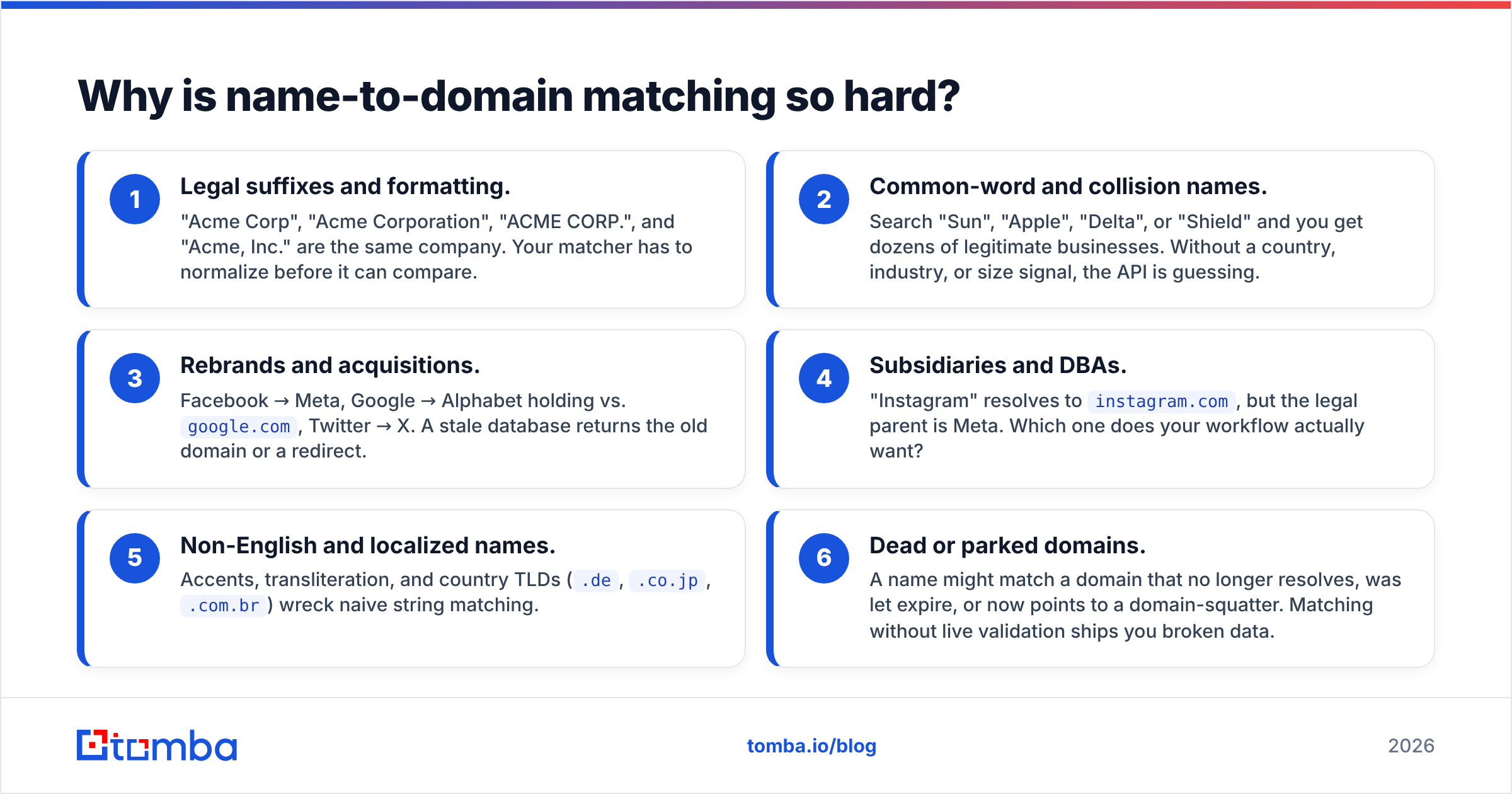
- Legal suffixes and formatting. "Acme Corp", "Acme Corporation", "ACME CORP.", and "Acme, Inc." are the same company. Your matcher has to normalize before it can compare.
- Common-word and collision names. Search "Sun", "Apple", "Delta", or "Shield" and you get dozens of legitimate businesses. Without a country, industry, or size signal, the API is guessing.
- Rebrands and acquisitions. Facebook → Meta, Google → Alphabet holding vs.
google.com, Twitter → X. A stale database returns the old domain or a redirect. - Subsidiaries and DBAs. "Instagram" resolves to
instagram.com, but the legal parent is Meta. Which one does your workflow actually want? - Non-English and localized names. Accents, transliteration, and country TLDs (
.de,.co.jp,.com.br) wreck naive string matching. - Dead or parked domains. A name might match a domain that no longer resolves, was let expire, or now points to a domain-squatter. Matching without live validation ships you broken data.

The takeaway: a credible company name to domain API is really three systems working together — normalization, a fuzzy matcher over a large company graph, and a live validation step that confirms the domain actually resolves today.
How does a company name to domain API actually work?#
Under the hood, most production-grade services run a pipeline. Understanding the stages helps you debug bad matches and set the right confidence threshold.
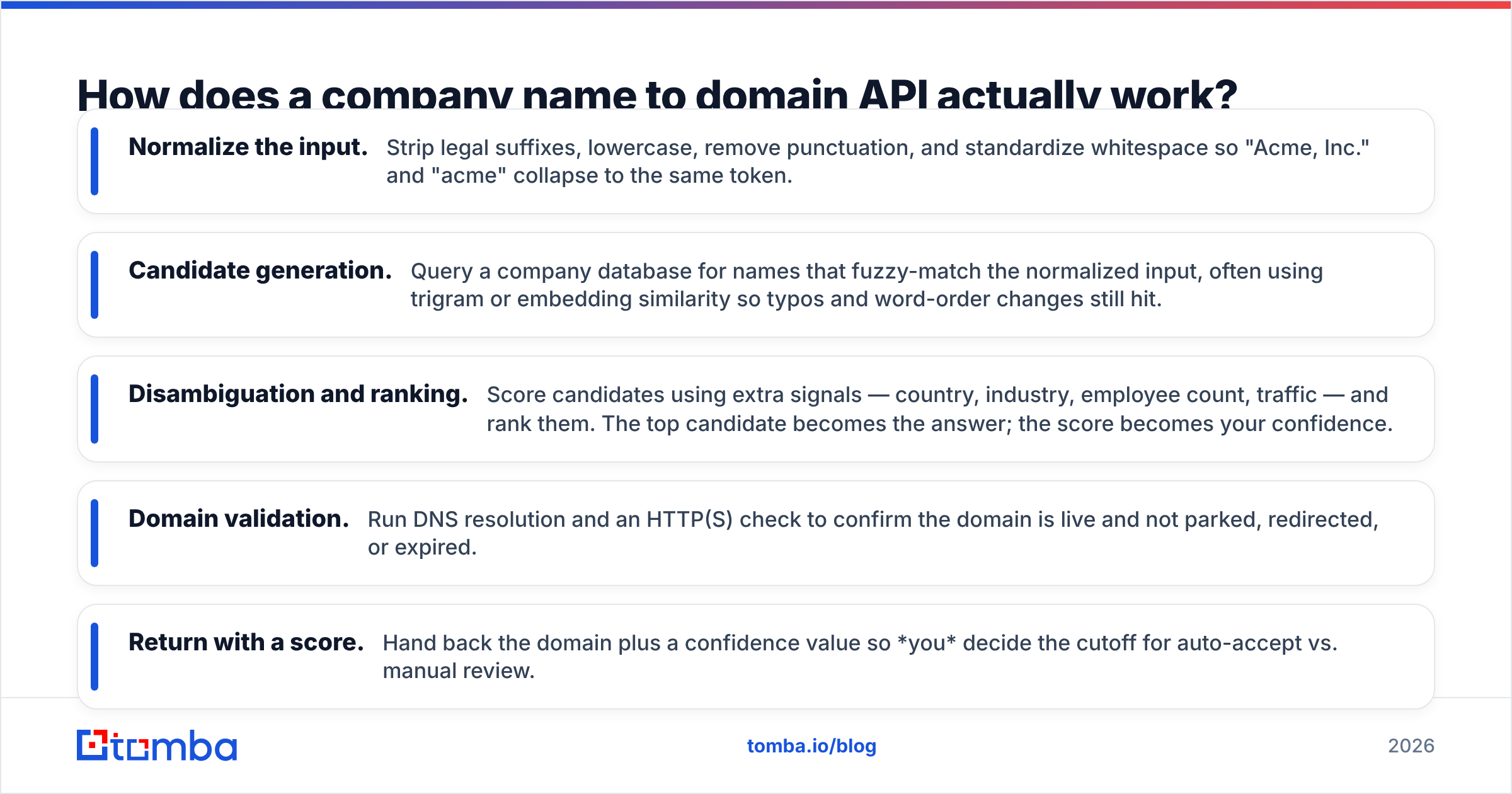
- Normalize the input. Strip legal suffixes, lowercase, remove punctuation, and standardize whitespace so "Acme, Inc." and "acme" collapse to the same token.
- Candidate generation. Query a company database for names that fuzzy-match the normalized input, often using trigram or embedding similarity so typos and word-order changes still hit.
- Disambiguation and ranking. Score candidates using extra signals — country, industry, employee count, traffic — and rank them. The top candidate becomes the answer; the score becomes your confidence.
- Domain validation. Run DNS resolution and an HTTP(S) check to confirm the domain is live and not parked, redirected, or expired.
- Return with a score. Hand back the domain plus a confidence value so you decide the cutoff for auto-accept vs. manual review.
This is also why "where the data comes from" matters. A vendor that is transparent about its data sources and refreshes them frequently will beat one shipping a two-year-old static list, no matter how good the marketing accuracy number looks.
What should you compare between providers?#
Do not buy on a single headline "accuracy" figure — it's almost always measured on a friendly test set. Evaluate on the dimensions that actually affect your pipeline. Here's a like-for-like frame.
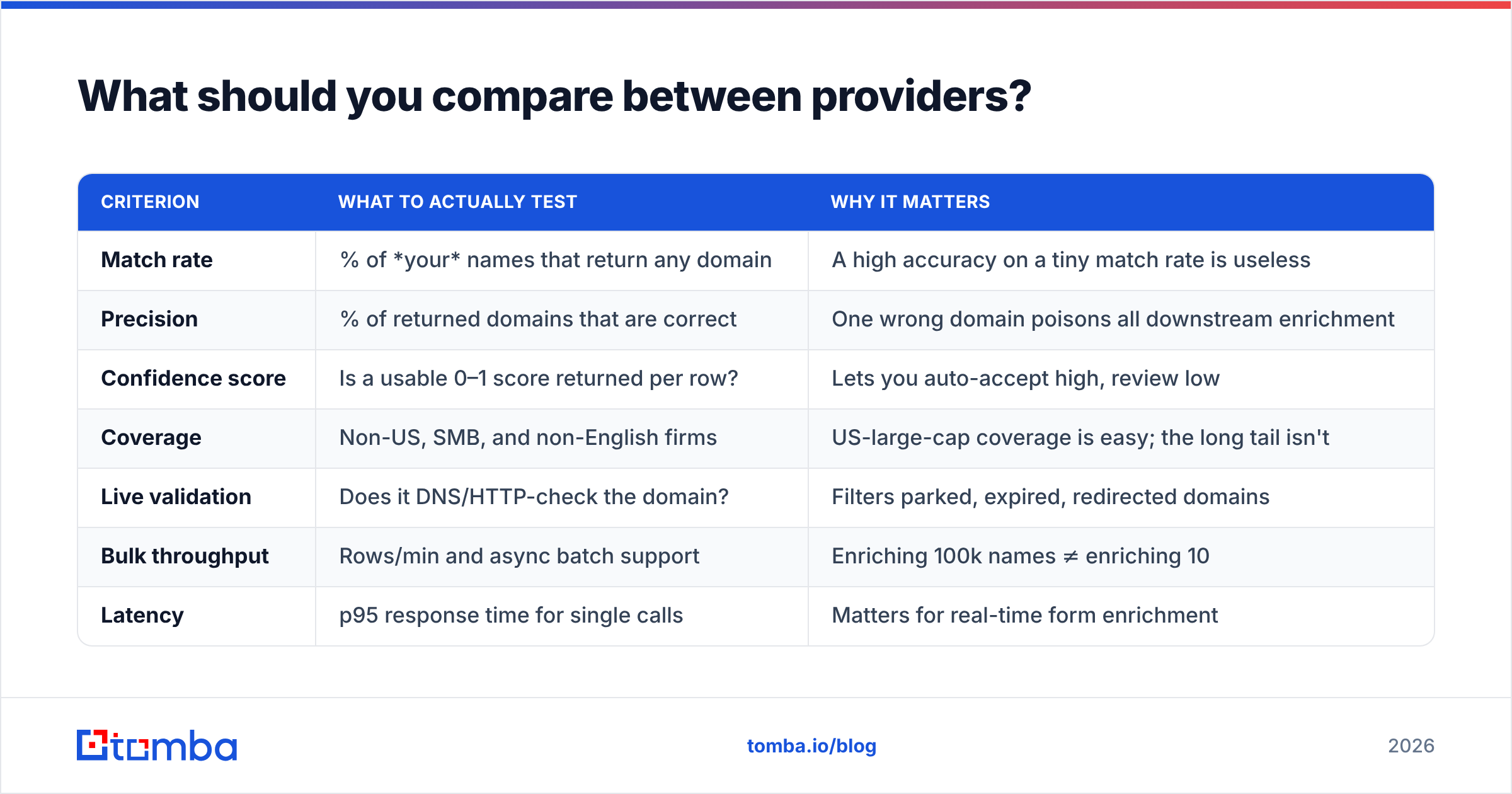
| Criterion | What to actually test | Why it matters |
|---|---|---|
| Match rate | % of your names that return any domain | A high accuracy on a tiny match rate is useless |
| Precision | % of returned domains that are correct | One wrong domain poisons all downstream enrichment |
| Confidence score | Is a usable 0–1 score returned per row? | Lets you auto-accept high, review low |
| Coverage | Non-US, SMB, and non-English firms | US-large-cap coverage is easy; the long tail isn't |
| Live validation | Does it DNS/HTTP-check the domain? | Filters parked, expired, redirected domains |
| Bulk throughput | Rows/min and async batch support | Enriching 100k names ≠ enriching 10 |
| Latency | p95 response time for single calls | Matters for real-time form enrichment |
| Pricing model | Per-match, per-credit, or flat | Per-successful-match is friendlier than per-call |
A quick way to run this: take 200 names you already know the correct domain for (pull them from closed-won deals), send them through each vendor's free tier, and score precision and match rate yourself. Fifteen minutes of testing beats a month of trusting a datasheet.
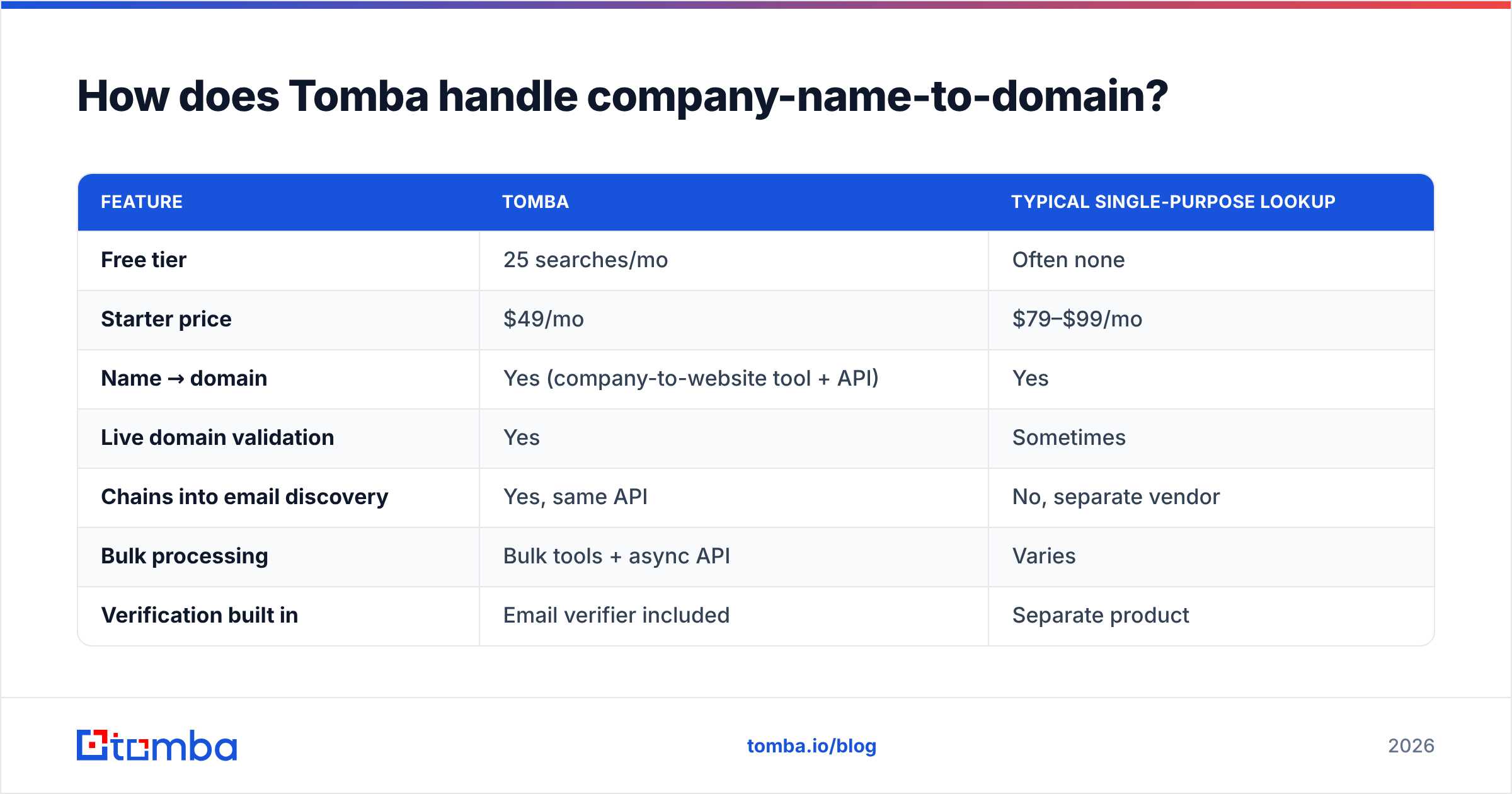
How does Tomba handle company-name-to-domain?#
Tomba approaches this as one step inside a broader B2B data stack rather than a standalone gimmick. You can go from a company name to a website with the free company website finder, then chain straight into a domain search to pull the people and email patterns behind that domain — all through the same email finder API. Because the domain resolution, email discovery, and verification live in one system, you're not exporting CSVs between three vendors and re-reconciling them.
Here's how the pieces line up against a typical single-purpose lookup service.
| Feature | Tomba | Typical single-purpose lookup |
|---|---|---|
| Free tier | 25 searches/mo | Often none |
| Starter price | $49/mo | $79–$99/mo |
| Name → domain | Yes (company-to-website tool + API) | Yes |
| Live domain validation | Yes | Sometimes |
| Chains into email discovery | Yes, same API | No, separate vendor |
| Bulk processing | Bulk tools + async API | Varies |
| Verification built in | Email verifier included | Separate product |

You can see current tiers on the Tomba pricing page. The point isn't that Tomba is the only option — plenty of tools resolve a domain — it's that resolving the domain is rarely the end of what you need. If the next step is finding decision-makers and verifying their emails, doing it in one place removes an entire class of reconciliation bugs.
When do you actually need an API vs. a manual tool?#
Use the free web tool when the volume is human-sized. Use the API when a machine is doing the work.
- Manual / free tool: one-off research, a founder checking 20 target accounts, a list under a few hundred rows. A browser tool like company-to-website is faster than writing code.
- Bulk upload: a few thousand rows, once. Upload a CSV to a bulk email finder style flow and let it process asynchronously.
- API integration: you enrich continuously — inbound form submissions, CRM records, a data pipeline that runs nightly. This is where a company name to domain API earns its keep, because it removes humans from the loop entirely.
A useful rule: if the same enrichment happens more than once a week, or a person would have to do it, script it against the API. If it's a genuine one-off, don't over-engineer — paste the names into a tool and move on.
What does good integration look like?#
Three habits separate teams that get clean data from teams that quietly corrupt their CRM.
- Always store the confidence score. Don't just keep the domain. Persist the score so you can later audit which records were auto-accepted at 0.6 vs. 0.95.
- Set a threshold, not a coin flip. Auto-accept above (say) 0.9, queue 0.5–0.9 for review, discard below 0.5. Tune the cutoffs against your own labeled sample.
- Re-validate on a schedule. Domains rot. Companies rebrand and get acquired. Re-run resolution on stale records quarterly, and pair it with an email verifier pass so downstream contacts don't bounce.
For the mechanics of authentication, rate limits, and batch endpoints, most vendors publish reference docs; you can compare feature depth on directories like G2 before committing. And if you want the underlying concept, the domain name fundamentals explain why validation (not just matching) is non-negotiable — a syntactically valid domain can still be dead.
Frequently asked questions#
How accurate is a company name to domain API? It depends entirely on your input list. On well-known US firms, good vendors exceed 95% precision. On SMBs, non-English names, and common-word companies, real-world precision drops — which is why you should test on your own data and rely on the confidence score rather than a headline number.
Can it handle misspelled or partial names? Quality APIs use fuzzy matching, so "Micrsoft" or "Goldman" will usually resolve. Adding a country or industry signal sharply improves disambiguation.
What's the difference from a reverse domain lookup? This API goes name → domain. The reverse — domain → company/people — is a reverse email lookup or domain search problem. Many workflows use both directions.
Is there a free way to try it? Yes. Tomba's free tier includes 25 searches per month, and the company-to-website tool lets you sanity-check matches before you write a line of code.
The bottom line#
A company name to domain API is deceptively simple on the surface and genuinely hard underneath — normalization, fuzzy matching, disambiguation, and live validation all have to work together, and the only honest way to compare vendors is to test them on names you already know the answers to. Resolving the domain is step one; the value shows up when that domain immediately feeds people, emails, and verified contacts.
If that's your workflow, start with the Tomba Email Finder and its API — go from a company name to a verified domain to the decision-makers behind it in one place, on a free tier, without stitching three tools together. Test it on 200 of your own accounts and let the match rate decide.
Related guides#
Ready to find emails that actually work?
Join 150,000+ professionals who stopped guessing and started sending. Free credits on signup — no credit card required.
Get the Tomba newsletter
Practical outbound tactics and product updates — once every two weeks.
About the author