Company Profiling: The 2026 Guide to B2B Account Data
Company profiling turns a messy list of accounts into ranked, targetable opportunities. Here's how to build profiles that actually drive pipeline in 2026 — data points, sources, and a repeatable process.
Company profiling is the practice of building a structured, data-backed picture of a target account — who they are, what they run, how they buy, and whether they match the customers you already win with. Done right, it turns a flat list of company names into a ranked queue of opportunities your reps can actually work. Done wrong, it produces bloated CRM records nobody trusts.
This guide covers what a modern company profile contains, where the data comes from, and how to build a repeatable process in 2026 — without drowning your team in fields they'll never use.
TL;DR#
- Company profiling = assembling firmographic, technographic, and intent data into one account record you can score and act on.
- The four data layers that matter: identity (who they are), firmographics (size/industry/geo), technographics (what they run), and signals (hiring, funding, intent).
- Skip the vanity fields. Profile only the attributes that correlate with your closed-won deals.
- Bad source data is the silent killer: stale records cause bounced outreach and misrouted leads. Verified, fresh data is non-negotiable.
- A tight profile feeds scoring, routing, and personalization — the three things that move reply rates.
What is company profiling?#
Think of company profiling like a scouting report before a game. You don't just note the opponent's name — you log their formation, their star players, their recent results, and the plays they run under pressure. A company profile does the same for an account: it captures the attributes that predict whether they'll buy, how fast, and for how much.
Technically, a company profile is a normalized record that combines multiple data types about a single organization. It sits upstream of your lead scoring and routing logic and downstream of your raw data sources. The profile is the thing your GTM motion actually reads from.
The confusion usually starts because "profiling" gets mixed up with two neighbors:
- Company profiling describes the account — the organization as a whole.
- Buyer/persona profiling describes the people inside it.
- Ideal Customer Profile (ICP) is the template you measure real companies against.
You need all three, but they answer different questions. This guide focuses on the account layer.

What data points belong in a company profile?#
Not everything. The single biggest mistake teams make is profiling every field a vendor offers, then trusting none of them. Start with the attributes that correlate with deals you actually close, and add layers only when a downstream workflow needs them.
Here are the four layers, from foundational to advanced:
- Identity — Legal name, domain, HQ location, logo, primary phone, and social handles. This is the spine every other field attaches to. Get the domain right or nothing else joins cleanly.
- Firmographics — Industry (ideally NAICS/SIC plus a plain-English label), employee count, revenue band, founding year, and ownership (public, private, PE-backed). These are your core segmentation and scoring inputs. See firmographics for the classic definition.
- Technographics — The tools the company runs: CRM, cloud provider, marketing stack, payment processor. If you sell a Salesforce plugin, "uses Salesforce" is worth more than revenue.
- Signals — Time-sensitive triggers: recent funding, headcount growth, new executive hires, job postings, and third-party intent. Signals are what turn a good-fit account into a right-now account.
What does a good company profile look like?#
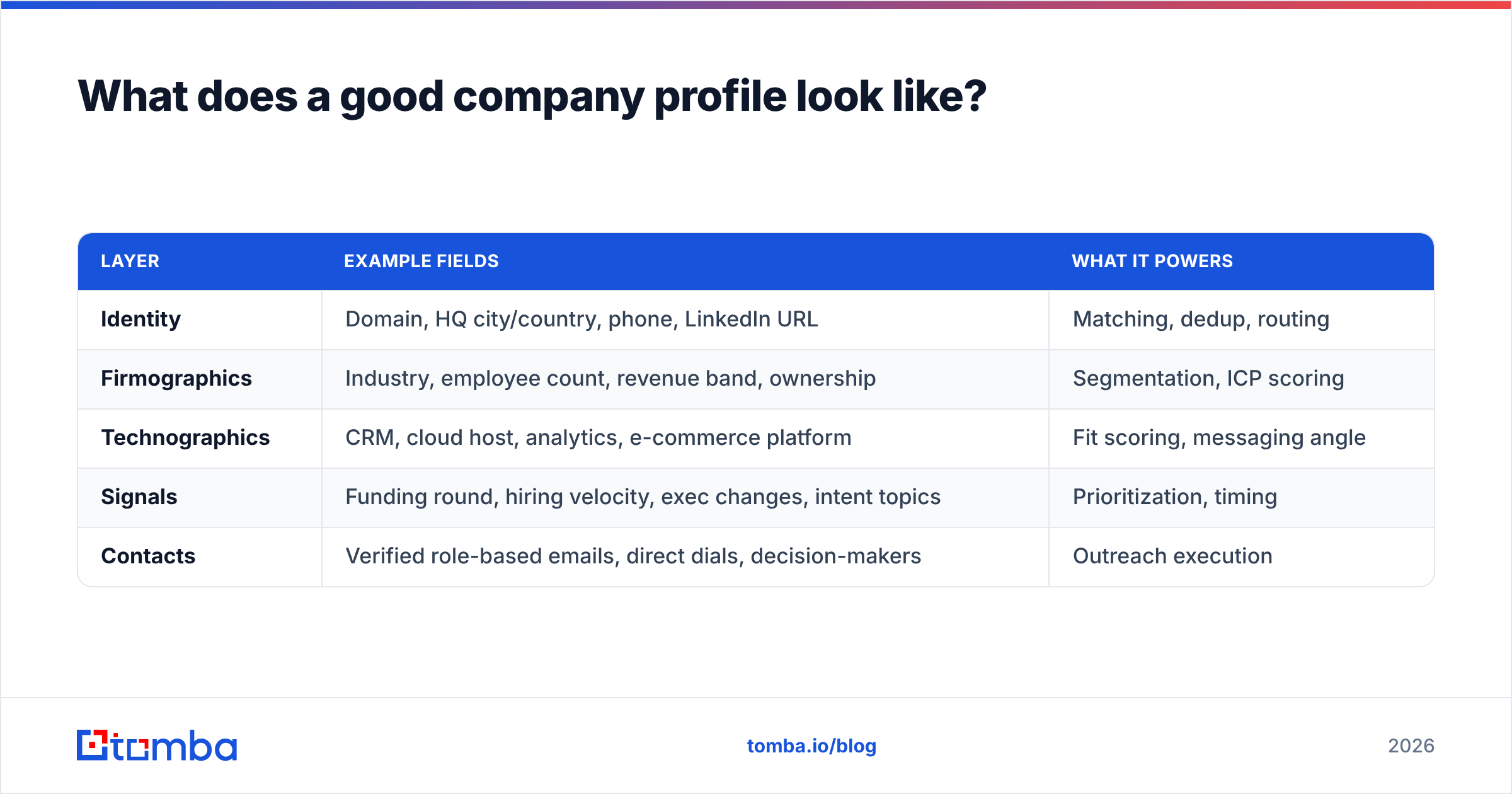
Below is a realistic field set for a B2B account record. Notice how each field maps to a job — segmentation, prioritization, or personalization — rather than existing for its own sake.
| Layer | Example fields | What it powers |
|---|---|---|
| Identity | Domain, HQ city/country, phone, LinkedIn URL | Matching, dedup, routing |
| Firmographics | Industry, employee count, revenue band, ownership | Segmentation, ICP scoring |
| Technographics | CRM, cloud host, analytics, e-commerce platform | Fit scoring, messaging angle |
| Signals | Funding round, hiring velocity, exec changes, intent topics | Prioritization, timing |
| Contacts | Verified role-based emails, direct dials, decision-makers | Outreach execution |
The last row is where profiling meets action. A profile with perfect firmographics and zero reachable contacts is a research project, not a sales asset. This is why the best profiling workflows pair account data with a reliable email finder and data enrichment — you enrich the company and surface the people you can actually contact.
Where does company profiling data come from?#
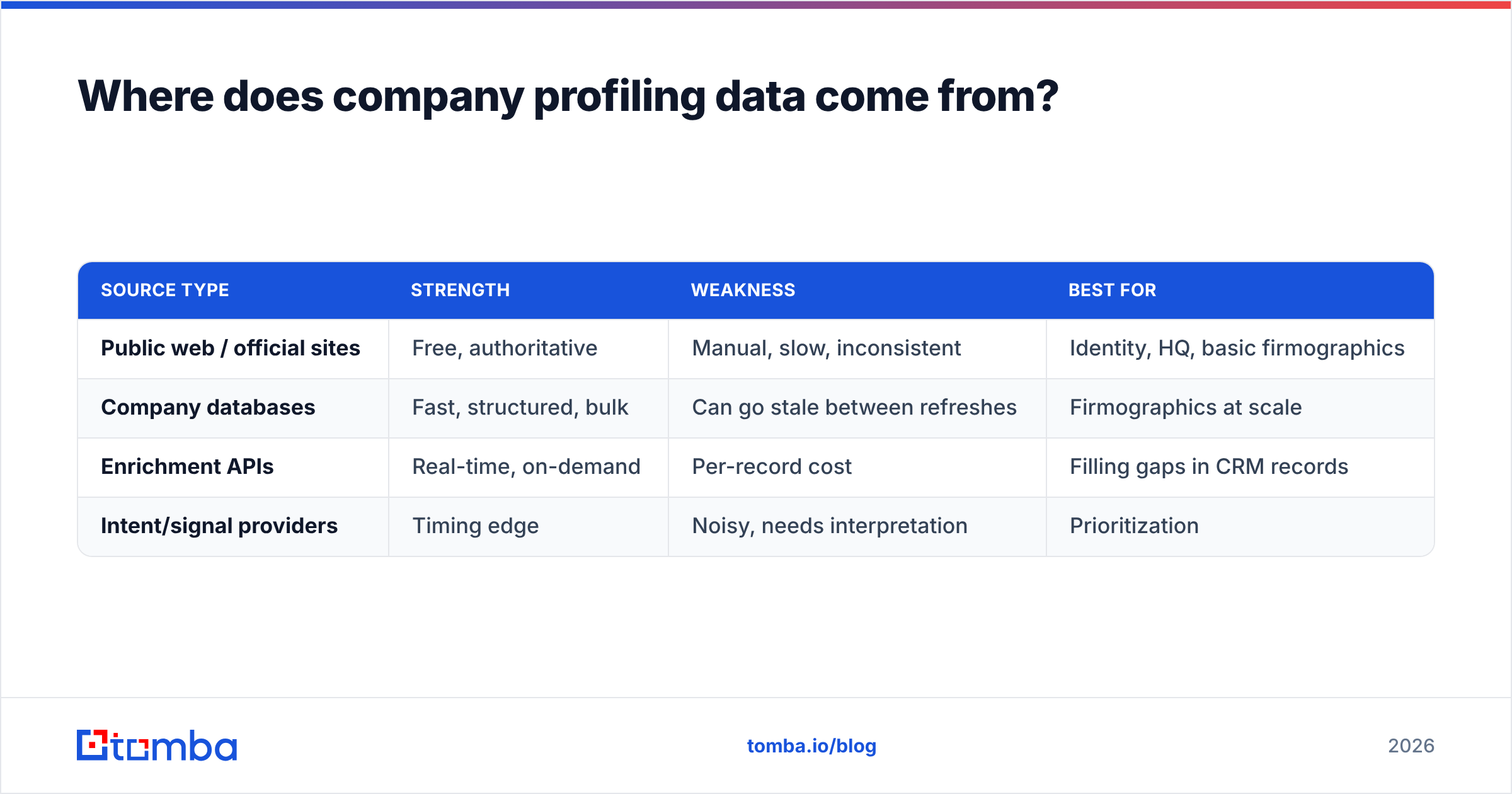
Four source types, each with a trade-off between coverage, freshness, and accuracy:
| Source type | Strength | Weakness | Best for |
|---|---|---|---|
| Public web / official sites | Free, authoritative | Manual, slow, inconsistent | Identity, HQ, basic firmographics |
| Company databases | Fast, structured, bulk | Can go stale between refreshes | Firmographics at scale |
| Enrichment APIs | Real-time, on-demand | Per-record cost | Filling gaps in CRM records |
| Intent/signal providers | Timing edge | Noisy, needs interpretation | Prioritization |
Most teams stitch these together. You might pull firmographics from a B2B database, verify and complete contact data through an enrichment API, and layer intent on top. The critical question to ask any provider is not "how many companies do you have?" but "how recently was this record verified, and where did it come from?" Fresh, sourced data beats a bigger stale dataset every time — dig into where the data comes from before you commit.
How do you build a company profiling process?#
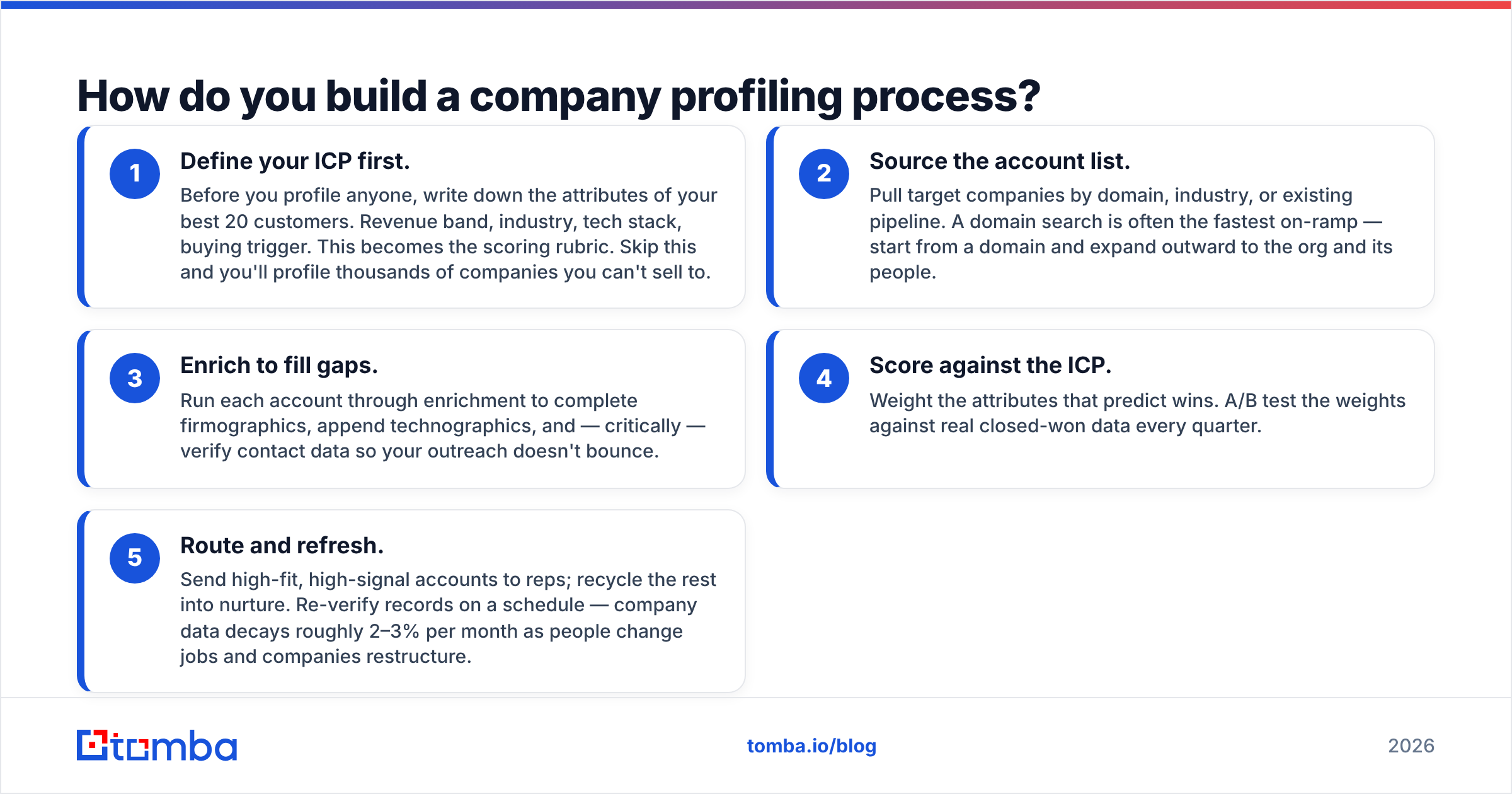
A profile isn't a one-time export — it's a pipeline. Here's a five-step loop that scales from a spreadsheet to a full RevOps motion.
- Define your ICP first. Before you profile anyone, write down the attributes of your best 20 customers. Revenue band, industry, tech stack, buying trigger. This becomes the scoring rubric. Skip this and you'll profile thousands of companies you can't sell to.
- Source the account list. Pull target companies by domain, industry, or existing pipeline. A domain search is often the fastest on-ramp — start from a domain and expand outward to the org and its people.
- Enrich to fill gaps. Run each account through enrichment to complete firmographics, append technographics, and — critically — verify contact data so your outreach doesn't bounce.
- Score against the ICP. Weight the attributes that predict wins. A/B test the weights against real closed-won data every quarter.
- Route and refresh. Send high-fit, high-signal accounts to reps; recycle the rest into nurture. Re-verify records on a schedule — company data decays roughly 2–3% per month as people change jobs and companies restructure.
The refresh step is the one everyone skips and everyone regrets. Analyst firms like Gartner have long flagged data decay as a leading cause of wasted sales capacity. A profile you built 18 months ago and never touched is closer to fiction than data.
Company profiling vs. buyer persona profiling: what's the difference?#
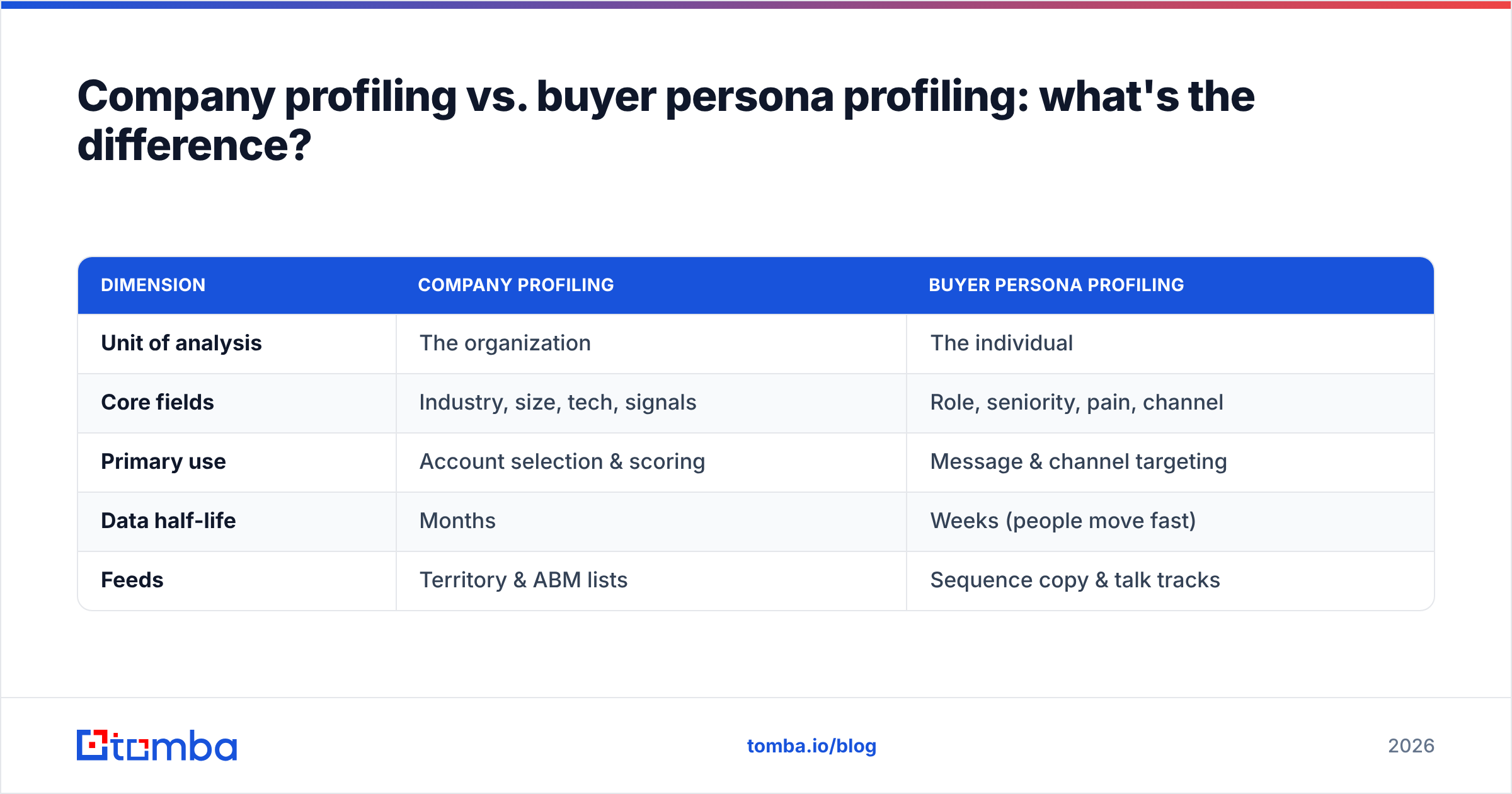
They're complementary, not interchangeable. Use this to keep them straight:
| Dimension | Company profiling | Buyer persona profiling |
|---|---|---|
| Unit of analysis | The organization | The individual |
| Core fields | Industry, size, tech, signals | Role, seniority, pain, channel |
| Primary use | Account selection & scoring | Message & channel targeting |
| Data half-life | Months | Weeks (people move fast) |
| Feeds | Territory & ABM lists | Sequence copy & talk tracks |
In practice you profile the company to decide whether to pursue an account, then profile the personas inside it to decide how to reach each stakeholder. ABM programs live or die on doing both well — you can compare approaches on review sites like G2 if you're evaluating tools for each layer.
What are the common company profiling mistakes?#
- Profiling everything, trusting nothing. Forty fields with 50% accuracy are worse than eight fields at 95%. Reps ignore records they've been burned by.
- Ignoring contact reachability. A pristine firmographic profile with no verified email means your SDR still can't book the meeting. Always close the loop from company to contact.
- Treating the profile as static. No refresh cadence = guaranteed decay. Build re-verification into the workflow, not as an afterthought.
- Scoring on gut, not wins. If your ICP weights aren't derived from closed-won data, you're just encoding bias. Backtest them.
- One source, blind trust. Every dataset has coverage gaps and stale corners. Cross-verify identity and contact fields before you route a high-value account.
How does company profiling improve pipeline?#
Three concrete mechanisms, in order of impact:
- Better targeting → higher reply rates. When you only work accounts that match your ICP and show a signal, your outreach relevance jumps. That's the single biggest lever on response rate.
- Faster routing → less leakage. Clean firmographics let you auto-route leads to the right territory or rep in seconds instead of a manual triage queue where deals go cold.
- Sharper personalization → warmer conversations. Technographics and signals give your reps a specific, non-generic hook ("saw you're hiring five SDRs and running HubSpot") that beats "Hi {FirstName}" every time.
None of this works without the two ingredients profiling depends on: accurate account data and reachable contacts. Nail those and the downstream scoring, routing, and copy all get easier.
Build profiles you can actually act on#
Company profiling only pays off when the profile ends in a real, verified point of contact — otherwise you've built a very detailed list of companies you can't reach. Start by turning any target domain into a complete account picture and the decision-makers inside it with the Tomba Email Finder: find role-based and individual emails by domain, name, or company, verify them before you send, and enrich the record so your reps open every conversation with the right person and a reason to care. Check Tomba pricing — including a free tier of 25 searches a month — and profile your first list of accounts today.
Related guides#
Ready to find emails that actually work?
Join 150,000+ professionals who stopped guessing and started sending. Free credits on signup — no credit card required.
Get the Tomba newsletter
Practical outbound tactics and product updates — once every two weeks.
About the author