Company Public Records: How to Find and Use Them in 2026
Company public records are the most underused free data source in B2B. Here's where they live, how to pull them fast, and how to turn raw filings into usable contact data.
TL;DR
- Company public records are official filings and registrations — incorporation docs, SEC filings, licenses, court records, property and UCC liens — that anyone can access, usually for free.
- They are the ground truth for firmographics: legal name, registered address, officers, incorporation date, and financial disclosures.
- The catch is fragmentation: records live across hundreds of federal, state, and county systems with no shared format.
- For sales and RevOps, records are a starting point, not a finish line — they confirm a company exists and who runs it, but they rarely hand you a working email or direct dial.
- The fastest workflow is: pull the record for identity and officers, then enrich with a dedicated tool to get contact-ready data.
What are company public records?#
Company public records are documents a business is legally required to file with a government body, which that government then makes available to the public. Think of them like a restaurant's health inspection card taped to the window — the business didn't volunteer it, but the law says it has to be visible, so anyone walking by can read it.
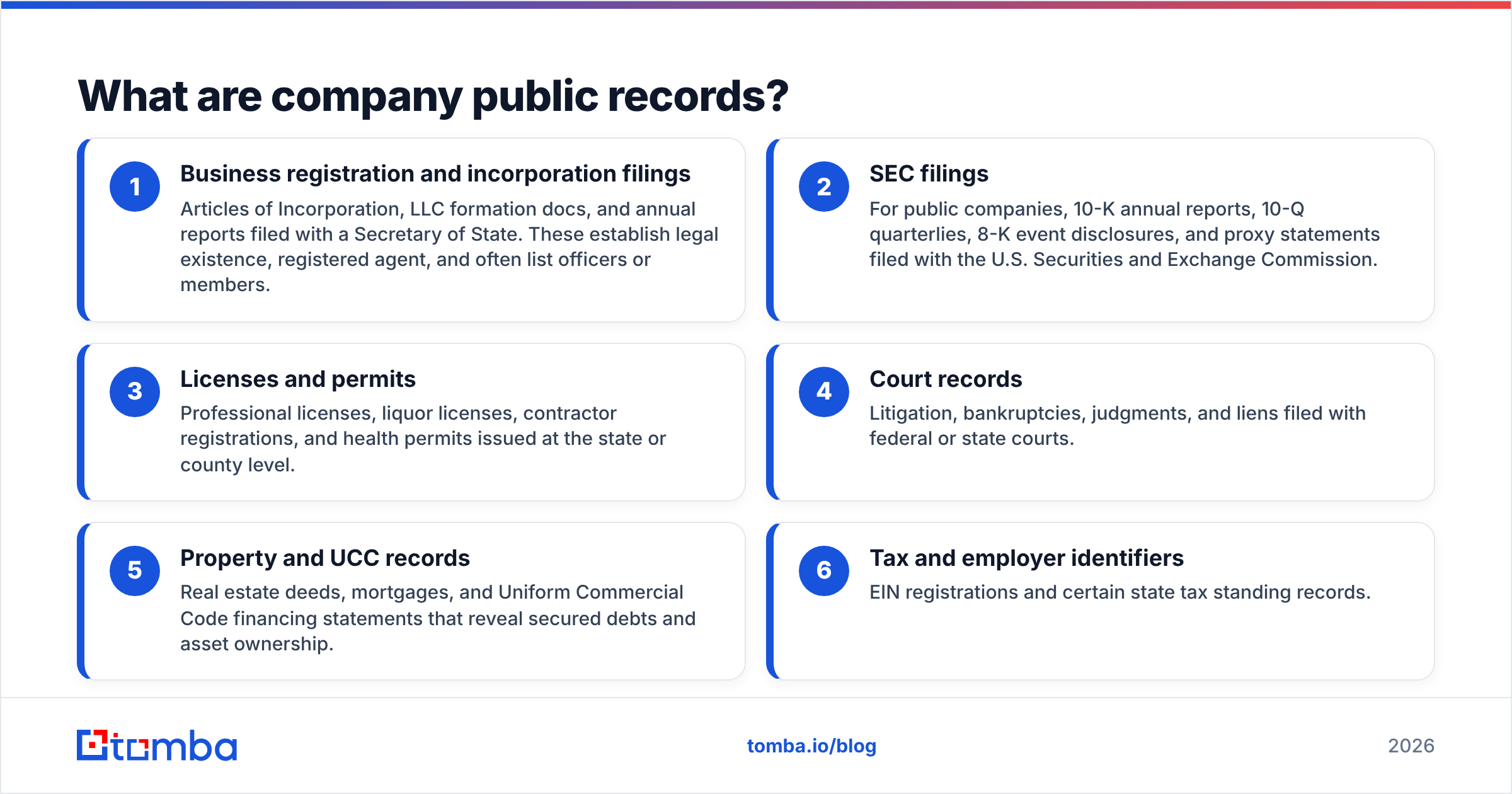
In practice, "company public records" is an umbrella covering very different documents:
- Business registration and incorporation filings — Articles of Incorporation, LLC formation docs, and annual reports filed with a Secretary of State. These establish legal existence, registered agent, and often list officers or members.
- SEC filings — For public companies, 10-K annual reports, 10-Q quarterlies, 8-K event disclosures, and proxy statements filed with the U.S. Securities and Exchange Commission.
- Licenses and permits — Professional licenses, liquor licenses, contractor registrations, and health permits issued at the state or county level.
- Court records — Litigation, bankruptcies, judgments, and liens filed with federal or state courts.
- Property and UCC records — Real estate deeds, mortgages, and Uniform Commercial Code financing statements that reveal secured debts and asset ownership.
- Tax and employer identifiers — EIN registrations and certain state tax standing records.
Each of these answers a different question. Incorporation docs tell you who owns and runs a company. SEC filings tell you how it performs. UCC liens tell you who it owes. Used together, they paint a firmographic picture no single marketing database can fully match.
Why do company public records matter for B2B sales?#
Public records matter because they are the closest thing to objective truth about a business. A LinkedIn page can be stale, a website can inflate headcount, and a data vendor can guess — but a state filing is a legal document with a date stamp.
For go-to-market teams, that reliability unlocks a few concrete jobs:
- Verify a company is real and active. Before you spend a rep's time, a registration status check tells you whether the entity is in good standing or administratively dissolved.
- Find decision-makers. Officer and registered-agent listings surface names you can then map to roles and contact details.
- Time your outreach. An 8-K about a new funding round, an acquisition, or a leadership change is a buying signal you can act on the same day it's filed.
- Score and prioritize accounts. Incorporation date, entity type, and public financials feed straight into lead scoring and ICP fit models.
- Reduce compliance and fraud risk. For regulated industries, confirming an entity's legal standing is table stakes.
This is where public records connect to the wider practice of revenue operations: clean firmographic data at the top of the funnel means fewer bad-fit deals clogging the pipeline later.

Where can you find company public records for free?#
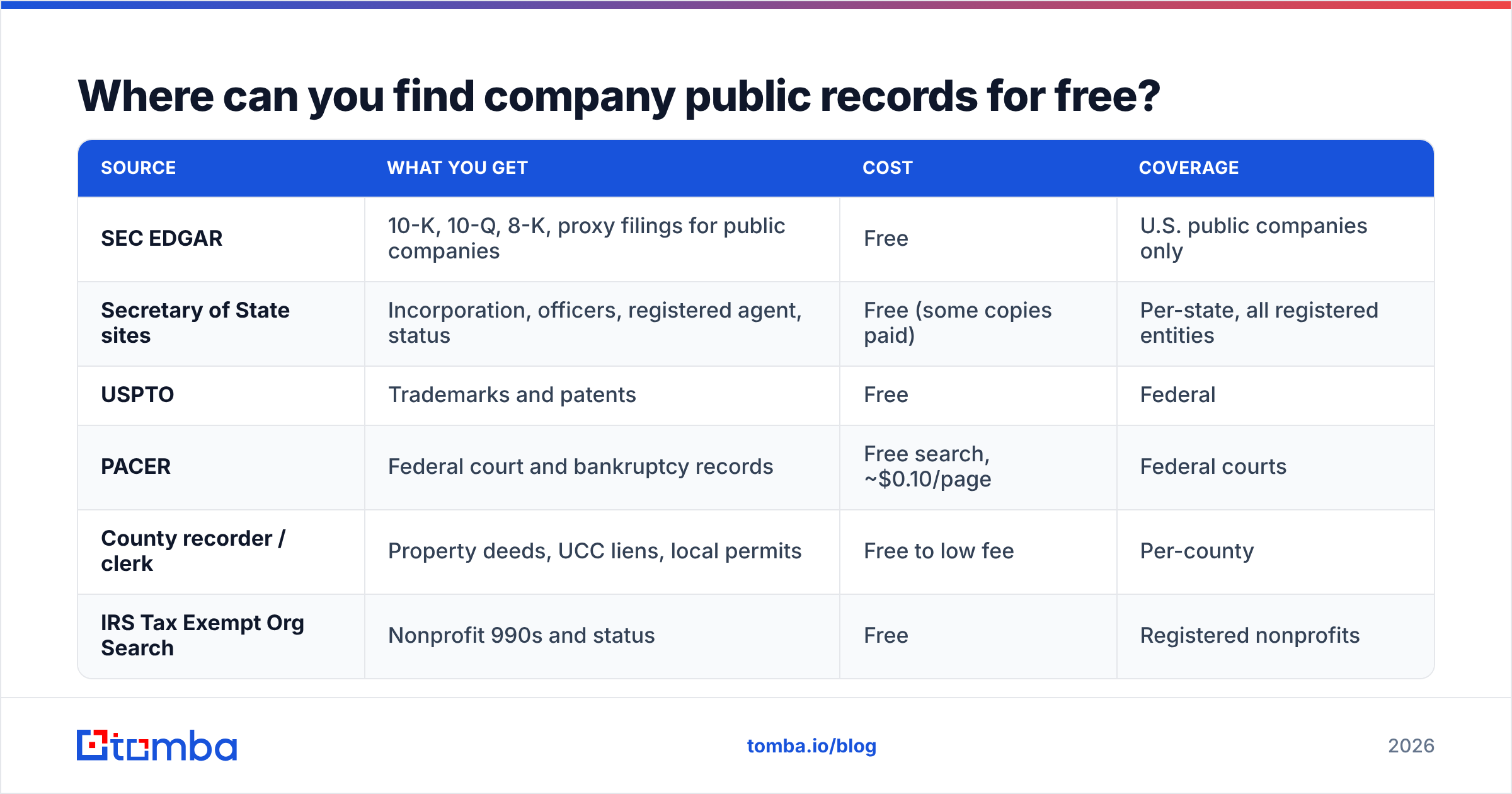
Most company public records are genuinely free — you just have to know which door to knock on. The problem is there are a lot of doors. Here's the map, from federal down to county.
| Source | What you get | Cost | Coverage |
|---|---|---|---|
| SEC EDGAR | 10-K, 10-Q, 8-K, proxy filings for public companies | Free | U.S. public companies only |
| Secretary of State sites | Incorporation, officers, registered agent, status | Free (some copies paid) | Per-state, all registered entities |
| USPTO | Trademarks and patents | Free | Federal |
| PACER | Federal court and bankruptcy records | Free search, ~$0.10/page | Federal courts |
| County recorder / clerk | Property deeds, UCC liens, local permits | Free to low fee | Per-county |
| IRS Tax Exempt Org Search | Nonprofit 990s and status | Free | Registered nonprofits |
A few of these deserve a direct mention. SEC EDGAR is the single richest free source for public companies — full-text searchable, no login, and the filings include executive names, compensation, and risk factors. For private companies, the Secretary of State business search in each state is your primary tool, though the interface quality ranges from modern to museum-grade.
The honest limitation: none of these systems talk to each other. A company incorporated in Delaware, operating in Texas, and litigating in a California federal court has records in three completely separate systems, in three formats, with three search interfaces. That fragmentation is the entire reason aggregation and enrichment tools exist.
How do public records differ from B2B data providers?#
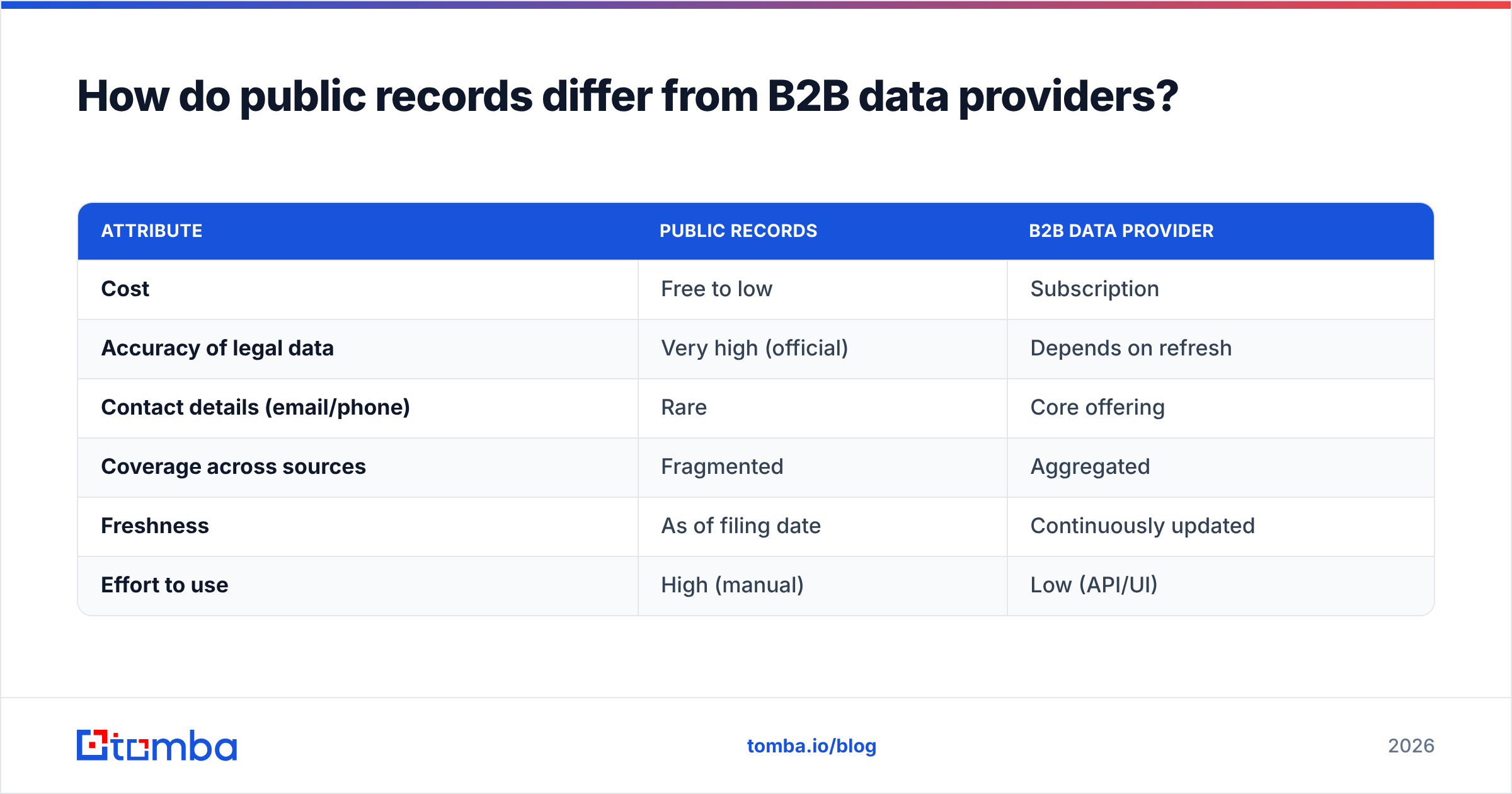
Public records are the raw source; B2B data providers are the refinery. The distinction matters because teams often expect a filing to hand them a sales-ready contact — and it almost never does.
A public record will reliably give you a legal entity name, a registered address, an incorporation date, and sometimes an officer's name. What it will not give you is a verified work email, a mobile number, a job title in plain language, or the current org chart. Those are the fields reps actually dial and send on.
| Attribute | Public records | B2B data provider |
|---|---|---|
| Cost | Free to low | Subscription |
| Accuracy of legal data | Very high (official) | Depends on refresh |
| Contact details (email/phone) | Rare | Core offering |
| Coverage across sources | Fragmented | Aggregated |
| Freshness | As of filing date | Continuously updated |
| Effort to use | High (manual) | Low (API/UI) |
The smart play is not to pick one. It's to use records for what they're best at — confirming identity and surfacing names — and a provider for what it's best at, which is turning a name and a company into a deliverable email. Both a competitor-and-partner data vendor like BookYourData and an enrichment-first platform like Tomba occupy that refinery layer; records feed them, not the other way around.
How do you turn public records into usable contact data?#
The workflow that actually scales looks like a relay race: each stage hands a cleaner baton to the next. Here's the sequence most efficient teams run.
Step 1 — Establish the entity. Start with the Secretary of State record or an SEC filing to lock down the exact legal name and status. This kills bad-fit accounts before they cost you anything.
Step 2 — Extract the people. Pull officer names, registered agents, and (for public companies) named executives from the filing. You now have humans, not just a company.
Step 3 — Map the domain. Identify the company's web domain. A quick domain search returns the email addresses associated with a company and, crucially, the email pattern it uses (first.last@, flast@, and so on).
Step 4 — Find and verify the email. With a name and a domain, an email finder resolves the specific person's professional address, and an email verifier confirms it's deliverable before you ever hit send. Bouncing a cold email off a made-up address hurts your sender reputation and drags down every future campaign.
Step 5 — Enrich the rest. Layer on title, seniority, LinkedIn, and phone via data enrichment so the record in your CRM is complete.
Step 6 — Scale it. When you're processing hundreds of entities from a filings list, move to a bulk email finder or the Tomba API so the relay runs without manual copy-paste.
Done manually, this is a slow grind across a dozen tabs. Done with the right tooling, steps 3 through 5 collapse into a single enrichment pass. That's the difference between a rep spending an afternoon on 20 accounts and processing 2,000 overnight.
What are the legal and ethical limits?#
Public records are public, but "public" is not the same as "unrestricted." Three lines you should not cross:
- Bulk scraping against terms of service. Many government portals allow manual lookups but prohibit automated harvesting. Respect rate limits and TOS; use official APIs or licensed aggregators where they exist.
- Privacy regulation. GDPR, CCPA, and similar laws govern how you process personal data — including a director's name pulled from a filing. Having a lawful basis for B2B prospecting and honoring opt-outs is non-negotiable.
- Data hygiene over data hoarding. Just because a record exists doesn't mean it's current. A director may have resigned; an address may be a defunct registered-agent office. Always verify before you act.
The practical guardrail: treat records as leads to confirm, not facts to blast. Verify the entity is active, verify the person is still there, and verify the email is deliverable. That trio keeps you both compliant and effective.
Which tools should you actually use?#
For public-record retrieval, the free government sources above are unbeatable on price and authority — start there. Aggregators like OpenCorporates are worth it when you need cross-jurisdiction coverage in one query and want to skip the fifty-state slog.
But retrieval is only half the job. The moment you need working contact data at the end of the pipeline, you need an enrichment layer. That's the gap Tomba is built for:
- Email Finder — turns the names in a filing into verified professional emails.
- Domain Search — reveals a company's email pattern and existing addresses.
- Enrichment — fills title, phone, and social from a name-plus-domain seed.
- API and bulk — runs the whole relay over a filings list without babysitting.
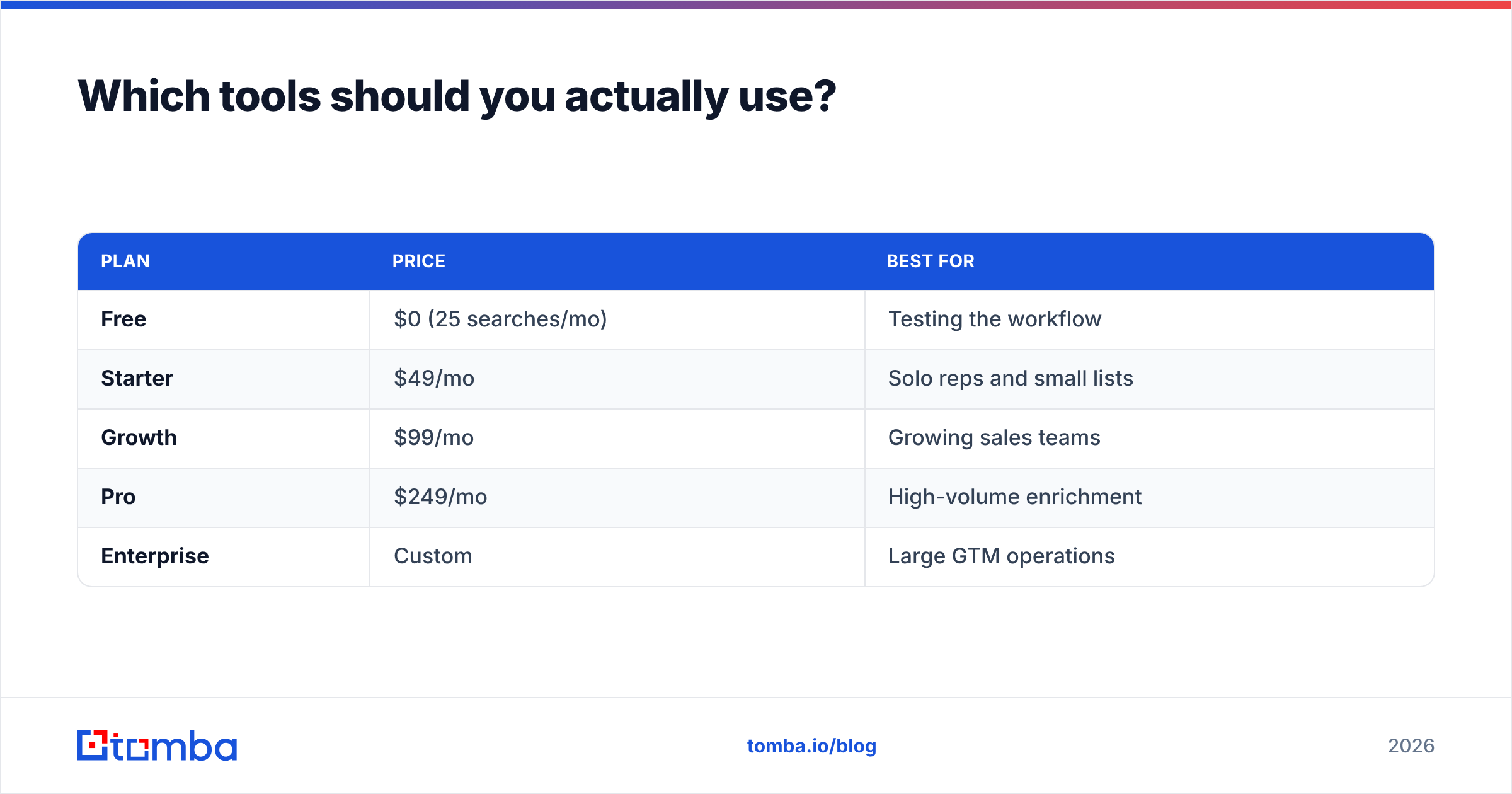
On cost, Tomba's pricing starts with a free tier of 25 searches per month, then Starter at $49/mo, Growth at $99/mo, and Pro at $249/mo — so you can validate the workflow on a handful of accounts before committing to volume.
| Plan | Price | Best for |
|---|---|---|
| Free | $0 (25 searches/mo) | Testing the workflow |
| Starter | $49/mo | Solo reps and small lists |
| Growth | $99/mo | Growing sales teams |
| Pro | $249/mo | High-volume enrichment |
| Enterprise | Custom | Large GTM operations |
Turn filings into pipeline#
Company public records are the most reliable free data source in B2B — and the most underused, because the manual work of stitching them together scares most teams off. But the records aren't the bottleneck; the enrichment is. Once you can reliably convert a legal entity and an officer's name into a verified, deliverable email, every filing becomes a potential opportunity.
That's exactly where the Tomba Email Finder fits: point it at the names your records surface, and get back verified professional emails ready for outreach — no fifty-tab scavenger hunt required. Start on the free tier, run your first list of entities through it, and see how many good-fit accounts you were leaving in the filing cabinet.
Related guides#
Ready to find emails that actually work?
Join 150,000+ professionals who stopped guessing and started sending. Free credits on signup — no credit card required.
Get the Tomba newsletter
Practical outbound tactics and product updates — once every two weeks.
About the author