Company Research Tools in 2026: How to Pick the Right Stack
Most reps drown in browser tabs when researching accounts. Here's how to build a company research stack that actually saves time — and which tools are worth paying for in 2026.
Company research is the unglamorous work that decides whether your outbound lands or dies. Before you send an email, book a meeting, or price a deal, you need to know who the company is, how big it is, what it uses, who runs it, and how to reach them. The problem is that this intel lives in twenty different places, and most reps stitch it together by hand.
The right company research tools collapse that manual stitching into a few clicks. But "company research" spans everything from firmographic databases to intent signals to email lookup, and no single tool covers all of it well. This guide breaks the category into layers, compares the leading options, and shows you how to assemble a stack that fits your budget instead of paying enterprise prices for data you'll never use.
TL;DR#
- Company research tools fall into five layers: firmographics, contact data, technographics, intent/signals, and enrichment/automation. You rarely need one tool per layer.
- Start with the job, not the logo. A founder validating a market needs different tools than an SDR building a call list.
- Free tiers get you surprisingly far for early-stage research; you pay for depth, freshness, and API access.
- Contact data is where most stacks break. Firmographics are commoditized; accurate emails and phone numbers are not.
- Tomba covers the contact-data layer — email finder, verification, and enrichment — starting free and scaling to a full API, so you don't overpay a $1,000/mo platform just to get reliable emails.
What are company research tools?#
Company research tools are software that gathers, structures, and enriches information about businesses so you can qualify, target, and reach them faster. Think of it like a research assistant who already read every annual report, LinkedIn page, job board, and tech-stack scan before you walked into the room — instead of you opening thirty tabs, the tool hands you a briefed one-pager.
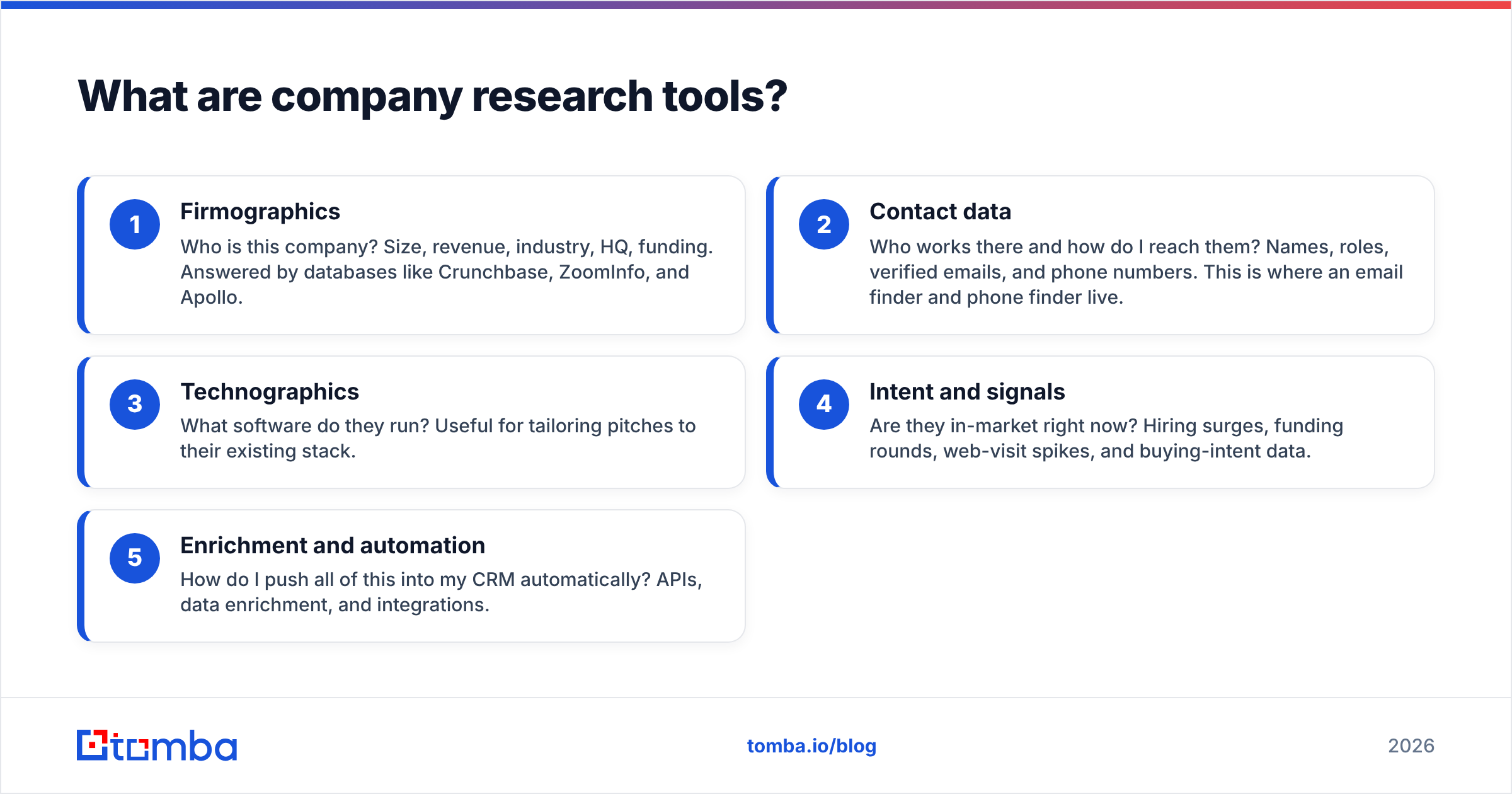
In practice, the category is layered. Each layer answers a different question:
- Firmographics — Who is this company? Size, revenue, industry, HQ, funding. Answered by databases like Crunchbase, ZoomInfo, and Apollo.
- Contact data — Who works there and how do I reach them? Names, roles, verified emails, and phone numbers. This is where an email finder and phone finder live.
- Technographics — What software do they run? Useful for tailoring pitches to their existing stack.
- Intent and signals — Are they in-market right now? Hiring surges, funding rounds, web-visit spikes, and buying-intent data.
- Enrichment and automation — How do I push all of this into my CRM automatically? APIs, data enrichment, and integrations.
Most teams over-buy at the firmographic layer and under-invest in contact accuracy — which is backwards, because firmographics are increasingly commoditized while good contact data still separates a 2% reply rate from a 12% one.
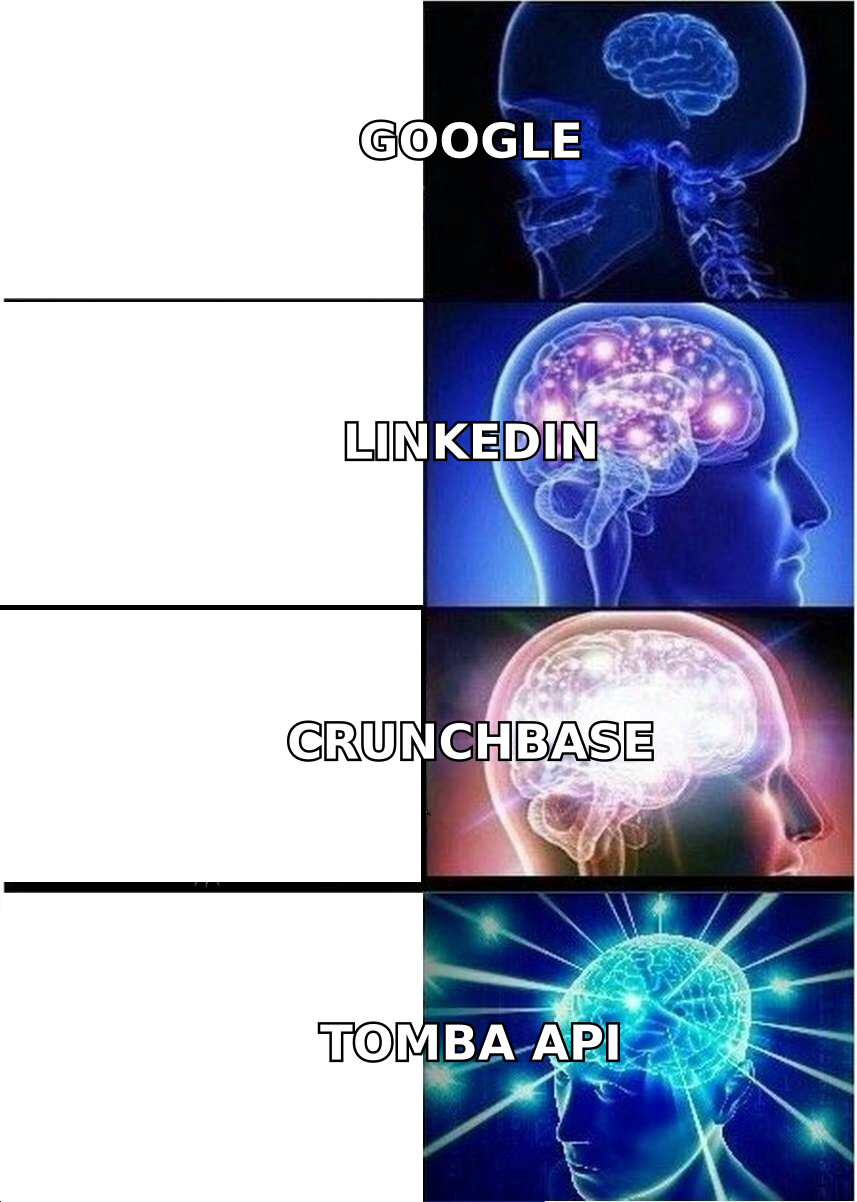
Why not just use Google and LinkedIn?#
You can, and for your first ten accounts you probably should. Manual research is free and forces you to actually understand your market. The trouble starts at scale.
Say you need to research 300 accounts this quarter. On Google + LinkedIn alone, that's roughly 15–20 minutes per account to find the company profile, identify 2–3 decision-makers, guess their email format, and verify it works. That's 75–100 hours of pure research before a single email goes out. Dedicated company research tools cut that to seconds per record and, crucially, verify contact details so your emails don't bounce and torch your sender reputation.
The manual approach also can't see what it can't see. LinkedIn won't tell you a company just closed a Series B, tripled its engineering headcount, or started evaluating your category. Purpose-built tools surface those signals so you reach out when the timing is right, not months late.
What are the best company research tools in 2026?#
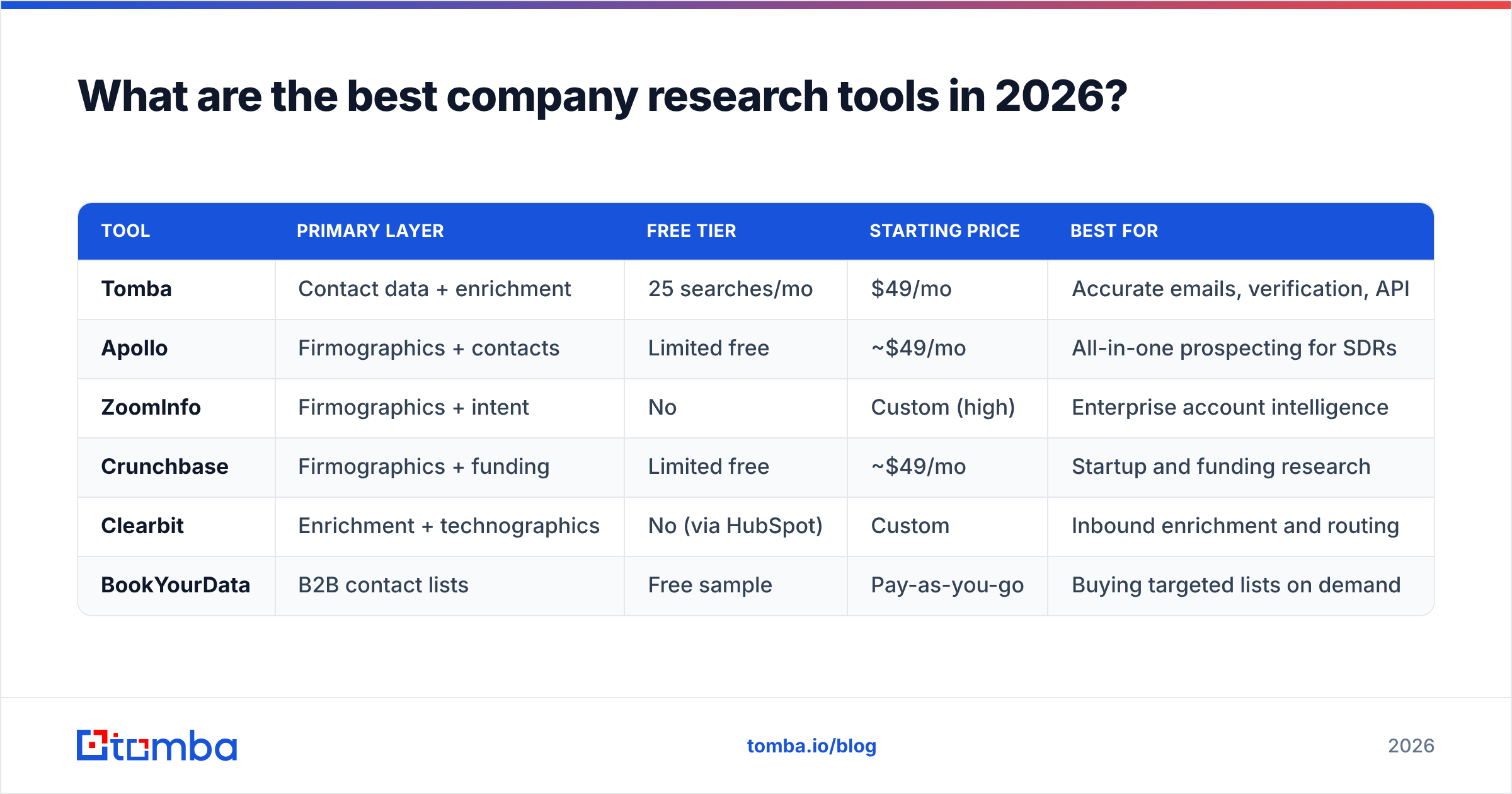
There's no single winner because the tools optimize for different layers. Here's how the leading options compare on the attributes that actually matter when you're choosing.
| Tool | Primary layer | Free tier | Starting price | Best for |
|---|---|---|---|---|
| Tomba | Contact data + enrichment | 25 searches/mo | $49/mo | Accurate emails, verification, API |
| Apollo | Firmographics + contacts | Limited free | ~$49/mo | All-in-one prospecting for SDRs |
| ZoomInfo | Firmographics + intent | No | Custom (high) | Enterprise account intelligence |
| Crunchbase | Firmographics + funding | Limited free | ~$49/mo | Startup and funding research |
| Clearbit | Enrichment + technographics | No (via HubSpot) | Custom | Inbound enrichment and routing |
| BookYourData | B2B contact lists | Free sample | Pay-as-you-go | Buying targeted lists on demand |
A few honest takeaways from this table:
- ZoomInfo is the deepest and the priciest. If you're an enterprise with an ABM motion and a real budget, it's hard to beat for coverage and intent. If you're a two-person team, its pricing will shock you.
- BookYourData is a strong fit when you want to buy a targeted list rather than research accounts one by one — a legitimately different job, and a solid option when you know your ICP precisely and want volume fast.
- Apollo is the popular all-rounder, but many teams find its email accuracy inconsistent and pair it with a dedicated email verifier.
- Tomba deliberately owns the contact-data layer instead of trying to be everything, which is why it can offer verified emails, catch-all verification, and a clean email finder API without enterprise pricing.
If your research bottleneck is "I can find the company but not a reliable way to email the right person," the contact-data layer is where your money goes furthest.
How do you choose the right company research stack?#
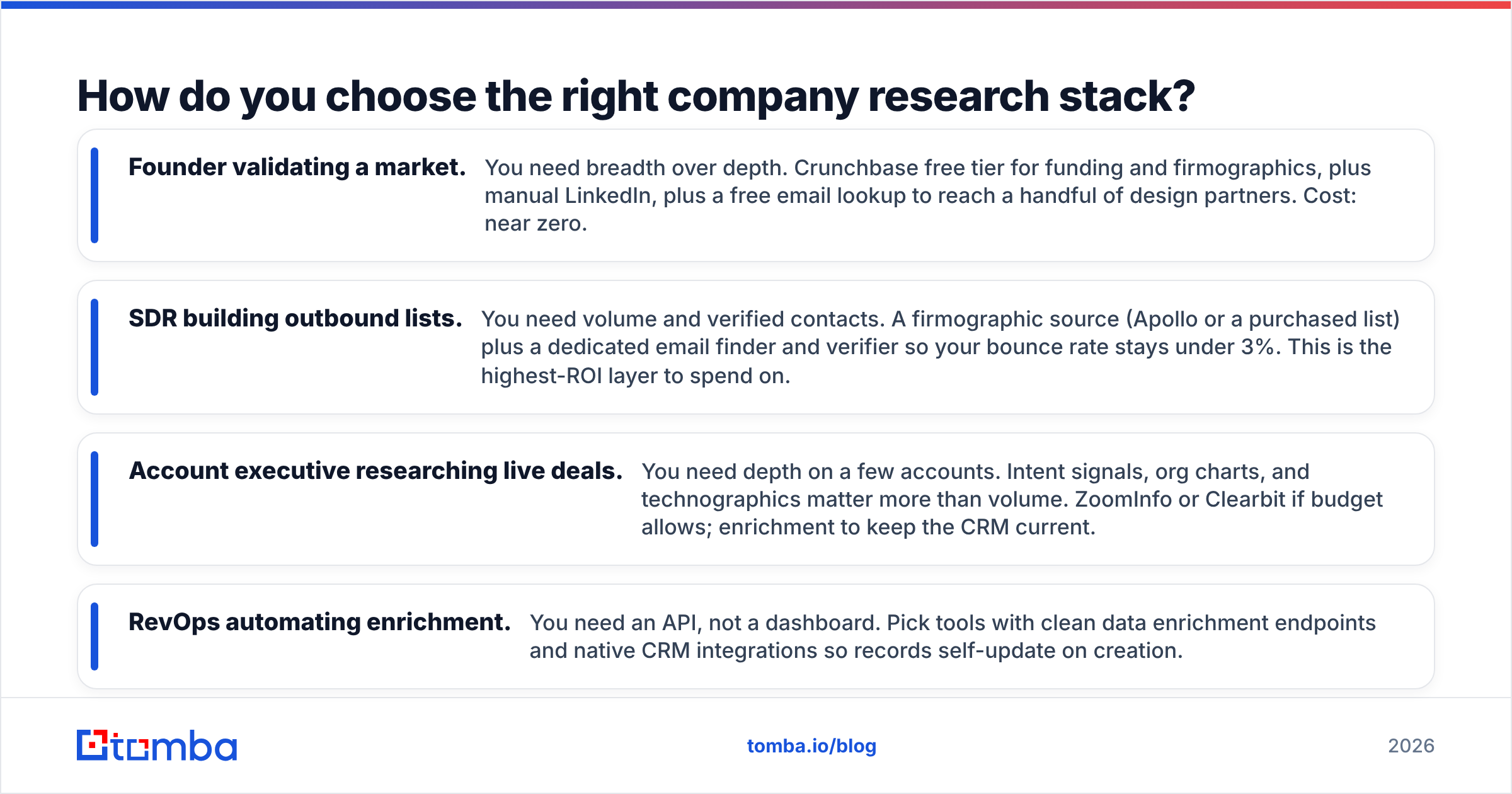
Match the tool to the job, not the logo on the G2 badge. Here are the four most common jobs and the stack that fits each.
- Founder validating a market. You need breadth over depth. Crunchbase free tier for funding and firmographics, plus manual LinkedIn, plus a free email lookup to reach a handful of design partners. Cost: near zero.
- SDR building outbound lists. You need volume and verified contacts. A firmographic source (Apollo or a purchased list) plus a dedicated email finder and verifier so your bounce rate stays under 3%. This is the highest-ROI layer to spend on.
- Account executive researching live deals. You need depth on a few accounts. Intent signals, org charts, and technographics matter more than volume. ZoomInfo or Clearbit if budget allows; enrichment to keep the CRM current.
- RevOps automating enrichment. You need an API, not a dashboard. Pick tools with clean data enrichment endpoints and native CRM integrations so records self-update on creation.
Two rules save most teams money. First, don't pay for firmographics twice — if your CRM enrichment already fills company size and industry, you don't need a second database for the same fields. Second, never trust unverified contact data; a cheap tool with verified emails beats an expensive one with stale records every time.
For the deeper mechanics of how this data gets sourced and kept fresh, Gartner's market guide to sales intelligence and G2's category listings are useful neutral references before you commit budget.
How accurate is the contact data behind these tools?#
This is the question that quietly decides your ROI, and it's the one vendors are vaguest about. Firmographic data (industry, headcount, HQ) is relatively stable and easy to get right. Contact data — specifically emails and direct dials — decays fast. Roughly 25–30% of B2B contact data goes stale every year as people change jobs.
That's why verification isn't optional. A tool that finds an email is only half the job; a tool that finds and verifies it in real time is what keeps your campaigns out of the spam folder. Before you buy any platform, run a small test batch against contacts you can independently confirm and measure the real bounce rate — not the accuracy number on the pricing page.

If you'd rather not audit every vendor by hand, tools like Tomba's email verifier and catch-all finder let you validate lists from any source, so you can buy firmographics from one place and still trust the emails you send.
Do you need to pay, or are free tools enough?#
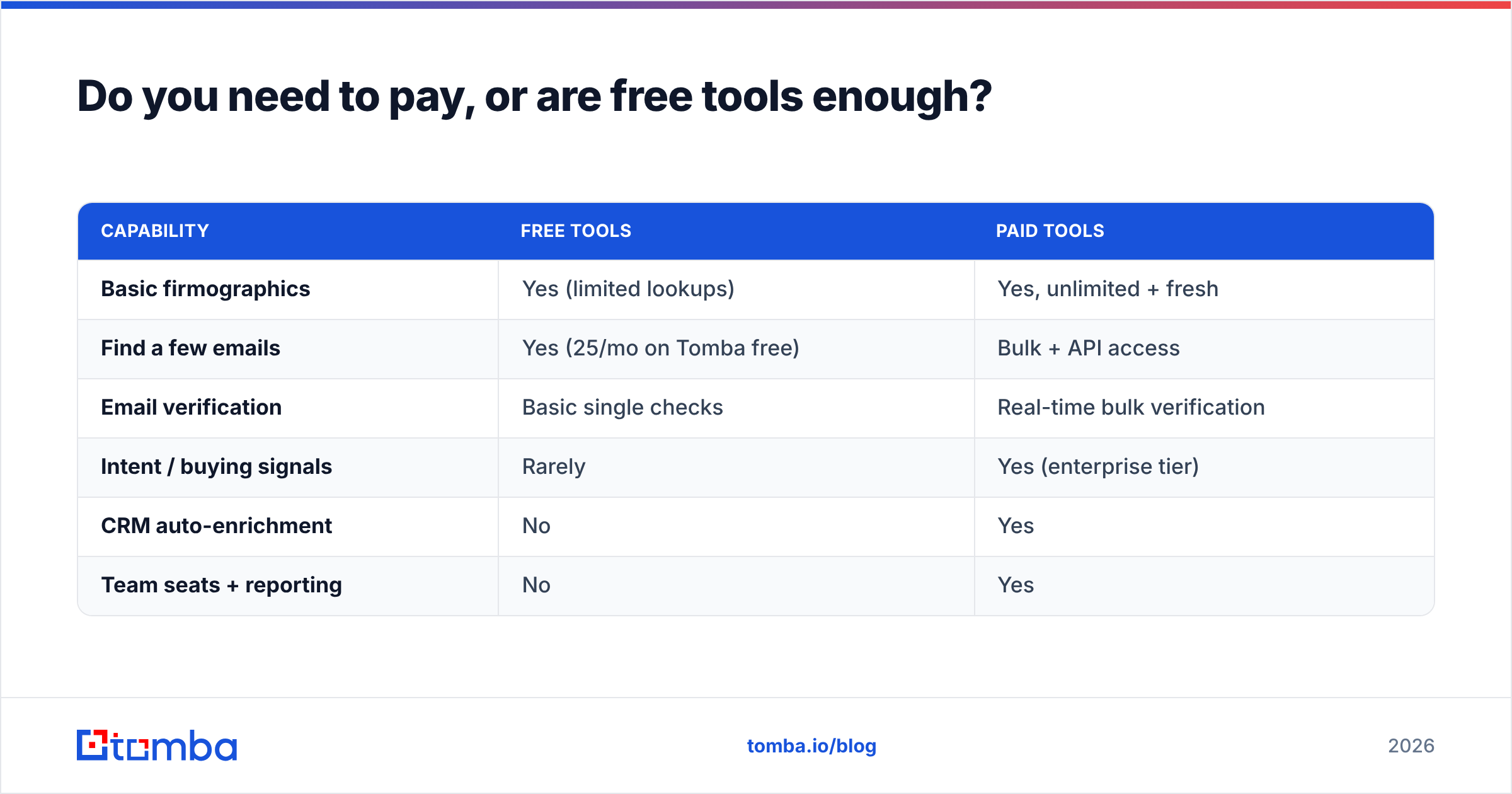
Free tiers cover more than most people expect. Here's a realistic view of what you get without spending anything, and where the paywall genuinely earns its keep.
| Capability | Free tools | Paid tools |
|---|---|---|
| Basic firmographics | Yes (limited lookups) | Yes, unlimited + fresh |
| Find a few emails | Yes (25/mo on Tomba free) | Bulk + API access |
| Email verification | Basic single checks | Real-time bulk verification |
| Intent / buying signals | Rarely | Yes (enterprise tier) |
| CRM auto-enrichment | No | Yes |
| Team seats + reporting | No | Yes |
The pattern is clear: free is fine for low-volume, manual research. You start paying when you need volume, freshness, verification at scale, and automation. The mistake is jumping straight to a $1,000+/mo enterprise contract when a $49/mo tool plus a free firmographic source would cover 90% of your actual usage. Review the full Tomba pricing tiers against your monthly search volume before you assume you need an enterprise plan — most teams don't.
A sensible progression: start on free tiers, upgrade the one layer that's your bottleneck (usually contact data), and only add intent or full-platform tooling once you've proven the motion works.
How do these tools fit into your workflow?#
The best research tool is the one your reps don't have to leave their workflow to use. Two integration patterns matter.
In-browser research. A Chrome extension that surfaces company and contact data on the page you're already viewing — a LinkedIn profile, a company site — removes the copy-paste tax entirely. This is where reps live day to day.
Automated enrichment. For scale, you want data flowing into your CRM without human hands. Native HubSpot and Salesforce integrations, plus Zapier or an API, let new records enrich themselves on creation. Set it once, and every lead that enters your system arrives already researched.
The combination — extension for manual deep-dives, API for bulk automation — covers both the AE researching a single strategic account and the RevOps team enriching thousands of inbound signups. HubSpot's own research on sales productivity consistently points to the same conclusion: reps who spend less time hunting for data and more time selling close more.
The bottom line#
Company research is a stack, not a single product. Get the layers right and you'll spend far less than the enterprise sticker price while getting cleaner data than a bloated all-in-one. Firmographics are commoditized — don't overpay for them. Contact accuracy is where deals are won or lost — invest there.
If your bottleneck is finding and verifying the right people at your target accounts, start with the Tomba Email Finder. It's free to try at 25 searches a month, scales to a full API for automated enrichment, and verifies every email so your outreach reaches inboxes instead of spam folders. Build the rest of your research stack around a contact-data core you can actually trust — that's the difference between a list and a pipeline.
Related guides#
Ready to find emails that actually work?
Join 150,000+ professionals who stopped guessing and started sending. Free credits on signup — no credit card required.
Get the Tomba newsletter
Practical outbound tactics and product updates — once every two weeks.
About the author