Competitors App Pricing Reviews: Pros and Cons (2026)
Before you pay for another lead-gen or email-finder app, learn how to read competitor pricing, reviews, and pros and cons like a buyer — not a marketer. Here's the 2026 framework.
Every B2B tool's landing page says the same three things: it's accurate, it's affordable, and reviewers love it. Then you swipe a card, run 200 lookups, and find that the "affordable" plan hides the feature you needed behind a pricier tier. This guide helps you read competitors app pricing, reviews, pros and cons before you buy — so you don't make that mistake.
Below is a practical framework for the kind of due diligence that separates a tool you keep for two years from one you churn out of in three weeks. We'll use real evaluation criteria, a side-by-side table, and honest trade-offs. Then we'll point you to a low-risk way to benchmark any email-finding app against a free tier.
TL;DR#
- Pricing pages lie by omission. The number you see is rarely the number you pay. Credits, seats, and overage fees are where the real cost hides.
- Reviews are lagging indicators. Sort G2 and Capterra by most recent and lowest rating first. The 5-star wall is often incentivized.
- Pros and cons are use-case dependent. A tool that's a "con" for outbound at scale can be a "pro" for a two-person agency.
- Accuracy is the only spec that compounds. A cheap app with a 60% hit rate costs more than a pricier one at 95% once you count wasted sends and burned domains.
- Always test against a free tier. Tomba's free plan (25 searches/mo) is a no-cost control you can benchmark any competitor against.
What does "competitor app pricing" actually include?#
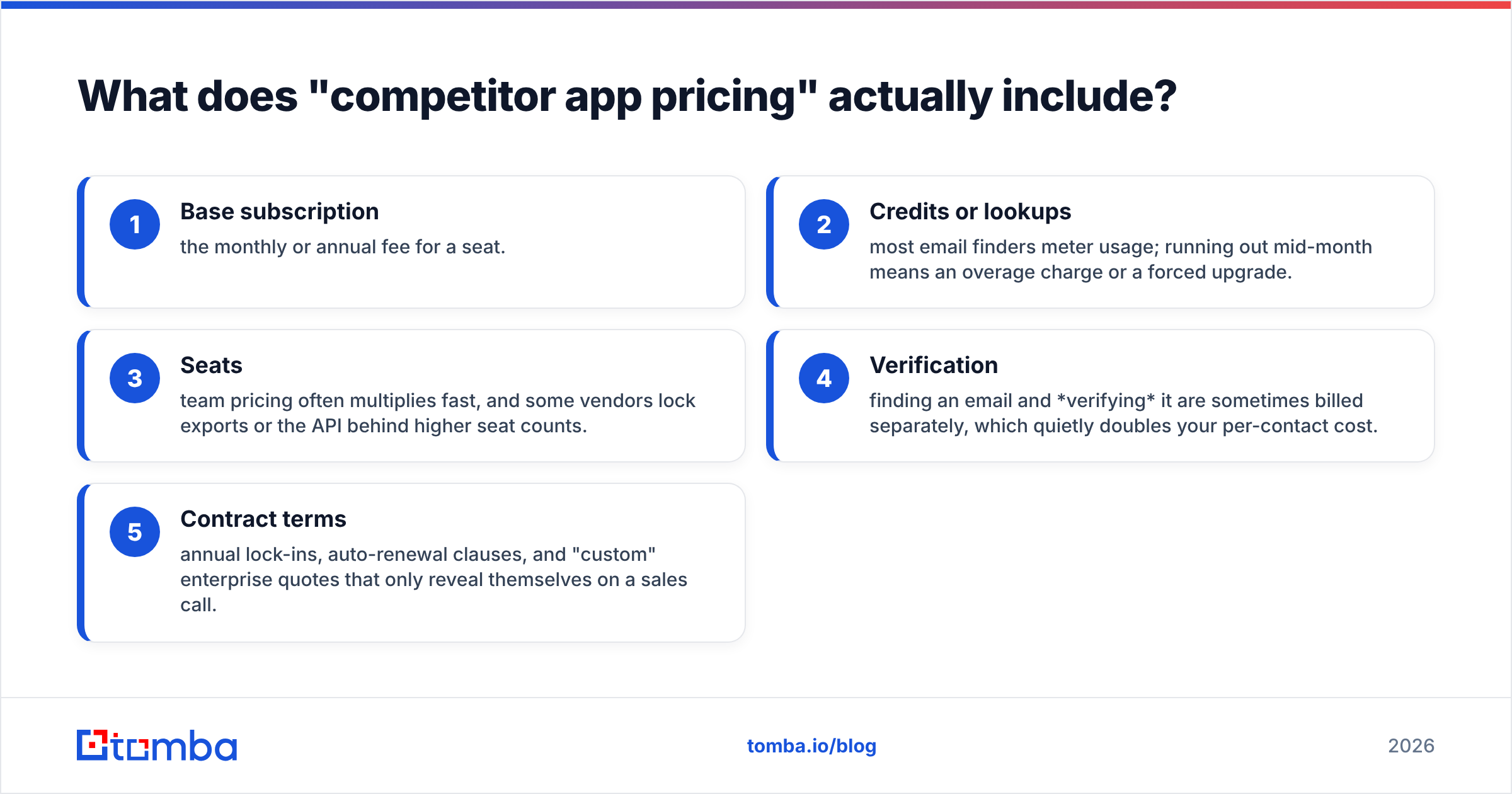
The sticker price is the smallest part of the bill. When you evaluate any competing sales-intelligence or email-finder app, the real total cost of ownership breaks into five buckets:
- Base subscription — the monthly or annual fee for a seat.
- Credits or lookups — most email finders meter usage; running out mid-month means an overage charge or a forced upgrade.
- Seats — team pricing often multiplies fast, and some vendors lock exports or the API behind higher seat counts.
- Verification — finding an email and verifying it are sometimes billed separately, which quietly doubles your per-contact cost.
- Contract terms — annual lock-ins, auto-renewal clauses, and "custom" enterprise quotes that only reveal themselves on a sales call.
When you compare vendors, normalize everything to cost per verified, usable contact, not cost per month. That single metric reorders most "cheap" tools instantly.
How should you read competitor app reviews?#
Reviews are useful, but only if you read them the way an auditor would. The default sort on G2 and Capterra surfaces the most flattering feedback first. Many five-star reviews are collected in exchange for a gift card at the moment of highest satisfaction — onboarding — not after a year of real use.
Here's a reliable reading order:
- Filter to the last 6–12 months. A 2023 rave about accuracy tells you nothing about the vendor's current data pipeline.
- Read the 2- and 3-star reviews first. One-star reviews are often billing rage. The mid-tier reviews hold the specific, credible complaints (catch-all handling, support latency, export limits).
- Match the reviewer to you. A 500-seat enterprise praising an account team is irrelevant if you're a solo founder who'll only ever email support.
- Look for churn signals. Phrases like "we moved to…" or "canceled after…" tell you what the alternative was and why.
Cross-reference at least two sources. A tool with a 4.7 on its own site and a 3.9 on an independent directory is telling you where the reviews were curated.
What are the common pros and cons of these apps?#
No tool is universally good or bad. The pros and cons only mean something against a specific job. Here's how the trade-offs usually break down across lead-gen and email-finding apps.
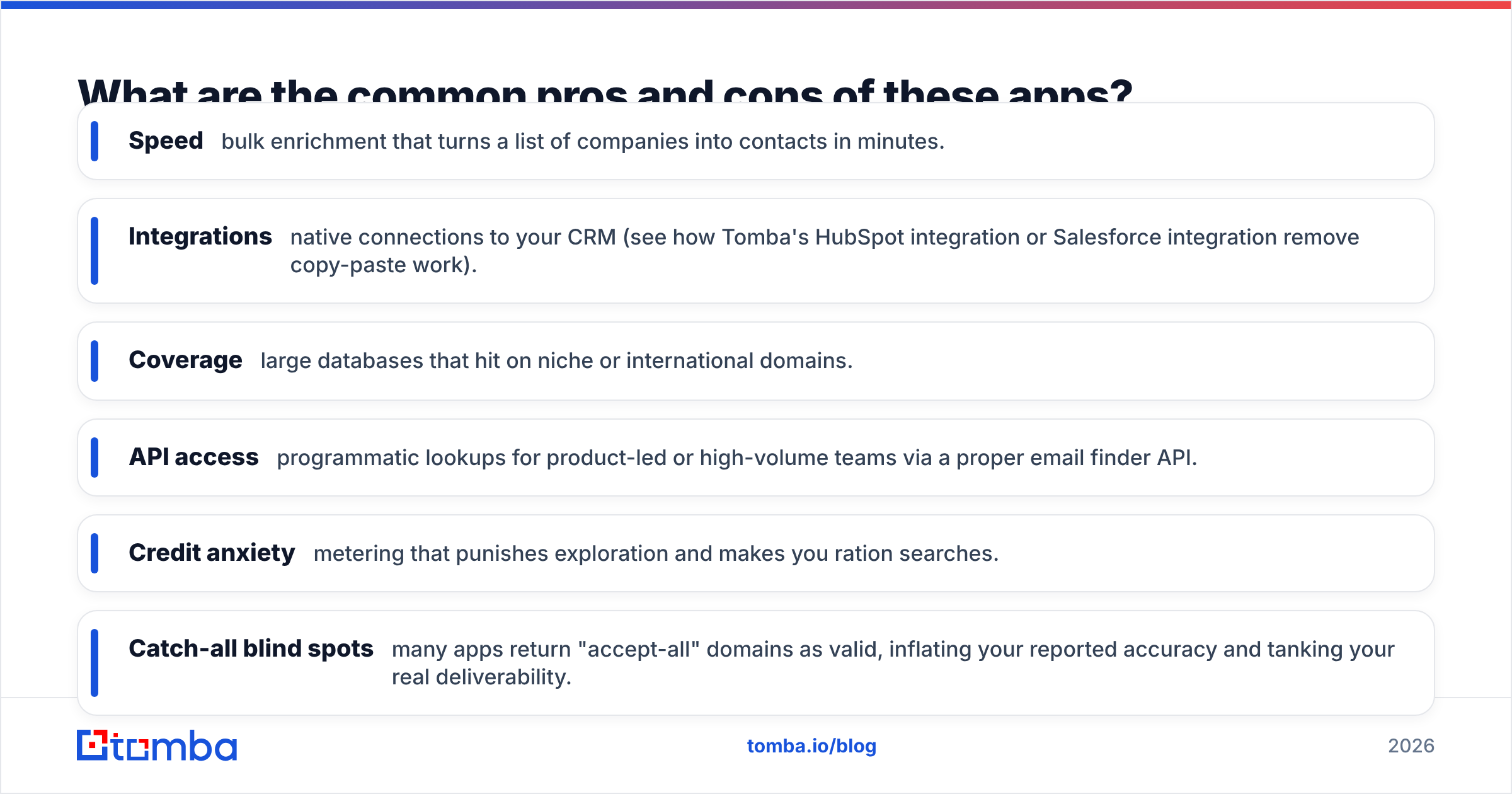
Frequent pros:
- Speed — bulk enrichment that turns a list of companies into contacts in minutes.
- Integrations — native connections to your CRM (see how Tomba's HubSpot integration or Salesforce integration remove copy-paste work).
- Coverage — large databases that hit on niche or international domains.
- API access — programmatic lookups for product-led or high-volume teams via a proper email finder API.
Frequent cons:
- Credit anxiety — metering that punishes exploration and makes you ration searches.
- Catch-all blind spots — many apps return "accept-all" domains as valid, inflating your reported accuracy and tanking your real deliverability.
- Verification gaps — a found email is a guess until it's verified. Skipping that step is the number-one cause of bounces.
- Opaque enterprise pricing — "contact us" tiers that make budgeting impossible.
The takeaway: a "con" like aggressive credit metering is fine for a low-volume user and disqualifying for an outbound team sending thousands of touches a week.
How do competitor apps compare on price and features?#
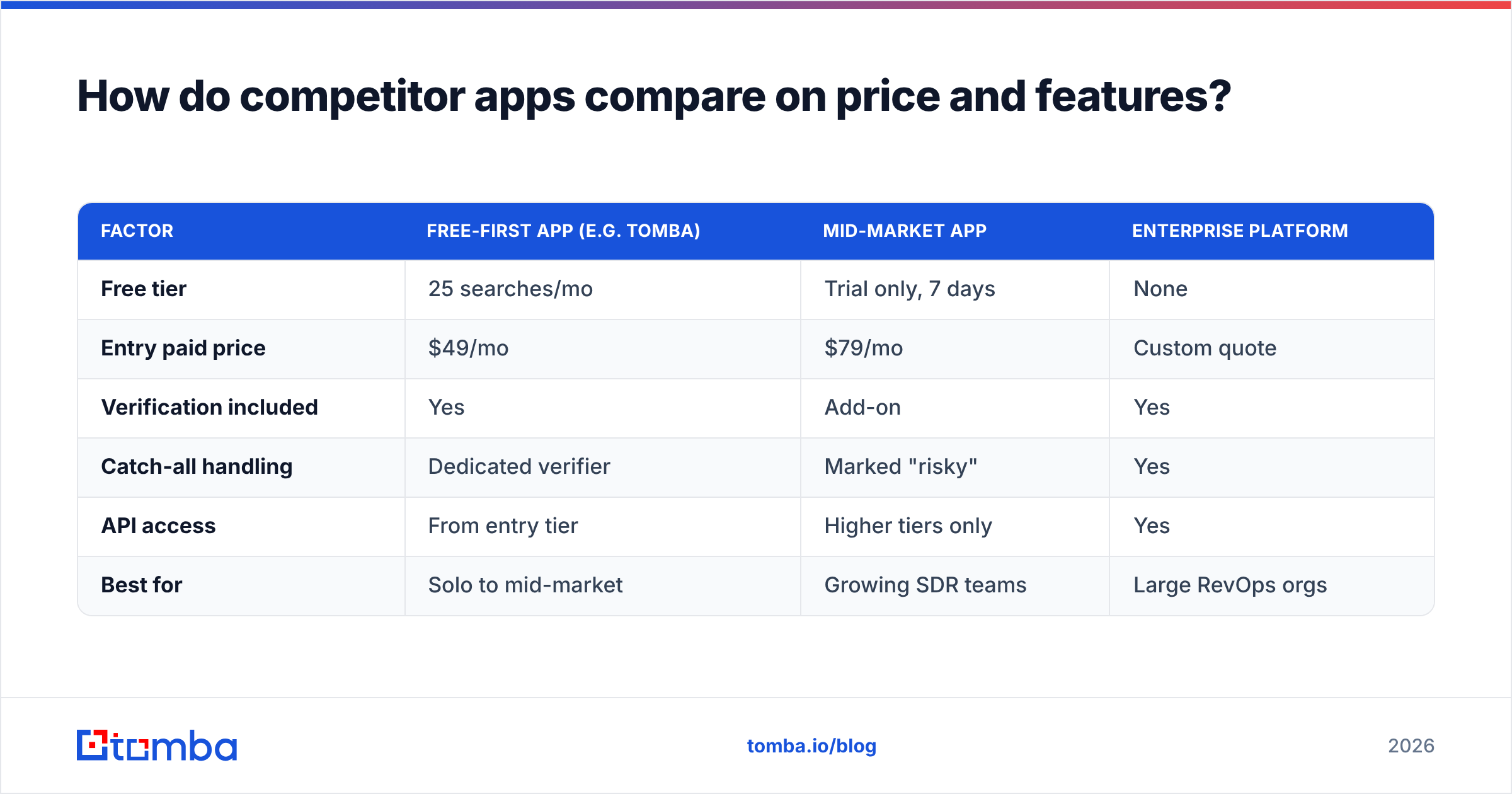
The table below models the shape of the market — a free-tier-first tool, a mid-market app, and a data-heavy enterprise platform. It uses representative pricing so you can see how the structure of a plan matters more than the headline number.

Accuracy is the axis that quietly decides your real cost. A 60% hit rate doesn't just cost you the missing 40% of contacts. It also costs you the bounced sends, the domain-reputation damage, and the rep hours spent chasing dead addresses. Weigh the numbers above against the pricing structure below.
| Factor | Free-first app (e.g. Tomba) | Mid-market app | Enterprise platform |
|---|---|---|---|
| Free tier | 25 searches/mo | Trial only, 7 days | None |
| Entry paid price | $49/mo | $79/mo | Custom quote |
| Verification included | Yes | Add-on | Yes |
| Catch-all handling | Dedicated verifier | Marked "risky" | Yes |
| API access | From entry tier | Higher tiers only | Yes |
| Best for | Solo to mid-market | Growing SDR teams | Large RevOps orgs |

Two structural lessons jump out. First, a free tier isn't a marketing gimmick — it's your control group. You can measure a competitor's real accuracy on your domains before spending a cent. Second, when verification and API access are bundled at the entry tier instead of gated upward, your effective cost per usable contact drops sharply, even if the monthly number looks similar. You can see the full Tomba pricing breakdown to compare tiers directly.
Which app is right for your use case?#
Match the tool to the job, not to the review score.
- Solo founder / small agency — Prioritize a generous free tier and pay-as-you-grow pricing. You want to validate a channel before committing budget. A free plan plus a $49/mo starter is plenty.
- Outbound SDR team — Verification and catch-all accuracy matter more than raw database size. Bounces here don't just waste credits; they degrade your sending domain's email deliverability for the whole team.
- Product-led / high volume — API rate limits, bulk endpoints, and per-lookup cost dominate. Read the fine print on the email finder endpoints and export caps.
- Enterprise RevOps — Data governance, SSO, and contract flexibility outweigh price. Push hard on the "custom quote" and get overage terms in writing.
If you're weighing named competitors, comparison pages like Apollo alternatives help you see how one platform's pricing model maps to another's. Just apply the same "cost per verified contact" lens rather than trusting the headline.
How do you avoid overpaying?#
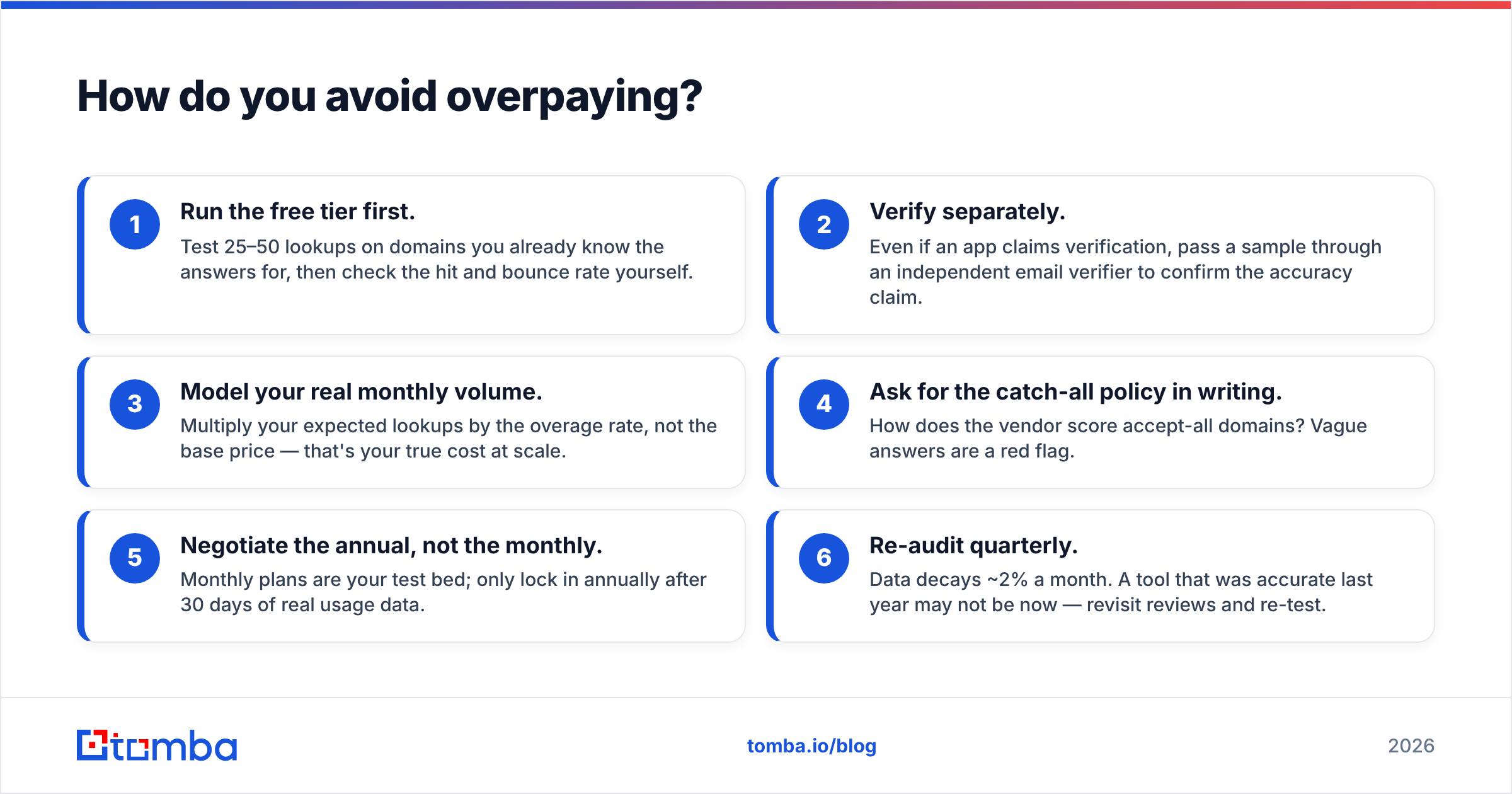
A short checklist that saves real money:
- Run the free tier first. Test 25–50 lookups on domains you already know the answers for, then check the hit and bounce rate yourself.
- Verify separately. Even if an app claims verification, pass a sample through an independent email verifier to confirm the accuracy claim.
- Model your real monthly volume. Multiply your expected lookups by the overage rate, not the base price. That's your true cost at scale.
- Ask for the catch-all policy in writing. How does the vendor score accept-all domains? Vague answers are a red flag.
- Negotiate the annual, not the monthly. Monthly plans are your test bed. Only lock in annually after 30 days of real usage data.
- Re-audit quarterly. Data decays ~2% a month. A tool that was accurate last year may not be now, so revisit reviews and re-test.
Reputable third-party research from firms like HubSpot consistently shows that data quality, not tool breadth, is the top driver of sales-team productivity. Spend your evaluation energy there.
Competitors app pricing, reviews, pros and cons: worth trusting in 2026?#
Trust the structure, not the marketing. A vendor that publishes flat, transparent pricing, includes verification at the entry tier, and offers a free plan you can benchmark with is signaling confidence in its own data. A vendor that hides pricing behind a sales call, meters aggressively, and floods directories with incentivized five-star reviews is signaling the opposite.
For 2026, the apps winning on genuine value share three traits: a real free tier, verification bundled rather than upsold, and API access that doesn't require the top plan. Everything else — flashy dashboards, "AI" labels, giant database numbers — is secondary to whether the emails actually land.
The bottom line#
Reading competitors app pricing, reviews, pros and cons well is mostly about refusing to take any single number at face value. Normalize price to cost-per-verified-contact, read reviews newest-and-lowest first, and judge pros and cons against your specific use case. Then verify the whole thing with your own test run.
The cheapest way to do that is to start with a free control. Try the Tomba Email Finder — the free plan gives you 25 searches a month with no card, so you can benchmark any competitor's accuracy and pricing claims against a known baseline before you commit a dollar. If it holds up, plans start at $49/mo with verification included. If a competitor beats it, you'll have the data to prove it. Either way, you're buying on evidence instead of a landing page.
Related guides#
Ready to find emails that actually work?
Join 150,000+ professionals who stopped guessing and started sending. Free credits on signup — no credit card required.
Get the Tomba newsletter
Practical outbound tactics and product updates — once every two weeks.
About the author