Conga vs Docusign: E-Signature and CLM Compared for 2026
Conga vs Docusign compared head-to-head: e-signature, contract lifecycle management, pricing, Salesforce fit, and which platform actually suits your revenue team in 2026.
Choosing between Conga and Docusign is really a question about where your contract pain lives. If signatures are the bottleneck, one answer fits. If the whole document-to-revenue workflow is a mess, the other does. This guide breaks down both so you can pick without a six-week sales cycle.
TL;DR: Conga vs Docusign at a Glance#
- Docusign wins on e-signature. It is the category default, easy to roll out, and priced per user with a clear self-serve on-ramp.
- Conga wins on document generation and deep contract lifecycle management (CLM), especially if you live inside Salesforce and need quotes, proposals, and contracts assembled from CRM data.
- Pricing models differ sharply: Docusign is transparent and per-seat; Conga is quote-based and enterprise-weighted.
- They overlap in the middle — both now offer CLM and signing — so the real decision is which end of the workflow matters most to your team.
- Neither tool finds your buyers. You still need verified contact data to get a contract in front of the right decision-maker in the first place.
What Do Conga and Docusign Actually Do?#
Think of a contract like a restaurant meal. Docusign is the excellent waiter who takes the final plate to the table and gets the signature that the meal happened. Conga is the whole kitchen — it assembles the dish (the document) from raw ingredients (your CRM data) before anyone ever sits down.
Here is the core split:
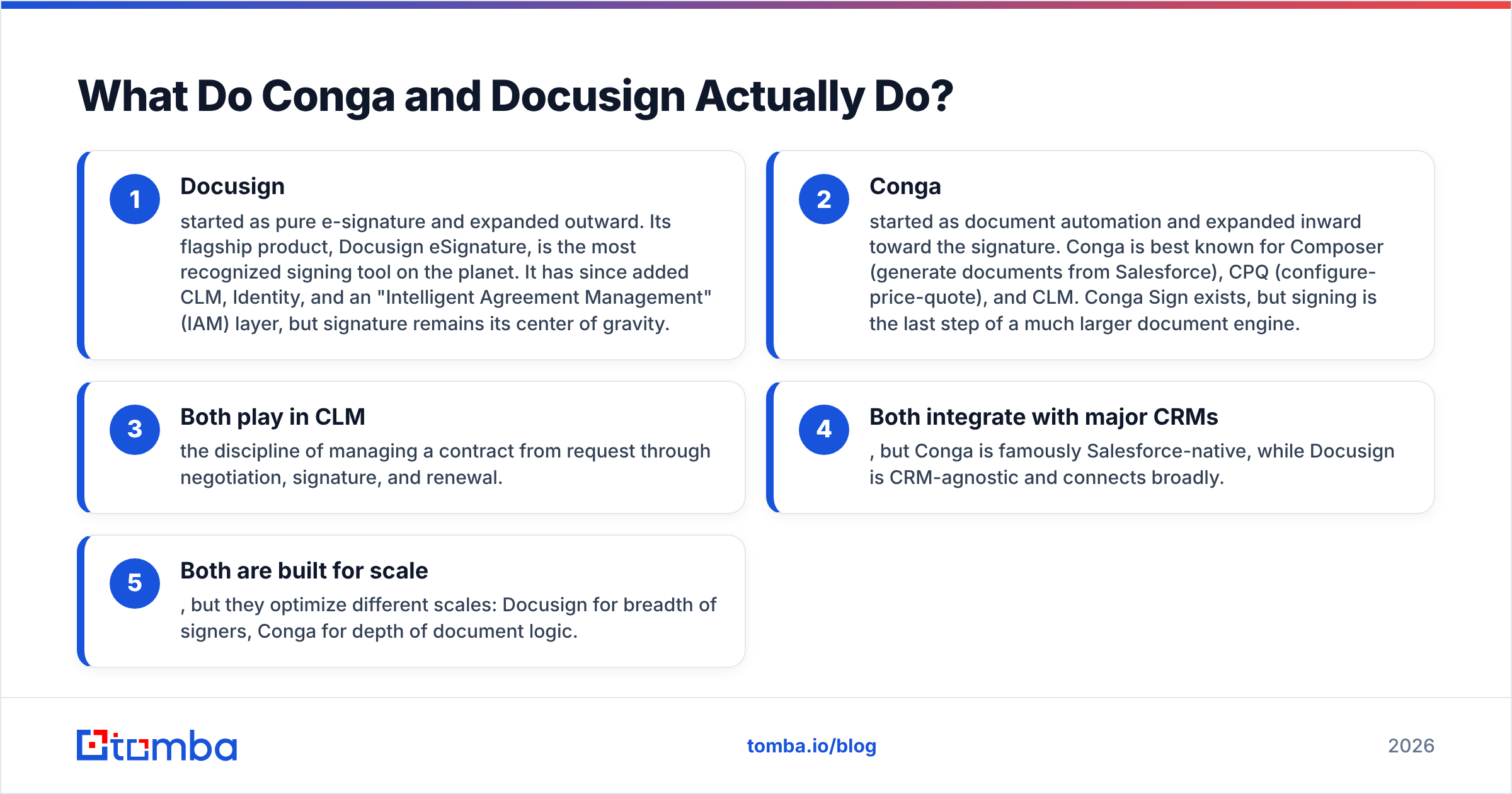
- Docusign started as pure e-signature and expanded outward. Its flagship product, Docusign eSignature, is the most recognized signing tool on the planet. It has since added CLM, Identity, and an "Intelligent Agreement Management" (IAM) layer, but signature remains its center of gravity.
- Conga started as document automation and expanded inward toward the signature. Conga is best known for Composer (generate documents from Salesforce), CPQ (configure-price-quote), and CLM. Conga Sign exists, but signing is the last step of a much larger document engine.
- Both play in CLM — the discipline of managing a contract from request through negotiation, signature, and renewal.
- Both integrate with major CRMs, but Conga is famously Salesforce-native, while Docusign is CRM-agnostic and connects broadly.
- Both are built for scale, but they optimize different scales: Docusign for breadth of signers, Conga for depth of document logic.
How Do Conga and Docusign Compare on Features and Pricing?#
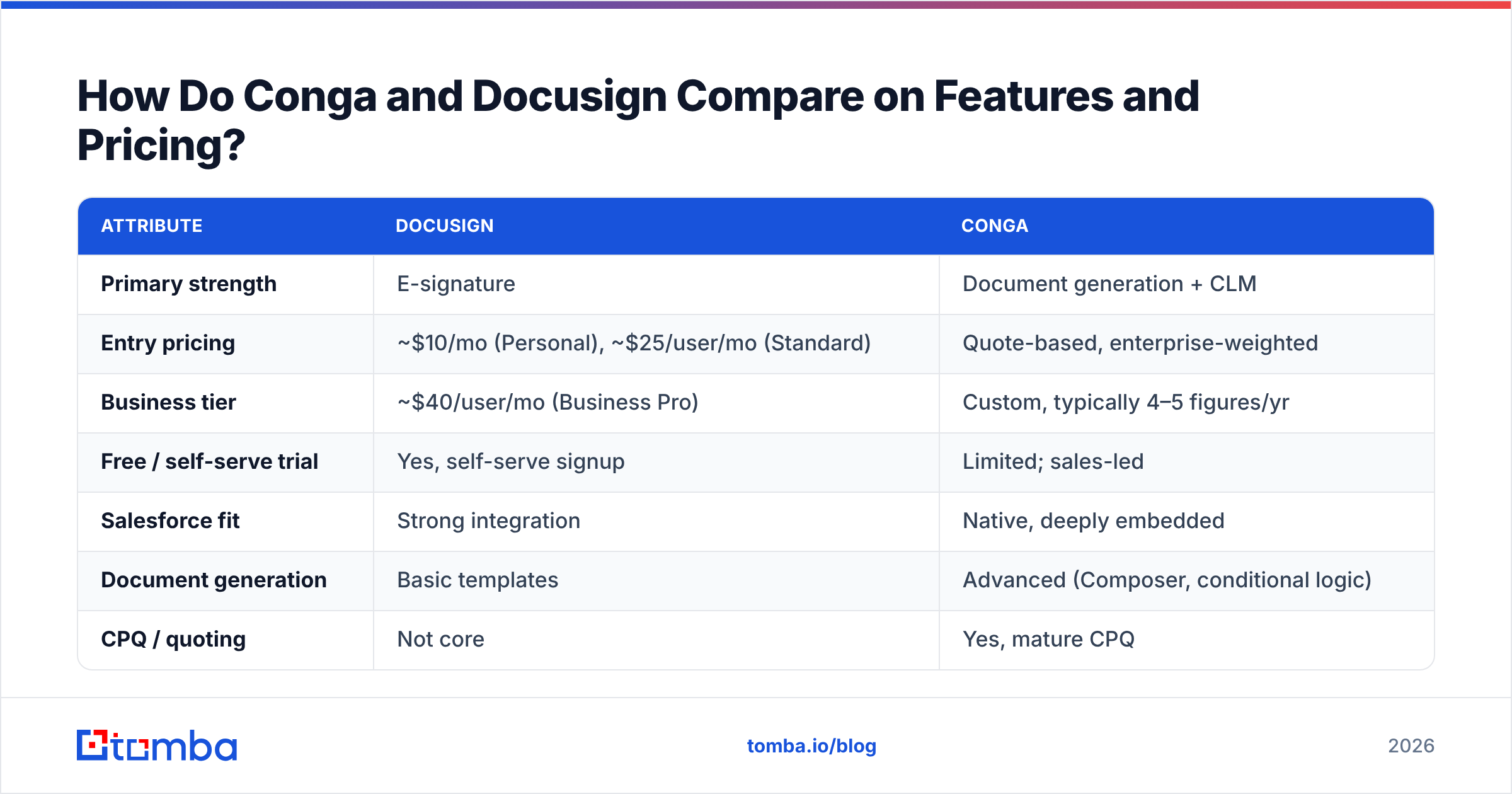
Below is the head-to-head that most buyers actually want. Pricing is approximate and changes; always confirm current numbers on each vendor's site.
| Attribute | Docusign | Conga |
|---|---|---|
| Primary strength | E-signature | Document generation + CLM |
| Entry pricing | ~$10/mo (Personal), ~$25/user/mo (Standard) | Quote-based, enterprise-weighted |
| Business tier | ~$40/user/mo (Business Pro) | Custom, typically 4–5 figures/yr |
| Free / self-serve trial | Yes, self-serve signup | Limited; sales-led |
| Salesforce fit | Strong integration | Native, deeply embedded |
| Document generation | Basic templates | Advanced (Composer, conditional logic) |
| CPQ / quoting | Not core | Yes, mature CPQ |
| Best for | Fast, broad signing | Complex document + revenue ops |
| Rollout speed | Days | Weeks to months |
The pattern is clear. Docusign is a tool you can buy on a Tuesday and use on a Wednesday. Conga is a platform you implement — often with a partner — over a quarter, but which then automates document workflows Docusign cannot touch on its own.
Where Docusign Pulls Ahead#
- Speed to value. Self-serve signup, familiar UI, and signers who already trust the brand.
- Signer experience. The recipient side is polished and mobile-friendly, which lifts completion rates.
- Breadth of integrations. It slots into HubSpot, Salesforce, Google Workspace, and hundreds more without a heavy build.
- Predictable cost. Per-seat pricing is easy to model as you grow.
Where Conga Pulls Ahead#
- Document assembly. Generate polished, data-driven proposals and contracts straight from Salesforce records.
- End-to-end CLM. Clause libraries, approval routing, obligation tracking, and renewal management in one system.
- Revenue operations depth. Combined with CPQ, Conga can run the entire quote-to-cash motion.
- Governance. Enterprise legal and compliance teams get the control they need over contract language.
Is Conga Better Than Docusign for CLM?#
For deep CLM, Conga usually wins — but only if you need deep CLM. That caveat matters more than the headline.
Docusign CLM is capable and, for many mid-market teams, entirely sufficient. It handles workflow, storage, and search well. But Conga's heritage in document generation means it treats the contract as a living, data-driven object from the first draft, not just as a file to be signed and filed. If your contracts are highly conditional — pricing tables, regional clauses, product-specific terms — Conga's logic engine is hard to beat.
That said, complexity is a cost. Many teams buy a full CLM suite and use ten percent of it. Independent reviews on sites like G2 consistently flag Conga's power and its learning curve. If your "contract lifecycle" is really "send a standard MSA and get it signed," Conga is overkill and Docusign is the smarter buy.
A useful gut check: count how many decisions happen inside a contract before it is sent. Few decisions favor Docusign. Many decisions favor Conga.
Which One Fits Your Team? Use-Case Breakdown#
Instead of asking which tool is "better," ask which situation is yours.
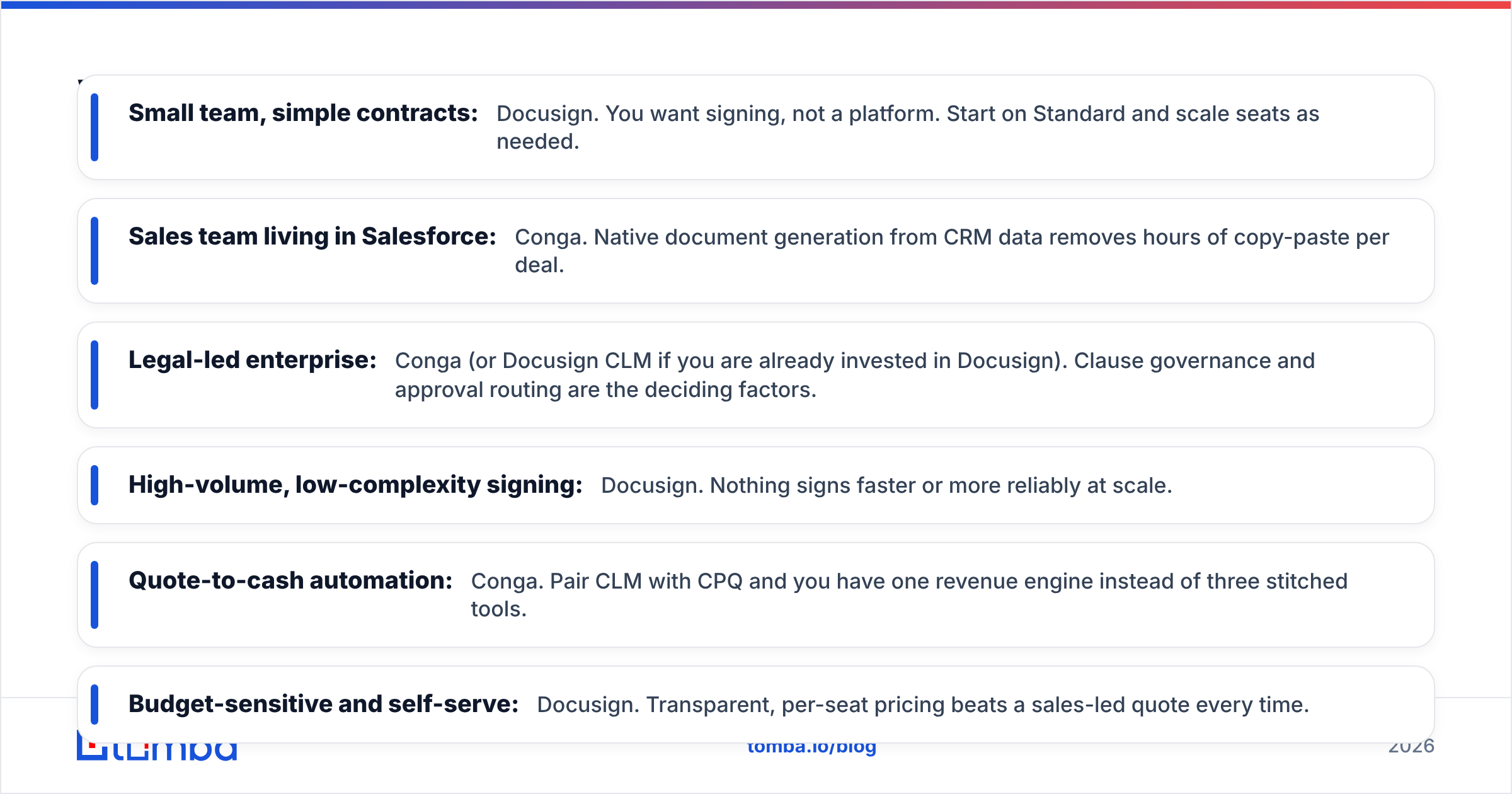
- Small team, simple contracts: Docusign. You want signing, not a platform. Start on Standard and scale seats as needed.
- Sales team living in Salesforce: Conga. Native document generation from CRM data removes hours of copy-paste per deal.
- Legal-led enterprise: Conga (or Docusign CLM if you are already invested in Docusign). Clause governance and approval routing are the deciding factors.
- High-volume, low-complexity signing: Docusign. Nothing signs faster or more reliably at scale.
- Quote-to-cash automation: Conga. Pair CLM with CPQ and you have one revenue engine instead of three stitched tools.
- Budget-sensitive and self-serve: Docusign. Transparent, per-seat pricing beats a sales-led quote every time.
What Do Conga and Docusign Cost in the Real World?#
The sticker price is not the real price, and this is where many buyers get surprised.
Docusign's per-envelope and per-seat model is transparent, but envelope limits on lower tiers catch high-volume teams off guard. If you send hundreds of agreements a month, you may outgrow a plan faster than expected and land in enterprise pricing anyway. Still, you can forecast it, and there is a genuine self-serve path.
Conga's cost is almost always quote-based and bundled with implementation. The software is one line item; onboarding, Salesforce configuration, and admin training are others. The total cost of ownership is higher, but so is the automation payoff — if you actually use the depth you are paying for.
A blunt rule of thumb: if you cannot articulate three document workflows you want to automate before signing, you are not ready for Conga's price tag, and Docusign will serve you better for less.
Where Does Contact Data Fit Into All of This?#
Here is the part both vendors quietly assume you have already solved: knowing who to send the contract to.
A signature platform is the last mile of a deal. Before a contract exists, someone had to find the right buyer, reach them, and earn the meeting. Neither Conga nor Docusign helps you there. That gap is where a data layer belongs — and it is worth getting right, because a beautifully automated contract sent to the wrong inbox closes nothing.
This is the practical bridge for revenue teams:
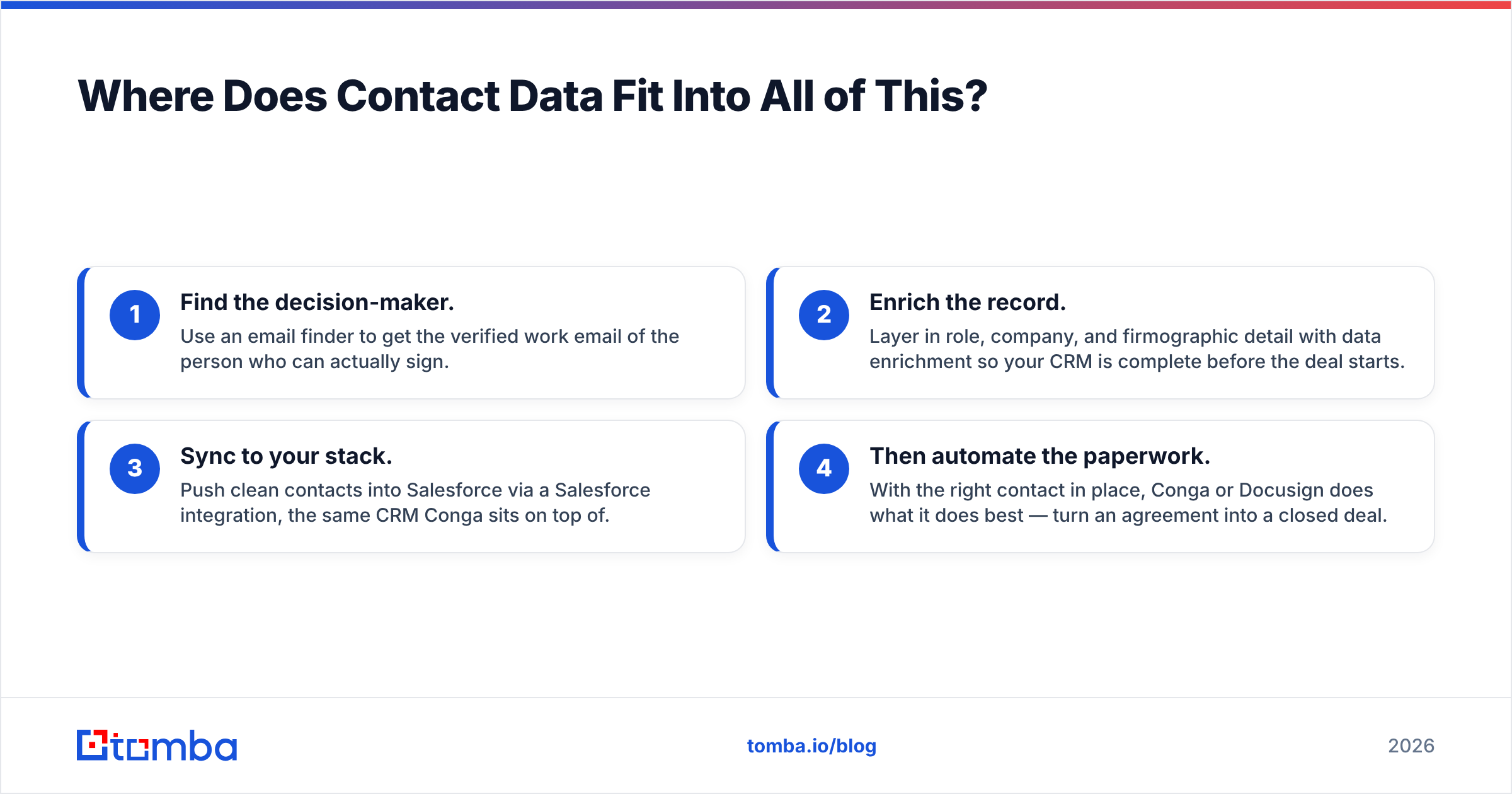
- Find the decision-maker. Use an email finder to get the verified work email of the person who can actually sign.
- Enrich the record. Layer in role, company, and firmographic detail with data enrichment so your CRM is complete before the deal starts.
- Sync to your stack. Push clean contacts into Salesforce via a Salesforce integration, the same CRM Conga sits on top of.
- Then automate the paperwork. With the right contact in place, Conga or Docusign does what it does best — turn an agreement into a closed deal.
Getting steps one and two wrong is the most expensive mistake in the whole chain, because every downstream tool inherits the bad data. Verified contacts up front protect the ROI of whatever contract platform you choose. If you build workflows programmatically, the Tomba API lets you wire contact discovery directly into your quote-to-cash pipeline.
Conga vs Docusign: The Honest Verdict#
There is no universal winner, and any comparison that names one is selling something.
- Pick Docusign if signing is the job, speed matters, and you want predictable per-seat pricing with a self-serve start. It is the safe, fast, broadly-compatible choice for most teams.
- Pick Conga if your contracts are complex, you live in Salesforce, and you need document generation plus full CLM (and ideally CPQ) as one revenue engine. It costs more and takes longer, but it automates work Docusign leaves on the table.
- Consider both in some enterprises — Conga for document assembly and CLM depth, Docusign for the signing experience your customers already trust.
The tools are more complementary than competitive. Your budget, your CRM, and the complexity of your contracts decide the answer, not a feature checklist.
Close More of the Deals You Start#
Whichever contract platform you choose, its value depends entirely on reaching the right buyer first. Tomba's Tomba Email Finder gives your team verified, decision-maker emails so every proposal, quote, and agreement lands in the inbox that can say yes. Start on the free tier (25 searches a month), scale to the Starter plan at $49/mo, and check current Tomba pricing as your outbound grows. Get the contact data right, and Conga or Docusign will handle the signature.
Related guides#
Ready to find emails that actually work?
Join 150,000+ professionals who stopped guessing and started sending. Free credits on signup — no credit card required.
Get the Tomba newsletter
Practical outbound tactics and product updates — once every two weeks.
About the author