How to Connect Your Outreach Tool to Your CRM (2026 Guide)
A messy outreach-to-CRM sync creates duplicate contacts, stale stages, and reps who stop trusting the pipeline. Here's how to connect the two cleanly in 2026.
Connecting your outreach tool to your CRM sounds like a checkbox task. In practice it is where most sales stacks quietly rot: duplicate contacts pile up, deal stages drift out of sync, and reps stop trusting whichever system is "the truth." Get the connection right and your CRM becomes a live record of every touch; get it wrong and you're back to spreadsheets within a quarter.
This guide walks through how to connect an outreach tool to a CRM the right way in 2026 — the integration methods, the field-mapping decisions that actually matter, and how to keep the data clean once contacts start flowing.
TL;DR#
- Pick one system of record. Your CRM should own contact and deal data; the outreach tool owns sequence activity. Never let both claim ownership of the same field.
- Native integration beats Zapier beats CSV. Use a native connector when one exists, an automation platform (Make, Zapier) when it doesn't, and manual CSV only as a last resort.
- Field mapping is 80% of the work. Decide direction (one-way vs two-way) per field before you turn on the sync.
- Dedupe at the source. Verify and enrich contacts before they hit the CRM so you're not cleaning up after the sync.
- Log activity, not just contacts. The real value is opens, replies, and sequence status showing up on the CRM timeline.
Why connect your outreach tool to your CRM at all?#
Because a disconnected stack lies to you. When your sequencing tool and your CRM don't talk, a rep can be emailing a contact that account executive already closed, marketing can nurture a lead sales disqualified last week, and your pipeline reports count deals that stalled in a system nobody checks.
A clean connection fixes three things at once:
- Single source of truth — everyone reads deal stage, owner, and last touch from the same place.
- Activity visibility — replies and sequence steps appear on the contact's CRM timeline automatically, so managers can coach without asking "what did you send?"
- Trigger-based automation — a reply can move a deal stage, a booked meeting can create a task, a bounce can pause a sequence. None of that works if the two systems are strangers.
What are the ways to connect an outreach tool to a CRM?#
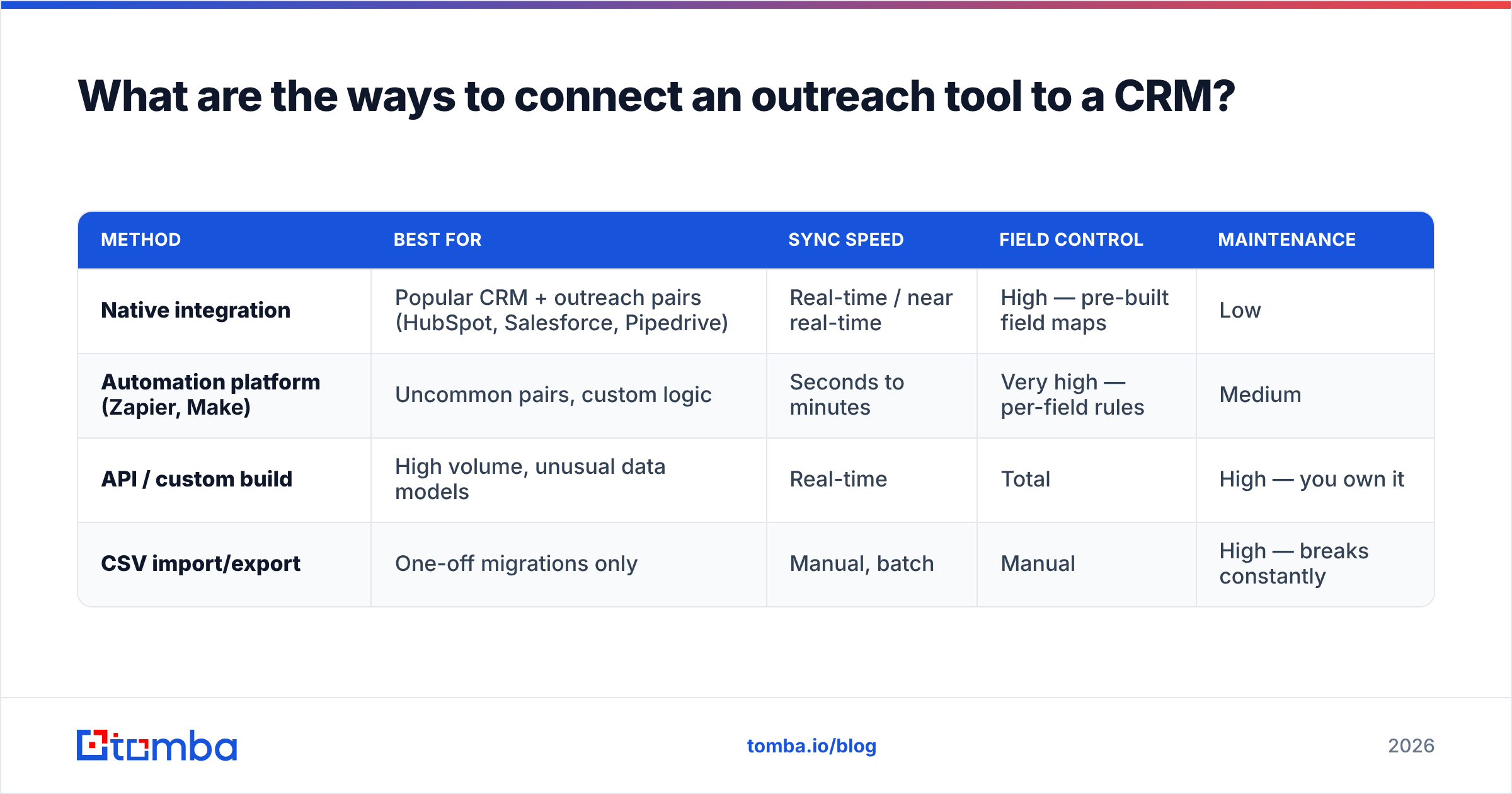
There are three connection methods, and picking the wrong one is the most common early mistake. Here's how they compare.
| Method | Best for | Sync speed | Field control | Maintenance |
|---|---|---|---|---|
| Native integration | Popular CRM + outreach pairs (HubSpot, Salesforce, Pipedrive) | Real-time / near real-time | High — pre-built field maps | Low |
| Automation platform (Zapier, Make) | Uncommon pairs, custom logic | Seconds to minutes | Very high — per-field rules | Medium |
| API / custom build | High volume, unusual data models | Real-time | Total | High — you own it |
| CSV import/export | One-off migrations only | Manual, batch | Manual | High — breaks constantly |
The rule of thumb: use the highest row on that table that supports your exact tools. A native Salesforce integration or HubSpot integration removes almost all of the mapping guesswork because the vendor already decided which fields correspond to which. When no native option exists, an automation platform like Make or Zapier gives you per-field control at the cost of building and monitoring the flows yourself.
CSV import belongs to migrations and nothing else. If your "integration" is a person exporting a spreadsheet every Friday, you don't have an integration — you have a recurring data-entry job that will drift the moment that person takes a vacation.
How do you set up the connection step by step?#
The mechanics vary by vendor, but the sequence is always the same. Follow it in order.
1. Decide your system of record. Before you connect anything, write down which tool owns each object. Standard answer: the CRM owns contacts, companies, and deals; the outreach tool owns sequence membership and email activity. This single decision prevents most sync wars.
2. Map the fields, direction by direction. For every field that exists in both systems, choose: CRM → outreach, outreach → CRM, or two-way. Contact email and name usually flow both ways. Deal stage flows CRM → outreach (the CRM decides). Reply status flows outreach → CRM (the sequencer decides). Getting direction wrong is what overwrites good data with stale data.
3. Set dedupe keys. Tell the integration how to recognize an existing record — almost always by email address. Without a match key, every sync creates new rows and your database doubles.
4. Configure activity logging. Turn on logging for opens, clicks, replies, and sequence status so they land on the CRM timeline. This is the payoff; don't skip it to "keep things simple."
5. Run a test batch. Push 10–20 records, then open the CRM and inspect them by hand. Check for duplicates, blank fields, and wrong owners. Fix the mapping, then scale up.
6. Monitor for the first week. Watch the sync logs daily. Integrations fail silently — a renamed field or a revoked token can stop the flow without an error your reps will notice.
What data problems break outreach-to-CRM syncs?#
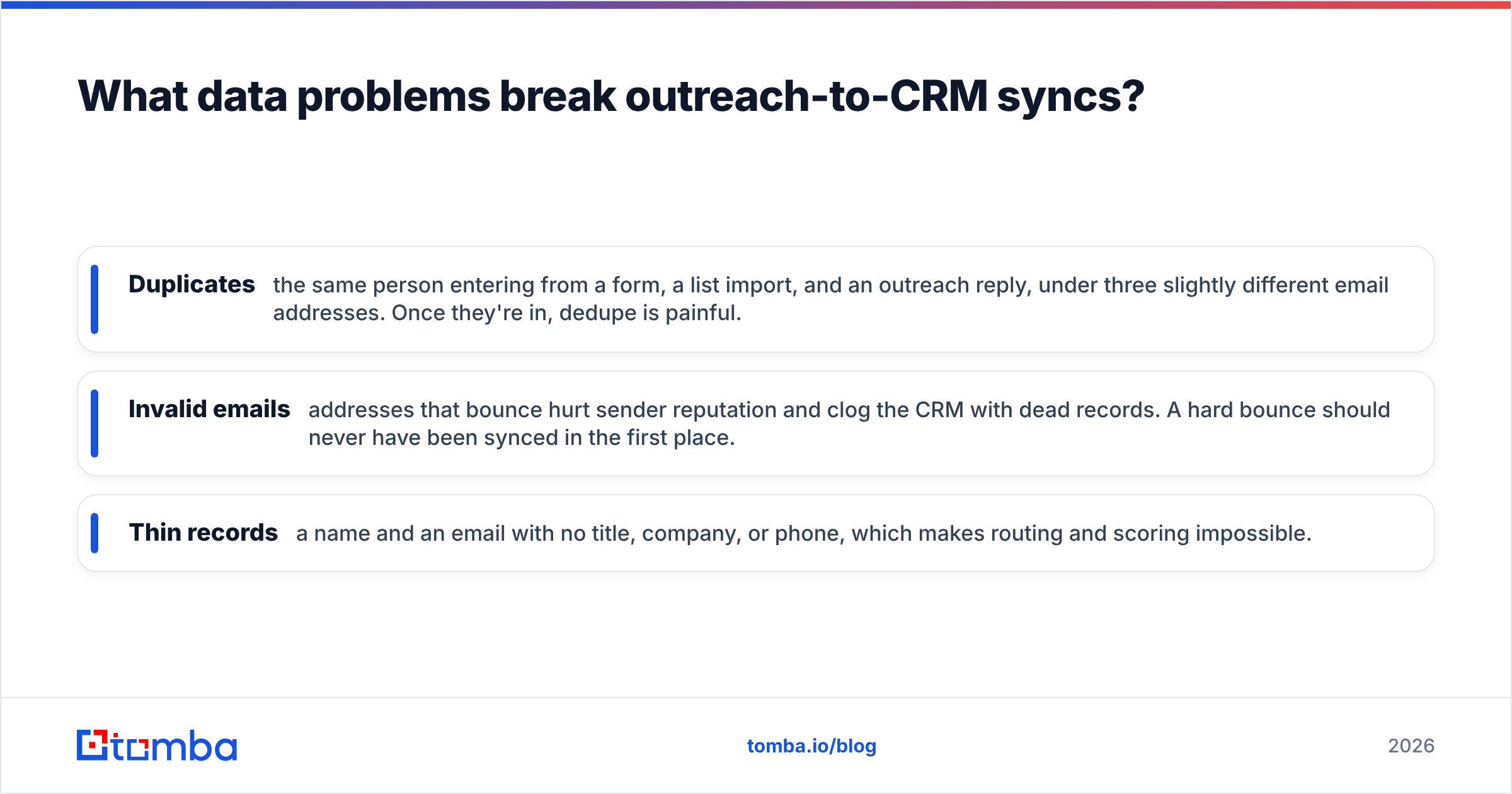
Bad data. Specifically, bad data that you sync into the CRM before catching it. The connection is only as clean as the contacts flowing through it, and three problems cause the most damage.
- Duplicates — the same person entering from a form, a list import, and an outreach reply, under three slightly different email addresses. Once they're in, dedupe is painful.
- Invalid emails — addresses that bounce hurt sender reputation and clog the CRM with dead records. A hard bounce should never have been synced in the first place.
- Thin records — a name and an email with no title, company, or phone, which makes routing and scoring impossible.
The fix is to clean and enrich upstream of the CRM, not inside it. Run every contact through an email verifier before it syncs, so bounces never reach the pipeline. Add missing fields with data enrichment so records arrive complete. And build lists from a reliable source — an email finder that returns verified, structured contacts gives your sync clean input from the start instead of garbage you clean up later.
The order matters: find → verify → enrich → sync. Reversing it — syncing first and cleaning inside the CRM — is how teams end up paying consultants to dedupe 40,000 records.
Should the sync be one-way or two-way?#
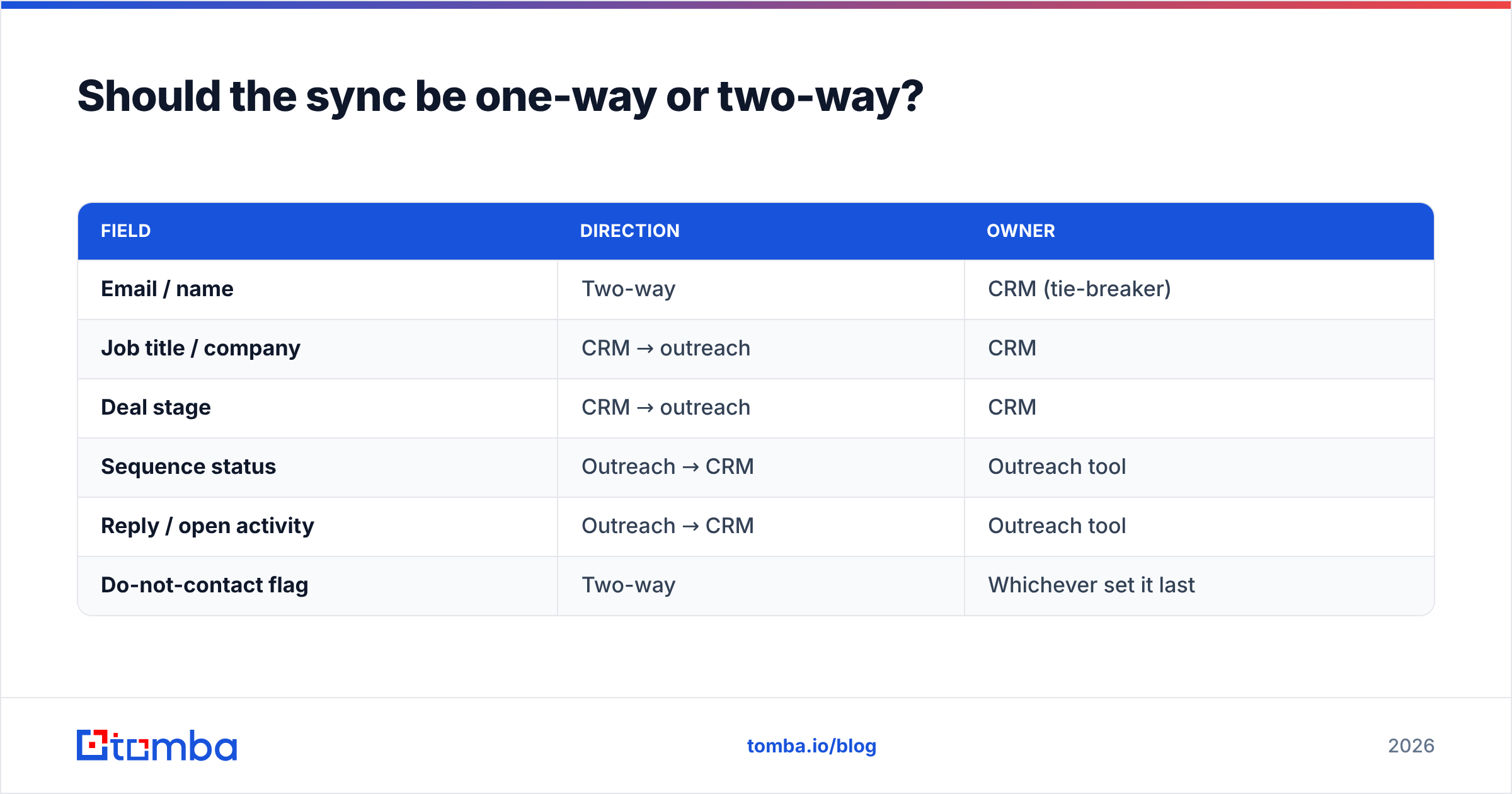
Two-way, but only per field — never blanket two-way for everything.
Think of it like a shared document with tracked changes. You want both sides able to edit, but you don't want them both editing the same sentence at once, or the last save wins and someone's work vanishes. That's exactly what happens when you set every field to bidirectional: the outreach tool's blank "job title" overwrites the CRM's real one because it synced a half-second later.
The safe pattern:
| Field | Direction | Owner |
|---|---|---|
| Email / name | Two-way | CRM (tie-breaker) |
| Job title / company | CRM → outreach | CRM |
| Deal stage | CRM → outreach | CRM |
| Sequence status | Outreach → CRM | Outreach tool |
| Reply / open activity | Outreach → CRM | Outreach tool |
| Do-not-contact flag | Two-way | Whichever set it last |
Assign an owner to every field, and when in doubt make the CRM the tie-breaker. The CRM is where deals close, so it should win contested writes.
How do you keep the connection healthy over time?#
Treat the integration like a pipe that can clog, not a bridge you build once. Three habits keep it flowing:
- Audit monthly. Pull a report of records created in the last 30 days and scan for duplicates and blanks. Catching drift early is cheap; catching it after a year is a project.
- Watch the sync logs. Most connectors expose a log of successful and failed syncs. Failed rows are your early-warning system — a spike usually means a field was renamed or a permission changed.
- Re-verify on a cadence. B2B data decays roughly 2–3% per month as people change jobs. Periodically re-run stored contacts through verification and enrichment so the CRM reflects reality, not the reality of eighteen months ago. Salesforce and HubSpot both document this decay in their data-management guides — see HubSpot's CRM data guidance and general CRM best practices on G2 for benchmarks.
If you run high volumes, automate the maintenance the same way you automated the sync: a bulk verify and enrich job on a schedule keeps the pipeline clean without a human babysitting spreadsheets.
Which tools connect cleanly, and where does Tomba fit?#
Most modern outreach platforms — Instantly, Apollo, Salesloft, Outreach — ship native CRM connectors for HubSpot and Salesforce, so the sequencer-to-CRM link is rarely the hard part. The hard part is the contact data moving through that link. A perfect sync between two systems still fails if the contacts are unverified or half-empty.
That's the gap Tomba fills. Rather than replacing your CRM or your sequencer, it feeds them clean input: verified emails, enriched fields, and structured records that map neatly into CRM columns. Tomba connects to the same stack your outreach tool does — HubSpot, Salesforce, Pipedrive, and automation platforms like Zapier and Make — plus a full API if you're building the flow yourself.
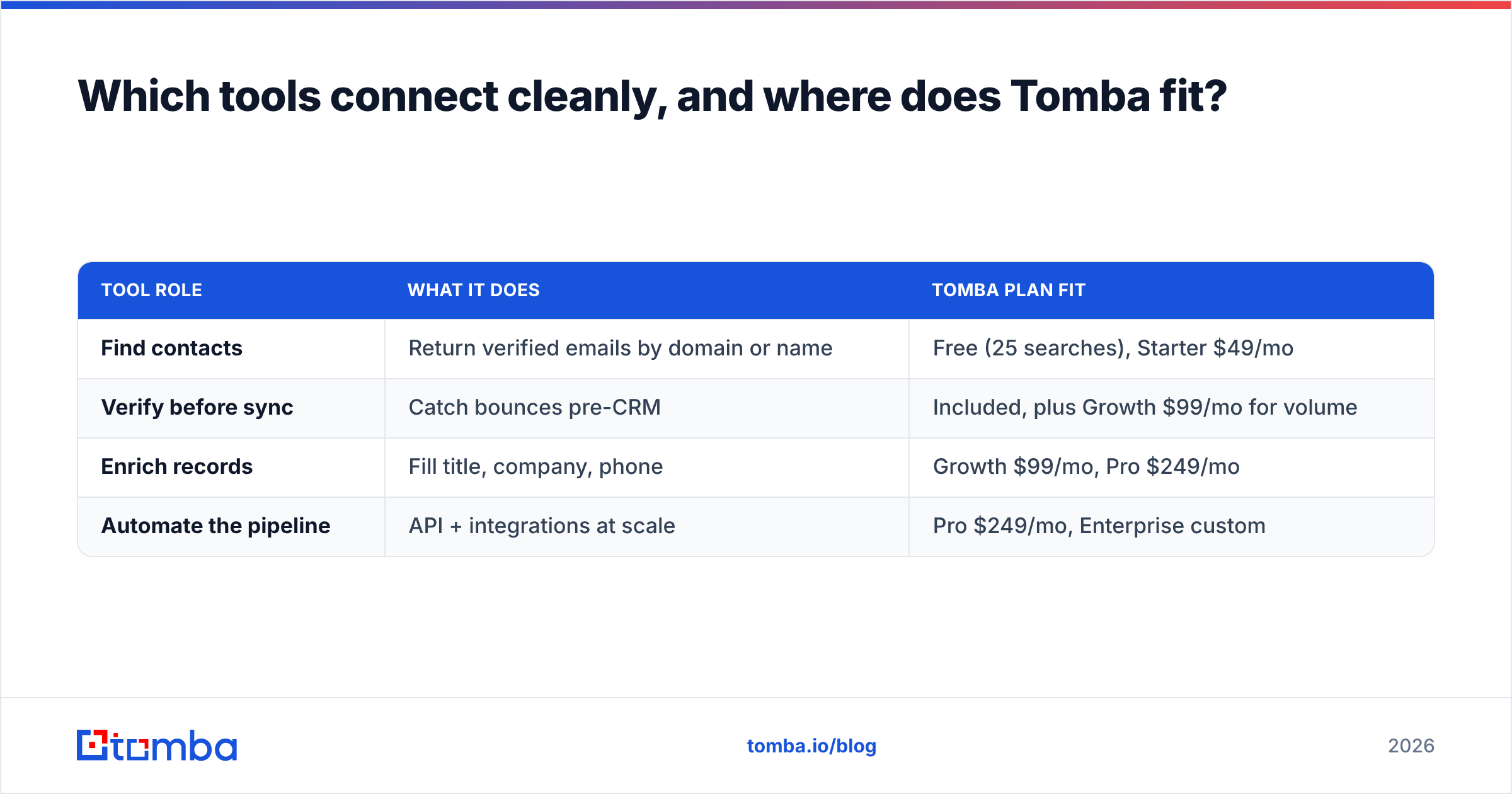
Here's how the pieces line up on price and role:
| Tool role | What it does | Tomba plan fit |
|---|---|---|
| Find contacts | Return verified emails by domain or name | Free (25 searches), Starter $49/mo |
| Verify before sync | Catch bounces pre-CRM | Included, plus Growth $99/mo for volume |
| Enrich records | Fill title, company, phone | Growth $99/mo, Pro $249/mo |
| Automate the pipeline | API + integrations at scale | Pro $249/mo, Enterprise custom |
You can see the full breakdown on the Tomba pricing page. The point isn't that Tomba does everything — it's that the connection between your outreach tool and CRM is only as good as the data crossing it, and that data has to be found and verified before the sync, not fixed after.
The bottom line#
Connecting an outreach tool to a CRM is 20% wiring and 80% data discipline. Pick a native connector when you can, map fields by direction with the CRM as tie-breaker, and — most importantly — clean your contacts upstream so you're syncing verified records instead of importing a mess you'll pay to untangle later.
Start with the input side. Use the Tomba Email Finder to build lists that are verified and enrichment-ready before they ever touch your CRM, and let your outreach-to-CRM sync do what it's supposed to: reflect reality, automatically. Spin up a free account with 25 searches and test a clean batch through your own stack before you commit.
Related guides#
Ready to find emails that actually work?
Join 150,000+ professionals who stopped guessing and started sending. Free credits on signup — no credit card required.
Get the Tomba newsletter
Practical outbound tactics and product updates — once every two weeks.
About the author