What Is Contact Data? The 2026 Guide to Clean B2B Records
Contact data decays fast and fuels every outbound play. Here's what B2B contact data really is, why it rots, and how to keep it accurate in 2026.
Contact data is the fuel for every outbound motion you run — and it starts going stale the moment you collect it. If your sequences are getting soft bounces, your reps are dialing dead numbers, and your CRM is quietly filling with duplicates, the problem usually isn't your messaging. It's the data underneath it.
This guide breaks down what B2B contact data actually is, why it decays so fast, how to judge whether a data source is any good, and the workflow that keeps your records clean without a full-time data-ops hire.
TL;DR#
- Contact data is the set of attributes that let you reach and qualify a person: name, verified email, phone, job title, company, and enrichment fields like seniority and tech stack.
- B2B contact data decays ~22–30% per year as people change jobs, companies rebrand, and inboxes get retired — accuracy is a maintenance problem, not a one-time purchase.
- The three ways to get it — buy a list, build with a finder, or enrich what you have — each fit different stages. Most teams need a mix.
- Verification is non-negotiable. An unverified email costs you sender reputation; a verified one protects it.
- Tools like Tomba Email Finder, verifier, and enrichment let you build and refresh records on demand instead of trusting a static CSV.
What is contact data in B2B?#
Contact data is any information that helps you identify, reach, or qualify a business prospect. Think of it like a rolodex card that never stops needing updates: the name and title on the card are only useful while the person still holds that role at that company.
In practice, a usable B2B contact record has three layers:
- Identity — full name, job title, seniority, department, and the LinkedIn profile that ties it together.
- Reachability — a verified work email, direct dial or mobile phone, and sometimes a validated social handle. This is the layer that actually gets your message delivered.
- Context — company name, size, industry, location, revenue band, tech stack, and intent signals. This is what lets you segment and personalize instead of blasting everyone the same pitch.
A record missing the reachability layer is trivia. A record missing context is a cold guess. You want all three, and you want them current.
Why does contact data decay so fast?#
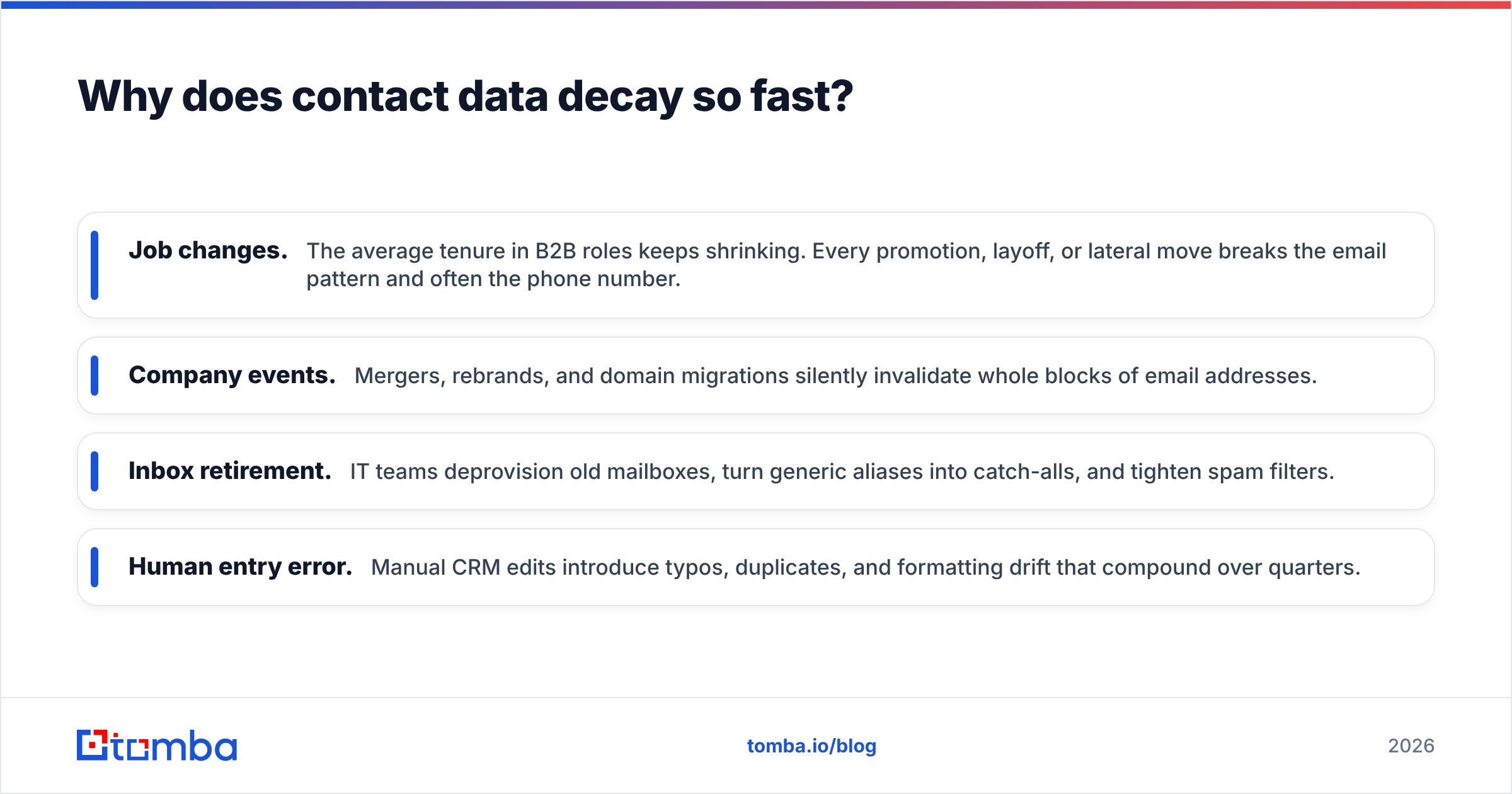
Because the people behind the records keep moving. Roughly a quarter to a third of B2B contact data goes stale every single year, according to widely cited data-quality research from firms like Gartner. Do the math on a 10,000-row list and you're looking at 2,500+ dead records twelve months after purchase.
Here's what's actually rotting under the hood:
- Job changes. The average tenure in B2B roles keeps shrinking. Every promotion, layoff, or lateral move breaks the email pattern and often the phone number.
- Company events. Mergers, rebrands, and domain migrations silently invalidate whole blocks of email addresses.
- Inbox retirement. IT teams deprovision old mailboxes, turn generic aliases into catch-alls, and tighten spam filters.
- Human entry error. Manual CRM edits introduce typos, duplicates, and formatting drift that compound over quarters.
The takeaway: contact data is a perishable asset. Treating a list you bought last year as reliable today is like serving milk from the back of the fridge — it might be fine, but you wouldn't bet a campaign on it.
How do you get B2B contact data? Three methods compared#
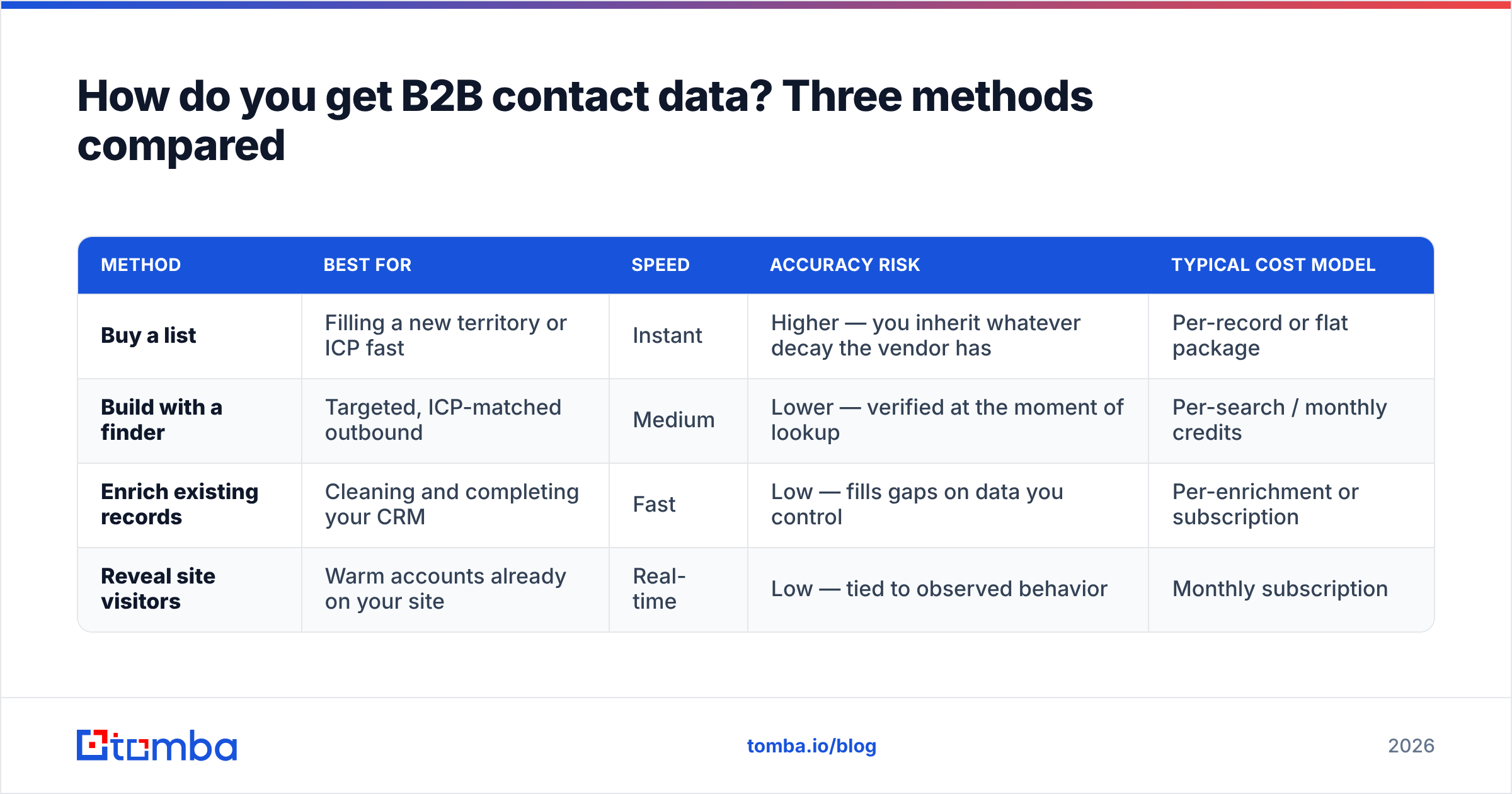
There are three legitimate ways to acquire contact data, and they suit different moments in your go-to-market. Buying is fast but blunt. Building is precise but slower. Enriching upgrades what you already own.
| Method | Best for | Speed | Accuracy risk | Typical cost model |
|---|---|---|---|---|
| Buy a list | Filling a new territory or ICP fast | Instant | Higher — you inherit whatever decay the vendor has | Per-record or flat package |
| Build with a finder | Targeted, ICP-matched outbound | Medium | Lower — verified at the moment of lookup | Per-search / monthly credits |
| Enrich existing records | Cleaning and completing your CRM | Fast | Low — fills gaps on data you control | Per-enrichment or subscription |
| Reveal site visitors | Warm accounts already on your site | Real-time | Low — tied to observed behavior | Monthly subscription |
Reputable list vendors — including partners like BookYourData — offer verified, ready-to-load lists that are genuinely useful when you need coverage in a hurry. The trade-off is that any pre-built list starts aging the day it's exported. That's why most mature teams pair a purchased base with an on-demand finder and a running enrichment loop, rather than relying on any single method.
What makes contact data "good"? The quality checklist#
Not all records are created equal. Before you trust a source — bought, built, or enriched — grade it against these dimensions:
- Accuracy — Is the email verified (SMTP-checked, not just pattern-guessed)? Is the phone a real, dialable line?
- Completeness — How many of your required fields are populated? A record with 4 of 12 fields is a lead you can't segment.
- Freshness — When was the record last verified? "Verified in 2023" is not verified.
- Compliance — Is the data sourced in a way that respects GDPR and CAN-SPAM? Consent and provenance matter, especially for EU contacts.
- Uniqueness — Are duplicates de-duped, or will you email the same person three times under three record IDs?
A quick way to sanity-check any vendor: ask them where the data comes from and how often it's re-verified. Transparency about data sources is a strong signal; vagueness is a red flag.
Is buying a contact list better than building one?#
Neither wins outright — it depends on how targeted and how fresh you need the data to be. Buying is a wide net; building is a spear.
Buy a list when you're entering a brand-new segment, testing a market you have zero coverage in, or need volume yesterday for a broad awareness play. The record-level accuracy will be lower than a just-verified lookup, but you get scale immediately.
Build with a finder when you have a defined ICP and named accounts. Instead of buying 10,000 rows and hoping 3,000 fit, you find the exact 300 decision-makers, verify each email at lookup time, and load only what matches. A domain search turns a target company into every reachable contact on that domain in seconds — and because the verification happens now, decay hasn't had time to set in.
For most teams the honest answer is "both, sequenced." Buy or reveal to fill the top of the funnel, then use a finder and verifier to build precise, current records for the accounts that actually matter.
How do you keep contact data clean over time?#
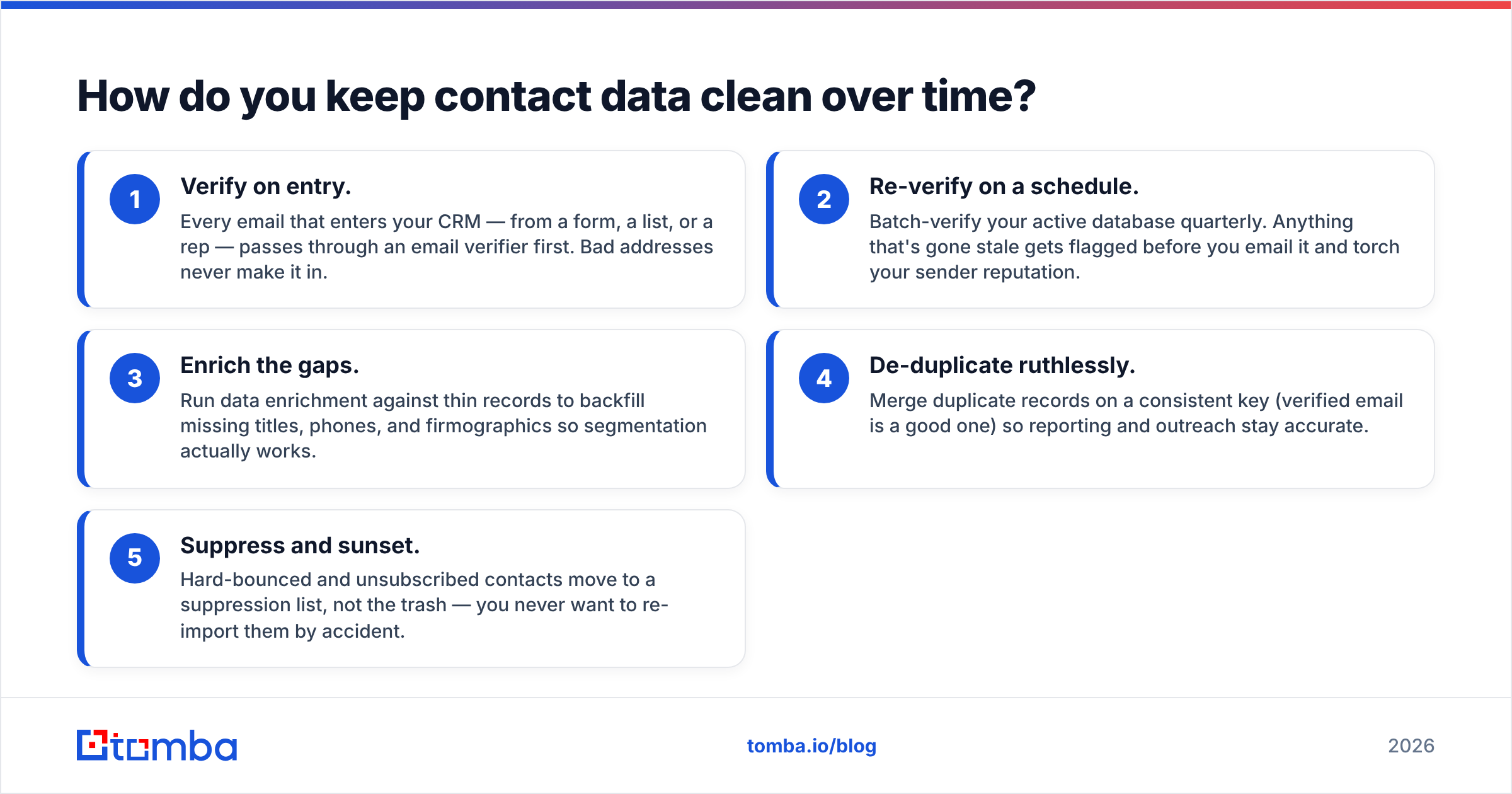
Clean data is a habit, not a purchase. Here's a maintenance loop that scales without a dedicated data engineer:
- Verify on entry. Every email that enters your CRM — from a form, a list, or a rep — passes through an email verifier first. Bad addresses never make it in.
- Re-verify on a schedule. Batch-verify your active database quarterly. Anything that's gone stale gets flagged before you email it and torch your sender reputation.
- Enrich the gaps. Run data enrichment against thin records to backfill missing titles, phones, and firmographics so segmentation actually works.
- De-duplicate ruthlessly. Merge duplicate records on a consistent key (verified email is a good one) so reporting and outreach stay accurate.
- Suppress and sunset. Hard-bounced and unsubscribed contacts move to a suppression list, not the trash — you never want to re-import them by accident.
This loop is the difference between a database that compounds in value and one that quietly poisons your deliverability. If you want the mechanics of why bad addresses hurt you, the fundamentals of email deliverability are worth ten minutes.
What does bad contact data actually cost you?#
The cost is rarely a single visible line item — it's a slow tax on everything downstream:
- Wasted rep hours. SDRs burn time dialing disconnected numbers and emailing dead inboxes instead of talking to buyers.
- Deliverability damage. High bounce rates from unverified emails drag down your domain reputation, so even your good emails start landing in spam.
- Skewed forecasting. Duplicate and incomplete records inflate pipeline counts and break attribution.
- Missed compliance. Emailing contacts you can't prove consent for is a legal and reputational risk.
Industry reviews on platforms like G2 consistently show that teams rank data accuracy above nearly every flashy feature — because no amount of AI copy fixes a wrong address.
Which Tomba tools cover contact data end to end?#
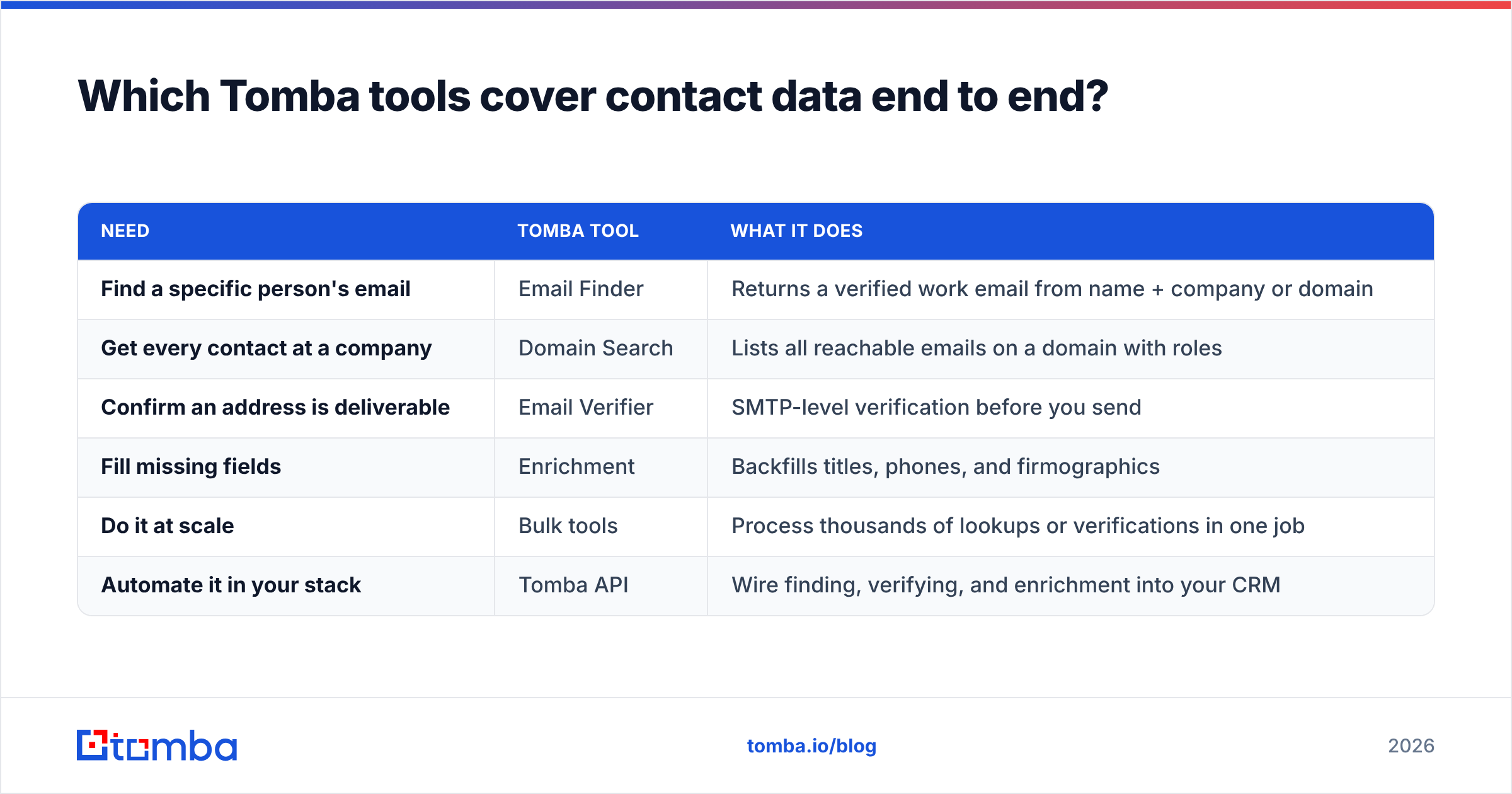
Tomba is built around the reachability layer of contact data and the tooling to keep it clean. Here's how the pieces map to the workflow above:
| Need | Tomba tool | What it does |
|---|---|---|
| Find a specific person's email | Email Finder | Returns a verified work email from name + company or domain |
| Get every contact at a company | Domain Search | Lists all reachable emails on a domain with roles |
| Confirm an address is deliverable | Email Verifier | SMTP-level verification before you send |
| Fill missing fields | Enrichment | Backfills titles, phones, and firmographics |
| Do it at scale | Bulk tools | Process thousands of lookups or verifications in one job |
| Automate it in your stack | Tomba API | Wire finding, verifying, and enrichment into your CRM |
Pricing scales with volume rather than locking core accuracy behind a wall. The free tier gives you 25 searches a month to test real records; paid plans start at $49/mo (Starter) and move up through Growth at $99/mo and Pro at $249/mo. Full Tomba pricing is transparent, so you can match a plan to your actual send volume instead of guessing.
How much contact data do you actually need?#
Less than most vendors want to sell you. A tight list of 500 verified, ICP-matched contacts will out-perform 50,000 stale rows every time — better reply rates, cleaner deliverability, and reps who trust the data enough to actually work it.
Start by defining your ideal customer profile precisely: industry, company size, role, geography. Then build to that spec with a finder rather than buying broad. You'll spend fewer credits, protect your sender reputation, and spend your reps' time on conversations instead of cleanup.
If you're operating across regions, remember that compliance load scales with volume too. A smaller, consent-clean, well-documented dataset is easier to defend than a giant list of unknown provenance.
The bottom line on contact data in 2026#
Contact data is a living asset, not a file you buy once. The teams that win outbound aren't the ones with the biggest lists — they're the ones with the freshest records and a repeatable loop to keep them that way: verify on entry, re-verify on a schedule, enrich the gaps, and suppress the dead.
Get the reachability layer right and everything downstream — sequencing, dialing, personalization — gets easier. Get it wrong and no amount of clever copy saves you.
Ready to stop trusting stale CSVs? Start with the Tomba Email Finder — find verified, current emails by name, company, or domain, run each through the verifier before you send, and build a contact database that compounds in value instead of decaying in your CRM. Spin up the free tier, test it against records you already have, and see the accuracy difference before you commit a credit.
Related guides#
Ready to find emails that actually work?
Join 150,000+ professionals who stopped guessing and started sending. Free credits on signup — no credit card required.
Get the Tomba newsletter
Practical outbound tactics and product updates — once every two weeks.
About the author