What Is a Contact Data Provider? The 2026 Buyer's Guide
A contact data provider fuels your outbound with accurate emails, phones, and firmographics. Here's how to compare accuracy, coverage, compliance, and price before you buy in 2026.
Picking a contact data provider is really a bet on one thing: how many of the records you buy are still true on the day you send. Get that bet right and your outbound compounds. Get it wrong and you pay monthly for bounced sends, dead phone lines, and a sender reputation that quietly erodes.
This guide breaks down what a contact data provider actually is, how the categories differ, and the exact criteria to weigh before you sign an annual contract in 2026.
TL;DR#
- A contact data provider supplies business contact records — emails, direct-dial phones, job titles, and firmographics — sourced, verified, and enriched at scale.
- The single most important metric is verified accuracy at time of delivery, not the headline size of a database.
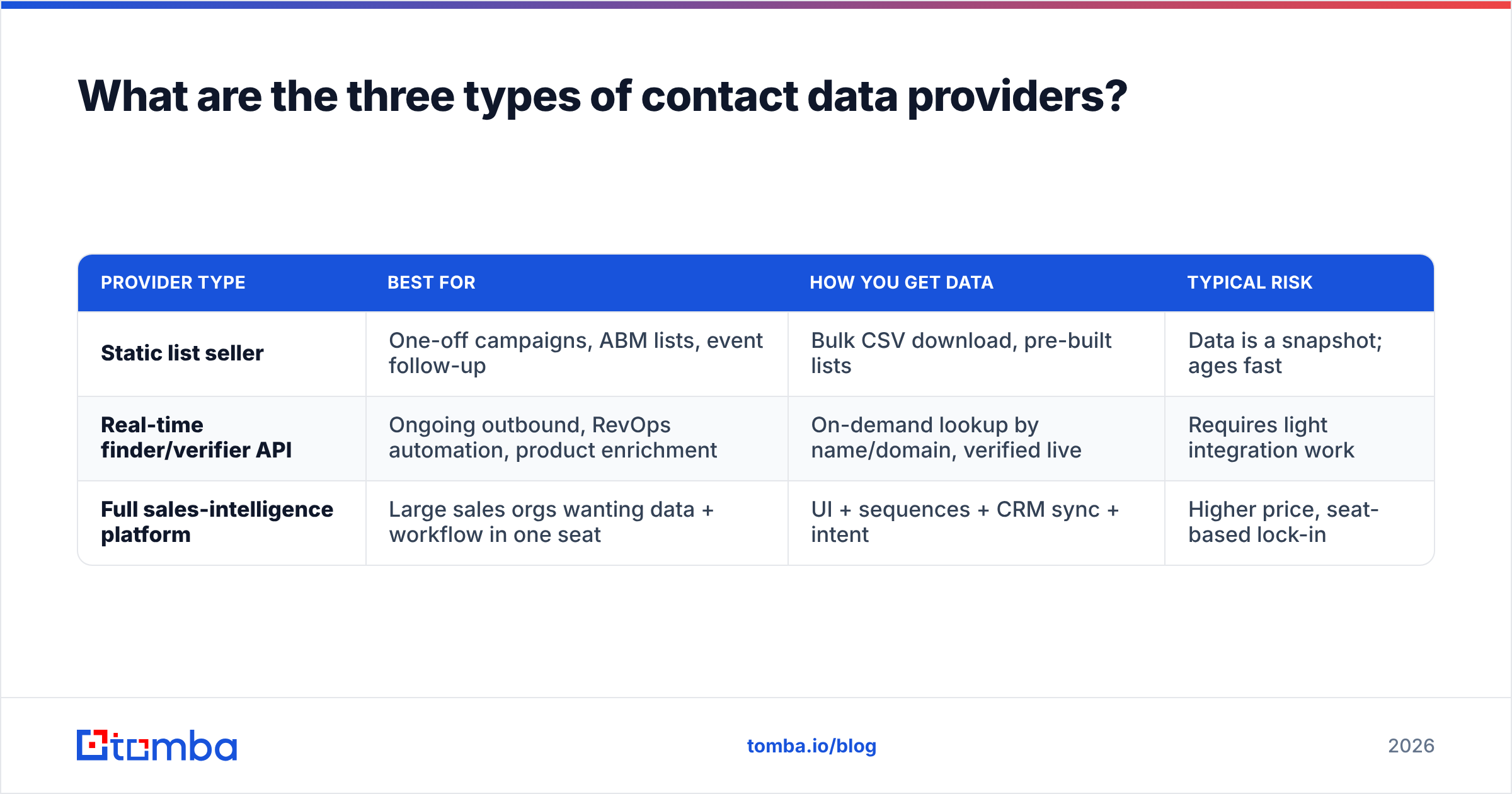
- Providers fall into three buckets: static list sellers, real-time finder/verifier APIs, and full sales-intelligence platforms. Each fits a different team.
- Compliance (GDPR, CCPA), coverage by region, and refund/credit policies separate serious vendors from data resellers.
- Test with a real sample before you commit. A 500-record trial tells you more than any sales deck.
What is a contact data provider?#
A contact data provider is a company that collects, verifies, and sells business contact information so your sales and marketing teams don't have to build it manually. Think of it like a wholesale grocer for a restaurant: instead of every cook driving to a dozen farms, the grocer aggregates, inspects for spoilage, and delivers fresh stock on demand. Technically, the provider ingests data from public sources, partner networks, user contributions, and web crawling, then runs verification passes before exposing the records through a UI, a CSV export, or an API.
The output usually includes some mix of:
- Professional email addresses — the core deliverable for most outbound teams
- Direct-dial and mobile phone numbers for cold calling
- Firmographics — company size, industry, revenue, tech stack, location
- Demographic/role data — job title, seniority, department, LinkedIn URL
- Intent or signal data — who is researching your category right now (premium tier)
The difference between a good provider and a bad one is not the size of the list. It's how aggressively the data is re-verified. A 200-million-record database that was scraped once and never rechecked is worth less than a 40-million-record database that re-validates every email before it hands it to you. This is where a dedicated email verifier step matters — data decays at roughly 22–30% per year as people change jobs, so "big" and "fresh" are rarely the same thing.
What are the three types of contact data providers?#
Not every provider solves the same problem. Match the category to how your team actually works.
| Provider type | Best for | How you get data | Typical risk |
|---|---|---|---|
| Static list seller | One-off campaigns, ABM lists, event follow-up | Bulk CSV download, pre-built lists | Data is a snapshot; ages fast |
| Real-time finder/verifier API | Ongoing outbound, RevOps automation, product enrichment | On-demand lookup by name/domain, verified live | Requires light integration work |
| Full sales-intelligence platform | Large sales orgs wanting data + workflow in one seat | UI + sequences + CRM sync + intent | Higher price, seat-based lock-in |
Static list sellers hand you a spreadsheet. Simple, but every record starts aging the moment you download it. Providers like BookYourData sit here and do it well — clean, pre-verified downloadable B2B lists are genuinely useful when you need volume for a specific campaign and can act on it quickly.
Real-time finder/verifier APIs flip the model: instead of buying a static pile, you query for exactly the contact you need, verified at the moment of the request. This is where an email finder and a domain search shine, because you only pull (and pay for) records you'll actually use, and each one is checked live.
Full platforms bundle data with sequencing, dialers, and intent signals. Powerful for a 50-rep floor, overkill — and overpriced — for a two-person founder-led motion.
How do you judge contact data accuracy?#
Accuracy is the whole game, so interrogate it directly instead of trusting a marketing number. Ask providers these five questions:
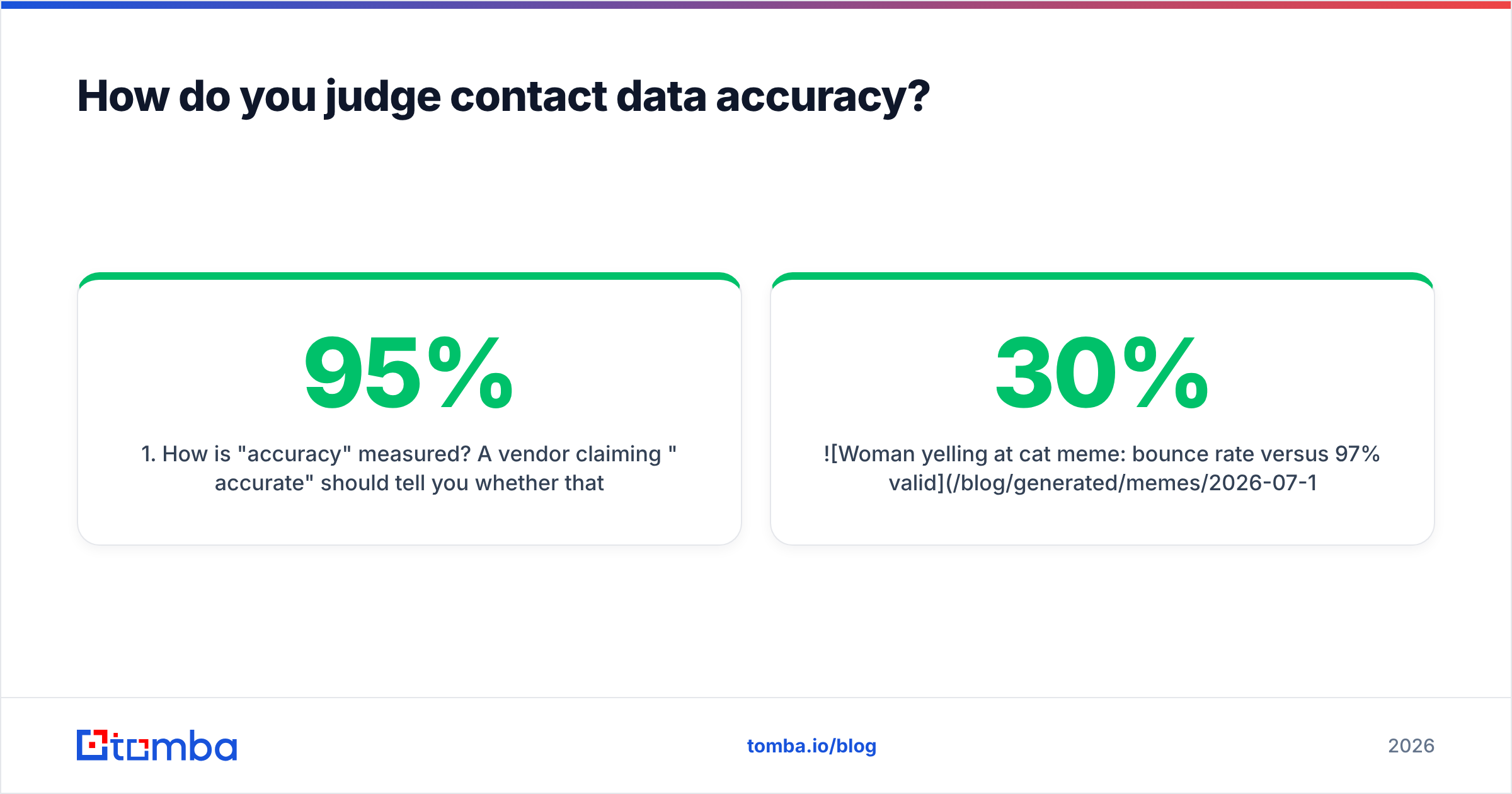
- How is "accuracy" measured? A vendor claiming "95% accurate" should tell you whether that means syntactically valid, SMTP-verified, or human-confirmed. Only SMTP-level verification predicts real deliverability.
- How often is the database re-verified? Continuous or monthly re-verification beats a one-time scrub. Ask for the recheck cadence in writing.
- What's the catch-all handling? Catch-all domains accept every address, so naïve tools mark them "valid" and you bounce anyway. A real catch-all verifier resolves these instead of guessing.
- What's the bounce guarantee? Serious providers credit or refund invalid records. No refund policy is a tell.
- Where does the data come from? Transparent data sources signal a provider that owns its pipeline rather than reselling someone else's stale file.

If a provider dodges these, assume the worst. A high bounce rate doesn't just waste sends — it trains inbox providers to distrust your domain, which quietly caps every future campaign. Google's own Postmaster Tools documentation is blunt that keeping spam complaints and invalid sends low is a precondition for landing in the inbox at all.
What features actually matter in a contact data provider?#
Beyond raw accuracy, these are the attributes that decide whether a provider fits your stack.
- Coverage where you sell. A provider strong in North America may be thin in EMEA or APAC. Test the exact regions and job functions you target, not the global average.
- Verification at the point of delivery. Live verification beats "last verified sometime last quarter." This is the difference between a fresh record and a stale one.
- Enrichment depth. Can it fill gaps in records you already own? Good data enrichment turns a bare email into a full, routable contact.
- Integrations. CRM sync (HubSpot, Salesforce, Pipedrive), plus a real API and no-code paths matter more than a slick UI. Check the integrations list before you buy.
- Bulk + API parity. You want the same accuracy whether you bulk process a list or query one record via the email finder API.
- Compliance posture. GDPR, CCPA, and a documented data-subject-request process are non-negotiable if you touch EU or California contacts.
How much should a contact data provider cost?#
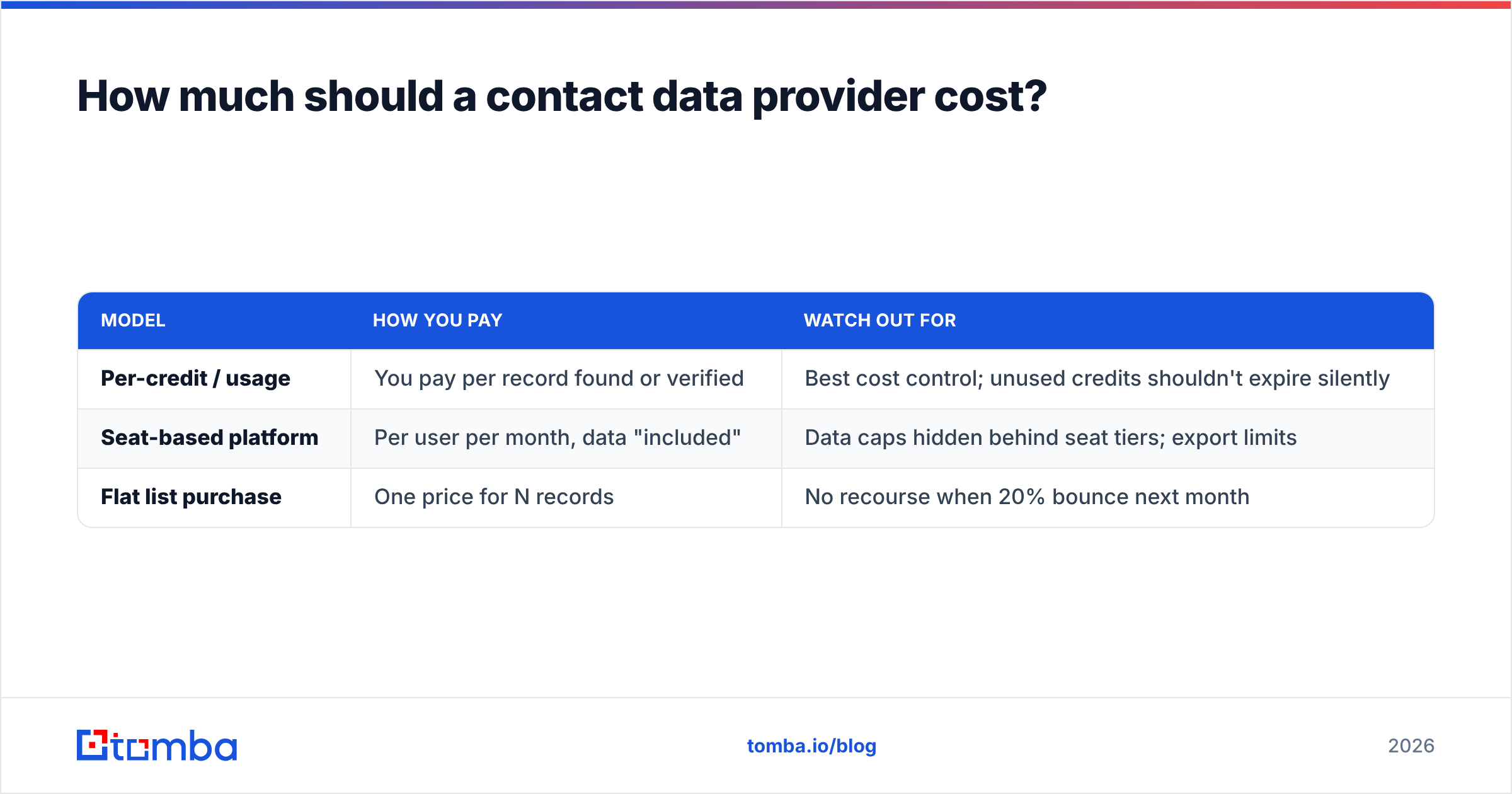
Pricing models split into three shapes, and the "cheapest" sticker rarely wins on cost-per-usable-record.
| Model | How you pay | Watch out for |
|---|---|---|
| Per-credit / usage | You pay per record found or verified | Best cost control; unused credits shouldn't expire silently |
| Seat-based platform | Per user per month, data "included" | Data caps hidden behind seat tiers; export limits |
| Flat list purchase | One price for N records | No recourse when 20% bounce next month |
The number that matters is cost per usable, deliverable record — not the monthly headline. A $99 plan that returns 90% valid contacts is cheaper than a $49 plan at 60% valid, once you factor in wasted sends and rep time.
For reference, transparent usage-based Tomba pricing runs a Free tier at 25 searches/month, Starter at $49/mo, Growth at $99/mo, and Pro at $249/mo, with Enterprise custom. Usage-based plans like this keep your spend tied to records you actually pull, which is the safest model when you're still calibrating volume. Compare that against any seat-based platform on a cost-per-deliverable basis before committing to an annual seat count — vendor-neutral review sites like G2 are useful for pulling real customer accuracy and support ratings across categories.
Is a contact data provider worth it versus building lists manually?#
Yes, for almost any team past its first ten customers — but with a caveat. Manual list building costs roughly 10–15 minutes per fully researched contact once you include finding the person, guessing the email format, and verifying it. At even a modest loaded rep cost, that's $5–$8 per record in labor, and the reps hate doing it. A provider that delivers verified records at cents each frees that time for actual selling.
The caveat: a provider is only worth it if the data is verified. Buying a cheap, unverified list and blasting it is worse than doing nothing, because you damage the sender reputation that every future campaign depends on. The math only works when accuracy is real.
Here's the honest decision rule:
- Building manually makes sense only for tiny, ultra-high-value account lists (a dozen strategic targets) where you'd research deeply anyway.
- A finder/verifier API wins for ongoing, repeatable outbound where you need fresh, verified records at scale without an annual seat commitment.
- A full platform wins when a large team needs data and workflow in one place and can absorb the per-seat cost.
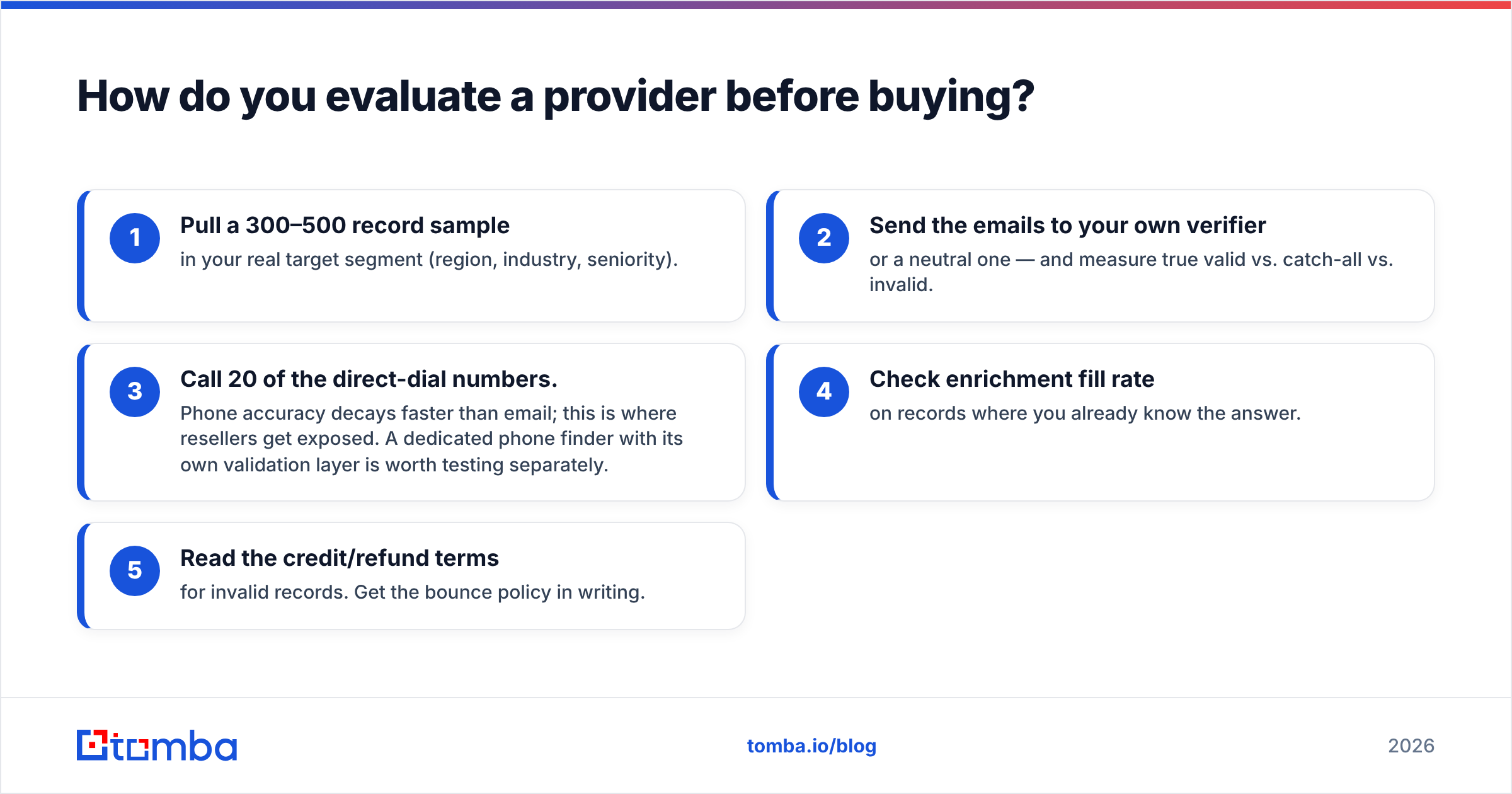
How do you evaluate a provider before buying?#
Run a structured trial. Don't trust the demo dataset the vendor hand-picks.
- Pull a 300–500 record sample in your real target segment (region, industry, seniority).
- Send the emails to your own verifier — or a neutral one — and measure true valid vs. catch-all vs. invalid.
- Call 20 of the direct-dial numbers. Phone accuracy decays faster than email; this is where resellers get exposed. A dedicated phone finder with its own validation layer is worth testing separately.
- Check enrichment fill rate on records where you already know the answer.
- Read the credit/refund terms for invalid records. Get the bounce policy in writing.
A provider confident in its data will encourage this. One that pushes you straight to an annual contract without a meaningful trial is telling you something.
Which contact data provider should you choose?#
There's no universal winner — there's a best fit for your motion. If you run high-volume, one-shot campaigns and want a clean downloadable file, a reputable list seller like BookYourData is a solid pick. If you need a large sales floor operating data plus sequences in one seat, a full sales-intelligence platform earns its price. And if you want verified records on demand, tied to usage rather than seats, with an API and no-code paths that drop into the tools you already run, a finder/verifier-first provider is the leanest path.
If that last profile sounds like your team, start with the Tomba Email Finder. Find professional email addresses by domain, name, or company, verify them live before they ever hit your sequence, and pay only for the records you use — no seat lock-in, no stale list you're stuck with for a year. Run the free tier against your real target segment, measure the deliverable rate yourself, and let the numbers pick your provider.
Related guides#
Ready to find emails that actually work?
Join 150,000+ professionals who stopped guessing and started sending. Free credits on signup — no credit card required.
Get the Tomba newsletter
Practical outbound tactics and product updates — once every two weeks.
About the author