Contact Enrichment in 2026: The Complete Practical Guide
Contact enrichment turns thin, half-empty lead records into complete, sales-ready profiles. Here's how it works, what it costs, and how to pick a provider that won't wreck your data.
Your CRM is full of half-records. A name here, a company there, an email with no phone, a phone with no title. Every one of those gaps is a rep guessing, a sequence misfiring, or a deal that never gets routed to the right person. Contact enrichment is how you close those gaps at scale.
This guide explains what contact enrichment actually does, how the plumbing works, where the data comes from, what it costs in 2026, and how to choose a provider without polluting your database with stale junk.
TL;DR#
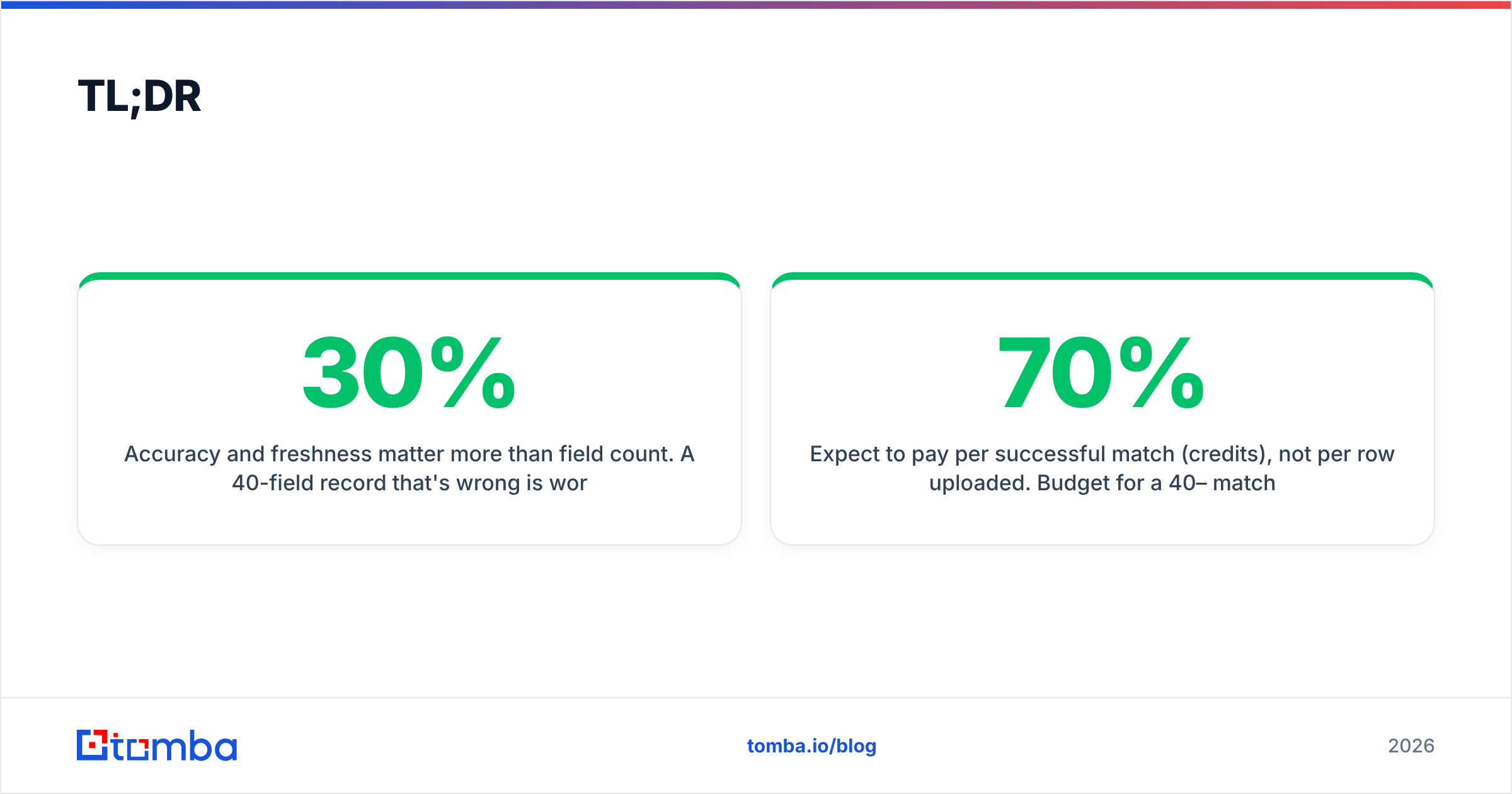
- Contact enrichment fills missing fields on a lead or account record — email, phone, job title, seniority, company size, tech stack, social profiles — by matching it against external data sources.
- It runs two ways: batch (upload a list, get it back enriched) and real-time API (enrich on form submit, on CRM create, or on website visit).
- Accuracy and freshness matter more than field count. A 40-field record that's 30% wrong is worse than a 6-field record that's 95% right.
- Expect to pay per successful match (credits), not per row uploaded. Budget for a 40–70% match rate on cold lists.
- Tools like Tomba's data enrichment focus on verified, source-cited contact data instead of guessed attributes — which is the difference between a connect and a bounce.
What is contact enrichment?#
Contact enrichment is the process of taking an incomplete contact record and adding the missing pieces from external data sources. Think of it like a passport check at the airport: you hand over one identifier — a name, an email, a company domain — and the system looks up everything else it can reliably confirm about that person or business.
A typical "before and after" looks like this. Before enrichment you have:
- Full name: Jordan Reyes
- Company: Northwind Logistics
After enrichment you have a record with a verified work email, direct dial, job title (VP of Operations), seniority tier, department, LinkedIn URL, company headcount, industry, and HQ location. Same person, but now your reps can actually route, personalize, and reach out.
Enrichment splits into two broad categories:
- Contact-level enrichment — data about a person: email, phone, title, seniority, social handles.
- Account-level enrichment — data about a company: revenue band, employee count, industry codes, funding, technologies used, locations.
Most serious go-to-market teams need both. You enrich the person to reach them and the account to qualify and score them. If you want the formal definition and how it sits next to related terms, the B2B glossary is a useful reference.
How does contact enrichment work?#
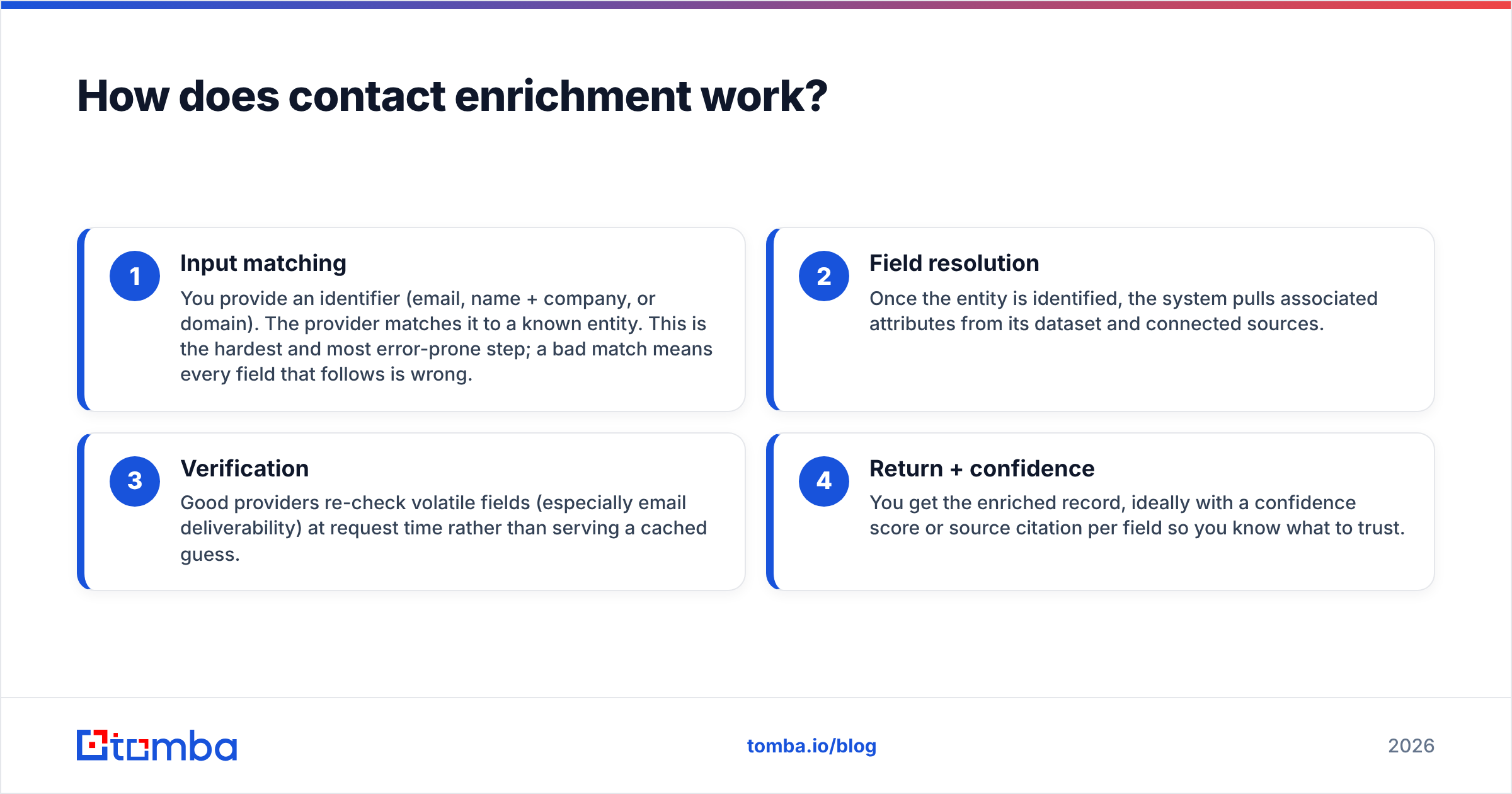
Under the hood, every enrichment request follows the same four steps. Understanding them tells you exactly where quality is won or lost.
- Input matching — You provide an identifier (email, name + company, or domain). The provider matches it to a known entity. This is the hardest and most error-prone step; a bad match means every field that follows is wrong.
- Field resolution — Once the entity is identified, the system pulls associated attributes from its dataset and connected sources.
- Verification — Good providers re-check volatile fields (especially email deliverability) at request time rather than serving a cached guess.
- Return + confidence — You get the enriched record, ideally with a confidence score or source citation per field so you know what to trust.
Here's the practical breakdown of what each stage should deliver:
- Match key quality — Email-based matching is the most reliable; name+company matching is fuzzier and needs disambiguation for common names.
- Source citation — The best tools tell you where a field came from, so you can audit it. Cited data beats black-box data every time.
- Real-time verification — Emails decay ~22–30% per year as people change jobs. A field that isn't re-verified on delivery is a liability.
- Confidence scoring — A per-field score lets you set thresholds (e.g., only sync phone numbers above 90% confidence).
- Catch-all handling — Domains that accept every address need special treatment; a naive tool marks them "valid" and you bounce anyway. This is where a dedicated catch-all verifier earns its keep.

Where does the data actually come from?#
This is the question most vendors dodge, and it's the one that determines whether your outreach lands or gets you blacklisted. Contact data comes from a mix of sources, and the mix matters:
- Public web sources — company sites, press releases, professional directories, and published bylines. Legitimate and auditable.
- Verified email patterns — inferring
first.last@domain.comfrom a company's known format, then SMTP-verifying it before serving. - Opt-in and partner networks — first-party data contributed with consent.
- Contributed/community data — shared contact books. Higher volume, lower consent clarity — handle with care under GDPR and CCPA.
Providers that publish their sourcing methodology give you a compliance paper trail; those that don't are asking you to trust a black box. Tomba documents where its data comes from, which is the kind of transparency your legal team will eventually ask about. For the regulatory backdrop, the GDPR overview on Wikipedia is a solid primer on lawful-basis requirements for B2B contact processing.
Batch vs real-time enrichment: which do you need?#
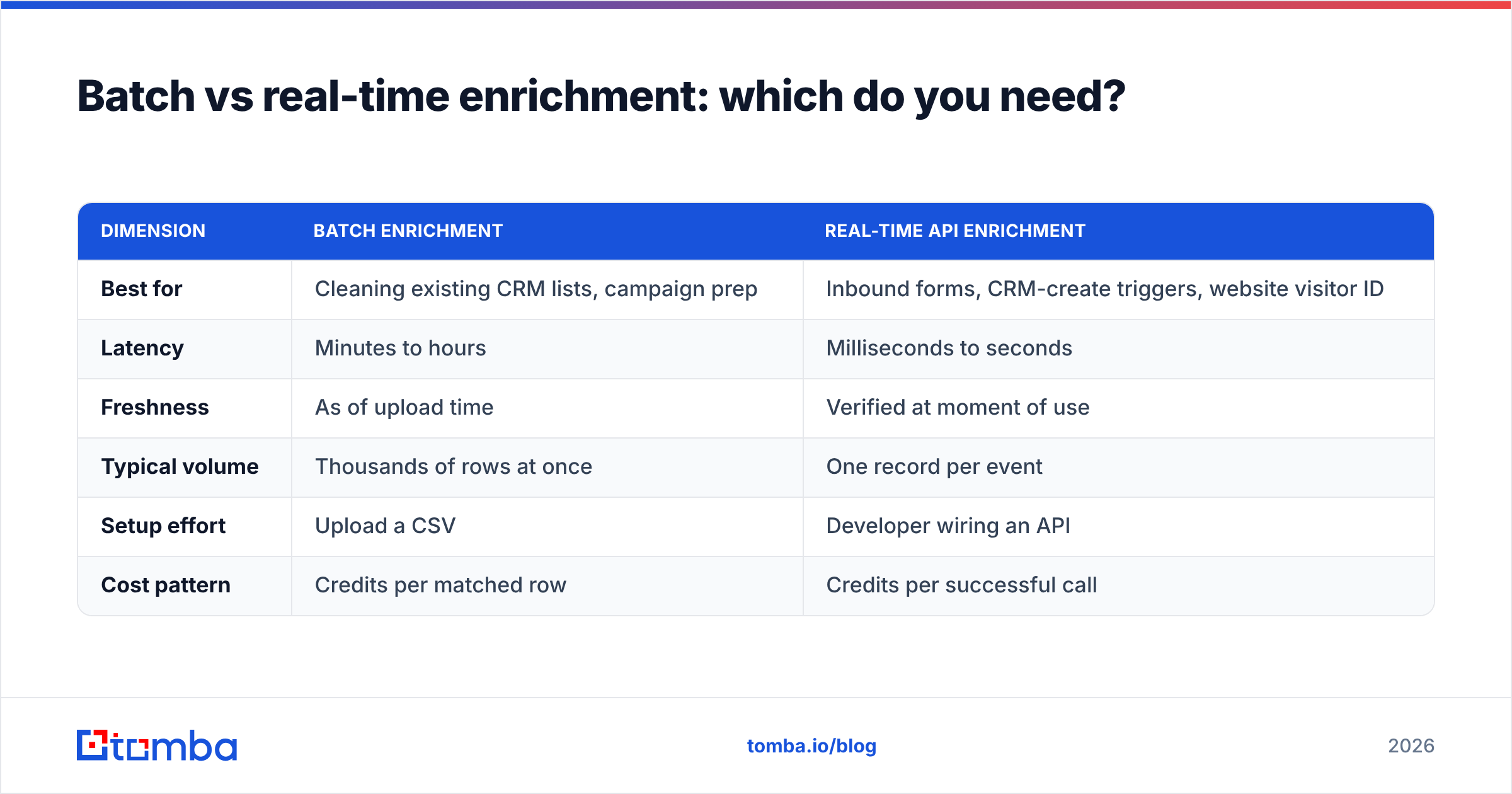
Both, usually — but for different jobs. Batch enrichment is for cleaning and completing lists you already have. Real-time enrichment is for enriching records the moment they enter your system, so nothing goes stale before a rep touches it.
| Dimension | Batch enrichment | Real-time API enrichment |
|---|---|---|
| Best for | Cleaning existing CRM lists, campaign prep | Inbound forms, CRM-create triggers, website visitor ID |
| Latency | Minutes to hours | Milliseconds to seconds |
| Freshness | As of upload time | Verified at moment of use |
| Typical volume | Thousands of rows at once | One record per event |
| Setup effort | Upload a CSV | Developer wiring an API |
| Cost pattern | Credits per matched row | Credits per successful call |
For most teams the workflow is: run a one-time bulk enrichment to fix the backlog, then wire the enrichment API so every new lead is enriched automatically going forward. That way you fix the past and stop creating new gaps.
What does contact enrichment cost in 2026?#
You pay for matches, not uploads. This is the single most misunderstood part of enrichment pricing. If you upload 10,000 rows and the tool matches 5,000, you're billed for roughly 5,000 credits — the other half returned nothing usable but still cost you nothing (with honest vendors) or something (with sneaky ones). Always confirm the billing model before you buy.
Realistic 2026 benchmarks for mid-market enrichment:
- Per-credit cost typically lands between $0.01 and $0.10 depending on volume and data depth.
- Match rates run 40–70% on cold B2B lists, higher on warm inbound.
- Phone data costs more than email data and matches less often — don't expect 90% mobile coverage from anyone claiming it.
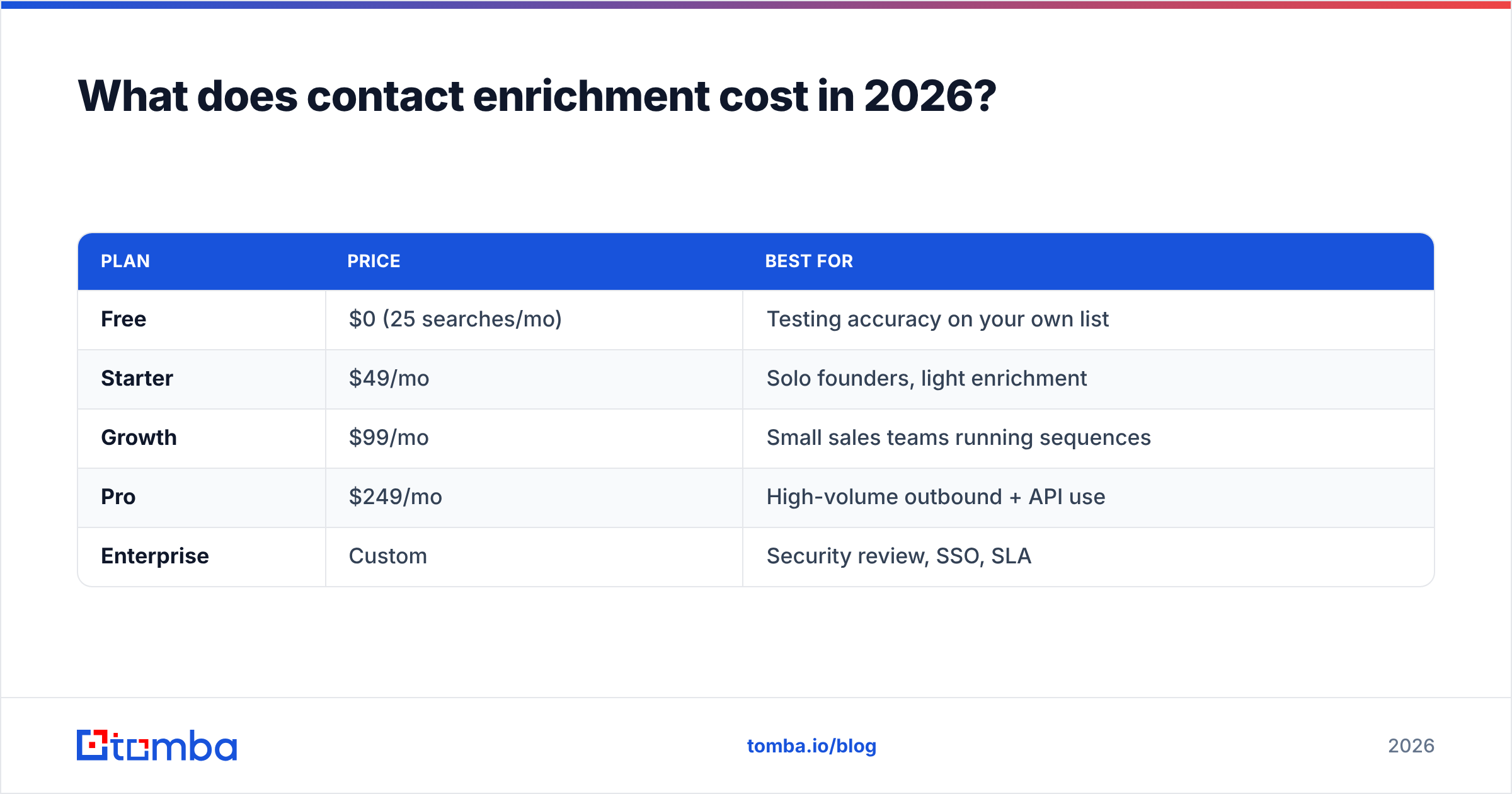
Tomba's approach folds enrichment into transparent tier pricing rather than opaque enterprise-only quotes:
| Plan | Price | Best for |
|---|---|---|
| Free | $0 (25 searches/mo) | Testing accuracy on your own list |
| Starter | $49/mo | Solo founders, light enrichment |
| Growth | $99/mo | Small sales teams running sequences |
| Pro | $249/mo | High-volume outbound + API use |
| Enterprise | Custom | Security review, SSO, SLA |
Full Tomba pricing breaks down credit allotments per tier. The rule of thumb: start on Free, measure the match rate on your actual data, then extrapolate cost before committing. Never trust a vendor's advertised match rate over your own test.

How do you choose a contact enrichment provider?#
Field count is a vanity metric. Here's what actually separates a provider that grows pipeline from one that quietly poisons your CRM. Score any candidate against these six criteria:
- Verification, not just retrieval — Does it re-verify emails at request time? A tool that serves cached, unverified addresses will tank your sender reputation. Pair enrichment with an email verifier if it doesn't.
- Source transparency — Can you see where each field came from? Cited data is auditable; guessed data is a lawsuit waiting to happen.
- Real match rate on your data — Ignore the marketing number. Run a 500-row sample from your ICP and measure.
- Coverage in your market — Great US coverage means nothing if you sell into EMEA or APAC. Test your actual regions.
- Integration fit — Does it connect to your stack natively? Check for HubSpot, Salesforce, and Zapier support before you build custom glue.
- Compliance posture — GDPR/CCPA documentation, suppression handling, and a DPA on request. Non-negotiable for anyone selling into regulated markets.
To sanity-check the market, cross-reference user reviews on G2 — but weight recent reviews heavily, because data vendors' quality shifts fast as sources change.
What can go wrong with enrichment?#
Enrichment fails quietly, which is the dangerous part. A bad enrichment doesn't throw an error — it hands you a confident, wrong answer. The most common failure modes:
- Stale data served as fresh — The person changed jobs six months ago; the tool didn't notice. You email a dead address and bounce.
- Wrong-person matches — "John Smith at Acme" resolves to the wrong John Smith. Every downstream field is now garbage.
- Catch-all false positives — The domain accepts everything, the tool marks it valid, you send, it silently drops.
- Over-enrichment — Stuffing 50 fields into a record you'll never use just inflates cost and clutters reports.
- Compliance drift — Enriching EU contacts without a lawful basis. This is a fine, not just a bounce.
The defense is layered: verify before you sync, set confidence thresholds, re-enrich on a schedule (quarterly minimum), and suppress anything below your bar. Enrichment is not a one-and-done import; it's a maintenance habit.
How does contact enrichment fit your GTM stack?#
Enrichment sits between data capture and action. It's the layer that makes everything downstream work: lead scoring needs firmographics, routing needs seniority, personalization needs titles, and territory assignment needs location. Feed those systems thin data and they all degrade.
A clean pipeline looks like this:
- Capture — form fill, list import, or website visitor reveal identifies an anonymous visitor.
- Enrich — the record is completed and verified in real time.
- Score & route — enriched firmographics drive lead scoring and assignment.
- Engage — reps personalize using verified titles, and sequences send to verified emails.
- Maintain — a scheduled re-enrichment job keeps records from decaying.
Get this loop right and your reps spend time selling instead of researching. Get it wrong and you've automated the delivery of bad data to your entire team.
The bottom line#
Contact enrichment is worth doing, but only if you treat data quality as the product — not field count, not a flashy dashboard. Verify everything, cite your sources, test match rates on your own list, and re-enrich on a schedule. A smaller set of correct fields beats a bloated record you can't trust.
If you want enrichment built on verified, source-cited contact data rather than guessed attributes, start with Tomba's data enrichment and pair it with the Tomba Email Finder to fill and verify the fields that actually get your reps a reply. The Free tier gives you 25 searches to test accuracy on your own records before you spend a dollar — which is exactly how you should evaluate any enrichment vendor.
Related guides#
Ready to find emails that actually work?
Join 150,000+ professionals who stopped guessing and started sending. Free credits on signup — no credit card required.
Get the Tomba newsletter
Practical outbound tactics and product updates — once every two weeks.
About the author