Contact Lists in 2026: How to Build, Clean, and Use Them
A no-fluff guide to B2B contact lists in 2026: how to build them, keep them clean, and avoid the bounce rates that wreck deliverability. Buy vs. build, verification, and the metrics that matter.
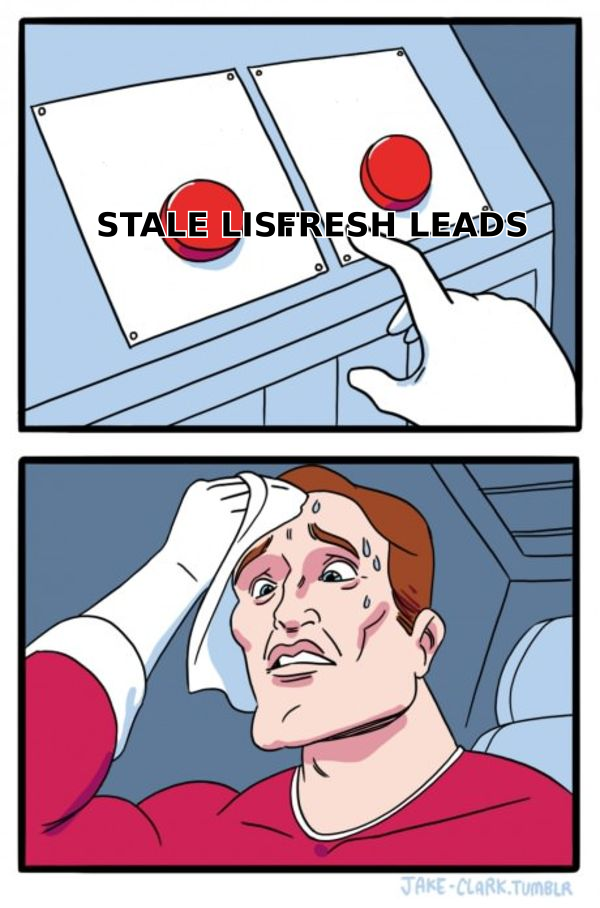
Your contact list is the single most expensive asset in your go-to-market motion — and the one most people treat like a throwaway spreadsheet. A great campaign fired at a rotten list still fails. A mediocre campaign fired at a clean, well-segmented list still books meetings. The data underneath decides the ceiling.
This guide walks through what a B2B contact list actually is in 2026, how to build one that doesn't torch your sender reputation, whether to buy or build, and how to keep it clean over time.
TL;DR#
- A contact list is only as good as its accuracy. Data decays 22–30% per year, so a list you bought last year is already a liability.
- Buying and building both work — for different goals. Buy for speed and volume; build for fit and long-term deliverability.
- Verification is non-negotiable. Always run a list through an email verifier before your first send. Bounces above 3% get you throttled.
- Segment before you send. One giant list is a deliverability and relevance disaster. Slice by role, industry, and intent.
- Enrich, don't just collect. Names and emails are the floor; phone, title, and company signals are what make a list convert.
What is a contact list?#
A contact list is a structured collection of the people you want to reach, plus the data you need to reach them intelligently. At minimum, that's a name and an email. In practice, a usable B2B contact list carries far more: job title, company, company size, industry, LinkedIn URL, phone number, and ideally a verification status and a source timestamp.
Think of a contact list like a pantry. A pile of unlabeled cans (raw emails) technically contains food, but you can't plan a meal. Labels, expiry dates, and organization (enriched, verified, segmented records) turn that pile into something you can actually cook with. The organizing metadata is what separates a list you can run campaigns against from a spreadsheet that quietly poisons your domain reputation.
The critical shift in 2026 is that inbox providers judge you by list quality before they judge your message. Gmail and Microsoft weigh bounce rates, spam complaints, and engagement history. Send to a stale list and you never even get the chance to be persuasive — you land in spam. That's why list hygiene is now a deliverability problem, not just a data problem.
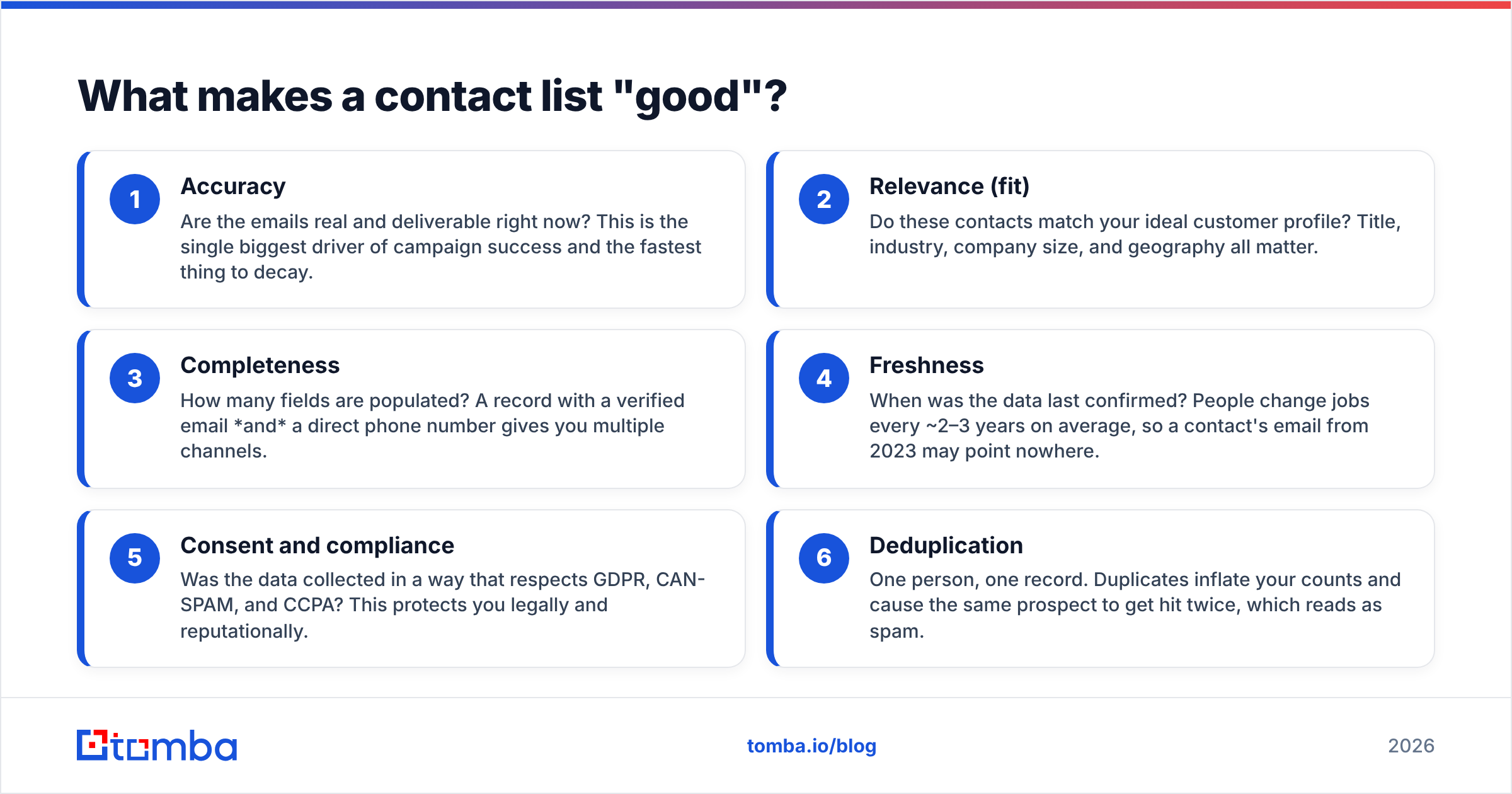
What makes a contact list "good"?#
Not size. A 200-contact list of verified, in-market decision-makers beats a 50,000-row database of guesses every time. Here are the attributes that actually matter, ranked by impact.
- Accuracy — Are the emails real and deliverable right now? This is the single biggest driver of campaign success and the fastest thing to decay.
- Relevance (fit) — Do these contacts match your ideal customer profile? Title, industry, company size, and geography all matter.
- Completeness — How many fields are populated? A record with a verified email and a direct phone number gives you multiple channels.
- Freshness — When was the data last confirmed? People change jobs every ~2–3 years on average, so a contact's email from 2023 may point nowhere.
- Consent and compliance — Was the data collected in a way that respects GDPR, CAN-SPAM, and CCPA? This protects you legally and reputationally.
- Deduplication — One person, one record. Duplicates inflate your counts and cause the same prospect to get hit twice, which reads as spam.
If you optimize only one of these, optimize accuracy. Everything else compounds off a foundation of contacts who can actually receive your message.
Should you buy or build your contact list?#
Both are valid. The right answer depends on how much you value speed versus fit — and how much deliverability risk you can stomach.
Buying means purchasing a pre-built list or pulling contacts from a B2B database filtered by your criteria. It's fast and scales instantly, but you inherit whatever decay and inaccuracy the vendor's data already carries.
Building means generating contacts yourself from your ICP — using domain search, an email finder, website visitor identification, event lists, and inbound signups. It's slower but produces higher-fit, better-consented records you control end to end.
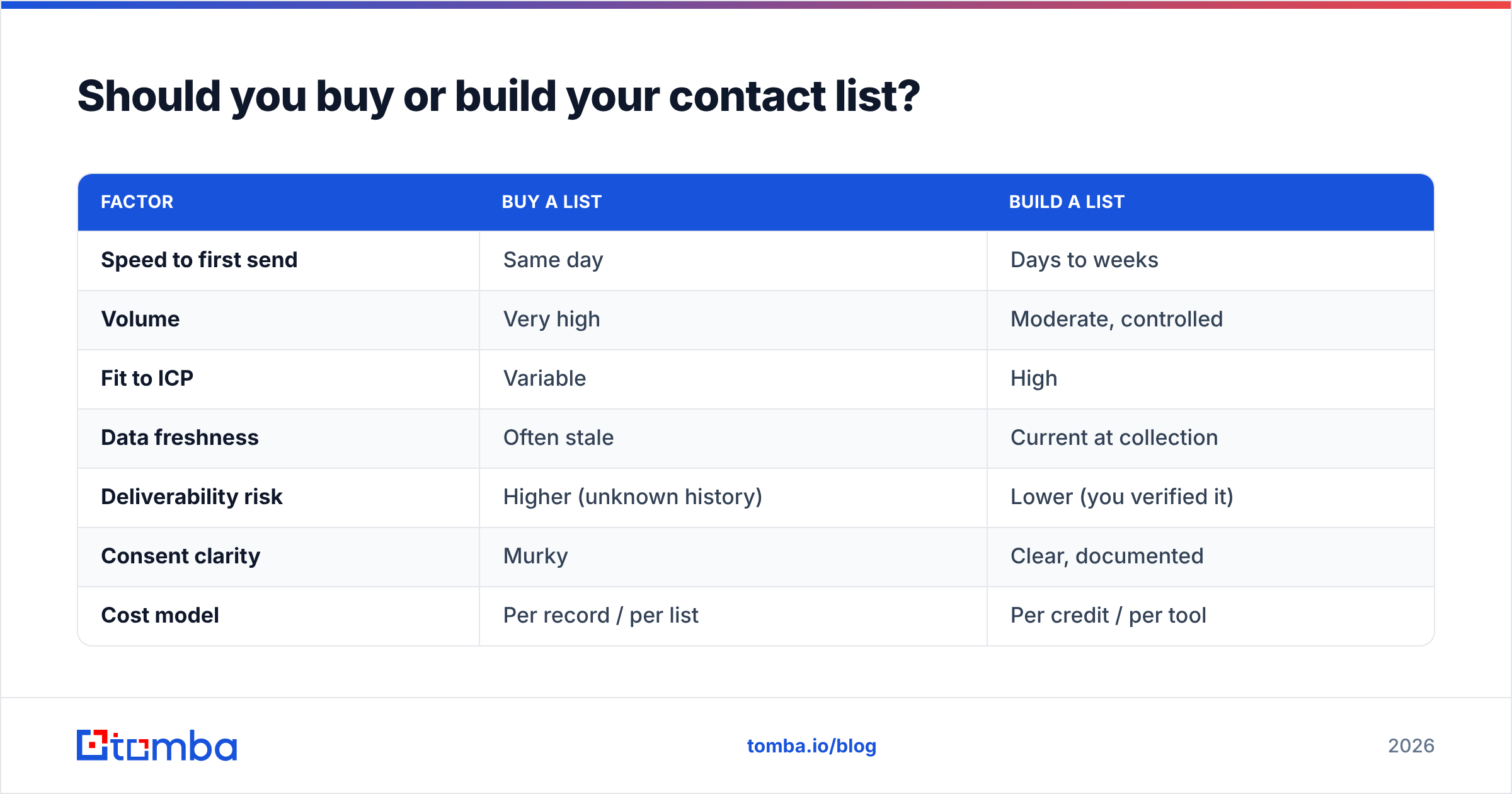
Here's how the two approaches stack up:
| Factor | Buy a list | Build a list |
|---|---|---|
| Speed to first send | Same day | Days to weeks |
| Volume | Very high | Moderate, controlled |
| Fit to ICP | Variable | High |
| Data freshness | Often stale | Current at collection |
| Deliverability risk | Higher (unknown history) | Lower (you verified it) |
| Consent clarity | Murky | Clear, documented |
| Cost model | Per record / per list | Per credit / per tool |
| Best for | Broad TAM coverage, testing | Targeted, repeatable outbound |
A reputable data provider like BookYourData sells verified B2B lists with accuracy guarantees, which narrows the classic gap between buying and building — you get speed without inheriting a graveyard of dead emails. The honest verdict for most teams: buy to seed volume and test messaging fast, then build a compounding, verified list you own so you're not renting your pipeline forever.
Whatever you choose, treat the acquired data as raw material, not a finished product. Which brings us to the step nobody can skip.
How do you verify a contact list before sending?#
You run it through verification, and you do it every time — not just once at purchase. Even a list that was 98% accurate the day it was built loses percentage points every month as people leave jobs and domains change.
The mechanics of good verification:
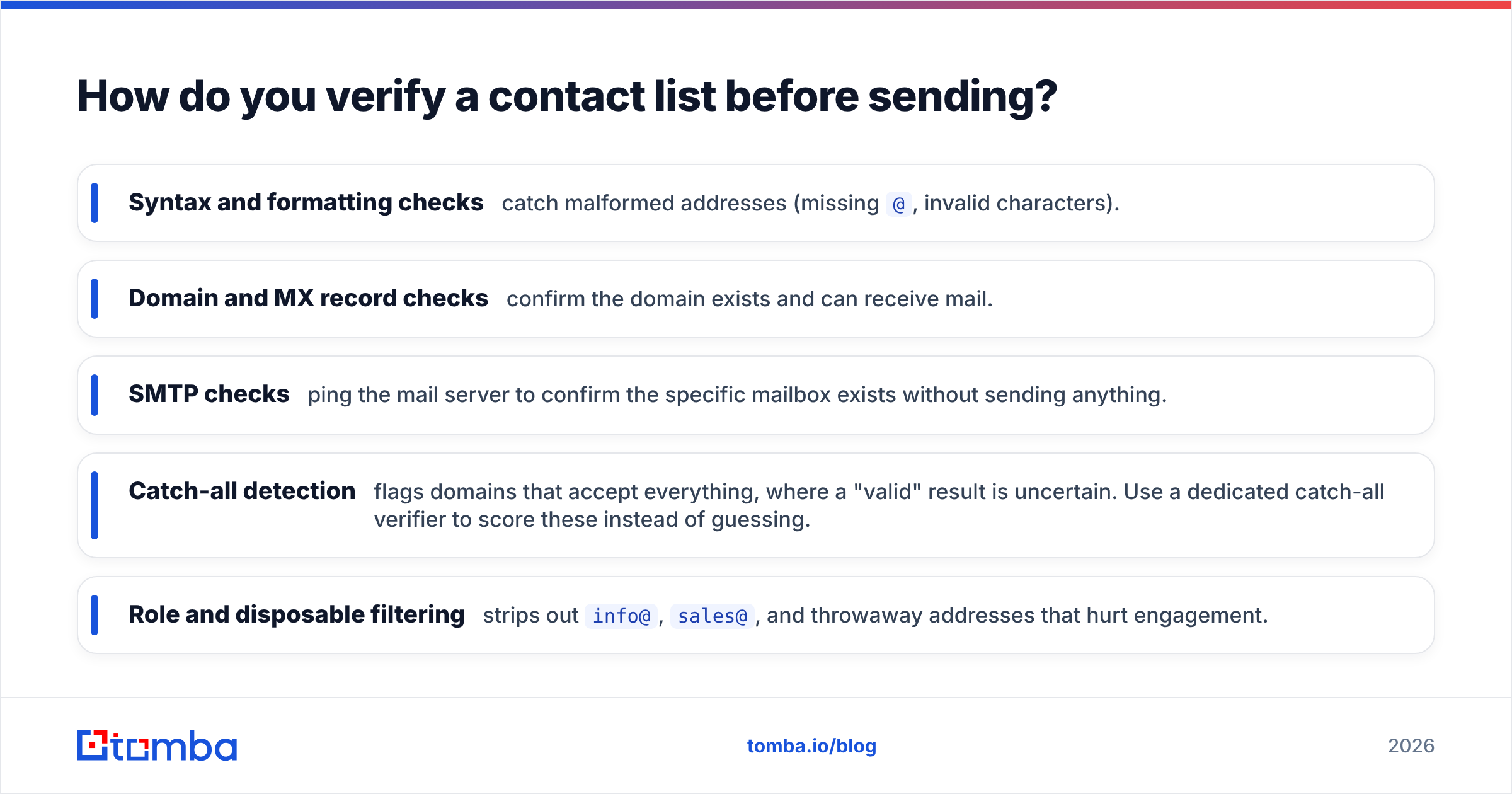
- Syntax and formatting checks catch malformed addresses (missing
@, invalid characters). - Domain and MX record checks confirm the domain exists and can receive mail.
- SMTP checks ping the mail server to confirm the specific mailbox exists without sending anything.
- Catch-all detection flags domains that accept everything, where a "valid" result is uncertain. Use a dedicated catch-all verifier to score these instead of guessing.
- Role and disposable filtering strips out
info@,sales@, and throwaway addresses that hurt engagement.
For anything above a few hundred contacts, do this in batch. A bulk email finder and verifier will process thousands of rows and hand back a status per contact — valid, invalid, catch-all, or unknown — so you can suppress the risky ones before your first send.
The rule of thumb: keep hard bounces under 3%. Above that, mailbox providers start throttling and filtering you, and the damage to your domain reputation outlasts the campaign. Verification is the cheapest insurance you'll ever buy.
How should you segment a contact list?#
You slice one big list into smaller, coherent groups so every message is relevant and your sending stays healthy. Blasting an undifferentiated list is the fastest way to low reply rates and high complaint rates.
Practical segmentation dimensions:
- By role/seniority — A VP of Engineering and an SDR need different messages. Segment so you can tailor the pitch and the ask.
- By industry — Vocabulary, pain points, and proof points differ across verticals. A healthcare CTO cares about different things than a fintech CTO.
- By company size — SMB and enterprise have different buying processes, budgets, and objections.
- By intent or engagement — Contacts who opened your last three emails deserve a different sequence than cold, never-engaged records.
- By data completeness — Route contacts with phone numbers into a call-plus-email cadence and email-only contacts into a nurture track.
Good segmentation also protects deliverability. When you send relevant messages to tight segments, engagement rises, complaints fall, and inbox providers reward you with better placement. Segmentation isn't just a relevance tactic — it's a reputation tactic.
How do you enrich a contact list?#
Enrichment means filling in the missing fields on a record so you can act on it intelligently. A raw list often has a name and an email and nothing else. Enrichment adds title, company, company size, industry, social profiles, and phone numbers.
Why bother? Because enriched data unlocks multichannel outreach and sharper personalization. If you know a contact's exact title, you can reference their actual responsibilities. If you have a verified direct dial from a phone finder, you can follow an email with a call — and multichannel sequences consistently outperform single-channel ones.
A simple enrichment workflow:
- Start with what you have (usually name + company domain).
- Run data enrichment to append firmographics and contact fields.
- Verify the newly appended emails and phones — enrichment can introduce guesses.
- Deduplicate against your existing CRM so you don't create conflicting records.
- Push clean, complete records into your outreach tool or CRM.
Enrichment is where a flat list becomes a targeting engine. According to research aggregated by platforms like HubSpot, personalized, well-targeted outreach substantially outperforms generic sends — and you can't personalize what you don't know.
How do you keep a contact list clean over time?#
You treat hygiene as a recurring process, not a one-time event. Data decays continuously, so your maintenance has to be continuous too.
A maintenance cadence that works:
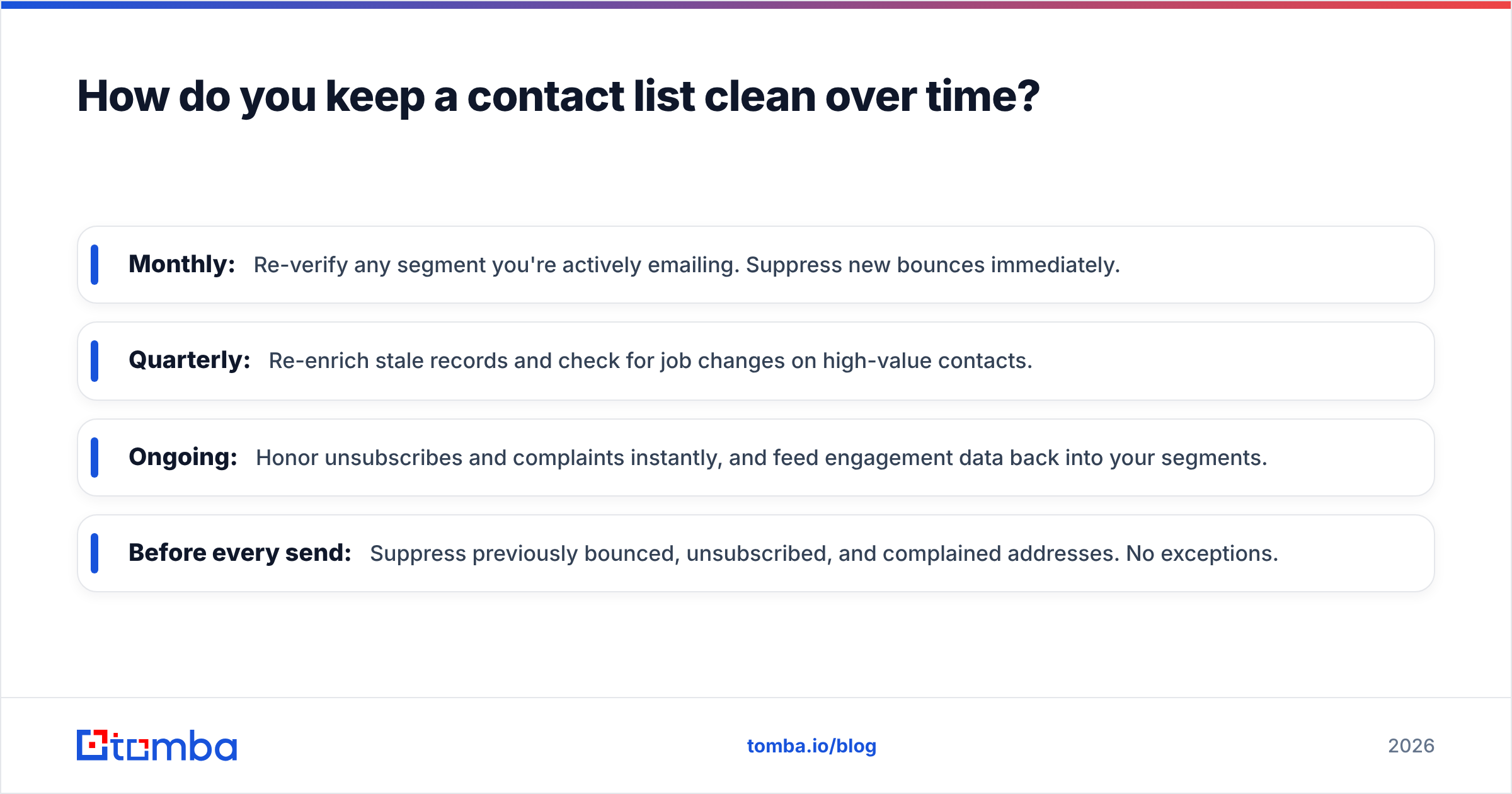
- Monthly: Re-verify any segment you're actively emailing. Suppress new bounces immediately.
- Quarterly: Re-enrich stale records and check for job changes on high-value contacts.
- Ongoing: Honor unsubscribes and complaints instantly, and feed engagement data back into your segments.
- Before every send: Suppress previously bounced, unsubscribed, and complained addresses. No exceptions.
Duplicate management deserves special attention. As you add contacts from multiple sources — inbound forms, purchased lists, enrichment, events — the same person shows up more than once. Deduplicate on email first, then on name-plus-company, so one prospect never receives the same sequence twice from two "different" records.
The teams that win at outbound aren't the ones with the biggest lists. They're the ones whose lists stay clean while everyone else's rots. If you want to understand the mechanics behind why dirty lists tank your inbox placement, the concept of email deliverability ties directly to how you treat your contacts.
Common contact list mistakes to avoid#
- Sending to a list you never verified. The most common and most expensive mistake. Verify first, always.
- Treating list size as the goal. Bigger is not better. Cleaner and more relevant is better.
- Ignoring consent. Scraping without regard for GDPR/CAN-SPAM isn't just risky legally; it correlates with low-quality data and high complaint rates.
- Never re-verifying. A "clean" list from six months ago isn't clean anymore.
- Single-channel dependence. Email-only lists leave reply rates on the table. Enrich with phone and social so you can reach people where they respond.
- No suppression list. Emailing people who already bounced or unsubscribed is the fastest route to spam folders and legal trouble.
Reviews on sites like G2 make the pattern clear: buyers consistently rank data accuracy and freshness above raw volume when they evaluate list and database tools. The market already knows what matters — the discipline is in acting on it.
Build a contact list you actually own#
Buying a list gets you moving; owning a clean, verified, enriched list is what compounds. The fastest way to build that foundation is to generate contacts against your ICP and verify them in the same motion, so nothing dead ever reaches your sending domain.
That's exactly what the Tomba Email Finder is built for — find professional email addresses by name, company, or domain, verify them in bulk, and enrich them with phone and firmographic data before they hit your CRM. Pricing starts free with 25 searches a month, and paid Tomba plans begin at $49/mo when you're ready to scale. Start with your ICP, build clean, and stop renting your pipeline from a stale spreadsheet.
Related guides#
Ready to find emails that actually work?
Join 150,000+ professionals who stopped guessing and started sending. Free credits on signup — no credit card required.
Get the Tomba newsletter
Practical outbound tactics and product updates — once every two weeks.
About the author