Contact Management Database: The Complete 2026 Guide
A contact management database keeps every lead accurate, deduped, and reachable. Here's how to build one that actually drives revenue in 2026 — structure, tooling, and hygiene.
Your contact management database is the quiet engine behind every deal you close. When it's clean, reps reach the right people on the first try. When it rots, they burn hours chasing bounced emails, duplicate records, and job titles that changed two roles ago. This guide shows you how to build and maintain one that actually pays for itself in 2026.
TL;DR#
- A contact management database is the single source of truth for every prospect, lead, and customer — name, role, company, verified email, phone, and interaction history.
- B2B contact data decays roughly 22–30% per year, so hygiene matters more than volume. A smaller, verified list beats a bloated, stale one.
- The core build has four parts: a clean schema, an enrichment layer, a verification loop, and deduplication rules.
- Pick tooling by job: a CRM stores relationships, an enrichment tool fills gaps, and a verifier keeps deliverability high.
- Start free, verify before every send, and refresh on a schedule — that's the whole discipline.
What Is a Contact Management Database?#
A contact management database is a structured store of the people and companies you sell to, built so any rep, marketer, or automation can find a reliable record in seconds. Think of it like a well-run library: it's not the number of books that makes it useful, it's that every book is on the right shelf, labeled correctly, and actually readable when you pull it.
Technically, it's a set of related tables — contacts, companies, activities — with fields that stay consistent and values that stay accurate. The difference between a spreadsheet and a real database is enforcement: types are validated, duplicates are caught, and stale records get flagged instead of quietly sabotaging your outreach.
It overlaps with, but isn't the same as, a CRM. A CRM manages the relationship and the pipeline; the contact database is the data foundation underneath it. You can run a database without a full CRM, but you can't run a healthy CRM on a rotten database.

Why Does Contact Data Quality Matter So Much?#
Because bad data is expensive in ways that don't show up on an invoice. According to Gartner, poor data quality costs organizations an average of $12.9 million a year through wasted effort and bad decisions. In outbound sales, that shows up as bounced sends that hurt your sender reputation, reps calling disconnected numbers, and marketing spend aimed at people who left the company.
The decay is relentless. People change jobs, companies rebrand, and email formats shift after acquisitions. If you built a list in January and never touched it, by December a meaningful slice of it is fiction. That's why the maintenance loop below matters more than any one-time import.
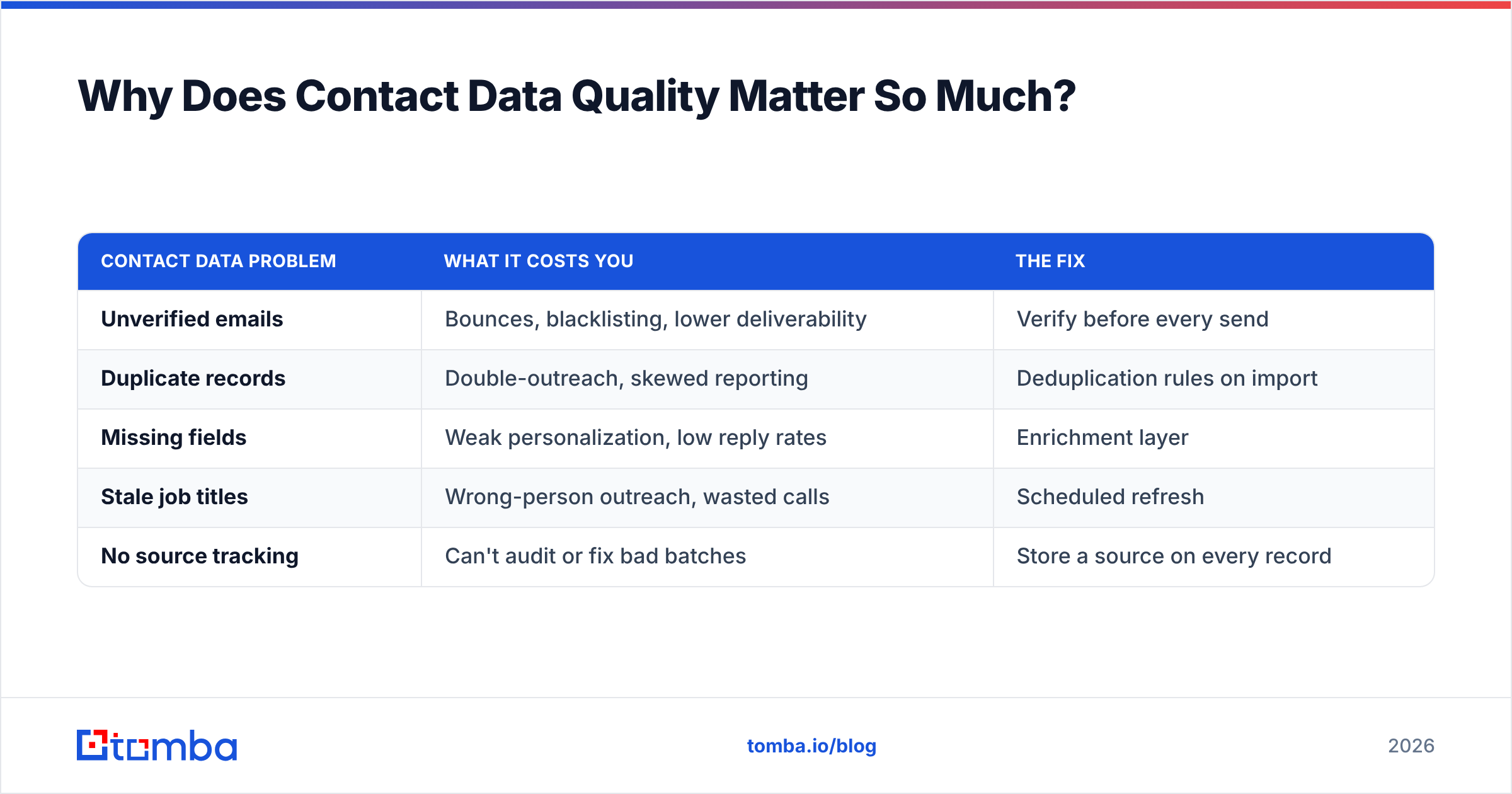
| Contact Data Problem | What It Costs You | The Fix |
|---|---|---|
| Unverified emails | Bounces, blacklisting, lower deliverability | Verify before every send |
| Duplicate records | Double-outreach, skewed reporting | Deduplication rules on import |
| Missing fields | Weak personalization, low reply rates | Enrichment layer |
| Stale job titles | Wrong-person outreach, wasted calls | Scheduled refresh |
| No source tracking | Can't audit or fix bad batches | Store a source on every record |
What Fields Should a Contact Management Database Include?#
Keep the schema lean enough to maintain and rich enough to personalize. Here's a practical core set that covers most B2B use cases:
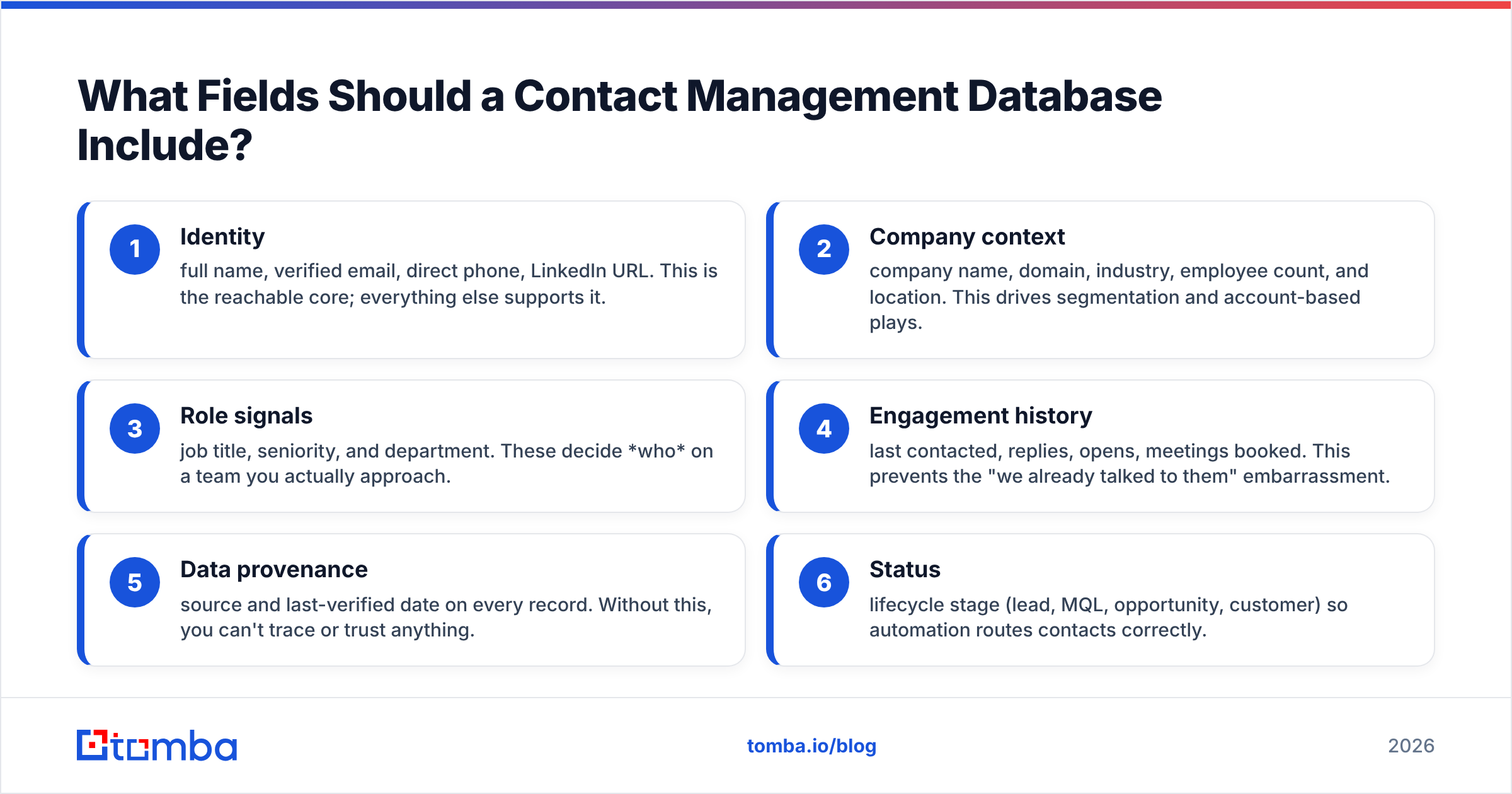
- Identity — full name, verified email, direct phone, LinkedIn URL. This is the reachable core; everything else supports it.
- Company context — company name, domain, industry, employee count, and location. This drives segmentation and account-based plays.
- Role signals — job title, seniority, and department. These decide who on a team you actually approach.
- Engagement history — last contacted, replies, opens, meetings booked. This prevents the "we already talked to them" embarrassment.
- Data provenance — source and last-verified date on every record. Without this, you can't trace or trust anything.
- Status — lifecycle stage (lead, MQL, opportunity, customer) so automation routes contacts correctly.
If you're pulling records straight off company websites, a domain search fills most of the identity and company fields in one pass, and you enrich the rest from there.
How Do You Build a Contact Management Database?#
Build it in four layers, in this order. Skipping any one of them is how databases rot.
1. Design a clean schema#
Decide your fields before you import a single row. Standardize formats — one phone format, one country naming convention, lowercase emails. Inconsistency is the tax you pay later during every merge and every report.
2. Add an enrichment layer#
Raw lists are always incomplete. An enrichment step fills missing emails, phone numbers, and firmographics from a name-plus-domain seed. Tomba's data enrichment does this in bulk, so you turn a thin list of names into fully populated records without manual research.
3. Verify before you trust#
Every email that enters the database gets checked for validity and deliverability. This is non-negotiable — one unverified batch can tank the sender reputation you spent months building. Run new contacts through an email verifier at import and again before major campaigns.
4. Deduplicate and govern#
Set match rules — usually email as the primary key, with fuzzy matching on name plus company as a backup. Decide which record "wins" a merge (usually the most recently verified one) and enforce it automatically instead of hoping reps clean up manually.

Which Tools Do You Actually Need?#
You need three roles filled. Sometimes one platform covers two of them, but the roles are distinct — don't buy a CRM and assume it handles data quality.
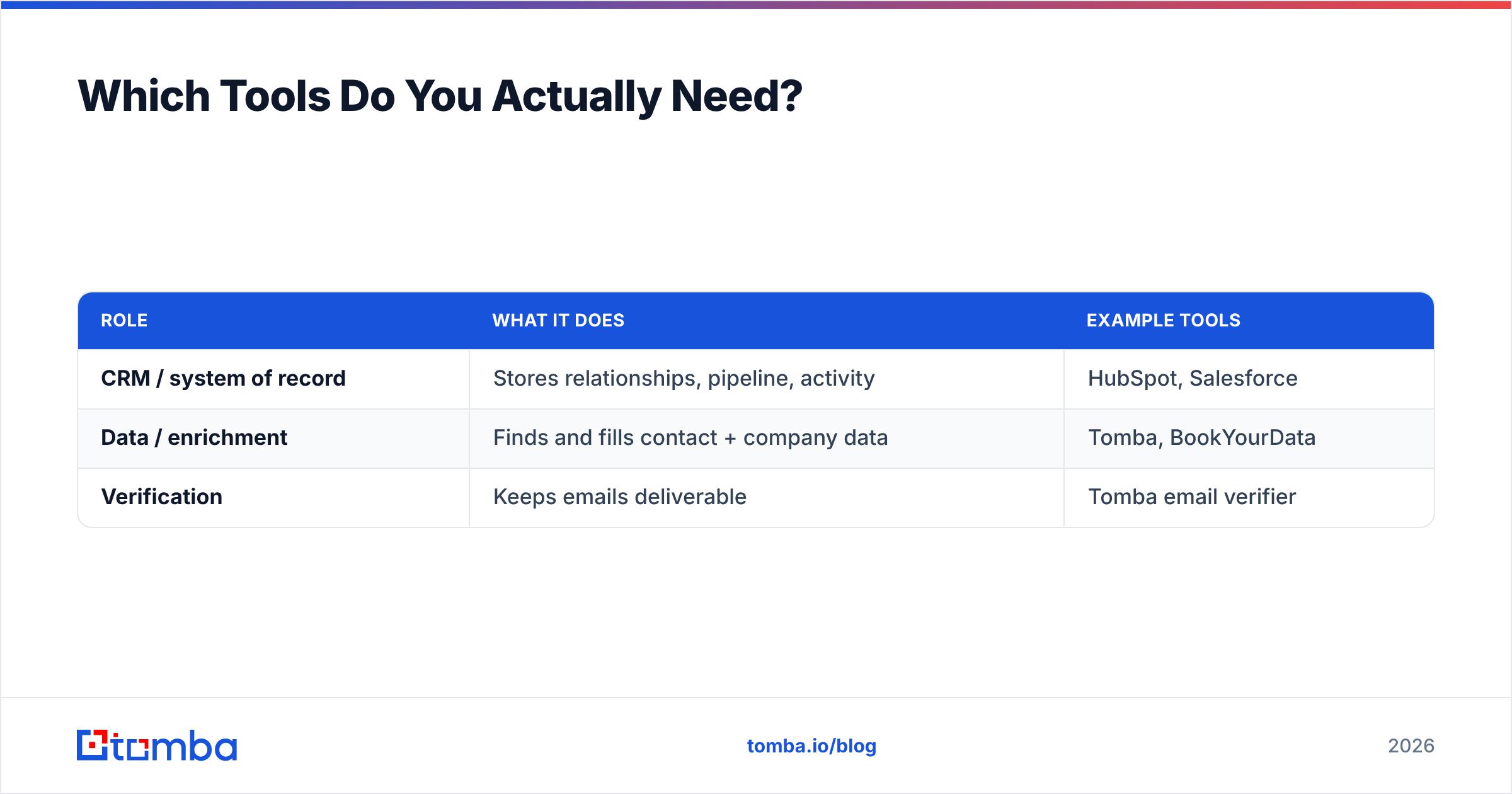
| Role | What It Does | Example Tools |
|---|---|---|
| CRM / system of record | Stores relationships, pipeline, activity | HubSpot, Salesforce |
| Data / enrichment | Finds and fills contact + company data | Tomba, BookYourData |
| Verification | Keeps emails deliverable | Tomba email verifier |
BookYourData is a solid ready-made list source if you'd rather buy verified contacts than build from scratch, and it pairs well with a live verification step. Tomba sits on the data-and-verification side: it finds emails from a name and domain, enriches them, and verifies deliverability, then hands clean records to whatever CRM you run. For teams that live in spreadsheets, the Google Sheets add-on and bulk email finder let you build and verify at list scale without touching an API.
The point isn't to own every category — it's to make sure no role is silently unfilled. A CRM with no verification layer feels complete right up until your bounce rate spikes.
How Do You Keep a Contact Database Accurate Over Time?#
Treat hygiene as a recurring process, not a one-time cleanup. The databases that stay useful are the ones with a boring, repeatable maintenance loop:
- Verify at entry. Every new contact is checked before it's allowed in. No exceptions, no "we'll clean it later."
- Re-verify on a schedule. Run the full database through verification quarterly. Flag anything that now bounces and quarantine it before your next send.
- Refresh firmographics. Job titles and company sizes drift. Re-enrich high-value segments every few months so your targeting stays honest.
- Deduplicate continuously. Run match rules on every import, not just annually. Duplicates are easiest to kill the moment they arrive.
- Track decay. Watch your bounce and reply rates over time. A creeping bounce rate is the early warning that your refresh cadence is too slow.
This is where discipline beats tooling. The best platform in the world won't save a database that nobody maintains, and a modest stack run with rigor will outperform an expensive one run on autopilot. For a deeper primer on why reachability erodes, the email deliverability glossary entry is a useful reference.
Should You Build Your Database or Buy One?#
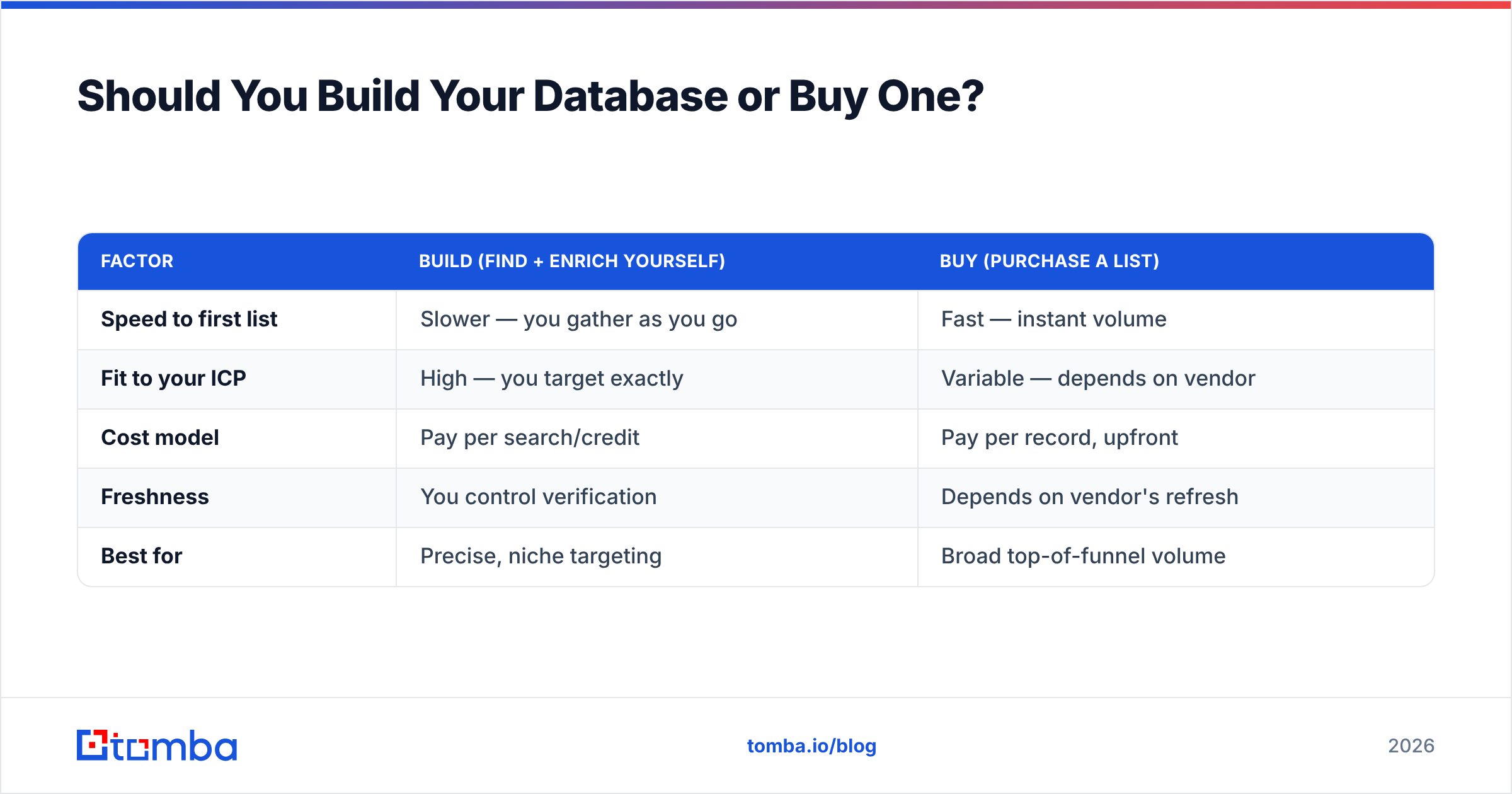
The honest answer is: usually both. Buying gives you speed; building gives you fit. Here's the trade-off laid out plainly.
| Factor | Build (find + enrich yourself) | Buy (purchase a list) |
|---|---|---|
| Speed to first list | Slower — you gather as you go | Fast — instant volume |
| Fit to your ICP | High — you target exactly | Variable — depends on vendor |
| Cost model | Pay per search/credit | Pay per record, upfront |
| Freshness | You control verification | Depends on vendor's refresh |
| Best for | Precise, niche targeting | Broad top-of-funnel volume |
Most effective teams buy a seed list for volume, then run it through their own enrichment and verification so the data meets their standard before a single email goes out. Whichever path you pick, the verification step is the same — it's the constant that protects your reputation. If you want to compare credit costs before committing, the Tomba pricing page lays out the tiers, starting with a free plan (25 searches/month) and scaling from Starter at $49/mo.
What Does a Healthy Database Workflow Look Like?#
Put it all together and the end-to-end flow is simple:
- Source contacts by domain, name, or purchased list.
- Enrich to fill missing emails, phones, and firmographics.
- Verify every email for deliverability.
- Deduplicate against existing records.
- Load clean records into your CRM with a source and verified date.
- Maintain on a quarterly re-verify and re-enrich schedule.
Notice that verification appears twice — at entry and on schedule. That repetition is the whole game. A contact management database isn't a project you finish; it's a system you run.
Getting Started#
If your database is already showing symptoms — climbing bounce rates, reps complaining about wrong numbers, duplicate reports — start with the verification layer, because it protects everything downstream. Then add enrichment to fill the gaps and a refresh schedule to keep it that way.
Tomba's Email Finder is a fast way to bootstrap or repair a contact database: search by domain, name, or company to pull professional emails, enrich them into complete records, and verify deliverability before anything reaches your CRM. Start on the free tier, verify your first batch, and see how much of your current list survives the check — that number alone usually justifies the discipline. Build the database once, maintain it forever, and let your reps spend their time selling instead of chasing ghosts.
Related guides#
Ready to find emails that actually work?
Join 150,000+ professionals who stopped guessing and started sending. Free credits on signup — no credit card required.
Get the Tomba newsletter
Practical outbound tactics and product updates — once every two weeks.
About the author