Contact Management for Small Business: A 2026 Playbook
Spreadsheets leak leads. Here's how contact management for small business actually works in 2026 — the tools, the data hygiene, and the setup that scales past your first 500 contacts.
Your contacts are your pipeline. Lose them in a tab-riddled spreadsheet and you lose revenue you already paid to acquire. This guide shows you how contact management for small business works in 2026 — what to track, which tool tier fits your stage, and how to keep the data clean enough to trust.
TL;DR#
- Contact management is the system of record for every person and company you sell to — not a spreadsheet, and not the same thing as a full CRM.
- Small teams outgrow spreadsheets fast: duplicate rows, dead emails, and no history quietly kill follow-up.
- Pick your tier by stage — a free CRM under 5 people, a lightweight paid CRM at 5–20, automation-heavy stacks beyond that.
- Data quality beats features. A cheap tool with verified, deduplicated contacts outperforms an expensive one full of bounces.
- Feed the system with accurate contact data from the start using an email finder and an email verifier so you never build on bad records.
What is contact management for a small business?#
Contact management is the practice of storing, organizing, and updating everything you know about the people and companies you do business with — in one place, with history attached.
Think of it like a well-run front desk at a small clinic. Every patient has a folder: who they are, when they last visited, what was discussed, what happens next. Nobody re-asks your name every time. Technically, contact management software does the same for your buyers — it centralizes names, emails, phone numbers, company details, and every touchpoint into a single record you can search, segment, and act on.
It overlaps with a CRM but isn't identical. A CRM adds deal pipelines, forecasting, and reporting. Pure contact management is the foundation underneath that: the clean, deduplicated list of who you can actually reach. Get the foundation wrong and every layer above it — sequences, forecasts, dashboards — inherits the mess.

Why do spreadsheets stop working?#
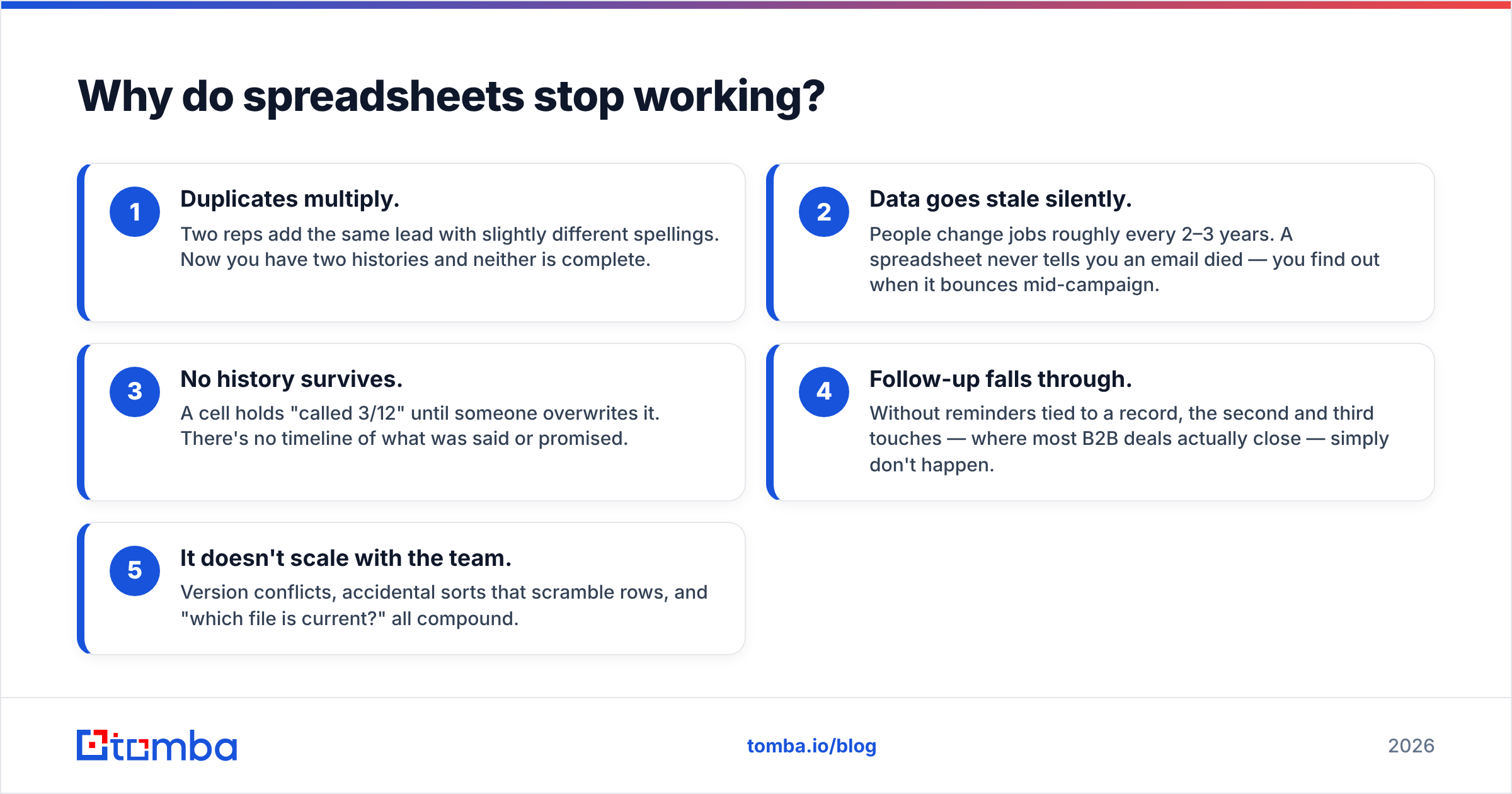
Spreadsheets stop working the moment more than one person touches your contacts or you pass a few hundred rows — whichever comes first.
Here's what breaks, in order:
- Duplicates multiply. Two reps add the same lead with slightly different spellings. Now you have two histories and neither is complete.
- Data goes stale silently. People change jobs roughly every 2–3 years. A spreadsheet never tells you an email died — you find out when it bounces mid-campaign.
- No history survives. A cell holds "called 3/12" until someone overwrites it. There's no timeline of what was said or promised.
- Follow-up falls through. Without reminders tied to a record, the second and third touches — where most B2B deals actually close — simply don't happen.
- It doesn't scale with the team. Version conflicts, accidental sorts that scramble rows, and "which file is current?" all compound.
According to HubSpot's research on CRM adoption, teams that move off manual tracking recover hours per rep per week — time that goes straight back into selling. The spreadsheet feels free. The leaked pipeline is the real bill.
What should a small-business contact record actually contain?#
A useful contact record captures enough to personalize outreach and pick up any conversation cold — without becoming a data-entry chore nobody maintains.
Aim for this core set:
- Identity: full name, role/title, company, and location.
- Reach channels: verified work email, phone number, and LinkedIn URL.
- Source: where the contact came from (inbound form, event, list, referral) — critical for knowing what works.
- Stage & owner: where they sit in your funnel and who's responsible.
- Interaction history: every email, call, and meeting, timestamped.
- Next step: one clear action with a date. This single field drives more revenue than any other.
Enrich the record instead of typing it all by hand. Data enrichment fills in company size, industry, and social profiles automatically, so your reps spend time selling rather than researching. The goal is a record that's complete enough to be trusted and light enough to stay current.
How do the tool tiers compare?#
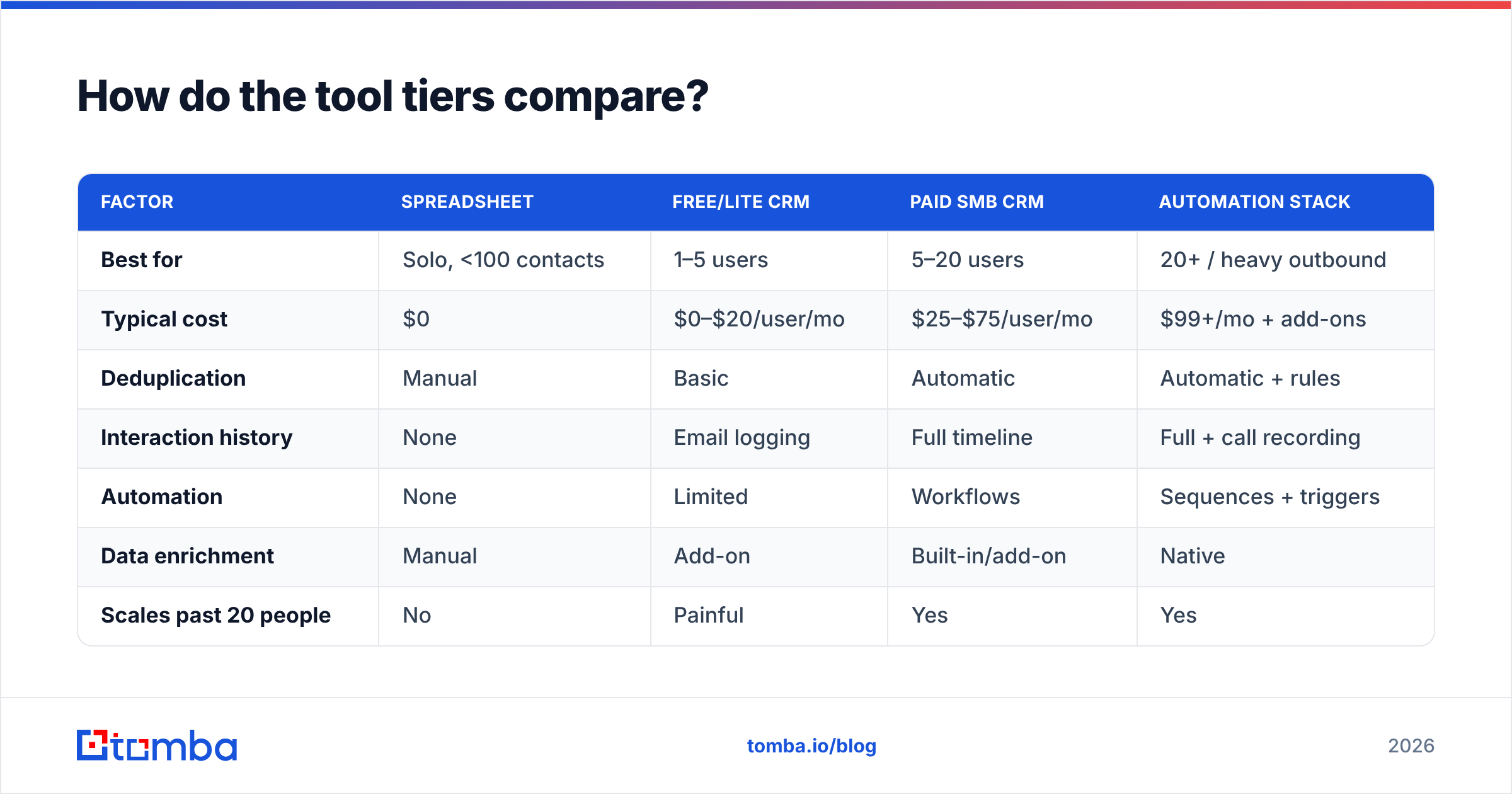
The right tool depends on team size and process complexity, not hype. Here's how the common tiers stack up for a small business in 2026.
| Factor | Spreadsheet | Free/Lite CRM | Paid SMB CRM | Automation Stack |
|---|---|---|---|---|
| Best for | Solo, <100 contacts | 1–5 users | 5–20 users | 20+ / heavy outbound |
| Typical cost | $0 | $0–$20/user/mo | $25–$75/user/mo | $99+/mo + add-ons |
| Deduplication | Manual | Basic | Automatic | Automatic + rules |
| Interaction history | None | Email logging | Full timeline | Full + call recording |
| Automation | None | Limited | Workflows | Sequences + triggers |
| Data enrichment | Manual | Add-on | Built-in/add-on | Native |
| Scales past 20 people | No | Painful | Yes | Yes |
A few honest takeaways:
- Under five people? A free CRM tier (HubSpot, Zoho, or similar) is almost always enough. Don't overbuy.
- The jump from lite to paid is usually about automation and reporting, not storage.
- The automation stack is a trap if bought early — you'll pay for sequencing horsepower you can't yet feed with enough clean contacts.
Compare vendor options on neutral ground before committing. Directories like G2 and Capterra show real small-business reviews filtered by company size, which matters more than a feature checklist.
Is data quality more important than the tool?#
Yes — and it's not close. A modest CRM full of verified, deduplicated contacts will outperform a premium platform stuffed with bounces and duplicates every time.
The reason is compounding. Bad data doesn't just sit there; it degrades everything downstream:
- Dead emails inflate your bounce rate and hurt email deliverability, which drags down inbox placement for your good contacts too.
- Duplicate records split interaction history, so reps look uninformed on calls.
- Wrong roles and companies waste outreach on people who can't buy.
Two habits fix most of it:
1. Verify on the way in. Before a contact enters your system, confirm the email is real and deliverable. Running new addresses through an email verifier at capture time keeps your list clean from day one instead of cleaning up after a failed campaign.
2. Enrich and refresh on a schedule. Set a quarterly pass to re-check key accounts. People move, companies rebrand, domains change. Even a light refresh keeps your reachability high.
If you're building lists from scratch — say, targeting every decision-maker at a set of accounts — a domain search pulls the known email addresses for a company in one step, and a bulk email finder handles it across hundreds of domains at once. You start with clean, structured data instead of scraping it together by hand.
How do you set up contact management without overcomplicating it?#
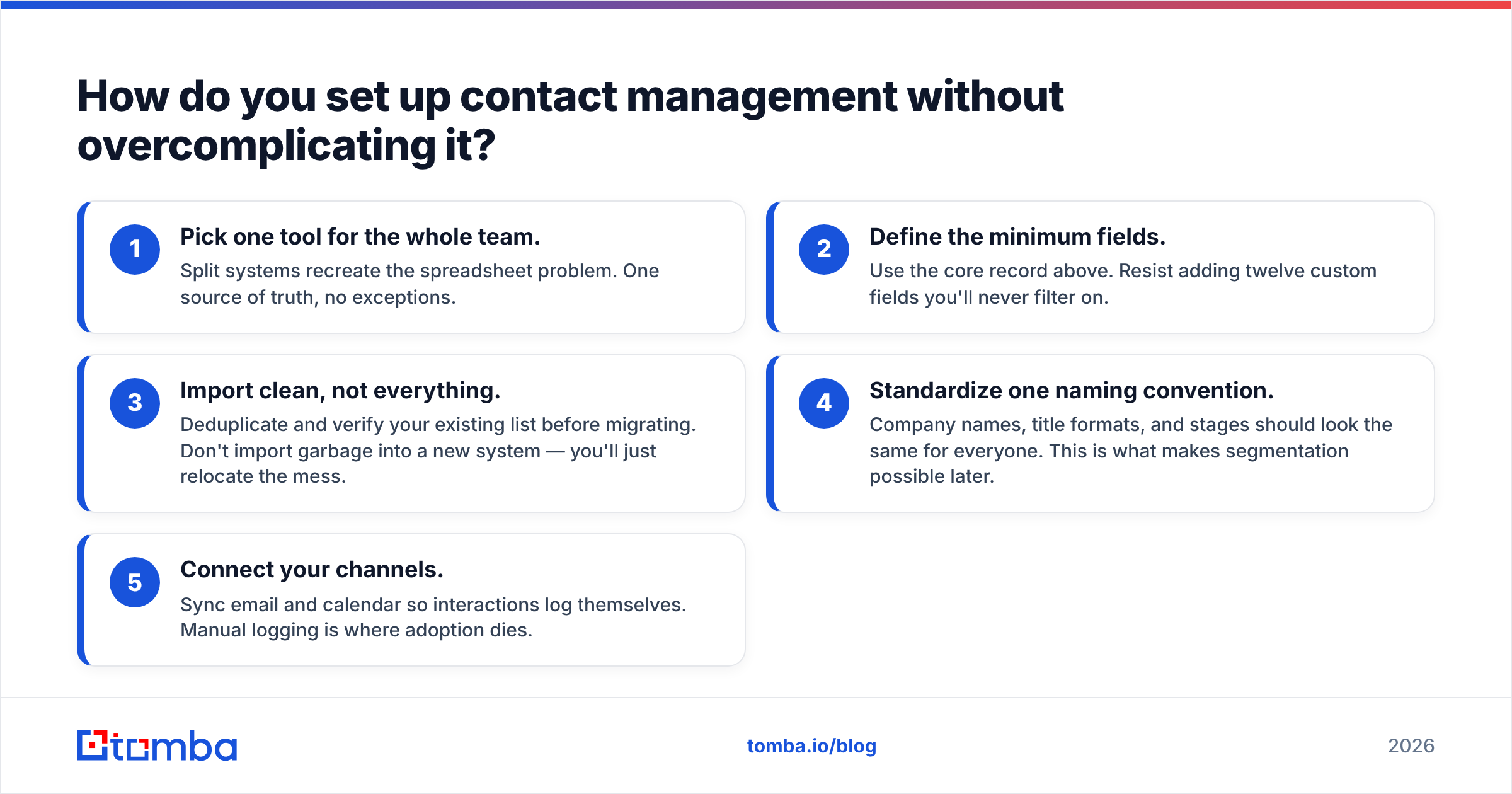
Keep the rollout small and boring. The most common failure mode isn't picking the wrong tool — it's over-designing the system so nobody actually uses it.
A pragmatic five-step setup:
- Pick one tool for the whole team. Split systems recreate the spreadsheet problem. One source of truth, no exceptions.
- Define the minimum fields. Use the core record above. Resist adding twelve custom fields you'll never filter on.
- Import clean, not everything. Deduplicate and verify your existing list before migrating. Don't import garbage into a new system — you'll just relocate the mess.
- Standardize one naming convention. Company names, title formats, and stages should look the same for everyone. This is what makes segmentation possible later.
- Connect your channels. Sync email and calendar so interactions log themselves. Manual logging is where adoption dies.
Once the basics run, layer in integrations. A HubSpot integration or a connection through Zapier can auto-enrich new contacts and push verified data between tools without anyone lifting a finger. Start manual, automate the parts that repeat.
What mistakes should small teams avoid?#
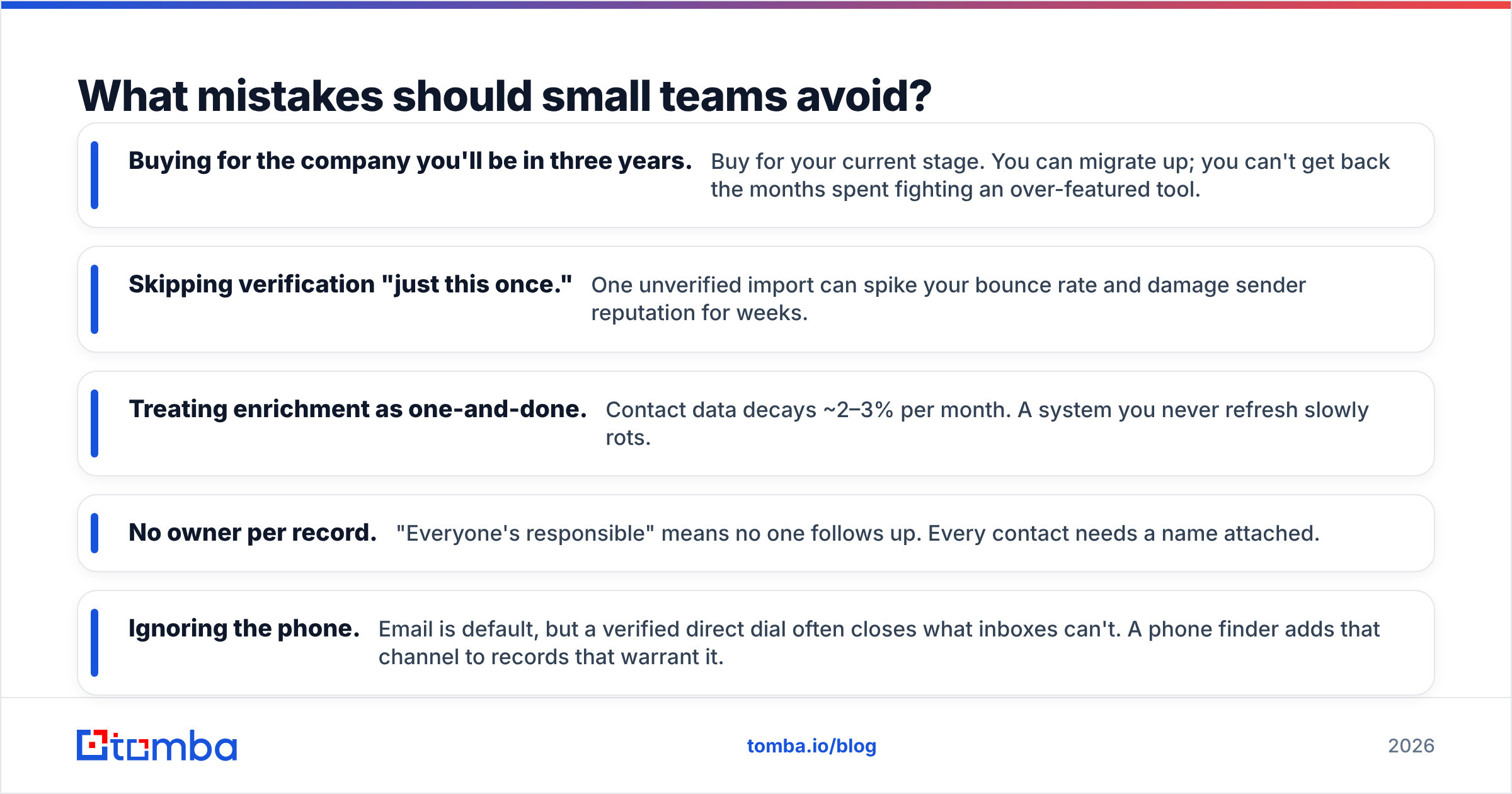
Most contact-management failures come from a handful of predictable mistakes. Sidestep these and you're ahead of most small teams.
- Buying for the company you'll be in three years. Buy for your current stage. You can migrate up; you can't get back the months spent fighting an over-featured tool.
- Skipping verification "just this once." One unverified import can spike your bounce rate and damage sender reputation for weeks.
- Treating enrichment as one-and-done. Contact data decays ~2–3% per month. A system you never refresh slowly rots.
- No owner per record. "Everyone's responsible" means no one follows up. Every contact needs a name attached.
- Ignoring the phone. Email is default, but a verified direct dial often closes what inboxes can't. A phone finder adds that channel to records that warrant it.
The through-line: small teams win on discipline, not tooling. A simple system used consistently beats a sophisticated one used halfway.
What does a good 2026 contact stack look like for a small business?#
A lean, effective stack in 2026 has three jobs covered: capture, clean, and act. You don't need a dozen tools — you need those three functions working together.
- Capture: a CRM (free or lite tier to start) as your single source of truth, with email and calendar synced so history logs itself.
- Clean: an email-finding and verification layer that feeds accurate, deduplicated contacts into the CRM and refreshes them on a schedule.
- Act: lightweight automation for reminders and follow-up sequences — added only once your data is clean enough to trust.
That middle layer is where most small businesses under-invest and pay for it later. Clean input is what makes every dollar of tooling and every hour of outreach actually work.
Get your contact data right from the start#
The cheapest time to fix your contact data is before it enters your system. Tomba's email finder locates verified professional email addresses by name, domain, or company — so every record you create starts accurate, deduplicated, and ready to work. Pair it with the built-in verifier and enrichment, and your small business builds its contact system on data you can trust instead of a spreadsheet you'll grow to dread. Start free with 25 searches a month, and see full Tomba pricing when you're ready to scale — the paid Starter plan is $49/mo.
Clean contacts in, more pipeline out. That's the whole game.
Related guides#
Ready to find emails that actually work?
Join 150,000+ professionals who stopped guessing and started sending. Free credits on signup — no credit card required.
Get the Tomba newsletter
Practical outbound tactics and product updates — once every two weeks.
About the author