ContactOut vs D7 Lead Finder: Which B2B Tool Wins in 2026?
ContactOut and D7 Lead Finder solve two very different lead problems. This honest 2026 breakdown compares data, accuracy, pricing, and workflow fit so you pick the right one.
TL;DR
- ContactOut is a person-level contact finder built on LinkedIn — strong for recruiters and AEs who work one profile at a time and need personal emails and phone numbers.
- D7 Lead Finder is a bulk local-business scraper — strong for agencies and SMB sellers who want thousands of business listings (name, site, phone) by keyword and city.
- They barely overlap: one enriches known people, the other harvests unknown businesses. Picking wrong wastes a subscription.
- Accuracy and verification are the real dividing line — ContactOut leans on cached LinkedIn data, D7 pulls directory data that ages fast.
- If your outbound is B2B email at scale with SMTP-verified addresses and an API, a dedicated email finder like Tomba usually beats both on cost-per-valid-contact.
What are ContactOut and D7 Lead Finder?#
Short answer: they are not really competitors — they solve different halves of the lead problem.
ContactOut is a contact-enrichment tool that sits on top of LinkedIn. You browse a profile (or a Recruiter/Sales Navigator list), and its Chrome extension surfaces personal and work emails plus phone numbers. Think of it like a business-card scanner that reads LinkedIn instead of paper — you already know who you want, and ContactOut hands you how to reach them. It is popular with recruiters and account executives who work targeted, named lists.
D7 Lead Finder is a bulk business-listing scraper. You type a search like "dentists in Austin" and it returns a spreadsheet of matching businesses — company name, website, phone, social links, and sometimes a generic email. It is closer to a supercharged Yellow Pages export. Agencies selling web design, SEO, or local services love it because it fills a pipeline of unknown SMBs fast.
So the core question isn't "which is better" in the abstract. It's "which shape of lead do you need" — a specific decision-maker's inbox, or a list of businesses to cold-call.

How do ContactOut and D7 Lead Finder compare at a glance?#
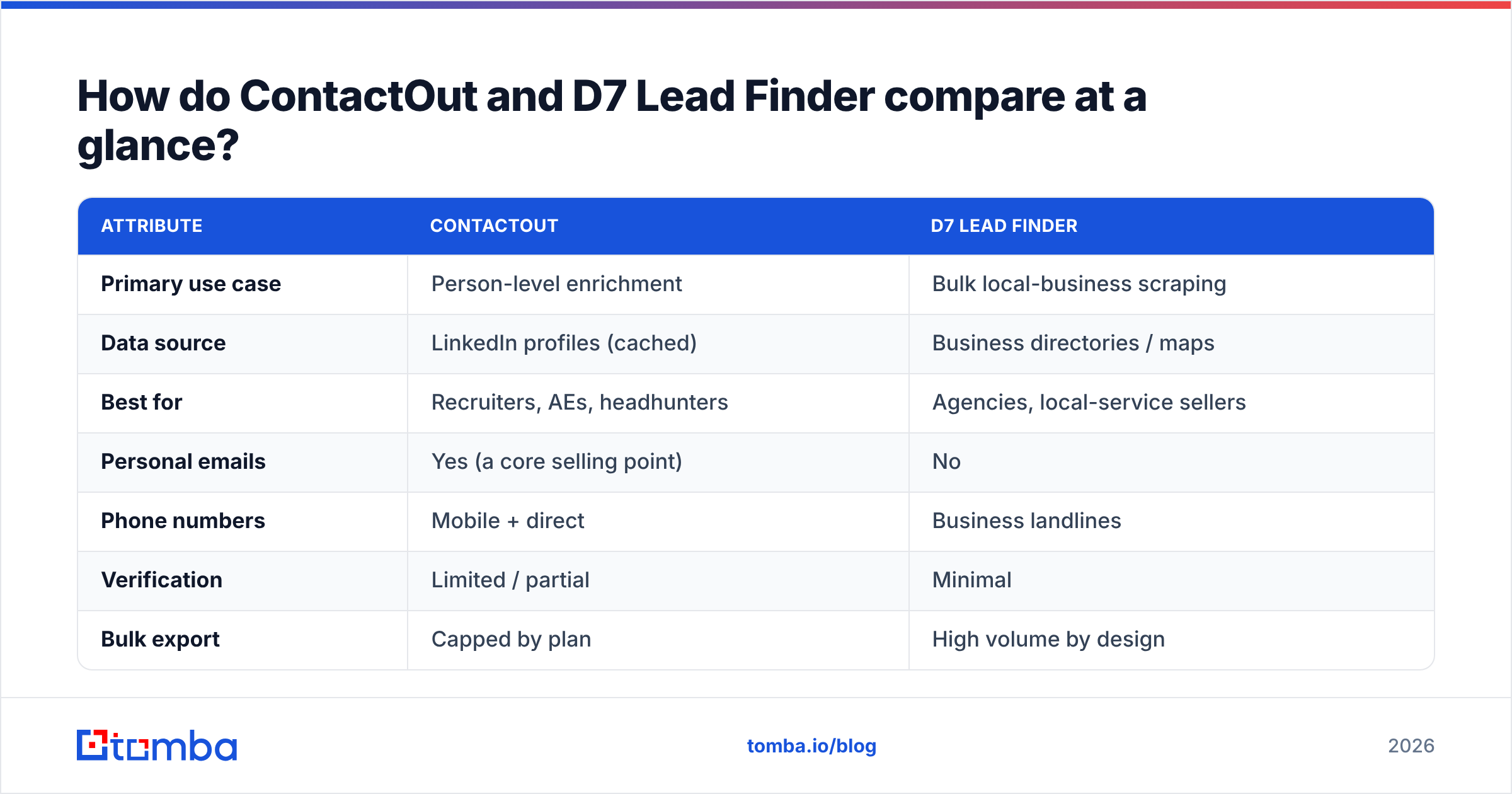
Here's the head-to-head on the attributes that actually change your results.
| Attribute | ContactOut | D7 Lead Finder |
|---|---|---|
| Primary use case | Person-level enrichment | Bulk local-business scraping |
| Data source | LinkedIn profiles (cached) | Business directories / maps |
| Best for | Recruiters, AEs, headhunters | Agencies, local-service sellers |
| Personal emails | Yes (a core selling point) | No |
| Phone numbers | Mobile + direct | Business landlines |
| Verification | Limited / partial | Minimal |
| Bulk export | Capped by plan | High volume by design |
| API access | Available on higher tiers | Limited |
| Free option | Small monthly allowance | Limited trial |
The pattern is clear: ContactOut wins on depth per person, D7 wins on breadth per search. Neither is built to be a verified, at-scale B2B email engine — which is where a purpose-built email finder enters the conversation.
Which one is more accurate?#
Accuracy is where most buyers get burned, so treat this as the deciding section — not a footnote.
ContactOut derives contact data largely from LinkedIn profile history and its own cached dataset. When a target keeps LinkedIn current, hit rates are respectable, especially for personal Gmail-style addresses recruiters want. The weakness is staleness: cached data doesn't re-verify itself, so a returned email may bounce if the person changed roles. ContactOut surfaces emails but doesn't run a rigorous, real-time SMTP check on every one.
D7 Lead Finder pulls from public business directories and map listings. That data decays quickly — SMBs close, rebrand, or swap phone numbers, and directory records lag reality by months. Emails, when present, are usually role addresses like info@ or contact@, which are low-response and often catch-all domains that silently accept everything.
That "silent accept" problem is exactly why verification matters. A catch-all domain returns "valid" for any address you throw at it, so an unverified list looks healthy and still bounces. A dedicated catch-all verifier and real email verification step is the only way to know before you send. According to email-marketing guidance from HubSpot, list hygiene is one of the biggest levers on deliverability — and neither ContactOut nor D7 makes verification their core competency.

If your campaigns live and die on inbox placement, assume you'll need a verification layer on top of either tool. Bounces above 2–3% put your sender reputation at risk, and that damage follows you across every future send.
How does pricing compare?#
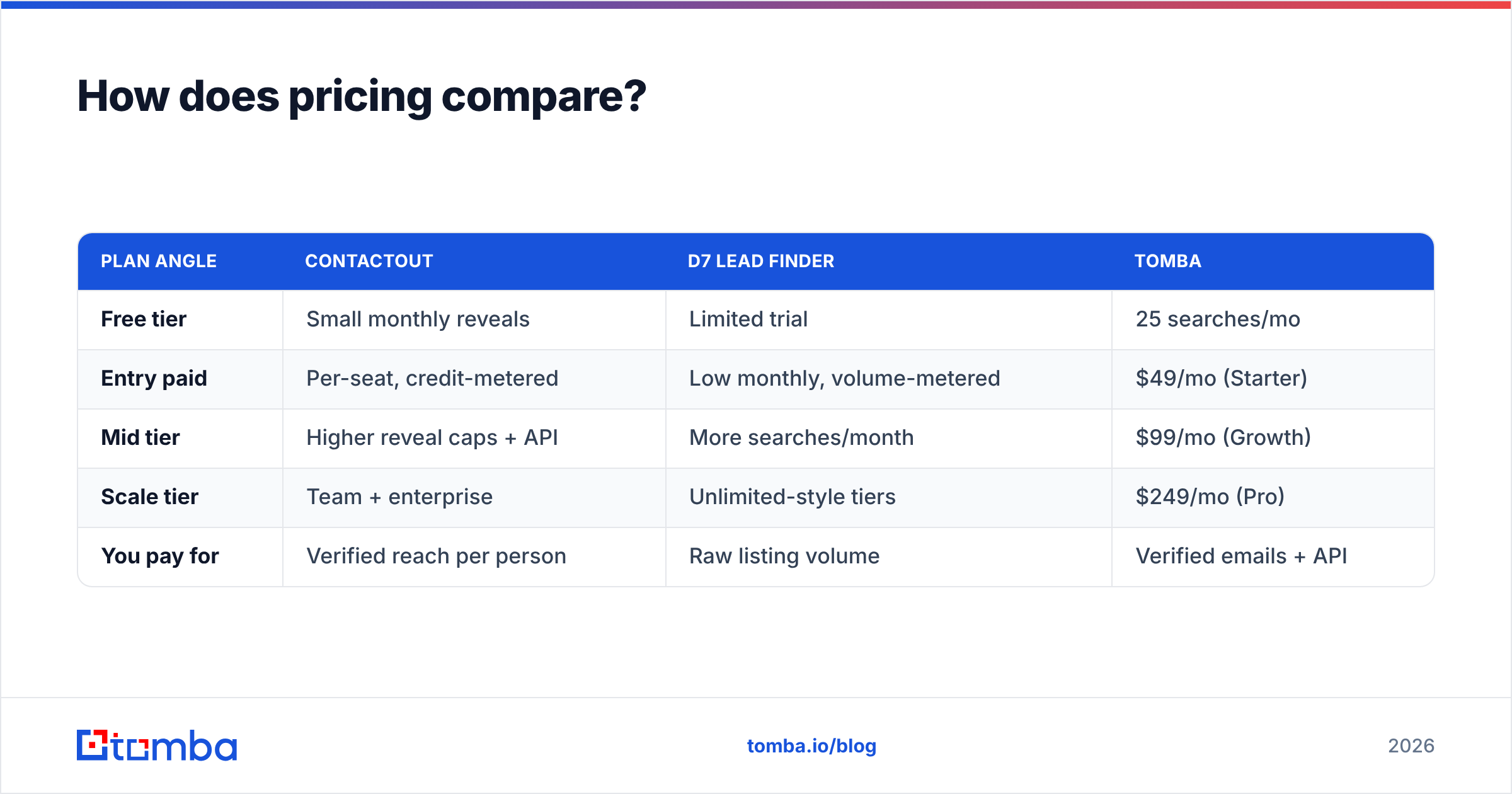
Both tools price around volume, but they meter different units — ContactOut charges per contact reveal, D7 charges per bulk search/export.
| Plan angle | ContactOut | D7 Lead Finder | Tomba |
|---|---|---|---|
| Free tier | Small monthly reveals | Limited trial | 25 searches/mo |
| Entry paid | Per-seat, credit-metered | Low monthly, volume-metered | $49/mo (Starter) |
| Mid tier | Higher reveal caps + API | More searches/month | $99/mo (Growth) |
| Scale tier | Team + enterprise | Unlimited-style tiers | $249/mo (Pro) |
| You pay for | Verified reach per person | Raw listing volume | Verified emails + API |
Two things to watch. First, D7's "unlimited" framing sounds cheap until you factor in the verification and dedup work its raw exports demand — a low sticker price hides real labor cost. Second, ContactOut's credit model can get expensive fast if your team reveals thousands of contacts a month. When you compare on cost per valid, verified contact rather than list size, the math shifts. You can sanity-check that against transparent Tomba pricing to see where a verification-first tool lands.
When should you choose ContactOut?#
Choose ContactOut when your workflow is person-first and LinkedIn-native.
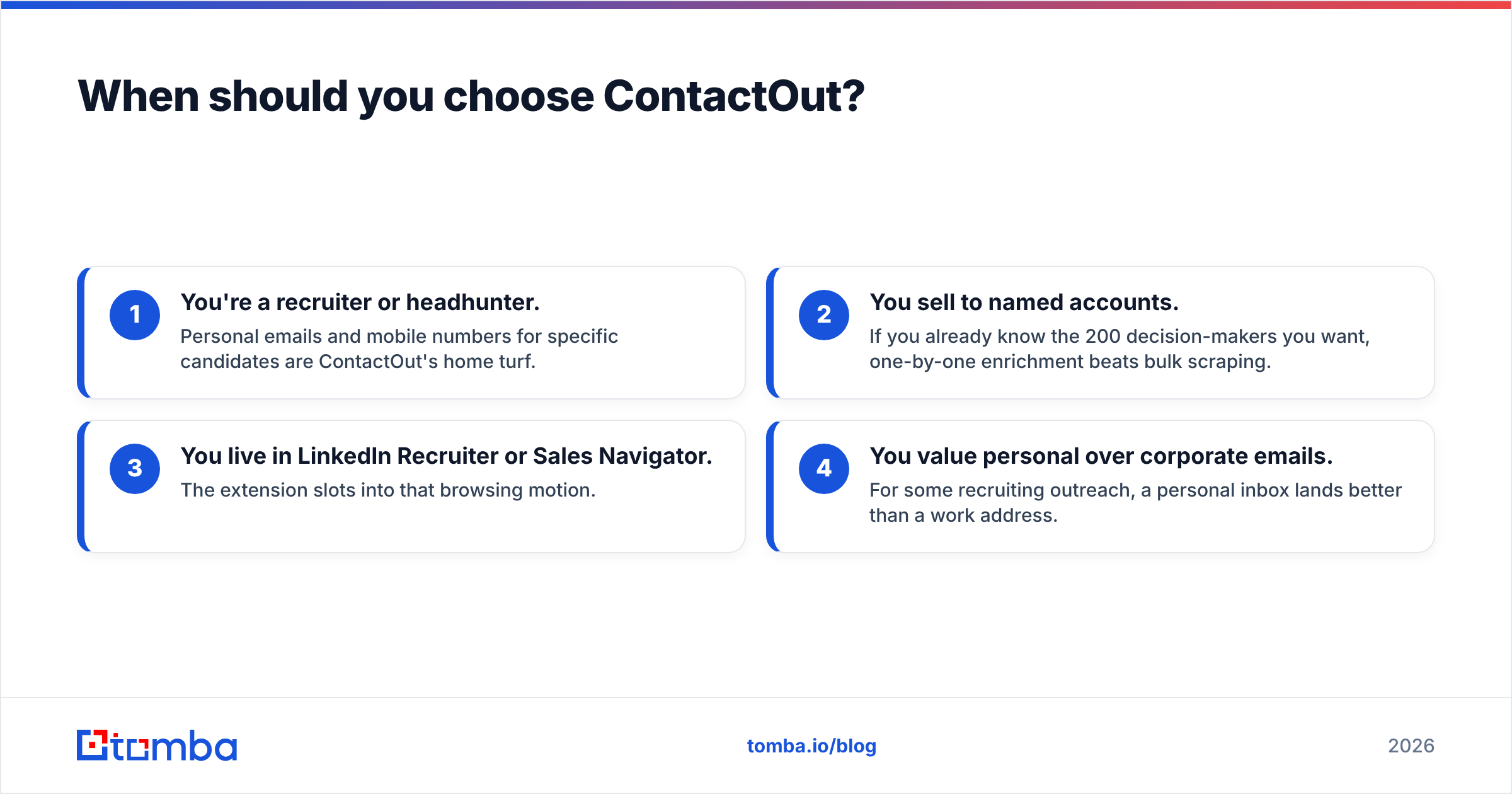
- You're a recruiter or headhunter. Personal emails and mobile numbers for specific candidates are ContactOut's home turf.
- You sell to named accounts. If you already know the 200 decision-makers you want, one-by-one enrichment beats bulk scraping.
- You live in LinkedIn Recruiter or Sales Navigator. The extension slots into that browsing motion.
- You value personal over corporate emails. For some recruiting outreach, a personal inbox lands better than a work address.
ContactOut is a poor fit if you need thousands of unknown businesses, if you're doing SMB local outreach, or if you need programmatic access on a small budget. It's a scalpel, not a net.
When should you choose D7 Lead Finder?#
Choose D7 when you need breadth over depth and you're selling to local businesses.
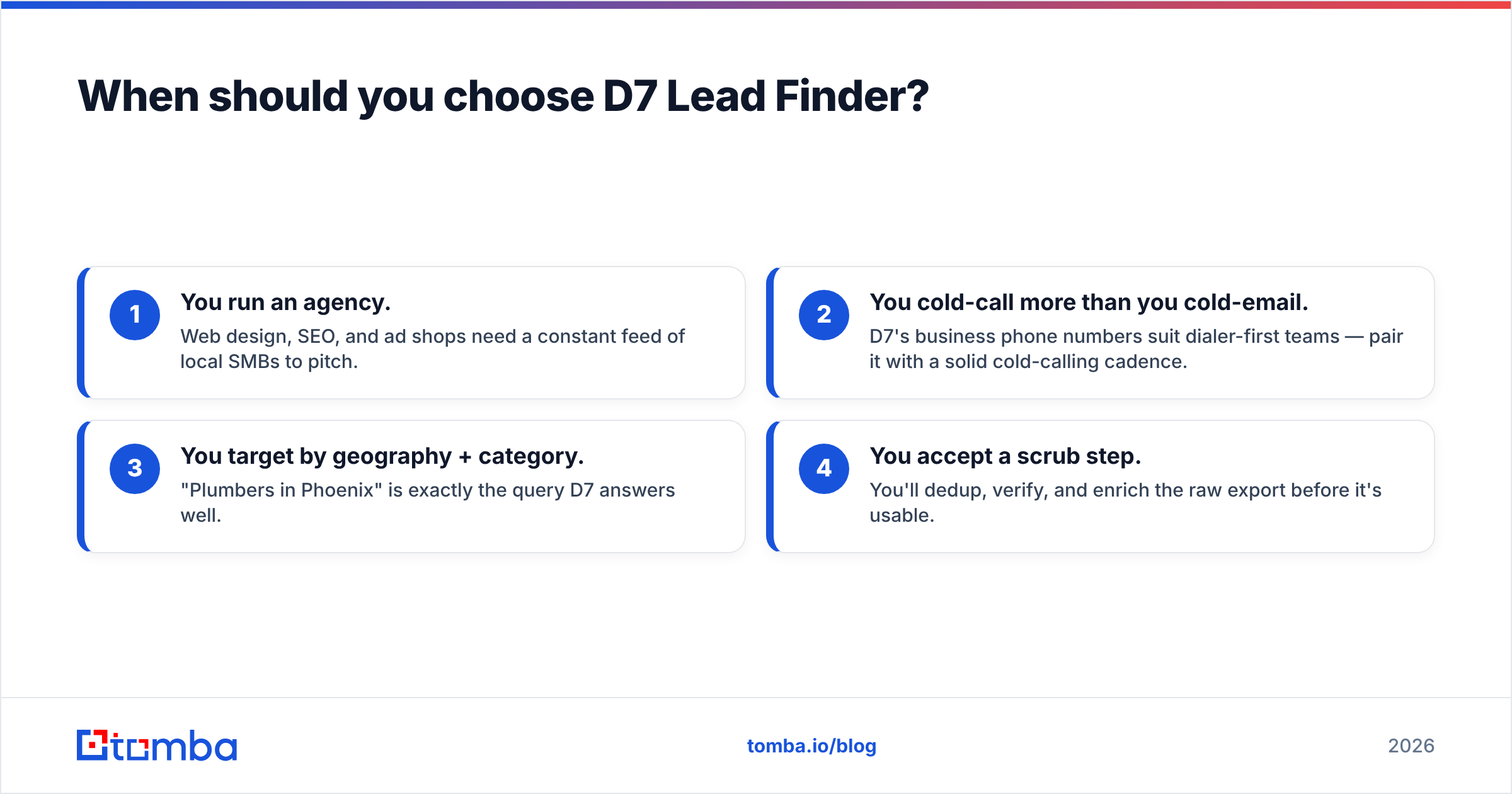
- You run an agency. Web design, SEO, and ad shops need a constant feed of local SMBs to pitch.
- You cold-call more than you cold-email. D7's business phone numbers suit dialer-first teams — pair it with a solid cold-calling cadence.
- You target by geography + category. "Plumbers in Phoenix" is exactly the query D7 answers well.
- You accept a scrub step. You'll dedup, verify, and enrich the raw export before it's usable.
D7 is a poor fit if you sell to enterprise decision-makers, if you need personal emails, or if you can't spare time to clean directory data. It's a net, not a scalpel.
Where do both tools fall short for B2B email outreach?#
Both share a gap: neither is a verification-first, API-driven email engine. If your motion is scaled B2B cold email, that gap costs you deliverability and hours.
- Verification is bolted on, not core. You'll still want a dedicated verify pass to strip bounces before you send.
- Catch-all domains slip through. Without a real catch-all finder, "valid" addresses on catch-all domains inflate your list and your bounce rate.
- API and automation are limited or gated. Wiring lead flow directly into your stack — CRM, sequencer, spreadsheet — is where an email finder API shines.
- Domain-level discovery is missing. When you want every reachable contact at a company, a domain search beats profile-by-profile reveals.
This is the honest middle ground: ContactOut and D7 are good at their niches, but a B2B seller running verified email at scale is using the wrong tool if they force either into that job. For a broader field, it's worth scanning independent reviews on G2 before committing to a seat.

How does a dedicated email finder fit alongside them?#
Think of it as a three-layer stack, not a single winner.
- Discovery layer — D7 for local-business breadth, ContactOut for LinkedIn person depth, or Tomba's domain search for company-wide contact discovery.
- Verification layer — real-time SMTP checks and catch-all verification so only valid addresses reach your sequencer.
- Automation layer — an API, bulk email finder, and native integrations that push clean contacts into your workflow without manual CSV shuffling.
Where Tomba differs from both tools is that verification and the API are the product, not add-ons. You can find emails by domain or name, verify each address, screen catch-alls, and enrich records through one interface or programmatically. For an outbound team measuring cost-per-valid-contact and protecting email deliverability, that end-to-end path is usually cheaper than paying for raw reveals or raw scrapes and rebuilding the verification step yourself.
The verdict: ContactOut vs D7 Lead Finder in 2026#
There's no universal winner — there's a right tool for your motion.
- Pick ContactOut if you're a recruiter or named-account AE who needs personal emails and mobiles for specific LinkedIn profiles.
- Pick D7 Lead Finder if you're an agency or local-service seller who needs high-volume business listings by keyword and city, and you'll clean the data.
- Pick a dedicated email finder if your job is scaled, verified B2B cold email with API automation — where both tools leave a verification-and-integration gap.
Match the tool to the shape of the lead, and don't pay for breadth you'll never verify or depth you don't need.
Ready to stop cleaning up someone else's raw data? Start with the Tomba Email Finder — find professional emails by domain, name, or company, verify every one against live SMTP, screen catch-alls, and push clean contacts straight into your stack via API. The free tier gives you 25 searches a month to test hit rate and deliverability before you commit, and paid plans start at $49/mo. Build a list that lands in the inbox, not the bounce folder.
Related guides#
Ready to find emails that actually work?
Join 150,000+ professionals who stopped guessing and started sending. Free credits on signup — no credit card required.
Get the Tomba newsletter
Practical outbound tactics and product updates — once every two weeks.
About the author