ContactOut vs Data Axle: Which B2B Data Tool Wins in 2026?
ContactOut and Data Axle solve very different data problems. This head-to-head breaks down accuracy, pricing, coverage, and the best fit for your outbound motion in 2026.
Choosing between ContactOut and Data Axle feels harder than it should, because the two tools barely play the same sport. One is a browser-first contact finder built for recruiters and SDRs living inside LinkedIn. The other is a decades-old business database sold to marketers who buy lists by the thousand. Put them side by side and the "winner" depends almost entirely on how you actually source leads.
This comparison cuts through the positioning. You'll get concrete differences in data accuracy, pricing structure, coverage, compliance, and workflow — plus an honest take on where a leaner tool like Tomba beats both.
TL;DR: ContactOut vs Data Axle at a glance#
- ContactOut is a LinkedIn-native contact finder. Best for recruiters and reps who prospect one profile at a time and want personal + work emails fast.
- Data Axle is a bulk B2B/B2C database (formerly Infogroup). Best for list buyers, direct mail, and marketers who need broad firmographic coverage at volume.
- Accuracy is the real battleground: ContactOut claims high match rates on individual lookups; Data Axle's strength is breadth, not always freshness.
- Pricing favors neither cleanly — both push you toward annual contracts and sales calls, with limited transparent self-serve tiers.
- If you mainly need verified work emails on demand without a big contract, Tomba's email finder does the core job from $49/mo with a real free tier.
What is ContactOut and who is it for?#
ContactOut started as a Chrome extension that surfaces personal and professional emails and phone numbers directly on LinkedIn and GitHub profiles. That origin still defines it. The core loop is: open a profile, click the extension, get contact details, push them to your ATS or CRM.
It leans heavily toward recruiting and one-to-one sales prospecting. Recruiters love that it often returns personal Gmail-style addresses, not just corporate ones, which matters when candidates ignore work inboxes. There's also a search portal and a data enrichment API for teams that outgrow the extension.
Where ContactOut is weakest is bulk, systematic list-building outside the LinkedIn context. If your motion is "give me every VP of Finance at 500 SaaS companies in a CSV," you're fighting the tool's grain. It shines when a human is already looking at a specific person.
What is Data Axle and who is it for?#
Data Axle (previously Infogroup / Salesgenie) is one of the oldest names in compiled business data. It maintains large B2B and B2C databases used for direct mail, telemarketing, list purchasing, and marketing analytics. Think of it less as a "find this person's email" tool and more as a "buy a segment of the market" platform.
Its strengths are breadth and firmographic depth: company counts, SIC/NAICS codes, revenue bands, consumer demographics, and multichannel contact records. Agencies, franchises, and traditional marketers who run postal and phone campaigns have relied on it for years.
The trade-off is freshness and fit for modern outbound email. Compiled databases can carry stale records, and email deliverability on bulk-purchased B2C lists is a known risk. If your team runs cold email at scale, you'll want to run everything through an email verifier before sending, regardless of source.
ContactOut vs Data Axle: the core comparison#
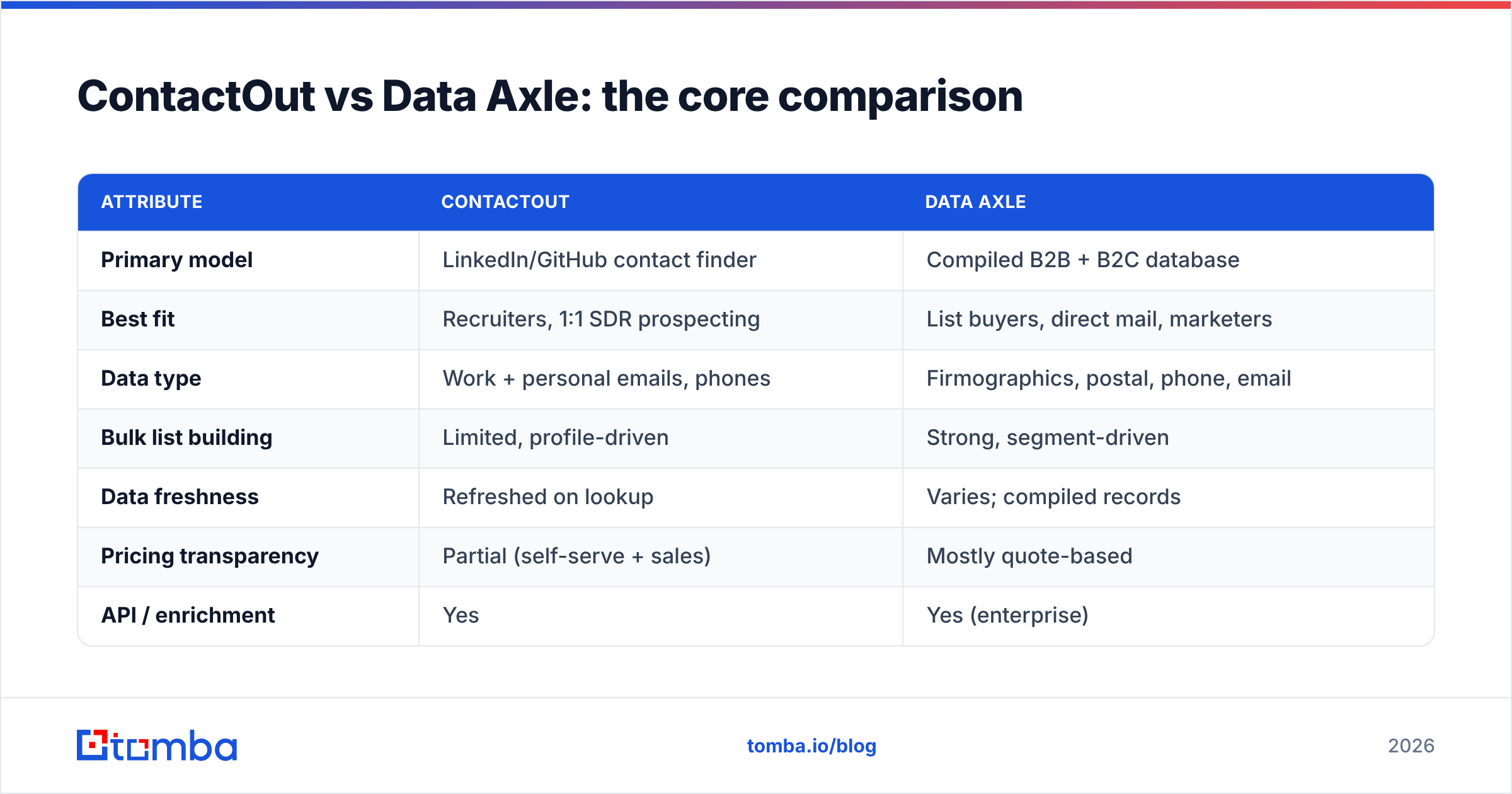
Here's the head-to-head on the attributes that actually change your results.
| Attribute | ContactOut | Data Axle |
|---|---|---|
| Primary model | LinkedIn/GitHub contact finder | Compiled B2B + B2C database |
| Best fit | Recruiters, 1:1 SDR prospecting | List buyers, direct mail, marketers |
| Data type | Work + personal emails, phones | Firmographics, postal, phone, email |
| Bulk list building | Limited, profile-driven | Strong, segment-driven |
| Data freshness | Refreshed on lookup | Varies; compiled records |
| Pricing transparency | Partial (self-serve + sales) | Mostly quote-based |
| API / enrichment | Yes | Yes (enterprise) |
| Free tier | Limited credits | No true free tier |
| Compliance posture | GDPR/CCPA claims | Long-standing compliance programs |
The pattern is clear: ContactOut wins the individual lookup, Data Axle wins the bulk segment. Neither is a drop-in replacement for the other, which is exactly why so many teams end up paying for a stack of tools that overlap.
Which tool has better data accuracy?#
Accuracy depends on what you're measuring. For a single LinkedIn profile, ContactOut typically returns a usable email more often because it triangulates from multiple sources at query time. For a 50,000-record segment, Data Axle gives you scale but a wider spread of stale rows — accuracy per record trends lower simply because compiled data ages.
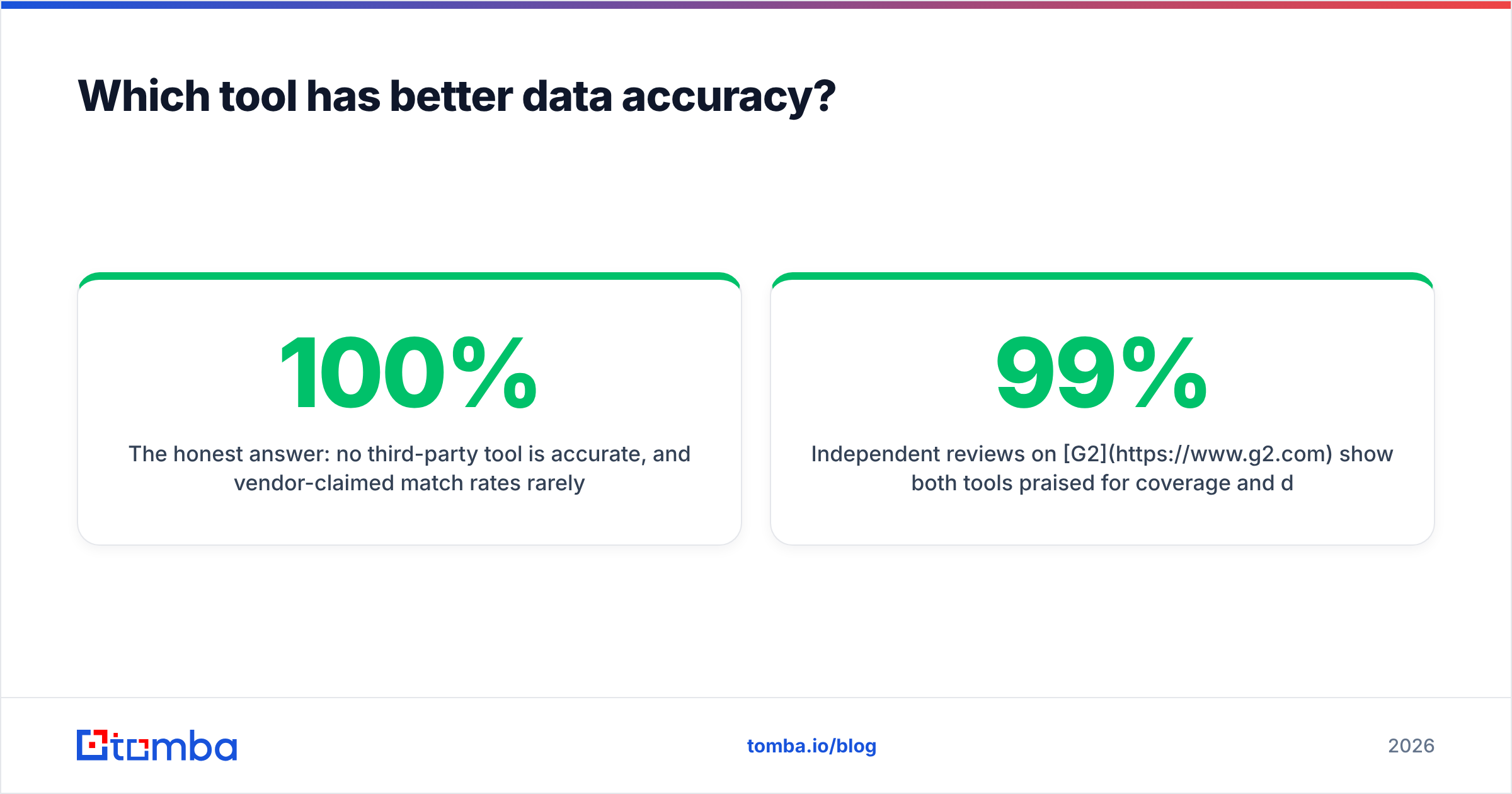
The honest answer: no third-party tool is 100% accurate, and vendor-claimed match rates rarely survive contact with your specific ICP. That's why verification is non-negotiable. Bounce rates above 3-5% start hurting your sender reputation, and both tools can produce that if you skip a verification step.

Independent reviews on G2 show both tools praised for coverage and dinged for occasional outdated records — a normal profile for data vendors. Treat any "99% accurate" claim as a ceiling under ideal conditions, not a guarantee.
How do ContactOut and Data Axle price their plans?#
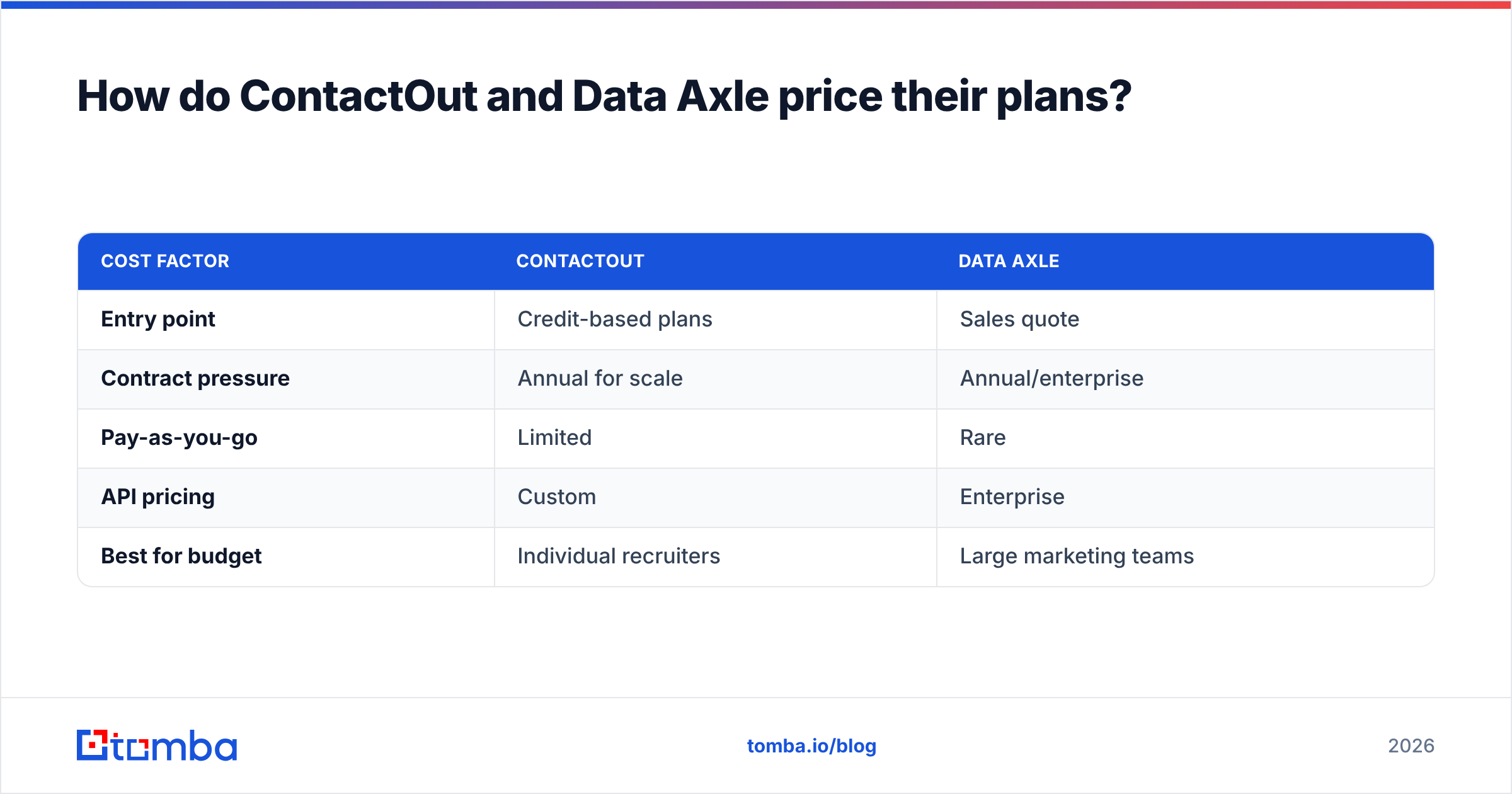
Neither vendor makes pricing effortless. ContactOut publishes some self-serve tiers but pushes teams toward annual plans and sales conversations once you need volume or API access. Data Axle is largely quote-based, with pricing tied to record counts, channels, and contract length — typical of legacy database vendors.
Here's a simplified view of how the money works in practice:
| Cost factor | ContactOut | Data Axle |
|---|---|---|
| Entry point | Credit-based plans | Sales quote |
| Contract pressure | Annual for scale | Annual/enterprise |
| Pay-as-you-go | Limited | Rare |
| API pricing | Custom | Enterprise |
| Best for budget | Individual recruiters | Large marketing teams |
If predictable, transparent pricing matters to you, both tools will frustrate a small team. This is where Tomba pricing is deliberately different: a free tier with 25 searches/mo, then Starter at $49/mo, Growth at $99/mo, and Pro at $249/mo — no mandatory sales call to start finding emails.
Is ContactOut or Data Axle better for cold email outreach?#
For modern cold email, ContactOut is the closer fit because it's built to surface work emails you can actually use in a sequence. Data Axle can supply email fields, but its heritage is direct mail and telemarketing, and B2C email from compiled lists carries higher spam and compliance risk.
That said, both approaches share the same downstream requirement:
- Verify before you send. Run every address through verification to strip catch-alls, traps, and dead inboxes. Use a catch-all verifier for domains that accept everything.
- Warm up the sending domain. No data quality survives a cold, unauthenticated domain hitting the spam folder.
- Segment tightly. Broad lists tank reply rates. Smaller, ICP-matched batches win.
- Enrich, don't just find. Titles, company size, and intent turn a raw email into a relevant message. That's where data enrichment earns its keep.

Skip step one and it doesn't matter which vendor you chose — your emails land in spam either way.
Where does Tomba fit against ContactOut and Data Axle?#
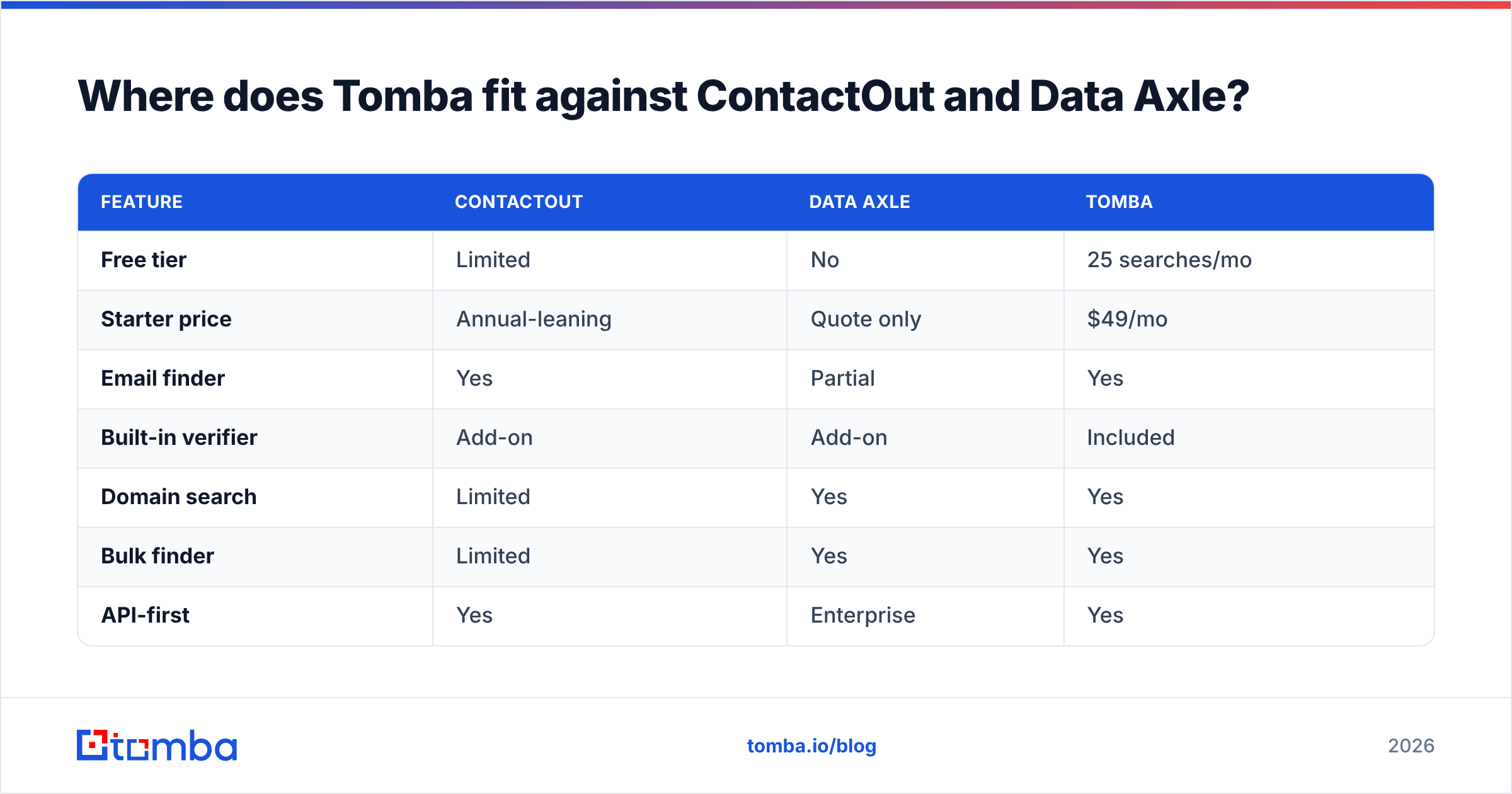
Tomba isn't trying to be a compiled marketing database like Data Axle, and it isn't a browser-only recruiter tool like ContactOut. It sits in the practical middle: a verified email finder and enrichment stack for sales, marketing, and RevOps teams who want accurate B2B emails without a contract.
| Feature | ContactOut | Data Axle | Tomba |
|---|---|---|---|
| Free tier | Limited | No | 25 searches/mo |
| Starter price | Annual-leaning | Quote only | $49/mo |
| Email finder | Yes | Partial | Yes |
| Built-in verifier | Add-on | Add-on | Included |
| Domain search | Limited | Yes | Yes |
| Bulk finder | Limited | Yes | Yes |
| API-first | Yes | Enterprise | Yes |
| Self-serve start | Partial | No | Yes |
The everyday workflow most teams actually need looks like this: find emails by name or company with the domain search, verify them, enrich with firmographics, and push to your CRM — all self-serve. You can run a bulk email finder job when you need scale, then feed clean records into your sequences.
For teams evaluating alternatives specifically, Tomba also publishes direct comparisons like its ContactOut alternative breakdown, so you can see the feature and price differences without a demo call.
How to choose between ContactOut, Data Axle, and Tomba#
Match the tool to your motion, not to the loudest marketing.
- Choose ContactOut if you're a recruiter or SDR who prospects inside LinkedIn one profile at a time and needs personal emails and phones. Its extension workflow is genuinely strong for that job.
- Choose Data Axle if you're running direct mail, telemarketing, or large multichannel campaigns and need broad compiled B2B/B2C coverage with firmographic segmentation.
- Choose Tomba if you want verified work emails on demand, transparent pricing, an included verifier, and an email finder API — without an annual contract or a mandatory sales call.
Many teams end up with two of these, not one. A common, cost-effective pattern is using Tomba as the always-on finder and verifier for daily outbound, then bringing in a specialized tool only when a specific job — deep recruiting or bulk postal lists — genuinely requires it.
Frequently asked questions#
Is ContactOut better than Data Axle? For individual, LinkedIn-driven prospecting and recruiting, ContactOut is usually the better fit. For bulk list purchasing and multichannel marketing, Data Axle's breadth wins. They serve different jobs.
Does Data Axle do cold email? Data Axle can provide email records, but its roots are direct mail and telemarketing. Always verify addresses and warm your domain before running cold email from any compiled database.
Which is more accurate, ContactOut or Data Axle? ContactOut tends to be more accurate per individual lookup; Data Axle offers more records but with wider variance in freshness. Verify everything regardless of source.
Is there a cheaper alternative to both? Yes. Tomba offers a free tier and a $49/mo Starter plan with an included verifier, which is far more accessible than the annual, quote-driven pricing of both tools.
The bottom line#
ContactOut and Data Axle are both credible — they're just built for different eras and different buyers. ContactOut is the sharp, LinkedIn-native finder for one-to-one prospecting. Data Axle is the heavyweight compiled database for volume marketing. Neither is "wrong," but neither is cheap or self-serve.
If your real need is simpler — accurate, verified B2B emails you can find today, at a price you can see up front — start with the Tomba Email Finder. Use the free tier to test it against your own ICP, verify the results, and only pay when it earns the upgrade. That's the fastest way to know which data actually converts for your team.
Related guides#
Ready to find emails that actually work?
Join 150,000+ professionals who stopped guessing and started sending. Free credits on signup — no credit card required.
Get the Tomba newsletter
Practical outbound tactics and product updates — once every two weeks.
About the author