ContactOut vs Datanyze: Which B2B Data Tool Wins in 2026?
ContactOut vs Datanyze compared on data accuracy, pricing, coverage, and workflow fit — plus a cheaper email-first alternative most teams miss.
Choosing between ContactOut and Datanyze usually comes down to one question your outbound depends on: do you need verified contact details at scale, or technographic signals that tell you who to target in the first place? They look similar in a feature grid, but they solve different halves of the prospecting problem — and paying for the wrong half is how credits get wasted.
This comparison breaks down accuracy, pricing, coverage, and workflow fit, then shows where a focused email-first tool beats both on cost per verified contact.
TL;DR — ContactOut vs Datanyze at a glance#
- ContactOut is a LinkedIn-centric contact finder. Its strength is pulling personal and work emails plus phone numbers off profiles at high match rates.
- Datanyze is a technographics and firmographics tool. Its strength is telling you what software a company runs and surfacing basic contact data as a side feature.
- They overlap on "find an email," but they are not really competitors — one is a contact database, the other is an intent/technographic signal source.
- Pricing is opaque on both. ContactOut gates real limits behind sales calls; Datanyze pushes annual commitments for meaningful credit volume.
- If your bottleneck is verified emails per dollar, a dedicated email finder like Tomba usually delivers more usable contacts at a lower, transparent price.
What is ContactOut?#
ContactOut is a Chrome-extension-first contact finder built around LinkedIn and GitHub. You browse a profile, click the extension, and it returns work emails, personal emails, and phone numbers. It also offers a web search portal and an API for programmatic lookups.
Its reputation rests on coverage of personal email addresses — the Gmail and Outlook addresses that many databases miss. For recruiters and founders doing high-touch outreach, that personal-inbox angle is the main draw. The tradeoff is that ContactOut is tightly coupled to LinkedIn workflows: outside a profile page, its value drops sharply.
What is Datanyze?#
Datanyze is a sales intelligence tool now owned by ZoomInfo, focused on technographics — detecting the technologies a website uses — alongside firmographic data like company size, revenue, and industry. It bundles a Chrome extension that surfaces contact details and company info as you browse.
Datanyze answers a different question than ContactOut. Instead of "what's this person's email," it answers "which companies use Shopify / HubSpot / Salesforce, and are therefore a fit for my product." Contact data exists, but it is a supporting act, not the headline. If you sell software that displaces or integrates with a specific stack, that technographic filter is genuinely useful for building a target list.
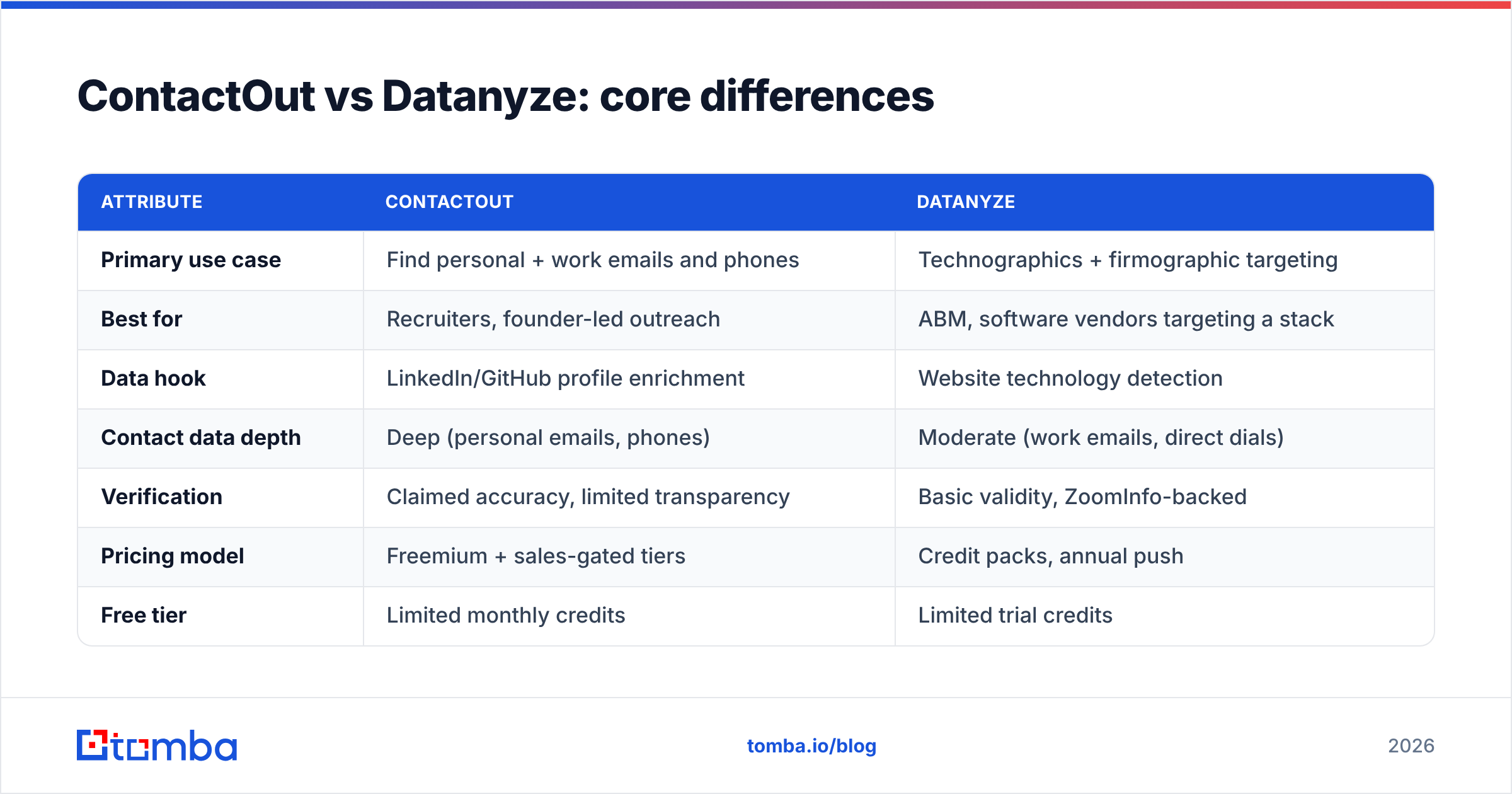
ContactOut vs Datanyze: core differences#
The fastest way to see the split is by primary job-to-be-done. One tool finds people; the other finds accounts.
| Attribute | ContactOut | Datanyze |
|---|---|---|
| Primary use case | Find personal + work emails and phones | Technographics + firmographic targeting |
| Best for | Recruiters, founder-led outreach | ABM, software vendors targeting a stack |
| Data hook | LinkedIn/GitHub profile enrichment | Website technology detection |
| Contact data depth | Deep (personal emails, phones) | Moderate (work emails, direct dials) |
| Verification | Claimed accuracy, limited transparency | Basic validity, ZoomInfo-backed |
| Pricing model | Freemium + sales-gated tiers | Credit packs, annual push |
| Free tier | Limited monthly credits | Limited trial credits |
| Standalone email finder | Yes | Secondary feature |
The honest read: pick ContactOut if the deliverable is a person's inbox, and Datanyze if the deliverable is a filtered list of accounts by technology. Trying to force one tool to do the other job is where teams overspend.
Which has better data accuracy?#
Accuracy depends on what you're measuring. ContactOut tends to win on personal email coverage because it aggregates data sources that surface non-corporate addresses. Datanyze tends to win on technographic accuracy because that is its core dataset, refreshed against live website signals.
Neither publishes independent, audited accuracy benchmarks, so treat vendor claims as marketing until you test on your own list. The reliable move is to run the same 200-contact sample through any tool you're evaluating and measure two things: match rate (how many contacts returned data) and bounce rate (how many emails actually delivered). A high match rate with a high bounce rate is worse than a modest match rate that's clean — you pay for the miss twice when a hard bounce dings your sender reputation.

That gap between "returned an email" and "email was real" is exactly why a dedicated email verifier belongs in the pipeline regardless of which finder you choose. Verification is cheap; a burned domain is not.
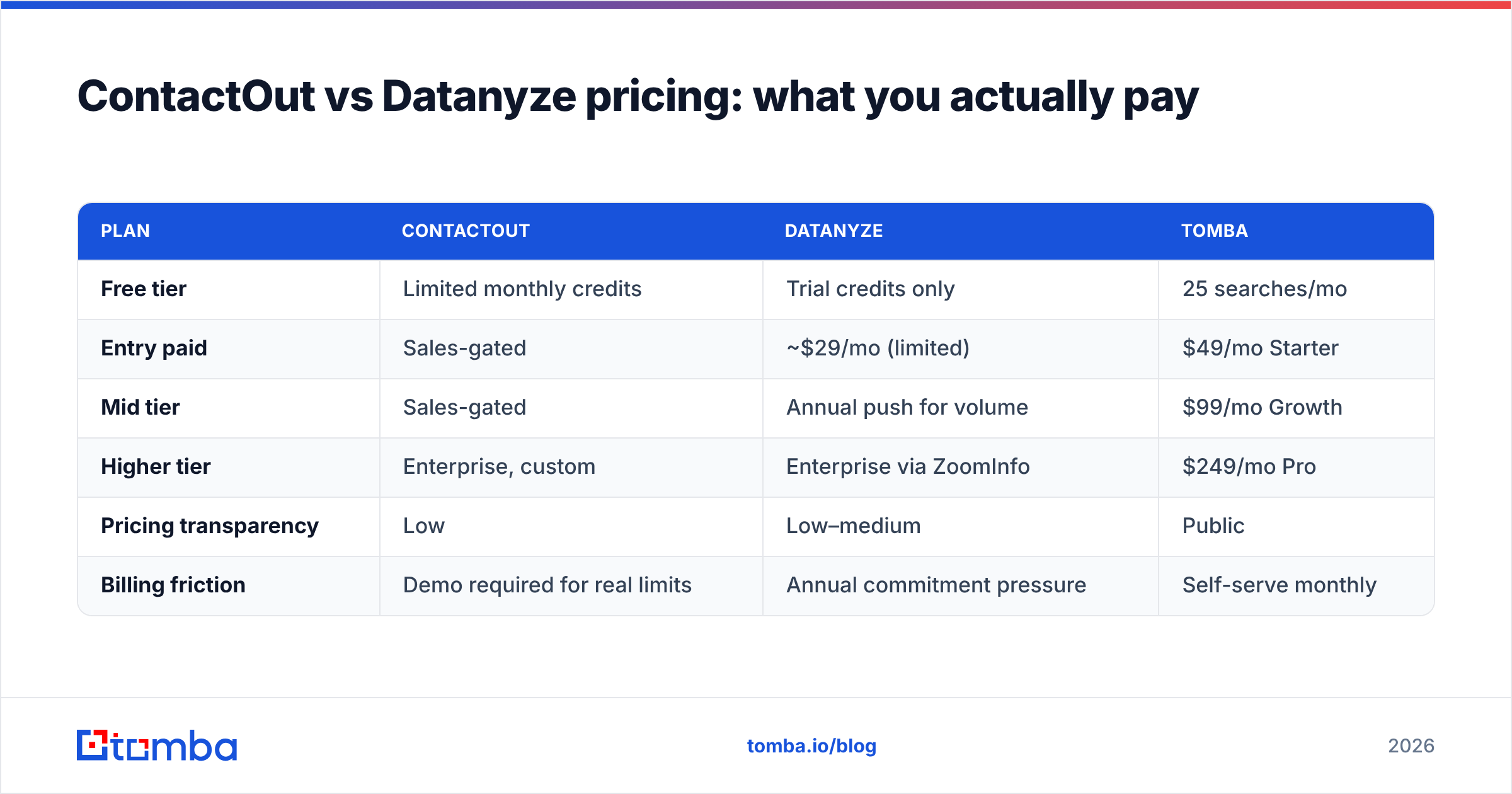
ContactOut vs Datanyze pricing: what you actually pay#
Both vendors keep real numbers behind forms, which makes budgeting frustrating. Here's the practical shape of each, plus a transparent alternative for reference.
| Plan | ContactOut | Datanyze | Tomba |
|---|---|---|---|
| Free tier | Limited monthly credits | Trial credits only | 25 searches/mo |
| Entry paid | Sales-gated | ~$29/mo (limited) | $49/mo Starter |
| Mid tier | Sales-gated | Annual push for volume | $99/mo Growth |
| Higher tier | Enterprise, custom | Enterprise via ZoomInfo | $249/mo Pro |
| Pricing transparency | Low | Low–medium | Public |
| Billing friction | Demo required for real limits | Annual commitment pressure | Self-serve monthly |
The pattern: with ContactOut and Datanyze, the sticker you see rarely matches the plan you need for real volume, and you'll likely talk to sales before you get there. If predictable, self-serve billing matters, Tomba pricing is published up front — Free (25 searches), Starter at $49/mo, Growth at $99/mo, and Pro at $249/mo — with no demo gate to see your limits.

When should you choose ContactOut?#
Choose ContactOut when your workflow lives inside LinkedIn and you need personal contact details:
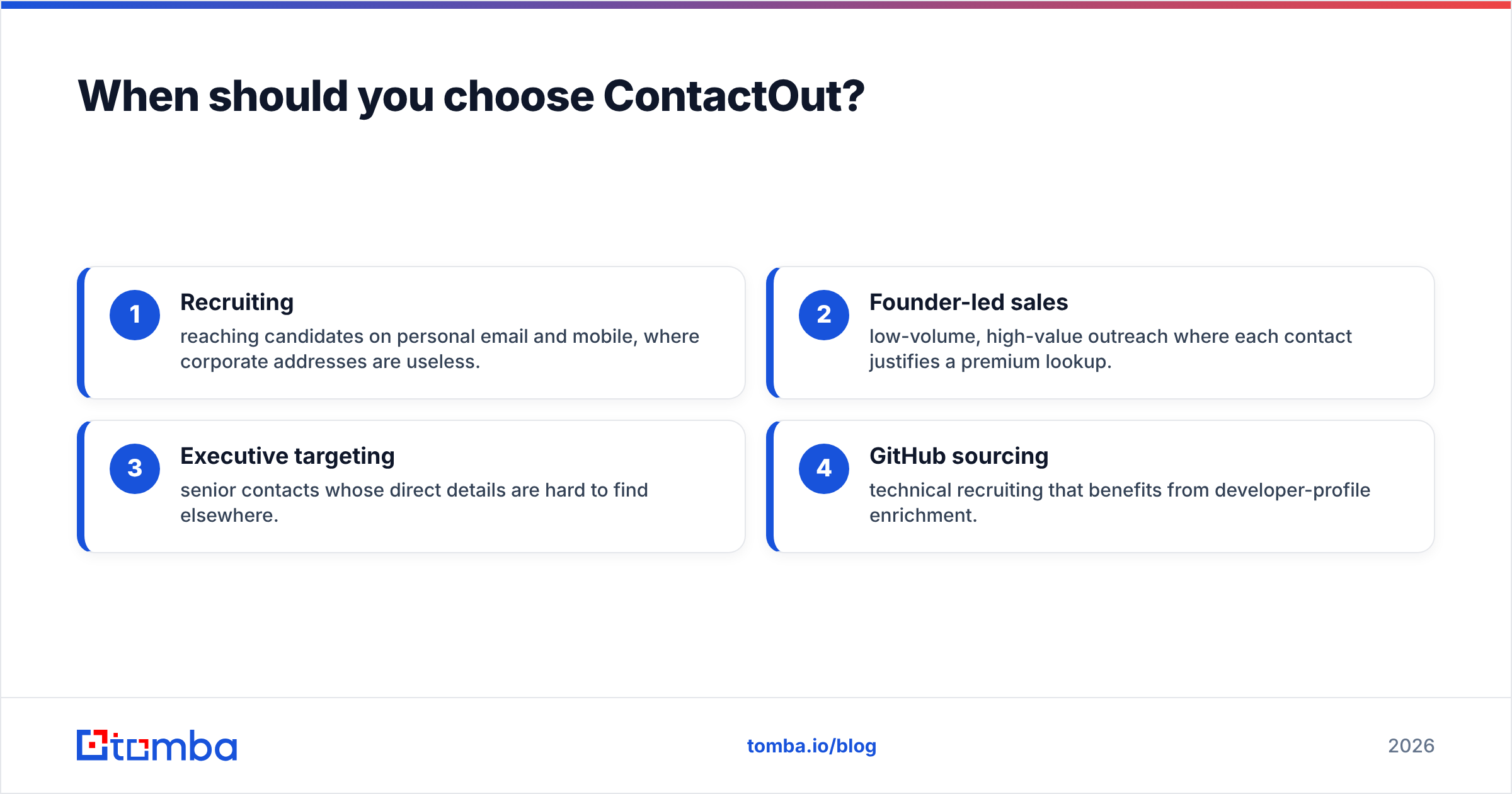
- Recruiting — reaching candidates on personal email and mobile, where corporate addresses are useless.
- Founder-led sales — low-volume, high-value outreach where each contact justifies a premium lookup.
- Executive targeting — senior contacts whose direct details are hard to find elsewhere.
- GitHub sourcing — technical recruiting that benefits from developer-profile enrichment.
If most of your work happens away from a LinkedIn tab — say, enriching a CRM export or running bulk lead generation from a domain list — ContactOut's profile-first design starts to fight you.
When should you choose Datanyze?#
Choose Datanyze when targeting is your problem, not contact retrieval:
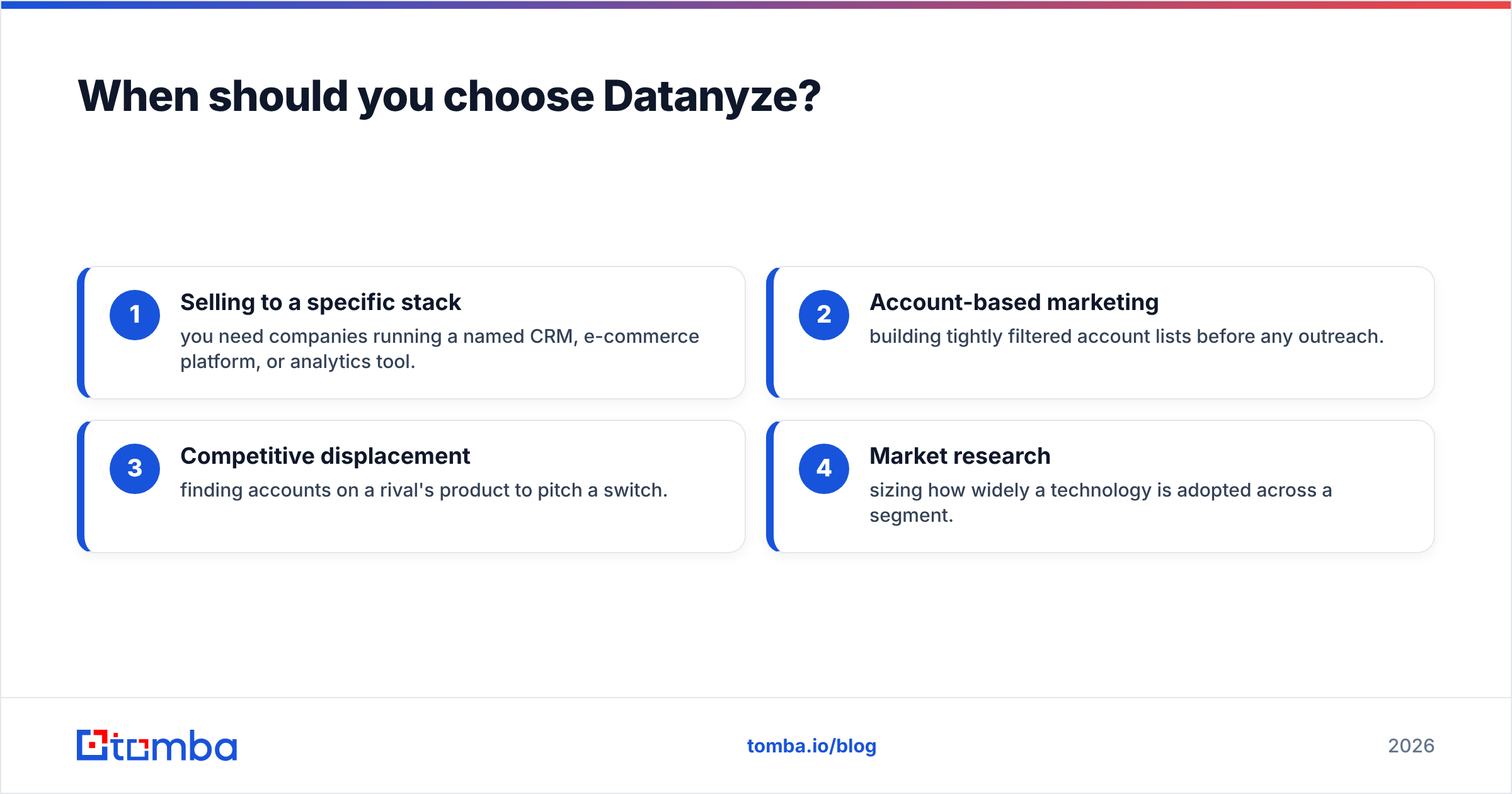
- Selling to a specific stack — you need companies running a named CRM, e-commerce platform, or analytics tool.
- Account-based marketing — building tightly filtered account lists before any outreach.
- Competitive displacement — finding accounts on a rival's product to pitch a switch.
- Market research — sizing how widely a technology is adopted across a segment.
Datanyze's contact data is fine for follow-up, but you're paying primarily for technographic signal. If you don't need that signal, you're overpaying for a feature you'll ignore.
Is there a better ContactOut or Datanyze alternative?#
For most teams whose real bottleneck is verified emails per dollar, a focused email-finder platform beats both. This is where Tomba fits: it isn't a technographics tool and it isn't LinkedIn-only — it's built to turn names, domains, and companies into deliverable, verified contact data.
Where Tomba tends to win:
- Transparent, self-serve pricing — no demo gate to learn your limits, and a genuine free tier of 25 searches to test before paying.
- Finder plus verification in one flow — pair the email finder with the built-in email verifier so you don't ship a list you haven't validated.
- Domain search — pull every discoverable address behind a company domain, not just the one profile you're viewing.
- Coverage tools — a catch-all verifier and data enrichment to fill gaps the profile-first tools leave.
- Fits existing stacks — connect through the Tomba API or native integrations instead of living inside one browser tab.

None of this makes ContactOut or Datanyze bad tools. ContactOut is strong for personal-email recruiting; Datanyze is strong for technographic targeting. But if you keep reaching for a "find the email" button and don't need those specialties, you're paying premium prices for capabilities you never use.
How to decide in five minutes#
Run this quick filter against your actual pipeline:
| Your primary need | Best fit |
|---|---|
| Personal emails + phones off LinkedIn | ContactOut |
| Companies filtered by technology used | Datanyze |
| Verified work emails at predictable cost | Tomba |
| High-volume domain-based list building | Tomba |
| ABM signal + contact in one tool | Datanyze, then verify |
Whatever you pick, add a verification step before you send. The tool that returns the most emails is not the tool that protects your email deliverability — that's a separate, non-negotiable stage. You can confirm vendor claims independently on review platforms like G2 and check each tool's own documentation (ContactOut, Datanyze) before committing budget.
Frequently asked questions#
Is ContactOut or Datanyze more accurate? ContactOut generally has broader personal-email coverage; Datanyze is more accurate for technographic data. Neither publishes audited benchmarks, so test both on your own sample and measure delivery, not just match rate.
Do ContactOut and Datanyze compete directly? Only partially. ContactOut is a contact finder; Datanyze is a sales-intelligence and technographics tool. They overlap on "find an email" but serve different core jobs.
Why is pricing so hard to compare? Both gate meaningful limits behind sales conversations or annual commitments. Transparent, monthly self-serve pricing — like Tomba's published $49–$249/mo tiers — is easier to budget against.
Can I use one of these plus a verifier? Yes, and you should. Run any finder's output through an email verifier to catch invalid and catch-all addresses before they bounce.
The bottom line#
ContactOut and Datanyze both do one thing well and the other thing as an afterthought. Match the tool to your real bottleneck: ContactOut for personal-email recruiting inside LinkedIn, Datanyze for technographic account targeting. But if what you actually need is verified work emails at a price you can predict and scale, start with a purpose-built email-first platform.
Try the Tomba Email Finder free — 25 searches a month, transparent pricing from $49/mo, and finder-plus-verifier in one workflow. Test it on the same list you'd hand ContactOut or Datanyze, compare deliverable contacts per dollar, and let the bounce rate settle the argument.
Related guides#
Ready to find emails that actually work?
Join 150,000+ professionals who stopped guessing and started sending. Free credits on signup — no credit card required.
Get the Tomba newsletter
Practical outbound tactics and product updates — once every two weeks.
About the author