ContactOut vs EmailValidation.io: Which One Do You Need?
ContactOut finds contacts; EmailValidation.io verifies them. They solve different problems—so comparing them head-to-head only makes sense once you know which job you're hiring for.
Most "ContactOut vs EmailValidation.io" comparisons make a quiet mistake. They treat these two tools as rivals. They aren't. One finds email addresses and phone numbers from LinkedIn and the web. The other checks whether an email is real and can receive mail. Putting them in the same ring is like comparing a fishing rod to a scale. You use both — just at different moments, for different reasons.
This guide untangles the two. It shows where each one earns its price. And it helps you decide what you need: a finder, a verifier, both, or a single platform that does the whole job.
TL;DR#
- ContactOut is a contact finder. It surfaces personal and work emails plus phone numbers. Most of that data comes from LinkedIn profiles and a large stored database. You use it to get contact data.
- EmailValidation.io is a verification API. It takes emails you already have. Then it tells you if they're valid, risky, disposable, or dead. You use it to clean contact data.
- They are complementary, not competitive. A realistic stack needs both a finder and a verifier.
- ContactOut wins for LinkedIn-heavy recruiting and sourcing. EmailValidation.io wins as a lightweight, developer-friendly verification endpoint.
- If you'd rather not juggle two vendors, an all-in-one platform like Tomba covers finding and verifying under one login and one bill.
What does ContactOut actually do?#
ContactOut is a contact-intelligence tool. It is built around a Chrome extension and a web app. Its core promise is simple: pull emails and phone numbers off LinkedIn profiles. It also offers a searchable database of companies and people for list-building. Recruiters are its core audience. The product is tuned for sourcing candidates and reaching them directly.
Where it shines:
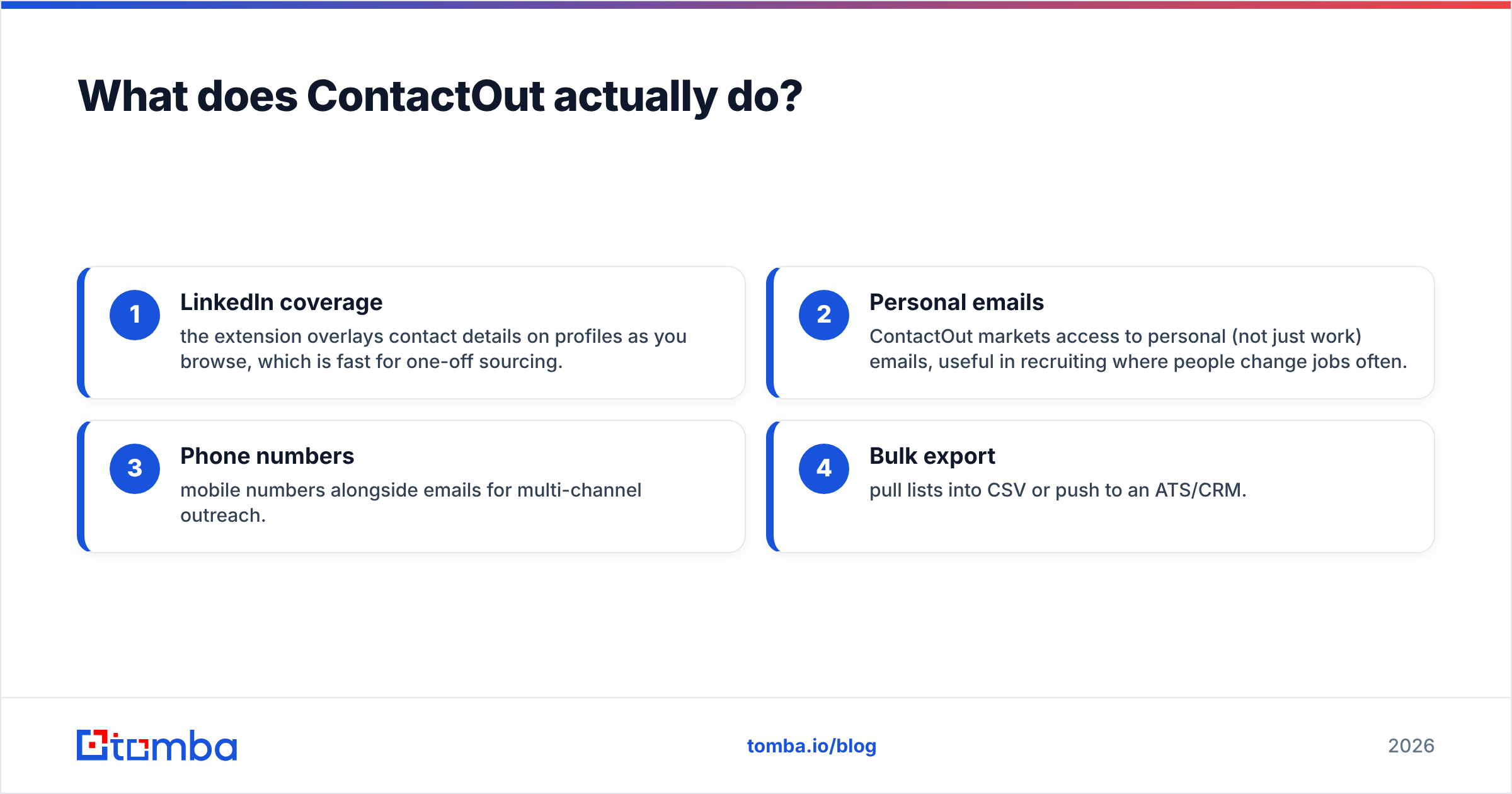
- LinkedIn coverage — the extension shows contact details on profiles as you browse. That is fast for one-off sourcing.
- Personal emails — ContactOut markets access to personal emails, not just work ones. That helps in recruiting, where people change jobs often.
- Phone numbers — mobile numbers sit alongside emails for multi-channel outreach.
- Bulk export — pull lists into CSV or push them to an ATS or CRM.
What it is not: a dedicated verification service. ContactOut does basic validity signaling. But it is not built to be a high-volume, standalone email-verification API. Say your problem is "I have 200,000 emails and need to know which will bounce." Then ContactOut is the wrong shape of tool.

What does EmailValidation.io actually do?#
EmailValidation.io is a single-purpose verification API. You send it an email address. It returns a structured verdict: syntax check, MX record lookup, SMTP check, disposable-domain detection, role-account flags (like info@ or sales@), and a deliverability score. It is a developer-first product. You get a clean REST endpoint, predictable JSON, and pay-as-you-go pricing.
Where it shines:
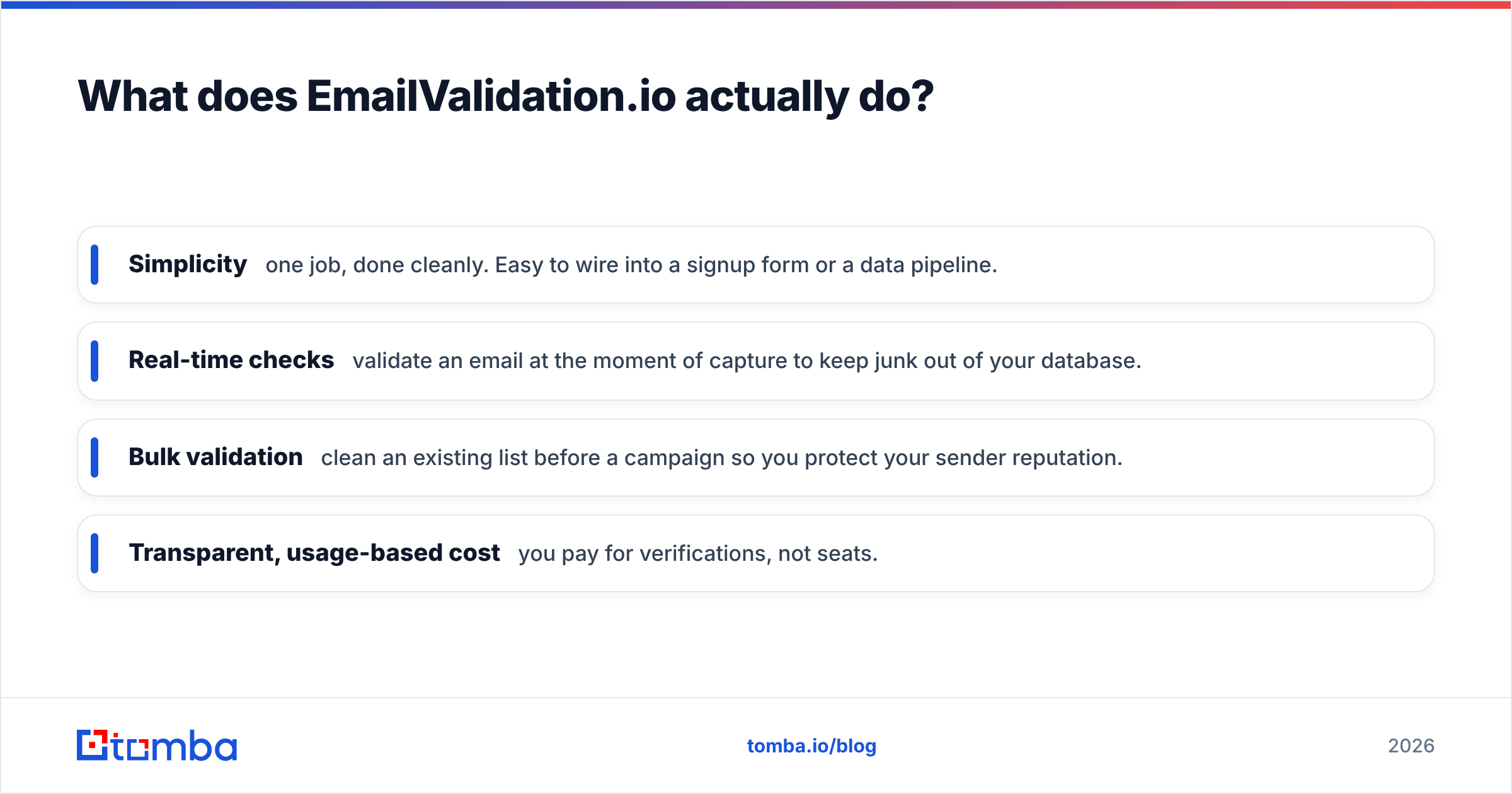
- Simplicity — one job, done cleanly. It is easy to wire into a signup form or a data pipeline.
- Real-time checks — validate an email the moment you capture it. That keeps junk out of your database.
- Bulk validation — clean an existing list before a campaign. That protects your sender reputation.
- Transparent, usage-based cost — you pay for verifications, not seats.
What it is not: a data source. EmailValidation.io will never give you an email address. It only judges the ones you bring. If you have no list yet, a verifier alone leaves you with nothing to send.
This is the crux of the whole comparison. It is also why "which is better" is the wrong question. The right question is simpler: which job are you hiring for this week?
ContactOut vs EmailValidation.io: side-by-side#
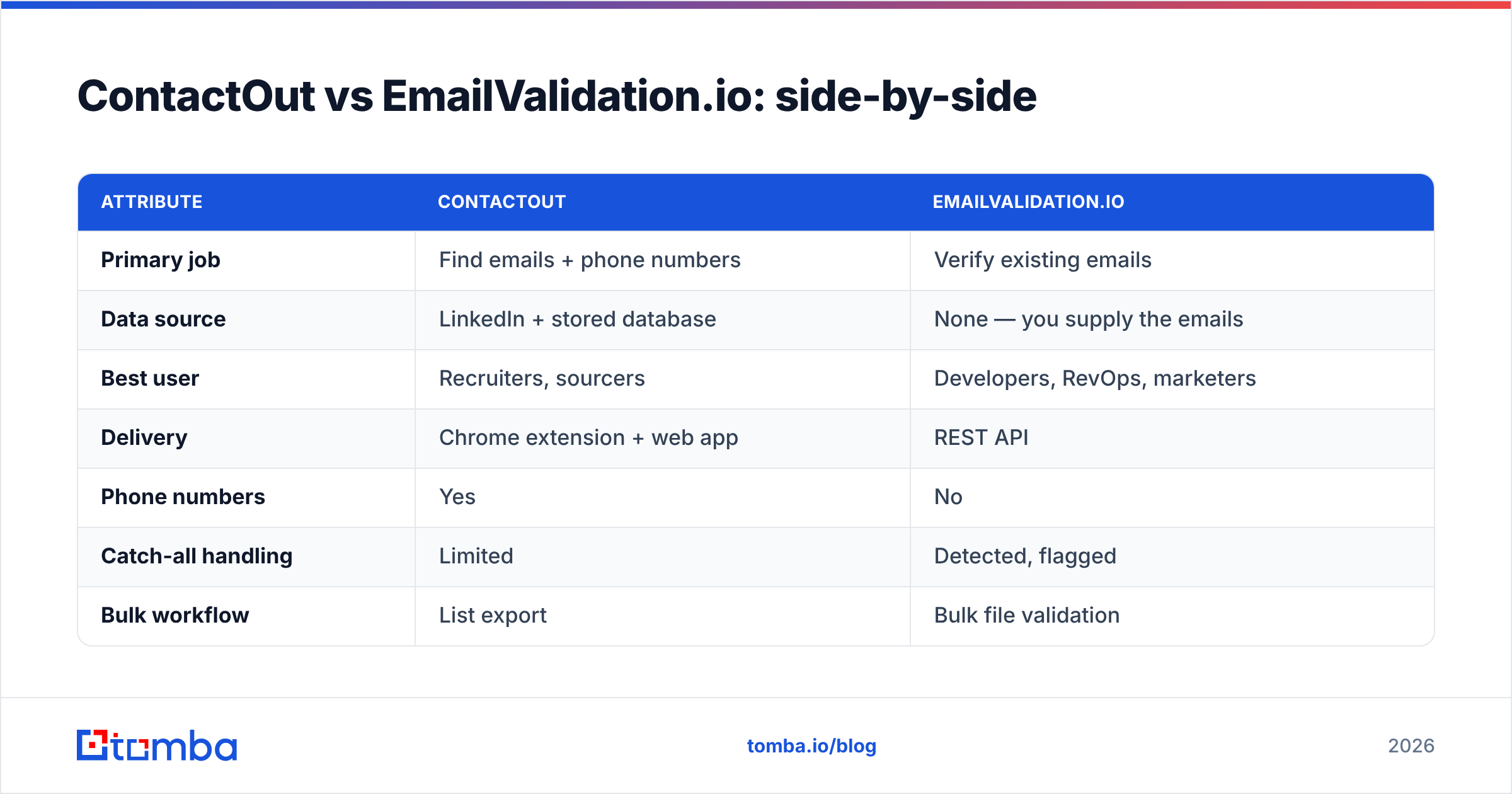
| Attribute | ContactOut | EmailValidation.io |
|---|---|---|
| Primary job | Find emails + phone numbers | Verify existing emails |
| Data source | LinkedIn + stored database | None — you supply the emails |
| Best user | Recruiters, sourcers | Developers, RevOps, marketers |
| Delivery | Chrome extension + web app | REST API |
| Phone numbers | Yes | No |
| Catch-all handling | Limited | Detected, flagged |
| Bulk workflow | List export | Bulk file validation |
| Pricing model | Seat-based tiers | Usage-based credits |
| Free option | Limited free credits | Free trial credits |
| Gets you new leads | Yes | No |
Read that table one more time and the pattern is obvious. The two rows that matter most are "Data source" and "Gets you new leads." That is exactly where the tools don't overlap. So you almost never choose between them. You either need one, the other, or a workflow that chains them.
When should you pick ContactOut?#
Pick ContactOut if your bottleneck is getting contact data, and your workflow lives on LinkedIn.
- You're a recruiter sourcing 50–100 candidates a week. You want personal emails and mobiles without leaving a profile.
- You run agency sourcing, where speed-per-profile matters more than large batch exports.
- You need phone numbers as a first-class channel, not an afterthought.
Watch-outs: seat-based pricing gets expensive as your team grows. Coverage and accuracy also vary by region and seniority, as with every finder. And you'll still need a verification step before any cold campaign to avoid bounces. ContactOut's own validity signals are not a substitute for a dedicated email verifier.
When should you pick EmailValidation.io?#
Pick EmailValidation.io if your bottleneck is trusting the data you already have.
- You're a developer who needs a clean verification endpoint behind a signup form.
- You're in RevOps, cleaning a CRM export before syncing to an ESP.
- You send high volume, and every point of bounce rate hurts your sender reputation.
Watch-outs: it does nothing to build your list. Catch-all domains also stay uncertain for any verifier (more on that below). And if you also need finding, you're now managing a second vendor, a second invoice, and a second integration.
Why do you often need both — and what breaks when you only have one?#
Here's the real-world sequence for cold outreach:
- Find the prospect's email (a finder's job).
- Verify it's deliverable (a verifier's job).
- Send and monitor bounces.
Skip step 1 and you have a spotless verifier with nothing to verify. Skip step 2 and you blast unverified addresses. Your bounce rate spikes. And you torch your domain's email deliverability. Neither ContactOut nor EmailValidation.io covers both steps well on its own. So the honest answer to "which one" is often "both, plus the glue to connect them."
That two-vendor reality is where a lot of teams quietly overspend. Two subscriptions, two rate limits, two support queues, and a CSV shuffle in between.

How does an all-in-one platform change the math?#
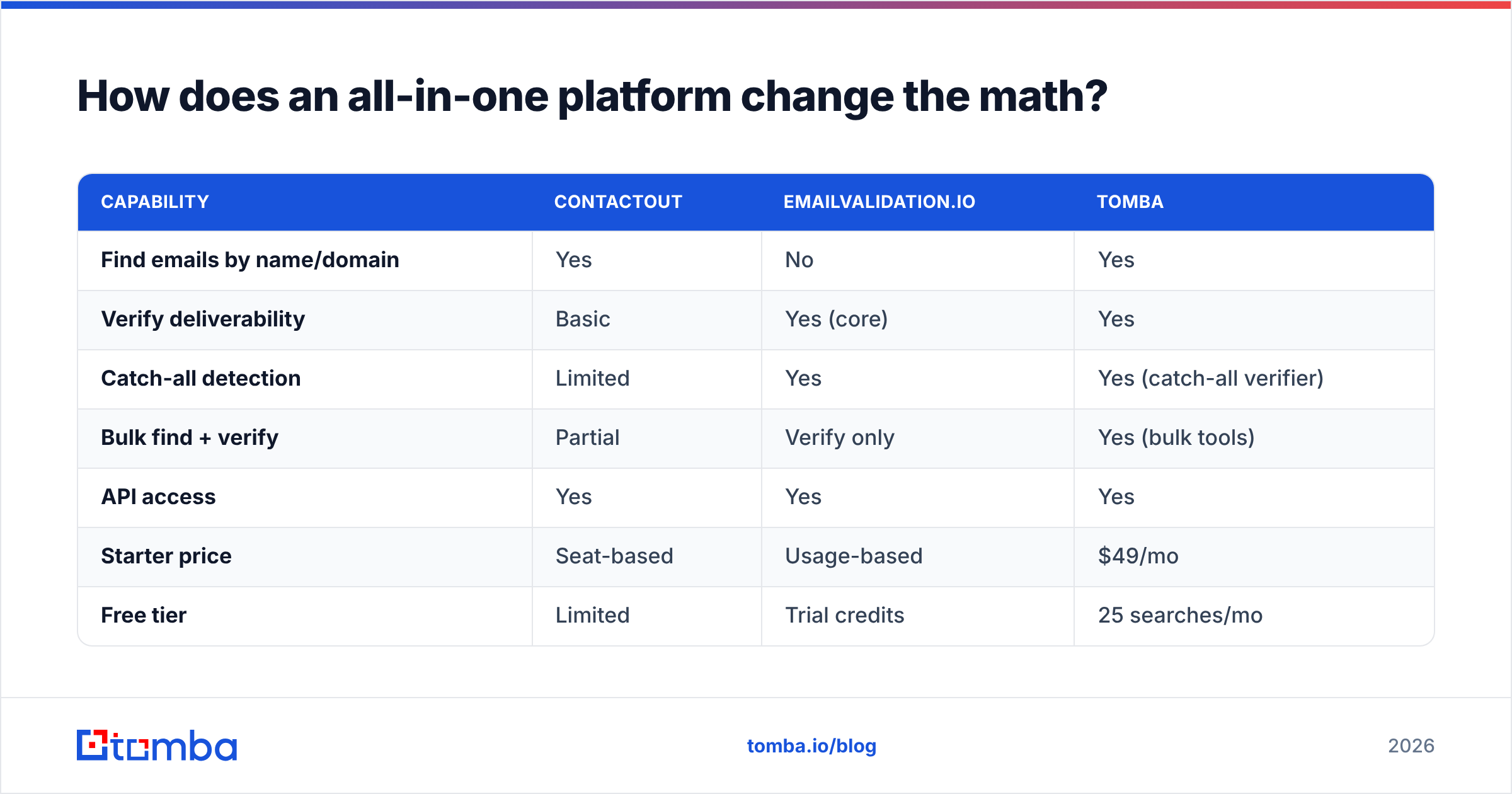
An integrated platform collapses find-and-verify into one workflow. You don't export from a finder and import into a verifier. Instead, the email is found and validated in the same pass. This is where Tomba fits the comparison. It is not a like-for-like clone of either tool. It is the platform that does both jobs the two-tool stack is trying to stitch together.
| Capability | ContactOut | EmailValidation.io | Tomba |
|---|---|---|---|
| Find emails by name/domain | Yes | No | Yes |
| Verify deliverability | Basic | Yes (core) | Yes |
| Catch-all detection | Limited | Yes | Yes (catch-all verifier) |
| Bulk find + verify | Partial | Verify only | Yes (bulk tools) |
| API access | Yes | Yes | Yes |
| Starter price | Seat-based | Usage-based | $49/mo |
| Free tier | Limited | Trial credits | 25 searches/mo |
Tomba's pricing is straightforward. There's a free tier at 25 searches/month, Starter at $49/mo, Growth at $99/mo, Pro at $249/mo, and custom Enterprise. You can see full Tomba pricing before committing. The point isn't that Tomba beats ContactOut at LinkedIn sourcing. Nor that it beats EmailValidation.io at raw verification throughput on every axis. It's that for most B2B teams, one bill and one workflow beats maintaining two specialized tools that each solve half the problem.
What about catch-all domains — the thing every verifier struggles with?#
Catch-all (or "accept-all") domains accept mail to any address. So a verifier can't confirm whether a specific mailbox exists without sending. This is a genuine limit for EmailValidation.io, for ContactOut's validity signals, and for every other tool. Nobody has magic here. What separates good tools from weak ones is honesty: they flag catch-alls as uncertain rather than falsely mark them "valid."
Are catch-alls a big share of your list? That's common in enterprise and education domains. If so, lean on a dedicated catch-all verification step. Treat "risky/accept-all" as its own bucket. Send to it more cautiously, warm up first, and watch bounce signals closely. Don't let any vendor tell you catch-alls are a solved problem. They aren't.
How do the pricing models really compare?#
The two tools don't just differ in function. They also differ in how they bill, which changes who they suit.
- ContactOut uses seat-based tiers. That's predictable if your team size is stable. It's punishing if you scale headcount or only need occasional sourcing.
- EmailValidation.io uses usage-based credits. You pay per verification. That's efficient for spiky workloads but harder to forecast at high, steady volume.
- Tomba blends search credits across finding and verifying in one plan. So a single budget line covers the whole workflow.
Run the numbers against your actual monthly volume, not the headline price. A "cheap" seat that only half-solves your problem forces a second subscription. That is rarely cheaper than one platform. Also check third-party reviews on G2 for how each tool's billing behaves at scale. Usage-based pricing surprises are a common complaint across the category.
Which should you choose? A quick decision guide#
- You source on LinkedIn all day and need phones → start with ContactOut (contactout.com), and add a verifier before campaigns.
- You only need to validate emails you already collect → EmailValidation.io (emailvalidation.io) is a clean, cheap fit.
- You need to find and verify B2B emails without running two tools → an integrated platform like Tomba is the simpler, usually cheaper path.
- You're a developer wiring email checks into a product → compare EmailValidation.io's API against the Tomba API, which also gives you finding endpoints in the same key.
There's no universal winner, because they're not playing the same sport. The winner is whichever tool matches the job in front of you. And if that job is the whole funnel from discovery to deliverability, one vendor beats two.
The bottom line#
ContactOut and EmailValidation.io are both good at their one thing. ContactOut finds contacts. EmailValidation.io verifies them. Comparing them "head-to-head" only helps once you accept they're two halves of the same workflow. Most teams that start with one end up buying the other. Or they replace both with a single platform.
If you'd rather skip the two-vendor shuffle, try the Tomba Email Finder. Find verified professional emails by name, domain, or company. Validate them in the same pass. And keep your bounce rate — and your sender reputation — where it belongs. Start on the free tier with 25 searches a month. Then scale to the $49/mo Starter plan only when you're ready. One login, one workflow, one bill for the whole find-and-verify job.
Related guides#
Ready to find emails that actually work?
Join 150,000+ professionals who stopped guessing and started sending. Free credits on signup — no credit card required.
Get the Tomba newsletter
Practical outbound tactics and product updates — once every two weeks.
About the author