ContactOut vs GMass: Which B2B Outreach Tool Wins in 2026?
ContactOut finds emails from LinkedIn; GMass sends cold campaigns from Gmail. They solve different problems—here's how they compare, and where a combined stack quietly beats both.

Most "ContactOut vs GMass" comparisons get one thing wrong: they treat the two tools as rivals. They aren't. One finds the email address. The other sends the email. Put them head-to-head on a spec sheet and you end up comparing a drill to a hammer.
This guide fixes that. You'll see exactly what each tool does well, where they overlap (barely), where they don't, and how to decide which one—or which combination—actually moves your reply rate in 2026.
TL;DR — ContactOut vs GMass in 30 seconds#
- ContactOut is a data tool. It pulls emails and phone numbers off LinkedIn profiles so you can build a prospect list. It does not send campaigns.
- GMass is a sending tool. It turns Gmail into a cold-email and mail-merge engine with sequences, tracking, and auto follow-ups. It does not find emails.
- They're complementary, not competitive. A real outbound workflow needs both a finder and a sender—plus verification in between so you don't torch your domain.
- The weak link is data quality. GMass sends whatever list you feed it, so bad emails from any finder = bounces and blacklists. Verified data matters more than the sending tool.
- Best-fit pick: use a dedicated finder like the Tomba Email Finder for verified addresses, then send through GMass (or any sender). You get accuracy plus deliverability instead of betting on one vendor for everything.
What is ContactOut and what does it actually do?#
ContactOut is a B2B contact-data platform built around LinkedIn. Its core job is simple: you find a person on LinkedIn (or Sales Navigator), click the extension, and ContactOut surfaces their personal and work email plus a phone number where it has one.
Think of it as a Rolodex that reads LinkedIn for you. Reps use it to turn a list of target profiles into a list of reachable contacts. It also offers a search portal and CRM-style exports, but the LinkedIn Chrome extension is what people pay for.
What ContactOut does not do: it doesn't send emails, run sequences, warm up your inbox, or track opens on a campaign. Once you've pulled the contact, you export it and take it somewhere else to actually reach out. That "somewhere else" is often a tool like GMass.
What is GMass and who is it for?#
GMass lives inside Gmail. Install it, and your compose window gains mail-merge, cold-email sequences, open and click tracking, auto follow-ups that stop when someone replies, and the ability to send to large lists straight from a Google Sheet.
It's popular with solo founders, agencies, and small sales teams who already run on Google Workspace and don't want a heavyweight platform like Outreach or Salesloft. You paste or connect a list, write your template with {{FirstName}} merge tags, and GMass handles the send, throttling, and follow-up logic.
What GMass does not do: it doesn't find or verify email addresses for you. If your list is full of guessed or stale addresses, GMass will cheerfully send to all of them—and your bounce rate, sender reputation, and inbox placement will pay for it. GMass sends; sourcing clean data is on you.
ContactOut vs GMass: the core difference in one table#
Here's the comparison that actually matters—not feature-for-feature, but job-to-be-done.
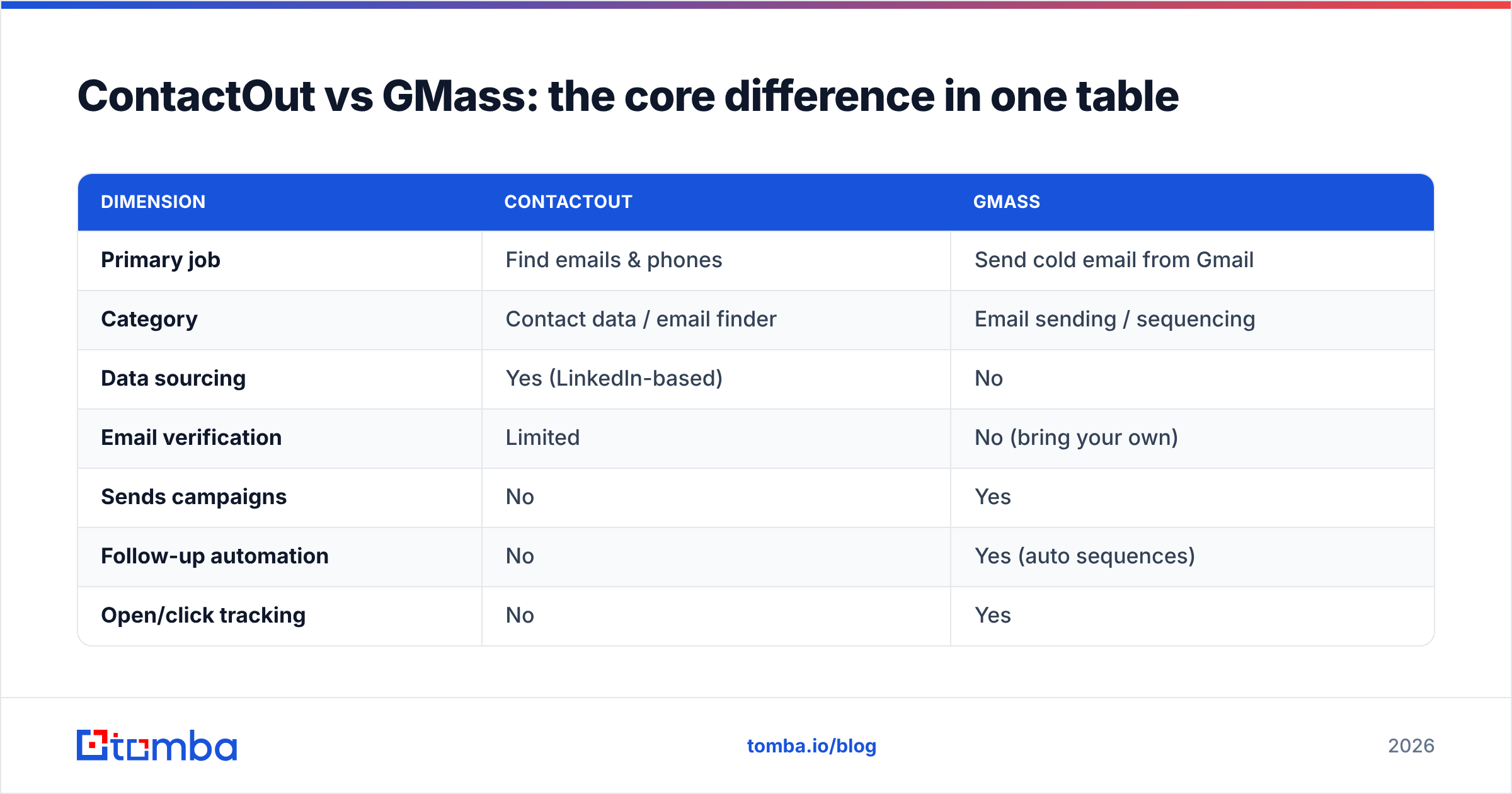
| Dimension | ContactOut | GMass |
|---|---|---|
| Primary job | Find emails & phones | Send cold email from Gmail |
| Category | Contact data / email finder | Email sending / sequencing |
| Data sourcing | Yes (LinkedIn-based) | No |
| Email verification | Limited | No (bring your own) |
| Sends campaigns | No | Yes |
| Follow-up automation | No | Yes (auto sequences) |
| Open/click tracking | No | Yes |
| Lives where | Chrome + web app | Inside Gmail |
| Best for | List building | Outreach execution |
| Free tier | Limited credits | Trial + free tier limits |
Read that table and the "versus" framing collapses. These tools sit at different stages of the same pipeline: ContactOut fills the top (data), GMass runs the bottom (delivery). The question isn't "which is better," it's "which stage is your bottleneck—and is your data actually good enough to send?"

Do you even need both? Mapping the outbound pipeline#
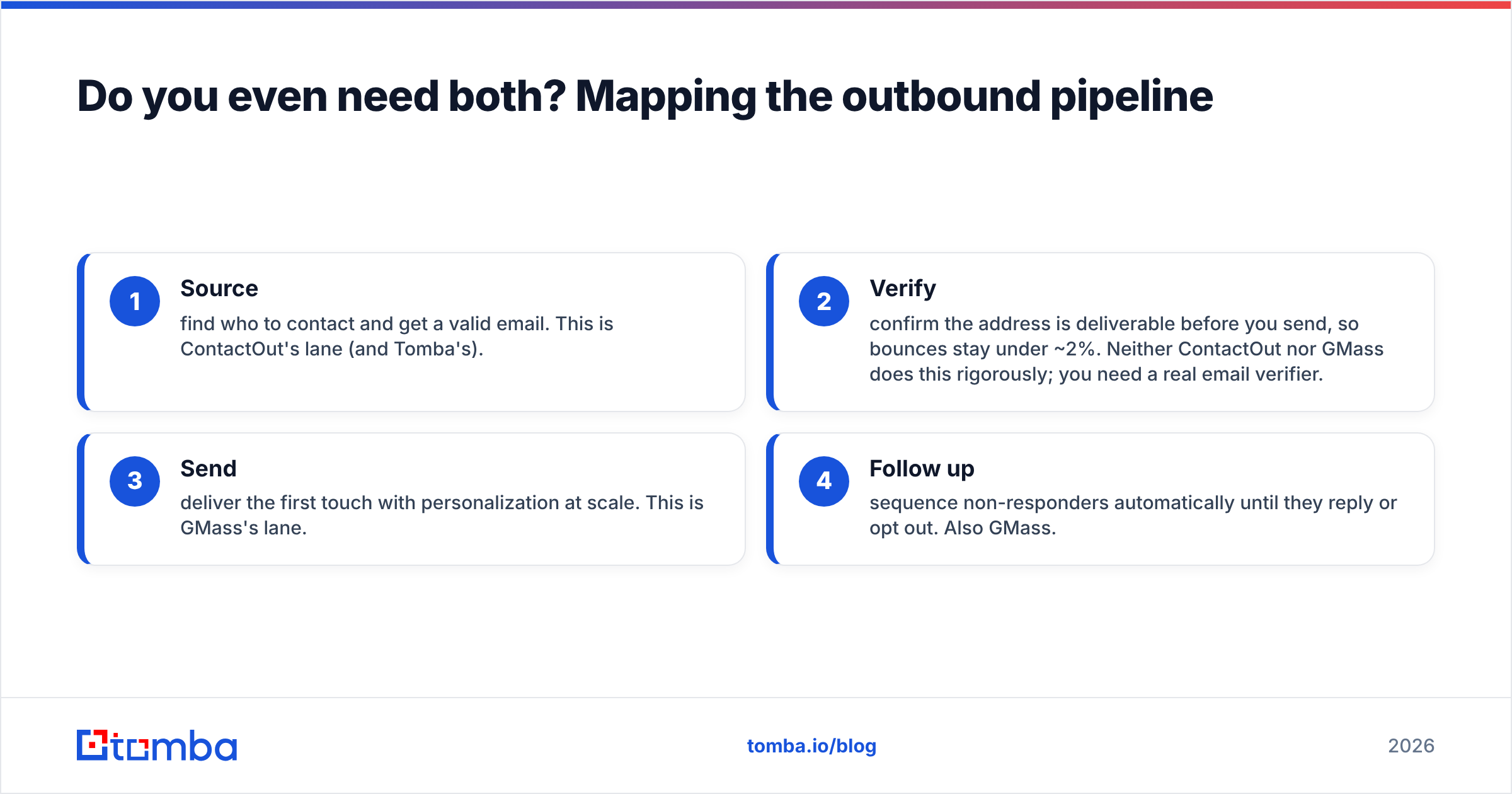
A working cold-outreach motion has four stages. Miss any one and the whole thing leaks.
- Source — find who to contact and get a valid email. This is ContactOut's lane (and Tomba's).
- Verify — confirm the address is deliverable before you send, so bounces stay under ~2%. Neither ContactOut nor GMass does this rigorously; you need a real email verifier.
- Send — deliver the first touch with personalization at scale. This is GMass's lane.
- Follow up — sequence non-responders automatically until they reply or opt out. Also GMass.
ContactOut covers stage 1. GMass covers stages 3 and 4. Stage 2—verification—is the gap nobody owns, and it's the stage that quietly decides whether your domain lands in the inbox or the spam folder. That's why "ContactOut vs GMass" is the wrong duel: even if you buy both, you still have a data-quality hole in the middle.
Which one has the accuracy problem?#
Both, in different ways—and it's the single biggest risk in this whole stack.
ContactOut, like any LinkedIn-scraping finder, returns a mix of personal and professional addresses of varying freshness. Personal Gmail addresses are great for recruiting, useless (and often risky) for B2B sales. Work emails go stale the moment someone changes jobs, which on LinkedIn is constantly.
GMass amplifies whatever you feed it. It has no idea whether an address is real; it just sends. A 15% bad-data rate becomes a 15% bounce rate, and mailbox providers read high bounces as a spam signal. A few campaigns like that and your email deliverability craters across every future send—not just the bad batch.
The fix is to verify before you send, regardless of who found the email. Run every list through a verifier that checks syntax, MX records, and SMTP acceptance, and flags catch-all domains so you can handle them separately with a catch-all verifier. Clean data is what keeps GMass's sending reputation intact.
Pricing: what ContactOut, GMass, and a finder-first stack cost#
Prices shift, so treat these as ballpark tiers and check each vendor's page before you buy. The point is the shape of the cost, not the exact cent.
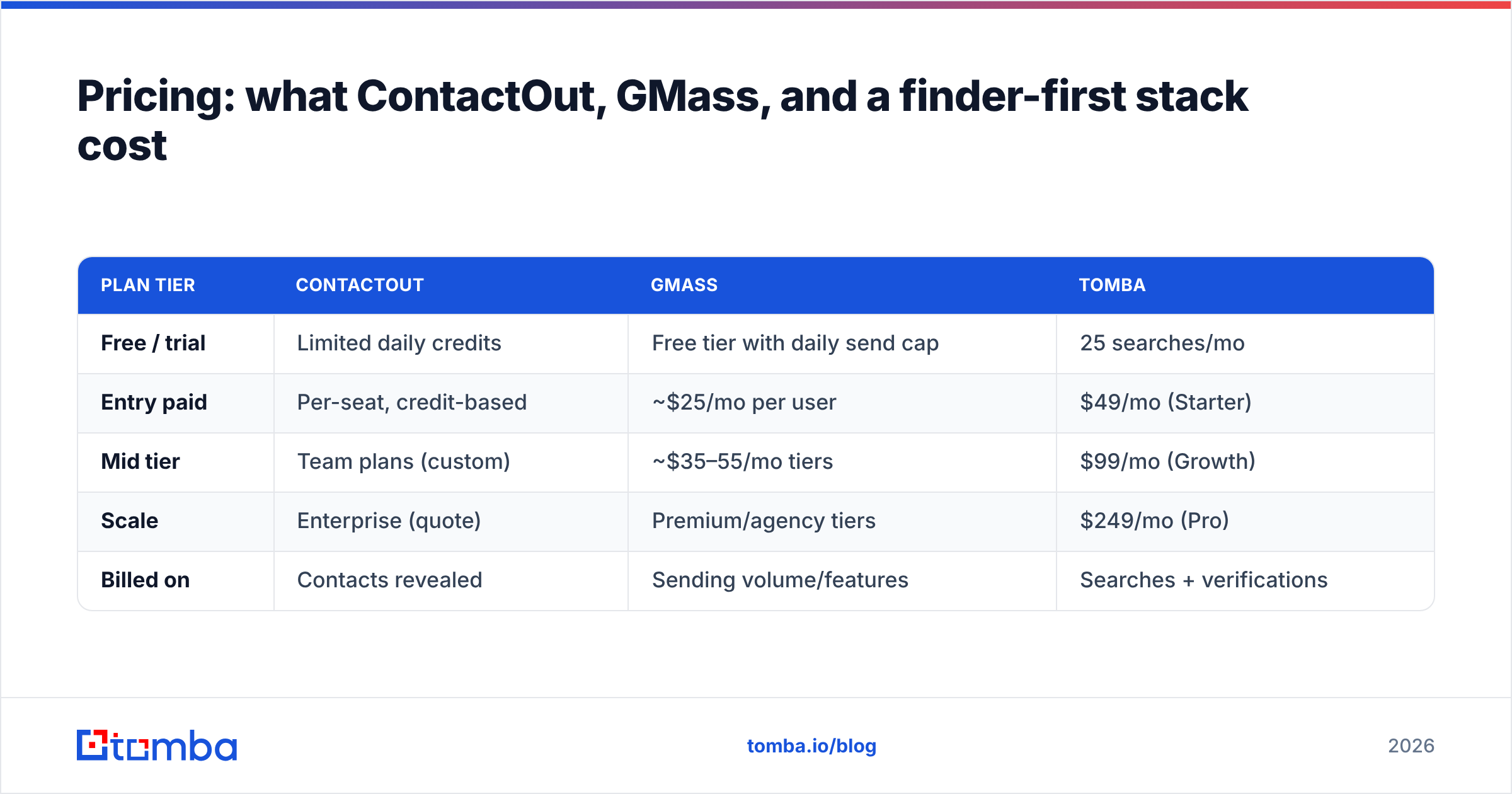
| Plan tier | ContactOut | GMass | Tomba |
|---|---|---|---|
| Free / trial | Limited daily credits | Free tier with daily send cap | 25 searches/mo |
| Entry paid | Per-seat, credit-based | ~$25/mo per user | $49/mo (Starter) |
| Mid tier | Team plans (custom) | ~$35–55/mo tiers | $99/mo (Growth) |
| Scale | Enterprise (quote) | Premium/agency tiers | $249/mo (Pro) |
| Billed on | Contacts revealed | Sending volume/features | Searches + verifications |
Two things stand out. First, ContactOut and Tomba both bill on data pulled, while GMass bills on sending capability—another sign they're solving different problems. Second, because GMass is cheap for what it does (sending), your budget decision is really about the data side: how many verified contacts you need per month. Compare full Tomba pricing against ContactOut's per-seat credit model if list-building volume is your constraint.
Is there a better setup than ContactOut + GMass?#
For many teams, yes—swap the finder, keep the sender.
GMass is genuinely good at its one job. If you live in Gmail and want lightweight sequencing, it's hard to beat on price and simplicity. Keep it.
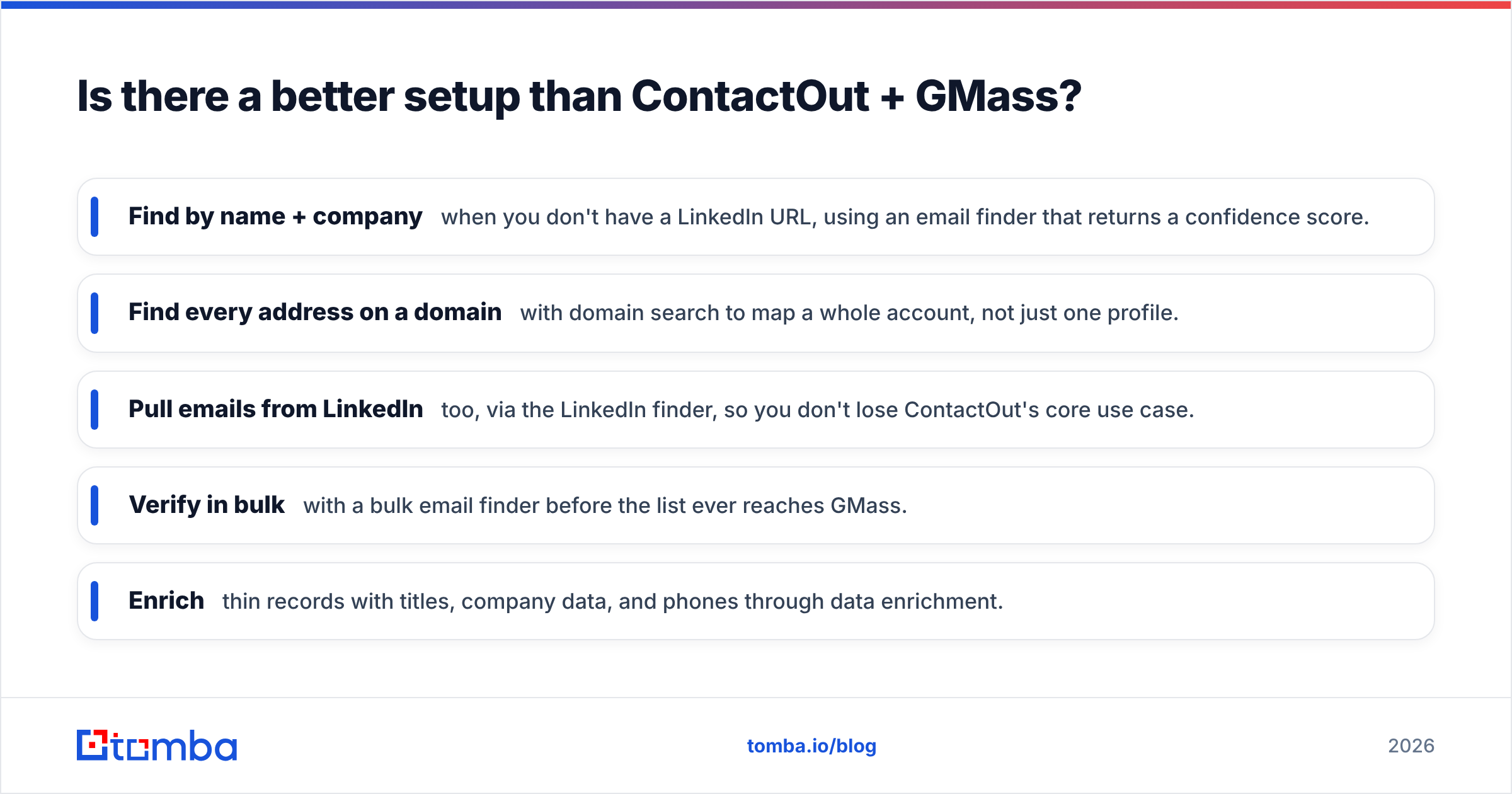
The finder is where you have room to upgrade. Instead of a LinkedIn-only extension, a dedicated finder gives you multiple ways to source and, critically, verification built into the same platform:
- Find by name + company when you don't have a LinkedIn URL, using an email finder that returns a confidence score.
- Find every address on a domain with domain search to map a whole account, not just one profile.
- Pull emails from LinkedIn too, via the LinkedIn finder, so you don't lose ContactOut's core use case.
- Verify in bulk with a bulk email finder before the list ever reaches GMass.
- Enrich thin records with titles, company data, and phones through data enrichment.
That combination—broad sourcing plus native verification—closes the stage-2 gap that ContactOut-plus-GMass leaves wide open.

ContactOut vs GMass: pros and cons#
ContactOut — pros
- Strong for LinkedIn and Sales Navigator prospecting
- Personal + work emails useful for recruiting
- Simple Chrome extension workflow
ContactOut — cons
- LinkedIn-dependent; weak when you only have a name and company
- Verification is limited—you still need a separate check
- Per-seat credit pricing gets expensive at team scale
GMass — pros
- Sends and sequences directly from Gmail, minimal learning curve
- Auto follow-ups, open/click tracking, Google Sheets sends
- Cheap relative to enterprise sales-engagement platforms
GMass — cons
- No email finding or serious verification—garbage in, garbage out
- Tied to Gmail sending limits and Workspace reputation
- No list-building; you must source data elsewhere
How do you actually choose?#
Pick based on which stage is broken, not which brand is louder.
- Your bottleneck is finding contacts? You need a finder. ContactOut works if your entire motion runs through LinkedIn; a finder like Tomba wins if you also work from company domains, CSV lists, or need verification baked in.
- Your bottleneck is sending and following up? You need GMass (or a similar sender). ContactOut can't help here at all.
- Your bottleneck is bounces and spam complaints? Neither tool fully solves it. You need verification between sourcing and sending—run lists through an email verifier and monitor your sender reputation with a reputation checker.
- You want the fewest tools? Consolidate the data side (find + verify + enrich in one platform) and keep GMass purely for sending. That's two tools covering all four pipeline stages, instead of three tools with a verification gap.
For a broader look at how finder tools stack up against LinkedIn-first options, see the ContactOut alternative breakdown.
Outbound reality check#
Whichever tools you land on, the numbers that matter are downstream: bounce rate under 2%, spam complaints near zero, and a reply rate that justifies the spend. GMass makes sending effortless, which is exactly why bad data is so dangerous with it—it removes all the friction that used to slow a sloppy list down. According to sending best practices published by providers like Google's Postmaster guidelines and covered widely on review sites such as G2, keeping bounce and complaint rates low is the single biggest lever on inbox placement.
That's the whole argument for putting verification at the center of your stack rather than treating it as an afterthought. The finder and the sender are interchangeable commodities. Clean, verified data is the part that compounds.
The bottom line#
ContactOut and GMass aren't competitors—they're two stages of one pipeline. ContactOut (or a stronger finder) sources contacts; GMass sends to them. The trap is assuming that owning both means you're covered, when the verification stage between them is what actually protects your domain.
If you're rebuilding the data side, start with a finder that sources broadly and verifies natively so nothing dirty reaches your sender. Try the Tomba Email Finder—find emails by name, company, or domain, verify them in bulk, and hand GMass a list that lands in the inbox instead of the spam folder. The free tier gives you 25 searches a month to test the accuracy before you commit a dollar.
Related guides#
Ready to find emails that actually work?
Join 150,000+ professionals who stopped guessing and started sending. Free credits on signup — no credit card required.
Get the Tomba newsletter
Practical outbound tactics and product updates — once every two weeks.
About the author