ContactOut vs Go4Database (2026): Which B2B Data Tool Wins?
A neutral, hands-on breakdown of ContactOut vs Go4Database—accuracy, pricing, data freshness, and compliance—so you know which B2B data source actually fits your outbound motion.
Choosing between ContactOut and Go4Database comes down to one question: do you want to find contacts one lead at a time, or buy them by the thousand? They solve the same problem — getting B2B contact data into your pipeline — but from opposite ends. This comparison breaks down accuracy, pricing, coverage, and compliance so you can pick the one that won't waste your sending reputation.
TL;DR — ContactOut vs Go4Database at a glance#
- ContactOut is a LinkedIn-first email and phone finder (Chrome extension + search portal). Best when you already prospect on LinkedIn and want verified, one-at-a-time enrichment.
- Go4Database is a bulk B2B list vendor. It sells pre-built, industry-segmented email databases you download as files. Best for volume plays where you accept lower per-record accuracy.
- Accuracy gap: live-lookup tools like ContactOut generally beat static list databases on validity, because pre-built lists decay ~2–3% per month.
- Pricing model differs fundamentally: ContactOut charges per credit/seat; Go4Database charges per list or per record.
- The honest third option: if accuracy at scale is the priority, a real-time API finder such as Tomba Email Finder sidesteps the weaknesses of both.
What is ContactOut?#
ContactOut is a contact-intelligence platform built around LinkedIn. You install its Chrome extension, browse a profile, and it surfaces personal and work emails plus phone numbers. It also offers a standalone search portal, list-building, and CRM/ATS integrations. Recruiters and sales reps use it because it pulls contact details right where they already work — inside LinkedIn and Recruiter.
Its data is sourced from a large aggregated profile index and validated at lookup time, which is why ContactOut markets high email accuracy. The trade-off is that it's a per-lookup model: you enrich contacts individually or in modest batches, not by downloading a 100,000-row industry file.

Where ContactOut fits best:
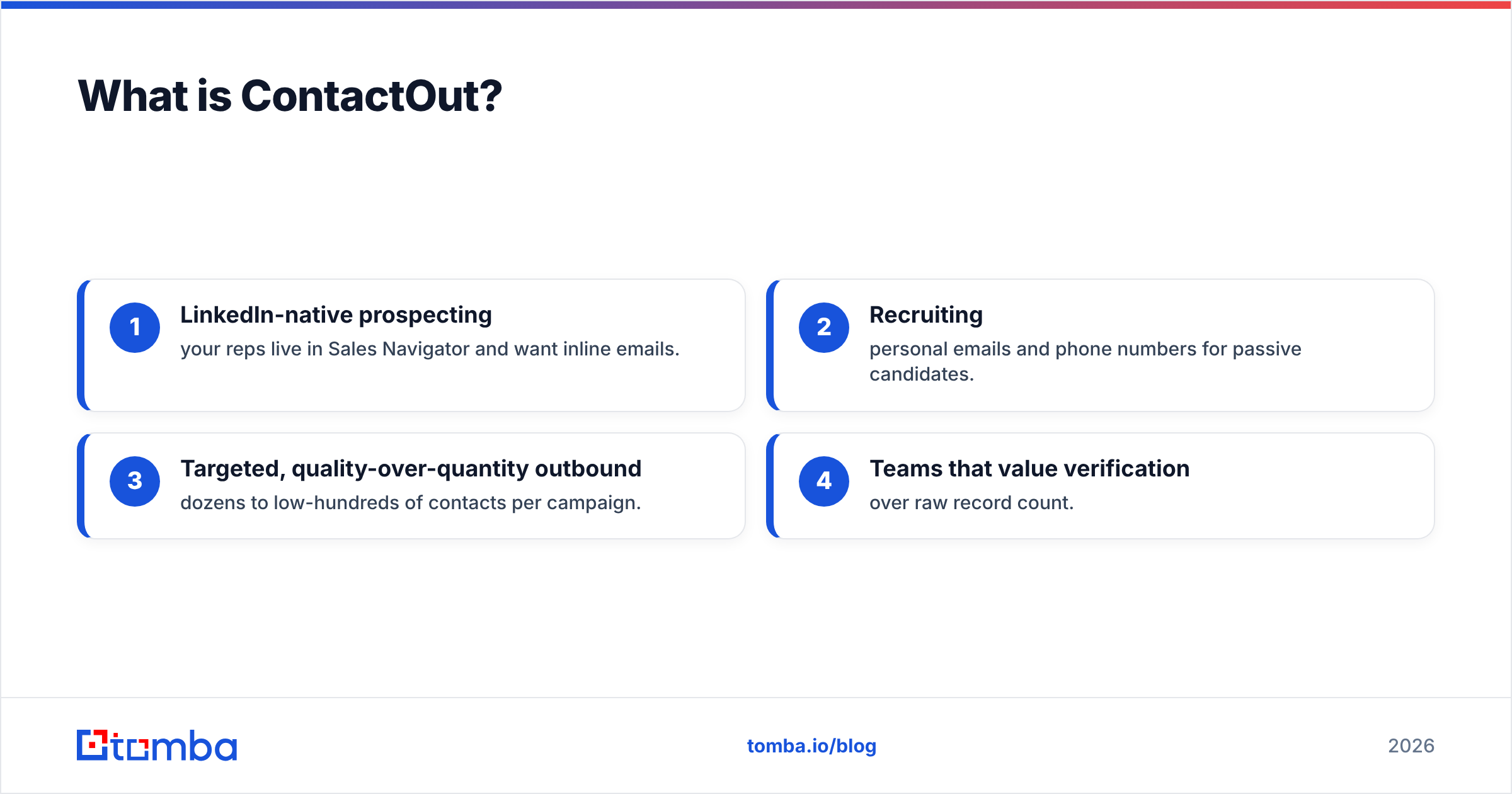
- LinkedIn-native prospecting — your reps live in Sales Navigator and want inline emails.
- Recruiting — personal emails and phone numbers for passive candidates.
- Targeted, quality-over-quantity outbound — dozens to low-hundreds of contacts per campaign.
- Teams that value verification over raw record count.
What is Go4Database?#
Go4Database is a B2B data provider that sells pre-compiled contact lists. Instead of finding one lead at a time, you buy a segment — "US healthcare decision-makers," "technology CTOs," "real estate agents" — and receive a downloadable file with names, emails, phone numbers, company data, and firmographics. Pricing is typically quoted per list or per record volume, often with custom packages.
This is the classic list-vendor model. It's fast to deploy: pay, download, import, send. The catch is that any pre-built list is a snapshot in time. People change jobs at roughly 20–30% per year, so a list assembled months ago carries stale addresses that bounce — and bounces damage your sender reputation before your message ever lands.
Where Go4Database fits best:
- High-volume, low-touch campaigns where you expect a lower hit rate and plan around it.
- Market sizing / TAM building when you need broad coverage fast.
- Buyers comfortable verifying purchased lists before sending.
ContactOut vs Go4Database: the core comparison#
Here's the head-to-head on the attributes that actually affect pipeline.
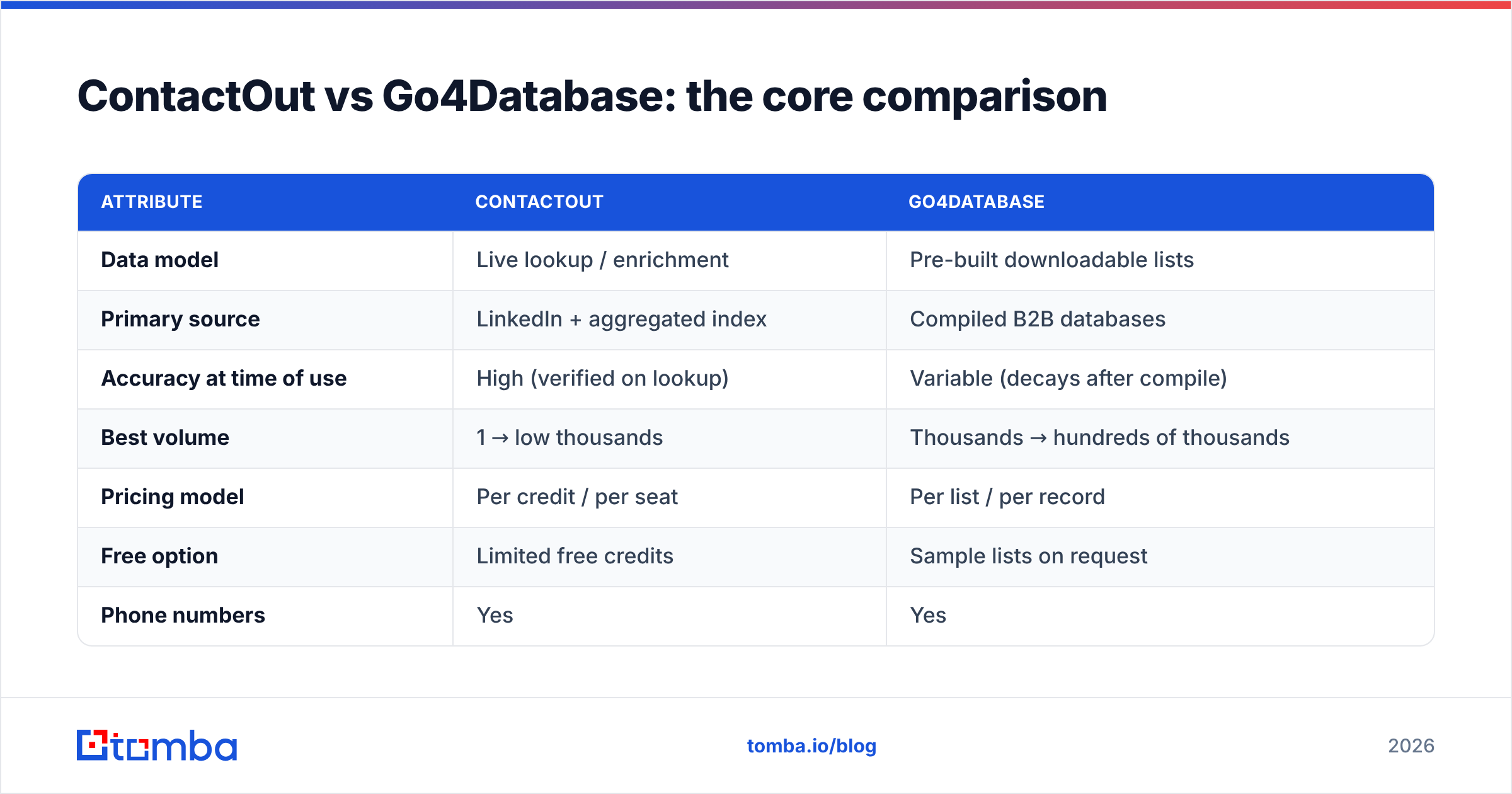
| Attribute | ContactOut | Go4Database |
|---|---|---|
| Data model | Live lookup / enrichment | Pre-built downloadable lists |
| Primary source | LinkedIn + aggregated index | Compiled B2B databases |
| Accuracy at time of use | High (verified on lookup) | Variable (decays after compile) |
| Best volume | 1 → low thousands | Thousands → hundreds of thousands |
| Pricing model | Per credit / per seat | Per list / per record |
| Free option | Limited free credits | Sample lists on request |
| Phone numbers | Yes | Yes |
| Compliance control | Per-contact, opt-in friendly | Depends on list provenance |
| Ideal user | SDRs, recruiters | Volume email marketers |
The pattern is clear: ContactOut trades volume for freshness; Go4Database trades freshness for volume. Neither is "wrong" — they're built for different motions.
Which is more accurate — ContactOut or Go4Database?#
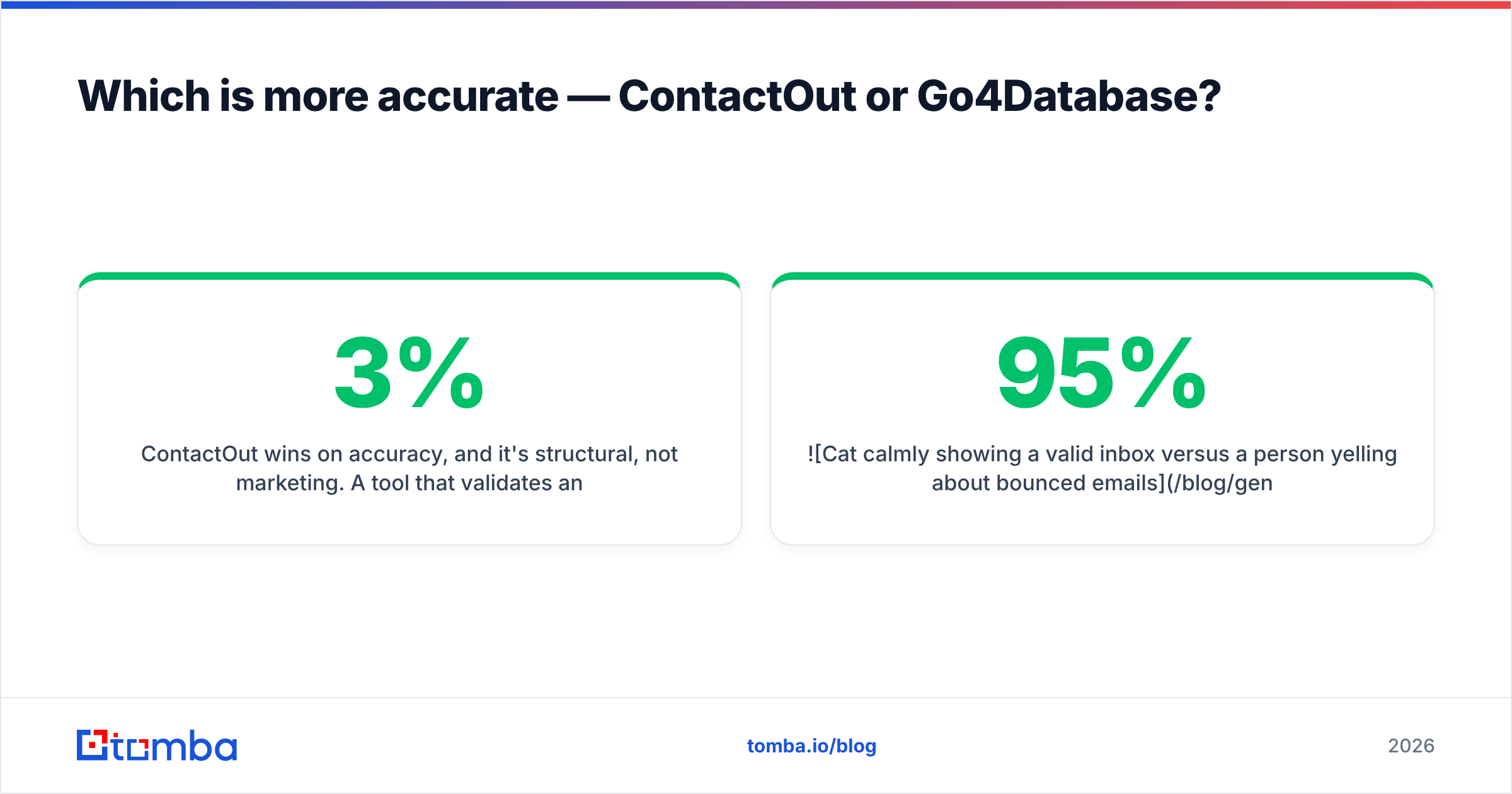
ContactOut wins on accuracy, and it's structural, not marketing. A tool that validates an email at the moment you request it is checking against a fresher signal than a list compiled weeks or months ago. Static databases like Go4Database's start decaying the day they're built — industry data pegs B2B list decay at 2–3% per month, which compounds to 25–30% annually.
That decay is why smart teams never send to a purchased list raw. You run it through an email verifier first, quarantine the risky and catch-all addresses, and only then load the valid ones into your sequencer. Skip that step with a Go4Database file and you'll watch your bounce rate spike — which throttles email deliverability for your entire domain, not just that campaign.

ContactOut's per-lookup validation reduces this risk, but it isn't immune. Personal emails sourced from aggregated profiles can still be outdated, and any tool that leans heavily on LinkedIn inherits LinkedIn's gaps for people who aren't active there.

The takeaway: for cold outbound where every bounce costs you, prioritize freshness. A live finder plus a verification pass beats a bulk download almost every time.
How does pricing compare?#
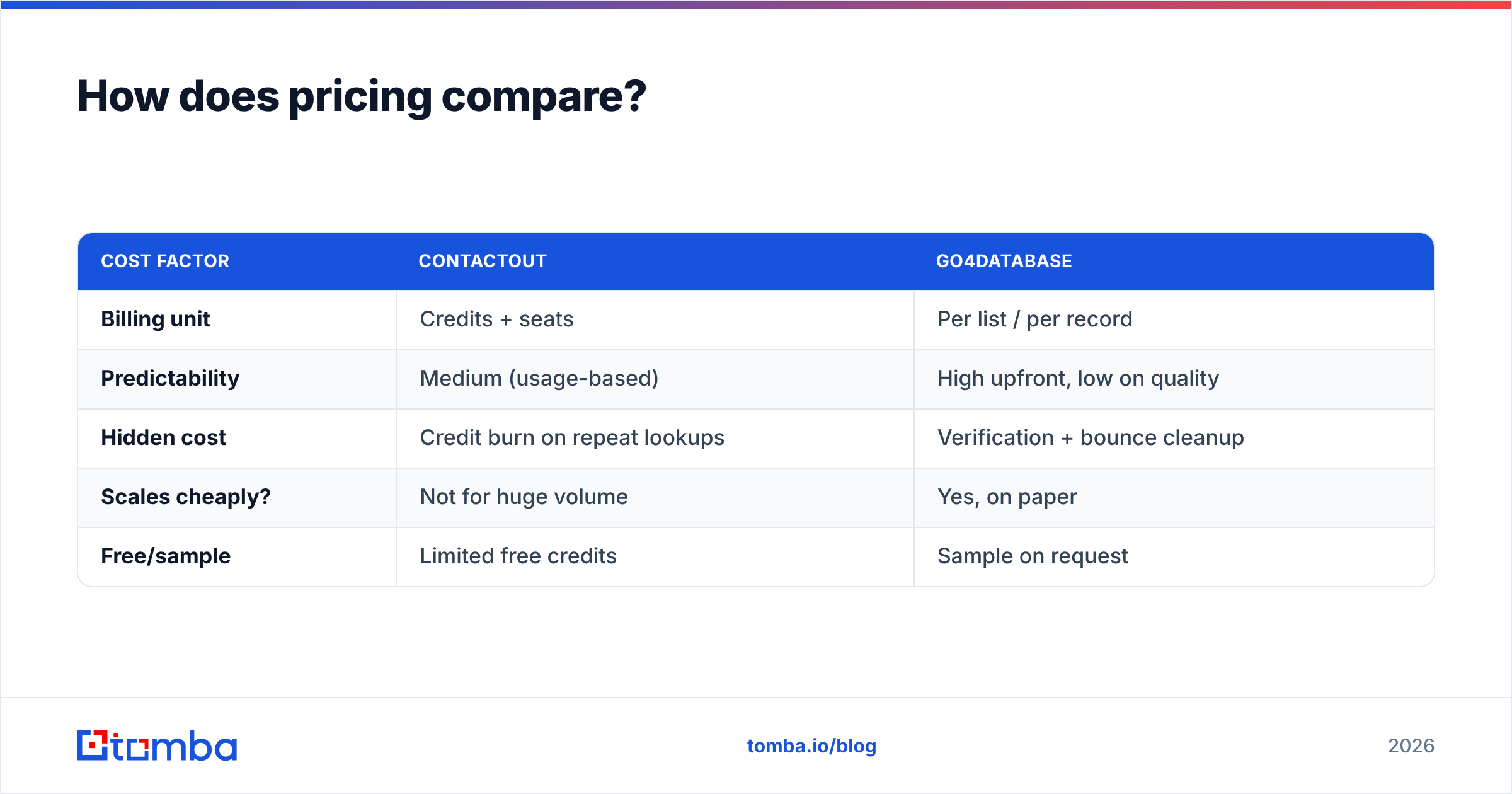
The two use pricing models that are hard to compare directly, which is exactly why buyers get surprised.
ContactOut sells on credits and seats. You pay for a plan that includes a monthly allowance of email/phone reveals, with higher tiers unlocking bulk export, integrations, and team management. The real cost driver is how many unique lookups your team burns — heavy prospecting eats credits fast.
Go4Database sells on list size. A quote depends on the segment, record count, and how customized the targeting is. The headline "cost per record" looks cheap, but the effective cost per usable record climbs once you subtract bounces, duplicates, and unreachable contacts. A $0.02/record list at 70% deliverability is really $0.029 per contact you can actually reach — before verification fees.
| Cost factor | ContactOut | Go4Database |
|---|---|---|
| Billing unit | Credits + seats | Per list / per record |
| Predictability | Medium (usage-based) | High upfront, low on quality |
| Hidden cost | Credit burn on repeat lookups | Verification + bounce cleanup |
| Scales cheaply? | Not for huge volume | Yes, on paper |
| Free/sample | Limited free credits | Sample on request |
If you want a benchmark for what transparent, usage-based contact-data pricing looks like across the market, compare both against published Tomba pricing — a per-credit model with a genuine free tier (25 searches/month) and paid plans from $49/mo.
Compliance and data sourcing: what to check#
This is the part buyers skip and regret. Under GDPR, CAN-SPAM, and similar frameworks, how the data was collected matters as much as whether it's accurate.
- ContactOut ties each reveal to a specific profile you're actively researching, which maps more cleanly to legitimate-interest reasoning. You still own responsibility for lawful outreach.
- Go4Database provides bulk lists whose provenance you can't fully audit. Before you send, you must confirm the source, opt-in status, and suppression handling — and honor unsubscribes rigorously.
Whichever you choose, treat compliance as your obligation, not the vendor's. Verify consent posture, keep suppression lists current, and warm your domain properly. No data source, however clean, survives a cold domain blasting thousands of first-touch emails.
ContactOut vs Go4Database: pros and cons#
ContactOut — pros
- Verified-on-lookup accuracy
- Native LinkedIn/Recruiter workflow
- Strong for personal emails and phones
- Clean per-contact compliance story
ContactOut — cons
- Credit-based cost adds up at scale
- LinkedIn dependency limits non-LinkedIn coverage
- Not built for six-figure list drops
Go4Database — pros
- Massive volume, fast to deploy
- Broad industry/geo segmentation
- Low headline cost per record
- Good for TAM sizing and coverage plays
Go4Database — cons
- List decay hurts real deliverability
- Provenance harder to audit
- Requires verification before every send
- Effective cost higher than sticker price

When should you pick each one?#
Pick ContactOut if:
- Your reps prospect inside LinkedIn all day.
- You value accuracy and freshness over raw count.
- You're running targeted, personalized outbound.
- You need reliable direct dials for a shortlist of accounts.
Pick Go4Database if:
- You need broad market coverage immediately.
- You're building a TAM model or awareness list.
- Your motion tolerates a lower per-record hit rate.
- You have a verification workflow ready to clean the file.
Consider a real-time API instead if: you want ContactOut's freshness and Go4Database's scale. That's where a programmatic finder shines — you enrich in bulk against live sources and pipe results straight into your stack. Tomba's bulk email finder, domain search, and email finder API let you find and verify thousands of contacts without buying a decaying list or burning per-seat credits. Explore how other buyers weigh these trade-offs on G2 and vendor docs before committing.
How do these compare to modern email-finding workflows?#
The market has shifted from "buy a list" toward "find and verify on demand." Static databases still have a place for coverage, but most high-performing outbound teams now blend a live finder with an inline verifier and a warmed domain. That combination keeps bounce rates low, protects sender reputation, and lets you scale without gambling on a file's freshness.
If you're evaluating ContactOut for its LinkedIn workflow, note that dedicated LinkedIn email finder tools cover that same job while feeding a cleaner verification pipeline. And if Go4Database appealed to you for volume, a bulk finder plus verifier gives you the scale without inheriting someone else's stale data.
Final verdict#
ContactOut is the better choice for accuracy-driven, LinkedIn-centric prospecting; Go4Database is the better choice for cheap, high-volume coverage — provided you verify aggressively before sending. For most modern outbound teams that want both freshness and scale, though, neither fully fits, and a real-time finder-plus-verifier stack is the stronger foundation.
Want the accuracy of live lookups without per-seat credit ceilings or the decay of purchased lists? Start with the Tomba Email Finder — find professional emails by name, company, or domain, verify them in the same flow, and export straight into your CRM. There's a free tier to test the accuracy on your own target accounts before you spend a dollar. Find real contacts, protect your domain, and skip the guesswork.
Related guides#
Ready to find emails that actually work?
Join 150,000+ professionals who stopped guessing and started sending. Free credits on signup — no credit card required.
Get the Tomba newsletter
Practical outbound tactics and product updates — once every two weeks.
About the author