ContactOut vs Jet Leads Pro (2026): Full Comparison and Verdict
ContactOut and Jet Leads Pro both promise verified B2B contacts, but they win on different jobs. Here's the honest breakdown on data, pricing, and accuracy.
Choosing between ContactOut and Jet Leads Pro comes down to one question: do you need a LinkedIn-first contact scraper, or a bulk lead database with built-in enrichment? They look similar on a feature grid, but they solve different problems — and both leave a gap that a dedicated email finder fills more cheaply.
TL;DR — ContactOut vs Jet Leads Pro at a glance#
- ContactOut is a LinkedIn-native contact finder. Its Chrome extension surfaces personal and work emails as you browse profiles. Strong for recruiters and one-at-a-time sourcing, weaker for large automated pulls.
- Jet Leads Pro is a bulk lead-database play. You filter a stored database by title, industry, and geography, then export lists. Good for volume, but the data ages between refreshes.
- Accuracy is the real differentiator. ContactOut leans on crowd-sourced personal emails; Jet Leads Pro leans on scraped firmographics. Neither publishes an independently audited bounce rate.
- Pricing is opaque on both. ContactOut gates useful volume behind higher tiers; Jet Leads Pro sells by credit packs that expire.
- The value pick: if you mostly need verified work emails at scale, a focused tool like Tomba Email Finder delivers higher hit rates per dollar than either — see the accuracy data below.
What is ContactOut and who is it for?#
ContactOut started as a recruiter's Chrome extension that reveals contact details on LinkedIn and GitHub profiles. Its core value is the personal-email database: when you're trying to reach a passive candidate who ignores InMail, a personal Gmail address is gold.
The workflow is browser-first. You install the extension, open a profile, and ContactOut overlays available emails and phone numbers. There's also a web-app search and a Recruiter/AI Search layer for building lists, plus API access on higher plans. You can read the full feature set on contactout.com.
Where ContactOut shines:
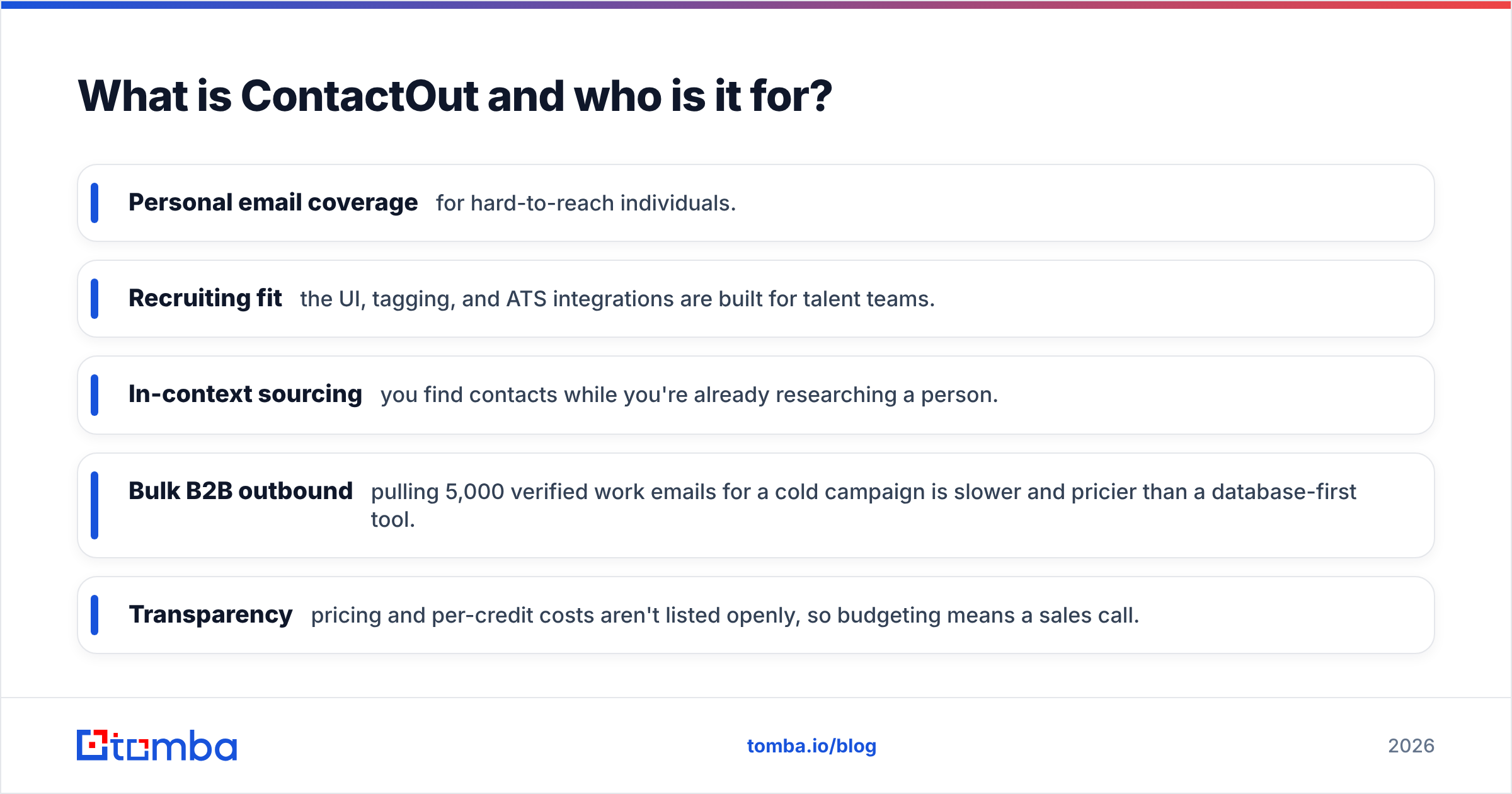
- Personal email coverage for hard-to-reach individuals.
- Recruiting fit — the UI, tagging, and ATS integrations are built for talent teams.
- In-context sourcing — you find contacts while you're already researching a person.
Where it strains:
- Bulk B2B outbound — pulling 5,000 verified work emails for a cold campaign is slower and pricier than a database-first tool.
- Transparency — pricing and per-credit costs aren't listed openly, so budgeting means a sales call.
What is Jet Leads Pro and who is it for?#
Jet Leads Pro sits on the opposite end. It's a lead-database tool: you don't browse to a person, you query a stored index of companies and contacts, apply filters, and export. Think "search, filter, download list" rather than "reveal this profile."
That model suits a specific buyer:
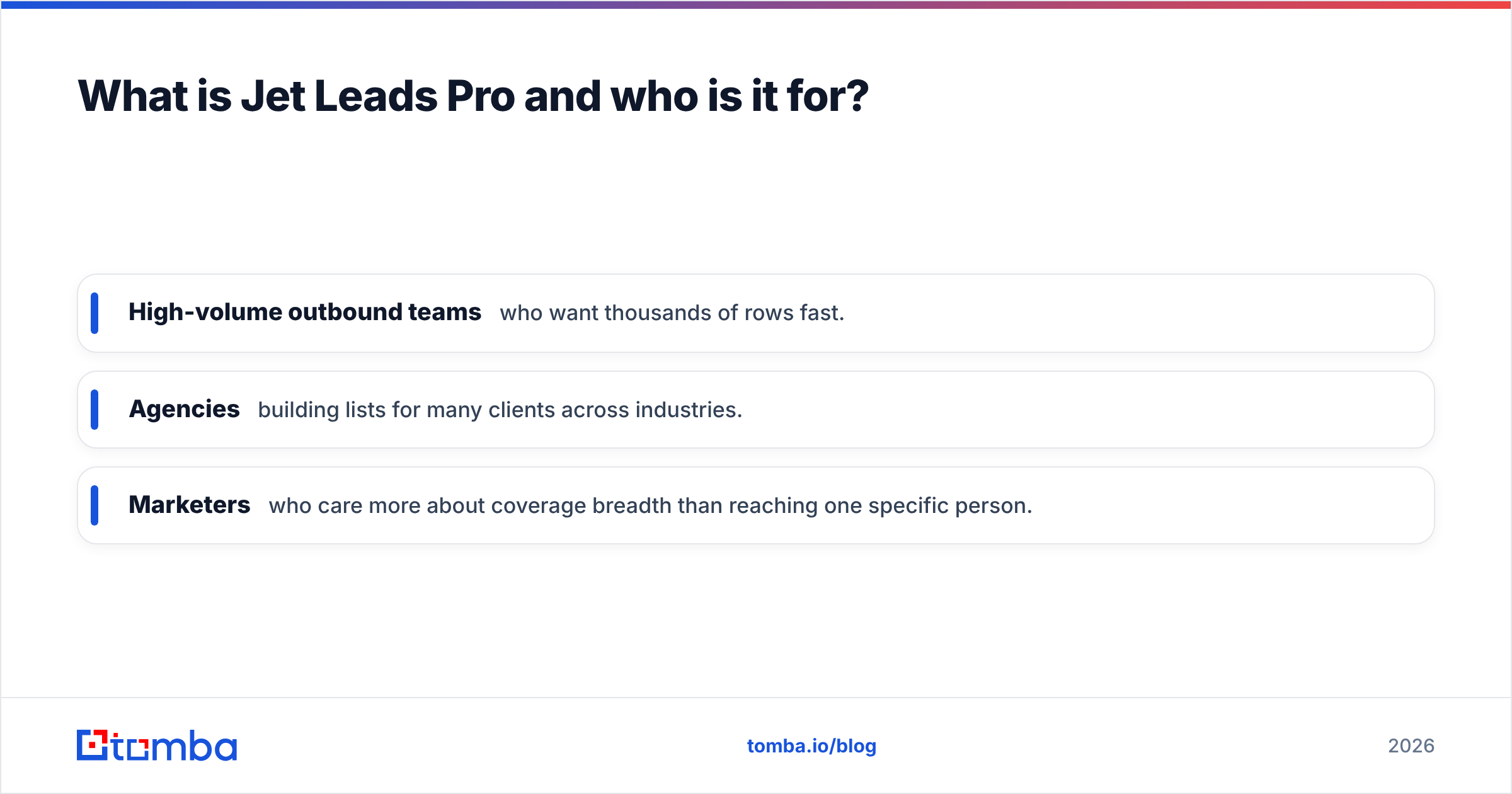
- High-volume outbound teams who want thousands of rows fast.
- Agencies building lists for many clients across industries.
- Marketers who care more about coverage breadth than reaching one specific person.
The trade-off is freshness. Any static database drifts — people change jobs, companies rebrand, roles get eliminated. Roughly 25–30% of B2B contact data decays each year, which is why verification-at-send matters more than raw database size. If Jet Leads Pro doesn't re-verify at export, you inherit that decay in your bounce rate.

ContactOut vs Jet Leads Pro: the core comparison#
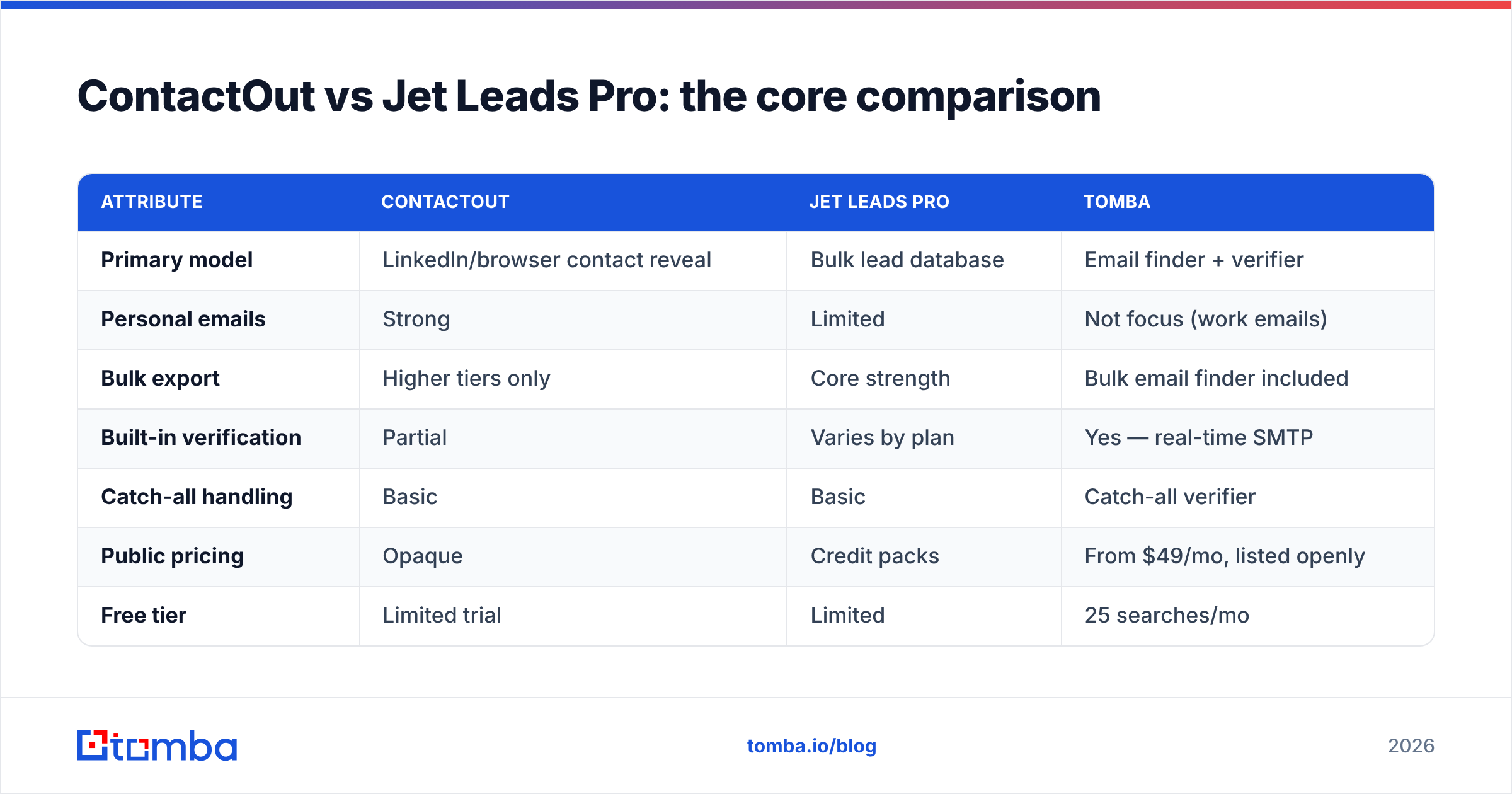
Here's the head-to-head on the attributes that actually move campaign results.
| Attribute | ContactOut | Jet Leads Pro | Tomba |
|---|---|---|---|
| Primary model | LinkedIn/browser contact reveal | Bulk lead database | Email finder + verifier |
| Personal emails | Strong | Limited | Not focus (work emails) |
| Bulk export | Higher tiers only | Core strength | Bulk email finder included |
| Built-in verification | Partial | Varies by plan | Yes — real-time SMTP |
| Catch-all handling | Basic | Basic | Catch-all verifier |
| Public pricing | Opaque | Credit packs | From $49/mo, listed openly |
| Free tier | Limited trial | Limited | 25 searches/mo |
| Best fit | Recruiters | Volume list buyers | Sales teams needing accuracy |
The pattern is clear. ContactOut wins on personal-email depth, Jet Leads Pro wins on raw list volume, and both under-invest in the one thing that protects your sender reputation: verification at the moment of export.
Is ContactOut or Jet Leads Pro more accurate?#
Accuracy is where marketing copy and reality diverge. Both vendors cite high match rates, but a match is not a valid, deliverable email. What matters is the verified deliverability rate — the share of exported emails that actually land without bouncing.
ContactOut's crowd-sourced personal emails can be excellent for a specific person and stale for another; there's no uniform freshness guarantee. Jet Leads Pro's database approach means accuracy tracks how recently a segment was refreshed. Neither publishes an independent third-party audit, so you're trusting self-reported numbers.
This is why a dedicated finder-plus-verifier pipeline tends to beat a bundled tool on hard bounce rate. When every result is SMTP-checked at request time — not pulled from a months-old cache — you keep bounces under the 2–3% threshold that inbox providers punish.

If you're evaluating any contact tool, ask for the verified deliverability rate, not the match rate, and test it on a sample of 100 rows against your own email verifier before you commit budget. High-bounce lists don't just waste credits — they degrade your domain's email deliverability for months.
How do ContactOut and Jet Leads Pro price out?#
Both tools make you work to learn the real cost, which is itself a signal.
- ContactOut publishes tiers but reserves meaningful email/export volume and API access for higher plans; effective per-contact cost climbs as you scale, and enterprise pricing is quote-only.
- Jet Leads Pro sells credit packs. Watch two things: whether credits expire (many do, forcing over-buying) and whether a bounce still burns a credit (if invalid emails cost the same as valid ones, your true price per usable contact is higher than the sticker).
Compare that to transparent, listed pricing. Here's how a straightforward tier stack reads when the vendor isn't hiding it:
- Free — 25 searches/month, no card, good for a real test.
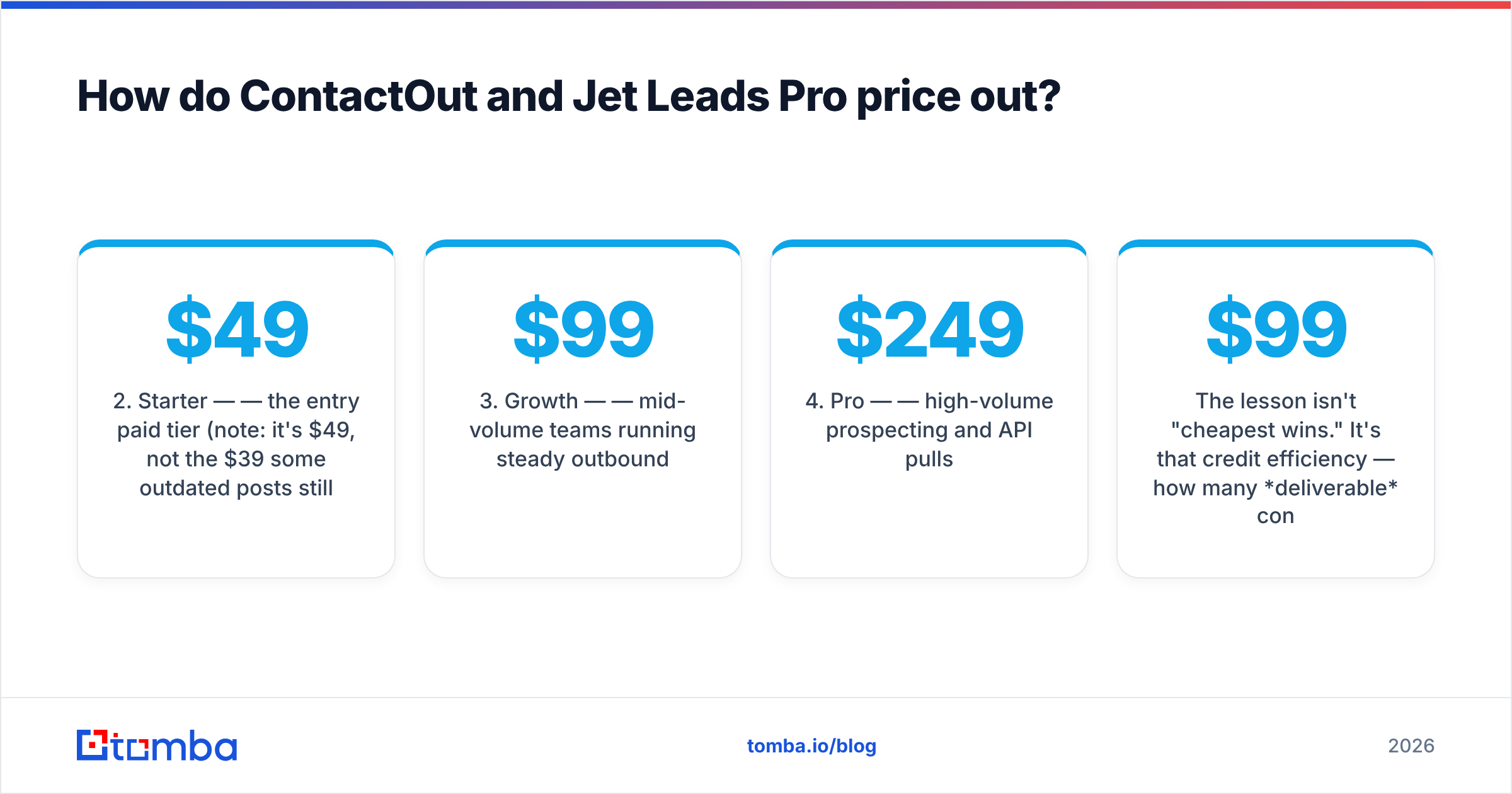
- Starter — $49/mo — the entry paid tier (note: it's $49, not the $39 some outdated posts still cite).
- Growth — $99/mo — mid-volume teams running steady outbound.
- Pro — $249/mo — high-volume prospecting and API pulls.
- Enterprise — custom — SSO, higher limits, dedicated support.
The lesson isn't "cheapest wins." It's that credit efficiency — how many deliverable contacts you get per dollar — beats headline price every time. A $99 plan that returns 95% valid emails outperforms a $79 plan that returns 70%.

ContactOut vs Jet Leads Pro: pros and cons#
ContactOut — pros
- Deep personal-email database for recruiting.
- Reveal-in-context browser workflow.
- ATS and CRM integrations for talent teams.
ContactOut — cons
- Bulk outbound is slow and gated behind pricier tiers.
- Opaque pricing; per-credit math needs a sales call.
- Verification isn't uniform across every result.
Jet Leads Pro — pros
- Fast, high-volume list exports.
- Broad firmographic filtering.
- Suits agencies juggling many verticals.
Jet Leads Pro — cons
- Database freshness varies; decay hits bounce rates.
- Expiring credits push over-buying.
- Limited personal-email depth versus ContactOut.
When should you pick a dedicated email finder instead?#
Choose a focused finder when your primary job is reaching decision-makers by work email at scale, with the lowest possible bounce rate. That's most cold-outbound and SDR teams.
A dedicated tool wins here for three reasons:
- Verification is native, not bolted on. Every result runs through SMTP and catch-all logic before it reaches your CSV.
- The workflow fits how you already work. Whether you enrich in Google Sheets, a Chrome extension, or the email finder API, the finder plugs into your stack instead of forcing a browser-only habit.
- Pricing is legible. You can model cost-per-valid-contact before you buy, not after.
For a full picture of how the category stacks up, this comparison table is a useful reference point:

None of this means ContactOut or Jet Leads Pro is a bad tool. If you're a recruiter chasing passive candidates, ContactOut's personal emails are hard to beat. If you're an agency that lives on volume and re-verifies before sending, Jet Leads Pro can feed the machine. The mistake is using a specialist tool for a generalist job — paying recruiter prices for outbound volume, or trusting an un-refreshed database for a reputation-sensitive campaign.
How to choose in five minutes#
Run this quick decision test:
- You need one specific person's personal email → ContactOut.
- You need thousands of rows fast and you re-verify before sending → Jet Leads Pro.
- You need verified work emails at scale, with transparent pricing → a dedicated finder like Tomba.
- You're unsure → run all three free tiers on the same 50 target companies and compare verified hit rate, not raw matches.
That last step is the only benchmark that matters. Vendor-reported accuracy is a marketing number; your own test on your own ICP is the truth. Pull 50 contacts from each, run them through a neutral email checker, and rank by deliverable emails per dollar spent.
Verdict: which one wins?#
There's no single winner — there's a right tool per job. ContactOut wins recruiting and personal-email reach. Jet Leads Pro wins raw list volume for teams that verify downstream. But if your goal is the most-common one — verified work emails for cold outreach, priced transparently — a dedicated finder-and-verifier beats both on cost-per-deliverable-contact, and that's the metric that decides whether a campaign profits or burns your domain.
Before you commit to an annual contract with either, test the alternative. Tomba's Email Finder gives you 25 free searches a month — no card required — with real-time verification built into every result. Run it against your ContactOut or Jet Leads Pro list on the same accounts, compare the verified hit rate, and let the bounce numbers pick the winner. Start free, scale on transparent pricing from $49/mo, and only pay for contacts that actually reach an inbox.
Related guides#
Ready to find emails that actually work?
Join 150,000+ professionals who stopped guessing and started sending. Free credits on signup — no credit card required.
Get the Tomba newsletter
Practical outbound tactics and product updates — once every two weeks.
About the author