ContactOut vs Lead Carrot: Which Wins for B2B Data in 2026?
ContactOut and Lead Carrot both promise fresh B2B contact data, but they solve different problems. Here's an honest breakdown of accuracy, pricing, and the cheaper alternative worth testing.
Choosing between ContactOut and Lead Carrot usually comes down to one question: do you need a LinkedIn-first contact scraper, or a broader lead-database with built-in campaign tools? They look similar on a pricing page, but they were built for different jobs, and picking the wrong one quietly burns budget every month.
This is a neutral, hands-on breakdown of where each tool actually wins, where the data holds up, and where a leaner email finder gets you the same result for less.
TL;DR — ContactOut vs Lead Carrot at a glance#
- ContactOut is a LinkedIn-native email and phone finder with a strong Chrome extension. Best if your team lives inside LinkedIn Recruiter or Sales Navigator all day.
- Lead Carrot is a lead-database plus light outreach platform aimed at agencies and SMB sales teams that want lists and sequences in one place.
- Data accuracy is the real battleground — both rely on scraped and aggregated sources, so verification matters more than raw volume.
- Pricing favors Lead Carrot for flat-rate list building; ContactOut charges more once you scale seats and credits.
- If you mostly need verified emails at a predictable price, a dedicated email finder like Tomba covers the same core need starting at $49/mo without per-seat surprises.
What is ContactOut and who is it for?#
ContactOut is a contact-intelligence tool built around LinkedIn. Its core value is the browser extension: you open a prospect's LinkedIn profile, and ContactOut surfaces personal and work emails plus phone numbers pulled from its aggregated database. It also offers a web search portal and an API for teams that want to enrich in bulk.
The typical ContactOut user is a recruiter or SDR who sources people one profile at a time. If your workflow is "find this exact person on LinkedIn, get their email, add to sequence," ContactOut is designed for exactly that motion. You can read more on their official site.
Where it gets expensive is scale. ContactOut meters emails and phone numbers separately, and phone credits run out fast. Add multiple seats and the monthly bill climbs quickly compared with a flat-rate finder.
What is Lead Carrot and who is it for?#
Lead Carrot takes a wider angle. Instead of profile-by-profile lookups, it's a searchable B2B lead database with filters for industry, location, company size, and technology, layered with light outreach features so agencies can build a list and start emailing without exporting to another tool. You can review its feature set on the Lead Carrot homepage.
The sweet spot is agencies and local-services sales teams that need volume: pull 2,000 plumbers in Texas, grab business emails and phones, and drop them into a campaign. It's less about pinpointing one senior VP and more about covering a whole segment.
The tradeoff is depth. Broad databases skew toward general business contacts (info@, owner emails, small-business listings) rather than hard-to-reach enterprise decision-makers. For SMB and local outreach that's fine; for named-account ABM it can feel thin.
ContactOut vs Lead Carrot: full comparison table#
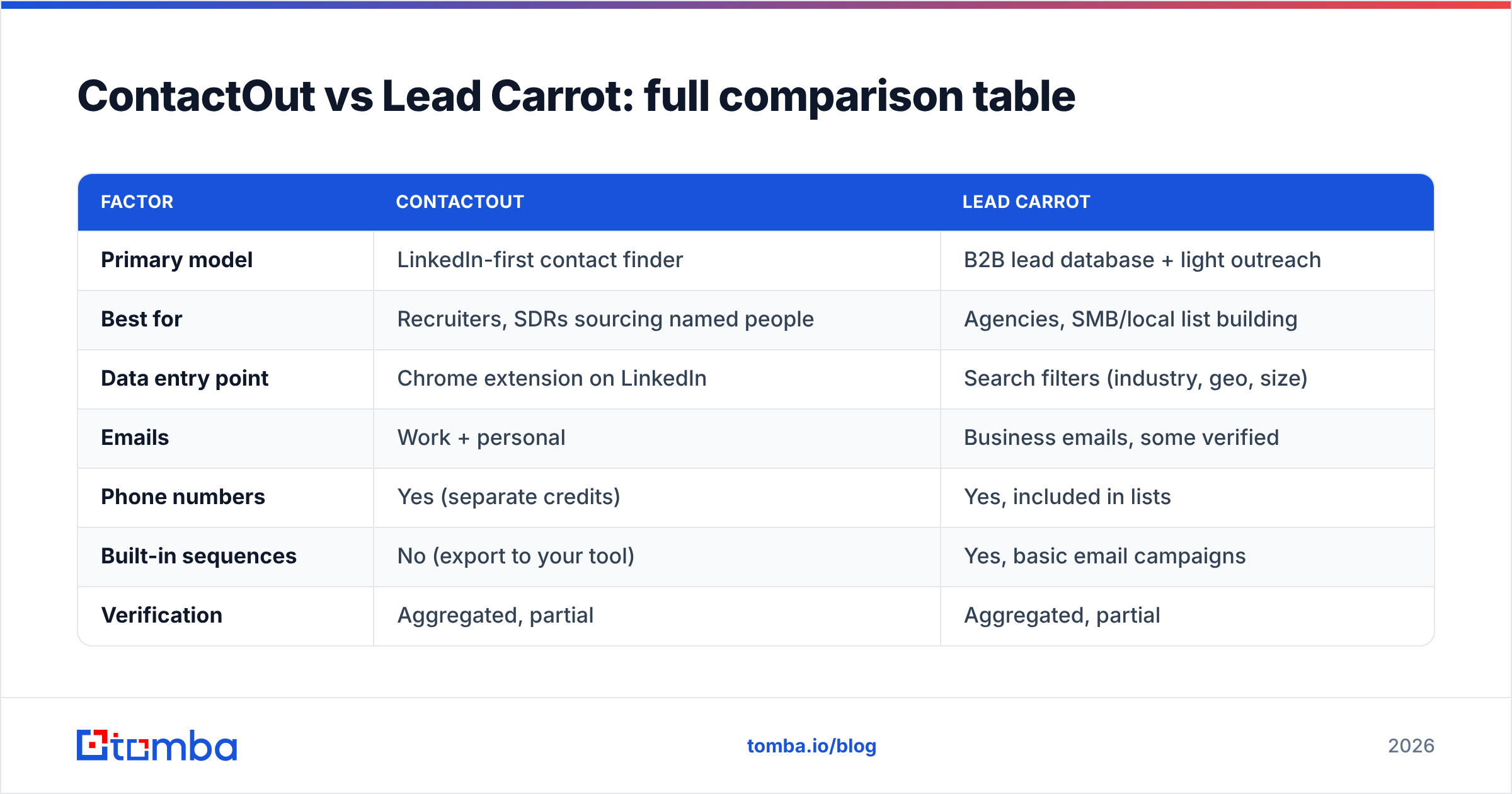
| Factor | ContactOut | Lead Carrot |
|---|---|---|
| Primary model | LinkedIn-first contact finder | B2B lead database + light outreach |
| Best for | Recruiters, SDRs sourcing named people | Agencies, SMB/local list building |
| Data entry point | Chrome extension on LinkedIn | Search filters (industry, geo, size) |
| Emails | Work + personal | Business emails, some verified |
| Phone numbers | Yes (separate credits) | Yes, included in lists |
| Built-in sequences | No (export to your tool) | Yes, basic email campaigns |
| Verification | Aggregated, partial | Aggregated, partial |
| Pricing model | Per-seat + credit tiers | Flatter monthly, list-oriented |
| Free option | Limited free plan | Trial |
How accurate is the data in ContactOut vs Lead Carrot?#
Accuracy is where most buyers get burned, because both tools aggregate data from scraped profiles, historical databases, and pattern guessing. That means a chunk of every export is stale, catch-all, or simply wrong — regardless of the vendor's marketing claims.
ContactOut tends to do well on LinkedIn-matched work emails because the profile gives a strong signal. Its personal-email hit rate is higher than most, which recruiters love, but personal addresses raise consent and deliverability questions for cold sales. Lead Carrot's business emails are decent for SMBs but weaker on senior enterprise roles, and its lists include more generic inboxes.

The practical takeaway: never trust any provider's raw output. Whether you use ContactOut, Lead Carrot, or anything else, run every list through an email verifier before sending. Bouncing 20% of a list wrecks your sender reputation and can land your whole domain in spam folders. Verification is not optional in 2026 — it's the difference between a campaign that delivers and one that gets you blocklisted.
If you're sourcing at volume, a dedicated verify-and-find loop (find email → verify → only then send) beats trusting a single database. This is exactly where a purpose-built stack, or a bulk email finder with verification baked in, earns its keep.
Which is cheaper — ContactOut or Lead Carrot?#
Short answer: Lead Carrot is usually cheaper for list building, ContactOut gets pricey as you add seats and phone credits.
ContactOut's paid tiers meter emails and phones, and the "unlimited" language often applies only to certain data types or annual commitments. Once a team of five needs phones plus API access, the effective cost per usable, verified contact rises. Lead Carrot's flatter monthly pricing is friendlier for agencies pulling big regional lists, but you pay in data depth — you're buying breadth, not precision.

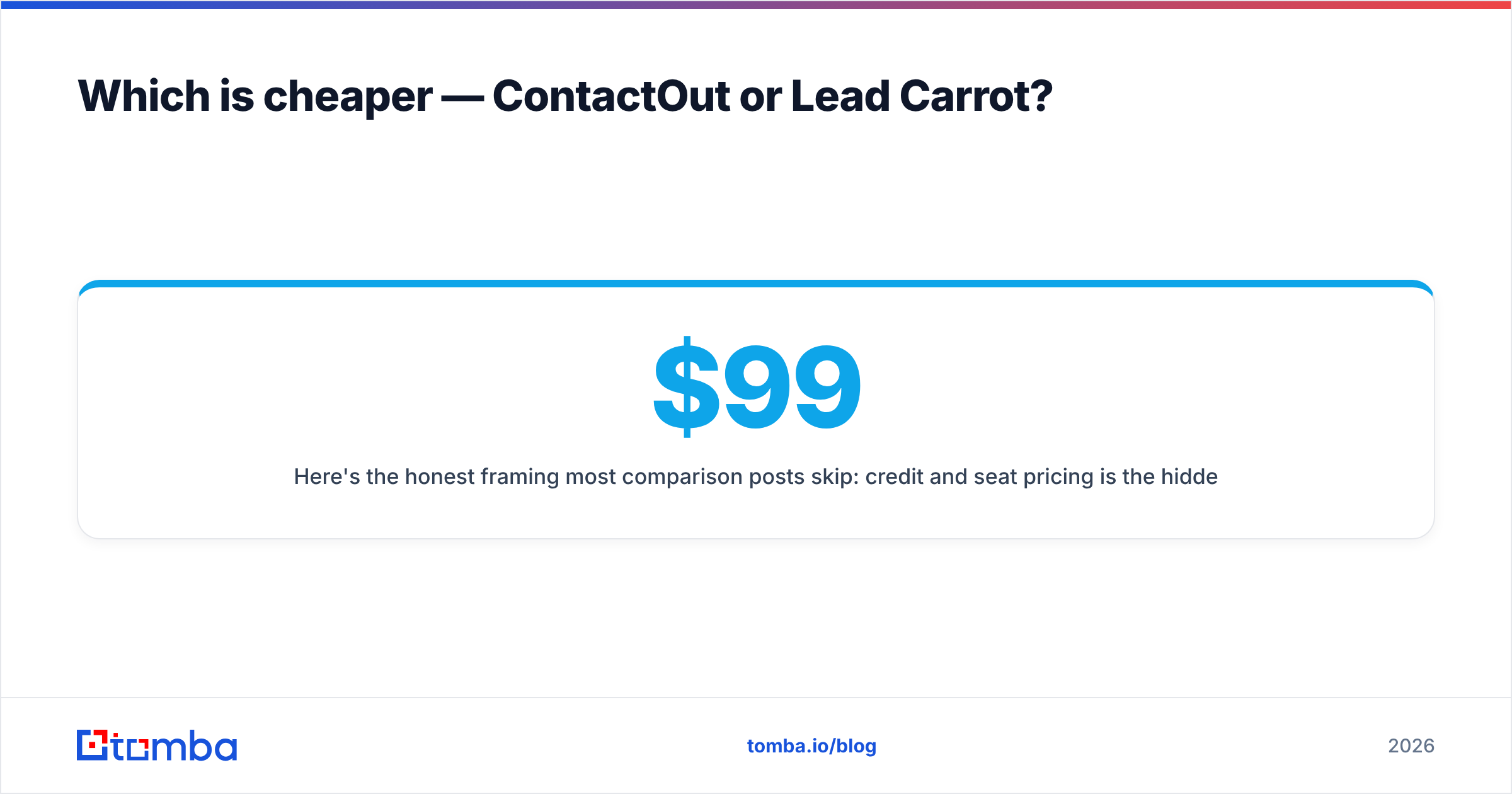
Here's the honest framing most comparison posts skip: credit and seat pricing is the hidden cost, not the sticker price. A $99 plan that returns 40% unverified data can cost more per booked meeting than a pricier plan at 95% accuracy. Model your cost per verified, deliverable contact, not cost per lookup.
Where does a dedicated email finder fit in?#
If you strip the comparison down, most teams evaluating ContactOut vs Lead Carrot actually want three things: accurate emails, predictable pricing, and verification they can trust. You don't always need a full outreach suite or a LinkedIn-only extension to get that.
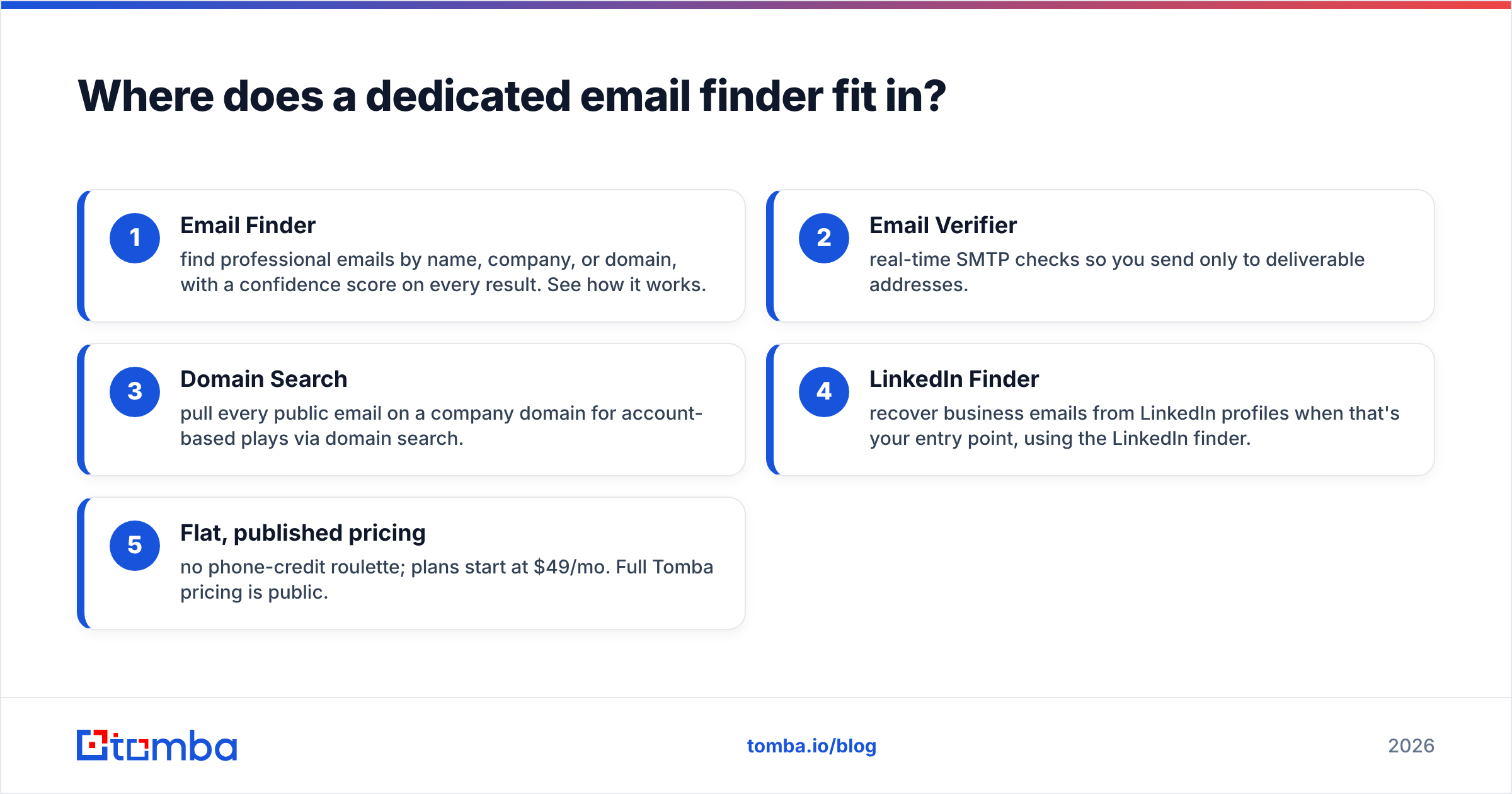
That's the gap a focused tool like Tomba fills. Instead of per-seat metering or broad-but-shallow lists, you get:
- Email Finder — find professional emails by name, company, or domain, with a confidence score on every result. See how it works.
- Email Verifier — real-time SMTP checks so you send only to deliverable addresses.
- Domain Search — pull every public email on a company domain for account-based plays via domain search.
- LinkedIn Finder — recover business emails from LinkedIn profiles when that's your entry point, using the LinkedIn finder.
- Flat, published pricing — no phone-credit roulette; plans start at $49/mo. Full Tomba pricing is public.
This isn't "Tomba beats everything." ContactOut is genuinely strong for LinkedIn-native recruiting, and Lead Carrot is fine for agencies doing local SMB volume. But if your core need is verified emails at a price you can forecast, a dedicated finder removes the two biggest complaints buyers have with both tools: unpredictable credits and unverified data.
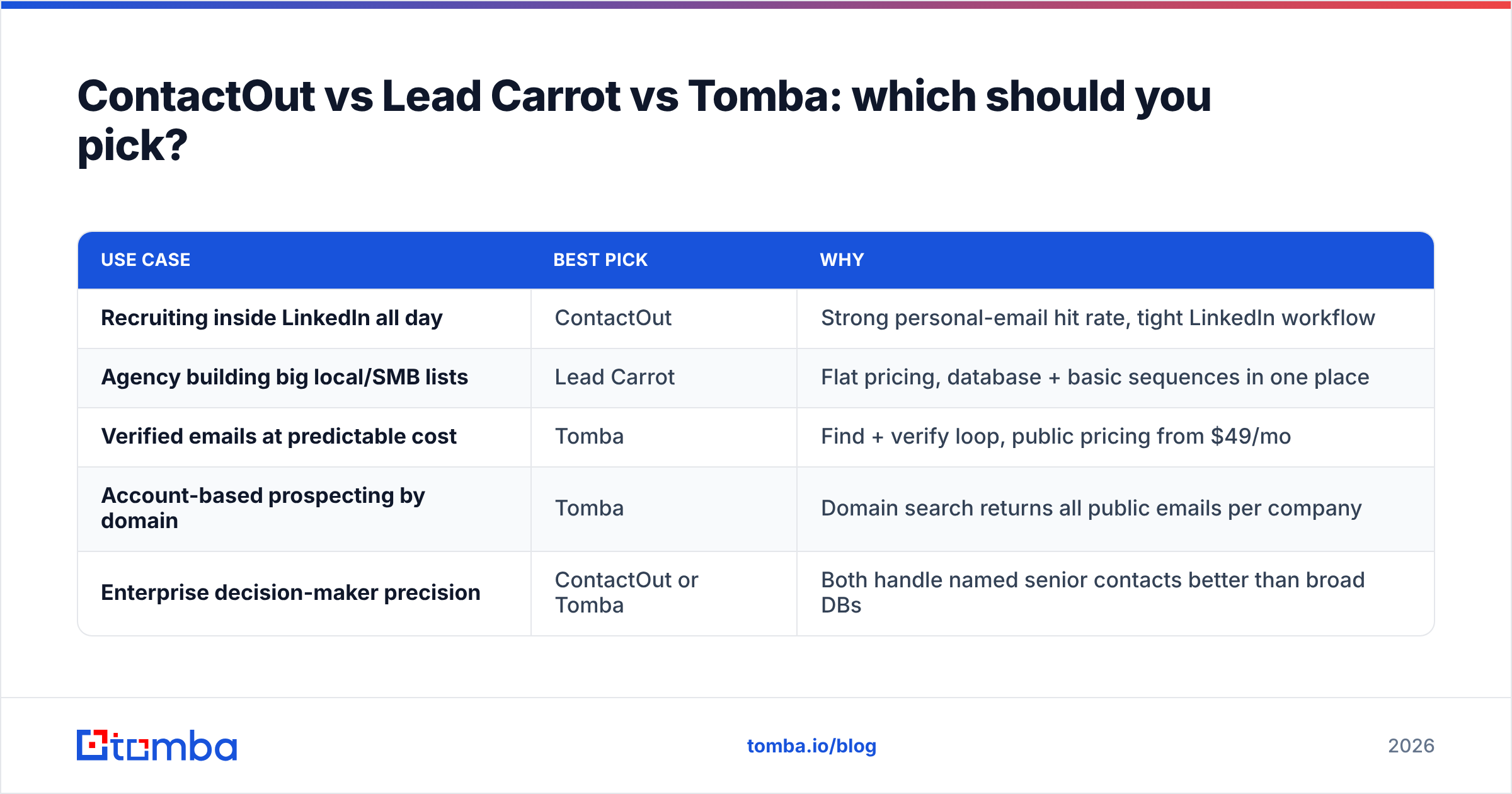
ContactOut vs Lead Carrot vs Tomba: which should you pick?#
| Use case | Best pick | Why |
|---|---|---|
| Recruiting inside LinkedIn all day | ContactOut | Strong personal-email hit rate, tight LinkedIn workflow |
| Agency building big local/SMB lists | Lead Carrot | Flat pricing, database + basic sequences in one place |
| Verified emails at predictable cost | Tomba | Find + verify loop, public pricing from $49/mo |
| Account-based prospecting by domain | Tomba | Domain search returns all public emails per company |
| Enterprise decision-maker precision | ContactOut or Tomba | Both handle named senior contacts better than broad DBs |
Read that table honestly against your own motion. The "best" tool is the one that matches how your team actually sources — profile-by-profile, segment-by-segment, or domain-by-domain.
What to check before you commit to either tool#
Before you put a card down, run this quick due-diligence pass. It takes an afternoon and saves months of wasted spend:
- Test on your own ICP, not their demo. Pull 100 real prospects you already have verified emails for, and measure the match rate against your ground truth.
- Verify the sample. Run the results through an independent verifier and count real bounces. Vendor-reported accuracy and your actual deliverability rarely match.
- Read the credit fine print. Are phones and emails metered separately? Do unused credits roll over? Is "unlimited" annual-only?
- Check compliance. Personal emails and phone numbers carry GDPR/consent implications for cold outreach — confirm your legal basis before you send.
- Cross-check reviews. Filter G2 for reviews from companies your size and in your region; enterprise reviews don't predict SMB experience.
Do this and the ContactOut vs Lead Carrot decision usually makes itself — you'll see which one hits your data, at a cost you can defend.
The bottom line#
ContactOut and Lead Carrot are both legitimate tools solving slightly different problems: ContactOut for LinkedIn-native, person-first sourcing, and Lead Carrot for agency-style, segment-first list building. Neither is a scam, and neither is a silver bullet — both hand you data that still needs verifying before it touches your sending domain.
If your real requirement is verified emails at a price you can forecast, skip the seat-metering and credit math. Try the Tomba Email Finder on your own prospect list — find and verify in one flow, start free with 25 searches, and scale on flat plans from $49/mo. Pull a hundred of your toughest contacts, verify them, and let the deliverability numbers decide the winner for you.
Related guides#
Ready to find emails that actually work?
Join 150,000+ professionals who stopped guessing and started sending. Free credits on signup — no credit card required.
Get the Tomba newsletter
Practical outbound tactics and product updates — once every two weeks.
About the author