ContactOut vs Lead411 (2026): Which B2B Data Tool Wins?
ContactOut and Lead411 both promise accurate B2B contacts, but they win at very different jobs. Here's an honest breakdown of accuracy, pricing, and data depth—plus a cheaper pick.
Choosing between ContactOut and Lead411 usually means choosing between two philosophies of B2B data. One is built around individual contact lookup off LinkedIn. The other is built around a sales-intelligence database with buying-intent signals. They overlap enough to look interchangeable in a demo, and diverge enough that picking wrong wastes a quarter of budget.
This is a neutral, hands-on comparison. No affiliation with either vendor, no hand-waving. You'll get the real trade-offs on accuracy, coverage, pricing, and workflow fit—and a clear answer on who each tool is actually for.
TL;DR: ContactOut vs Lead411 in five bullets#
- ContactOut is a LinkedIn-first contact finder. Its strength is personal and work emails plus mobile numbers pulled while you browse profiles. Best for recruiters and individual reps working prospect-by-prospect.
- Lead411 is a sales-intelligence platform. Its strength is a searchable company/contact database with buying-intent data and trigger events. Best for teams building targeted lists at account level.
- Accuracy is comparable on work emails; ContactOut edges ahead on personal emails and mobiles, Lead411 edges ahead on firmographic depth and intent.
- Pricing is opaque on both—ContactOut gates useful volume behind higher tiers, Lead411 sells annual seats with credit caps. Neither publishes a clean self-serve price the way lighter tools do.
- If you mostly need verified work emails at a predictable price, a focused email finder like Tomba covers 80% of the job for a fraction of the seat cost.
What is ContactOut and who is it for?#
ContactOut started as a Chrome extension that surfaces emails and phone numbers on LinkedIn and GitHub profiles. That origin still defines it. You install the extension, browse a profile, and it reveals up to two personal emails, a work email, and often a mobile number. It also ships a web "Search Portal," a recruiting-oriented AI, and integrations that push contacts into your ATS or CRM.
The core buyer is a recruiter or individual sales rep who lives inside LinkedIn and works one person at a time. ContactOut's differentiator is personal-email and mobile coverage—the kind of data you want when a work address bounces or a candidate isn't reachable at their current employer. Its own site leans hard into recruiting use cases.
Where it gets weaker is list-building at scale and company-level context. You can run searches, but the product's center of gravity is the profile-by-profile reveal, not "give me every VP of Marketing at 500 SaaS companies with intent signals."

What is Lead411 and who is it for?#
Lead411 is a sales-intelligence database, not a browser reveal tool. You search a large repository of companies and contacts by role, industry, size, technology, and location, then export verified emails and direct dials. Its headline feature is Bombora-powered buying-intent data plus trigger events—funding, hiring surges, leadership changes—so you can time outreach when an account is in-market.
The core buyer is a sales or demand-gen team that plans campaigns at the account level and wants to prioritize by intent rather than spray a static list. Lead411 has been around a long time and competes with the likes of ZoomInfo and Apollo, positioning on price and unlimited-ish exports on higher plans. Its verified-email angle ("Verified Email" bounce-protection) is a real selling point.
Where it gets weaker is the individual-lookup workflow. If your rep is on a specific LinkedIn profile right now and needs that one person's mobile, Lead411's browser extension exists but isn't the seamless reveal ContactOut is known for.
ContactOut vs Lead411: the head-to-head table#
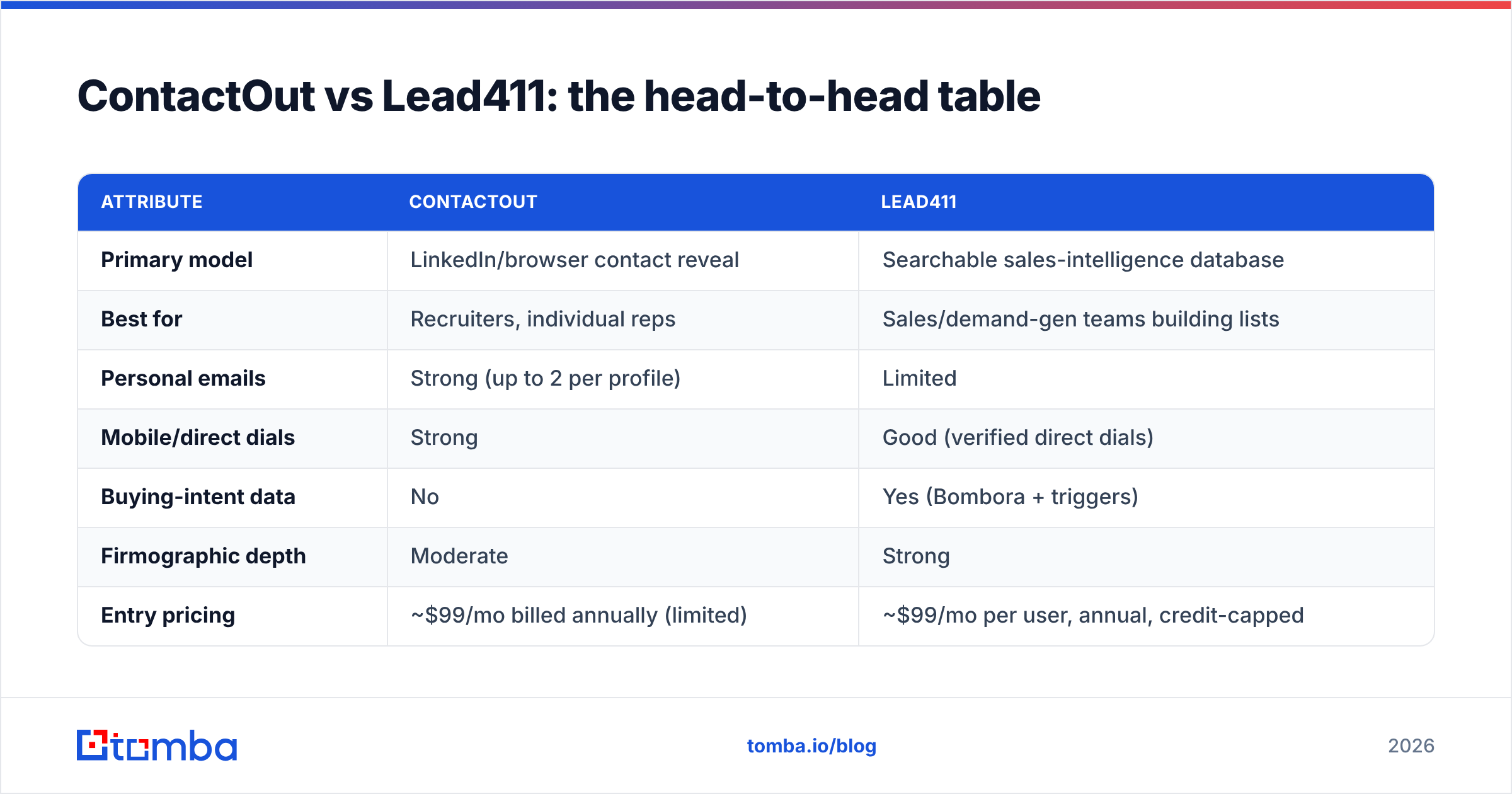
Here's the core comparison. Treat published pricing as directional—both vendors quote per team on sales calls and change tiers often.
| Attribute | ContactOut | Lead411 |
|---|---|---|
| Primary model | LinkedIn/browser contact reveal | Searchable sales-intelligence database |
| Best for | Recruiters, individual reps | Sales/demand-gen teams building lists |
| Personal emails | Strong (up to 2 per profile) | Limited |
| Mobile/direct dials | Strong | Good (verified direct dials) |
| Buying-intent data | No | Yes (Bombora + triggers) |
| Firmographic depth | Moderate | Strong |
| Entry pricing | ~$99/mo billed annually (limited) | ~$99/mo per user, annual, credit-capped |
| Free plan | Limited free credits | Free trial, no lasting free tier |
| CRM/ATS integrations | Yes (recruiting-heavy) | Yes (CRM/sales-heavy) |

Which one has better data accuracy?#
Accuracy is close on work emails and diverges everywhere else. Both tools verify emails before serving them, and both land in a similar band for standard corporate addresses at established companies. The real difference is what kind of contact data each is optimized to get right.
- ContactOut wins on personal reach. Personal Gmail addresses and mobile numbers are its heritage, and it shows. If your job is reaching a passive candidate or a prospect who ignores work email, that coverage matters more than a decimal point of work-email accuracy.
- Lead411 wins on account context. Its firmographics, technographics, and intent signals are richer, so the targeting is more accurate even when the raw email hit-rate is similar. Reaching the right 200 accounts beats reaching 2,000 random ones.
A caveat that applies to both: catch-all domains inflate "valid" rates industry-wide. A tool can return an address that passes SMTP checks on a catch-all server yet still bounces. If deliverability is critical, run exports through a dedicated email verifier or a catch-all verifier before you send, regardless of which vendor you buy. No provider's internal validation removes that step entirely.

Whoops—here's that one rendered properly:
How do ContactOut and Lead411 price out?#
Neither publishes the clean, self-serve pricing that lighter tools do, and that's the friction point for most buyers.
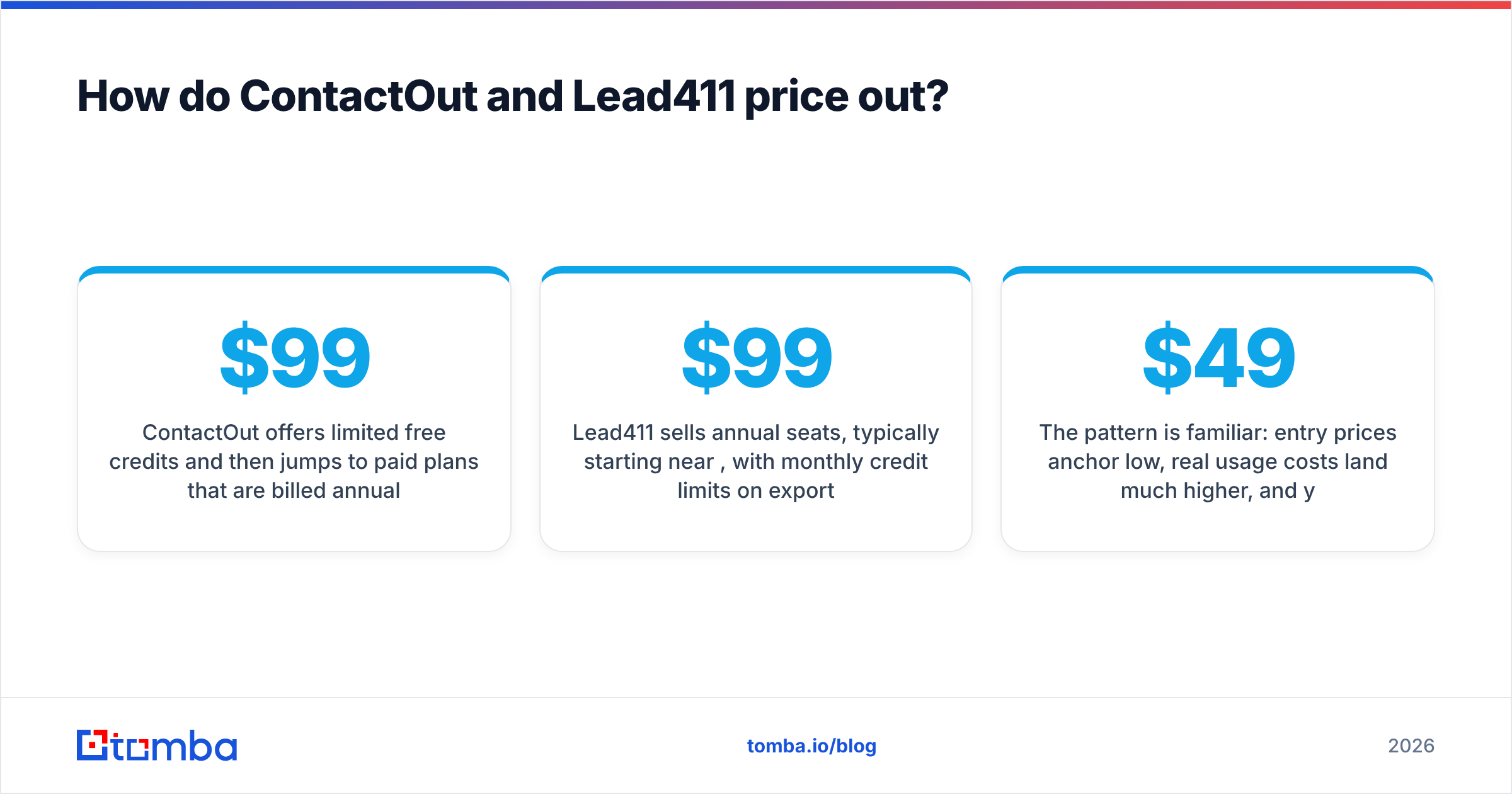
ContactOut offers limited free credits and then jumps to paid plans that are billed annually. The catch is that the genuinely useful email/phone volume—and the export and integration features—sit on higher tiers. Sticker prices around $99/month look reasonable until you read the per-credit and per-seat caps.
Lead411 sells annual seats, typically starting near $99/month per user, with monthly credit limits on exports even on "unlimited"-sounding plans. Intent data and larger export volumes push you up-market fast, and multi-seat teams negotiate custom quotes.
The pattern is familiar: entry prices anchor low, real usage costs land much higher, and you commit annually to find out. If your primary need is verified emails rather than a full intelligence suite or recruiting stack, that's a lot of overhead. For reference, a focused finder like Tomba publishes flat Tomba pricing—Free (25 searches/mo), Starter $49/mo, Growth $99/mo, and Pro $249/mo—so you can model cost before a sales call, not after.
ContactOut vs Lead411: which should you pick?#
Match the tool to the job. Here's the honest decision guide.
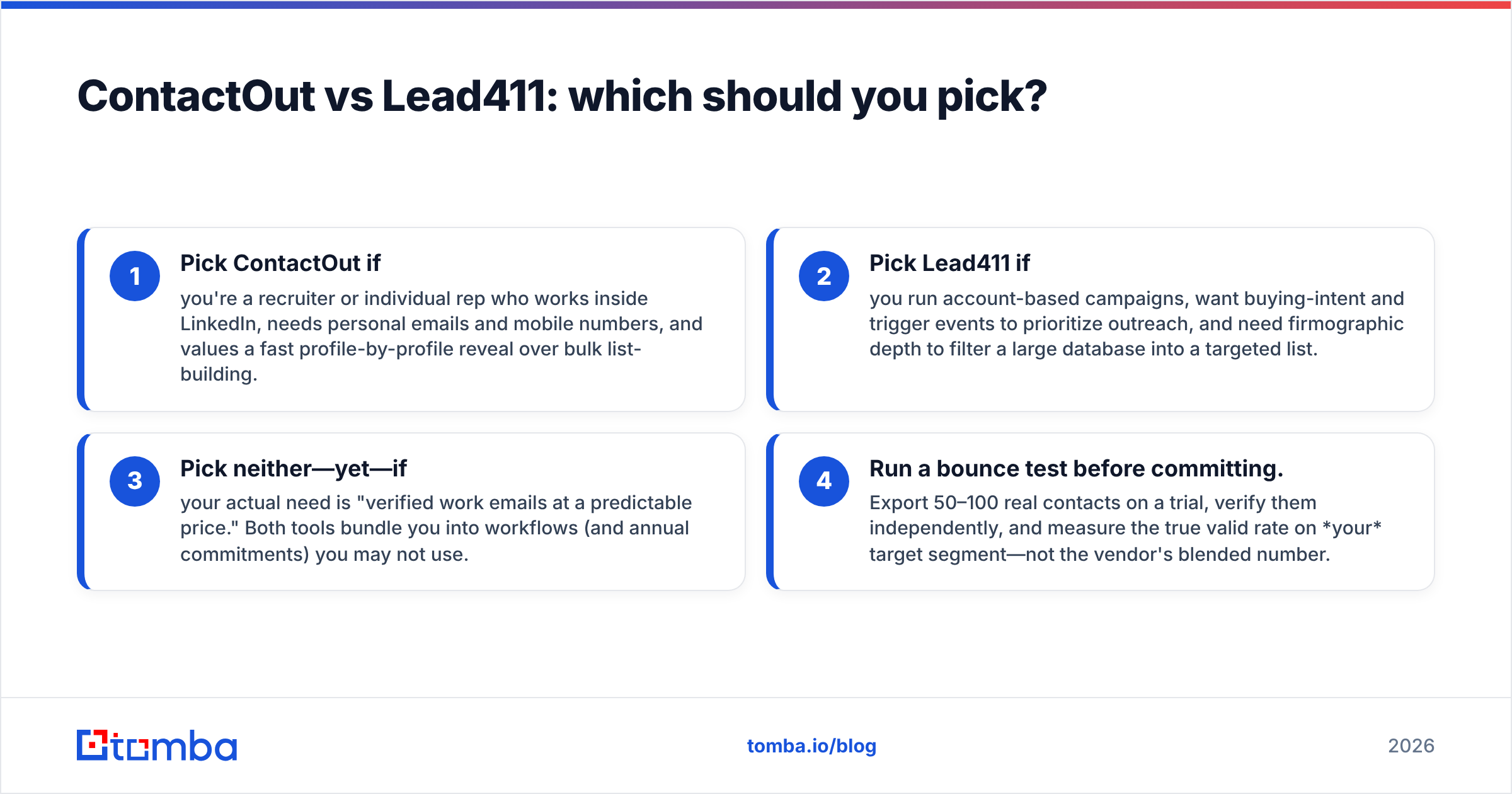
- Pick ContactOut if you're a recruiter or individual rep who works inside LinkedIn, needs personal emails and mobile numbers, and values a fast profile-by-profile reveal over bulk list-building.
- Pick Lead411 if you run account-based campaigns, want buying-intent and trigger events to prioritize outreach, and need firmographic depth to filter a large database into a targeted list.
- Pick neither—yet—if your actual need is "verified work emails at a predictable price." Both tools bundle you into workflows (and annual commitments) you may not use.
- Run a bounce test before committing. Export 50–100 real contacts on a trial, verify them independently, and measure the true valid rate on your target segment—not the vendor's blended number.
For teams whose bottleneck is simply finding and verifying professional emails by domain or name, a dedicated finder is faster to buy and cheaper to run. You can pull addresses with the email finder, pull work emails straight from profiles with the LinkedIn finder, and push clean records into your CRM with data enrichment—without buying a full intent platform or a recruiting suite you'll half-use.

What do reviewers say about ContactOut vs Lead411?#
Third-party review sites help sanity-check vendor claims. On G2, both tools rate well but for different reasons. ContactOut reviewers praise the LinkedIn reveal speed and mobile/personal-email coverage, and flag credit limits and occasional stale data. Lead411 reviewers praise intent data, direct dials, and value versus ZoomInfo, and flag UI dated-ness and export caps.
The consistent theme across both: accuracy is "good, not magic," and credit caps are the hidden cost everyone underestimates. Budget for the tier above the one that looks sufficient, because real usage always exceeds the demo estimate.
Are there cheaper alternatives to ContactOut and Lead411?#
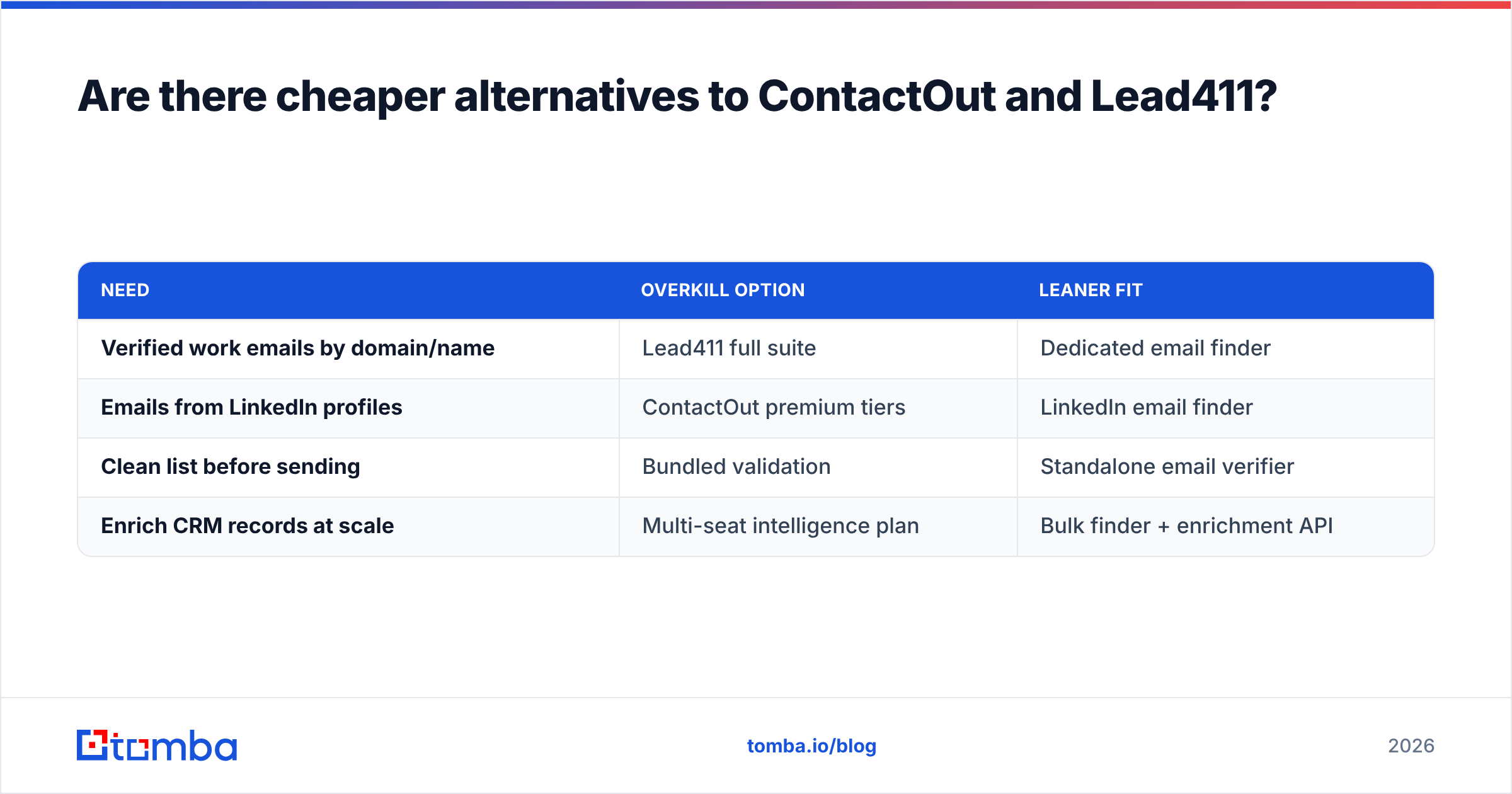
Yes—if you scope your need honestly. The premium you pay for ContactOut's mobile coverage or Lead411's intent engine only makes sense if you'll actually use those features. Many teams buy them for email finding they could do for far less.
| Need | Overkill option | Leaner fit |
|---|---|---|
| Verified work emails by domain/name | Lead411 full suite | Dedicated email finder |
| Emails from LinkedIn profiles | ContactOut premium tiers | LinkedIn email finder |
| Clean list before sending | Bundled validation | Standalone email verifier |
| Enrich CRM records at scale | Multi-seat intelligence plan | Bulk finder + enrichment API |
Tomba covers that leaner column: email finder, email verifier, domain search, catch-all verification, phone finder, and enrichment—priced flat and available via a self-serve API. It won't replace Lead411's Bombora intent feed or ContactOut's recruiter AI. It will replace the email-finding job both tools charge a premium for, at a materially lower cost.
The bottom line#
ContactOut and Lead411 aren't really competitors—they're specialists that happen to overlap. ContactOut wins the individual, LinkedIn-native reveal with strong personal and mobile coverage. Lead411 wins account-based list-building with buying-intent and firmographic depth. Choose by workflow, not by feature-count, and always trial with a real bounce test before signing an annual deal.
But if you strip the comparison down to what most teams actually buy these tools for—accurate, verified professional emails—you don't need a recruiting suite or an intent platform to get them.
Start with the job, not the bundle. If verified B2B emails are your real bottleneck, try the Tomba Email Finder: find addresses by domain, name, or company, verify them before you send, and enrich your CRM through one API—on a plan you can price out in seconds, starting free with 25 searches a month and $49/mo when you scale. Run your own 100-contact accuracy test against ContactOut and Lead411, and let the bounce rate decide.
Related guides#
Ready to find emails that actually work?
Join 150,000+ professionals who stopped guessing and started sending. Free credits on signup — no credit card required.
Get the Tomba newsletter
Practical outbound tactics and product updates — once every two weeks.
About the author