ContactOut vs LeadRocks (2026): Which Finds More Emails?
ContactOut sells live LinkedIn lookups. LeadRocks sells a pre-built contact database. They fail in different ways — here's which one fits your outbound motion, and what each costs once credits run out.
TL;DR
- ContactOut is a live lookup tool. It works best glued to LinkedIn — you browse a profile, the extension reveals a personal and work email. Strong on people you can already see.
- LeadRocks is a static database. You search by title, industry, or company inside its own UI and export a list. Strong on volume and cheap entry pricing, weaker on freshness.
- They fail in opposite directions. ContactOut is expensive per contact and capped by seat; LeadRocks is cheap per contact but ships records that were true 18 months ago.
- Neither is a verification layer. Both hand you addresses; neither meaningfully re-checks them at send time. That gap is what burns your domain.
- Best combo for most teams in 2026: whichever sourcing tool matches your motion, plus a real-time email verifier in front of the sequencer.
What are ContactOut and LeadRocks?#
ContactOut started as a recruiter's Chrome extension. It sits on top of LinkedIn (and now GitHub, company sites, and its own search app) and reveals contact details for the profile in front of you — usually a work email, often a personal Gmail, sometimes a mobile number. Its identity is "the person is already on my screen; give me their inbox."
LeadRocks came from the other direction. It is a B2B contact database — a warehouse of tens of millions of records assembled from public profiles, partner data, and contributed sources — with a filter-and-export UI on top. Its identity is "I don't know who my prospects are yet; show me 500 of them."
That difference in origin explains almost every downstream difference in price, accuracy, and workflow. One is a reveal tool. The other is a list-building tool. Comparing them like-for-like on "which finds more emails" misses the point until you know which job you're hiring for.
How do ContactOut and LeadRocks actually find emails?#
Understanding the sourcing method tells you where each one will let you down.
- ContactOut — profile-anchored reveal. You're on a LinkedIn profile. The extension matches that identity against its store and returns the contact fields it holds, with a confidence label. Coverage is a function of whether that specific human is in the index. When the person is a senior tech buyer in the US, hit rates are strong. When they're a plant manager at a mid-size manufacturer in Poland, hit rates drop fast.
- LeadRocks — filter-anchored export. You never start from a person. You start from a query: "Head of Growth, SaaS, 51–200 employees, United States." The database returns matching rows and you export them. You get volume immediately, but you inherit whatever staleness sits in those rows.
- Pattern inference vs. stored records. Both lean heavily on stored records rather than deriving the pattern live. Tools that derive — take
firstname.lastname@conventions from a domain and test them — behave differently: they degrade gracefully on people who aren't in any database, which is exactly where fresh pipeline hides. - Verification posture. ContactOut labels confidence; LeadRocks marks records as verified at some point in the past. Neither is the same as a live SMTP check on the morning you press send, and the difference between those two states is where bounce rate is decided.
- Refresh cadence. This is the quiet one. A database's value decays roughly 2–3% per month as people change jobs. A record verified in early 2025 and exported in mid-2026 has a meaningful chance of being an autoresponder or a hard bounce.

Is ContactOut better than LeadRocks?#
Not universally — it's better at a different job. Here's the head-to-head on the attributes that actually change your cost per meeting.
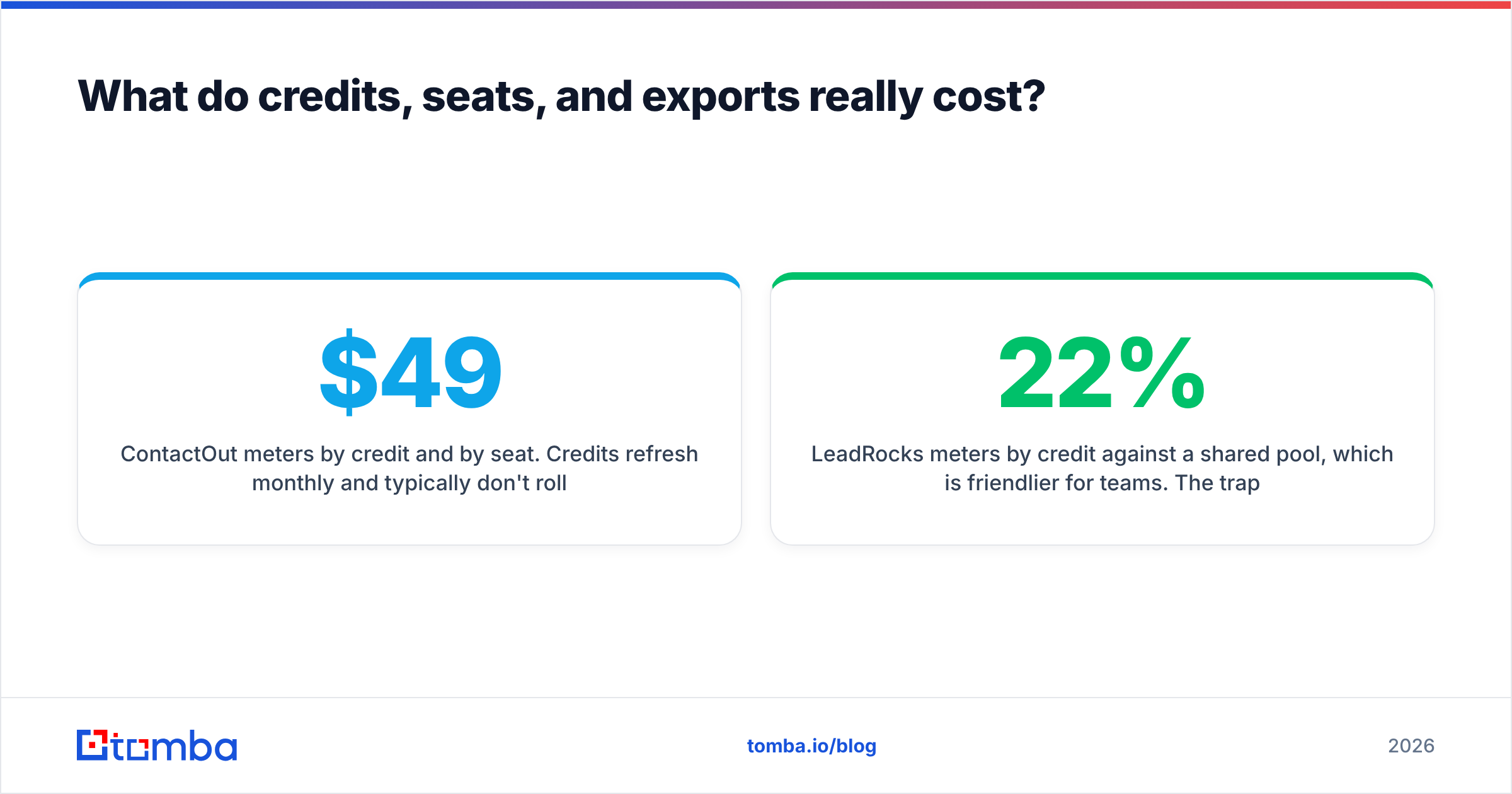
| Attribute | ContactOut | LeadRocks | Tomba |
|---|---|---|---|
| Primary motion | Reveal on LinkedIn profile | Filter + export from database | Domain/name lookup + API |
| Entry price | Free tier, then roughly $49/mo (annual) per seat | Roughly $29/mo entry tier | Free 25 searches, Starter $49/mo |
| Mid tier | ~$99/mo sales plan | ~$89/mo growth tier | Growth $99/mo |
| Personal emails | Yes — a core strength | Partial | Work emails focused |
| Phone numbers | Yes | Yes | Yes, via phone finder |
| Bulk export | Limited by plan and seat | Yes — the whole point | Yes, bulk finder + verifier |
| Live SMTP verification | Confidence score only | Pre-marked "verified" | Real-time verification |
| Catch-all handling | Weak | Weak | Dedicated catch-all verifier |
| Native API | Available on higher tiers | Limited | Full REST API on all paid plans |
| Best for | Recruiters, founder-led AE motion | Cheap volume list building | Programmatic + verified outbound |
Pricing on both vendors moves, and both run promotional and lifetime offers. Check their live pricing pages before you budget — the numbers above are list prices at the time of writing, not a quote.
The honest reading of this table: ContactOut wins when you know exactly who you want and are willing to pay per human. LeadRocks wins when you want 2,000 rows for under $100 and can tolerate cleanup. Neither wins on the last mile — turning a raw address into a send-safe one.
Which one is more accurate?#
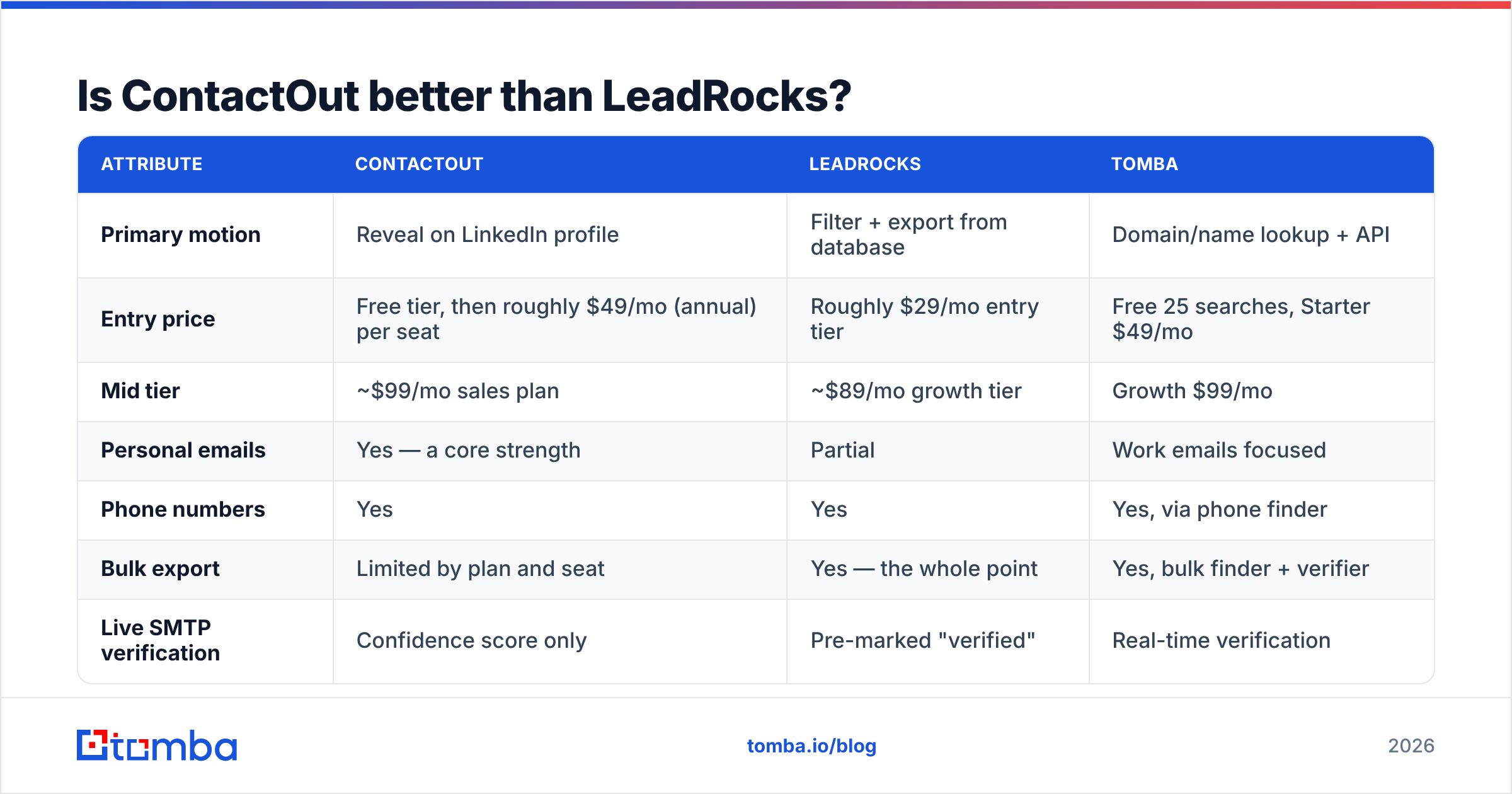
Accuracy claims from contact-data vendors are close to unfalsifiable as marketed. Every vendor says "95%+." What they mean varies wildly: some count "we returned a syntactically valid address," some count "SMTP accepted it at the moment we checked, at some point in the past," and almost none count "it did not bounce when you sent to it last Tuesday."
Run your own test before you commit. It takes twenty minutes:
- Pull 100 contacts you already have confirmed, reachable emails for (past customers, current pipeline, your own team's network).
- Wipe the email column. Feed the names + companies to each tool.
- Score three things separately: coverage (did it return anything?), exact-match rate (was it the right address, not a colleague's?), and bounce rate on a small live send.
Coverage is where LeadRocks tends to look great and exact-match rate is where it gets punished — a database export can return a plausible address for a role that person left. ContactOut typically inverts this: fewer returns, higher hit quality on the returns you get, at a much higher effective cost per usable contact once you factor in seats.

The number that matters is not accuracy — it's cost per verified, deliverable contact. A tool with 60% coverage at $0.02 per record beats a tool with 90% coverage at $0.35 per record for most volume outbound, right up until the moment the cheap records start bouncing and take your sending domain with them.
What do credits, seats, and exports really cost?#
This is where the sticker price and the invoice diverge.
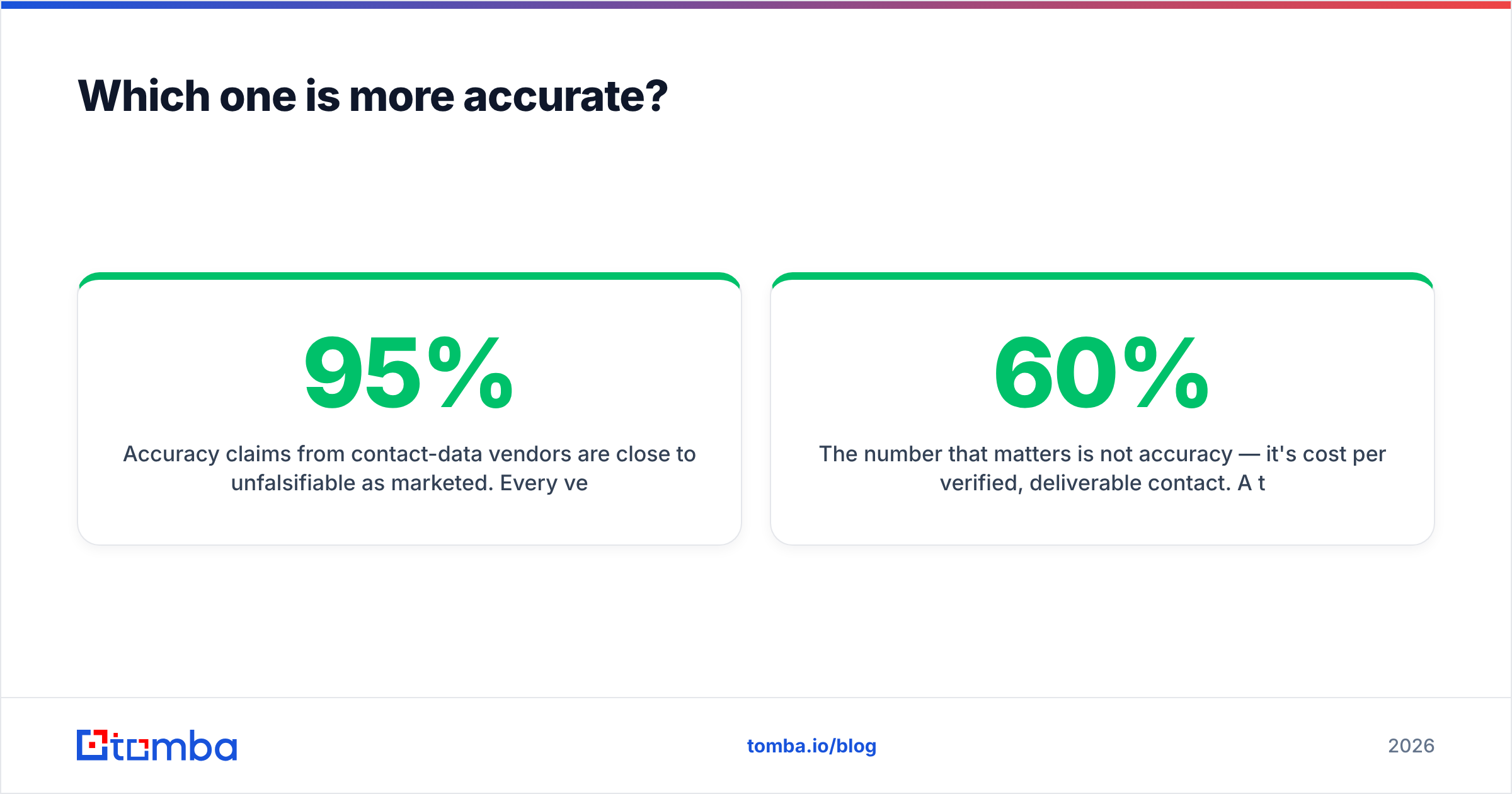
ContactOut meters by credit and by seat. Credits refresh monthly and typically don't roll over. Personal and work emails may draw separately. The practical trap: three SDRs need three seats, and a two-person team's $49/mo becomes a five-person team's meaningful line item. If your motion is one founder doing 40 highly targeted touches a week, this is fine — arguably cheap. If it's a team pushing 5,000 contacts a month, the math gets ugly.
LeadRocks meters by credit against a shared pool, which is friendlier for teams. The trap here is different: cheap credits spent on stale rows are not cheap. If 22% of a 2,000-row export bounces, you didn't pay $89 for 2,000 contacts. You paid $89 for 1,560 contacts and a measurable hit to sender reputation that costs you deliverability on the leads that were good.
The hidden third cost in both: cleanup labor. Somebody has to dedupe, normalize, catch-all-check, and re-verify. Budget an hour per thousand rows if you're doing it by hand, or route the list through a bulk email finder and verifier and skip it.

Which tool fits your workflow?#
Match the tool to the motion, not to the review score.
- You're a recruiter or a founder doing hand-picked, high-value outreach. ContactOut. The extension workflow is genuinely good, personal emails are its edge, and per-contact cost doesn't matter when you're sending 30 emails to 30 people you specifically want.
- You need 1,000+ prospects this week on a small budget. LeadRocks. Then verify aggressively before you send anything — treat the export as a hypothesis, not a list.
- You're building outbound into a product, a script, or an automated GTM stack. Neither, really. Both are UI-first. What you want is an email finder API you can call from your enrichment job, plus verification in the same call.
- You're already sourcing from LinkedIn but need clean, verified work emails at volume. A LinkedIn finder plus real-time verification gives you ContactOut's anchor point with LeadRocks' economics.
- You need whole-company coverage, not individuals. Neither is built for this. A domain search that returns every discoverable address at a company, with roles and confidence, is a different tool category.

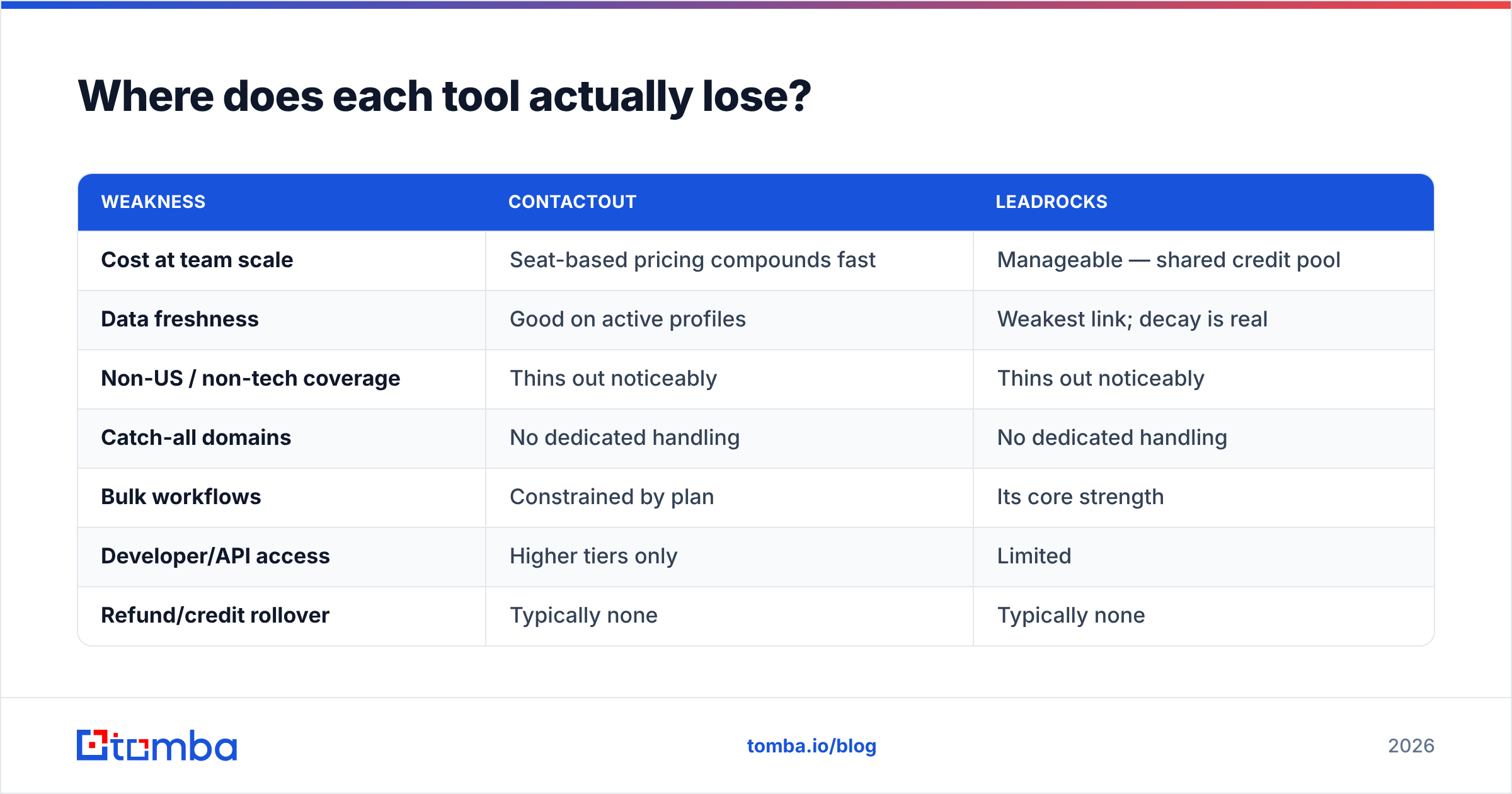
Where does each tool actually lose?#
Every vendor comparison that lists only strengths is a brochure. Here are the real weak points.
| Weakness | ContactOut | LeadRocks |
|---|---|---|
| Cost at team scale | Seat-based pricing compounds fast | Manageable — shared credit pool |
| Data freshness | Good on active profiles | Weakest link; decay is real |
| Non-US / non-tech coverage | Thins out noticeably | Thins out noticeably |
| Catch-all domains | No dedicated handling | No dedicated handling |
| Bulk workflows | Constrained by plan | Its core strength |
| Developer/API access | Higher tiers only | Limited |
| Refund/credit rollover | Typically none | Typically none |
| Verification at send time | Not offered | Not offered |
Notice the row both share: verification at send time. This is not a nitpick. Google and Yahoo's bulk-sender enforcement means a spike in hard bounces now translates directly into inbox placement damage within days. Whichever sourcing tool you pick, a verification pass belongs between the export and the sequencer. If you're not sure why, the primer on email deliverability covers the mechanics.
What are the alternatives to ContactOut and LeadRocks?#
If neither shape fits, the adjacent options are worth ten minutes:
- BookYourData — a solid choice when you want a pay-as-you-go, filterable B2B list with a bounce guarantee attached. Good fit for teams who want to own the data outright rather than rent seats. It's a respected option in this category and competes on data quality rather than price alone.
- Apollo — bundles data with a sequencer. Convenient; the data quality varies by segment, and you're locked into their sending stack.
- RocketReach / Lusha — similar reveal-tool shape to ContactOut, similar seat economics.
- Tomba — finder, verifier, catch-all check, and enrichment behind one API, with a free tier at 25 searches and Starter at $49/mo. The pitch is not "more records than anyone" — it's verified records, checked live, with programmatic access on every paid tier.
Read peer reviews on G2's lead intelligence category before you commit to an annual plan. Pay attention to reviews from companies your size and in your geography — a glowing review from a US SaaS seller tells you nothing about coverage for European manufacturing.
FAQ#
Is LeadRocks cheaper than ContactOut? On sticker price, usually yes — especially at entry tiers and for teams, because credits are pooled rather than seat-locked. On cost per deliverable contact after bounces and cleanup, the gap narrows a lot.
Does ContactOut find personal emails? Yes, and it's one of the stronger tools for it. That's a real advantage for recruiting and a compliance question worth raising with your legal team for cold B2B sales in GDPR jurisdictions.
Can I use both? Plenty of teams do — LeadRocks for top-of-funnel volume, ContactOut for the named accounts that matter. Just don't let either one be your last stop before the send button.
Do I still need an email verifier if the tool says "verified"? Yes. "Verified" in a database means "checked at some past date." A contact who resigned in March is still marked verified in July. Re-check at send time or accept the bounces.
The call#
ContactOut vs LeadRocks isn't a quality contest — it's a workflow question. Pick ContactOut if your prospects are already on your screen and each one is worth real money. Pick LeadRocks if you need volume cheaply and you're honest with yourself about the cleanup work that follows.
But make the last step non-negotiable either way: nothing enters your sequencer unverified. That's the difference between an outbound program that compounds and one that quietly poisons its own domain over two quarters.
If you'd rather not run two vendors to get there, start with the Tomba Email Finder — find the address, verify it live, check the catch-all, and push it to your CRM in a single API call. The free tier gives you 25 searches to test coverage against your own list before you spend anything, and Starter is $49/mo when you're ready to run it at volume. Test it against your own 100-contact control set. That's the only benchmark that counts.
Related guides#
Ready to find emails that actually work?
Join 150,000+ professionals who stopped guessing and started sending. Free credits on signup — no credit card required.
Get the Tomba newsletter
Practical outbound tactics and product updates — once every two weeks.
About the author