ContactOut vs LeadsForge: Which B2B Data Tool Wins in 2026?
ContactOut leans on LinkedIn and personal emails. LeadsForge sells AI-built lists from a plain-English prompt. Here is the honest breakdown of accuracy, pricing, export limits, and who each one actually fits.
TL;DR
- ContactOut is a LinkedIn-first contact tool. Its edge is personal email addresses and phone numbers pulled while you browse profiles. Its ceiling is that it lives and dies by LinkedIn.
- LeadsForge is a newer, AI-prompt-first list builder: you describe your ICP in plain English and it assembles a list. Its edge is speed to a first list. Its risk is that you inherit whatever the underlying data layer gives you.
- Neither one is primarily a verification engine, and that is where most cold-email programs actually break.
- On raw cost per verified B2B email, a dedicated finder + verifier stack (Tomba starts at $49/mo) usually beats both — especially once you multiply per-seat pricing across a team.
- Pick ContactOut if your motion is manual LinkedIn sourcing. Pick LeadsForge if you want a list conjured fast. Pick a finder/verifier API if you're running volume outbound and care about bounce rate.
What is ContactOut, actually?#
ContactOut is a browser-extension-driven contact finder built around LinkedIn profiles. You install the extension, open a profile, click the widget, and it surfaces work emails, personal emails, and — on higher tiers — phone numbers. It also ships a web-based search portal, a Recruiter integration, and a bulk/CSV path for people who don't want to click one profile at a time.
Its reputation was built in recruiting. Recruiters need personal Gmail addresses because candidates don't answer work inboxes about new jobs. ContactOut invested heavily in exactly that data class, and it shows: personal-email coverage is genuinely one of the better ones on the market.
The trade-offs are structural, not cosmetic:
- LinkedIn dependency. No LinkedIn profile, no result. If your ICP is a plumbing distributor in Ohio whose ops manager has never opened LinkedIn, ContactOut has very little to give you.
- Per-seat economics. Pricing is built around individual users, which is fine for a two-recruiter team and painful for a ten-rep SDR floor.
- Export gating. The cheap tiers throttle how many contacts you can actually pull out per day/month. The number on the pricing page is not always the number you can get into your CRM.
- Verification is downstream. ContactOut gives you a confidence signal, not a full SMTP-level verification pipeline with catch-all handling.
What is LeadsForge, and how is it different?#
LeadsForge sits in the newer "AI list builder" category. Instead of building a filter query — industry = SaaS, headcount 50-200, title contains VP — you type something closer to a sentence: "Heads of RevOps at Series B fintechs in the UK who recently posted about outbound." The system parses that into a query against its data layer and hands you a list with contact details attached.
That is a real UX improvement, and it's why the category is growing. Filter-building is tedious. Describing your buyer is not.
But there are two things to be clear-eyed about, and neither is a knock on the product specifically — they're true of the whole AI-list-builder category:
- The AI is the interface, not the data. A natural-language prompt does not improve the underlying email records. If the source data is 80% accurate, your prompt-built list is 80% accurate. The chat box just gets you there faster.
- Prompt ambiguity becomes list drift. "Recently posted about outbound" is doing an enormous amount of load-bearing work in that sentence. Different runs, different interpretations, different lists. For repeatable, auditable prospecting, deterministic filters still win.
Because the category moves fast, treat any pricing or coverage number you read — here or anywhere — as a snapshot. Check the vendor's own page before you commit budget.

How do ContactOut and LeadsForge compare head-to-head?#
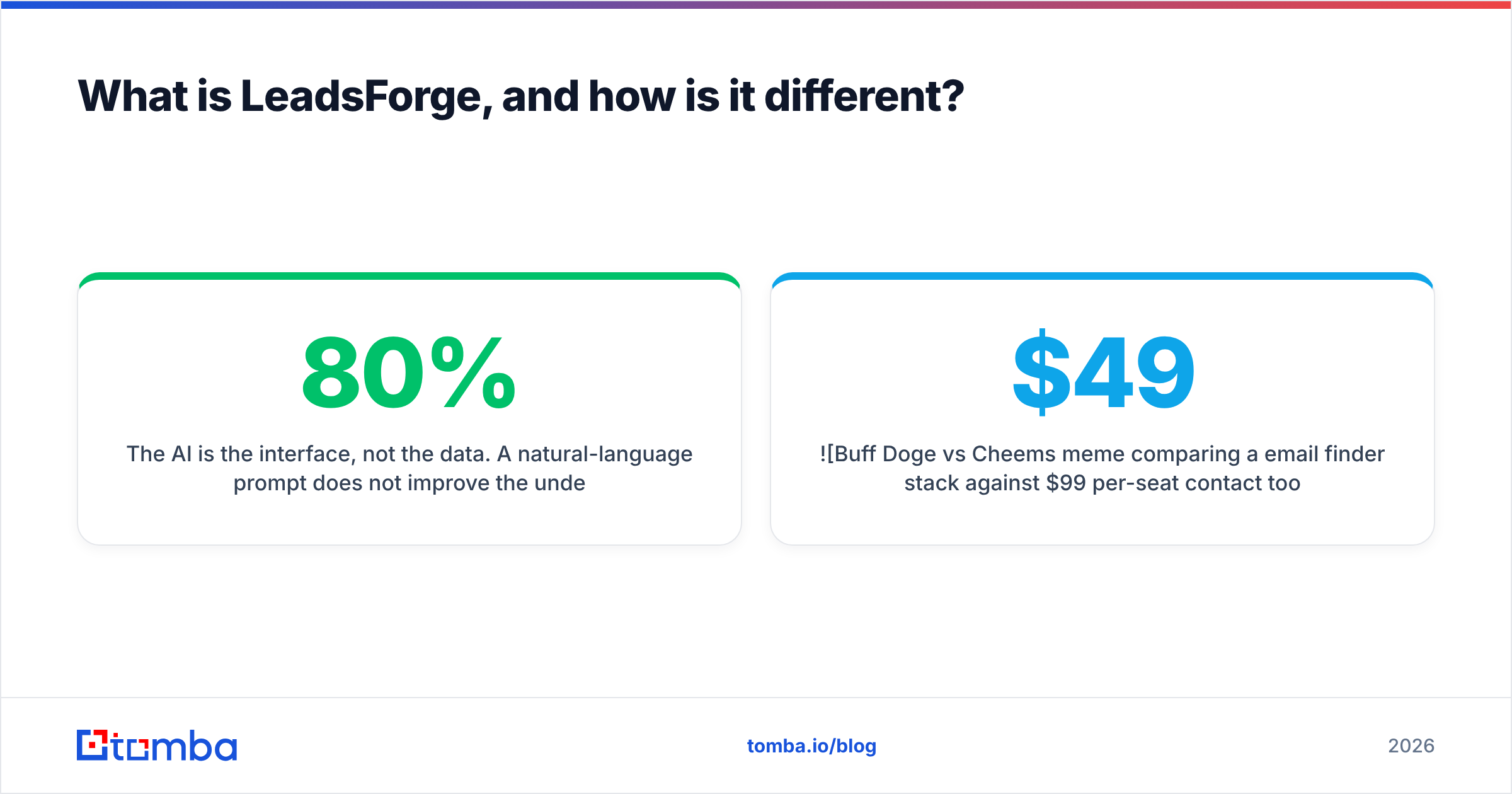
Here's the practical comparison. Numbers marked varies are the ones that shift most often between plan revisions — verify on the vendor site before you buy.
| Dimension | ContactOut | LeadsForge | Tomba (reference point) |
|---|---|---|---|
| Core motion | LinkedIn profile → contact | Plain-English prompt → list | Domain/name → verified email |
| Primary data class | Work + personal emails, phones | Company + contact records | Work emails, catch-all handling, phones |
| Free tier | Limited daily credits | Trial credits (varies) | 25 searches/mo, no card |
| Entry paid plan | ~$99/user/mo range (varies) | Varies by seat/credit bundle | $49/mo (Starter) |
| Mid tier | Per-seat, scales linearly | Per-seat/credit | $99/mo (Growth) |
| Team scaling | Per-seat — cost grows with headcount | Per-seat/credit | Shared credit pool across the account |
| Works without LinkedIn | Largely no | Yes | Yes |
| Native email verification | Confidence score | Basic validation | Dedicated verifier + catch-all verifier |
| Bulk / CSV enrichment | Yes, tier-gated | Yes | Yes, bulk + API |
| Public API | Available on higher tiers | Available | Yes, on all paid tiers |
| Best for | Recruiters, LinkedIn-native sourcing | Fast first list, non-technical GTM | Volume outbound, dev-integrated stacks |
The pattern in that table matters more than any single cell. ContactOut optimizes for depth on a person you've already found. LeadsForge optimizes for speed to finding people. Neither optimizes for making sure the address you got actually accepts mail — and that is the step that determines whether your domain survives the quarter.
Which one is more accurate?#
This is where most comparison posts hand-wave, so let's be precise about what "accuracy" even means.
There are three distinct numbers vendors blur together:
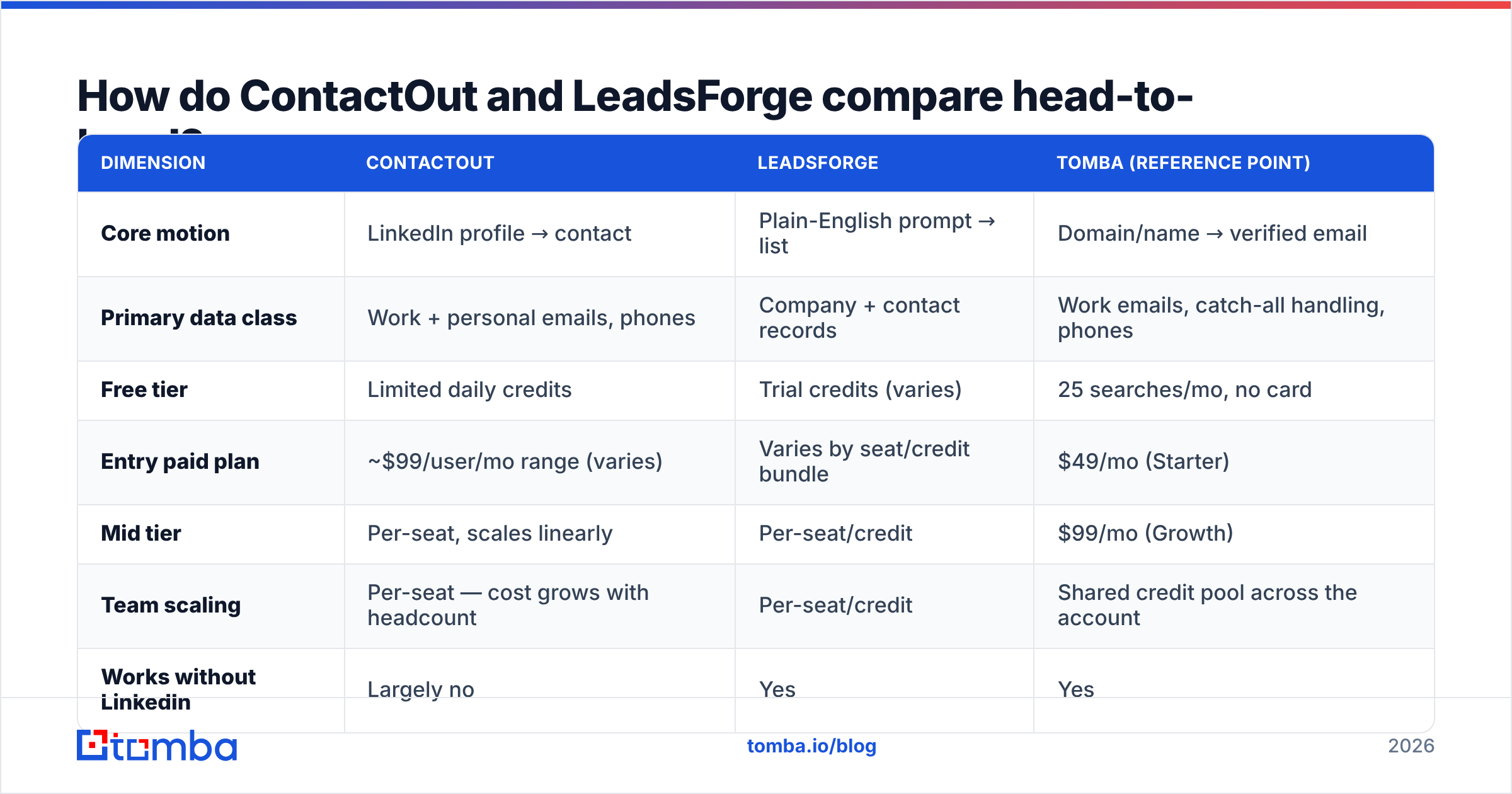
- Coverage / hit rate — of 1,000 prospects you looked up, how many returned an email? A tool can score 95% here by guessing patterns.
- Precision — of the emails returned, how many are the correct, current address for that person?
- Deliverability outcome — of the emails you actually sent, how many landed instead of bouncing?
Vendors love to quote #1 and let you assume it means #3. It does not. A tool with 95% coverage and 78% precision will produce a worse bounce rate than a tool with 70% coverage and 97% precision — and the bounce rate is what mailbox providers grade you on.

For ContactOut, precision on LinkedIn-sourced work emails is strong, and personal-email precision is among the better ones in market — that's the moat. Where it slips is stale records: someone who changed jobs eight months ago and never updated their profile will hand you a dead mailbox with high confidence.
For LeadsForge and other AI builders, accuracy is a function of the data partners behind the prompt layer. Ask the vendor directly: whose data is under this, and when was it last refreshed? If the answer is vague, price that vagueness in.
Whichever you choose, the fix is the same and it is not optional: run every list through an email verifier before it touches your sequencer. A verifier does SMTP-level checks, flags role accounts, catches syntax garbage, and — critically — tells you which domains are catch-all so you can route those to a catch-all verifier instead of blindly mailing them.
What does each one really cost at team scale?#
Sticker price lies. What you actually pay is a function of three multipliers: seats, credits, and export caps.
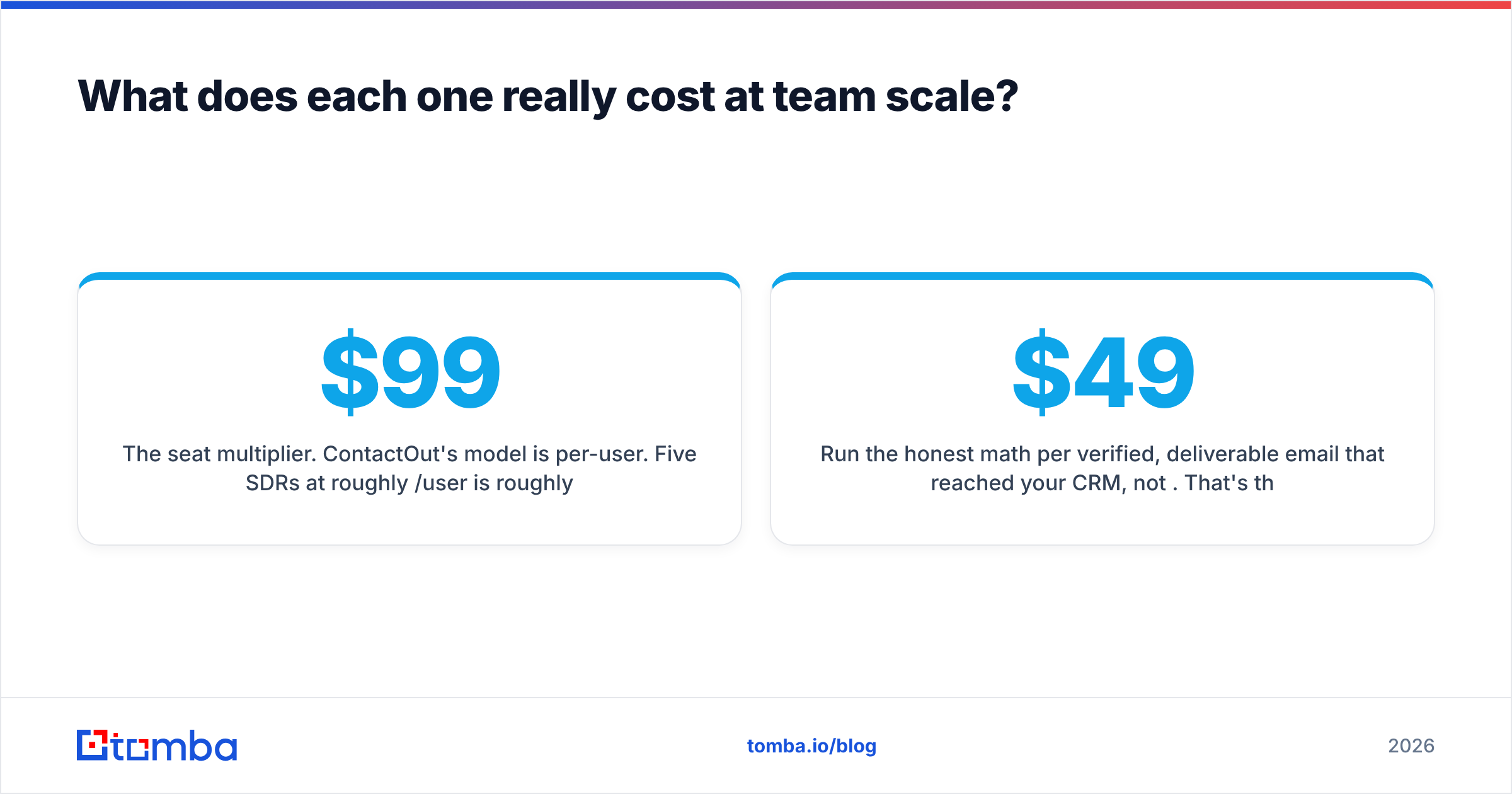
The seat multiplier. ContactOut's model is per-user. Five SDRs at roughly $99/user/mo is roughly $495/mo before you've enriched anything unusual. That's fine if each rep is doing genuinely individual sourcing. It's waste if they're all pulling from the same list, because you're paying five times for one workflow.
The credit multiplier. AI list builders burn credits on discovery, not just retrieval. A prompt that returns 400 people and you keep 60 of them has still spent something. Re-prompting to refine your ICP — which you will do, that's the whole point of the interface — spends more.
The export cap. This is the one that ambushes people. A plan advertising "unlimited search" may cap how many contacts you can export per day. You can see 2,000 leads and only take 200. Read the cap, not the headline.
Run the honest math per verified, deliverable email that reached your CRM, not per credit. That's the only number your CAC cares about. When teams do that arithmetic, a shared-pool email finder with a bulk pipeline usually comes out cheaper than per-seat contact tools — Tomba pricing runs Free (25 searches/mo), Starter $49/mo, Growth $99/mo, Pro $249/mo, with credits pooled across the whole account rather than fenced per seat.

Is there a better third option for outbound teams?#
Depends entirely on your motion. Here's the decision tree, stated plainly.
Choose ContactOut if:
- You are a recruiter, or your sales motion is genuinely LinkedIn-native.
- You need personal email addresses and mobile numbers, not just work emails.
- Your team is small enough that per-seat pricing doesn't compound.
- You're sourcing dozens of people a week, not thousands.
Choose LeadsForge if:
- You want a usable list in ten minutes without learning a filter DSL.
- Your GTM team is non-technical and won't touch an API.
- You're validating an ICP hypothesis and need speed over precision.
- You accept that you'll verify the output separately.
Choose a finder + verifier stack if:
- You send at volume and bounce rate is a board-level metric.
- You want the data in your systems programmatically — CRM, warehouse, sequencer — not in a CSV someone downloaded.
- Your ICP includes companies whose staff aren't well-represented on LinkedIn.
- You want cost to scale with usage, not headcount.
That third path is what the Tomba API, the bulk tools, and native integrations are built for: domain search to map a company's mailboxes, the finder to resolve names to addresses, and the verifier to kill bad records before they cost you a domain. If ContactOut is specifically what you're comparing against, we keep a straight-up ContactOut alternative breakdown too.
How should you actually test these tools before buying?#
Don't trust anyone's benchmark, including this one. Run your own. It takes an afternoon.
- Build a golden set of 100 prospects. Real people, real companies, drawn from your actual ICP — not a list of tech unicorns everybody has data on. Include at least 20 from small or non-tech companies. That's where tools separate.
- Run the identical list through each tool. Same names, same domains, same day.
- Record three numbers per tool: hit rate (got an address), verified rate (survived an independent verifier), and unique finds (addresses only that tool returned).
- Send a small, warmed batch. 50 emails per tool, from a warmed domain, and record actual hard bounces. This is the only number that isn't self-reported.
- Divide total cost by verified-and-delivered contacts. Now you have a real cost per usable lead — the only metric worth arguing about.
- Check the export path. Can you actually get the data out at the volume you need, on the plan you can afford? Test this on the trial, not after the invoice.
Teams that skip step 4 pick tools on marketing pages. Teams that run it pick tools on evidence, and they usually end up with a different answer than they expected. Peer reviews on G2 are a useful sanity check on support quality and billing surprises, but they are not a substitute for testing your own ICP — and the broader research on outbound benchmarks from sources like HubSpot is best treated as directional, not prescriptive.
What's the verdict on ContactOut vs LeadsForge?#
ContactOut wins on person-level depth. If you've already identified a human and need their real contact details — including the personal ones — it is very good at that job, and recruiters pay for it for a reason.
LeadsForge wins on time-to-first-list. If the bottleneck in your week is building the query, the prompt interface removes a real chore.
Neither wins on cost-per-verified-email at volume, and neither replaces a verification layer. That's not a criticism — it's a scope statement. They're sourcing tools. Verification is a different discipline, and treating a confidence score as verification is how good domains end up in spam folders.
If your outbound is a handful of high-touch conversations a week, buy for depth and pay per seat happily. If your outbound is a machine that needs thousands of clean, deliverable addresses a month, buy for cost-per-verified-contact, pool your credits, and put a verifier between the data and the send button.
Ready to test a cheaper, verification-first stack?#
Start with the Tomba Email Finder. The free tier gives you 25 searches a month with no card, which is enough to run the 100-prospect golden-set test above against whatever you're using today. Feed it the same names, compare hit rate and verified rate, then check what the same volume costs you at Starter ($49/mo) versus a per-seat contract across your whole team. If the numbers don't beat what you're paying now, you've lost an afternoon. If they do, you've cut your cost per verified lead — and that compounds every month you send.
Related guides#
Ready to find emails that actually work?
Join 150,000+ professionals who stopped guessing and started sending. Free credits on signup — no credit card required.
Get the Tomba newsletter
Practical outbound tactics and product updates — once every two weeks.
About the author