ContactOut vs LeadsGorilla 2026: Which B2B Lead Tool Wins?
ContactOut mines LinkedIn for verified personal and work emails. LeadsGorilla scores local business leads from Google and Facebook. Here's which one actually fits your pipeline — and where both fall short.
TL;DR
- ContactOut is a LinkedIn-first contact finder: a Chrome extension that pulls work emails, personal emails, and phone numbers off profiles. Best for recruiters and SDRs living inside LinkedIn all day.
- LeadsGorilla is a local-business lead generator: it scrapes Google Maps, Facebook, and Yelp listings, scores them by "marketing weakness," and generates audit reports you can sell against. Best for agencies pitching SEO/web services to SMBs.
- These tools barely compete. If you're comparing them, you're really deciding whether your ICP is a person with a LinkedIn profile or a business with a bad website.
- Pricing splits hard: ContactOut runs a credit-metered SaaS model; LeadsGorilla leans on lifetime/AppSumo-style deals with upsells.
- If what you actually need is verified B2B emails at scale via API or bulk upload, neither is the cheapest path. A dedicated email finder starting at $49/mo covers more ground per dollar.
What is ContactOut and who is it for?#
ContactOut is a contact-data tool built around a browser extension. You open a LinkedIn profile, click the extension, and it surfaces the person's work email, personal (Gmail/Outlook) email, and often a mobile number. It also ships a web search app, a recruiter-oriented "Search Portal," and an API for programmatic lookups.
Its defining feature is personal email coverage. Most B2B data vendors only give you first.last@company.com. ContactOut has built its reputation on also returning the personal Gmail address — which is why recruiting teams at Google, Microsoft, and Amazon show up in its customer logos. When you're headhunting someone who ignores their work inbox, a personal address is the difference between a reply and silence.
The trade-off: ContactOut is profile-triggered. Its data model assumes you already know who you want. Feed it a domain and ask "give me everyone in marketing," and you're using it against the grain. You can do it through the search portal, but that's not where the tool is strongest.
Where ContactOut fits:
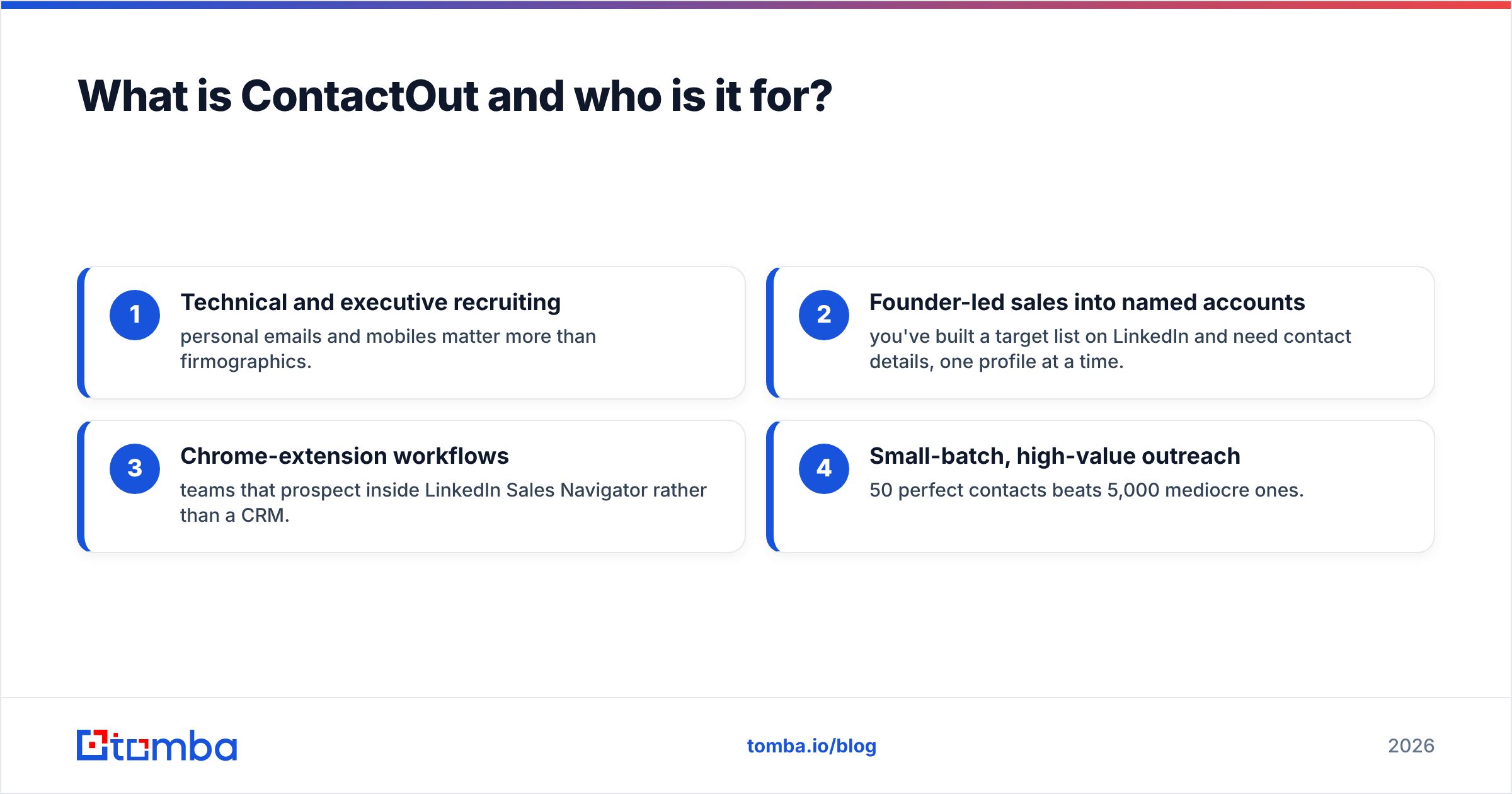
- Technical and executive recruiting — personal emails and mobiles matter more than firmographics.
- Founder-led sales into named accounts — you've built a target list on LinkedIn and need contact details, one profile at a time.
- Chrome-extension workflows — teams that prospect inside LinkedIn Sales Navigator rather than a CRM.
- Small-batch, high-value outreach — 50 perfect contacts beats 5,000 mediocre ones.
What is LeadsGorilla and who is it for?#
LeadsGorilla plays an entirely different sport. It's a local lead generation and agency-pitch tool. You type in a niche ("dentists") and a city ("Austin, TX"), and it pulls business listings from Google Maps, Facebook, Yelp, and similar sources. Then it does the part that actually sells the product: it scores each lead on how badly they need help — no website, no Google Business optimization, low reviews, missing SEO basics, no Facebook pixel.
From there it auto-generates a branded PDF audit report you can email to the business owner: "Here are 7 things wrong with your online presence." That report is the pitch. LeadsGorilla also bundles email templates and, in newer versions, AI-written outreach copy.
So LeadsGorilla isn't really competing on data accuracy — it's competing on workflow for agencies selling to SMBs. The lead is the pitch.
Where LeadsGorilla fits:
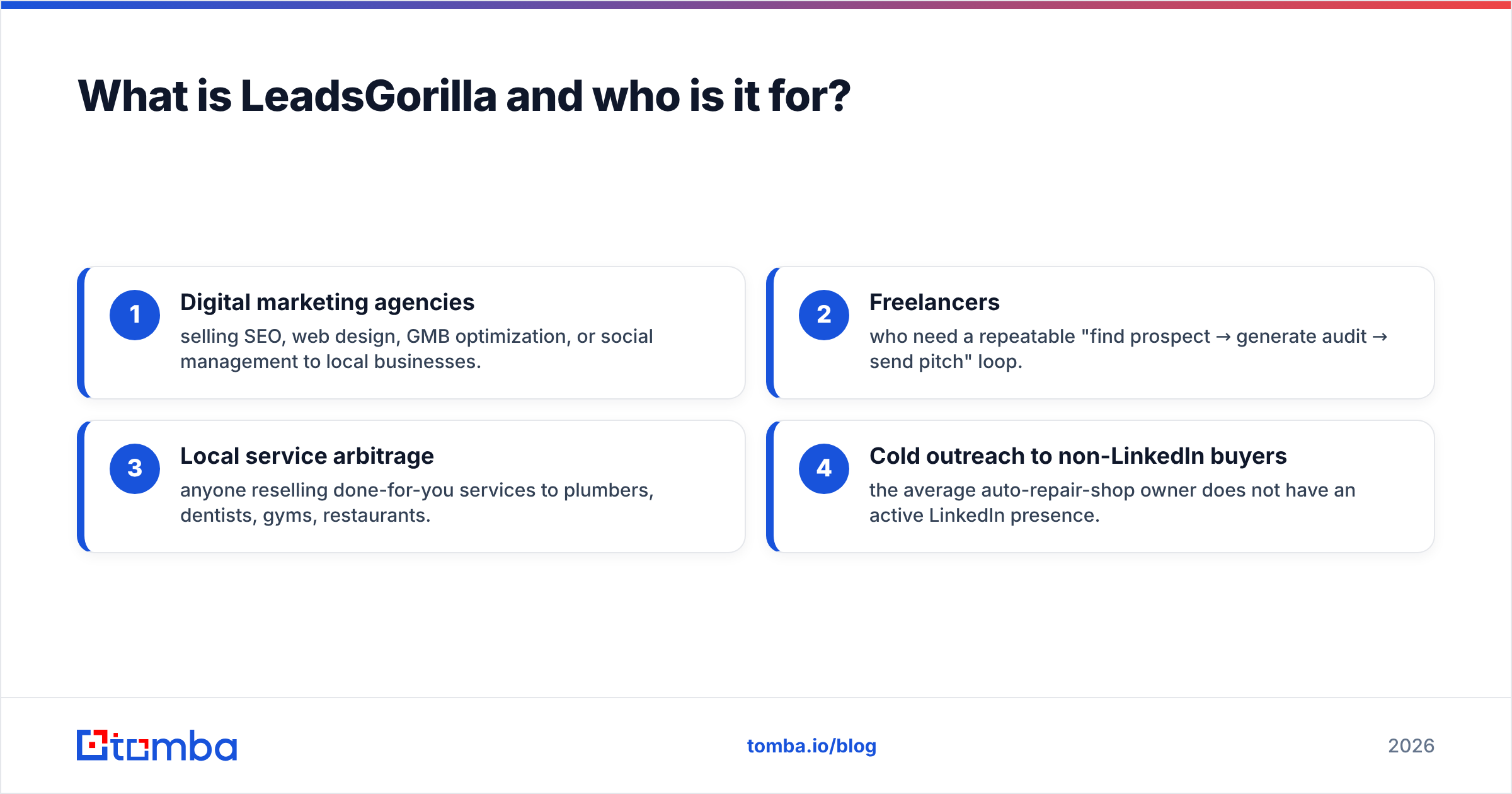
- Digital marketing agencies selling SEO, web design, GMB optimization, or social management to local businesses.
- Freelancers who need a repeatable "find prospect → generate audit → send pitch" loop.
- Local service arbitrage — anyone reselling done-for-you services to plumbers, dentists, gyms, restaurants.
- Cold outreach to non-LinkedIn buyers — the average auto-repair-shop owner does not have an active LinkedIn presence.

ContactOut vs LeadsGorilla: how do they actually compare?#
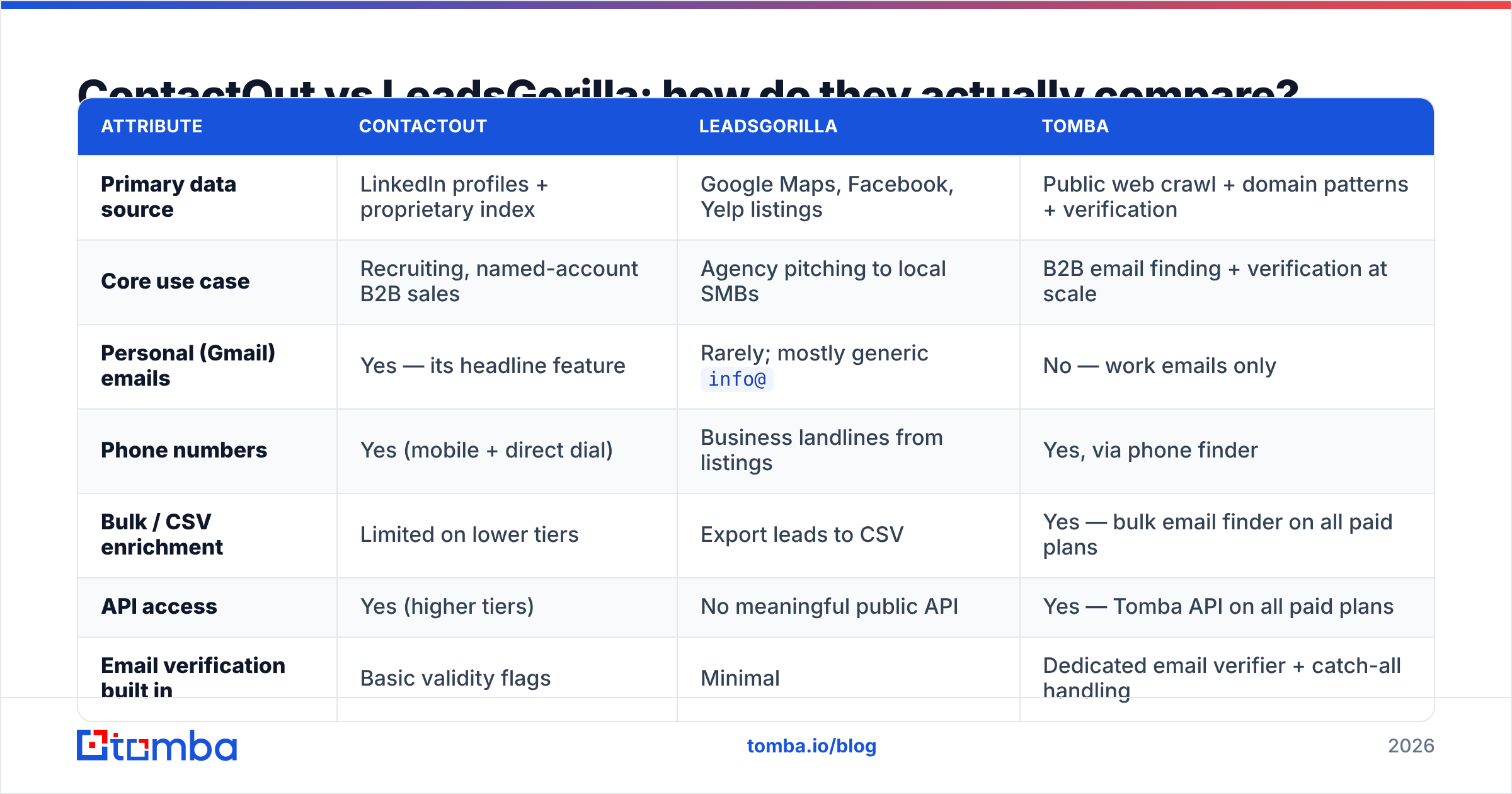
Here's the head-to-head on the attributes that decide the purchase.
| Attribute | ContactOut | LeadsGorilla | Tomba |
|---|---|---|---|
| Primary data source | LinkedIn profiles + proprietary index | Google Maps, Facebook, Yelp listings | Public web crawl + domain patterns + verification |
| Core use case | Recruiting, named-account B2B sales | Agency pitching to local SMBs | B2B email finding + verification at scale |
| Personal (Gmail) emails | Yes — its headline feature | Rarely; mostly generic info@ |
No — work emails only |
| Phone numbers | Yes (mobile + direct dial) | Business landlines from listings | Yes, via phone finder |
| Bulk / CSV enrichment | Limited on lower tiers | Export leads to CSV | Yes — bulk email finder on all paid plans |
| API access | Yes (higher tiers) | No meaningful public API | Yes — Tomba API on all paid plans |
| Email verification built in | Basic validity flags | Minimal | Dedicated email verifier + catch-all handling |
| Entry price | ~$99/mo (annual billing lowers it) | Lifetime deals ~$47–$197 + upsells | Free tier (25 searches), then $49/mo |
| Free tier | Limited free credits/month | Trial only | 25 searches/mo, no card |
| Learning curve | Low — install extension, click | Medium — niche/city research required | Low — search by domain or name |
Read that table twice and the real story shows up: the overlap is nearly zero. ContactOut answers "what's this person's email?" LeadsGorilla answers "which businesses in this zip code have a bad website?" You would only compare them if you haven't yet decided what kind of outbound business you're running.
Which one has better data accuracy?#
Different question for each tool, because they're not measuring the same thing.
ContactOut publishes an accuracy claim in the high-90s for work emails and roughly 97%+ for personal emails. In practice, independent reviewers on G2 consistently report strong hit rates on tech and North American profiles, with coverage thinning noticeably for non-English-speaking regions, SMB employees, and roles at companies without a strong LinkedIn presence. That's not a knock — it's the structural limit of any LinkedIn-derived dataset. If your prospect isn't on LinkedIn, the tool has nothing to work with.
LeadsGorilla's "accuracy" question is different. The business listings themselves come from public sources, so the company data is usually right. The weak point is contact data quality: what you get is often the public info@, contact@, or a web-form-only listing. Those addresses land in a shared inbox monitored by a receptionist, not the owner. Your reply rate reflects that. LeadsGorilla's lead scoring is genuinely useful; its lead contactability is the soft spot.
This is the gap most agencies hit around month two: they've got 400 scored local leads and no decision-maker email for any of them. The fix isn't a different scraper — it's running those domains through a proper domain search to surface named contacts, then verifying before you send. A generic info@ doesn't just convert poorly; catch-all and role-based addresses drag down sender reputation if a chunk of them bounce.
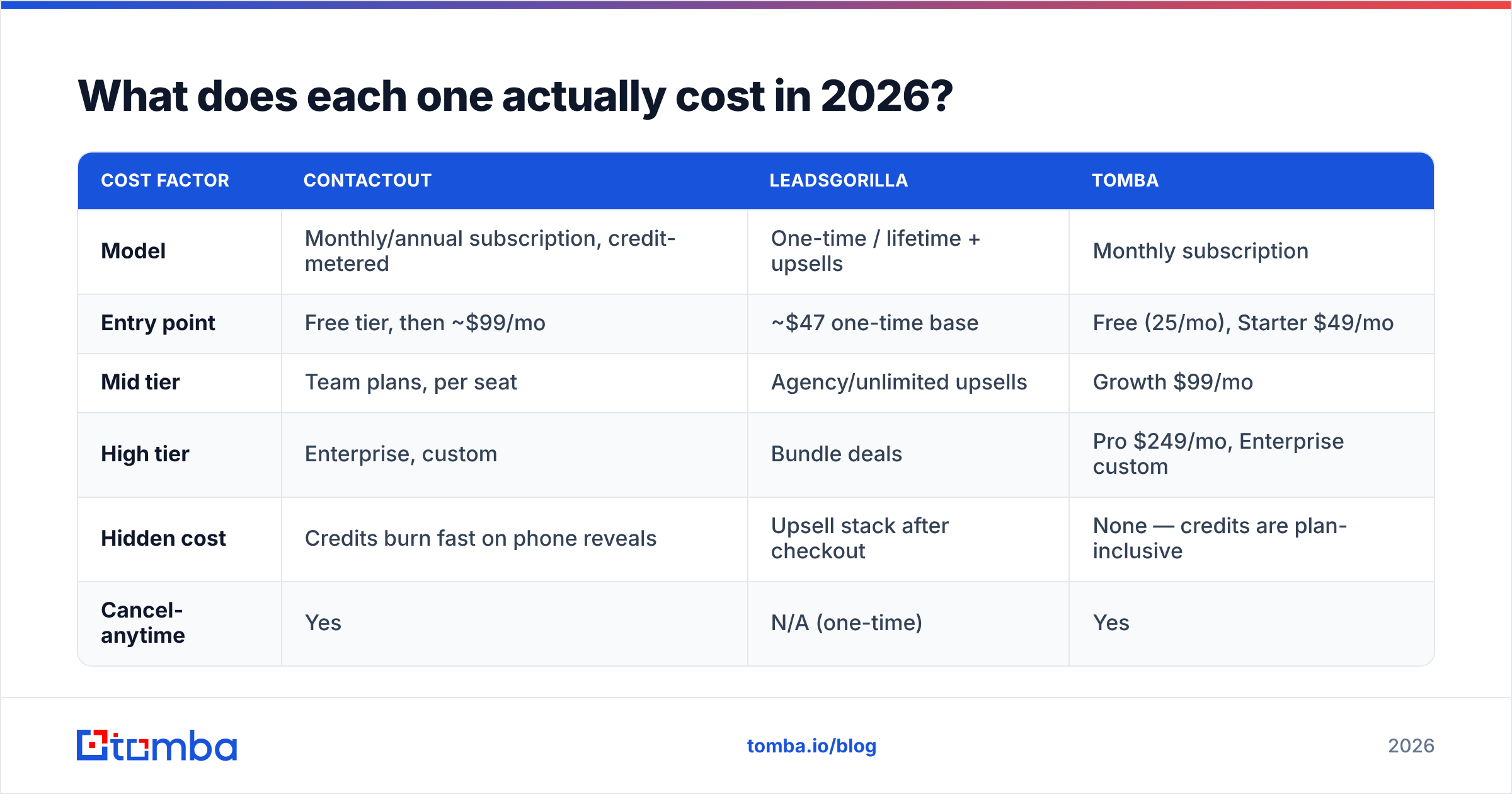
What does each one actually cost in 2026?#
Pricing is where the two diverge philosophically.
ContactOut uses classic SaaS credit metering. Public plans generally sit around a Free tier with a small monthly credit allotment, a Personal/Sales plan in the ~$99/mo range (cheaper annually), a Team/Business tier in the low hundreds per seat, and Enterprise with API access, bulk enrichment, and CRM integrations quoted on request. Credits are consumed per revealed contact, and email + phone typically draw from separate buckets. Check contactout.com for current numbers — they revise tiers regularly.
LeadsGorilla monetizes through launch-style offers: a low one-time price (frequently $47–$97) for the base app, then upsells for agency licenses, additional lead credits, unlimited searches, and DFY templates. The headline price is cheap; the fully-loaded price after upsells is not. Recurring plans exist too. If you hate subscription creep, the lifetime model is appealing — just budget honestly for the OTOs.
| Cost factor | ContactOut | LeadsGorilla | Tomba |
|---|---|---|---|
| Model | Monthly/annual subscription, credit-metered | One-time / lifetime + upsells | Monthly subscription |
| Entry point | Free tier, then ~$99/mo | ~$47 one-time base | Free (25/mo), Starter $49/mo |
| Mid tier | Team plans, per seat | Agency/unlimited upsells | Growth $99/mo |
| High tier | Enterprise, custom | Bundle deals | Pro $249/mo, Enterprise custom |
| Hidden cost | Credits burn fast on phone reveals | Upsell stack after checkout | None — credits are plan-inclusive |
| Cancel-anytime | Yes | N/A (one-time) | Yes |
The honest read: for pure email-finding volume, both are expensive per verified contact. ContactOut's premium sits on personal-email coverage — worth it if you're recruiting, wasted if you're not. LeadsGorilla's premium sits on the audit-report workflow — worth it if you're an agency, wasted if you're not. See Tomba pricing for the plain-vanilla comparison point.

Is ContactOut better than LeadsGorilla for cold outreach?#
Depends entirely on who you're emailing. Use this decision tree:
- Your buyer has an active LinkedIn profile and a corporate email → ContactOut wins. It was built for exactly this.
- Your buyer owns a physical local business (dentist, gym, restaurant, contractor) → LeadsGorilla wins. Those owners often aren't on LinkedIn at all, and the audit-report angle gives you a reason to email.
- You need thousands of verified work emails across many domains → neither is the right primary tool. You want a bulk finder + verifier stack.
- You need both LinkedIn contacts and cold-email infrastructure → you're building a stack, not buying a tool. Pair a finder with a sender and a verifier.
A note on email deliverability that applies regardless of which you pick: neither tool absolves you of verification hygiene. ContactOut's personal Gmail addresses are high-value but also higher-risk — mailing someone's personal inbox from a cold domain gets flagged fast if your volume or copy is sloppy. LeadsGorilla's info@ addresses are role accounts, and role accounts bounce and complain at above-average rates. Both paths lead to the same discipline: verify before you send, and keep bounce rate under 2%. Google's bulk sender rules are unambiguous about spam-rate thresholds now, and neither of these tools protects you from crossing them.
What are the best alternatives to both?#
If neither tool maps to your motion cleanly, the field is wider than these two:
- BookYourData — strong pre-built B2B contact database with pay-as-you-go lists, useful when you'd rather buy a validated list than build one. Good fit for teams that want volume without a scraping workflow.
- Apollo.io — huge database plus a sequencer, so prospecting and sending live in one place. Heavier and pricier; see the Apollo alternative breakdown for where it strains.
- RocketReach — similar profile-lookup shape to ContactOut, broader source mix. Compared in detail on the RocketReach alternative page.
- Tomba — domain-first email finding, verification, catch-all handling, and enrichment through one API. This is the pick when your unit of work is a company domain rather than a LinkedIn URL or a Google Maps pin.
- ContactOut alternatives generally — if the LinkedIn-extension model appeals but the credit burn doesn't, the ContactOut alternative comparison lays out the swap.
The reason a domain-first finder keeps showing up in this list is workflow economics. Whether your list came from LinkedIn Sales Navigator or from a Google Maps scrape, you eventually hold a column of company domains and human names. Turning those into verified, deliverable inboxes is a solved problem, and it shouldn't cost you $99/mo per seat or a stack of upsells to solve it. Independent review sites like Capterra are full of teams who bought a specialist tool and then bought a finder anyway.
How should you actually build the stack?#
Stop thinking "ContactOut or LeadsGorilla." Think in layers:
- Source layer — where lead names come from. LinkedIn (ContactOut, Sales Navigator), local listings (LeadsGorilla), your CRM, a purchased list, or inbound traffic.
- Contact layer — turning a name + company into a real, reachable email or phone. This is the finder's job.
- Verification layer — killing the bounces before they hit your domain reputation. Non-negotiable at any volume above ~100 sends/day.
- Enrichment layer — adding firmographics, tech stack, or headcount so your copy isn't generic.
- Send layer — the sequencer, with warmup and rotation.
ContactOut collapses layers 1 and 2 for LinkedIn-shaped leads. LeadsGorilla collapses layers 1 and 4 for local-business-shaped leads. Neither one covers layer 3 properly, and layer 3 is the one that gets your domain blacklisted when you skip it. That's the practical takeaway: whichever you buy, budget for verification separately.
The verdict#
- Recruiting or named-account B2B sales, deep in LinkedIn? ContactOut. The personal-email coverage is genuinely differentiated and hard to replicate.
- Agency selling services to local SMBs? LeadsGorilla. The audit-report pitch is a real workflow advantage, not a gimmick.
- Need verified work emails across hundreds of domains, cheaply, through an API? Neither. Both are specialist tools priced for their specialty.
The mistake is buying a specialist tool to do a generalist job. If you're spending $99/mo on LinkedIn credits to find sarah@acme.com — an address a domain-pattern finder would return in 200ms for a fraction of a cent — you're overpaying for the wrong layer of the stack.
Start with the layer that everything else depends on. The Tomba Email Finder turns a name and a domain into a verified, deliverable work email — via web app, Chrome extension, Google Sheets, or API. The free tier gives you 25 searches a month with no card, and Starter is $49/mo with bulk uploads and full API access included. Whether your leads came from a LinkedIn scrape or a Google Maps pull, run them through a real finder and verifier before you send a single email. Your bounce rate will thank you.
Related guides#
Ready to find emails that actually work?
Join 150,000+ professionals who stopped guessing and started sending. Free credits on signup — no credit card required.
Get the Tomba newsletter
Practical outbound tactics and product updates — once every two weeks.
About the author