ContactOut vs LeadsRush 2026: Which Email Finder Wins?
ContactOut and LeadsRush both promise verified B2B contacts, but they solve different problems. We compare accuracy, pricing, LinkedIn coverage, and API depth to show which one fits your outbound motion.
TL;DR
- ContactOut is a LinkedIn-first contact extractor. Its strength is personal + work emails pulled while you browse profiles, and a large recruiter-leaning dataset. Its weakness is a credit model that gets expensive fast and an API that is gated behind higher tiers.
- LeadsRush is a cheaper, list-building-oriented tool aimed at SMB outbound teams. It wins on entry price and bulk exports, but coverage outside its core regions and verification depth are noticeably thinner.
- Neither is a clean winner on cost per verified email — that's the metric that actually decides your ROI, and both tools quietly inflate it by charging for unverifiable or catch-all results.
- If your workflow is "browse LinkedIn, grab a contact, move on," ContactOut is the better ergonomic fit. If it's "here are 4,000 domains, give me the right person," a domain-search-first tool is a better architecture.
- Run the same 100-contact test list through both (plus a third option) before you commit to an annual plan. The accuracy spread on your ICP will be bigger than any marketing page admits.
What are ContactOut and LeadsRush, actually?#
They both sell you email addresses. They arrive at them very differently, and that difference dictates who each tool is for.
ContactOut started as a Chrome extension for recruiters. You open a LinkedIn profile, click the sidebar, and it surfaces work emails, personal emails, and phone numbers. Over time it added a web search portal, saved lists, an ATS/CRM push, and an API. But the DNA is still browser-side, profile-by-profile enrichment. Its personal-email coverage is genuinely strong — it's one of the few tools that reliably surfaces a @gmail.com for a candidate — which is exactly why talent teams like it and why B2B sales teams sometimes find it over-indexed on the wrong data type.
LeadsRush is positioned differently: a lower-cost lead database and list builder. You filter by title, industry, headcount, and geography, then export. It targets the price-sensitive SMB segment that finds Apollo or ZoomInfo overkill. The pitch is volume for money.
The tension between them is the tension in the whole category: do you want a per-profile enricher, or a bulk list source? They are not the same product, and comparing them on a single "accuracy %" number hides that.

How do ContactOut and LeadsRush compare on features and pricing?#
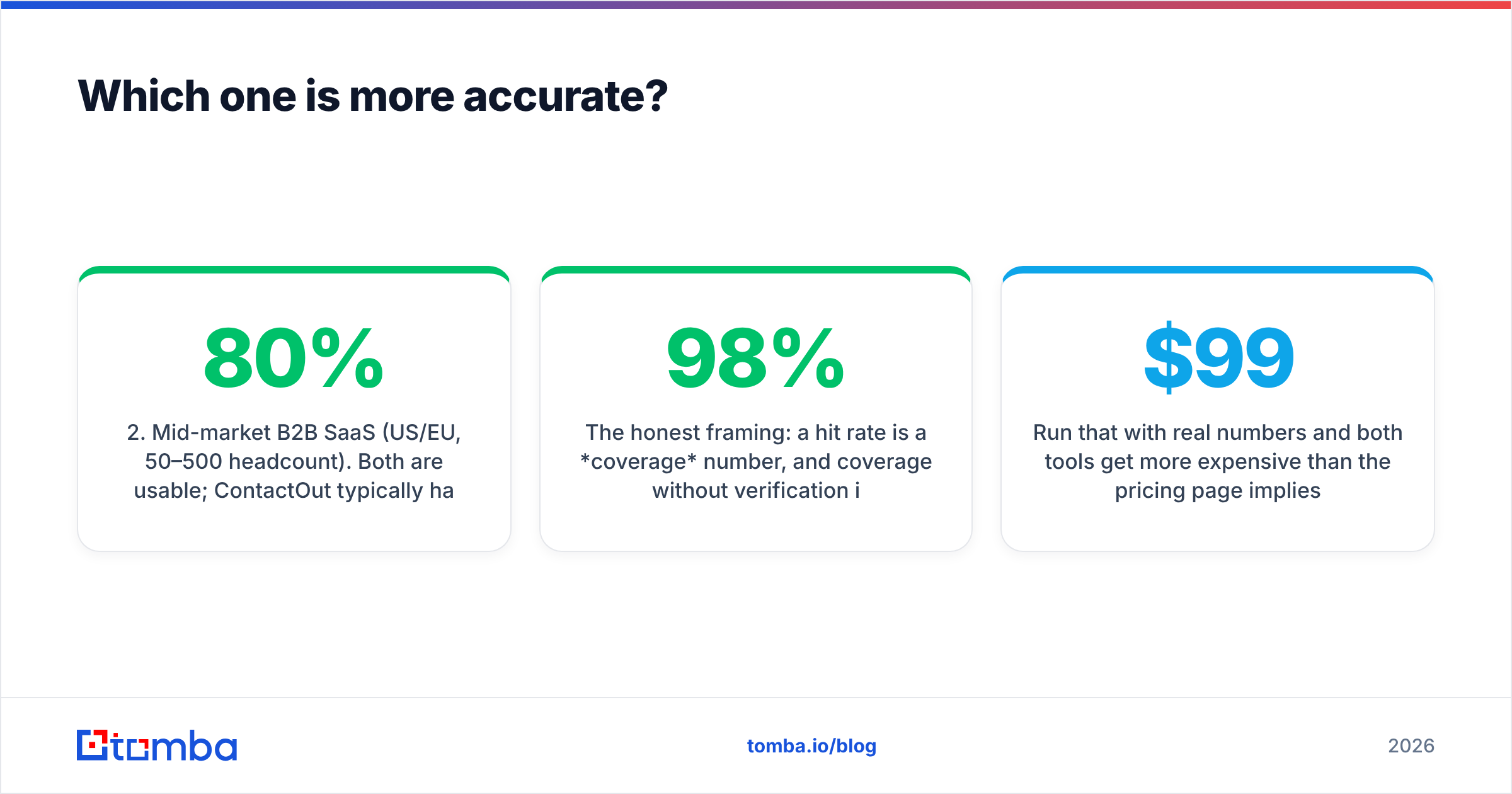
Pricing on both tools moves, and both publish plan pages that are more generous than the fine print. Treat the table below as a directional comparison — verify current numbers on each vendor's site before you buy.
| Attribute | ContactOut | LeadsRush | Tomba |
|---|---|---|---|
| Primary model | LinkedIn-first browser enrichment | Database + list export | Domain/name email finder + verifier |
| Free tier | Limited monthly reveals on free plan | Small trial credits | 25 searches/mo, no card |
| Entry paid price | ~$99/mo (annual billing) | ~$29–49/mo entry band | $49/mo Starter |
| Mid tier | ~$199/mo | ~$99/mo | $99/mo Growth |
| Personal (non-work) emails | Yes — a core strength | Limited | No (work emails only, by design) |
| Phone numbers | Yes | Partial | Yes, via phone finder |
| Bulk domain → contact | Weak | Yes | Yes, bulk email finder |
| Built-in verification | Basic status flag | Basic | Dedicated email verifier + catch-all handling |
| API on entry plan | No — higher tiers only | Limited | Yes, Tomba API on all paid plans |
| Catch-all domain handling | Marked, not resolved | Marked, not resolved | Catch-all verifier |
| Credit rollover | Limited | Limited | Plan-dependent, see Tomba pricing |
The line that matters most in that table isn't price. It's "catch-all domain handling." Roughly 15–25% of B2B domains in a typical mid-market list are catch-all — the mail server accepts everything, so a naive SMTP check can't tell a real mailbox from a typo. Most tools mark those as "risky" or "accept-all," charge you a credit, and hand the risk to you. That's where your bounce rate comes from.
Which one is more accurate?#
Accuracy is the wrong question in the abstract. The right question is accuracy on your ICP, and the answer changes by segment:
- Recruiting / candidate outreach (personal emails, individual contributors). ContactOut is the stronger tool. It surfaces personal emails that pure work-email finders structurally don't have.
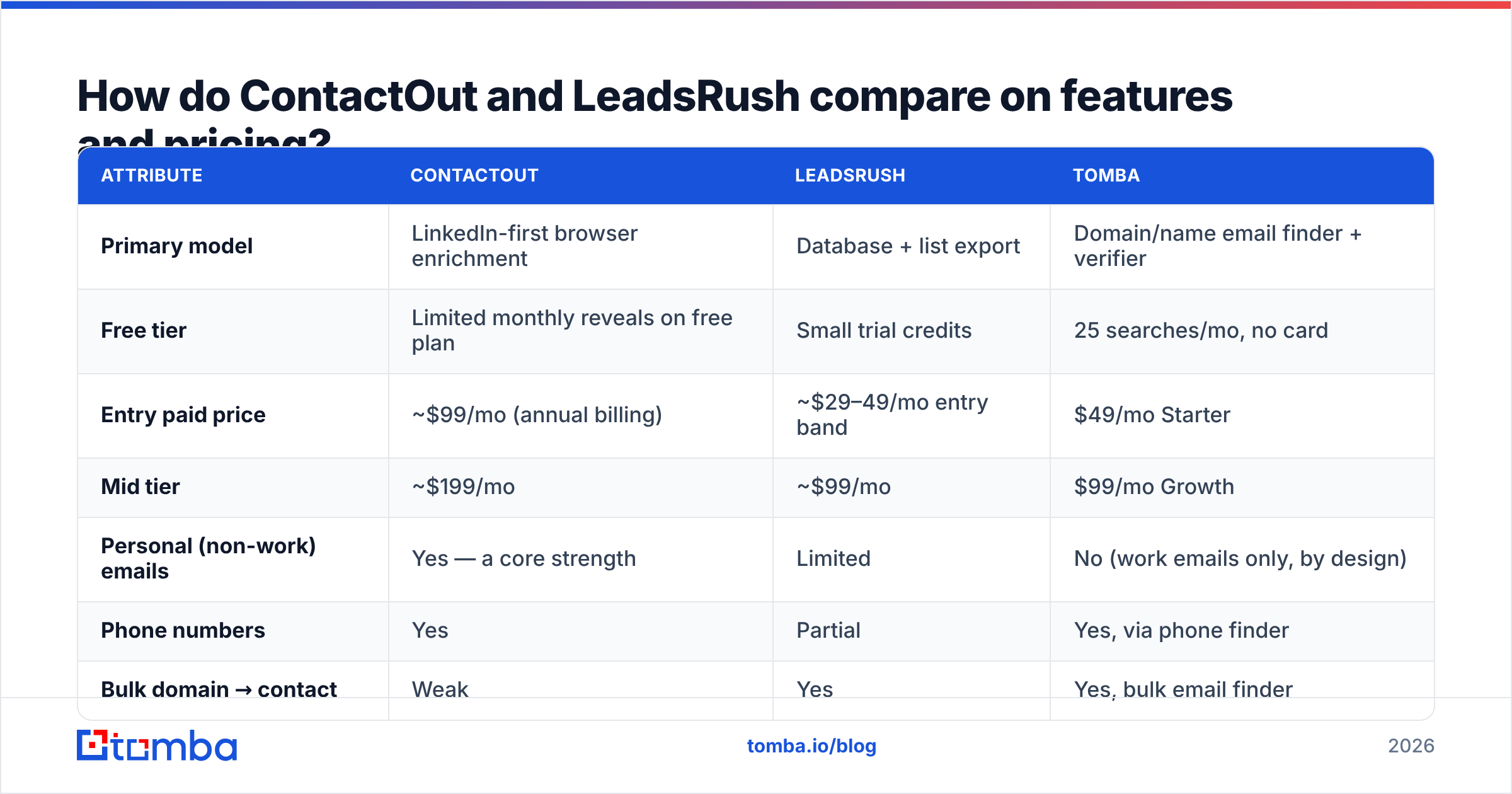
- Mid-market B2B SaaS (US/EU, 50–500 headcount). Both are usable; ContactOut typically has higher hit rate, LeadsRush has better price-per-record. Expect 60–80% hit rates from either, not the 95%+ marketing claims.
- SMB / long-tail domains (local businesses, agencies, regional firms). Both degrade sharply. Database tools are built from crawled profile data, and long-tail companies don't have rich LinkedIn footprints. A domain-pattern approach outperforms here.
- APAC, LATAM, MENA. Coverage falls off a cliff on both, and neither vendor is transparent about it. Test before you buy.
- Enterprise (5,000+ headcount). Both fine for the org chart, but you'll fight duplicate and stale records — job changes are the silent killer, not bad pattern guessing.
- Technical/engineering personas. Notoriously under-covered everywhere. Verify, don't trust.
The honest framing: a hit rate is a coverage number, and coverage without verification is just a bounce with extra steps. When a vendor reports 98% accuracy, ask what the denominator is. If it's "of the emails we returned," that's a self-selected sample — they only returned the easy ones.

The metric to actually track is cost per verified, deliverable email:
cost per verified email = (monthly plan cost) / (credits used × hit rate × verification pass rate)Run that with real numbers and both tools get more expensive than the pricing page implies. A $99/mo plan with 2,000 credits looks like $0.05 per contact. At a 65% hit rate and an 85% verification pass rate, you're paying $0.09 per usable email — and if you're also paying a separate verifier vendor on top, closer to $0.12–0.19.

Is ContactOut worth the higher price?#
Sometimes — and the answer hinges on one variable: do you need personal emails?
If you're a recruiter, ContactOut's premium is defensible. Personal-email coverage is genuinely hard to build, and few competitors match it. The Chrome extension is fast, the profile sidebar is well-designed, and the ATS integrations save real time.
If you're running B2B sales, the calculus flips. You mostly want work emails at target accounts, and you want them in bulk. ContactOut's entry plan gates the API, its per-seat pricing punishes teams, and its LinkedIn-first workflow forces a manual, one-profile-at-a-time motion that doesn't scale past a few hundred prospects a month. You end up paying recruiter prices for a sales use case.
Worth noting on the other side: ContactOut's data comes largely from browser-extension-contributed and crawled sources. That's efficient, but it means staleness is structural. A contact captured 14 months ago and never re-verified will happily sell you a bounce. Always run exports through an independent email verification pass before you load them into a sequencer.
Where does LeadsRush actually win?#
Three places:
- Entry price. If your budget is $30–50/month, ContactOut isn't in the conversation. LeadsRush is.
- Bulk exports. The list-builder UX is the point. Filter, select, export, done — no per-profile clicking.
- Simplicity. Fewer features means fewer things to configure. For a founder doing their own outbound, that's a real advantage.
Where it loses: verification depth, catch-all resolution, API maturity, and coverage outside its core geographies. It's a fine starting tool and a poor scaling tool. Most teams that grow past ~1,000 sends/month outgrow it and end up bolting a separate verifier on top — at which point the "cheap" plan isn't cheap anymore.
That bolt-on tax is the recurring pattern in this category. You buy a finder, discover its verification is a status flag rather than a real SMTP + catch-all check, buy a verifier, and now you're managing two vendors, two credit pools, and two APIs. Consolidating the finder and the verifier is usually a 30–40% cost reduction before you've improved a single deliverability metric.
What about the alternatives?#
Neither tool is the only option, and framing this as a binary is how people end up on the wrong annual contract.
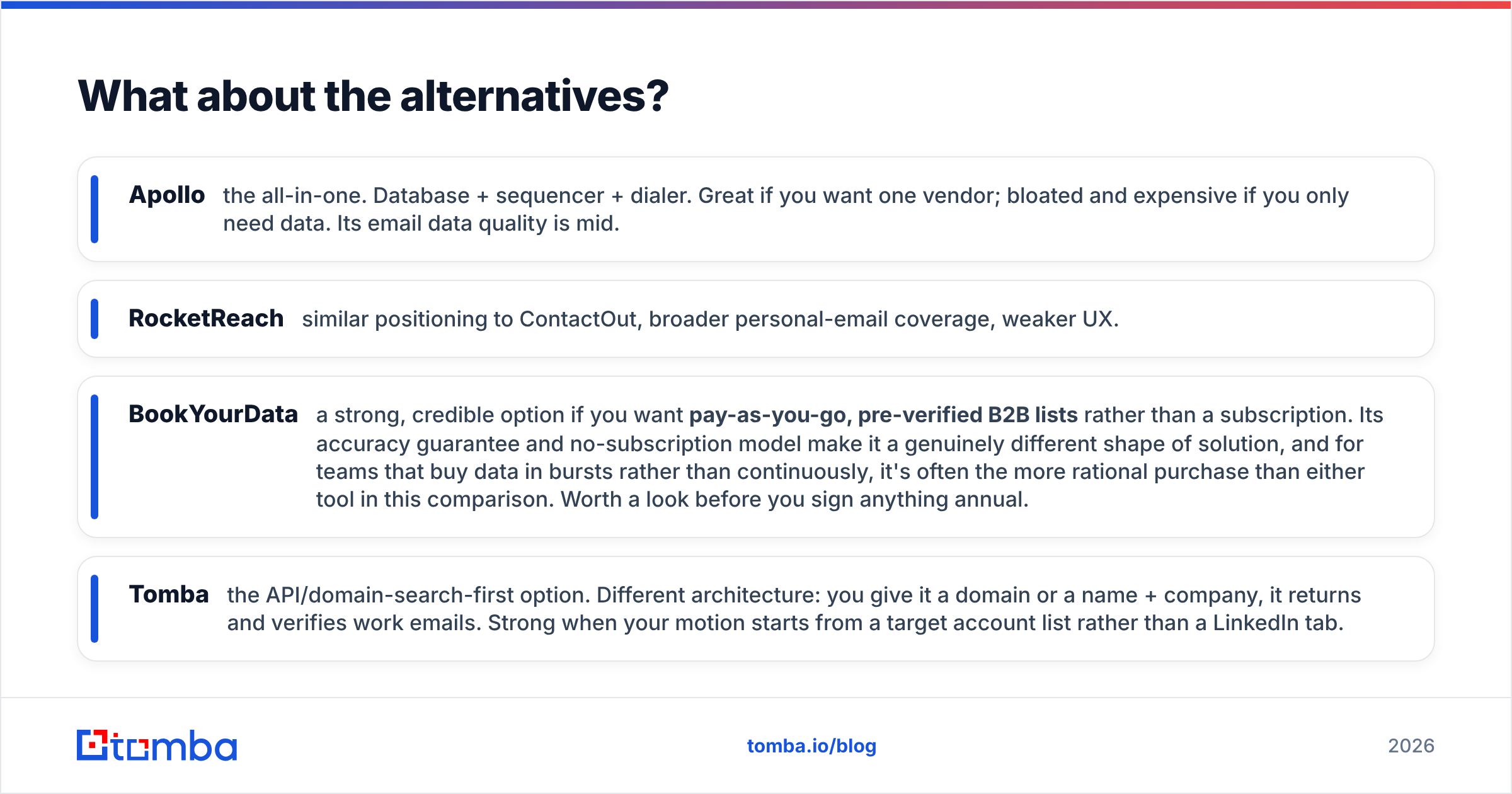
- Apollo — the all-in-one. Database + sequencer + dialer. Great if you want one vendor; bloated and expensive if you only need data. Its email data quality is mid.
- RocketReach — similar positioning to ContactOut, broader personal-email coverage, weaker UX.
- BookYourData — a strong, credible option if you want pay-as-you-go, pre-verified B2B lists rather than a subscription. Its accuracy guarantee and no-subscription model make it a genuinely different shape of solution, and for teams that buy data in bursts rather than continuously, it's often the more rational purchase than either tool in this comparison. Worth a look before you sign anything annual.
- Tomba — the API/domain-search-first option. Different architecture: you give it a domain or a name + company, it returns and verifies work emails. Strong when your motion starts from a target account list rather than a LinkedIn tab.
The reason architecture matters more than brand: if your GTM starts with "here are 500 accounts we want," a domain search tool maps accounts → people directly. If it starts with "here's a person I found on LinkedIn," a browser extension is the right ergonomic. Buying the wrong shape is more costly than buying the wrong brand.

How should you actually test these tools?#
Don't trust anyone's benchmark, including this one. Run your own in about 90 minutes:
- Build a 100-contact gold list. Pull 100 real prospects from your ICP where you already know the correct email (past customers, inbound leads, closed-lost deals). This is your ground truth.
- Strip the emails. Keep only name + company + domain.
- Run all candidates on the same input. ContactOut, LeadsRush, and a third option. Same 100 rows, same day.
- Score three numbers, not one. Hit rate (returned an email), match rate (returned the correct email), and bounce rate (send a real, low-volume warm test — a verifier's opinion is not a delivery).
- Compute cost per correct email. Plan price ÷ correct matches. This is the only number your CFO cares about.
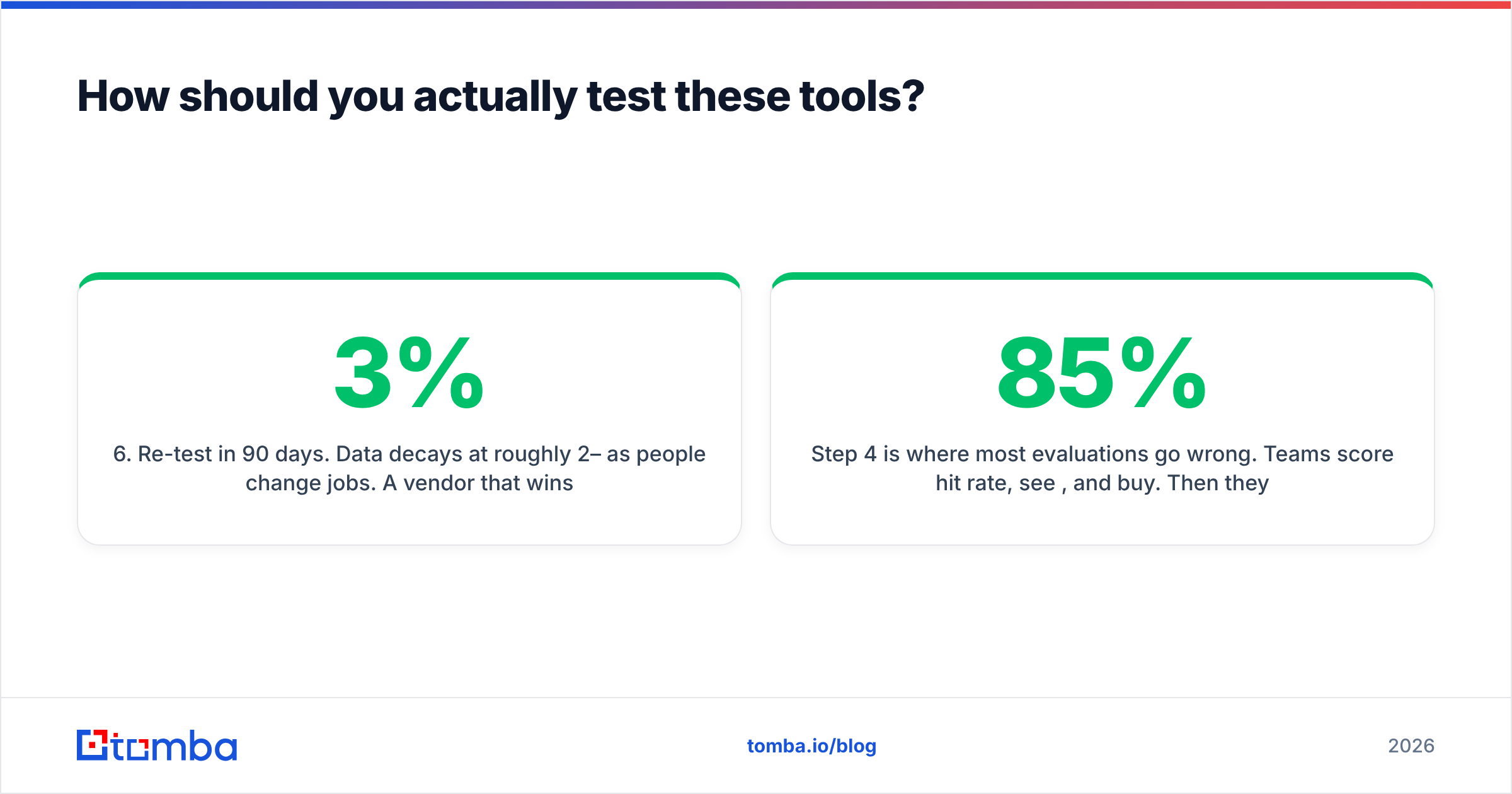
- Re-test in 90 days. Data decays at roughly 2–3% per month as people change jobs. A vendor that wins today can lose next quarter if their refresh cadence is weak.
Step 4 is where most evaluations go wrong. Teams score hit rate, see 85%, and buy. Then they send and watch a 9% bounce rate torch their sender reputation. Hit rate and match rate are different numbers, and the gap between them is where your domain reputation dies.
For a sanity check on the verification side, cross-reference against G2's email finder category reviews — filter for reviewers at your company size, not the aggregate score. The aggregate is dominated by whichever vendor ran the biggest review campaign.
What's the verdict?#
Pick ContactOut if: you're a recruiter or a founder-led sales motion working profile-by-profile, you need personal emails, and $99+/mo is inside your budget. The ergonomics are worth the premium for that specific job.
Pick LeadsRush if: you're budget-constrained, doing your own outbound, and want bulk lists more than per-profile precision. Just plan for a separate verification step and be honest that you'll likely outgrow it.
Pick neither if: your motion starts from an account list rather than a LinkedIn profile. In that case you don't want a scraper — you want a finder + verifier that speaks domains, runs in bulk, and exposes an API you can wire into your enrichment pipeline without upgrading to an enterprise tier.
The meta-lesson: the tool that wins is the one whose data architecture matches your GTM motion. Everything else — UI polish, credit rollover, review scores — is second-order.
Where does Tomba fit?#
If your outbound starts with target accounts, Tomba's Email Finder is built for exactly that shape: give it a domain or a name + company, get back a verified work email with a confidence score and the source it was found on. Verification, catch-all resolution, and bulk processing are in the same product — not a second vendor and a second invoice. The free tier gives you 25 searches a month with no card, Starter is $49/mo, and the API is available on every paid plan, not gated behind an enterprise call.
Run your 100-contact gold list through it alongside ContactOut and LeadsRush. Score match rate, not hit rate. Let the data pick the winner.
Related guides#
Ready to find emails that actually work?
Join 150,000+ professionals who stopped guessing and started sending. Free credits on signup — no credit card required.
Get the Tomba newsletter
Practical outbound tactics and product updates — once every two weeks.
About the author