ContactOut vs LFBBD Lead for Business: Which Wins in 2026?
ContactOut sells verified contacts through a LinkedIn extension. LFBBD Lead for Business sells lists. We compare coverage, verification, pricing transparency, and who each one actually fits in 2026.
TL;DR
- ContactOut is an extension-first email and phone finder built around LinkedIn. You browse a profile, click, and get a work email, a personal email, and often a mobile number. It is strong on recruiter workflows and personal-email coverage, and priced per seat.
- LFBBD Lead for Business positions itself as a list-first B2B lead source: you specify a segment, you receive contacts. Public documentation on its coverage, verification method, and pricing is thin — and we say so plainly below rather than inventing numbers.
- The two tools are not really substitutes. One is a per-seat browsing tool; the other is a bulk data purchase. Choosing between them is mostly a question of whether your motion is profile-by-profile or segment-by-segment.
- If you need repeatable, API-driven email discovery that both a browser workflow and a bulk pipeline can share, an email finder with a documented verification step is usually the cheaper middle path.
- The single biggest cost driver in 2026 is not price per credit — it is bounce rate. A cheap list that bounces 25% will cost you your sending domain, which is worth more than any subscription you are comparing.
What are ContactOut and LFBBD Lead for Business?#
ContactOut is a contact-data tool best known for its Chrome extension. It overlays LinkedIn (and GitHub, and a few other surfaces) and reveals work emails, personal emails, and phone numbers for the profile you are looking at. It also ships a searchable contact database, list exports, and an API on higher tiers. Its historical center of gravity is recruiting — personal-email coverage matters far more when you are trying to reach a candidate who ignores their work inbox. You can see how it presents itself on the ContactOut homepage, and how buyers actually rate it on G2.
LFBBD Lead for Business sits in the other camp: a lead-list provider. The pitch for tools in this category is straightforward — tell us the industry, the geography, the job titles, and the company size, and we hand you a file of contacts. No extension, no browsing, no per-profile clicking.
Here is the honest part, and it matters more than any feature bullet: ContactOut publishes far more verifiable public information than LFBBD does. ContactOut has a public pricing page, a public API doc, thousands of third-party reviews, and a long trail of independent benchmarks. For LFBBD Lead for Business, the publicly available detail on data sourcing, refresh cadence, verification methodology, and per-record price is much harder to pin down. We are not going to fabricate a pricing table for a vendor that does not publish one. Instead, treat that opacity as a data point — and read the due-diligence checklist near the end of this post before you send anyone money.
How do the two approaches actually differ?#
The mental model that matters is discovery vs. delivery.
- Extension-first (ContactOut). You already know who you want. You are on their LinkedIn profile. The tool's job is to resolve that one person into a reachable contact. Cost scales with seats and lookups. Quality is judged one record at a time.
- List-first (LFBBD and similar providers). You know the shape of who you want, not the individuals. The tool's job is to hand you 5,000 rows that match a filter. Cost scales with volume. Quality is judged in aggregate — and you usually don't find out how good it was until your first send.
- API-first (Tomba, Hunter, and similar). You have a system — a CRM, a spreadsheet, an enrichment job — and you want contacts to flow into it programmatically. Cost scales with requests. Quality is judged by bounce rate on the receiving end.
- Hybrid reality. Most teams need two of the three. An SDR browsing LinkedIn wants an extension. The same team's RevOps lead wants a bulk email finder to enrich 3,000 rows overnight. Buying two vendors to cover both is common — and frequently the reason tooling spend quietly doubles.

Which one has better data accuracy?#
Accuracy is the only spec that survives contact with a real campaign, and it splits into three separate things that vendors love to blur together:
- Coverage — of the 1,000 people you want, how many does the tool return anything for?
- Accuracy — of the contacts it returns, how many are correct?
- Verification — does the tool actually check the mailbox exists at request time, or is it replaying a cached guess from a scrape two years ago?
ContactOut markets a triple-verification process and is generally credible on work emails; its differentiator is personal-email coverage, which is genuinely hard to source and genuinely useful for recruiting. The tradeoff is that personal-email data ages fast and legal exposure is higher in the EU, where a personal Gmail address is unambiguously personal data under GDPR.
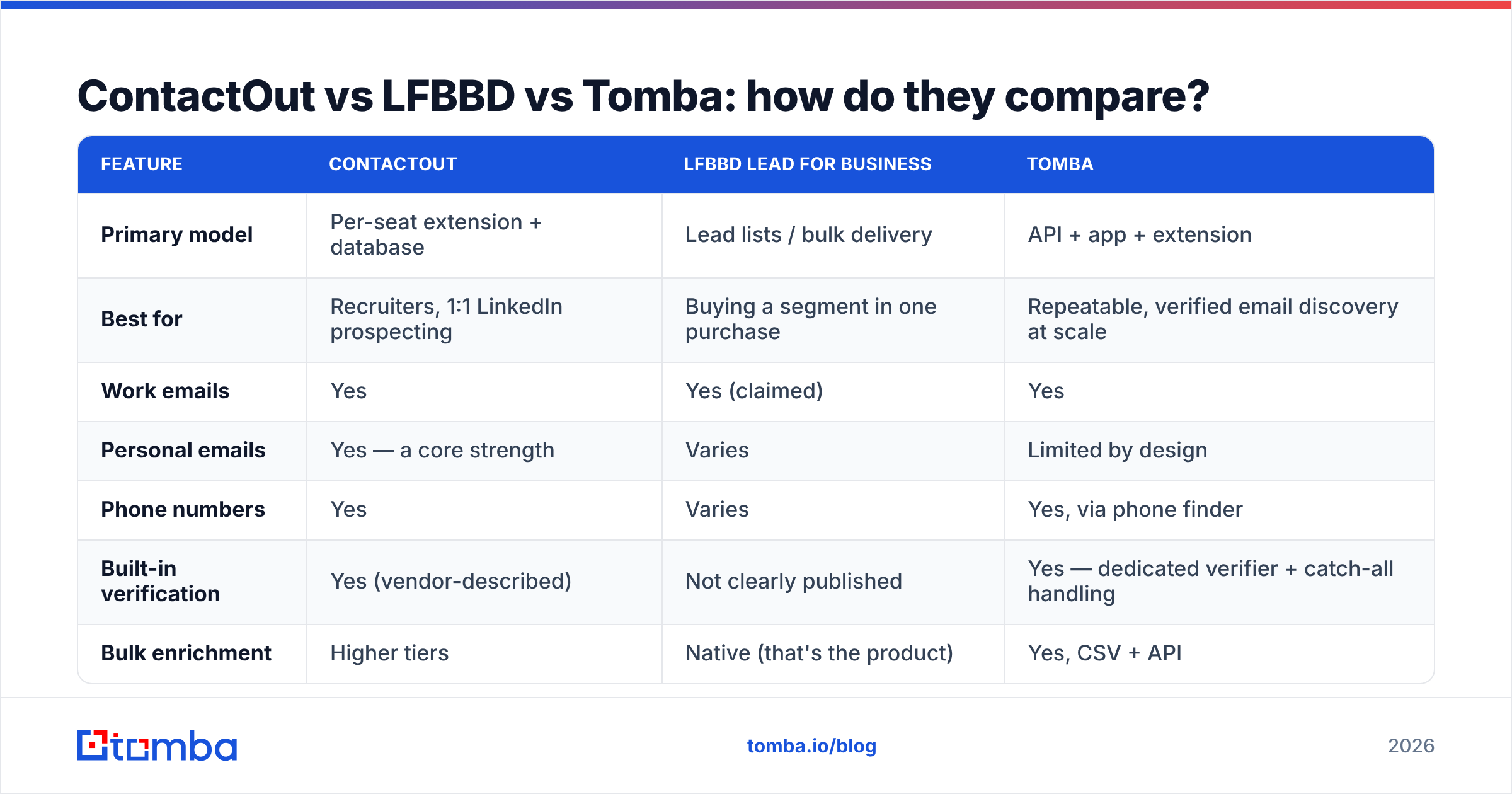
For LFBBD, the verification question is the one to ask on a sales call, in writing: what is your verification method, when was each record last checked, and what is your bounce guarantee? A provider that answers "we guarantee under 3% bounce and credit you for the rest" is playing a different game than one that answers "our data is 95% accurate" with no mechanism behind the number. For context on what a strong published guarantee looks like in this category, BookYourData is a useful reference point — it publishes an accuracy guarantee and a pay-as-you-go structure, which makes it easy to hold accountable.

The practical defense, regardless of vendor: run every list through an independent email verifier before it touches your sending domain. Vendor-reported accuracy is a marketing number. Your verifier's output is a fact. If a list arrives and 18% of it fails verification, you have learned everything you need to know about that vendor in about four minutes.
ContactOut vs LFBBD vs Tomba: how do they compare?#
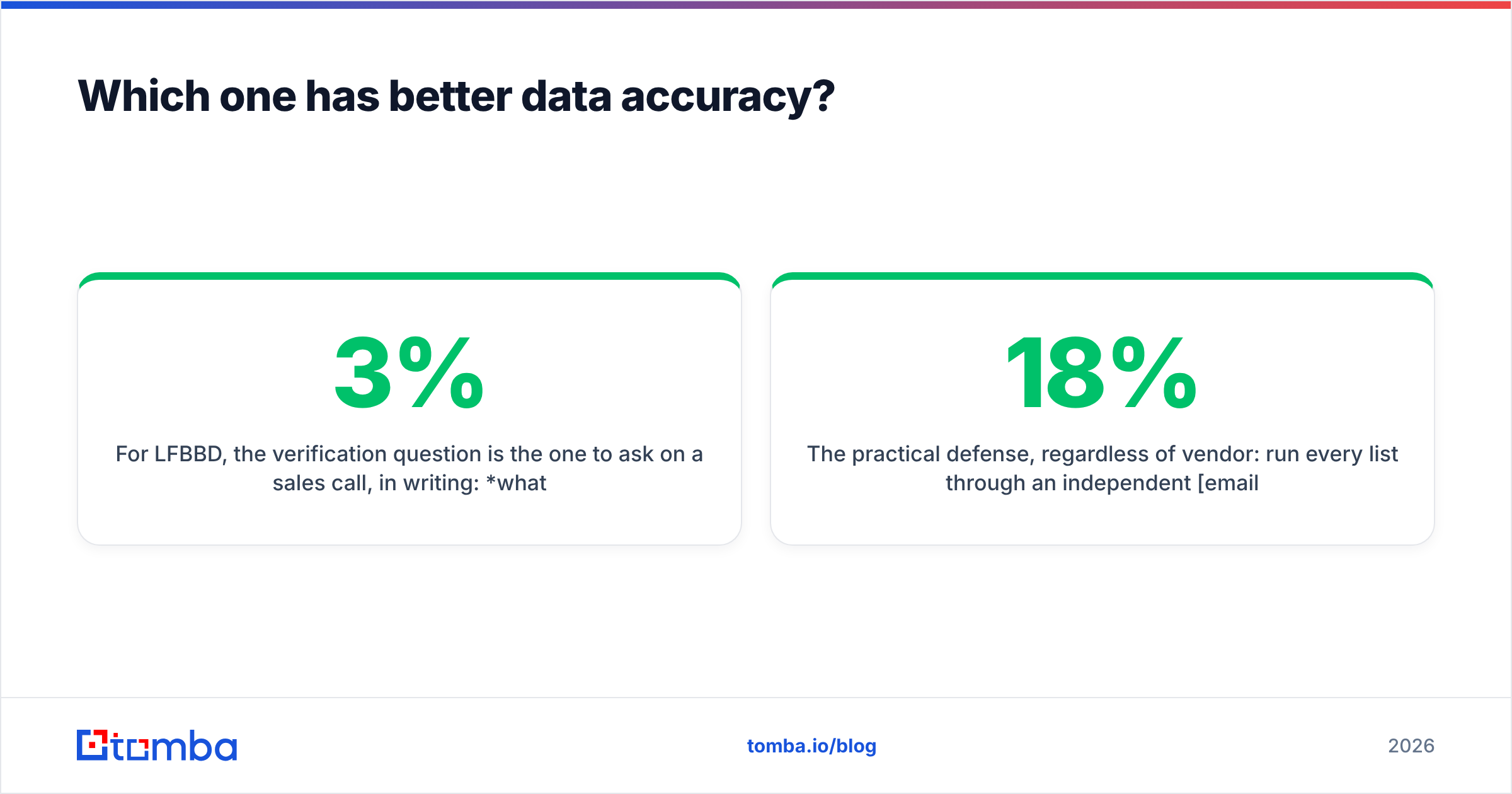
| Feature | ContactOut | LFBBD Lead for Business | Tomba |
|---|---|---|---|
| Primary model | Per-seat extension + database | Lead lists / bulk delivery | API + app + extension |
| Best for | Recruiters, 1:1 LinkedIn prospecting | Buying a segment in one purchase | Repeatable, verified email discovery at scale |
| Work emails | Yes | Yes (claimed) | Yes |
| Personal emails | Yes — a core strength | Varies | Limited by design |
| Phone numbers | Yes | Varies | Yes, via phone finder |
| Built-in verification | Yes (vendor-described) | Not clearly published | Yes — dedicated verifier + catch-all handling |
| Bulk enrichment | Higher tiers | Native (that's the product) | Yes, CSV + API |
| Public API | Yes, on paid tiers | Not clearly published | Yes — documented email finder API |
| Free tier | Limited monthly credits | Not clearly published | 25 searches/mo |
| Entry paid price | Roughly $29–$99/mo per seat, tier-dependent | Not publicly published | $49/mo Starter |
| Pricing transparency | High | Low | High — see Tomba pricing |
| Seat-based cost growth | Steep — you pay per user | N/A (volume-based) | Flat plan, shared across the team |

Two things in that table deserve emphasis.
First, "not clearly published" is not an insult — it is the finding. If a vendor's pricing, API surface, and verification method are not discoverable without a sales call, your evaluation cost goes up and your ability to compare goes down. Some excellent data providers work this way. But you should price that friction in.
Second, seat-based pricing is the sleeper cost of ContactOut. A single seat is affordable. Five SDRs, an RM, and a marketer? Now you are stacking per-seat fees on a tool whose data your systems can't even reach unless someone is physically clicking in a browser. Volume-based and flat-plan tools amortize very differently once a second person needs access.
Is ContactOut worth it in 2026?#
For a specific profile: yes, clearly.
Buy ContactOut if:
- You are recruiting, and personal emails and mobile numbers are the difference between a reply and silence.
- Your workflow genuinely lives inside LinkedIn, profile by profile.
- You have one to three people who need it, so per-seat pricing stays sane.
- You value a mature, well-reviewed product with public documentation and a real support org.
Don't buy ContactOut if:
- Your team is eight people and every one of them needs a seat. Do the multiplication before the demo, not after.
- Your primary need is enriching a 10,000-row CSV. That is not what an extension is for, and paying seat prices to do bulk work is the most common way teams overspend on contact data.
- You are operating heavily in the EU and personal-email sourcing creates compliance questions your legal team hasn't signed off on. LinkedIn's own User Agreement is worth reading before you build a process on top of profile scraping.
If ContactOut fits the job but not the budget, the sane move is to compare it against a flat-plan alternative rather than downgrading to a worse extension. We keep a side-by-side breakdown on the ContactOut alternative page, including where ContactOut still wins.
Is LFBBD Lead for Business worth it?#
This is where we have to be more careful than a typical listicle would be, because the honest answer is: we cannot verify enough about it to recommend it or rule it out, and neither can you from the outside. So evaluate it the way you would evaluate any list vendor with limited public documentation.
Run this checklist before any purchase:
- Ask for a free sample of 100 records from your actual ICP. Not their demo segment — yours. If a vendor won't sample, that is your answer.
- Verify the sample independently. Run it through a third-party verifier. Count hard bounces and catch-alls separately. A catch-all domain is not a valid email; it is an unknown, and it needs a catch-all verifier to resolve.
- Ask when each record was last refreshed. "Our database has 200 million contacts" is meaningless. "Every record is re-verified within 90 days" is a claim you can test.
- Get the bounce guarantee in writing, with the remedy. Credits back? Refund? Nothing? The remedy tells you how confident they actually are.
- Ask about GDPR/CCPA basis and opt-out handling. If they can't describe their lawful basis for processing, you are inheriting their risk.
- Check role-based and generic addresses. A list padded with info@ and sales@ inflates the record count and destroys your reply rate.

If a list vendor passes all six, price it against per-record alternatives and buy with confidence. If it fails two or more, walk. There is no lead list cheap enough to justify a burned sending domain — recovering sender reputation takes months, and no vendor refund covers it.
Which should you actually choose?#
Match the tool to the motion, not to the feature list.
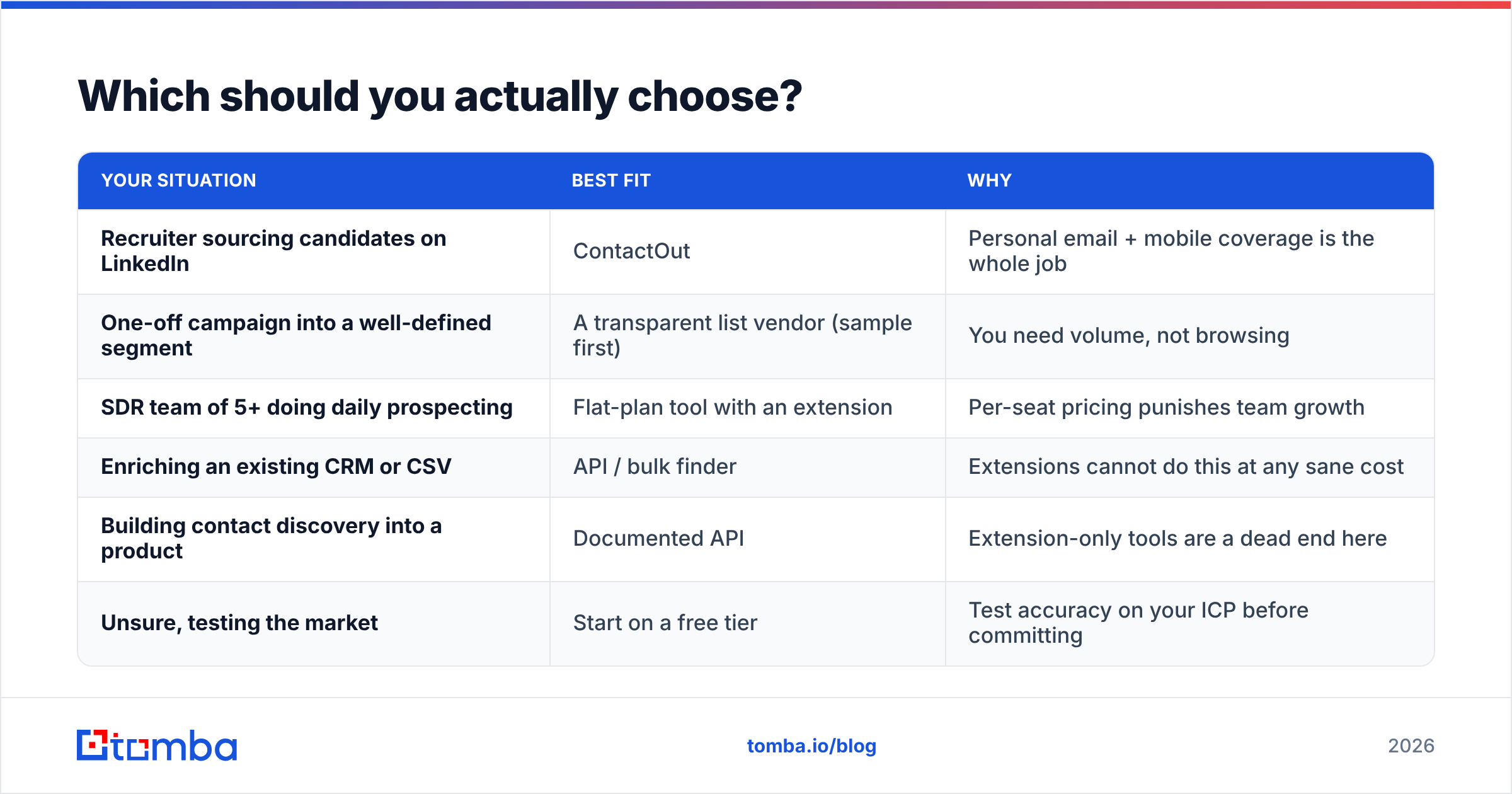
| Your situation | Best fit | Why |
|---|---|---|
| Recruiter sourcing candidates on LinkedIn | ContactOut | Personal email + mobile coverage is the whole job |
| One-off campaign into a well-defined segment | A transparent list vendor (sample first) | You need volume, not browsing |
| SDR team of 5+ doing daily prospecting | Flat-plan tool with an extension | Per-seat pricing punishes team growth |
| Enriching an existing CRM or CSV | API / bulk finder | Extensions cannot do this at any sane cost |
| Building contact discovery into a product | Documented API | Extension-only tools are a dead end here |
| Unsure, testing the market | Start on a free tier | Test accuracy on your ICP before committing |
The uncomfortable truth is that most teams comparing "ContactOut vs LFBBD" are really asking a budget question in disguise: can I get acceptable coverage without paying per seat or gambling on a list? Usually, yes — by making verified email discovery a shared service instead of a per-person subscription. Find contacts by company with domain search, verify before you send, and let the same data flow to the extension, the spreadsheet, and the CRM without buying three products.
What does this cost over a year?#
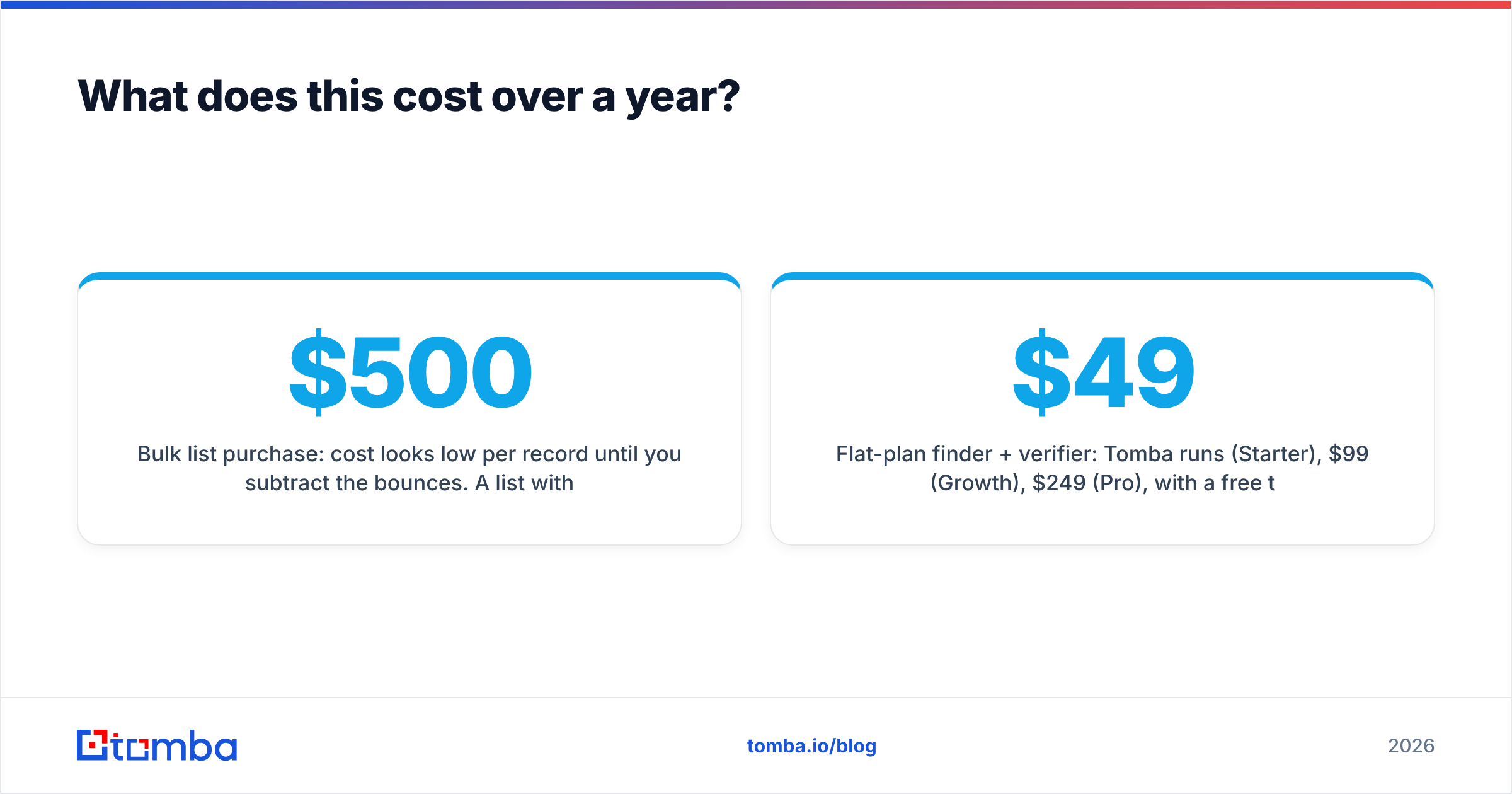
Run the arithmetic before the demo call, because the annualized numbers separate these options far more sharply than the monthly ones.
- ContactOut, 5 seats: at a mid-tier per-seat price, you are comfortably into four figures per month. Data is excellent; the cost curve is linear in headcount.
- Bulk list purchase: cost looks low per record until you subtract the bounces. A $500 list with a 20% invalid rate is really a $625 list — and that's before the deliverability damage.
- Flat-plan finder + verifier: Tomba runs $49/mo (Starter), $99/mo (Growth), $249/mo (Pro), with a free tier at 25 searches for testing. The plan is not per-seat, so adding SDRs doesn't multiply the bill.
The comparison that actually matters is cost per verified, deliverable contact — not cost per credit, not cost per seat. Compute it once, on your own ICP, with a sample from each vendor, and the decision usually makes itself in under an hour.
The bottom line#
ContactOut is a genuinely good product for a genuinely specific job: reaching a person you are already looking at, especially when their work inbox isn't the channel that works. Its pricing is transparent, its data is credible, and its weakness is predictable — cost scales with your headcount, and it does not want to be your bulk pipeline.
LFBBD Lead for Business belongs to a category where the burden of proof sits with the vendor. Sample it, verify the sample, get the guarantee in writing. If it clears those bars, it may serve you well. If it can't, the market has plenty of providers that will.
And if what you actually need is verified email discovery that works the same way in a browser, in a spreadsheet, and in your codebase — without a per-seat tax — start with the Tomba Email Finder. The free tier gives you 25 searches, which is more than enough to test accuracy on your own ICP before you spend a dollar. Run the same 50 target contacts through Tomba, through ContactOut's trial, and through any list sample you're offered, verify all three, and let the bounce rate pick the winner. That test costs you an afternoon and saves you a year of the wrong subscription.
Related guides#
Ready to find emails that actually work?
Join 150,000+ professionals who stopped guessing and started sending. Free credits on signup — no credit card required.
Get the Tomba newsletter
Practical outbound tactics and product updates — once every two weeks.
About the author