ContactOut vs LimeLeads: Which B2B Data Tool Wins in 2026?
ContactOut is a LinkedIn-first contact extractor. LimeLeads is a filterable US company database. They solve different problems — and one of them is probably wrong for your team. Here's the honest breakdown.
TL;DR#
- ContactOut is a LinkedIn-first contact extractor. You browse a profile, click the extension, and it surfaces personal and work emails plus phone numbers. Its whole value depends on you already knowing who you want.
- LimeLeads is a filterable B2B company/contact database, heavily US-weighted. You build a list by industry, size, title, and geography, then export CSVs. Its value depends on the filters matching your ICP.
- They are not really substitutes. ContactOut answers "what's this person's email?" LimeLeads answers "who should I even be emailing?"
- Pricing shape differs sharply: ContactOut sells per-seat plans with credit ceilings; LimeLeads sells credit packs and pushes annual commitments. Neither publishes a generous free tier.
- If your workflow is domain-driven or API-driven rather than LinkedIn-driven, a dedicated email finder with verification baked in will cover both jobs at lower cost per usable contact.
What is ContactOut, actually?#
ContactOut is a browser extension plus a web app that resolves contact details for people you find on LinkedIn (and, increasingly, GitHub and company sites). The core loop: you're already looking at a profile, you click the extension icon, and it returns work email, personal email, and sometimes a mobile number.
Recruiters made it popular. That's the origin story, and it shows in the product: personal Gmail addresses are a first-class citizen, because candidates don't answer work email about a new job. Sales teams later adopted it because "the recruiter tool that finds personal emails" is a compelling pitch when your prospect ignores their inbox.
The dependency is worth naming clearly. ContactOut's coverage is anchored to LinkedIn presence. If your buyer is a plant manager in Ohio who last updated LinkedIn in 2019, the tool has thin material to work with. If your buyer is a VP of Engineering in San Francisco, coverage is strong.
What you get:
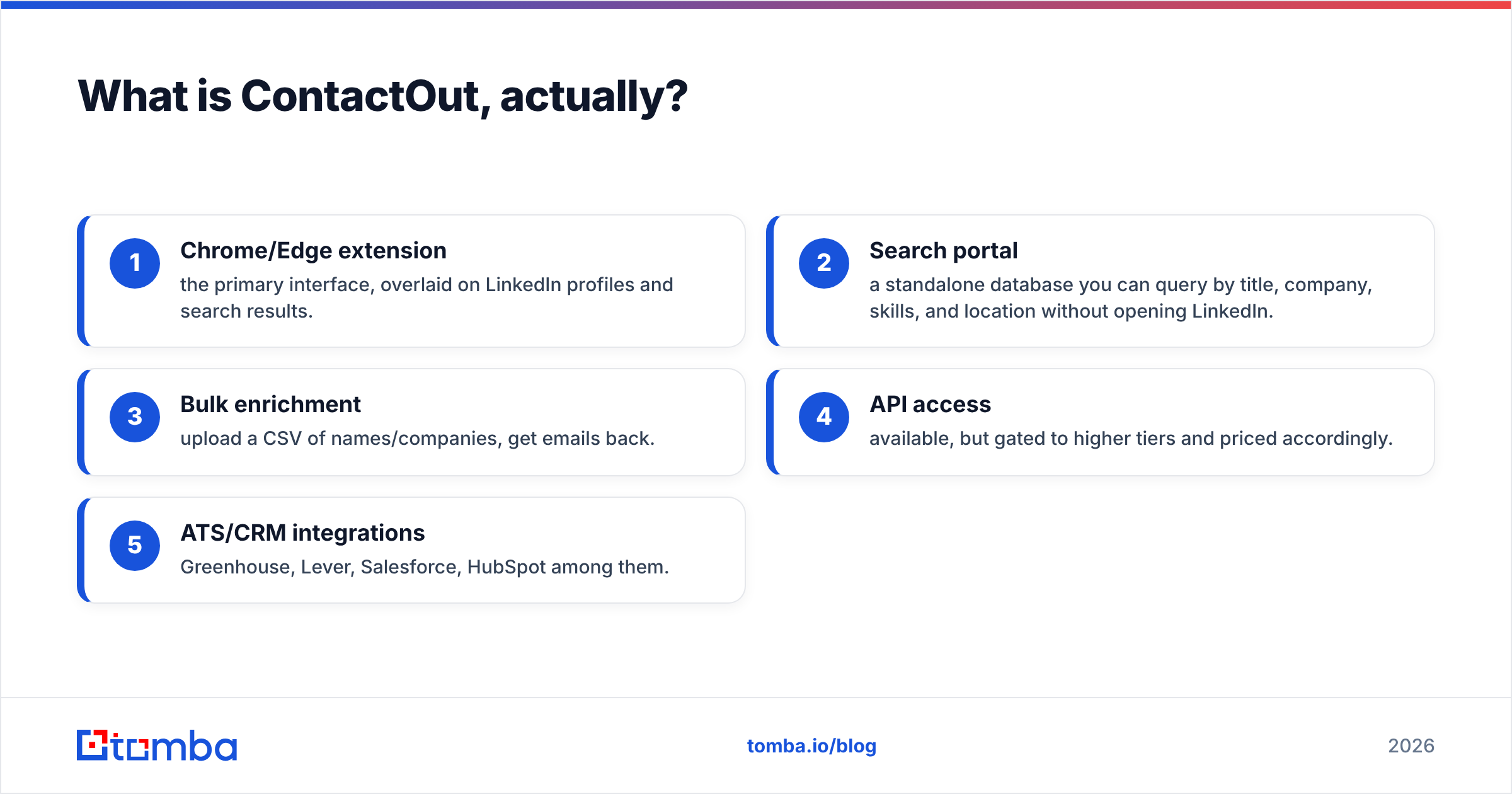
- Chrome/Edge extension — the primary interface, overlaid on LinkedIn profiles and search results.
- Search portal — a standalone database you can query by title, company, skills, and location without opening LinkedIn.
- Bulk enrichment — upload a CSV of names/companies, get emails back.
- API access — available, but gated to higher tiers and priced accordingly.
- ATS/CRM integrations — Greenhouse, Lever, Salesforce, HubSpot among them.
What is LimeLeads, and how is it different?#
LimeLeads is a lead database with a search-and-export model. You don't start from a person; you start from a filter set. Industry, employee count, revenue band, technology used, job title, state, ZIP. You preview matching records, then spend credits to unlock and download them.
The data is strongest in the United States. If you sell to US SMBs — local services, regional manufacturers, mid-market distributors — LimeLeads has genuinely useful density in segments that LinkedIn-anchored tools miss entirely, because those buyers barely use LinkedIn.
Where it gets thinner: international coverage, seniority precision at large enterprises, and freshness on fast-moving tech companies where people change jobs every 18 months.
LimeLeads also positions itself around a verification promise — records are checked before you spend credits on them, and unusable records can be credited back. That's a meaningful policy, but read the fine print on what counts as unusable and what the window is.

ContactOut vs LimeLeads: how do they compare head-to-head?#
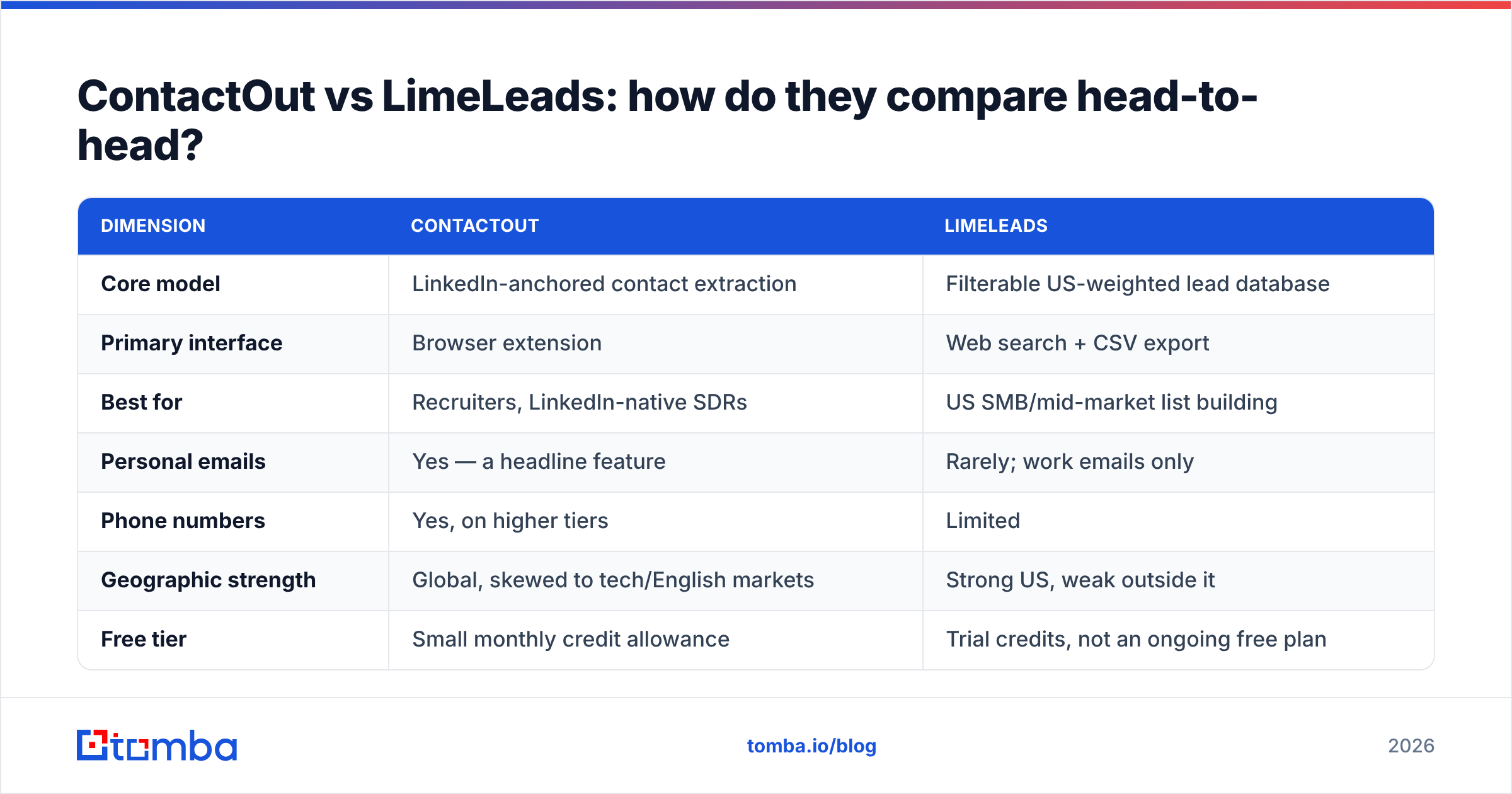
| Dimension | ContactOut | LimeLeads |
|---|---|---|
| Core model | LinkedIn-anchored contact extraction | Filterable US-weighted lead database |
| Primary interface | Browser extension | Web search + CSV export |
| Best for | Recruiters, LinkedIn-native SDRs | US SMB/mid-market list building |
| Personal emails | Yes — a headline feature | Rarely; work emails only |
| Phone numbers | Yes, on higher tiers | Limited |
| Geographic strength | Global, skewed to tech/English markets | Strong US, weak outside it |
| Free tier | Small monthly credit allowance | Trial credits, not an ongoing free plan |
| Entry price | Roughly $49/mo per seat, credit-capped | Credit packs; annual commitment pushed hard |
| API | Yes, on upper tiers | Limited / not a core offering |
| Verification | Claimed accuracy, no per-record verifier UI | Pre-export verification + credit-back policy |
| Weak spot | Dies outside LinkedIn's footprint | Dies outside the US |
Read that table twice before you buy either. The row that decides it for most teams is "geographic strength" and "primary interface" — not price.
Which one is more accurate?#
Accuracy is the wrong single question. The right question is accuracy on my ICP, and the answer diverges wildly.
ContactOut's hit rate on a well-maintained LinkedIn profile at a tech company is high — this is the scenario the product was engineered for. Run the same tool against a 40-person HVAC contractor in Tulsa and you'll get a lot of blanks, because the underlying signal (an active, complete LinkedIn profile) simply isn't there.
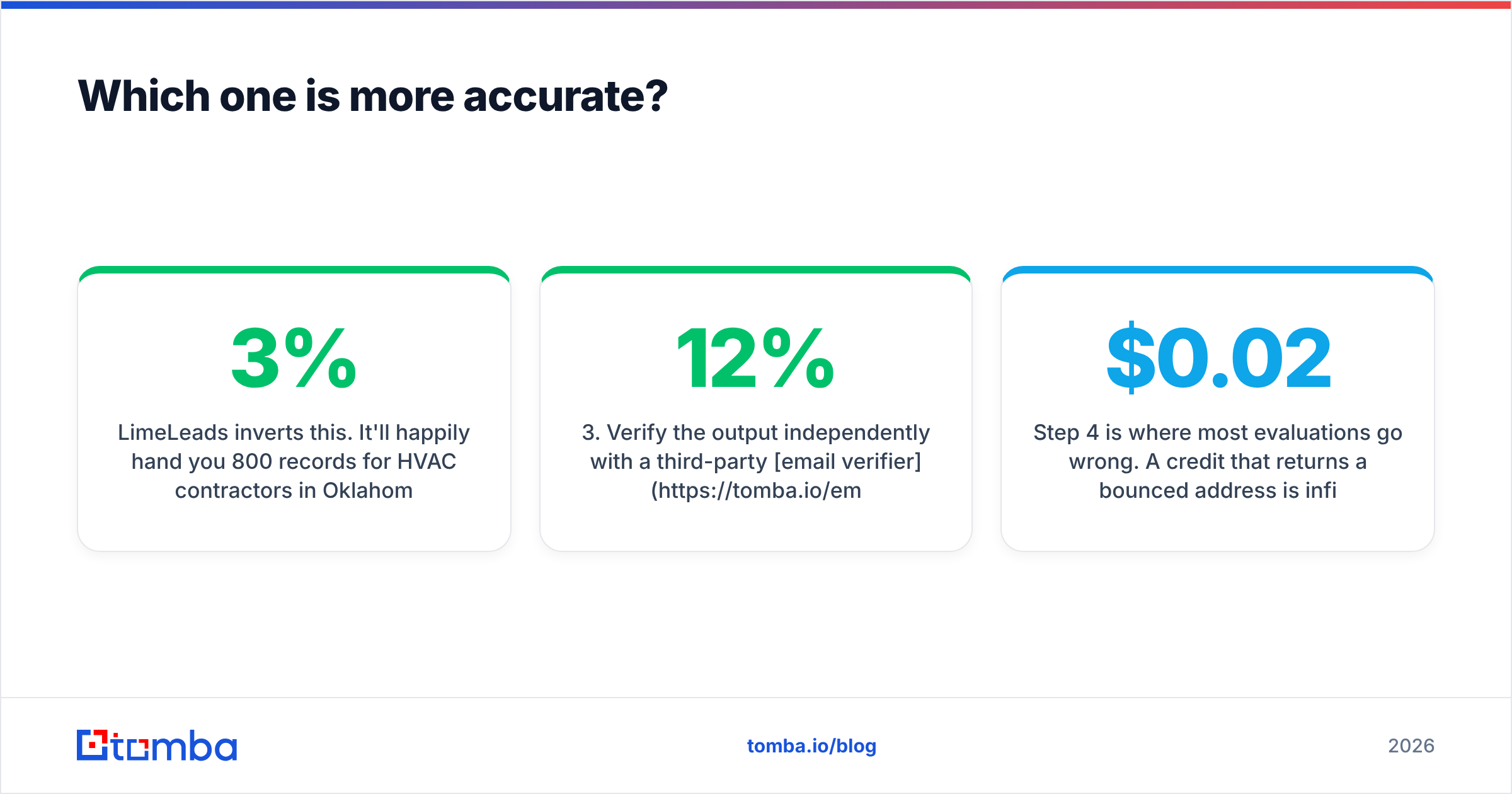
LimeLeads inverts this. It'll happily hand you 800 records for HVAC contractors in Oklahoma. But a portion of any static database goes stale — people leave, companies fold, generic info@ addresses get substituted for the person you actually wanted. Static databases decay at roughly 2–3% per month in B2B, which compounds to a meaningful chunk of a list over a year.
Neither vendor's marketing number is the number you'll get. The only reliable method:
- Build a 100-record test set from your real ICP — not a demo segment.
- Run it through each tool during the trial window.
- Verify the output independently with a third-party email verifier, because letting a vendor grade its own homework is how you end up with a 12% bounce rate.
- Compute cost per verified, usable contact — not cost per credit. Credits spent on dead records are money burned.
- Check the catch-all rate. A large share of "valid" B2B domains are catch-alls that accept everything and prove nothing. A dedicated catch-all verifier is the only way to separate those from real inboxes.
Step 4 is where most evaluations go wrong. A $0.02 credit that returns a bounced address is infinitely more expensive than a $0.10 credit that returns a live inbox.
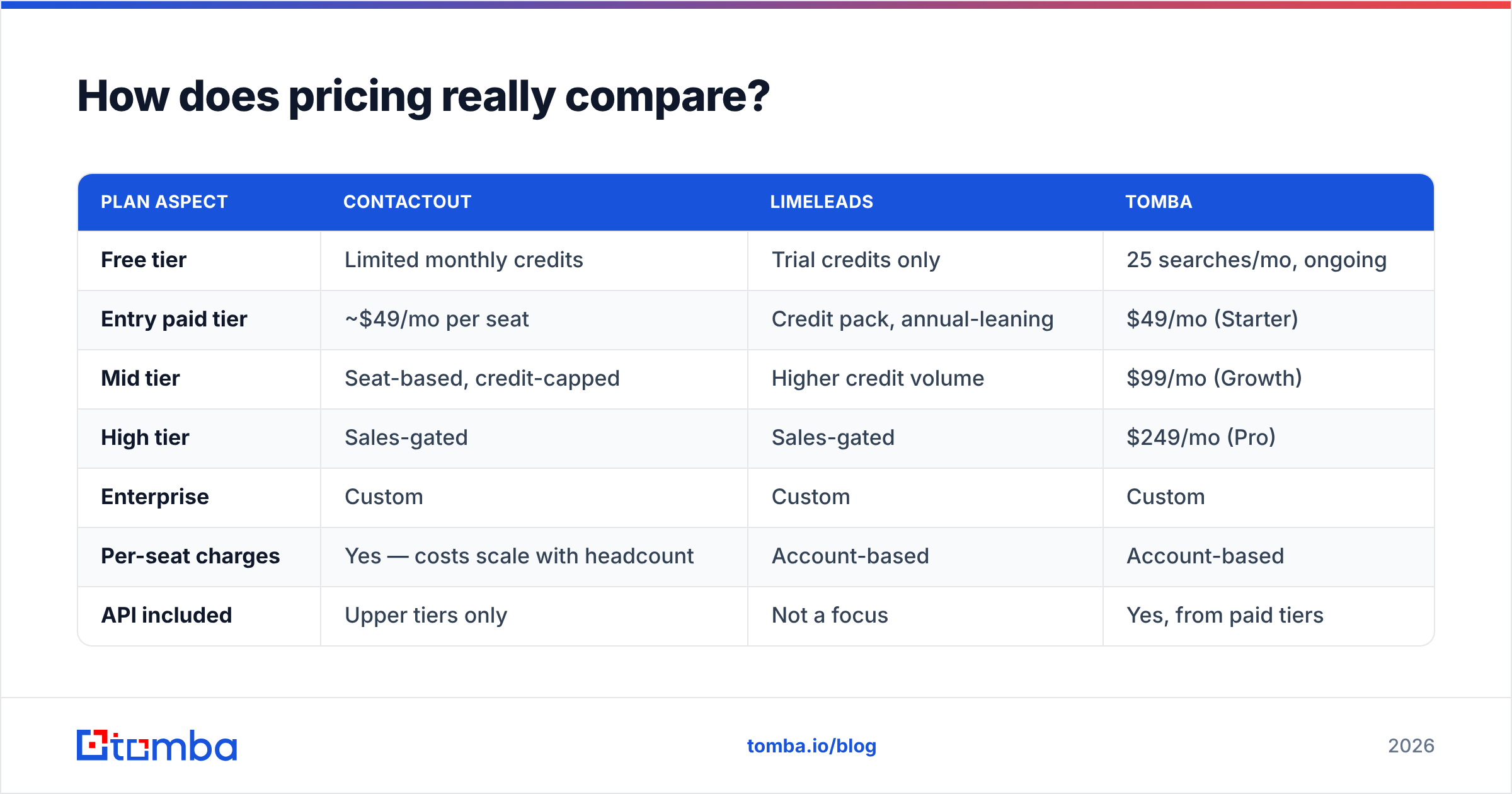
How does pricing really compare?#
Both vendors have moved toward opaque, sales-gated pricing over the last two years, which is itself a signal. Here's the shape as of 2026:
| Plan aspect | ContactOut | LimeLeads | Tomba |
|---|---|---|---|
| Free tier | Limited monthly credits | Trial credits only | 25 searches/mo, ongoing |
| Entry paid tier | ~$49/mo per seat | Credit pack, annual-leaning | $49/mo (Starter) |
| Mid tier | Seat-based, credit-capped | Higher credit volume | $99/mo (Growth) |
| High tier | Sales-gated | Sales-gated | $249/mo (Pro) |
| Enterprise | Custom | Custom | Custom |
| Per-seat charges | Yes — costs scale with headcount | Account-based | Account-based |
| API included | Upper tiers only | Not a focus | Yes, from paid tiers |
| Annual lock-in | Common | Pushed hard | Monthly available |
The per-seat model is the hidden cost in ContactOut. A five-person SDR team doesn't pay $49 — it pays $49 five times, and then discovers the credit ceiling is per-seat too. Teams routinely find their real spend is 4–6x the number they wrote in the budget line.
LimeLeads' hidden cost is the annual commitment. If your ICP shifts in month three — and in early-stage GTM it usually does — you're holding credits for a segment you no longer sell to.

Compare both against transparent, monthly Tomba pricing and the total-cost picture changes. Not because any one credit is cheaper, but because you're not paying for seats, and you're not locked into a year.
When should you choose ContactOut?#
Choose ContactOut when all of these are true:
- Your team lives in LinkedIn. Reps are already on Sales Navigator all day, and the extension slots into an existing habit rather than creating a new one.
- You need personal emails. Recruiting, executive search, or founder-led outreach where the work inbox is a wall.
- Your ICP is LinkedIn-native. Tech, SaaS, professional services, agencies. Anyone whose job title is on a profile they update.
- You have few seats. The per-seat economics stay tolerable at 1–3 users and get ugly fast beyond that.
- Phone numbers matter. If your motion is multi-channel and you're dialing, this is a real differentiator.
Don't choose it if your prospecting starts from a company list rather than a person, or if you need to enrich 10,000 rows programmatically. It's a scalpel, not a conveyor belt.
When should you choose LimeLeads?#
Choose LimeLeads when:
- You sell to US SMBs. This is the segment where it beats LinkedIn-anchored tools outright, because the buyers aren't on LinkedIn.
- You need volume, not precision. Broad territory coverage — every dental practice in three states — is a filter problem, not a lookup problem.
- You're comfortable with CSV workflows. Export, dedupe, import to CRM, send. No API required.
- The credit-back policy matters to you. If you've been burned by unusable records elsewhere, the refund mechanism is a real trust signal.
Skip it if you sell internationally, if your ICP is enterprise (where org-chart precision matters more than raw count), or if you need real-time enrichment inside an app.
It's worth noting that in the US SMB database space, LimeLeads competes with strong operators — BookYourData has built a solid reputation on pay-as-you-go credits and a similar accuracy guarantee, and is worth adding to your shortlist if the annual commitment is what's giving you pause. Different pricing philosophy, comparable data quality on US records.
Is there a third option that covers both jobs?#
Yes, and it's worth being honest about the tradeoff.
The reason teams end up buying both ContactOut and a database is that neither covers the full prospecting loop. You find the company, you need the person, you need the email, you need it verified, and you need it to land in your CRM. Two tools with a manual CSV bridge in the middle is a workflow, not a solution.
An email-finding platform built around domains and APIs sits differently in the stack:
- Domain search — give it a company domain, get back every discoverable email at that company with roles and confidence scores. This is the LimeLeads job, done from the company side.
- Email finder — give it a name plus a domain, get the address. This is the ContactOut job, minus the LinkedIn dependency.
- LinkedIn finder — when you do have a LinkedIn URL, resolve it to a work email. So the LinkedIn path stays open.
- Verification, inline — every result comes with SMTP-level validation rather than a claimed accuracy figure in a marketing deck.
- Bulk email finder and API — for the 10,000-row enrichment job that neither point tool handles well.
The honest caveat: a domain-first tool will not hand you a prospect's personal Gmail. If executive recruiting is your business, ContactOut's personal-email coverage is a genuine advantage and you should pay for it. For B2B sales, work email is what you want anyway — personal-inbox outreach has a CAN-SPAM and GDPR profile that most sales orgs shouldn't touch.
What about deliverability and list hygiene?#
Whichever tool you pick, the bounce rate is your problem, not theirs.
Google and Yahoo's bulk sender requirements — which have been enforced since 2024 and tightened since — put a hard spam-complaint threshold on senders and require authenticated domains. A list with 8% invalid addresses will torch your sender reputation inside two campaigns, and no amount of clever copy recovers from that.
Practical hygiene rules that apply to both ContactOut and LimeLeads exports:
- Verify every export, even from a vendor claiming verified data. Data ages between their check and your send.
- Segment catch-all domains and either drop them or send to them at low volume with tighter monitoring.
- Cap daily volume per mailbox. No tool's accuracy saves you from sending 500 cold emails a day from a two-month-old domain.
- Watch the complaint rate, not just bounces. Google's threshold is the metric that actually gets you blocked.
Google's own sender guidelines are the primary source here, and they're short enough to read in full. Do that before you blame the data vendor.
The verdict: ContactOut vs LimeLeads#
Neither, if you can help it — but if forced:
Pick ContactOut if you're a recruiter or a small LinkedIn-native sales team who needs personal emails and phone numbers, and you have fewer than three seats.
Pick LimeLeads if you're building volume lists of US SMBs, you're fine with CSVs, and you can live with an annual commitment.
Pick neither if your prospecting is domain-driven, international, API-integrated, or bigger than a handful of seats. That's the majority of B2B sales teams in 2026, and it's the case where a purpose-built email finder with verification and enrichment in one stack wins on both coverage and cost per usable contact.
Independent user reviews on G2 will give you the current sentiment on both — read the 2- and 3-star reviews, not the 5-star ones. The complaints tell you where the coverage gaps actually are.
Ready to test the alternative?#
Run the same 100-record test set through the Tomba Email Finder that you ran through ContactOut and LimeLeads. Free tier gives you 25 searches a month — enough to sanity-check accuracy on your real ICP before you spend a dollar. Paid plans start at $49/mo with no per-seat charge, no annual lock-in, and verification built into every result rather than sold as an add-on.
Compare the cost per verified contact, not the cost per credit. That's the number that shows up in your pipeline.
Related guides#
Ready to find emails that actually work?
Join 150,000+ professionals who stopped guessing and started sending. Free credits on signup — no credit card required.
Get the Tomba newsletter
Practical outbound tactics and product updates — once every two weeks.
About the author