ContactOut vs Mailead: Which One Do You Actually Need?
ContactOut finds the contact. Mailead sends the email. Most teams compare them as rivals, then buy the wrong one. Here is the honest breakdown of pricing, data quality, deliverability, and the stack that actually works.
Most people searching "ContactOut vs Mailead" are asking the wrong question. These two tools do not compete. One finds people. The other emails them. If you buy one expecting the other's job, you will churn in 30 days and blame the wrong vendor.
Here is the honest breakdown — what each tool actually does, where each one breaks, what they cost, and what a working stack looks like in 2026.
TL;DR#
- ContactOut is a data tool. It's a LinkedIn-first Chrome extension and search database that surfaces personal and work emails plus phone numbers. It does not send campaigns.
- Mailead is a sending tool. It's a cold email platform built around unlimited mailboxes, warmup, and sequencing. It does not build your list for you.
- They are complements, not alternatives. A real outbound stack needs a data layer, a verification layer, and a sending layer. Buying two-thirds of that is how you end up with a 14% bounce rate.
- Pricing is not comparable head-to-head. ContactOut bills per credit/seat; Mailead bills per sending volume and inbox count. The correct comparison is total cost per booked meeting.
- The cheapest fix for most teams: pair a high-accuracy data source (with built-in verification) with a sending tool you already trust — and stop paying for overlapping features you never open.
What is ContactOut and what does it actually do?#
ContactOut is a contact-data platform best known for its browser extension. You open a LinkedIn profile, click the extension, and it reveals work email, personal email, and often a phone number. It also ships a web-based search app where you filter by title, company, headcount, and location, then export a list.
Its strength is the LinkedIn workflow. Recruiters love it because recruiting is a LinkedIn workflow — you find a candidate, you need their personal Gmail, you reach out. ContactOut's coverage of personal emails is genuinely one of the better ones in that niche.
Its weakness is everything downstream. Once you have the emails, ContactOut hands you a CSV and waves goodbye. There is no sequencer, no inbox rotation, no warmup, no reply detection. And its verification is a status label, not a real SMTP-level check — you still see bounces on catch-all domains, which is exactly where B2B contacts live.
What ContactOut is good at:
- LinkedIn-native lookups — the extension is fast and sits where recruiters already work.
- Personal email coverage — better than most B2B-only providers for reaching people outside their work inbox.
- Phone numbers — decent mobile coverage bundled into the same credit pool.
- Simple exports — CSV and ATS/CRM pushes without a data-engineering project.
- Low ramp time — a new SDR is productive in an hour.
Where it falls down: bulk enrichment at scale, catch-all domains, API-first workflows, and cost predictability once your team grows past a handful of seats.
What is Mailead and how is it different?#
Mailead is a cold email sending platform. Its pitch is volume without the per-seat tax: connect unlimited sending accounts, warm them up, rotate across them, and run sequences with A/B variants and reply detection.
That's a sending problem, not a data problem. Mailead assumes you already have a clean list. Upload it, map the fields, write the sequence, hit go. It handles the parts that keep deliverability people awake: inbox rotation so no single mailbox gets torched, warmup to build sender reputation, throttling, and bounce handling.
What Mailead does not do is tell you whether first.last@acme.com is a real, monitored mailbox. If your CSV is 20% garbage, Mailead will faithfully send to the garbage, your bounce rate will spike, and no amount of warmup will save the domain. Sending tools amplify data quality — in both directions.

ContactOut vs Mailead: how do they actually compare?#
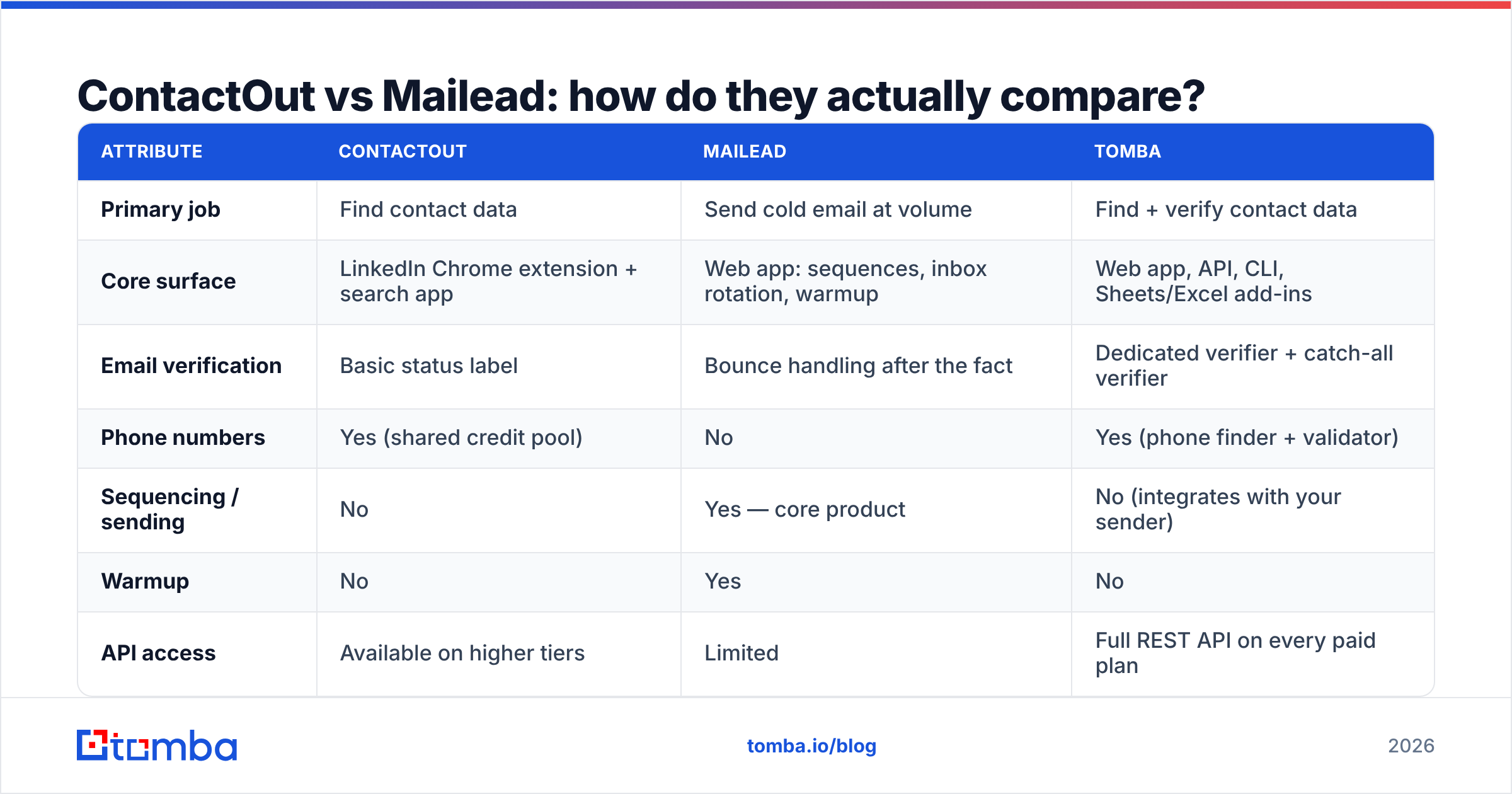
The table below only makes sense if you read it as "two different layers," not "two rivals."
| Attribute | ContactOut | Mailead | Tomba |
|---|---|---|---|
| Primary job | Find contact data | Send cold email at volume | Find + verify contact data |
| Core surface | LinkedIn Chrome extension + search app | Web app: sequences, inbox rotation, warmup | Web app, API, CLI, Sheets/Excel add-ins |
| Email verification | Basic status label | Bounce handling after the fact | Dedicated verifier + catch-all verifier |
| Phone numbers | Yes (shared credit pool) | No | Yes (phone finder + validator) |
| Sequencing / sending | No | Yes — core product | No (integrates with your sender) |
| Warmup | No | Yes | No |
| API access | Available on higher tiers | Limited | Full REST API on every paid plan |
| Free tier | Limited monthly credits | Trial-based | 25 searches/mo, no card |
| Entry paid price | Seat + credit based | Volume/inbox based | $49/mo Starter |
| Best for | Recruiters living in LinkedIn | Agencies running high-volume sends | Teams that need accurate, verified B2B emails at scale |
Read that table again and the answer to "which one wins" gets obvious: neither, alone. ContactOut without a sender is a spreadsheet. Mailead without a data source is an empty pipe.
Is ContactOut or Mailead better for cold outbound?#
Depends on which half of your stack is currently broken.
If your problem is "I can't find the right people": Mailead does nothing for you. You need a data layer. ContactOut is one option; a dedicated email finder with a real verification engine is usually the better one, because bounce rate is a data problem that only shows up as a sending problem.
If your problem is "I have a great list but my emails land in spam": ContactOut does nothing for you. You need sending infrastructure — mailbox rotation, warmup, SPF/DKIM/DMARC hygiene, sane volume ramps. Mailead is built for exactly this.
If your problem is "my reply rate is 0.4%": it's probably both, plus your copy. Bad data inflates bounces, bounces wreck email deliverability, poor deliverability kills reply rate, and everyone blames the copy.
Here's the diagnostic order most teams should run:
- Bounce rate over 3%? Your data layer is broken. Fix that first — nothing downstream matters.
- Bounces under 3% but open rate under 25%? Deliverability. Check DNS, warmup, volume per mailbox.
- Opens fine, replies flat? Now it's targeting and copy — not tooling.
- Replies fine, no meetings? It's your offer, not your stack.
Most "ContactOut vs Mailead" searches are really step 1 or step 2 wearing a costume.
What does each one cost — and what's the hidden bill?#
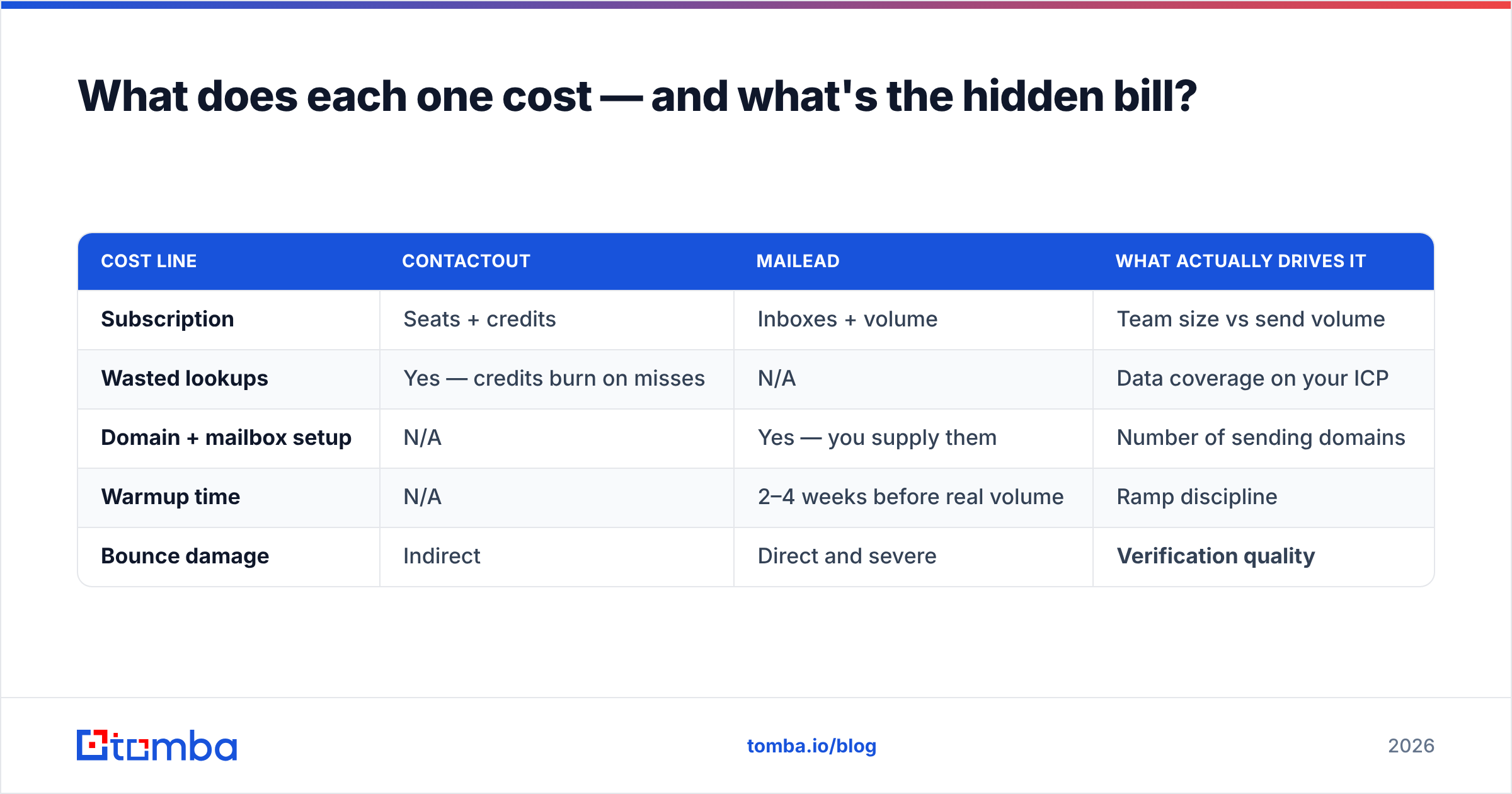
Sticker price is the least interesting number here. What matters is cost per usable contact and cost per delivered email.
ContactOut's model is credits plus seats. That's fine at 2 SDRs and painful at 10, because credits are consumed by lookups that fail as often as they succeed on some domains — and a failed lookup still costs you time. Recruiters get more value per credit than B2B sellers do, because personal-email coverage is where ContactOut's data is strongest.
Mailead's model is sending capacity: mailboxes, contacts, volume. The hidden bill is infrastructure — you supply the domains, the mailboxes, and the patience of a 3-week warmup. That's not a knock; every sender works that way. Just budget for it.
The third bill nobody puts in the spreadsheet is bounce cost. Send 10,000 emails against a list with a 12% bounce rate and you don't just waste 1,200 sends — you damage the domain that carries the other 8,800. Domain reputation recovery takes weeks. That is the most expensive line item in cold email and it never appears on an invoice.
| Cost line | ContactOut | Mailead | What actually drives it |
|---|---|---|---|
| Subscription | Seats + credits | Inboxes + volume | Team size vs send volume |
| Wasted lookups | Yes — credits burn on misses | N/A | Data coverage on your ICP |
| Domain + mailbox setup | N/A | Yes — you supply them | Number of sending domains |
| Warmup time | N/A | 2–4 weeks before real volume | Ramp discipline |
| Bounce damage | Indirect | Direct and severe | Verification quality |
For reference on how teams actually rate these tools in production, G2 reviews are more useful than vendor pages — filter to your company size before you read a single star rating.
Where does Tomba fit in this comparison?#
Tomba sits in the same layer as ContactOut — data — but it's built for the B2B email problem specifically, with verification treated as a first-class product rather than a status badge.
The practical differences:
- Verification is native, not bolted on. The email verifier runs SMTP-level checks, and the catch-all verifier handles the domains that quietly destroy most cold email lists. Catch-all domains accept everything at the gateway and bounce later — that's the trap ContactOut users hit at scale.
- Search by domain, not just by profile. Domain search pulls every discoverable address at a company plus the pattern it uses, so you can construct and verify addresses for people who aren't on LinkedIn at all.
- API on every paid plan. If you want enrichment inside your own workflow — a Clay table, an n8n run, a nightly cron — you shouldn't have to buy an enterprise tier for a REST endpoint.
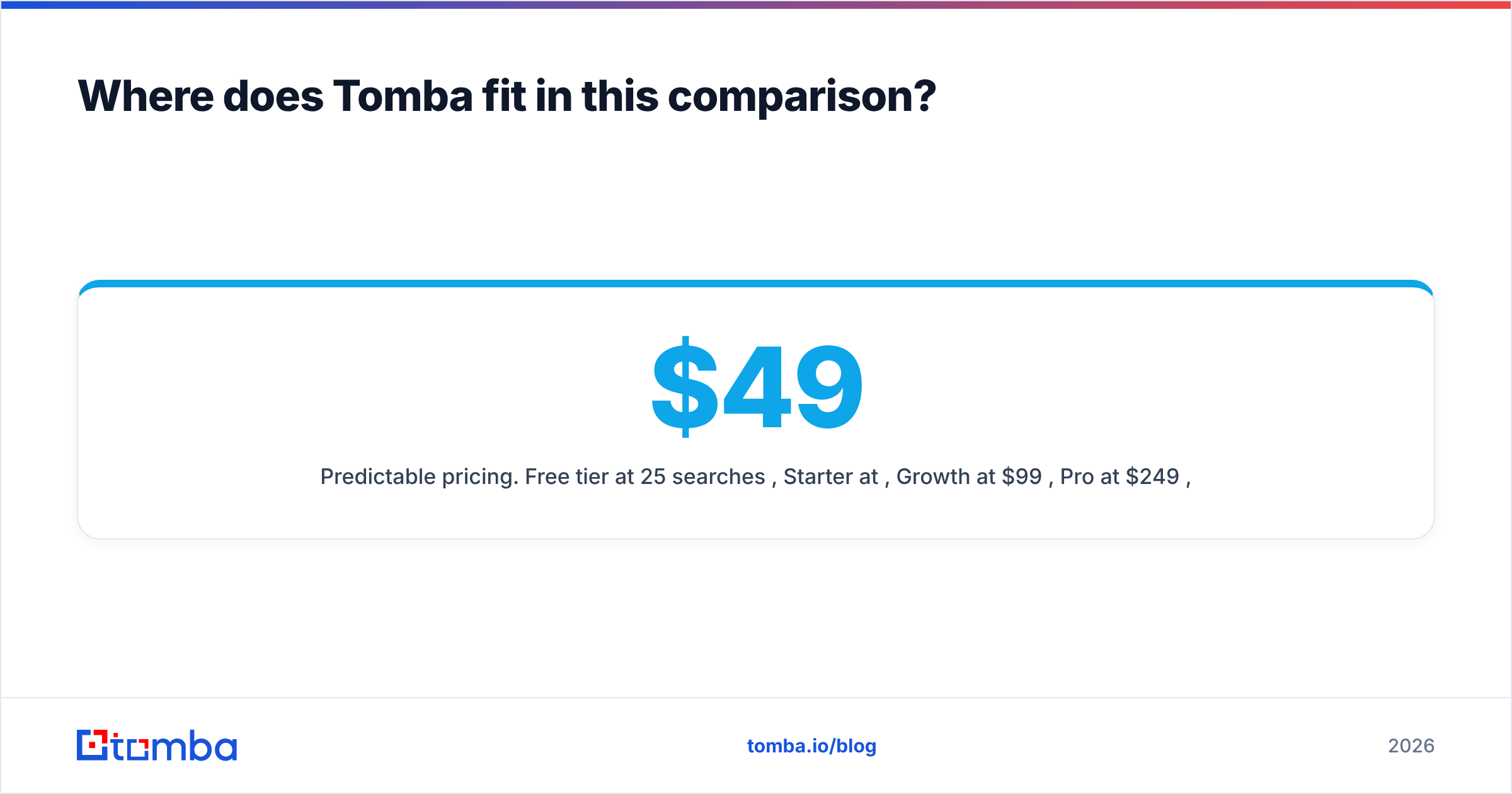
- Predictable pricing. Free tier at 25 searches/mo, Starter at $49/mo, Growth at $99/mo, Pro at $249/mo, Enterprise custom. See Tomba pricing for the current credit allocations.
Tomba does not send cold email. It never will. That's deliberate — a data company that also runs a sending platform has an incentive to look the other way on list quality, because you pay for the sends either way.
If you're specifically weighing the data layer, the ContactOut alternative breakdown goes deeper on coverage and credit mechanics than this post has room for.

What does a stack that actually works look like?#
Three layers. Do not skip one.
Layer 1 — Data. Find the people. Whether that's Tomba, ContactOut, or a scraped list from an event page, this layer's only job is producing name + company + email candidates.
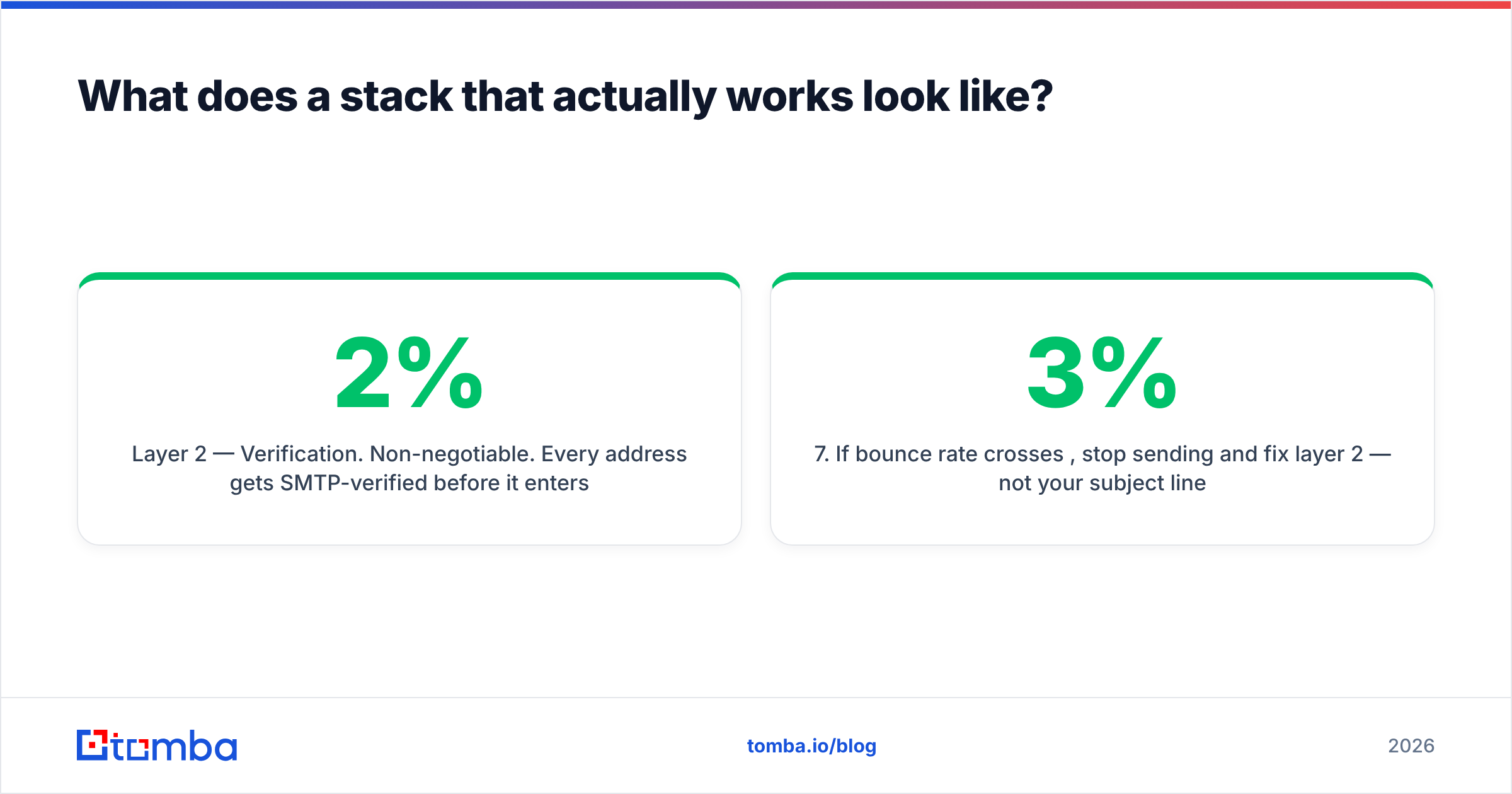
Layer 2 — Verification. Non-negotiable. Every address gets SMTP-verified before it enters a sequence. Catch-all domains get flagged, not guessed. Anything unverifiable gets routed to LinkedIn or phone instead of email. This single step is the difference between a 2% bounce rate and a 14% one, and it costs a fraction of what a burned domain costs.
Layer 3 — Sending. Mailead, Instantly, Smartlead, Saleshandy, or your own SMTP — pick whichever fits your volume and budget. With clean data underneath, they all perform far more similarly than their marketing suggests. With dirty data underneath, they all fail identically.
A concrete example of the flow:
- Pull a target-account list (200 companies matching your ICP).
- Run domain search on each to get the email pattern and known contacts.
- Enrich the specific decision-makers you want by name.
- Verify every address; drop or reroute anything not marked valid.
- Load only verified contacts into your sender.
- Warm up, ramp volume slowly, monitor bounce rate daily.
- If bounce rate crosses 3%, stop sending and fix layer 2 — not your subject line.
That sequence is boring and it works. Most failing outbound programs are skipping step 4 because their data tool told them the address was "likely valid."
Which should you buy: ContactOut, Mailead, or something else?#
Buy ContactOut if: you're a recruiter, you live in LinkedIn Recruiter all day, and personal email + mobile is what you need. It's genuinely good at that job, and the extension workflow is hard to beat for one-off sourcing.
Buy Mailead if: you already have a verified list and your bottleneck is sending capacity — agencies running multi-client campaigns, or teams that need many mailboxes without per-seat pricing. It solves a real problem well.
Buy neither (yet) if: your bounce rate is above 5%. No sending tool and no LinkedIn extension fixes that. You need a data source that verifies before it hands you the address, and you need it before you spend another dollar on sends.
The realistic answer for most B2B teams: a verified data layer plus a sending tool. Not one product pretending to be both.
The bottom line#
"ContactOut vs Mailead" is a category error dressed up as a buying decision. ContactOut answers who and where. Mailead answers how and how often. The question that actually determines whether your outbound works is is this address real — and both tools leave that mostly to you.
Fix the data layer first. Verify every address before it touches a sequence. Then pick whichever sender fits your volume, and stop worrying about it.
Start with the Tomba Email Finder — free tier gives you 25 searches a month with no card, and every result comes back with a verification status you can actually trust, including catch-all domains that most tools quietly guess on. Feed those verified contacts into Mailead, Instantly, or whatever you already send with. Your bounce rate will tell you within a week whether the data layer was the problem all along.
Related guides#
Ready to find emails that actually work?
Join 150,000+ professionals who stopped guessing and started sending. Free credits on signup — no credit card required.
Get the Tomba newsletter
Practical outbound tactics and product updates — once every two weeks.
About the author