ContactOut vs Manyreach (2026): Which One Do You Actually Need?
ContactOut finds contacts. Manyreach sends email. Comparing them head-to-head only makes sense once you know which half of your outbound stack is actually broken — here's the honest breakdown.
TL;DR — what you need to know#
- ContactOut and Manyreach are not competitors. ContactOut is a contact-data tool (a LinkedIn-first email and phone finder). Manyreach is a cold email sending platform (pay-as-you-go sequences, unlimited mailboxes). Buying one does not remove the need for the other.
- If your reply rate is fine but your list is thin, you have a data problem — that is ContactOut's lane, and where dedicated finders like Tomba compete directly.
- If your list is big but your emails bounce or never land, you have a sending and hygiene problem — that is Manyreach's lane, and no amount of extra contacts fixes it.
- Pricing models are structurally different: ContactOut charges per seat with credit tiers; Manyreach charges roughly per email sent with no seat tax. Comparing sticker prices without that context is meaningless.
- The most common real-world stack is a finder + a verifier + a sender. Picking "one tool to do it all" is where most teams lose money, and where a properly scoped email finder plus a verification step usually beats a bloated all-in-one.
What are ContactOut and Manyreach, really?#
Start here, because half the buying mistakes in this comparison happen before anyone opens a pricing page.
ContactOut is a contact-data platform built around a Chrome extension. You browse LinkedIn (or a recruiter search, or a company page), click the extension, and it surfaces personal emails, work emails, and phone numbers for the profile in front of you. It also ships a searchable database and bulk export. Its historical center of gravity is recruiting — a large share of its user base is talent acquisition, which shapes the data it prioritizes (personal Gmail addresses matter more to recruiters than to B2B sellers). You can see how they position it on their own site at contactout.com.
Manyreach is a cold email sending platform. You connect mailboxes, upload or sync a list, build sequences, and it handles sending, rotation, tracking, and inbox management. Its differentiator is the pricing model: instead of per-seat subscriptions with mailbox caps, it charges on a pay-as-you-go basis tied to sending volume, with unlimited mailboxes and users. That's the pitch on manyreach.com, and it's a genuinely different shape from the Instantly/Smartlead/Lemlist seat-and-tier model.
So the honest framing of "ContactOut vs Manyreach" is: finder vs sender. One fills the top of the spreadsheet. The other empties it into inboxes.

Why do people compare them at all?#
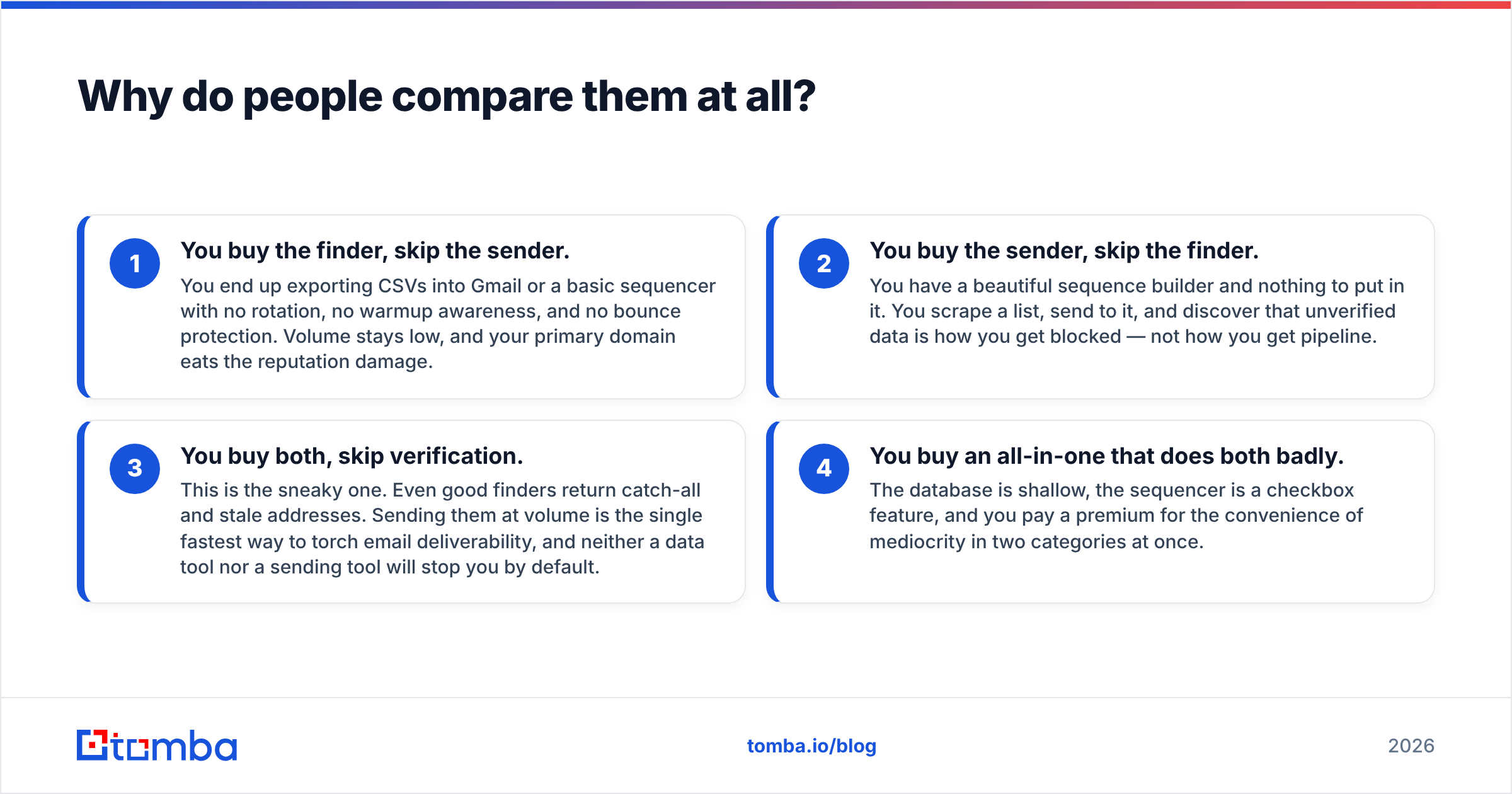
Because the outbound stack has quietly collapsed into a blur. Every vendor's homepage now says "find and reach your ideal customers," and buyers reasonably assume any two tools with that copy are substitutes.
They aren't. Here's what actually happens when you pick the wrong half:
- You buy the finder, skip the sender. You end up exporting CSVs into Gmail or a basic sequencer with no rotation, no warmup awareness, and no bounce protection. Volume stays low, and your primary domain eats the reputation damage.
- You buy the sender, skip the finder. You have a beautiful sequence builder and nothing to put in it. You scrape a list, send to it, and discover that unverified data is how you get blocked — not how you get pipeline.
- You buy both, skip verification. This is the sneaky one. Even good finders return catch-all and stale addresses. Sending them at volume is the single fastest way to torch email deliverability, and neither a data tool nor a sending tool will stop you by default.
- You buy an all-in-one that does both badly. The database is shallow, the sequencer is a checkbox feature, and you pay a premium for the convenience of mediocrity in two categories at once.
The comparison is worth doing — but the question isn't "which is better." It's "which one is my bottleneck."
How do ContactOut and Manyreach compare on the things that matter?#
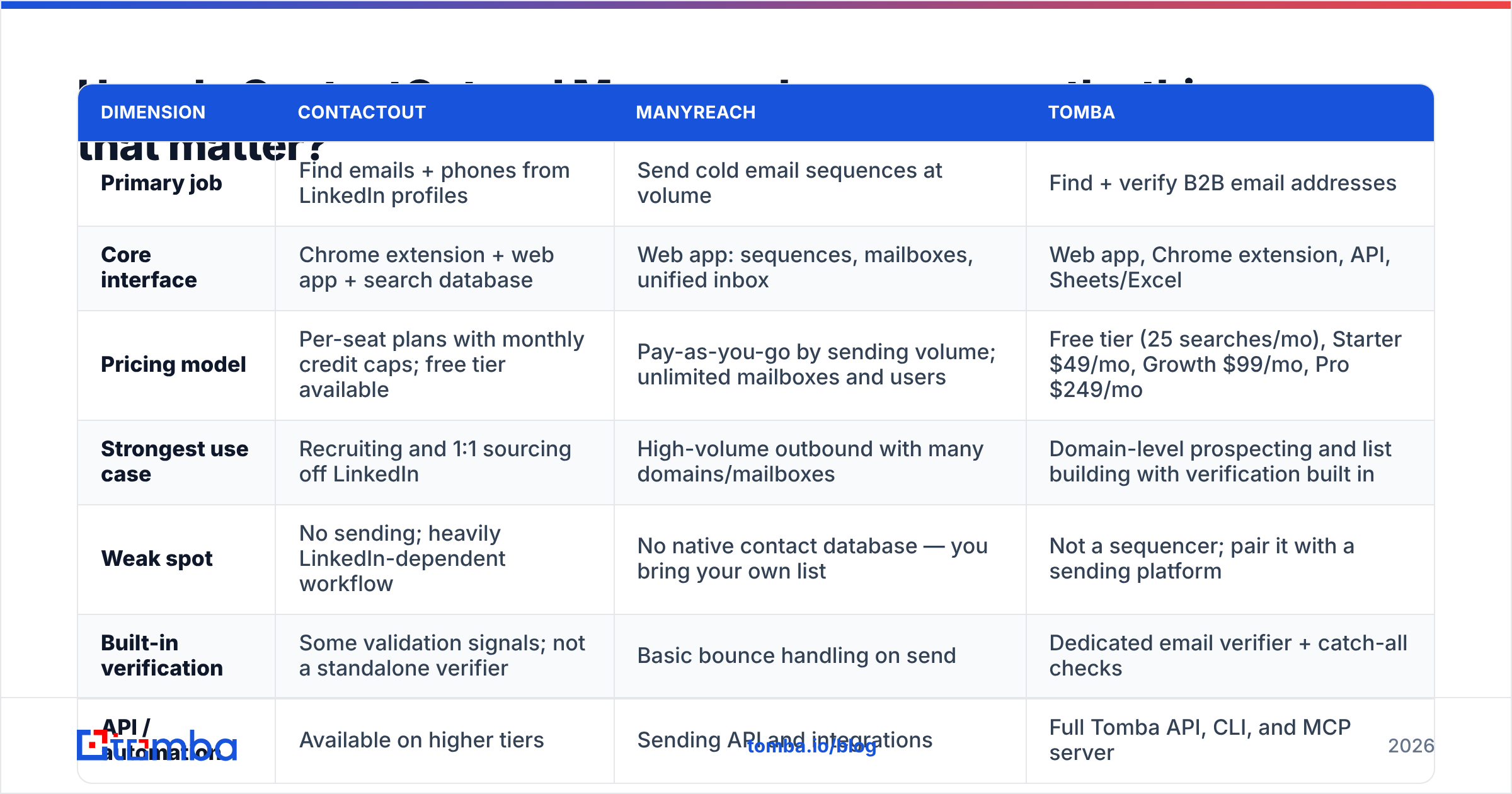
| Dimension | ContactOut | Manyreach | Tomba |
|---|---|---|---|
| Primary job | Find emails + phones from LinkedIn profiles | Send cold email sequences at volume | Find + verify B2B email addresses |
| Core interface | Chrome extension + web app + search database | Web app: sequences, mailboxes, unified inbox | Web app, Chrome extension, API, Sheets/Excel |
| Pricing model | Per-seat plans with monthly credit caps; free tier available | Pay-as-you-go by sending volume; unlimited mailboxes and users | Free tier (25 searches/mo), Starter $49/mo, Growth $99/mo, Pro $249/mo |
| Strongest use case | Recruiting and 1:1 sourcing off LinkedIn | High-volume outbound with many domains/mailboxes | Domain-level prospecting and list building with verification built in |
| Weak spot | No sending; heavily LinkedIn-dependent workflow | No native contact database — you bring your own list | Not a sequencer; pair it with a sending platform |
| Built-in verification | Some validation signals; not a standalone verifier | Basic bounce handling on send | Dedicated email verifier + catch-all checks |
| API / automation | Available on higher tiers | Sending API and integrations | Full Tomba API, CLI, and MCP server |
| Personal (non-work) emails | A core strength — recruiter-oriented | N/A | Focused on professional/work emails |
Prices and limits change; check each vendor's current pricing page before you commit. The structural difference — seat-and-credit vs volume-based — is the part that tends to stay true.
Is ContactOut worth it for B2B sales (not recruiting)?#
It depends on how your prospecting actually starts.
ContactOut shines when the workflow begins on a LinkedIn profile. A recruiter or an AE working named accounts, browsing individuals, and pulling contact details one at a time gets real value from an extension that lives where they already work. The personal-email coverage is genuinely useful in recruiting, where a work address is often the wrong channel entirely.
It gets awkward when the workflow begins with a company. If your motion is "here are 400 companies fitting our ICP, get me the VP of Engineering at each," a profile-by-profile extension is the wrong shape. You want domain-level search: give the tool a domain, get back the people and their patterns. That's what a domain search is for, and it's a fundamentally different query.
And it does not send. Whatever you extract has to leave ContactOut and land somewhere that runs sequences. That handoff — export, clean, verify, import — is where most teams silently lose 20-30% of their list to bad data they never checked.
If you're evaluating it strictly as a data source and the seat pricing feels heavy for a small team, it's worth reading a direct ContactOut alternative breakdown before you sign an annual contract.
Is Manyreach worth it if you already have a sequencer?#
Manyreach's argument is almost entirely economic, and it's a decent one.
The dominant cold email platforms charge per seat and per mailbox tier. Scale your sending and your bill scales with infrastructure you're already paying for elsewhere (domains, mailboxes, warmup). Manyreach's pay-as-you-go model decouples cost from seats and mailboxes and ties it to actual sends. For a team running 20 domains and 60 mailboxes, that math can land very differently than a per-seat tier.
Where it's a strong fit:
- Agencies running outbound for multiple clients, where seat counts and mailbox counts explode fast.
- Volume senders who have already solved data and just need cheaper, more elastic throughput.
- Teams with spiky sending — pay-as-you-go means a quiet month costs you a quiet month's worth.
Where it isn't:
- You have no list. Manyreach doesn't hand you contacts. It's a delivery engine, not a data provider.
- You need deep CRM-native workflow. If your reps live in Salesforce or HubSpot and expect sequences to fire from there, evaluate the integration depth carefully against what HubSpot's sales tooling already gives you.
- Your bounce rate is the actual problem. A cheaper send does not make a bad address deliverable. It just makes the damage cheaper per unit.
Check current user sentiment on G2 rather than relying on any single review roundup — including this one.
What does a stack that actually works look like?#
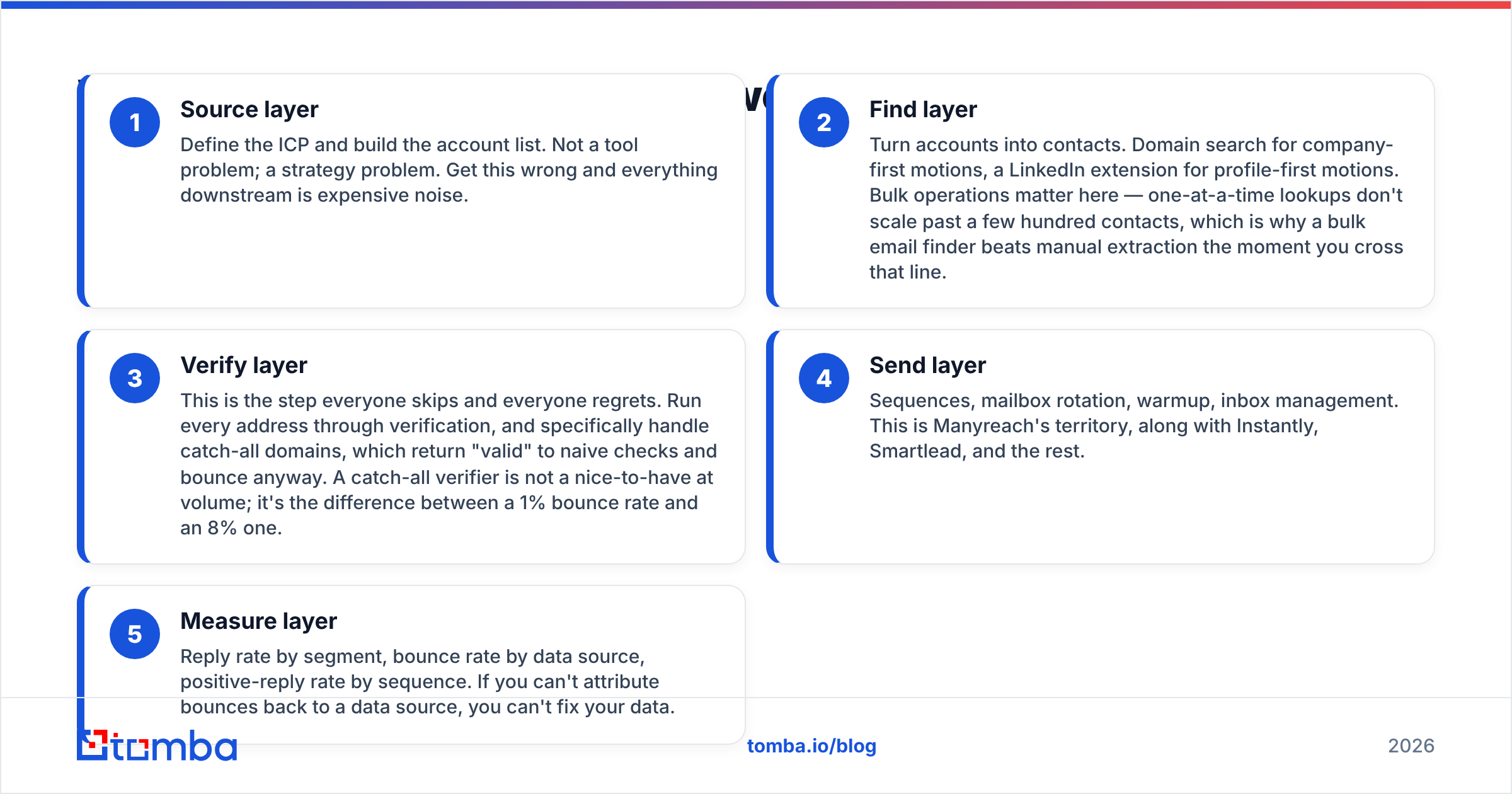
Here's the boring, effective shape most high-performing outbound teams converge on:
- Source layer — Define the ICP and build the account list. Not a tool problem; a strategy problem. Get this wrong and everything downstream is expensive noise.
- Find layer — Turn accounts into contacts. Domain search for company-first motions, a LinkedIn extension for profile-first motions. Bulk operations matter here — one-at-a-time lookups don't scale past a few hundred contacts, which is why a bulk email finder beats manual extraction the moment you cross that line.
- Verify layer — This is the step everyone skips and everyone regrets. Run every address through verification, and specifically handle catch-all domains, which return "valid" to naive checks and bounce anyway. A catch-all verifier is not a nice-to-have at volume; it's the difference between a 1% bounce rate and an 8% one.
- Send layer — Sequences, mailbox rotation, warmup, inbox management. This is Manyreach's territory, along with Instantly, Smartlead, and the rest.
- Measure layer — Reply rate by segment, bounce rate by data source, positive-reply rate by sequence. If you can't attribute bounces back to a data source, you can't fix your data.
Notice that ContactOut occupies step 2, Manyreach occupies step 4, and nobody in this comparison owns step 3 properly. That gap is why "ContactOut vs Manyreach" is the wrong question and "what's my bounce rate, and why" is the right one.

How does Tomba fit into this comparison?#
Straight answer: Tomba competes with ContactOut, not Manyreach — and it closes the verification gap that both leave open.
Against ContactOut, the differences that usually decide it:
- Motion. ContactOut is profile-first (start on LinkedIn). Tomba supports both: a LinkedIn finder for profile-first work and domain search for company-first work. If your ICP is defined by firmographics rather than individual profiles, the domain-first path is dramatically faster.
- Verification is native, not an afterthought. Every address can run through the email verifier, including catch-all handling. You're not exporting to a third tool to find out what's real.
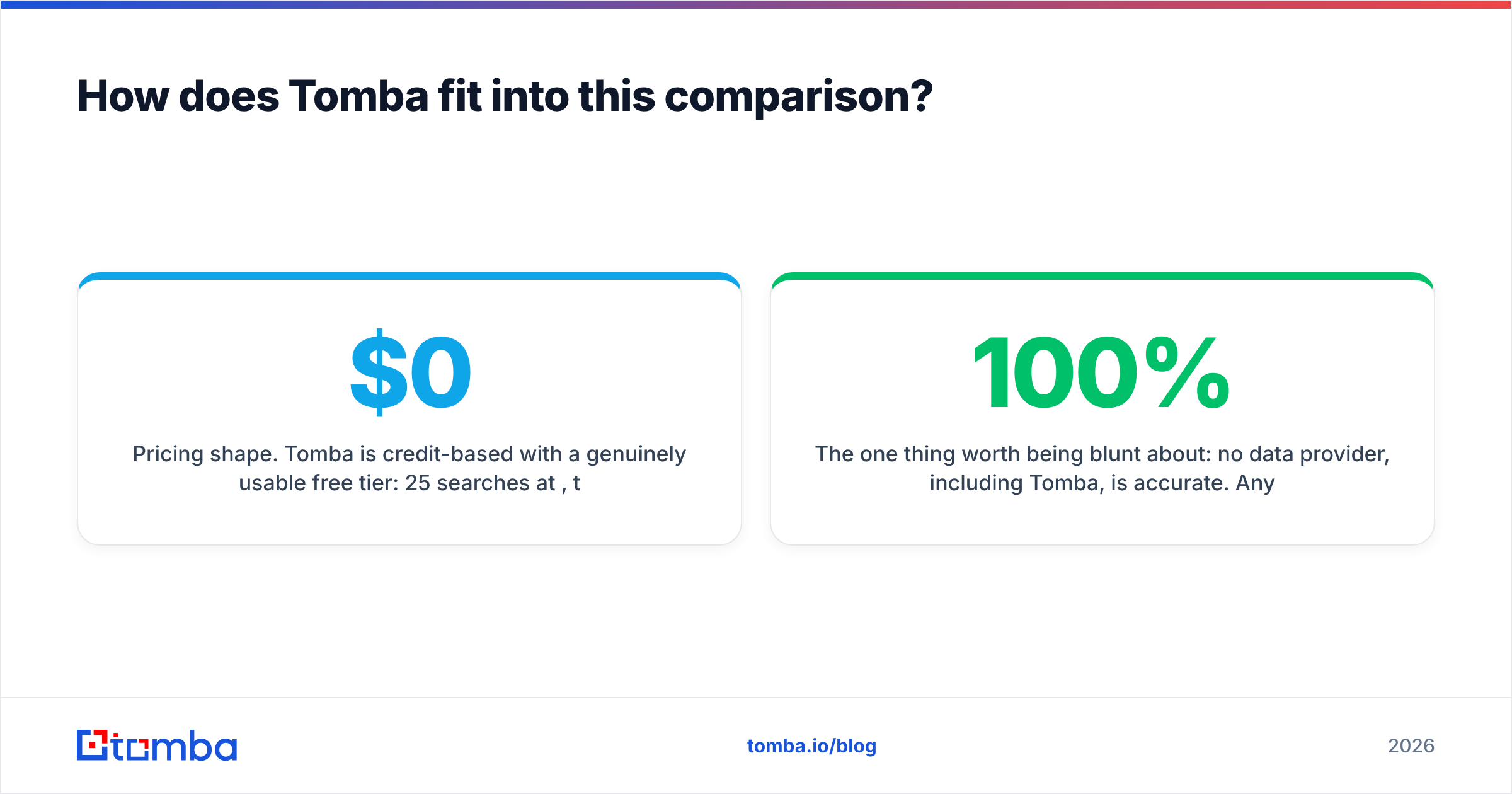
- Pricing shape. Tomba is credit-based with a genuinely usable free tier: 25 searches/month at $0, then Starter at $49/mo, Growth at $99/mo, and Pro at $249/mo, with Enterprise custom. Full Tomba pricing is public — no "contact sales to see a number" wall on the plans that most teams actually buy.
- Automation surface. A documented REST API, a CLI, Chrome extension, Google Sheets and Excel add-ins, and an MCP server. If your prospecting is scripted rather than clicked, that surface matters more than any UI feature.
Against Manyreach, there is no competition — you'd use them together. Find and verify with Tomba, send with Manyreach (or Instantly, or Smartlead, or whatever your team already knows). That's the whole architecture.
The one thing worth being blunt about: no data provider, including Tomba, is 100% accurate. Anyone claiming otherwise is selling. What you should demand is transparency about where the data comes from, a verification step you can actually trust, and a credit model that doesn't charge you for results it couldn't find.
Which should you buy in 2026?#
Use the bottleneck test. Pull your last 1,000 sent emails and look at two numbers:
- Bounce rate above 3%? Your problem is data quality and verification. Switching senders will not help. Fix the find + verify layers first.
- Bounce rate fine, but volume is capped by seat/mailbox costs? Your problem is sending economics. Manyreach's pay-as-you-go model is exactly the shape of that problem, and worth a serious look.
- Both fine, but reply rate is under 2%? Neither tool is your issue. Your targeting or your copy is. No amount of tooling saves a message nobody wants.
Concretely:
- Recruiters sourcing individuals on LinkedIn → ContactOut is a reasonable default; its personal-email coverage is the actual moat.
- B2B sales teams building lists from company/domain criteria → a domain-first finder with built-in verification will beat a profile-first extension on both speed and cost per usable contact.
- Agencies and high-volume senders who already have clean data → Manyreach's model is worth modeling against your current per-seat bill. The savings at 50+ mailboxes are not marginal.
- Anyone sending at volume → verification is not optional. Budget for it explicitly, or budget for a new domain.
Ready to fix the data half of your stack?#
If your bounce rate is the number that keeps showing up in the postmortem, start where the bounces start. Tomba's Email Finder turns a domain or a name into a verified, deliverable work email — with catch-all handling, a bulk mode for real list-building, and an API that drops into whatever sequencer you already use, Manyreach included. The free tier gives you 25 searches a month to test the accuracy against your own list before you spend a dollar, and Starter runs $49/mo when you're ready to scale.
Find the right contacts. Verify them. Then let your sending platform do the one job it's actually good at.
Related guides#
Ready to find emails that actually work?
Join 150,000+ professionals who stopped guessing and started sending. Free credits on signup — no credit card required.
Get the Tomba newsletter
Practical outbound tactics and product updates — once every two weeks.
About the author