ContactOut vs Pitchbox: Which Outreach Stack Wins in 2026?
ContactOut finds the contact. Pitchbox runs the campaign. Most teams comparing them are really asking the wrong question — here's the honest breakdown of what each tool does, what it costs, and where a cheaper data layer beats both.
TL;DR — what you actually need to know#
- They are not the same category. ContactOut is a contact-data tool (find an email or phone number for a person). Pitchbox is an outreach and link-building platform (find prospects, sequence emails, track replies, manage relationships).
- If you're choosing one or the other, you're probably mis-scoping the problem. Most teams end up needing a data layer and a sending layer. The real question is which vendor owns which job.
- Pitchbox has a data layer built in, but it's tuned for SEO/link-building targets (blogs, publishers, editors), not for enterprise sales personas.
- ContactOut has a light outreach layer, but it's a Chrome-extension-first product built around LinkedIn workflows — it is not a campaign engine.
- Cost matters more than either marketing page admits. Both price per seat. If you need volume data across a whole team, a credit-based API like the Tomba Email Finder usually costs a fraction of a per-seat data subscription.
What is ContactOut, really?#
ContactOut is a contact-discovery tool. Its core surface is a Chrome extension that overlays LinkedIn, GitHub, and company sites and surfaces a person's personal email, work email, and phone number. It also ships a searchable people database, a Recruiter/ATS integration set, and a basic email-sending feature.
Its center of gravity is recruiting. Talent teams live inside LinkedIn Recruiter, and ContactOut was built for exactly that motion: you're already on a profile, you want the human's contact details, you want them now. Personal (non-work) emails are a deliberate selling point — recruiters want to reach people outside their employer's inbox.
That focus explains both its strength and its ceiling. Strength: profile-level enrichment is fast and the personal-email hit rate is genuinely good. Ceiling: it's a lookup tool, not a go-to-market system. There's no meaningful sequencing logic, no reply-based branching, no campaign reporting a demand-gen lead would recognize.
Who ContactOut fits:
- Recruiters and sourcers who work profile-by-profile inside LinkedIn all day.
- Founders doing manual outbound at low volume, where 20 good contacts a week is the whole plan.
- Anyone who specifically needs personal emails, not just corporate ones.
- Teams already paying for LinkedIn Recruiter who want a bolt-on rather than a new system of record.
What is Pitchbox, really?#
Pitchbox is an outreach platform, and it grew up in the SEO world. It was designed for link building and digital PR: find sites that fit a topic, identify the right editor or writer, pitch them, follow up automatically, and track the relationship over months — because in link building the same contact gets pitched again next quarter.
The product's real value is the workflow spine: prospect discovery (with SEO metrics from Moz/Majestic/Ahrefs-type integrations pulled onto each prospect), an outreach sequencer with automated follow-ups, personalization variables, team assignment, and reporting that ties campaigns back to placements won.
Pitchbox also does contact discovery — but it's discovery scoped to websites. It crawls the site, finds contact pages and author bylines, and proposes who to pitch. That works beautifully for a food blog or a niche SaaS publication. It works far less well when your target is "the VP of RevOps at a 4,000-person manufacturer," because that person's email is not on a contact page anywhere.
Who Pitchbox fits:
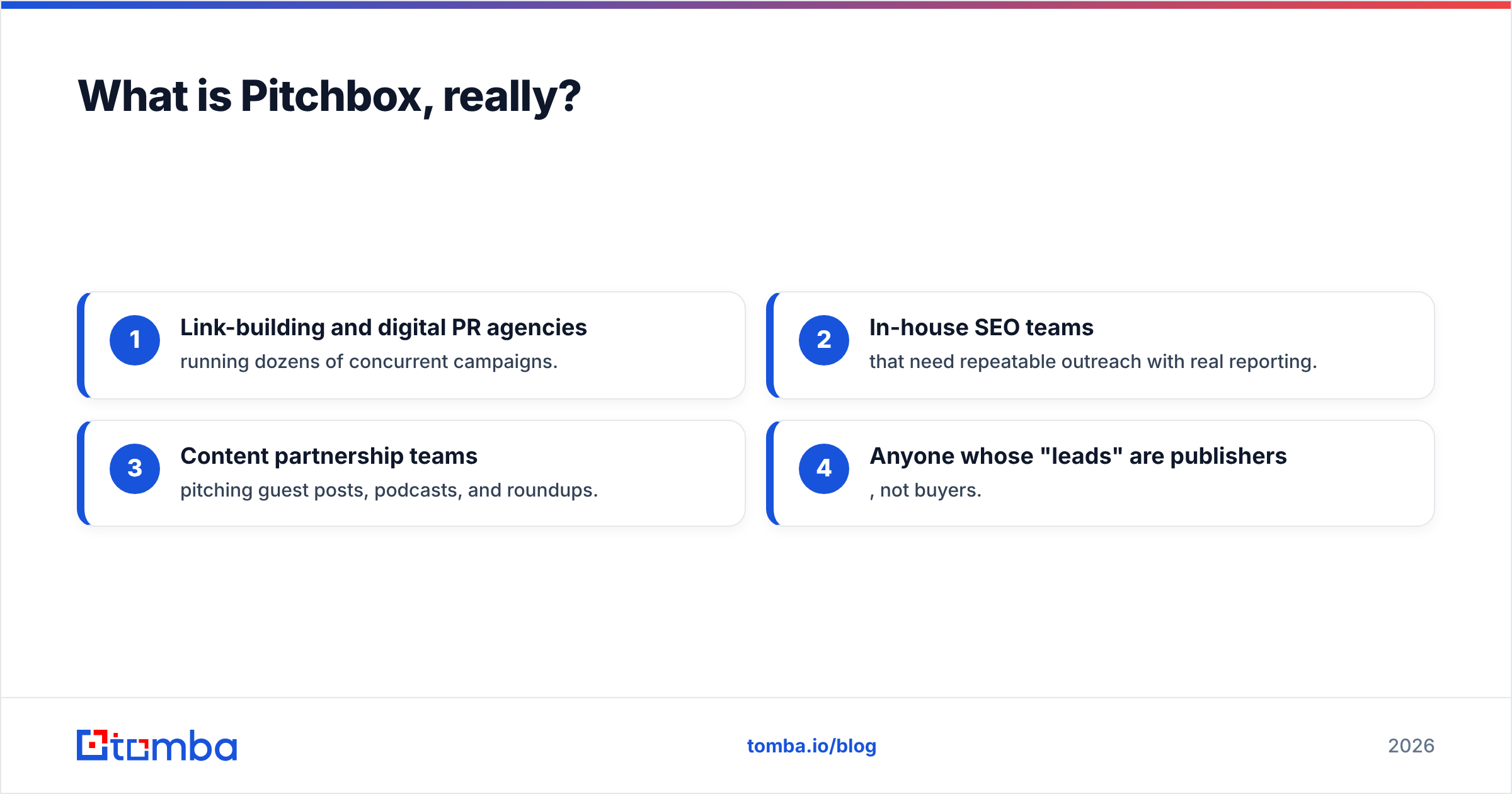
- Link-building and digital PR agencies running dozens of concurrent campaigns.
- In-house SEO teams that need repeatable outreach with real reporting.
- Content partnership teams pitching guest posts, podcasts, and roundups.
- Anyone whose "leads" are publishers, not buyers.

Is ContactOut better than Pitchbox?#
The honest answer: the question is malformed, and any article that gives you a clean "winner" is selling you something.
Ask what job you're hiring the tool for:
- "I need to know how to reach this specific person." → That's ContactOut's job (or an email finder API).
- "I need to reach 800 sites over the next quarter and track who replied." → That's Pitchbox's job.
- "I need both, at scale, without paying two per-seat subscriptions." → That's where the stack starts to matter more than the vendor.
Where teams get burned is assuming one covers the other. Companies buy Pitchbox for a sales-outbound motion and discover its native contact discovery struggles on corporate personas. Companies buy ContactOut for a campaign motion and discover they're pasting emails into a spreadsheet at 4pm on a Friday. Both are correct products used for the wrong job.
How do ContactOut, Pitchbox, and Tomba compare on features and price?#
Pricing on both platforms is heavily gated — Pitchbox quotes based on seats and campaign volume, and ContactOut publishes limited public tiers with an enterprise track. Check each vendor's page before you budget; the numbers below reflect the shape of each model, not a guaranteed quote.
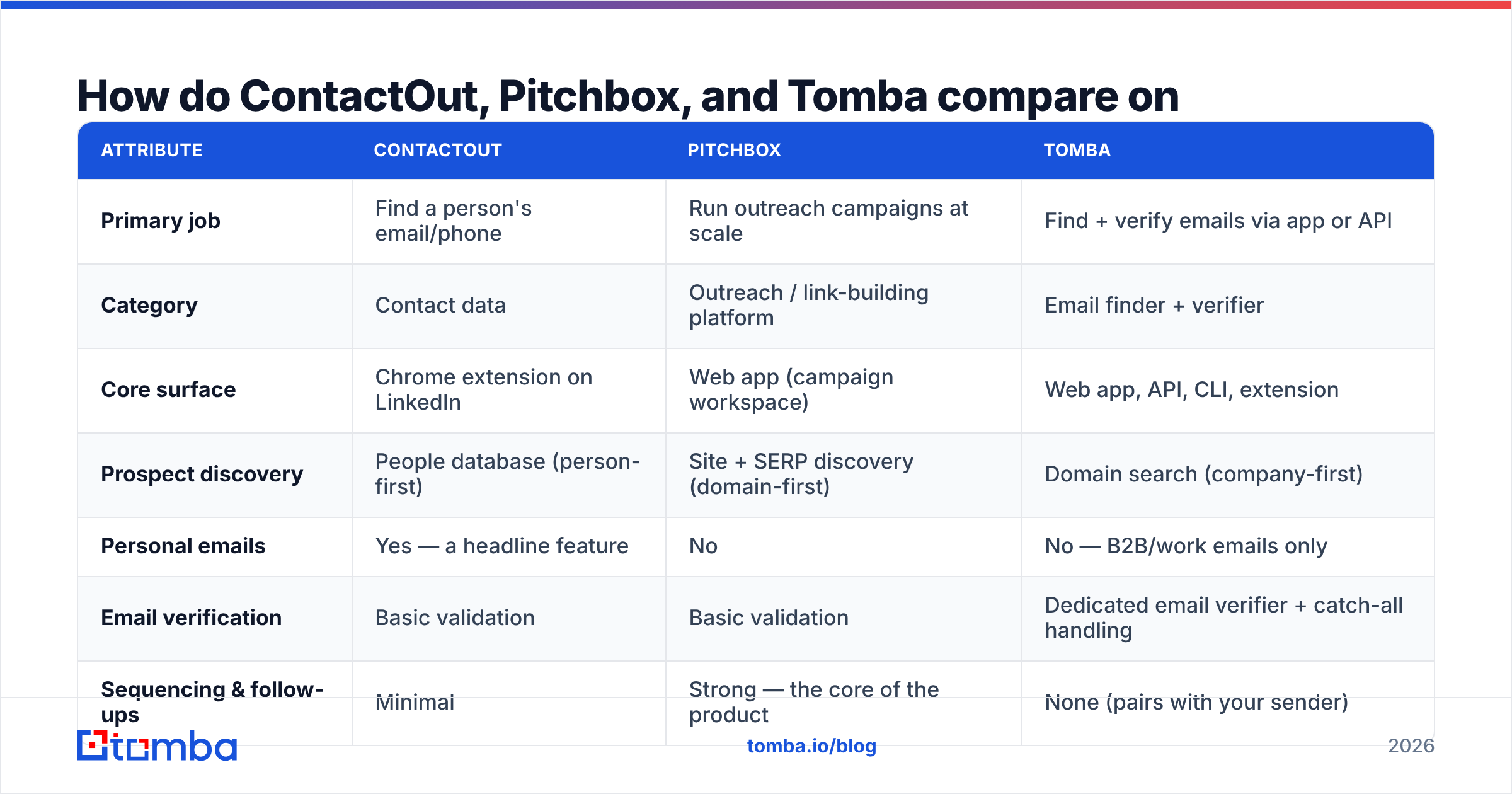
| Attribute | ContactOut | Pitchbox | Tomba |
|---|---|---|---|
| Primary job | Find a person's email/phone | Run outreach campaigns at scale | Find + verify emails via app or API |
| Category | Contact data | Outreach / link-building platform | Email finder + verifier |
| Core surface | Chrome extension on LinkedIn | Web app (campaign workspace) | Web app, API, CLI, extension |
| Prospect discovery | People database (person-first) | Site + SERP discovery (domain-first) | Domain search (company-first) |
| Personal emails | Yes — a headline feature | No | No — B2B/work emails only |
| Email verification | Basic validation | Basic validation | Dedicated email verifier + catch-all handling |
| Sequencing & follow-ups | Minimal | Strong — the core of the product | None (pairs with your sender) |
| Reporting | Usage / credits | Campaign, placement, team reporting | Credit + accuracy reporting |
| Pricing model | Per seat, credit-capped | Per seat, quote-based | Credit-based: Free (25/mo), $49, $99, $249 — see Tomba pricing |
| Best for | Recruiters, sourcers | SEO agencies, digital PR | Sales/RevOps teams and developers needing clean data |
The pattern is clear once it's laid out: ContactOut and Tomba compete on the data row. Pitchbox competes on the workflow row. Tomba and Pitchbox are more complementary than competitive — you can enrich in Tomba and pitch in Pitchbox without either stepping on the other.
Which one has better data accuracy?#
Accuracy claims from every vendor in this space are marketing numbers. Treat them as such. What matters is how each tool sources data, because sourcing determines where it fails.
- ContactOut is profile-anchored. It performs best when a rich public profile exists — which is why it shines on tech, marketing, and recruiting personas, and degrades on industrial, public-sector, and non-English-speaking targets with thin online footprints.
- Pitchbox is site-anchored. It performs best when a site publishes bylines and contact pages — which is why it shines on blogs and publications, and degrades on corporate sites that hide behind
info@catch-alls. - Tomba is domain- and pattern-anchored, then verified. It infers the company's email pattern, matches the person, and runs SMTP-level verification before returning a result. See where Tomba gets data for the sourcing detail.
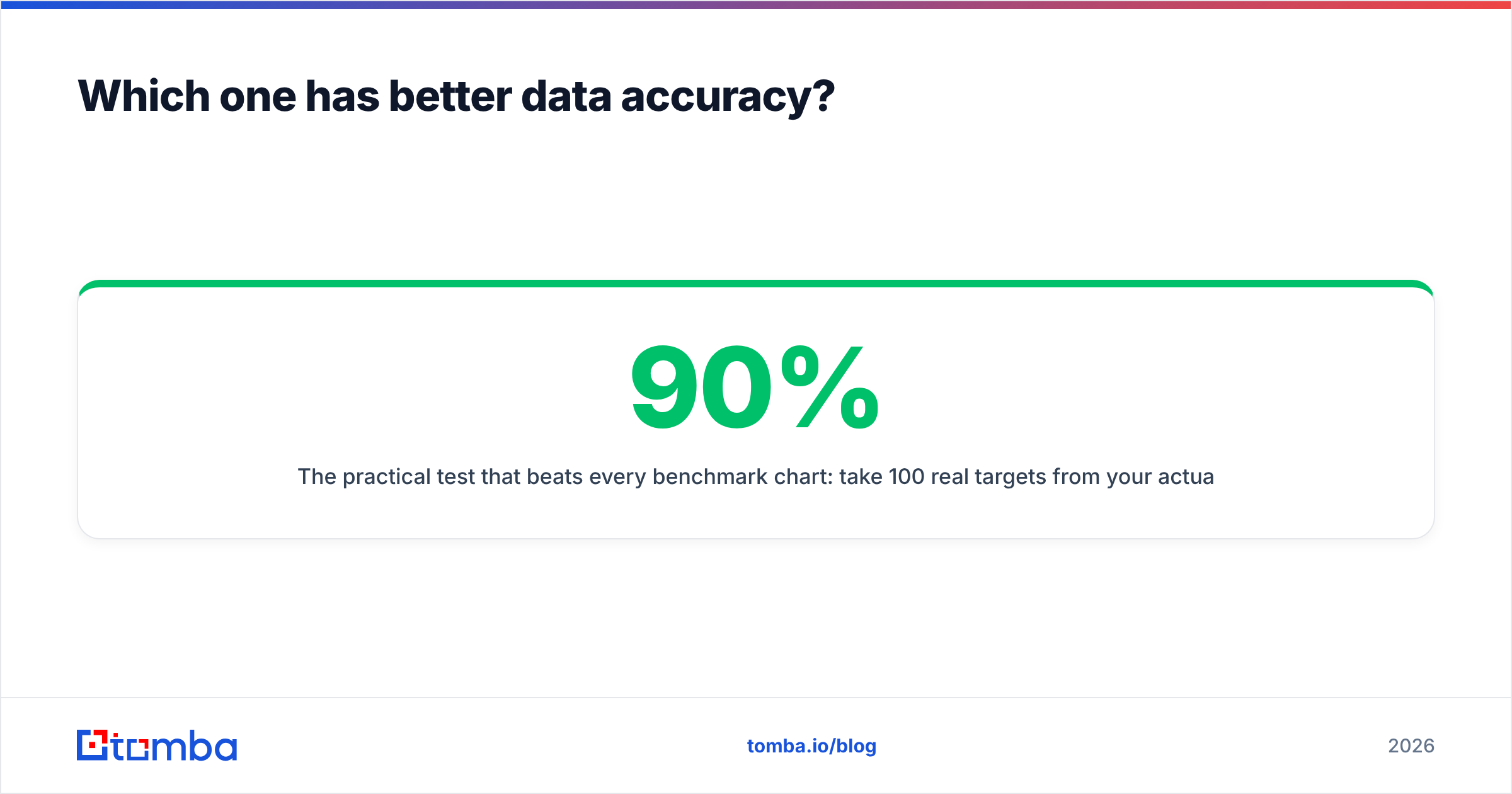
The practical test that beats every benchmark chart: take 100 real targets from your actual ICP, run them through each tool, and send to the results. Your bounce rate is the only score that pays rent. A tool that finds 90% of contacts with a 15% bounce rate is worse than one that finds 70% with a 1% bounce rate — because bounces damage sender reputation, and a damaged domain costs more than any subscription.
Run the winner's output through a catch-all verifier before you send. Catch-all domains accept everything at the SMTP layer and then silently drop mail — they're the single biggest source of "verified" addresses that still fail.

What does each one actually cost a team of five?#
This is where the comparison gets uncomfortable, because both ContactOut and Pitchbox price per seat — and per-seat pricing punishes exactly the team structure most companies have: a few heavy users and several light ones.
Model it out:
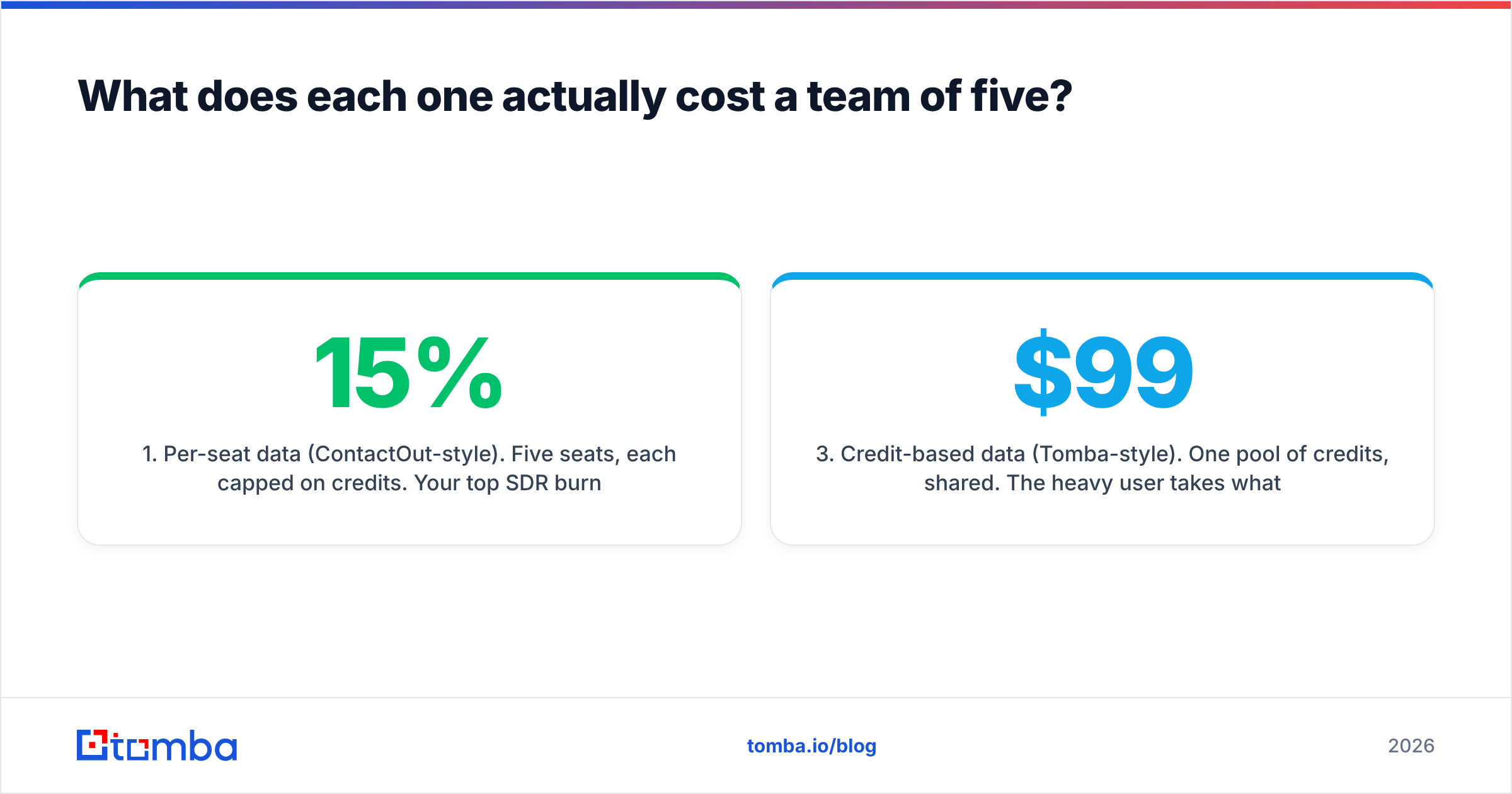
- Per-seat data (ContactOut-style). Five seats, each capped on credits. Your top SDR burns their allotment by the 12th; your two part-time users burn 15% of theirs. You buy an upgrade for everyone to unblock one person.
- Per-seat workflow (Pitchbox-style). Same problem, higher stakes — outreach platform seats are expensive, and an agency that adds a junior link-builder pays full freight for a seat that runs a fifth of the campaigns.
- Credit-based data (Tomba-style). One pool of credits, shared. The heavy user takes what they need, the light users take what they need, and you buy against actual consumption. Growth at $99/mo covers a small team; Pro at $249/mo covers a serious one. Bulk lead generation runs against the same pool.
None of this makes Pitchbox overpriced — if you're running 40 link campaigns, its workflow spine earns its cost several times over and no data tool replaces it. But if you're buying an outreach platform mainly to get contact data, you're paying platform rates for a commodity.
What's the right stack for each use case?#
Recruiting / sourcing. ContactOut, honestly. It's built for the LinkedIn Recruiter motion and its personal-email coverage is a real differentiator that neither Pitchbox nor a B2B-work-email tool matches. Nothing here beats it on that specific job.
Link building / digital PR. Pitchbox for the workflow, plus a data tool for the gaps. Pitchbox will find the site and often the byline; when it returns nothing but a generic contact form, feed the domain and author name to an author finder and get the real address. That combination lifts campaign coverage without a second platform subscription.
B2B sales outbound. Neither, alone. You want a data layer that returns verified work emails at volume, a sending tool built for cold email deliverability (Instantly, Smartlead, Lemlist — pick your poison), and a CRM. Tomba plus a dedicated sender costs less than either platform and does each job better than the other does it as a side feature. If you're already evaluating this exact swap, the ContactOut alternative breakdown covers the migration in detail.
Mixed teams (agency running both SEO and sales). Keep Pitchbox for campaigns. Replace the per-seat data subscription with one shared credit pool, and pipe results in via Zapier or the API so nobody's copy-pasting between tabs.
What do reviewers actually say?#
Both tools hold solid ratings on G2, and the review themes are consistent enough to be useful:
- ContactOut praise: speed inside LinkedIn, personal email hit rate, simple UX. ContactOut criticism: credit limits feel tight, accuracy varies sharply by industry, and the export/bulk workflow lags the extension experience.
- Pitchbox praise: genuinely powerful campaign automation, excellent for agencies, strong reporting. Pitchbox criticism: steep learning curve, opaque pricing, and — tellingly — that its built-in contact discovery often needs a second tool to fill gaps.
That last point is the whole article in one sentence. Even Pitchbox's happiest users pair it with a data tool.
The verdict#
ContactOut wins if your job is finding a person. Pitchbox wins if your job is running a campaign. They don't overlap enough to declare a single winner, and any team treating this as an either/or decision is going to underbuy on one side.
What both share is a per-seat pricing model that gets expensive fast when the thing you actually need is more verified emails, not more logins. That's the gap worth closing first — because the best sequencer in the world sending to a 20% bounce list is just an efficient way to destroy a sending domain.
Start with the data. If you want work emails that are verified before they ever hit your sender, run your next list through the Tomba Email Finder — the free tier gives you 25 searches a month with no card, enough to benchmark it against whatever you're paying for now. Bring 100 real targets from your ICP, compare the bounce rates, and let the number decide.
Related guides#
Ready to find emails that actually work?
Join 150,000+ professionals who stopped guessing and started sending. Free credits on signup — no credit card required.
Get the Tomba newsletter
Practical outbound tactics and product updates — once every two weeks.
About the author