ContactOut vs Revli (2026): Pricing, Accuracy, and Verdict
ContactOut is built around LinkedIn and personal emails. Revli is built around cheap, high-volume lookups. We compare pricing, accuracy, coverage, and workflow fit — and name the buyer each one actually suits.
TL;DR
- ContactOut is a LinkedIn-first tool. Its edge is personal/private email coverage on individual profiles, which is why recruiters love it. Its cost per contact is high, and it is weakest when you need company-wide, domain-level lists.
- Revli sits at the opposite end: cheap, credit-based, list-and-domain oriented. It's fine for volume, but you should budget for a separate verification step before you send.
- Neither tool is a full data stack. ContactOut wants you inside LinkedIn; Revli wants you inside a CSV. If your workflow lives in a CRM, a script, or a sequencer, both create glue work.
- Verification is the hidden variable. A "found" email is not a deliverable email, and bounce rate — not hit rate — is the number that decides whether your domain survives the quarter.
- If you need domain search, API access, and verification in one place, a platform like Tomba covers the same job at $49/mo without stitching two vendors together.
What are ContactOut and Revli, actually?#
They get compared because they both return an email address. That's roughly where the similarity ends.
ContactOut is a browser-extension-first contact finder built around LinkedIn. You open a profile, the sidebar fires, and it surfaces work emails, personal emails, and phone numbers. It's been adopted heavily by recruiting teams because personal (non-corporate) email coverage matters when your prospect is a passive candidate who ignores their work inbox. It also ships a search/dashboard product and a Recruiter-plan tier, but the extension is the center of gravity.
Revli is a lower-cost email finder and lead tool in the "find emails by domain or name, export a list" category. It's credit-based, has a free entry tier, and is priced for people who want volume without a per-seat SaaS commitment. It leans toward bulk and list-building rather than one-profile-at-a-time enrichment.
So the honest framing for ContactOut vs Revli is not "which is better." It's: are you enriching people you've already picked, or building a list from scratch? Those are different jobs, and each tool is good at one of them.
How do ContactOut and Revli compare on features and price?#
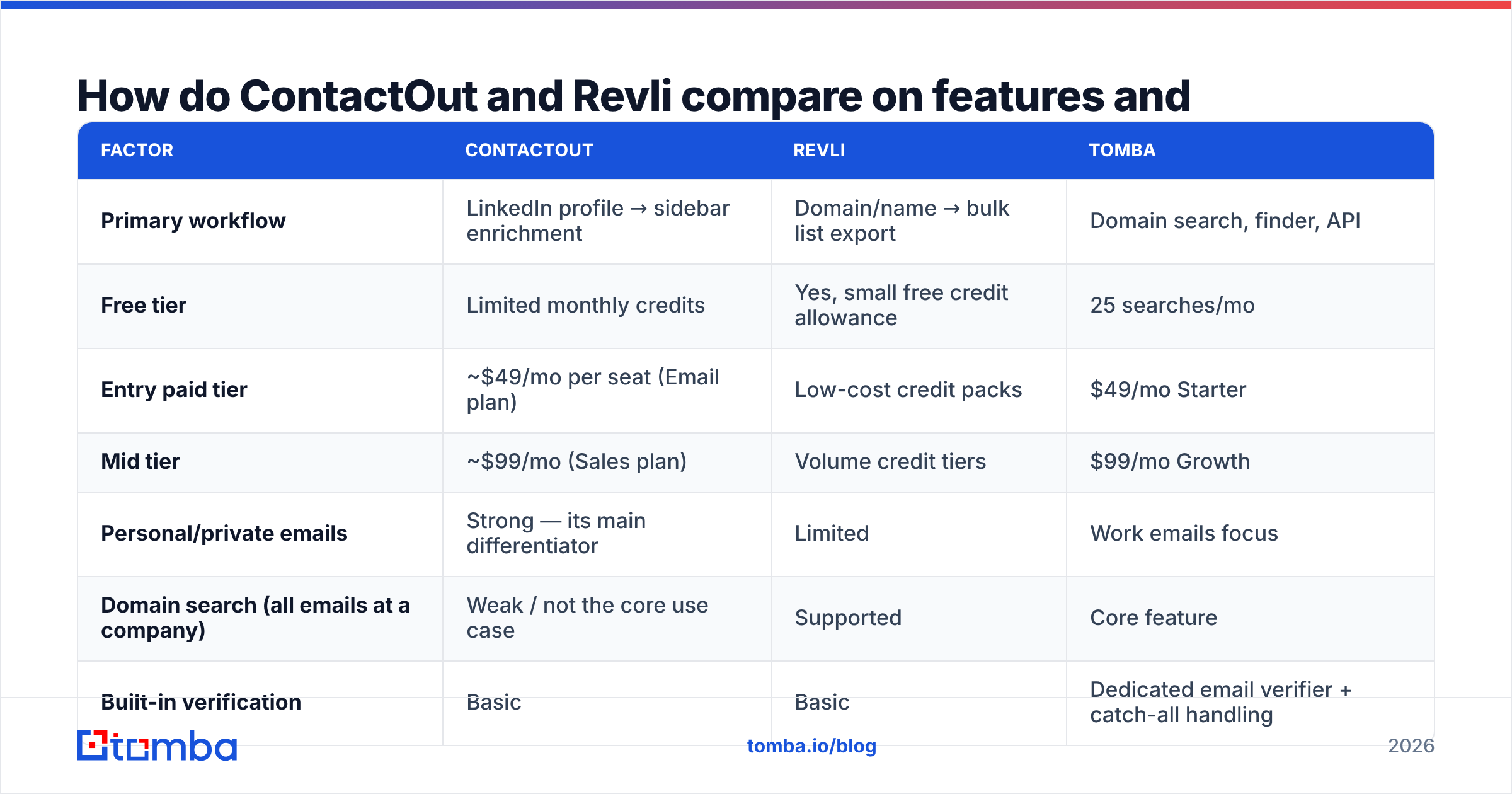
Pricing on both vendors moves, and both gate details behind sign-up or sales, so treat the figures below as list-price directional and check the vendor's own page before you commit. What matters more than the headline number is what a credit buys you — some tools charge on every lookup attempt, some only on a successful find, and that difference can double your real cost per contact.

| Factor | ContactOut | Revli | Tomba |
|---|---|---|---|
| Primary workflow | LinkedIn profile → sidebar enrichment | Domain/name → bulk list export | Domain search, finder, API |
| Free tier | Limited monthly credits | Yes, small free credit allowance | 25 searches/mo |
| Entry paid tier | ~$49/mo per seat (Email plan) | Low-cost credit packs | $49/mo Starter |
| Mid tier | ~$99/mo (Sales plan) | Volume credit tiers | $99/mo Growth |
| Personal/private emails | Strong — its main differentiator | Limited | Work emails focus |
| Domain search (all emails at a company) | Weak / not the core use case | Supported | Core feature |
| Built-in verification | Basic | Basic | Dedicated email verifier + catch-all handling |
| Public API | Available on higher tiers | Limited | Full email finder API on all paid plans |
| Best for | Recruiters, exec search | Budget list-building | Outbound teams, RevOps, developers |
Two things jump out of that table.
First, ContactOut charges for a capability most B2B sellers don't need. Personal Gmail addresses are gold for a recruiter chasing a senior engineer who never opens a work inbox. For a B2B SaaS AE selling to a VP of Ops, a personal address is often worse than useless — it's a compliance headache and a lower-trust channel. You're paying a premium for coverage you won't use.
Second, Revli's low price is real but incomplete. Cheap credits look great in a spreadsheet until you run the list and discover the deliverability tax you deferred.

Which one has better data accuracy?#
Nobody should take a vendor's own accuracy claim at face value, including Tomba's. Every provider quotes a number from a benchmark it designed. The only accuracy figure that means anything is the one you measure on your ICP, in your geography, at your seniority level.
Here's how to run that test in an hour:
- Build a 100-row control list. Real target accounts, real named prospects, spread across company sizes. Do not use a curated list you know is easy.
- Run it through both tools. Record hit rate (how many returned anything) separately from confidence score.
- Verify every result with a neutral third party. Do not let the finder grade its own homework. Push results through an independent email verifier or a free email checker so you're comparing like for like.
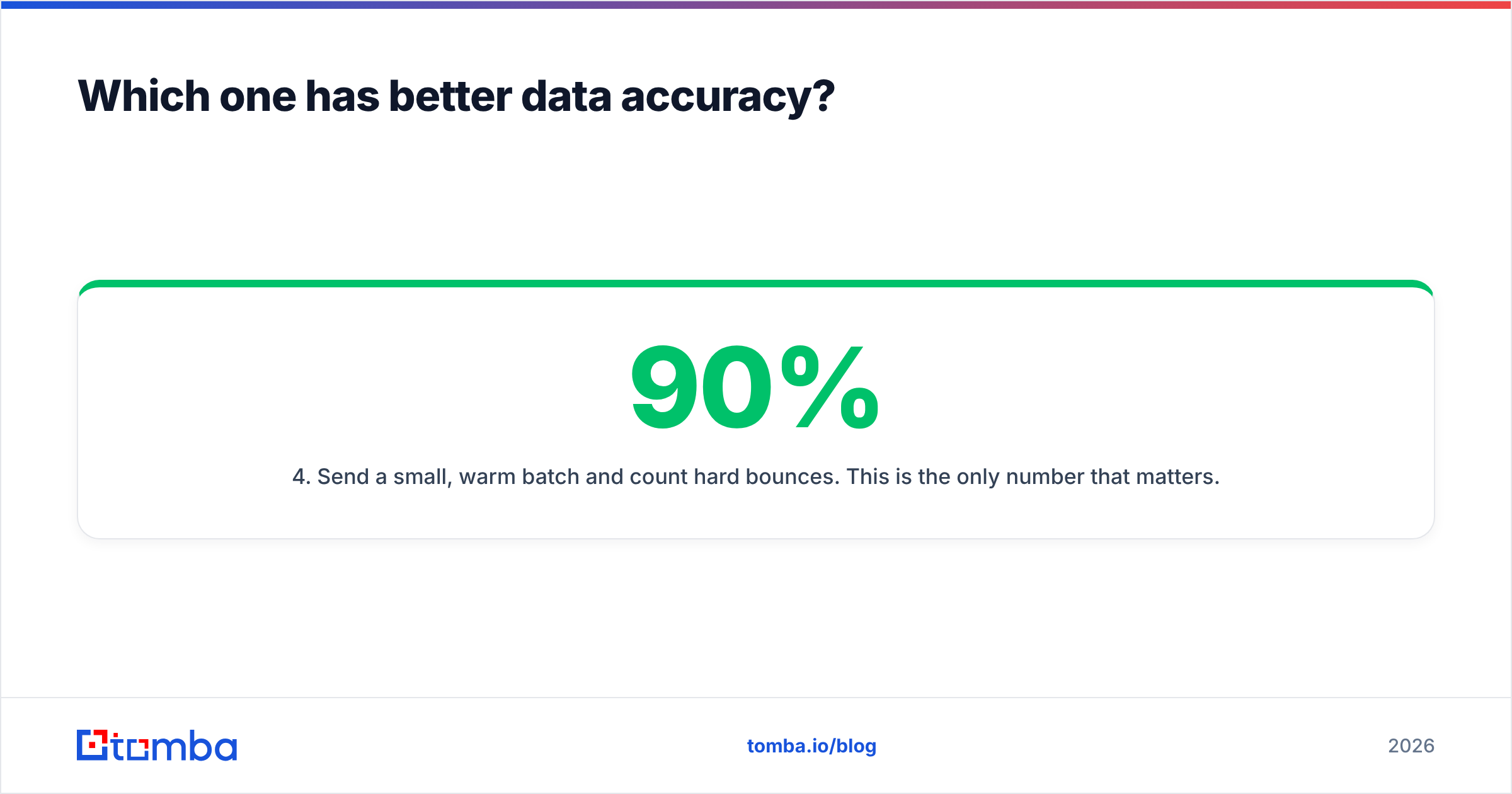
- Send a small, warm batch and count hard bounces. This is the only number that matters. A 90% hit rate with a 12% bounce rate is worse than a 60% hit rate with a 1% bounce rate — because bounces damage sender reputation, and reputation damage compounds.
- Compute cost per deliverable contact, not cost per credit. Divide total spend by the number of addresses that actually landed.
That last metric reorders leaderboards fast. A tool at half the price with double the bounce rate is not cheaper. It's more expensive and it's also setting your domain on fire.
Directionally, from what practitioners report on G2 and in outbound communities: ContactOut tends to score well on LinkedIn-sourced personal emails and less well on obscure or non-US corporate domains. Revli tends to do fine on common patterns at mid-size companies and thin out on enterprise, on catch-all domains, and outside North America. Both degrade on the same hard cases everyone degrades on — small companies, non-Latin-script names, freshly-changed domains.

Where does each tool actually break down?#
ContactOut's constraint is the workflow, not the data. It's fastest when a human is already looking at a LinkedIn profile. That's a strength for one-to-one sourcing and a hard ceiling for anything programmatic. If your motion is "pull 500 contacts at these 40 accounts and push them to HubSpot tonight," a browser sidebar is the wrong shape of tool. You'll be paying per seat for a manual process, and per-seat pricing punishes you exactly when the team grows.
There's also the LinkedIn dependency itself. Any tool whose primary interface rides on top of someone else's platform inherits that platform's rate limits, ToS changes, and account-risk profile. That risk isn't hypothetical — it's a recurring cost of doing business in the LinkedIn-scraping category, and it's a good reason not to make it your only channel of contact acquisition.
Revli's constraint is the opposite: the price is the product. Low-cost credit tools generally get there by leaning harder on pattern inference — guess the format (first.last@, f.last@), confirm what you can, ship the rest with a confidence label. That's a legitimate technique; every finder does some of it. The question is what happens to the addresses it can't confirm. If unconfirmed guesses land in your export with a middling confidence score and no clear "do not send" flag, they will end up in a sequence, and they will bounce.
This is especially punishing on catch-all domains, where the mail server accepts everything and confirms nothing. A cheap tool marks these "valid" and moves on. That's the single largest source of surprise bounces in cold outbound, and it's why catch-all verification exists as a separate discipline.
Which should you pick for your use case?#
Match the tool to the job, not to the review score.
- You're a recruiter or exec-search firm. ContactOut, genuinely. Personal-email coverage on LinkedIn profiles is its whole reason to exist and it does it well. The per-seat price is defensible when a single placement is worth five figures.
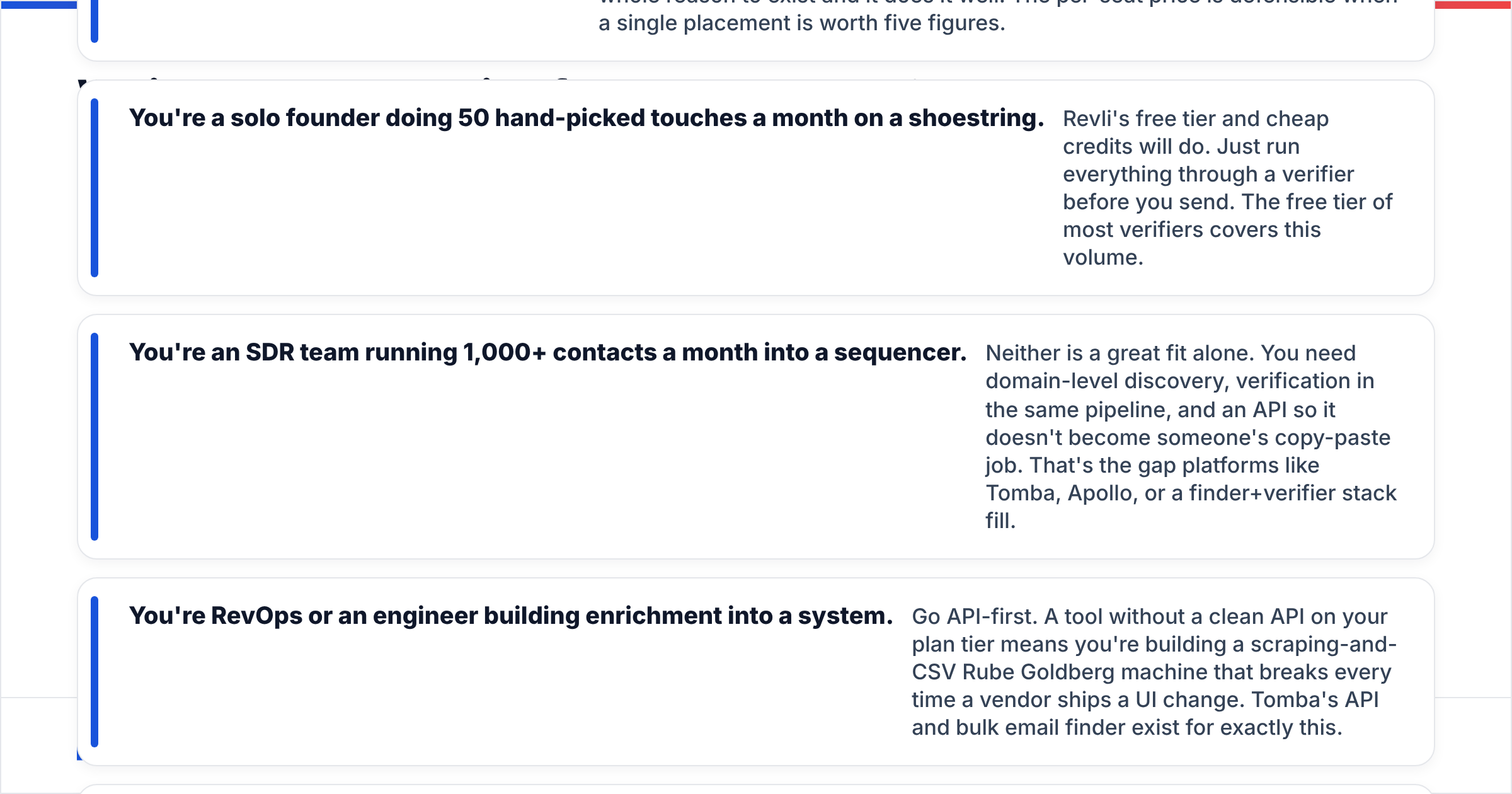
- You're a solo founder doing 50 hand-picked touches a month on a shoestring. Revli's free tier and cheap credits will do. Just run everything through a verifier before you send. The free tier of most verifiers covers this volume.
- You're an SDR team running 1,000+ contacts a month into a sequencer. Neither is a great fit alone. You need domain-level discovery, verification in the same pipeline, and an API so it doesn't become someone's copy-paste job. That's the gap platforms like Tomba, Apollo, or a finder+verifier stack fill.
- You're RevOps or an engineer building enrichment into a system. Go API-first. A tool without a clean API on your plan tier means you're building a scraping-and-CSV Rube Goldberg machine that breaks every time a vendor ships a UI change. Tomba's API and bulk email finder exist for exactly this.
- You sell into Europe or APAC. Test coverage hard before buying either. North-America-heavy datasets are the norm in this category, and the drop-off outside it is steep and underreported.

Is there a better option than either one?#
If the real problem is "I need accurate B2B work emails at scale, and I don't want to run a two-vendor Frankenstein," then yes — the comparison should be wider than these two.
The pattern that fails teams is stacking a cheap finder on top of a separate verifier on top of a separate enrichment tool, and paying three subscriptions to solve one workflow. Every handoff between those tools is a CSV export, a credit reconciliation, and a place where a bad row survives.
What to look for instead:
- Find and verify in the same pass. If verification is a separate purchase, verification will get skipped when the quarter gets tight. That is a promise you're making to your future bounce rate.
- Domain search, not just profile lookup. The question "who works at this company and what are their emails" is the actual B2B question. Domain search answers it in one call; a LinkedIn sidebar answers it one human-click at a time.
- An API on the entry plan. If the API is gated behind an enterprise call, the vendor is telling you they'd rather sell seats than solve workflows.
- Honest catch-all handling. A tool that says "unknown, don't send" on a catch-all domain is being more useful than one that says "valid" with false confidence.
- Transparent credit accounting. Charged only on successful finds, with clear rollover rules. Read Tomba pricing or any vendor's terms with this specific question in mind.
Tomba lands here deliberately: email finder, verifier, domain search, catch-all verification, and enrichment on one credit pool, with a free tier at 25 searches/mo to test before you spend, and $49/mo Starter, $99/mo Growth, and $249/mo Pro above it. It won't beat ContactOut at scraping a personal Gmail off a LinkedIn profile — that's not the job it's built for. It will beat a cheap-finder-plus-separate-verifier stack on total cost per deliverable contact, which is the number your CFO and your deliverability both care about.
The verdict#
ContactOut wins if the person matters more than the company — recruiting, exec search, one-to-one sourcing where a personal email is the unlock and per-seat cost is easy to justify.
Revli wins if budget is the binding constraint and you're disciplined enough to verify everything before it touches a sequencer. Cheap credits plus rigorous verification is a workable strategy. Cheap credits plus optimism is not.
Neither wins the default B2B outbound case, where you need company-wide coverage, verified work emails, and an API that turns the whole thing into a job instead of a chore.
Run the 100-row test. Measure bounces, not hits. Compute cost per deliverable contact. Then pick — and be genuinely willing to pick a third option if the numbers say so.
Test it against your own list. Take the same 100 target contacts you'd use to evaluate ContactOut or Revli and run them through the Tomba Email Finder — the free tier gives you 25 searches with no card, and every result comes back with a verification status attached rather than a shrug. If the bounce rate on your control batch doesn't beat what you're getting today, you've lost an hour. If it does, you've just found the cheapest line item in your outbound stack.
Related guides#
Ready to find emails that actually work?
Join 150,000+ professionals who stopped guessing and started sending. Free credits on signup — no credit card required.
Get the Tomba newsletter
Practical outbound tactics and product updates — once every two weeks.
About the author