ContactOut vs RocketReach (2026): Which Finds More Emails?
ContactOut leans on LinkedIn and personal emails. RocketReach leans on a broad multi-source database. We compare accuracy, pricing, credits, and API access to find which one actually fits your outbound motion in 2026.
TL;DR
- ContactOut is a LinkedIn-first tool. Its edge is personal (non-work) emails and phone numbers pulled while you browse profiles. If your motion is "scroll Sales Navigator, extract, sequence," it fits.
- RocketReach is a database-first tool. You search a 700M+ contact index by name, title, company, or filters — no LinkedIn tab required — and its coverage of long-tail companies is broader.
- Accuracy is closer than either vendor implies. Both hover in the high-80s to low-90s on verified work emails for mainstream SaaS/tech domains, and both degrade on SMB, non-US, and catch-all domains.
- Pricing is the real differentiator. Both are per-seat with credit caps that get expensive fast at team scale; API access sits behind higher tiers on both.
- If you mostly need clean, verified work emails at volume via API, a dedicated finder like Tomba (free tier, then $49/mo) usually costs less than either — and you can bolt it onto whichever one you keep.
What are ContactOut and RocketReach, really?#
Both sell you the same outcome — a way to reach a person you can only see, not contact. They get there from opposite directions.
ContactOut started as a Chrome extension for recruiters. You open a LinkedIn profile, the sidebar pops, and it reveals work email, personal email, and often a mobile number. Over time it added a searchable database, a Recruiter integration, and CRM exports — but the browser extension is still the center of gravity. Its distinguishing claim is personal email coverage, which matters enormously in recruiting (people change jobs; Gmail doesn't) and matters less in B2B sales, where a work address is usually the compliant, expected channel.
RocketReach started as a search engine over a contact index. You type a person or a company, apply filters (title, seniority, location, industry, headcount), and it returns emails and phones from aggregated public and licensed sources. There's a Chrome extension too, but you don't need LinkedIn open to work. That makes it a better fit for list-building from a spreadsheet of target accounts, and for the long tail of companies where LinkedIn profiles are thin or nonexistent.
The mental model: ContactOut is a flashlight you point at one profile at a time. RocketReach is a filing cabinet you query. Neither is wrong — they just assume different workflows.

How do ContactOut and RocketReach compare on features and price?#
Here's the head-to-head on the dimensions that actually change your monthly bill and your connect rate. Prices are list prices as of early 2026 and shift with annual discounts and sales-rep negotiation — always check the vendor's page before you sign.
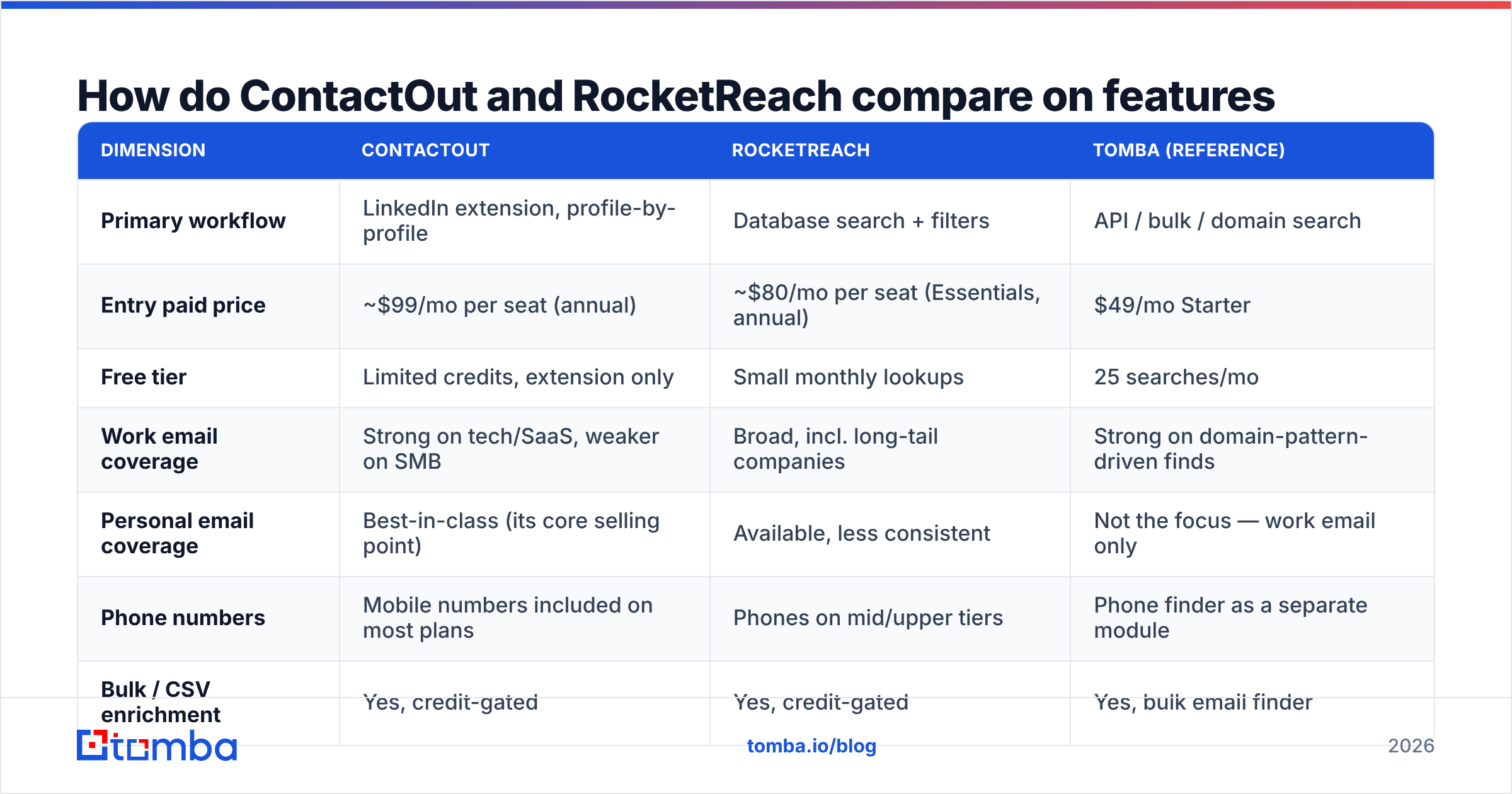
| Dimension | ContactOut | RocketReach | Tomba (reference) |
|---|---|---|---|
| Primary workflow | LinkedIn extension, profile-by-profile | Database search + filters | API / bulk / domain search |
| Entry paid price | ~$99/mo per seat (annual) | ~$80/mo per seat (Essentials, annual) | $49/mo Starter |
| Free tier | Limited credits, extension only | Small monthly lookups | 25 searches/mo |
| Work email coverage | Strong on tech/SaaS, weaker on SMB | Broad, incl. long-tail companies | Strong on domain-pattern-driven finds |
| Personal email coverage | Best-in-class (its core selling point) | Available, less consistent | Not the focus — work email only |
| Phone numbers | Mobile numbers included on most plans | Phones on mid/upper tiers | Phone finder as a separate module |
| Bulk / CSV enrichment | Yes, credit-gated | Yes, credit-gated | Yes, bulk email finder |
| API access | Higher tiers / custom | Pro tier and above | All paid tiers, docs public |
| Credit rollover | Generally no | Limited | Plan-dependent |
| Best for | Recruiters, LinkedIn-native SDRs | List-builders, RevOps, long-tail TAM | Engineering-led, API-driven enrichment |
Two things jump out. First, neither entry tier is cheap once you multiply by a five-person SDR team — you're at $400–$500/mo before you've sent an email. Second, API access is the upsell on both, which is exactly the thing an automated GTM stack needs most.
Which one is more accurate?#
The honest answer: on the contacts you're most likely to prospect — mid-market and enterprise tech, US and Western Europe, director-and-above — they're close enough that accuracy shouldn't be your deciding factor. Independent user reviews on G2 put both in the same band, with the usual spread of "it nailed 9/10" and "half the list bounced" depending entirely on the ICP tested.
Where they diverge:
- Long-tail and SMB domains. RocketReach's index breadth tends to surface something for a 30-person agency where ContactOut returns nothing. Whether that something is deliverable is a separate question.
- Personal emails. ContactOut wins outright. If you're a recruiter, this is not a small thing — it may be the whole decision.
- Non-US coverage. Both thin out. APAC and LATAM coverage is materially weaker than their US numbers suggest, on both platforms.
- Catch-all domains. Neither tool tells you clearly enough when a result came back "accepted" simply because the domain accepts everything. This is the single biggest hidden source of bounces, and it's why a separate catch-all verifier step is worth building into any list workflow regardless of which finder you pick.
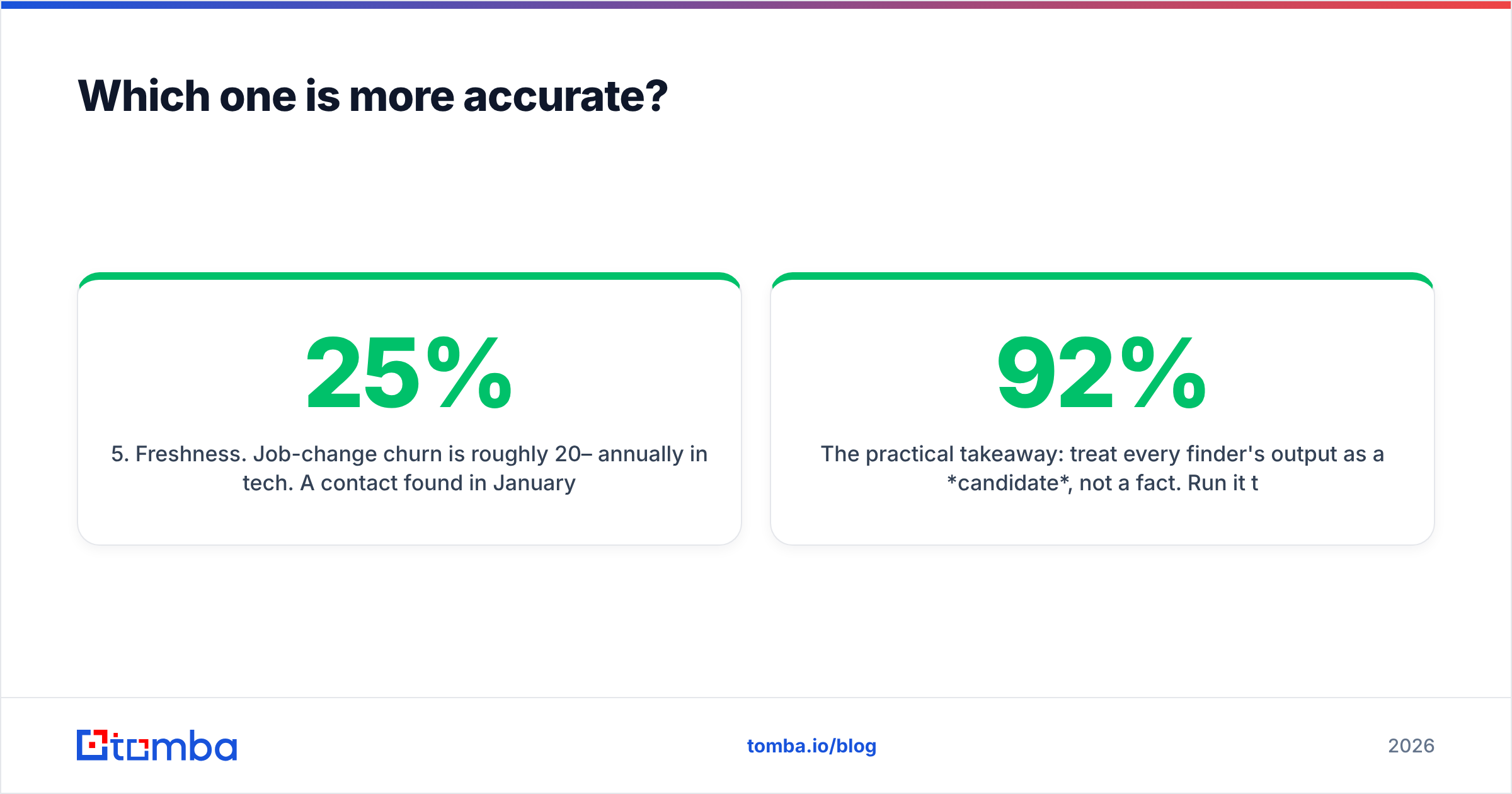
- Freshness. Job-change churn is roughly 20–25% annually in tech. A contact found in January is meaningfully less reliable by September on any platform. Re-verification cadence matters more than the vendor's headline accuracy number.
The practical takeaway: treat every finder's output as a candidate, not a fact. Run it through an email verifier before it enters a sequence. A 92%-accurate finder plus verification beats a 95%-accurate finder without it, every time, because bounces don't just cost you one lead — they damage sender reputation across your whole domain.
When should you pick ContactOut?#
Pick ContactOut if these describe you:
- You're recruiting. Personal emails and mobiles are the job. ContactOut's core competency maps directly onto it, and the LinkedIn Recruiter integration is genuinely tight.
- Your reps live in Sales Navigator. If prospecting is browsing profiles, the extension removes friction that a search-first tool reintroduces.
- You prospect senior people at known companies. Coverage is strongest exactly where ContactOut's data sources are richest.
- You want phone numbers bundled, not bolted on. Mobiles are included on most plans rather than sold as a separate credit type.
Skip it if your list-building starts from a CSV of domains rather than a LinkedIn search, or if your budget can't absorb per-seat pricing across a growing team. The extension model quietly assumes one human, one browser, one profile at a time — which is a ceiling, not a feature, once you're enriching thousands of rows.
When should you pick RocketReach?#
Pick RocketReach if:
- You build lists from criteria, not profiles. "All VPs of Engineering at 200–1000 person fintechs in Germany" is a RocketReach query, not a ContactOut workflow.
- Your TAM includes the long tail. Smaller and less-online companies are where RocketReach's breadth pays for itself.
- You need one tool for email and phone and social, and you'd rather have moderate quality across all three than excellent quality in one.
- You want API access without an enterprise conversation. It's available at a lower tier than ContactOut's.
Skip it if you need reliable personal emails, or if you've tested it on your specific ICP and the bounce rate came back ugly — which happens more on non-US and SMB lists than the marketing suggests.

Is there a better option than either?#
Sometimes the honest answer to "A vs B" is "you framed the question wrong."
Both ContactOut and RocketReach are priced and packaged for humans clicking. If your GTM team has moved to programmatic enrichment — a workflow that pulls a domain list, finds contacts, verifies them, and pushes into HubSpot or Salesforce without a rep opening a browser — you're paying for a UI you barely touch.
That's the gap Tomba fills. The email finder API is available on every paid tier, domain search returns every discoverable address at a company in one call, and the free tier (25 searches/mo) is enough to actually test your ICP before paying anyone. Starter is $49/mo — roughly half a single ContactOut seat.
Other names worth a look, depending on the gap you're filling:
| Tool | Strongest at | Weakest at | Entry price |
|---|---|---|---|
| Tomba | API-first email finding + verification | Personal emails, phones on lower tiers | $49/mo (free tier available) |
| BookYourData | Pay-as-you-go verified B2B lists, no subscription lock-in | Real-time profile-by-profile lookup | Credit packs |
| Apollo | All-in-one prospecting + sequencing | Data depth outside its own index | Free tier, then per seat |
| Clearbit | Firmographic enrichment, website intent | Standalone email finding | Enterprise-oriented |
If you're already evaluating this category, our breakdowns of ContactOut alternatives and RocketReach alternatives go deeper on the specific swaps.

How should you actually test them before buying?#
Do not trust anyone's published accuracy number — including ours. Run the same 100-contact test on both, using your ICP:
- Build a golden list. Pull 100 real prospects you'd genuinely email — right titles, right company sizes, right geographies. Not 100 Fortune 500 CMOs.
- Run both tools on the identical list. Record: found / not found, and which type of email came back (work vs personal, verified vs guessed).
- Verify everything independently. Push all results through a third-party email verification pass. This is the step most buyers skip, and it's the one that reveals the truth — a tool that "found" 95 emails but where 20 are undeliverable actually found 75.
- Score deliverable-per-dollar. Divide verified-deliverable emails by the credits consumed. This single number reorders most vendor comparisons.
- Check the catch-all rate. Count how many results landed on domains that accept everything. Those are unknowns, not wins.
- Re-run in 60 days. Freshness decay separates a good index from a stale one faster than any feature list.
Most teams that do this discover their bottleneck isn't finding emails at all — it's email deliverability. A perfect list sent from a cold domain with a broken SPF record still lands in spam.

What's the verdict on ContactOut vs RocketReach?#
Recruiters: ContactOut. The personal-email and mobile coverage is genuinely differentiated, and no amount of database breadth substitutes for it.
RevOps and list-builders: RocketReach. Filter-driven search over a broad index, with API access at a reachable tier, is the right shape for building TAM from criteria.
Engineering-led GTM teams: neither, primarily. Per-seat pricing with credit caps is a bad fit for programmatic enrichment. You'll pay more for a UI you don't open.
And regardless of which you pick: verification is not optional. Both tools return results that will bounce, both under-flag catch-all domains, and both decay. The stack that wins is finder → verifier → sequencer, not finder → sequencer and hope.
Where does Tomba fit?#
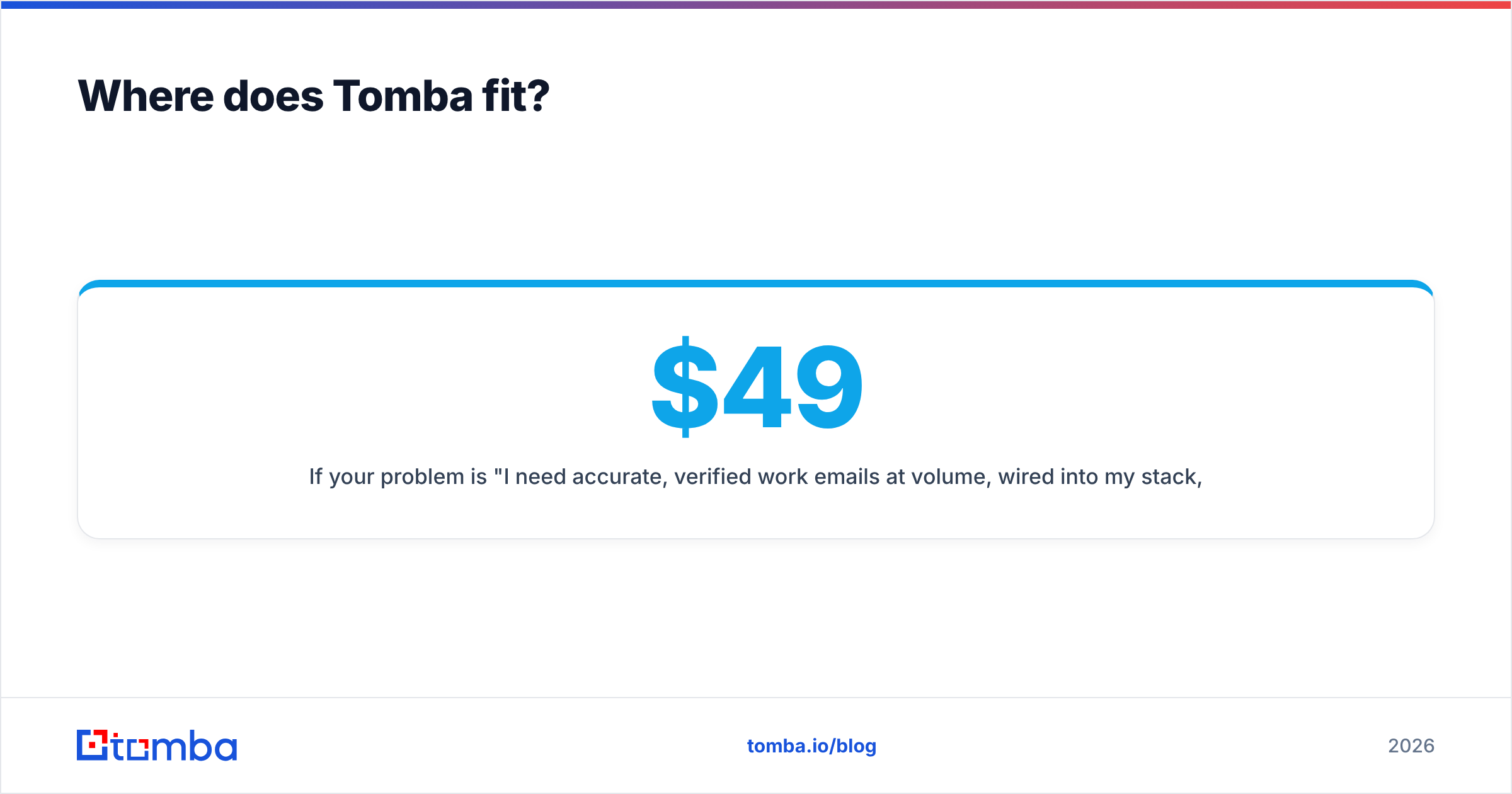
If your problem is "I need accurate, verified work emails at volume, wired into my stack, without paying per seat" — start with the Tomba Email Finder. Free tier gives you 25 searches to test against your own ICP, no card. Starter is $49/mo, Growth $99/mo, Pro $249/mo, and API access is included on every paid plan rather than dangled behind an enterprise call. See Tomba pricing for the full breakdown.
Run your 100-contact test. Compare deliverable-per-dollar. Let the numbers pick your vendor.
Related guides#
Ready to find emails that actually work?
Join 150,000+ professionals who stopped guessing and started sending. Free credits on signup — no credit card required.
Get the Tomba newsletter
Practical outbound tactics and product updates — once every two weeks.
About the author