ContactOut vs Salesgenie: Which B2B Data Tool Wins in 2026?
One is a LinkedIn-first contact finder, the other a decades-old business list database. We compare data accuracy, pricing, export limits and real fit so you can pick without wasting a sales call.
ContactOut vs Salesgenie comes down to one question: do you need one person's email, or a whole list of companies? ContactOut finds the person. Salesgenie builds the list.
TL;DR
- ContactOut vs Salesgenie is not a fair head-to-head. The two tools solve different problems.
- ContactOut is a LinkedIn-first contact finder. You open a profile, click the extension, and it reveals work emails, personal emails, and mobile numbers. It suits recruiters and SDRs who already work inside LinkedIn Recruiter or Sales Navigator.
- Salesgenie (owned by Data Axle) is an old-school US list database. You set filters, then pull business or consumer records with addresses, phone numbers, and some emails. It was built for list buying, cold calling, and direct mail.
- ContactOut wins on person-level email accuracy and LinkedIn workflow. Salesgenie wins on US small-business data, postal records, and consumer files.
- Pricing is the sharpest split. ContactOut sells self-serve credit plans. Salesgenie wants a sales call and an annual contract. Neither one shows a clear price per verified email.
- Do you just need verified work emails at a price you can predict? A finder plus verifier like Tomba is often the cheaper path. For pre-built lists, BookYourData is a fair peer.
ContactOut vs Salesgenie: what does each tool do?#
They solve different problems. That is most of the answer right there.
ContactOut began as a Chrome extension that sits on top of LinkedIn. You open a profile and click the icon. It then shows email addresses, often a personal Gmail, plus mobile numbers.
It has since added a web app, saved lists, and a light CRM layer. Even so, the LinkedIn overlay is still the heart of the product. The typical buyer is a recruiter or an SDR sourcing one person at a time. You can see the current feature set on contactout.com.
Salesgenie comes from a very different world. It is the small-business front end for Data Axle, a US data compiler with roots in the early 1970s (infoUSA, then Infogroup, then Data Axle).
You log in and build a filter: industry code, employee count, revenue band, geography, credit rating. Then you pull a list. It holds consumer records too. That matters if you sell to homeowners, franchises, or local shops.
So ContactOut is a person-first tool. Salesgenie is a company-first database. Keep that in mind and the ContactOut vs Salesgenie choice gets easy.
ContactOut vs Salesgenie at a glance#
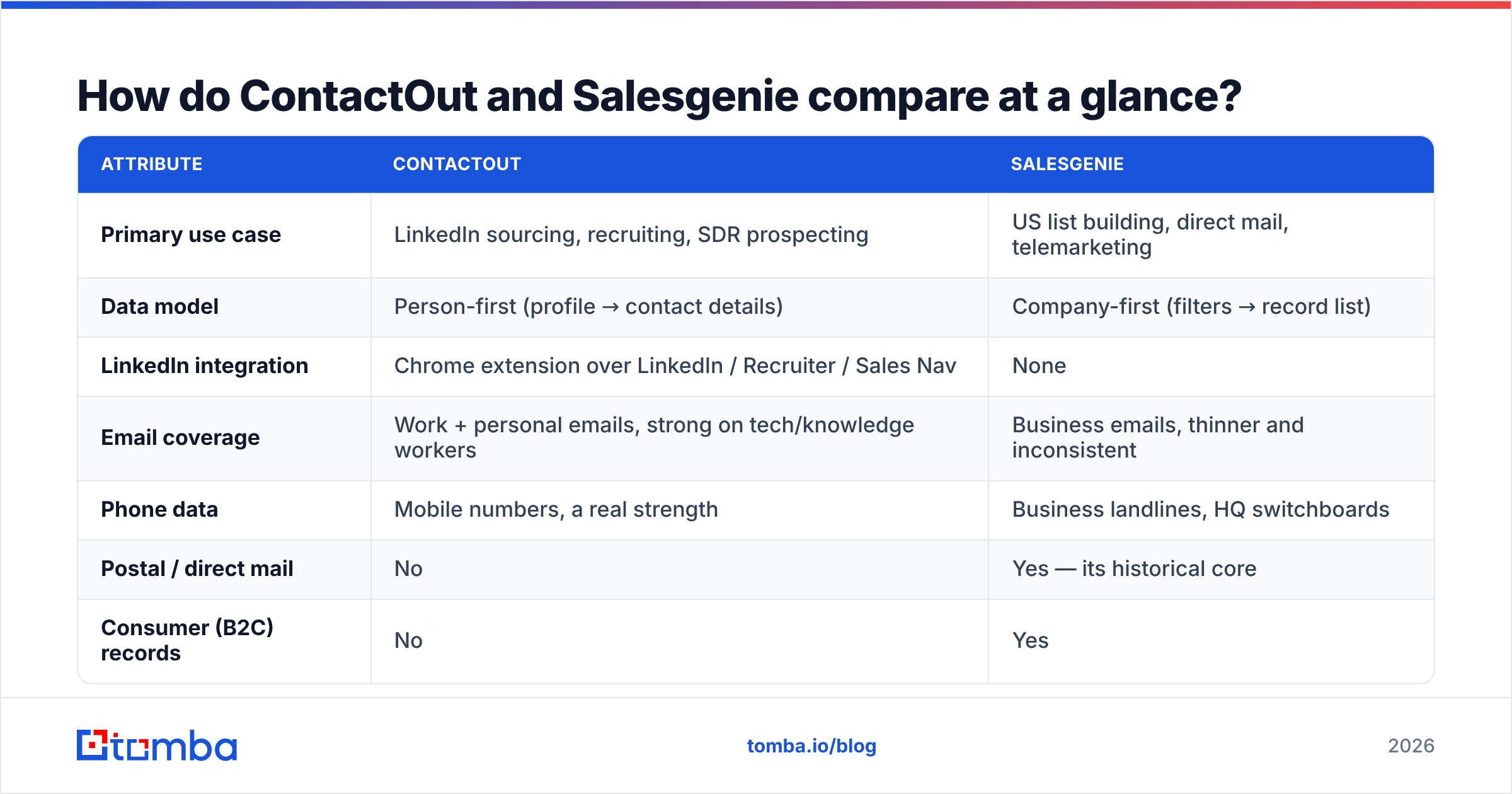
| Attribute | ContactOut | Salesgenie |
|---|---|---|
| Primary use case | LinkedIn sourcing, recruiting, SDR prospecting | US list building, direct mail, telemarketing |
| Data model | Person-first (profile → contact details) | Company-first (filters → record list) |
| LinkedIn integration | Chrome extension over LinkedIn / Recruiter / Sales Nav | None |
| Email coverage | Work + personal emails, strong on tech/knowledge workers | Business emails, thinner and inconsistent |
| Phone data | Mobile numbers, a real strength | Business landlines, HQ switchboards |
| Postal / direct mail | No | Yes — its historical core |
| Consumer (B2C) records | No | Yes |
| Non-US coverage | Broad (anywhere LinkedIn is used) | Weak — US/Canada focused |
| Buying motion | Self-serve tiers | Sales call, typically annual |
| Free entry | Limited free credits | Trial via sales contact |
| API | Yes (paid tiers) | Limited, enterprise-oriented |
| Best-fit team | Recruiters, tech SDRs, agencies | Local/SMB sellers, insurance, home services, direct mail |
The table makes the ContactOut vs Salesgenie split clear.
Say your buyer is "VP of Engineering at a 200-person SaaS firm in Berlin." Salesgenie is the wrong tool, and no filter will fix that.
Now say your buyer is "an HVAC contractor doing $2–5M in revenue in Ohio." ContactOut will come up empty. Most of those owners have a thin LinkedIn profile, or none at all.

ContactOut vs Salesgenie: which has better data accuracy?#
Accuracy depends on the field you measure. So ask a sharper question: accurate at what?
ContactOut on work email: strong for LinkedIn-active people in tech, SaaS, finance, and agencies. It starts from a real profile with a real employer. Knowing where someone works is the biggest driver of finder accuracy.
ContactOut on personal email: this is both its edge and its risk. A personal Gmail is gold for a recruiter. For B2B sales, it is radioactive. A cold pitch to a private inbox is a brand risk and a GDPR risk. Recruiters get more room here than sellers do.
Salesgenie on firmographics: genuinely good. Business name, address, phone, industry code, employee count, credit flags. This is compiled data with decades of process behind it. If you need to know a business exists at an address, it is reliable.
Salesgenie on email: the common complaint in G2 reviews is that emails and contact names go stale. Compiled files refresh on a cycle, not in real time. A database built for direct mail was never tuned for the inbox. Plan to verify before you send.
That last point costs real money. A 12% bounce rate on a bought list hurts your domain long before it hurts the vendor. So run any list through an email verifier first. Watch catch-all domains too. Most cheap tools wave those through as "valid."

ContactOut vs Salesgenie: how does pricing compare?#
Neither vendor makes this simple. That is a data point on its own.
ContactOut posts self-serve tiers with credit limits. The entry paid plan costs a low-to-mid double-digit sum per month for one seat. Team and API plans cost far more. Credits burn on each reveal, and unused credits do not roll over forever.
Salesgenie uses the older motion. You talk to a rep. You land on an annual plan. The price depends on record volume, seat count, and the consumer file. Public reports put entry plans in the low hundreds per month, billed yearly. So you often commit four figures before you test a single email.
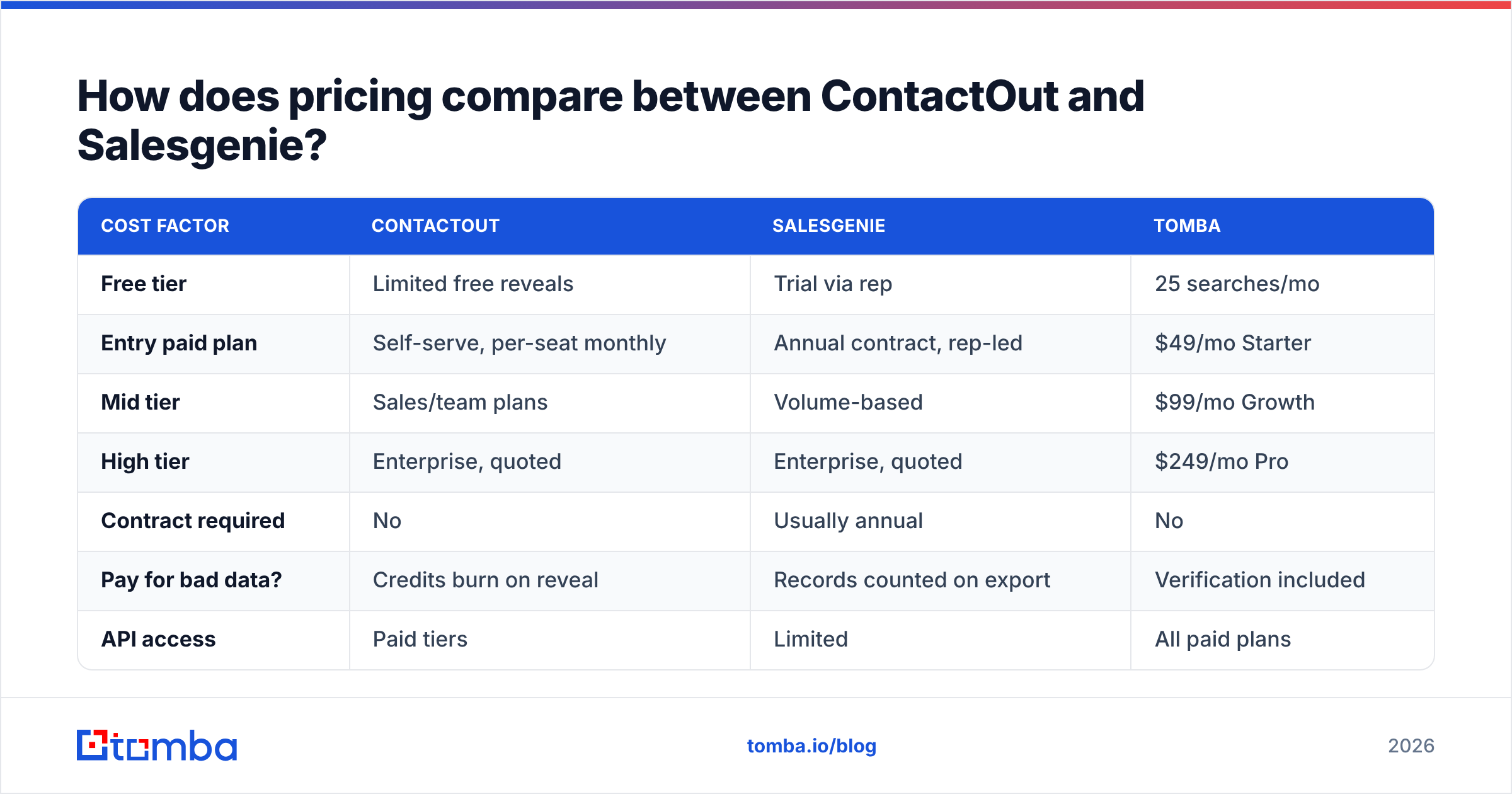
| Cost factor | ContactOut | Salesgenie | Tomba |
|---|---|---|---|
| Free tier | Limited free reveals | Trial via rep | 25 searches/mo |
| Entry paid plan | Self-serve, per-seat monthly | Annual contract, rep-led | $49/mo Starter |
| Mid tier | Sales/team plans | Volume-based | $99/mo Growth |
| High tier | Enterprise, quoted | Enterprise, quoted | $249/mo Pro |
| Contract required | No | Usually annual | No |
| Pay for bad data? | Credits burn on reveal | Records counted on export | Verification included |
| API access | Paid tiers | Limited | All paid plans |
Check two things before you sign either deal:
- Do failed lookups burn credits? With ContactOut, an empty reveal should not cost you. Confirm it anyway, because vendors change the rules.
- What is the export cap? Salesgenie contracts often limit how many records you can download per year, even when your search returns more. That cap is your real unit cost, not the sticker price.
Clear pricing with no sales call is why many teams land on tools like Tomba's plans. You can model the cost per verified email in a spreadsheet before you spend a cent.

Who should choose ContactOut?#
Pick ContactOut if most of these are true:
- You source inside LinkedIn all day. Recruiters on LinkedIn Recruiter, and SDRs who build lists in Sales Navigator, get the most from the overlay. It saves you the tax of switching tools.
- You need mobile numbers. Its phone coverage is a big reason people keep it after they trial cheaper finders.
- Your buyers live on LinkedIn. Think tech, SaaS, professional services, agencies, and startups. If the profile is well kept, you will get a hit.
- You are hiring, not selling. Personal email access is a superpower for a recruiter and a liability for a seller.
- You want self-serve. No procurement, no annual lock-in, no discovery call.
Where it falls down: bulk work. Building a 20,000-row list one profile at a time is not a workflow. For that, use a domain search or a bulk email finder that takes a CSV of companies and returns contacts.
Who should choose Salesgenie?#
Pick Salesgenie if most of these are true:
- You sell to US small and local businesses. Restaurants, contractors, clinics, dealerships, franchises. LinkedIn-based tools miss these records.
- Direct mail or cold calling is a real channel. Postal addresses and business landlines are home turf here. Almost nobody else in the modern stack does postal well.
- You need consumer data. Insurance, home services, financial advice. Few B2B tools touch the consumer file at all.
- You want filters, not profiles. Revenue band, employee count, years in business, credit score. Build a territory list, hand it to reps, done.
- You can live with an annual contract and a rep relationship.
Where it falls down: modern B2B outbound. Emails from compiled lists bounce. Coverage outside the US is thin. There is no real LinkedIn or CRM enrichment loop. It is a 1990s list product with a 2020s login page.
Is there a better alternative to both?#
Often, yes. Most teams asking "ContactOut vs Salesgenie" have a third need that neither tool owns: verified work emails, in bulk, at a price you can predict, with no sales call.

Three honest options, based on what you care about:
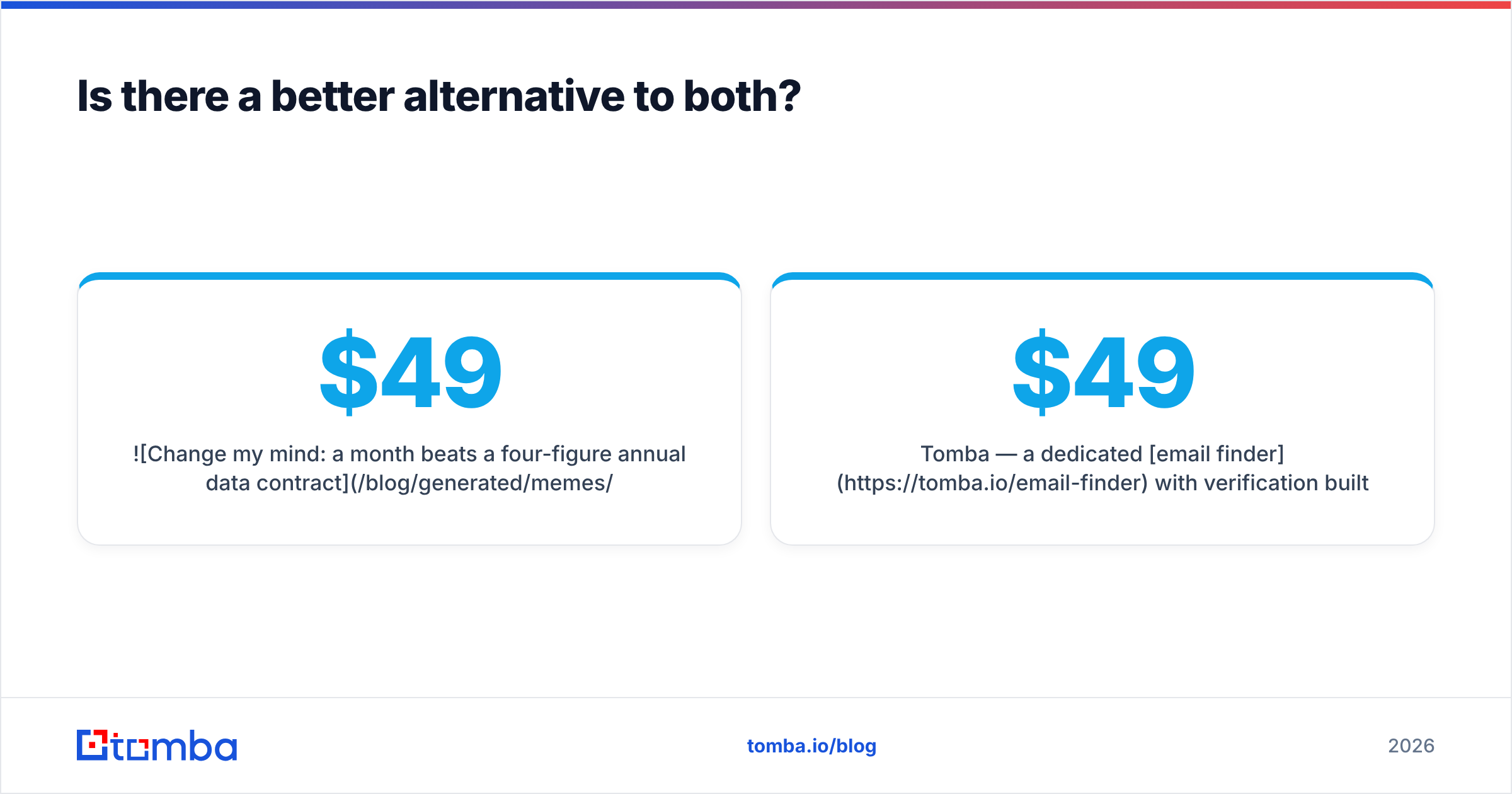
- Tomba — a dedicated email finder with verification built into the same flow. Give it a domain, or a name plus a company, and it returns a work email with a confidence score. The same platform then verifies it before you send. The free tier covers 25 searches a month. Starter is $49/mo, Growth is $99/mo, Pro is $249/mo, all self-serve. There is also a Tomba API and a Chrome extension, so you get the overlay habit without the personal-email risk.
- BookYourData — a solid peer if you want a pre-built, pay-as-you-go list with an accuracy guarantee instead of a subscription. It fits teams who buy lists in bursts and hate ongoing seat costs. It is a fair answer to Salesgenie's contract motion.
- Keeping both — plenty of teams run ContactOut for LinkedIn sourcing and a compiled database for local SMB territory. That is a valid stack, not a failure. Just do not pay for two tools when you only open one.
| Job to be done | Best pick |
|---|---|
| Reveal a specific LinkedIn profile's mobile | ContactOut |
| Build a US local-business direct mail list | Salesgenie |
| Find + verify 5,000 work emails from a domain list | Tomba |
| Buy a one-off list with no subscription | BookYourData |
| Enrich a CRM via API on every new signup | Tomba |
| Recruit passive candidates in tech | ContactOut |
What should you ask before you buy either one?#
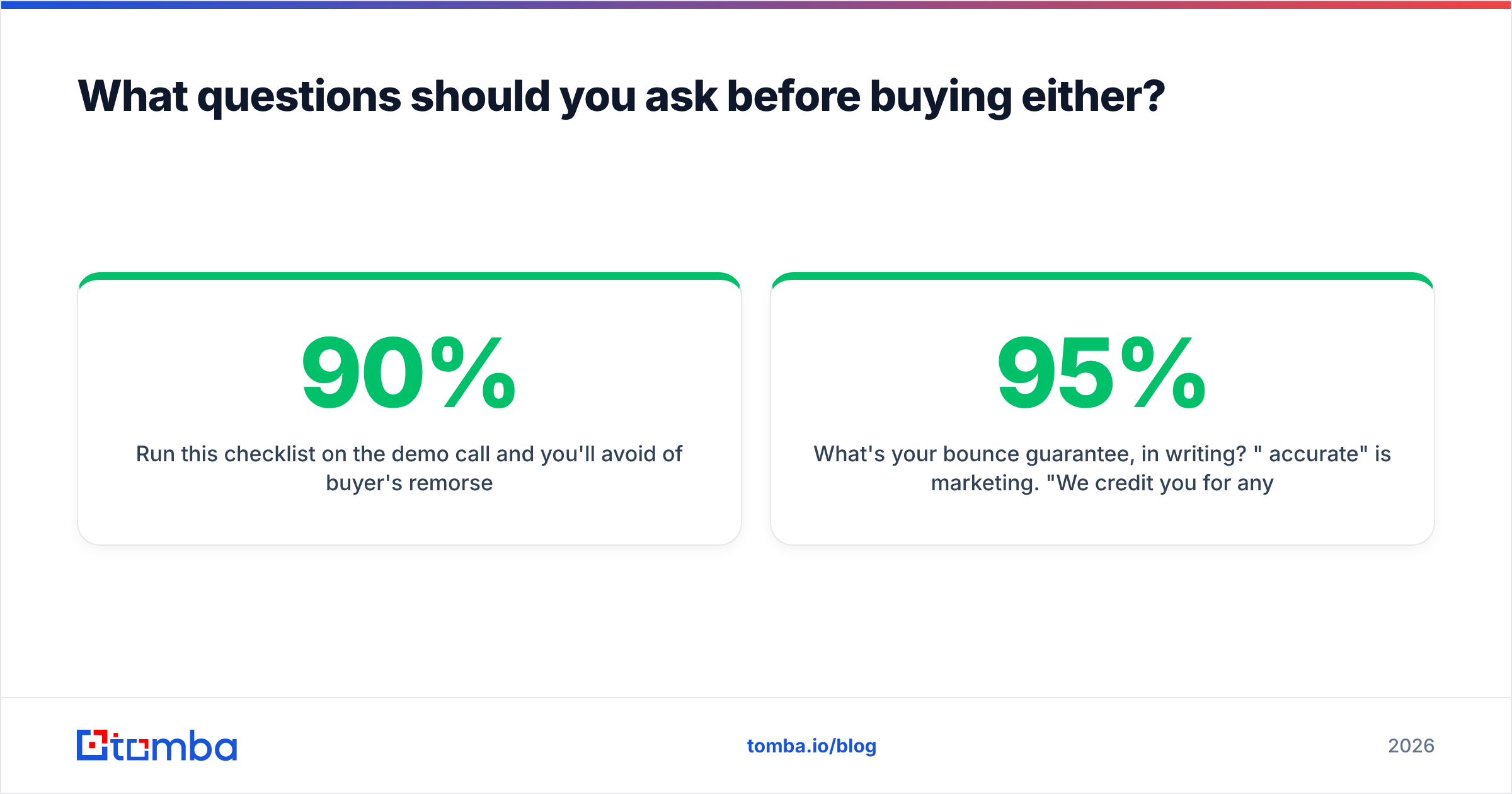
Run this checklist on the demo call. It will spare you most of the regret:
- What is your bounce guarantee, in writing? "95% accurate" is marketing. "We credit you for hard bounces above 5%" is a contract term.
- How are credits used on a miss? Some vendors charge for the attempt, not the result.
- Can I export what I search? Search caps and export caps are two different numbers. Get both.
- How fresh is a typical record? Ask for the median age of the email field, not the database.
- What happens if I cancel? Do you keep the records you exported, or is the licence time-boxed?
- Is there an API on my tier? For most teams, that is the line between a tool and a workflow.
Whatever you pick, verify before you send. A compiled list, a LinkedIn scrape, and a guessed pattern all bounce for their own reasons. Your sending domain does not care about the reason.
The ContactOut vs Salesgenie verdict#
ContactOut wins if you are a recruiter or a LinkedIn-native SDR. You need person-level emails and mobiles, one profile at a time, with no contract.
Salesgenie wins if you sell to US small businesses or consumers. Its firmographic and postal file still beats what modern GTM tools can offer, and direct mail and heavy dialling remain real channels.
Neither one fits the most common job: "get me verified work emails for these 3,000 companies, this week, with no procurement cycle." That is a different category, and it is the one most B2B teams actually need.
Start with the Tomba Email Finder. Feed it a domain, a name, or a CSV of companies. You get work emails with confidence scores and built-in verification. That is 25 free searches a month, then $49/mo Starter, with no sales call and no annual lock-in. If you pay four figures a year for a list you still have to clean, this is the fastest test you can run this quarter.
Related guides#
Ready to find emails that actually work?
Join 150,000+ professionals who stopped guessing and started sending. Free credits on signup — no credit card required.
Get the Tomba newsletter
Practical outbound tactics and product updates — once every two weeks.
About the author